






hippist AI
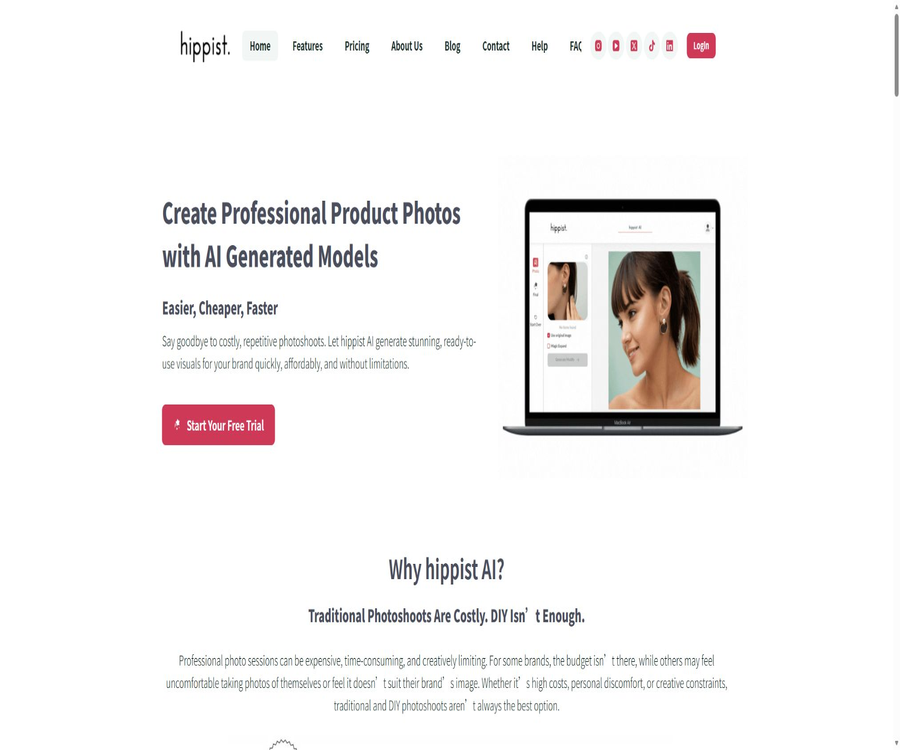
Hippist AI: an intelligent tool focused on creating AI-generated product images.
Tags:AI product image generationA one-sentence summary
Hippist AI is an AI-powered photography platform designed for e-commerce and visual marketing; it allows ordinary photos of people wearing clothing, photos of product details, or mannequin shots to be transformed into commercial visuals that feature AI-generated models, complete styling, appropriate backgrounds, and a consistent brand style.
Tool Introduction
Hippist AI was developed based on experience in the e-commerce industry; it is designed to address the costs and time constraints associated with traditional product photography, which requires models, photographers, stylists, a suitable location, and a post-production team. It is particularly suitable for products such as clothing, jewelry, accessories, handbags, children’s brands, home goods, and any other items that need to be displayed alongside people or in real-life scenarios.
Products are not created entirely from text; rather, they are usually based on an existing photo of the product, with adjustments made to the people depicted, clothing styles, background, composition, and overall visual atmosphere. The quality of the original image, any obstructions on the product, and the scope of edits all have a direct impact on the accuracy of the details of the product.
Main functions
AI product photography
Users can upload photos of real people wearing the products, pictures of themselves trying out the items, or other suitable materials; the system will then redesign the characters, background, lighting, and overall style. The resulting images can be used on product pages, in advertisements, on social media, and for A/B testing, but it is necessary to check the actual appearance of the products before publishing them.
Three ways to create AI models
Users can choose pre-made AI models, create custom characters by describing them in text, or upload their own photos or those of authorized individuals as models. The customizable options include age, body type, ethnicity, gender, expression, posture, angle, hair color, skin tone, and facial features.
Product styling and looks
The platform allows garments, jewelry, and accessories to be displayed on AI models, with the possibility of changing combinations of coats, tops, bottoms, shoes, glasses, hats, and other accessories. Each change may result in the redrawing of adjacent areas; therefore, it is necessary to zoom in in order to check the logo, textures, seams, sizes, and materials.
StyleSwap style reference
StyleSwap takes a reference image as input, extracts elements such as color, atmosphere, type of clothing, and overall visual style, and then applies a similar style to the product photos. What it produces is a visually similar result rather than an exact copy; when using third-party ads or brand images as references, it is still necessary to assess risks related to copyright, trademarks, and unauthorized imitation.
Magic Expand: Image expansion
Magic Expand can fill in missing parts such as the face, body, limbs, clothing, and background; it can also expand close-up shots of earrings, half-body photos, or individual arms to create a more complete image of the model. The newly added elements are generated by AI, so they do not reflect the actual proportions of a real person or product. In particular, the size of jewelry and its position on the body need to be checked carefully.
Mannequin2Model
Mannequin2Model converts images of physical mannequins or virtual mannequins into AI models that appear to be real people, and it allows for the selection of age, gender, ethnicity, and expression. It is suitable for updating old product catalogs, but the difference between the shape of these mannequins and that of a real human body can lead to inaccuracies in terms of fit, draping, and sizing.
Custom background
Users can choose backgrounds from templates such as studios, cafes, beaches, and festive scenes; they can also create unique scenes using textual instructions. Additionally, manual masking can be used to designate specific areas of the background, thereby minimizing changes to the main subject of the image.
Seasons and activities visuals
The same product can be adapted to different holiday, seasonal, regional, and trend-themed designs without the need for new shoots. This feature is suitable for Black Friday promotions, holiday gifts, spring/summer product launches, and localized ads; however, it cannot be assumed that every cultural symbol will be used appropriately.
Local masks and brushes
Masks allow users to select only the areas that need to be modified, such as the face, clothing, hairstyle, or background, while trying to leave the unmasked parts unchanged. The documentation recommends avoiding the masking of the actual product itself, as imprecise edges can cause color bleeding or distortion of shapes.
Edit after generation
After completing the initial styling, it is still possible to further refine the selection areas, adjust colors, erase elements, remove the background, and fine-tune details; previous versions can also be viewed in the history. Repeated iterations can improve the result, but they also generate more new versions and may result in the consumption of additional credit points.
History and Versions
Each time a photo is created or modified, a new version of it is generated, allowing users to compare different compositions, backgrounds, and styles. The history feature makes it possible to revert to previous versions, but the storage duration for uploaded and generated images is not specified in the current privacy rules.
Concierge proxy production service
Companies that do not have in-house design resources can opt for the Concierge service, which involves a team responsible for creating, customizing, and delivering images for e-commerce, social media, and advertising purposes. This service requires scheduling a demonstration, as well as obtaining separate confirmation regarding pricing, delivery timelines, copyright issues, confidentiality provisions, and the scope of modifications that can be made.
Input, processing, and output
| Stage | Current requirements or capabilities | Precautions |
|---|---|---|
| Input format | JPEG or PNG | Support for WEBP, RAW, PSD, or video has not been confirmed. |
| Enter dimensions | The longest side shall not exceed 2048 pixels. | Images that are too large need to be resized first; images that are too small may lack sufficient detail. |
| It is recommended to use the original image. | The products are worn clearly by real people, with even lighting and a simple background. | Shadows, obstructions, and overlapping accessories can reduce fidelity. |
| The original image is not recommended. | Tiled images, product cropping, or being covered by other objects | The current process focuses more on wearable items or partial portraits of people. |
| Enter character | Pre-made AI models, text-based creation, or uploading of real photos | To upload a real person’s image, it is necessary to obtain consent for the use of that portrait. |
| Editing method | Prompt words, masks, brushes, templates, and reference styles | Each operation may redraw adjacent areas. |
| Output | High-quality watermark-free images available for download | There is no specification regarding the fixed output pixels or guarantees related to the file format. |
| Project | Each uploaded photo corresponds to one product or one design. | The number of projects cannot be directly interpreted as the number of final images. |
| Version | A new photo is created each time it is generated or modified. | Credit points or promotional rules can affect the number of iterations allowed. |
Two main operating modes
| Pattern | Suitable for input | Main process | Common results |
|---|---|---|---|
| Use Original Photo | A realistic photo of a person wearing the product, with a well-structured composition and clear visibility of the product. | The mask is used to identify the areas that need to be modified, after which adjustments can be made to the characters, designs, and background using the relevant tools. | Try to maintain the original composition and the main subject of the product. |
| Magic Expand | Product photos in close-up, half-body view, with the face or part of the arm cropped out | Expand outward gradually and complete the face, body, clothing, and background. | Complete character portraits or marketing images with a broader frame |
| Manual background replacement | Product photos with clear edges of the main subject. | Cover the background on the prompt page and describe the new scene. | More precise control over the background. |
| Template background | Images that require quick bulk switching of scenes | Choose from preset studio, indoor, outdoor, or holiday templates. | A fast version with a consistent style |
Basic usage tutorial
- Register an account and choose either a 7-day trial or a package that suits the number of projects you need; first, read the terms regarding billing and refunds.
- Create a new project for a particular product and give it a name, so as to avoid combining multiple different designs within the same project.
- Upload JPEG or PNG files, making sure the longest side is no more than 2048 pixels; the product should be clear and free of any obstructions.
- Choose either Original Photo or Magic Expand mode depending on the completeness of the original image.
- Use the brush to precisely cover the face, clothing, or background that needs to be modified, being careful not to cover the areas of the product that must remain intact.
- Write prompts that include camera shots, poses, angles, characters, skin tone, hair, makeup, clothing, and background.
- After creating the first version, enlarge it to examine the product’s shape, texture, logo, connectors, dimensions, and human anatomy.
- Only the problematic areas are modified further; if necessary, background replacement, erasure, or color adjustment is used.
- Compare the historical versions, download the one that is closest to the actual product, and keep the original image for review.
- Before official release, have the product, legal, and branding teams review it together to ensure that no version that could mislead consumers is used.
Prompt writing format
An effective prompt should include details such as the lens used, posture, angle, information about the person, the layers of clothing from outside to inside, colors, style, and background. The more specific the description, the better it is for maintaining consistency in direction; however, complex requirements may also conflict with one another.
| Hint composition | Describable content | Usage suggestions |
|---|---|---|
| Lens | Close-up, half-body, full-body, front view, side view, and top view | First, determine the angle from which the product needs to be displayed most effectively. |
| Posture | Standing, walking, sitting posture, hand position, and line of sight | Avoid covering the jewelry, logo, or details with your hand. |
| Characters | Age, gender, body type, ethnicity, and expression | Avoid stereotypes and unnecessary sensitive attributes. |
| Face | Skin tone and texture, makeup, eyes, nose, and lips | Do not use it to pretend to be a real person. |
| Hair | Length, color, straight hair, curly hair, parting, and styling | Make sure your hair does not cover the product. |
| Clothing | The colors and styles of coats, tops, bottoms, shoes, and accessories | Identify which item is the actual product being sold. |
| Background | Location, season, time, lighting, color tone, and depth of field | Prevent the background color from obscuring the edges of the products. |
| Brand style | Minimalist, editorial, vintage, luxurious, or lifestyle | Do not directly copy the unique layout of protected advertisements. |
Projects and credit points
A project represents a complete workspace for a particular product or design; it allows one to upload an initial photo and then create multiple versions of it step by step. Each action incurs a certain number of credit points according to the standard rules, while the current pricing page lists unlimited revisions as a time-limited promotion.
| Operation | Document credit points | Uses | Points to note during the promotion period |
|---|---|---|---|
| Initial prompt generation | 5 o’clock | Generate the first main image based on the model, design, and background. | It may currently be included in the unlimited revision promotion. |
| Prompt editing | 1 o’clock | Make minor adjustments to the existing results. | Do not assume that access will remain unlimited after the promotion ends. |
| Background replacement | 3 o’clock | Change the scene, event, or seasonal background | A new version is created every time. |
| Image expansion | 3 o’clock | Expand the composition and complete the figures or scene. | Multiple gradual expansions may consume resources continuously. |
| Number of projects | Subject to package restrictions | Determine the number of products or designs that can be processed. | Unlimited revisions do not mean unlimited items. |
Promotions and long-term benefits
All versions – Basic, Pro, and Enterprise – are currently listed as offering Unlimited Revisions, but it is specified that this is a time-limited offer. Purchasers should keep track of the number of items, credit points, the end date of the promotion, and the benefits available after renewal; they should not consider this promotion as a permanent commitment.
Prices and packages
The price information was verified on August 23, 2026; the actual amounts, taxes, exchange rates, and discounts may vary, and the final figures will be those displayed on the settlement page.
Hippist AI offers three monthly subscription tiers, all of which include a 7-day free trial, full functionality, watermark-free output, and unlimited revisions for a limited time. The annual price is not disclosed; it is necessary to register first and then select and activate the desired plan within the application.
| Package | Price | Number of projects | Team and support | Suitable for users |
|---|---|---|---|---|
| Basic | $ | 6 projects | Email support available; no instructions for Teams. | Testing by individual creators and small brands |
| Pro | $ | 20 projects | Email support and Teams | Growing brands and creative teams |
| Enterprise | $ | 120 projects | Teams, email support, and basic guidance | Institutions, major brands, and high-output teams |
| 7-day trial | No charge during the trial period | Experience it according to the selected plan. | All features, no watermarks, and current promotional offers | Verify the product’s authenticity before purchasing. |
| Concierge | Not available; a demonstration is available upon reservation. | Confirmed by project or contract | The team handles generation, customization, and delivery. | Companies that lack in-house production staff |
Refunds and cancellations
No refunds are provided for any purchases; users can cancel their subscription from their account or by contacting support, and the cancellation takes effect at the end of the current payment cycle. As for whether a 7-day trial requires pre-booking a payment method, when it becomes a paid service, and whether unused portions are carried over, the details shall be as indicated on the actual billing page.
Which users are it suitable for
- E-commerce fashion brands: Update footage of actual model trials or previous shoots by using different models and settings.
- Jewelry and accessory sellers: Place earrings, necklaces, glasses, hats, and bags within a contextual setting featuring people.
- Small designer brands: Create product pages and social media content with a limited budget.
- Marketing team: Quickly create A/B test versions tailored to holidays, seasons, and various target audiences.
- Creative agencies: Use the Teams features in Pro or Enterprise to manage more client projects.
- Photographers and post-production staff: Use AI for image enlargement, scene replacement, and concept previews.
- Home and lifestyle brands: Use Magic Expand to add characters and environments to specific products.
- Companies that do not have an in-house design team: can obtain production services through Concierge.
Typical use cases
- Complete the close-up of the earrings by turning it into a full model photo featuring the face, hairstyle, clothing, and background.
- Replace the photos of old mannequin outfits with AI models of different ages, body types, and ethnicities.
- Create advertising visuals for the same product for summer, winter, holidays, and different regions.
- Use the reference style to test minimalist, vintage, editorial, or lifestyle orientations.
- Convert the try-on photos you took on your phone into more uniform images for the product page.
- Generate multiple compositions for social media and advertising, and then compare them using actual campaign data.
- Replace backgrounds, designs, and props without reshooting, to update the appearance of existing inventory.
Verification of product authenticity
- Place the generated image side by side with the original image to first check the overall color, proportions, and contours.
- Zoom in to examine the logo, text, patterns, textures, material gloss, seams, and hardware.
- Check whether the collar, cuffs, hem, pockets, and areas in contact with the body of the clothing are properly designed.
- Check the size of the jewelry, the connection of the chain, the number of stones, the ear holes, and the direction in which it should be worn.
- Check for common AI artifacts such as fingers, teeth, eyes, hair, ears, and background reflections.
- Verify that the AI has not added any packaging, features, accessories, or components that are not actually included in the product.
- Check the color difference on different screens, and obtain approval from the person in charge of the product before releasing it.
- Include photos of real people or actual items on pages that deal with size, drape, and proportions.
Portraits, Copyrights, and Commercial Use
Real-life portraits
Before uploading photos of oneself, employees, customers, or models, it is necessary to obtain explicit consent regarding AI editing, advertising use, e-commerce applications, geographical limitations, time constraints, and the ways in which such photos can be reused. Photos of minors require even stricter approval from guardians as well as compliance with regulations related to child advertising; they cannot be handled arbitrarily based solely on the 4+ age rating assigned by app stores.
Reference image
StyleSwap only promises to create content in a similar style, rather than an exact copy; however, the reference images themselves may still be subject to restrictions related to copyright, trademarks, portraits, and advertising contracts. Do not use the unique advertising materials of competing brands to create images that could lead to misunderstandings regarding associations or endorsements.
Rights to generate images
The existing terms do not clearly specify ownership of the generated images, exclusivity rights, commercial licensing, approval for the release of the models, and how liability in case of infringement will be distributed. Before using such images on a large scale, in customer deliveries, or on product packaging, companies must obtain written commercial authorization.
Conflicts in terms regarding commercial use
The product page specifies that it is intended for use in e-commerce, advertising, and social media, but the general terms prohibit using the website for commercial purposes without written consent. There is a clear conflict between these two statements, and a paid subscription should not be construed as granting full commercial rights.
Privacy and data processing
The platform collects names, email addresses, optional phone numbers, billing addresses, information used for account and support communications, as well as data on viewed pages, search terms, browsing history, IP addresses, devices, operating systems, and referral information. Payments are processed by third parties, and the platform does not store full credit card details.
| Data items | Current disclosures | It is necessary to pay attention. |
|---|---|---|
| Account information | Used for identification, ordering, support, and account communication | A stolen account can expose projects and images. |
| Payment information | Processed by a third-party payment processor | Bills and anti-fraud data are affected by the processor’s rules. |
| Using data | Used for analysis, personalization, recommendations, marketing, and advertising | It is possible to create profiles of products, industries, and interests. |
| Upload product and portrait images | There is no separate explanation on the privacy page. | The functions of saving, deleting, training, and facial processing are not clear. |
| Generate images based on historical ones | The product offers historical functionality. | The specific retention periods and automatic deletion schedules have not been disclosed. |
| Third-party suppliers | Payment, analysis, marketing ads, and cloud storage | The complete list of sub-processors, regions, and reservations is not provided. |
| International transmission | It may be processed outside the user’s country. | The level of protection in different areas may vary. |
| Account deletion | You can access, update, and delete your information in the account settings. | The project images and the scope of backup cleanup need to be confirmed separately. |
Retention and security
Personal information is retained as long as the account is active or as long as it is necessary to provide services; its retention may also be extended due to legal requirements, disputes, or the need to enforce agreements. The platform claims to use encryption, access controls, and security audits for transmitting and storing sensitive data, but no network or storage system can guarantee absolute security.
AI training and facial data
The existing privacy rules do not specify whether uploaded photos and generated images are used for training, fine-tuning, or improving models; they also lack clear provisions regarding facial templates, biometric data, model providers, and the deadline for deleting such data. Do not upload identification photos, private portraits, photos of unauthorized customers, or unreleased products that contain trade secrets.
Age limit
The terms require users to be at least 18 years old in order to create an account, and the privacy page only states that the website is not intended for children under 13. The requirement of being 18 years old must be upheld when opening an account; the fact that the site features AI-generated child models does not mean that real child photos can be uploaded without authorization.
Supported platforms
| Platform | Current status | Explanation |
|---|---|---|
| Web applications | Support | Complete process for creating, generating, editing, tracking history, and downloading projects |
| iPhone and iPad | Support | App Store version 1.1.25; minimum iOS or iPadOS 12.0 required |
| iOS app language | English | The app store currently only lists in English. |
| iOS download price | Free download | The actual generation capacity is limited by the 7-day trial and subscription plans. |
| Android | It cannot be confirmed at the moment. | The website still has a store entrance, but the current page indicates that it is unavailable. |
| Native desktop applications | No findings were detected. | Windows and macOS users mainly use browsers. |
API, GitHub, and open-source status
No public APIs, SDKs, automation plugins, official GitHub repositories, or self-hosted versions of Hippist AI have been found. Features such as batch workflows, project import/export, and enterprise integration require separate confirmation from sales.
Hippist AI is a closed-source commercial service; the public feature pages, documentation, and mobile applications do not imply that the models, training data, or backend code are available to the public. Users are not able to audit the model weights on their own or run the entire service locally.
Product advantages
- It focuses on e-commerce products and real-world wearing scenarios, offering a more targeted approach compared to general image generation processes.
- It supports three ways to create characters: using pre-made models, creating models with text, and uploading real people.
- Magic Expand can expand partial jewelry and bust photos into complete marketing compositions.
- Mannequin2Model can make use of existing mannequins and photos from old catalogs.
- StyleSwap, along with background and season features, makes it easy to create multiple promotional versions of the same product.
- Masks, brushes, erasure, color correction, and history versions provide controls for the output.
- All three packages offer a 7-day trial period, full functionality, and watermark-free output.
- Web and iOS cover browser-based and mobile creation scenarios.
- Concierge can handle the production on behalf of companies that lack internal staff.
Usage restrictions and precautions
- The initial image must be in JPEG or PNG format, with the longest side not exceeding 2048 pixels.
- Tiling, cropping, shadows, occlusion, and overlapping accessories may reduce the fidelity of the product.
- AI can change colors, materials, logos, patterns, sizes, proportions, and connection structures.
- Unlimited revisions are a time-limited promotion, not a permanent benefit as promised.
- The number of items refers to the products or designs that can be processed; it is not equal to the final number of output images.
- The normal credit point system operates on a basis of deduction points, and the credit limit available after the promotion ends is not disclosed.
- No refunds are available for any purchases; cancellations take effect at the end of the current payment period.
- There is no publicly available annual subscription plan, and the Concierge service does not have a fixed price.
- The ownership of the generated images and the commercial licensing terms are not clearly specified in the existing general terms.
- Commercial use conflicts with the requirement of written consent specified in the terms and conditions.
- The rules regarding AI training for photo uploading, face processing, and detail retention are not clearly disclosed.
- The entry to the Android Store is currently unavailable, so it’s not possible to confirm whether a proper Android client still exists.
- There are no public APIs, open-source models, or self-hosted versions.
Basic information
| Project | Content |
|---|---|
| Tool name | hippist AI |
| Website operation identifier | hippist, Inc. |
| iOS Publishers | Hippist Dijital Hizmetler Anonim Şirketi |
| Tool type | AI product photography, AI models, and image editing for e-commerce |
| Core functions | AI models, outfit styling, StyleSwap, Magic Expand, Mannequin2Model, and background changes |
| Input format | JPEG, PNG |
| Enter dimensions | The longest side shall not exceed 2048 pixels. |
| Minimum age to open an account | 18 years old |
| Free trial | 7 days |
| Starting price | $ |
| Is there no watermark? | Payments and the benefits included in the current trial version |
| Supported platforms | Web, iPhone, and iPad |
| Android | It cannot be confirmed at the moment. |
| Whether API is provided | No public APIs were found. |
| Is it open source? | No |
Frequently Asked Questions
Is Hippist AI free?
There is no information regarding a permanently free version; all three plans can be tried out for 7 days. The Basic plan starts at $11.99 per month, and the timing of charges as well as payment requirements after the trial period need to be checked on the billing page.
How many credit points are required for one image?
The help documentation states that the first prompt costs 5 points, editing a prompt costs 1 point, changing the background costs 3 points, and expanding the image costs 3 points. The current package offers unlimited revisions for a limited time; after the promotion ends, the actual number of revisions allowed will need to be confirmed again.
How many images can a project generate?
A project corresponds to a product or a design, and each action taken results in the creation of a new version. The number of versions that can be created depends on the credit points and any promotional benefits available; it cannot be determined solely based on the number of projects.
Can I upload flat-lay product images directly?
Current guidance suggests avoiding flat-lay images; instead, it is better to use photos in which the products are clearly worn by real people, with a simple background and no obstructions. For mannequin images, the dedicated Mannequin2Model function can be used.
Which file formats are supported?
Input supports JPEG and PNG, with the longest side not exceeding 2048 pixels. Support for WEBP, RAW, PSD, or videos has not been confirmed.
Can the generated images be used for commercial purposes?
It cannot be determined solely based on the product’s promotional material. The general terms require written consent for commercial use, and the rights regarding the generated images are not clearly specified; therefore, companies must obtain written authorization before using such images.
Will the uploaded photos be used to train AI?
The existing privacy rules do not provide clear guidelines regarding whether training should take place or not. When dealing with real people, unreleased products, or customer data, it is necessary to first ask about the procedures for training, storing, deleting such data, and handling it by third-party models.
Is there a mobile app?
There are apps available for iPhone and iPad; the minimum system version required is 12.0, and the current language of these apps is English. The Android version of the website is not available at the moment, so it’s not possible to determine the status of the Android client.
Is it possible to connect to the API in batches?
No public APIs or SDKs were found. For high-volume automation, bulk import, and enterprise integration, it is necessary to contact sales for confirmation.
Is Hippist AI open source?
No. Neither the web services, mobile applications, models, nor the backend code are made public; there is no official GitHub repository or self-hosted solution available.
Summary
Hippist AI is suitable for quickly creating e-commerce product pages, advertisements, and social media versions using existing real-person wear, partial jewelry, or mannequin assets. AI models, StyleSwap, Magic Expand, background replacement, and partial editing together form a comprehensive workflow for virtual product photography.
What truly influences procurement is not just the initial price, but also the number of items, promotional credit points, the authenticity of the products, the policy of no refunds for all purchases, as well as the rules regarding commercial use and image processing. Companies should first use a 7-day trial period to test their products, and then obtain written confirmation regarding the rights to the generated images, training requirements, portrait usage policies, retention terms, and team delivery specifications.
Tools similar to Hippist AI




 Guigong Network Security Registration No. 45132202000164