






Adstronaut AI
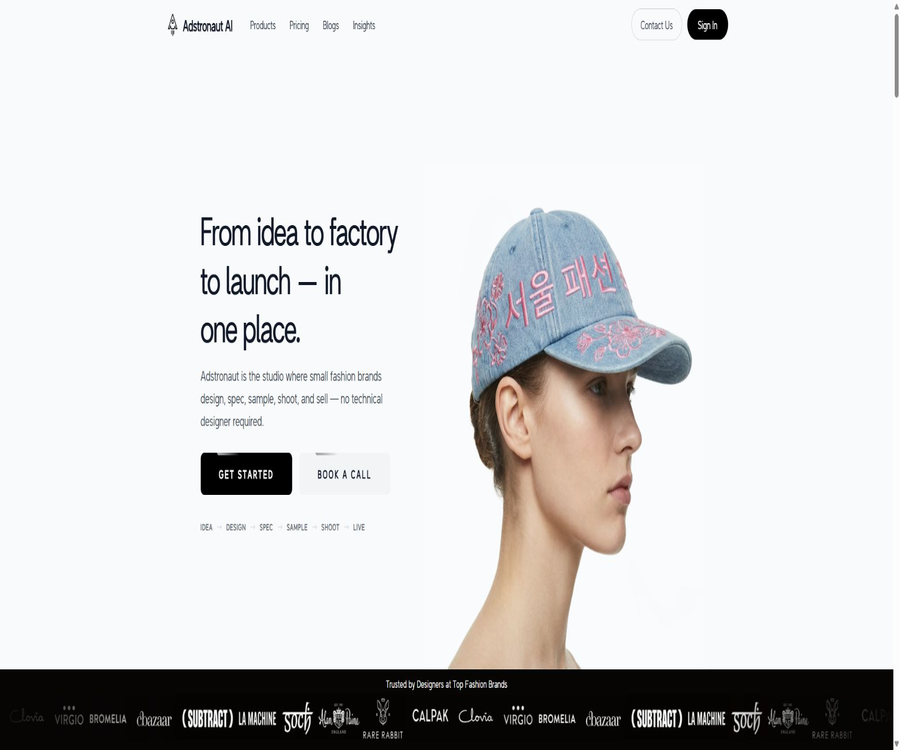
Adstronaut AI: an intelligent tool specialized in creating AI-generated product images.
Tags:AI product image generationWhat is Adstronaut AI?
Adstronaut AI is an AI-based fashion working platform designed for independent clothing brands, designers, studios, and e-commerce teams. It covers various stages ranging from concept development and design to sampling and communication, as well as product photography and listing, thereby helping small teams reduce their reliance on multiple separate tools.
The platform is not the advertising creativity service provider Adstronaut.io; it is a tool for clothing design and production, operated by AdcraftAI Pvt. Ltd. Although their names are similar, their websites, product offerings, prices, and areas of use are completely different.
Nine core tools
- AI Designer: Converts text, mood boards, or reference images into fashion design concepts.
- Design Variations: Explore different contours and creative directions from a single design batch.
- Garment Editor: Modify clothing details, shapes, and composition using natural language.
- Color Changer: Create different color schemes and manage colors using Pantone colors.
- Fabric Swapper: Apply new fabric visuals and drape effects to existing designs.
- Tech Pack Generator: Generates technical documentation for factories from clothing photos.
- AI Photoshoots: Create images of models in various outfits and in different settings without using a traditional studio.
- Lookbook Creator: Generates product views such as the front, back, sides, and details.
- Product Tagger: Generates product titles, descriptions, categories, and attributes in bulk.
The complete process from idea to launch
| Phase | Use tools | Main output |
|---|---|---|
| Creative IDEA | AI Designer | Mood boards, reference images, or text to generate concepts |
| Design DESIGN | Variations, Editor, Color Changer | Changes to the outline, adjustments to details, and color selection |
| Technical SPEC | Tech Pack Generator | Technical drawings, dimensions, BOM, and process specifications |
| Digital sampling SAMPLE | Fabric Swapper, Color Changer | Fabric and color simulation |
| Shoot SHOOT | AI Photoshoots, Lookbook Creator | Model photos and product images from multiple angles |
| Go LIVE | Product Tagger | Title, description, category, and thirteen attributes |
Conceptual design with AI Designer
- You can enter a description of the garment to quickly establish an initial direction.
- Emotion boards can be uploaded to extract signals related to colors, materials, contours, and style.
- Reference photos can be used to help the model understand clothing types and visual language.
- A complete concept includes four illustrations and one realistic rendering direction.
- It is suitable for discussing the series language before moving on to patterns and prototypes.
- When creating a concept, designers still need to assess its originality, structural feasibility, and brand positioning.
Design Variations: Style variations
- Explore more combinations of contours, lengths, and details from a basic design.
- It is suitable for comparing variations in collar styles, sleeve designs, pockets, closure methods, and decorations.
- The official website shows that a single design can be extended to up to 256 different variations.
- Batch changes facilitate series reviews, but they should not all be incorporated into development at once.
- It is recommended to define the unchangeable brand elements and production constraints first.
- Each final candidate still requires the establishment of independent specifications and process requirements.
Garment Editor – Clothing editor
- Use natural language to add, remove, or modify clothing details.
- It is possible to adjust the contours, structural elements, decorations, and local visuals.
- Different editing versions are saved, making it easy to review the evolution of the design.
- It is suitable for brand managers who are not familiar with professional image software to communicate quickly.
- Modifying complex structures may result in images that do not conform to the logic of plate-making.
- The output should serve as a reference for design discussions, rather than replacing the pattern directly.
Color Changer: clothing color changer
- Generate multiple color schemes for the same design quickly.
- It supports maintaining consistency in communication between design and manufacturing teams by using Pantone colors.
- Standard allows for the batch processing of up to 5 images, while Pro enables processing of up to 10 images.
- Candidate colors can be screened out before actual dyeing or purchasing fabric.
- The screen, lighting, materials, and the color of the device all affect the visual outcome.
- Before starting production, it is still necessary to use physical color cards and fabric samples for confirmation.
Fabric Swapper: fabric replacement
- 21 preset fabric directions are available, and it is possible to upload custom fabric samples.
- It is possible to compare the effects of satin, suede, quilting, and other materials on the same clothing design.
- Help the team narrow down the range of fabrics to choose from before creating sample garments.
- It is suitable for presenting the visual direction to suppliers, buyers, or internal teams.
- AI simulations cannot fully replicate weight, elasticity, texture, and true drape.
- Production decisions still need to be verified through physical sample cards, test reports, and sample garments.
Tech Pack Generator technology package
The Tech Pack Generator can produce technical drawings, measurement data, grading tables, bill of materials, and structural descriptions from a single photo of a garment. The official website states that the typical generation time is around 3 to 5 minutes.
- Identify clothing categories, primary structure, and visible design details.
- Generate technical plans for the front and back sides as well as structural annotations.
- Organize the key dimension points and the code division dimension table.
- Create a BOM – bill of materials – to record the fabrics, auxiliary materials, and components.
- Drafts for sewing, manufacturing processes, and production instructions are prepared.
- The paid tiers allow access to the full chapters and remove the watermarks from PDFs.
- Pro supports editing and exporting in Excel or CSV, as well as 2 AI edits per sketch.
- Studio increases the number of AI edits per sketch to 5.
How to generate and review a Tech Pack
- Upload clear images of the front side of the garment, with no obstructions and the structure clearly visible, or reference pictures.
- Select the correct clothing category, and specify the fabric, size, and any special processing requirements.
- After generating the technology package, check first to ensure that the floor plan and all components are complete.
- Verify each dimension point, unit, coding rule, and tolerance individually.
- Verify the information regarding fabrics, accessories, colors, quantities, and suppliers in the BOM.
- Have the plate maker or technical designer check the manufacturing process, seam allowances, and production feasibility.
- Export editable files for comments, revisions, and sample confirmation with the factory.
AI Photoshoots: Virtual clothing photography
- Generate promotional images of models wearing the products, based on existing product photos.
- Different models, poses, backgrounds, and visual scenes can be selected.
- Standard can generate up to 20 images and multiple poses in a single run.
- Pro and Studio can generate a resolution of up to 2K.
- Suitable for product previews, social content, and early marketing tests.
- The official website states that the unit cost of editorial-style graphics is below $0.45.
- Artificial intelligence may still cause errors in clothing textures, prints, hardware elements, and cut designs.
Lookbook Creator: product images from multiple angles
- Generate front, back, side, and detail views from existing product assets.
- It is suitable for adding a unified style to e-commerce pages from a product perspective.
- Standard supports processing up to 10 products at a time in batch.
- The paid version removes watermarks, while the Pro version allows for a resolution of 2K.
- Creating a view requires checking each element against the structure of the actual prototype.
- Back sides or details that cannot be predicted by AI cannot replace the actual product information.
Product Tagger – Product tags
- Generate product titles, descriptions, categories, and search-friendly copy in bulk.
- Each SKU can have 13 product attributes.
- Standard supports up to 50 items per batch.
- Studio offers the ability to export data in CSV and Excel formats.
- The content can be used to organize products on Shopify, Amazon, or your own e-commerce site.
- Before putting it on the market, it is necessary to check the material, size, place of origin, care instructions, and compliance statements.
- SEO copy should be natural, avoiding the repetitive use of keywords.
How to complete the entire process for a product
- Enter product ideas, mood boards, or reference images to generate multiple concepts.
- Use style variants and the clothing editor to filter outlines and details.
- Compare digital samples by changing colors and fabrics.
- A Tech Pack is generated for the final design and reviewed by professionals.
- Send samples to the factory and record any changes regarding dimensions, manufacturing processes, and fabrics.
- Use real garment photos to create model images and a lookbook from multiple angles.
- Generate product attributes and listing descriptions in bulk, followed by manual proofreading.
- Export the data to complete the publication on the shopping mall, market platform, and marketing channels.
Which users are it suitable for
- Independent fashion designer: Quickly explore concepts, color schemes, and fabric options.
- DTC clothing brand: reduces the time required to move from design to the availability of the products for sale.
- Small studio: Adding technical materials and product content to a limited team.
- Apparel entrepreneurs: Create a preliminary Tech Pack in the absence of a complete technical design team.
- E-commerce operation: Creating product images, attributes, and descriptions in bulk.
- Product planning and buyers: Compare various options and compile information on the selected items.
- Apparel manufacturers: Use visual materials to improve communication between customers and factories.
- Marketing team: Creates concept art and test content before traditional filming.
Common use cases
- New series concept: Establishing a unified design language through mood boards.
- Style evaluation: Comparing multiple silhouettes, fabrics, and colors at once.
- Factory communication: Use the Tech Pack draft to organize dimensions, BOM, and manufacturing processes.
- Digital proofing: Used to identify unsuitable directions before creating a physical sample.
- E-commerce photography: Use existing product photos to add models and images from various angles.
- Product listing: Generate titles, descriptions, categories, and attributes in bulk.
- Quick test: Use concept maps to determine market interest in styles and colors.
- Renovation of older models: Changing the color, fabric, or details to create new candidate versions.
Prices and packages
Adstronaut AI offers free credits as well as monthly or annual subscriptions; the Standard, Pro, and Studio plans provide additional Credits on a monthly basis. Enterprise versions offer customized credits, permissions, security features, training services, batch processing capabilities, API access, and brand customization options.
| Package | Monthly price | Annual price | Credits | Main positioning |
|---|---|---|---|---|
| Free | $ | Not applicable | 25 per use | Basic output from testing all tools |
| Standard | $ | $ | 125/month or 1500/year | Individuals and emerging brands |
| Pro | $ | $ | 375/month or 4500/year | Professional designers and brands |
| Studio | $ | $ | 1000/month or 12000/year | Studio and team |
| Enterprise | Custom quote | Custom quote | As required | Large-scale organizations and customized workflows |
Main differences among the various packages
| Ability | Free | Standard | Pro | Studio |
|---|---|---|---|---|
| Image quality | Part 1K with watermark | HD watermark removal | Up to 2K | Up to 2K |
| Tech Pack | The core chapters are somewhat unclear, and the PDF contains watermarks. | Complete chapters and clean PDF | Editable export and 2 rounds of sketch editing | 5 edits per sketch |
| AI Photoshoots | 1 image per time, 1 pose, limited model background | Up to 20 images per time, along with the complete database. | Increase by 2K | Includes Pro features |
| Lookbook | 1 product per time | A maximum of 10 items per batch. | Increase by 2K | Includes Pro features |
| Changing the color of clothing | 1 piece per batch | A maximum of 5 per batch. | A maximum of 10 sheets per batch, with 2K support. | Includes Pro features |
| Product Tagger | 1 product per batch | A maximum of 50 items per batch, with 13 attributes generated. | Includes Standard capabilities | Add CSV and Excel export options |
| Batch processing | Not applicable | Finite | Finite | Some features indicated on the page will be available soon. |
Points consumption for different tools
| Tools | Single output | Credits consumed | Approximately 25 free points can be used to generate it. |
|---|---|---|---|
| Tech Pack Generator | 1 technology package | 25 | 1 |
| AI Photoshoots | 1 model image | 5 | 5 pieces |
| Lookbook Creator | 1 product view | 5 | 5 views |
| AI Designer | 1 complete concept | 10 | 2, with 5 points remaining |
| Design Variations | 1 variant | 2 | 12, with 1 point remaining |
| Color Changer | 1 color scheme | 2 | 12, with 1 point remaining |
| Fabric Swapper | 1 fabric replacement | 2 | 12 times, with 1 point remaining |
| Garment Editor | 1 edit | 2 | 12 times, with 1 point remaining |
| Product Tagger | 1 product | 0.2 | About 125 |
How to choose a package
| Demand | Recommended package | Reason |
|---|---|---|
| First experience of the complete workflow | Free | 25 points allow you to test one Tech Pack or several lightweight tools. |
| A small number of designs and products are released each month. | Standard | Remove watermark, HD, and 125 points |
| Professional design and high-quality e-commerce images | Pro | 375 points, 2K, and an editable Tech Pack |
| The team processes products in bulk. | Studio | 1000 points and table export |
| Permissions, APIs, custom models, and training | Enterprise | Enterprise governance and customized workflows are required. |
How to estimate the true cost
- Calculate the monthly requirement for Tech Packs, design concepts, photos, views, and products.
- Calculate the total score estimated based on the Credits consumed by each tool.
- Include the reserved quota for regeneration, edit failures, and internal reviews.
- Compare the unit cost per point for monthly, annual payments with the enterprise’s quote.
- Include the costs associated with designer review, prototype creation, fabric selection, photo editing, and personnel time in the total cost.
- First, use free points to test the target clothing categories, and then decide on the subscription plan.
Enterprise edition features
- The number of Credits can be customized on a monthly basis to meet larger production needs.
- Provide customer success managers as well as introductory training, both online and offline.
- Enhance platform security, privacy, and enterprise management support.
- It provides role management, access control, and an administrator analysis panel.
- Batch processing and API access are supported.
- Custom workflows that suit corporate processes can be designed.
- It is possible to train custom image models that carry the visual DNA of a brand.
- Specific SLAs, data residency requirements, and delivery scope must be specified in the contract.
Free resources
- Clothing pricing calculator: Estimate costs, add a markup, and determine the retail price.
- Apparel brand startup cost calculator: Plan your initial budget.
- Size chart generator: Create a basic size chart for clothing.
- Nursing label generator: Organizes information on cleaning products and materials.
- Guide to laundry symbols: An explanation of common care icons.
- Fashion Drop Planner: Plan the schedule for launching collections or offering products on a timed basis.
- The results obtained from free tools should still be verified by professionals and in accordance with local regulations.
Product advantages
- It covers the entire process, from concepts and design to specifications, digital proofing, photography, and product listing.
- The nine tools can be used individually or in sequence to work on the same design.
- Text, mood boards, and reference photos can all serve as initial inputs.
- Tech Pack transforms visual concepts into communication materials for the factory.
- Pantone color changes and fabric substitutions help reduce the number of low-value physical samples.
- Virtual shooting and multiple angle views can lower the barriers to early visual production.
- Product Tagger supports bulk listing on e-commerce platforms as well as structured attributes.
- The price ranges and the cost associated with points for each tool are transparent and clear.
- 25 free points are sufficient to complete at least one full core task.
- The annual payment plan offers a discount equivalent to about two months’ worth of fees.
Usage restrictions and precautions
- AI-generated designs may be similar to existing works, and they do not guarantee originality automatically.
- The concept of realism does not mean that such clothing can be made from real materials and worn on the human body.
- The Tech Pack still requires review by a technical designer, plate maker, or factory.
- The dimensions, BOM, and manufacturing processes inferred by AI may contain omissions or errors.
- Pantone colors cannot replace physical color cards, dye samples, and color difference control.
- Fabric simulation cannot accurately represent weight, elasticity, texture, and durability.
- AI-generated model images can change the cut, prints, hardware, and details of clothing.
- Multi-angle views may depict structures that are not visible in the original image.
- The information on ingredients, origin, care instructions, and compliance in product descriptions must be verified manually.
- Points are consumed based on the number of times they are generated; making repeated modifications increases the actual cost.
- Some features in team batch processing are still marked as upcoming.
- A platform cannot replace physical samples, try-ons, quality control, or communication with the factory.
Recommendations on data and intellectual property
- Only upload images of designs and products for which you have the rights or have been given explicit authorization.
- Do not share supplier secrets, unreleased products, and customer data with the wrong projects.
- Use separate accounts and the minimum required permissions for different team members.
- For each final design, records of input, generation, editing, and manual approval are retained.
- Check whether the AI output contains third-party trademarks, characters, or protected patterns.
- When posting images of virtual models, comply with the platform’s rules as well as local regulations regarding synthetic content.
- When making purchases, businesses should establish rules regarding data retention, deletion, use in training purposes, and cross-border processing.
GitHub and the open-source status
During this verification, no official source code repository maintained by Adstronaut AI or AdcraftAI Pvt. Ltd. was found. The nine AI tools, the point system, the generation models, and the enterprise APIs should all be regarded as commercial, closed-source services.
| Components | Status | Explanation |
|---|---|---|
| Adstronaut AI web platform | Commercial closed-source | The source code of the core applications is not made public. |
| Clothing generation and editing model | Not open source | The models and training data are not fully available. |
| Tech Pack generation logic | Commercial functions | Publicly exposing the structure does not mean making the source code available. |
| Enterprise API | Customization capability | Providing API access does not mean that the platform is open source. |
| Official GitHub | Not verified. | Projects with the same name developed by third parties cannot represent the official version. |
Basic information
| field | Content |
|---|---|
| Tool name | Adstronaut AI |
| Operating company | AdcraftAI Pvt. Ltd. |
| Location of the company | Kerala, India |
| Tool type | AI-driven clothing design, production tools, and e-commerce content platforms |
| Number of core tools | Nine |
| Usage method | Web page version |
| Price pattern | Free points, monthly payment, annual payment, and corporate customization |
| Free quota | 25 Credits per use |
| Whether API is provided | The enterprise version is available. |
| Is it open source? | No, no official core source code repository was found. |
Recommendation score
4.5 / 5. Adstronaut AI provides a comprehensive integration of fashion concepts, Tech Pack, digital prototyping, virtual shooting, and product listing – making it suitable for independent brands with limited resources; however, production specifications, materials, and the authenticity of the products still need to be verified by professionals.
Frequently Asked Questions
What is Adstronaut AI mainly used for?
It assists clothing brands with concept design, style variations, technical documentation, digital prototyping, virtual shooting, and the preparation of products for sale.
Is Adstronaut AI free?
New users receive 25 Credits once, which can be used to create a Tech Pack or to combine several lightweight tools.
How much is the Standard package?
Standard costs $29 per month or $290 per year, and it offers 125 points per month or 1,500 points per year.
What is the difference between Pro and Studio?
Pro adds support for 2K images and an editable Tech Pack, while Studio offers 1000 monthly points, more sketch editing options, and table export capabilities.
How many points are required to create a Tech Pack?
Each Tech Pack costs 25 Credits; the free quota is just enough to create one basic tech pack.
Can the Tech Pack be sent directly to the factory?
It can be used as a draft for communication, but the dimensions, BOM, manufacturing processes, tolerances, and coding must be reviewed by a technical designer or layout engineer.
Can AI Photoshoots replace actual photography?
It can be used for conceptual and some e-commerce visuals, but the key details of the products, as well as their colors and styles, must be checked against the actual samples.
Does Product Tagger support batch export?
Studio offers CSV and Excel exports; the enterprise version also allows for batch processing and API integration through negotiation.
Is Adstronaut AI suitable for large enterprises?
Enterprise offers customized points systems, permissions, security features, training programs, workflow solutions, APIs, and brand models; the specific details are available upon request for a quote.
Is Adstronaut AI open source?
No. During this verification, no official core source code repository was found; the platform and the models generated by it are part of commercial, closed-source services.
Tools similar to Adstronaut AI



 Guigong Network Security Registration No. 45132202000164