






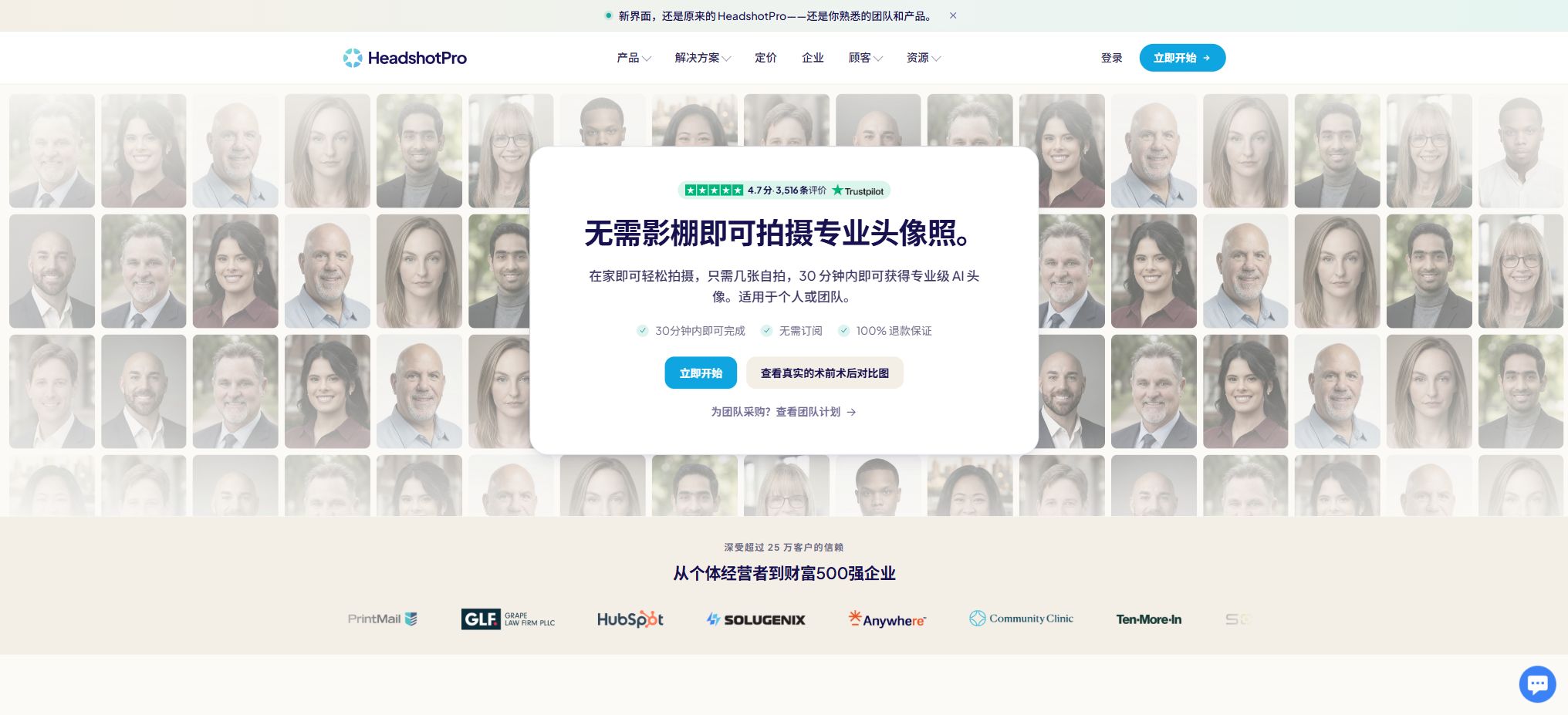
HeadshotPro
An AI service that generates unified business avatars in bulk for individuals and teams
Tags:AI product image generationWhat is HeadshotPro?
HeadshotPro is an AI-based service dedicated to creating professional and business-related headshots. Individual users can upload their own selfies, choose appropriate clothing and backgrounds, and thereby obtain high-resolution headshots suitable for use on LinkedIn, resumes, company websites, email signatures, and social media accounts.
Companies can allow their employees located in different places to upload photos on their own, while ensuring that the background, clothing, and brand style are consistent for everyone.
It relies on a one-time purchase rather than a monthly subscription. Individuals pay once for a complete set of photos, while teams can acquire a quota that allows for ongoing use of photo services; each quota corresponds to a set of profile pictures for one team member.
The focus of the product is not to generate artistic images indefinitely, but rather to produce photos that can be used in professional contexts in a quick manner, following a fixed process.
Process for generating personal avatars
Users can upload one or several clear selfies from their phone or computer; the system first checks to identify any unsuitable photos, after which the user can choose their preferred professional style, clothing, and background. The AI then creates avatar images from different angles, poses, lighting conditions, and compositions based on the appearance of the person, and once these are ready they can be filtered and downloaded from the image gallery.
The photo to be uploaded should be a recent image of the same adult, with a clear face, natural lighting, and shots taken from different angles. Group photos, sunglasses, strong filters, severe blurring, and faces that are partially covered will reduce the similarity score.
AI-generated avatars are not equivalent to real photographic recordings; the face, hairstyle, glasses, ear accessories, teeth, and collar still need to be checked.
Selection of clothing, background, and style
The individual version offers a large selection of backgrounds and clothing combinations; it is possible to choose from studio, office, indoor, or other professional settings. Team administrators can determine which options are available to team members from over 200 different background and clothing choices, or they can fixate on a single combination in order to ensure consistency in the avatars of all employees.
The team version allows the uploading of custom backgrounds; the current self-service team plan supports up to 12 such backgrounds. Companies can arrange for more custom designs, backgrounds, and sizes through negotiation.
When making a choice, it should be determined based on the final location where the photo will be used; for example, a simple and neutral background is suitable for the page featuring company employees, while a slightly warmer office setting can be chosen for profiles of customer advisors.
Profile picture editing
After it is generated, each photo can be modified using Photo Credits: the background can be changed, the clothing or expressions can be replaced, defects can be removed, space above the head can be added, and the resolution can be increased. Each edit typically uses up one photo credit, and these credits do not expire.
The editor may also make changes to the details of the face or clothing; it is not sufficient to rely only on thumbnails. For use in printing, employee ID cards, the official website, and profiles of senior executives, it is necessary to check the pixels, cropping, safety margins, and brand colors separately.
Free AI avatar generator
The official website offers a free avatar generator that allows creating versions of a selfie with different clothes, backgrounds, and lighting settings; a free HD version of the avatar can be downloaded. The free trial is suitable for testing out the upload process and seeing how similar the resulting avatar is to one’s own face, after which one can pay to unlock more previews, styles, and editing options.
Free access, the number of downloads, and promotional benefits may change; this does not mean that the entire package will remain free forever. When bulk selection, reprocessing, 4K quality, or team management is required, corresponding plans still need to be purchased.
Unified business avatar for the team
The team administrator first determines the requirements regarding background, clothing, and brand, and then invites members via email or a shared link. Each employee uploads their own selfie at their own convenience; there is no need to schedule the photoshoot on the same day.
Administrators can view the completion status, send automatic reminders, review the results, and download them in bulk.
The team can create avatar templates that include the logo, brand colors, and shapes, so that all team members can use consistent brand profile pictures. These templates can be updated uniformly once changes are made, and they are suitable for use on the website, Slack, LinkedIn, sales materials, and internal directories.
Team management features
The admin panel allows for inviting members, restricting invitation links via domain names, exporting status data in CSV format, performing batch uploads and downloads, managing roles and sub-teams, following up on results, defining custom fields for new members, and updating avatars regularly. The photo shooting credits purchased by a team do not expire; they can be used as new employees join the team, and it is also possible to set up automatic reordering of credits when the balance drops low.
Each member currently receives 40 profile pictures, 16 photo editing credits, and one free retry opportunity. The administrator should clarify in advance the intended use of the photos, their retention period, and the style requirements, and provide employees with ways to delete photos or seek support.
APIs, Webhooks, and Integrations
The team version provides REST APIs, offers a public comparison table showing 300 requests per minute, and supports integration with Webhook and Zapier; it enables the synchronization of employee invitations, shooting status, and results with HR systems, onboarding processes, or brand asset management tools. The enterprise version allows for customized rate limits and white-label integration upon request.
API access does not mean that it is possible to bypass the limit of one photo per person. Before developing such systems, it is necessary to verify the authentication process, member consent, timing for downloading results, Webhook retry mechanisms, deletion policies, and concurrency limits, in order to prevent sensitive images from being copied to uncontrolled systems on a permanent basis.
SSO, SCIM, and enterprise security
Teams organizations can opt to add SAML or OAuth single sign-on at an additional cost, with the fees based on those charged by identity service providers. Enterprise versions include SSO and SCIM configuration, instant account creation, audit logs, MSA signing, custom contracts, Net-30 billing, and dedicated deployment support.
HeadshotPro offers SOC 2 Type II reports and DPA, which can be requested through the Trust Center. Teams can also opt for automatic deletion of the generated headshots after 30 days, as well as MFA for administrators.
Enterprise procurement should still involve independent verification of the data processing parties, the locations where data is transmitted, access logs, and incident response procedures.
Basic price
| Package or version | Prices, quotas, and core benefits |
|---|---|
| Professional | This option is suitable for individuals who only need a single ordinary professional avatar; it does not include the free rework options listed under Professional and Executive. |
| Basic | The Basic version costs $29 as a one-time payment; it generates 30 avatar images, the process takes approximately 2 hours, and it includes 6 edits per photo. |
The Basic package costs $29 as a one-time payment; it generates 30 avatar images, with completion time of around 2 hours, and includes 6 opportunities for photo editing. This option is suitable for those who need only a set of ordinary professional avatars, and it does not include the free rework options offered in the Professional and Executive packages.
Professional price
The Professional package costs $39 as a one-time payment; it generates 50 high-resolution avatars, the process takes about 30 minutes, and it includes 26 photo editing adjustments as well as the option to have the images in horizontal or vertical format. Reordering the avatars is possible for free within 14 days. This package is currently the one recommended on the official website.
Executive price
The Executive package costs $59 as a one-time payment; it generates 70 avatar images, with the process taking around 15 minutes. It includes 46 photo editing credits, one free revision, 4K downloads, and options for both horizontal and vertical format outputs. This package is suitable for executives, those who need materials for printing, and users who require more candidate images.
Team price
The team package is suitable for groups of 5 to 1000 people, with each person entitling to one set of shooting credits. The price decreases as more credits are purchased: a discount of around 20% is applied starting from 5 credits, while for 1000 or more credits, the discount can reach up to 50%.
In the examples on the official website, 100 credits amount to $2,535 in total, which corresponds to $25.35 per person; this is 35% lower than the standard price per person.
The discount is calculated based on the team’s cumulative purchase history, rather than just a single order. Payment can be made by bank card, bank transfer, or invoice; the discount validity never expires, and there is no need for a subscription.
The specific number ranges and taxes shall be based on the real-time settlement page.
Enterprise price
For orders of 1,000 people or more, a customized quote is provided, which includes team features, custom bulk pricing, SSO and SCIM, MSA, custom contracts, Net-30 invoicing, as well as dedicated deployment support. The need for a white-label solution, service levels, custom sizes, and data deletion policies should be specified in the contract.
Refunds and realistic guarantees
All packages are covered by Realism or Profile-Worthy warranty. If there is no profile picture that fits the individual’s appearance, a request can be made to redo it or to get a refund.
The conditions for individuals to withdraw funds manually are that the purchase was made within 14 days and no photos have been downloaded; whether all the requirements are met is determined on the refund page.
The Professional, Executive, and Team packages include one free retry as well. Photos should not be downloaded before making a request; if they have already been selected and downloaded, the right to a refund is usually lost.
Previous refunds for team accounts may also affect the eligibility for refunds on subsequent orders.
Photo ownership and commercial use
According to the official website and its terms of service, users have the right to upload photos and receive corresponding results; they can also use the generated avatars for personal and commercial purposes. Companies can utilize them on team pages, social media profiles, sales materials, and internal communications.
Users must still ensure that they upload their own photos, or obtain permission from the person in the photo. It is not allowed to use AI-generated avatars to impersonate others, forge documents, mislead employers during the recruitment process, or create fake reviews of employees and customers.
Privacy and automatic deletion
According to the description on the current main product page, self-portraits uploaded and the resulting images are automatically deleted after 30 days; teams can also choose to have those images deleted at the same interval. Photos that need to be retained should be downloaded promptly.
The download link is likely to remain valid for only 7 days, so the online gallery should not be regarded as a long-term repository of assets.
The authorities have clearly stated that customer photos will not be used to train AI models; encryption is employed for transmission and storage, and users can request that their data be deleted at any time. On some older pages, a 7-day deletion period was mentioned, but currently, the terms specified for pricing, generators, and security related functions are all 30 days. It is important to follow the guidelines provided for the account and the latest privacy policies.
Support for platforms and open-source status
- Web applications for desktop and mobile browsers;
- Personal avatar creation and editing;
- Team management backend;
- Team REST API, Webhooks, and Zapier;
- Enterprise SSO, SCIM, and white-label integration.
HeadshotPro is a commercial cloud service; it is not an image generation tool, and no complete models or server source code are made available officially. The project with the same name on GitHub cannot be considered the official deployable version.
HeadshotPro usage guide
Complete a basic task.
- Register for HeadshotPro and create an API Key intended solely for the testing environment;
- Select a model based on input type, context, quality, speed, and price;
- First, invoke the personal avatar generation process to complete the minimal request and check the returned structure;
- Then, use the selection of clothing, background, and style to test streaming output, parameters, and abnormal response handling.
- Record Tokens, number of calls, latency, error rate, and cost per call;
- Move the key to the server-side key manager before integrating it into the actual application;
Create reusable professional workflows
- Different keys and quotas are used for development, testing, and production environments;
- A representative evaluation set is created by following the process for generating personal avatars, selecting clothing, backgrounds, and styles, as well as editing the avatars.
- Set timeout, concurrency, retry, throttling, and budget limits;
- Perform checks on the output regarding facts, security, format, and sensitive information;
- Monitor changes in model version, price, latency, and failure rate;
- Prepare plans for downgrading the model, implementing circuit breaking, and taking manual control;
Which users is it suitable for?
- Persons who need LinkedIn, a resume, and a profile picture for their company’s website;
- Remote employees and freelancers who do not have time to schedule appointments at a photography studio;
- Distributed teams that require a unified background and clothing;
- HR and brand teams that are constantly recruiting and looking for new employees whose profile pictures match the required standards;
- Large enterprises that integrate the profile picture process into their onboarding systems through APIs.
Product advantages
- One-time payment, no monthly subscription or automatic renewal;
- 30 to 70 candidate profile pictures can be delivered within 15 minutes to 2 hours;
- After it is created, the background, clothing, expressions, and spacing can be changed;
- The team quota does not expire, and cumulative quantity discounts are available;
- Unified brand templates, invitation reminders, and batch downloading;
- Training is not performed using customer photos, and automatic deletion is supported;
- It offers refund guarantees, API, and enterprise identity management.
Restrictions and Precautions
- In a set of photos generated, usually only some of them are worth keeping;
- AI can modify glasses, hairstyles, facial proportions, skin tone, ear accessories, or clothing details, but the resulting images cannot be regarded as authentic identification photos that require no verification.
- The refund request is not valid if the file has not been downloaded and if the deadline has passed; after making the purchase, one should carefully check the image gallery on the website first.
- The avatar pack is not updated automatically; when there are significant changes in one’s appearance, it is necessary to take new photos or purchase an additional package.
- When establishing a unified style for the team, it is also necessary to respect employees’ identities, religious attire, assistive devices, and personal appearance; it should not be forced on them to adopt an image that does not suit them.
Frequently Asked Questions
How much is HeadshotPro?
The individual plans cost 29 dollars for Basic, 39 dollars for Professional, and 59 dollars for Executive – all as one-time payments. For team bookings, a discount is applied based on the number of people; for example, with 100 members, the cost per person is 25.35 dollars.
Quotation available for orders of 1,000 people or more.
Is there a free trial?
There are free self-portrait avatar generators that allow you to download one HD avatar at a time. A complete library of styles, more results, and additional editing options require payment to unlock.
How long will it take to generate?
Basic takes about 2 hours, Professional about 30 minutes, and Executive about 15 minutes; the team usually completes the task within 30 minutes after receipt of the submission, though this time may vary during peak periods.
Can I get a refund?
If there is no available profile picture that resembles one’s own, an application for a realistic image can be submitted. Generally, the individual must do this within 14 days and without having downloaded any photos yet.
Professional, Executive, and Team plans also include one free redo.
Can the team avatars be made uniform?
Yes. Administrators can restrict the background and clothing options, upload brand-specific backgrounds, create logo and avatar templates, as well as handle invitations, reminders, reviews, and batch downloads in a unified manner.
Is HeadshotPro open source? Does it have an API?
The product is not open-source. The Team version offers REST APIs, Webhooks, and Zapier, while the Enterprise version provides additional features such as SCIM, SSO, and white-label integration.
Tools similar to HeadshotPro




 Guigong Network Security Registration No. 45132202000164