






Pebblely
AI tool for quickly creating marketing backgrounds and social media images for products
Tags:AI product image generationWhat is Pebblely?
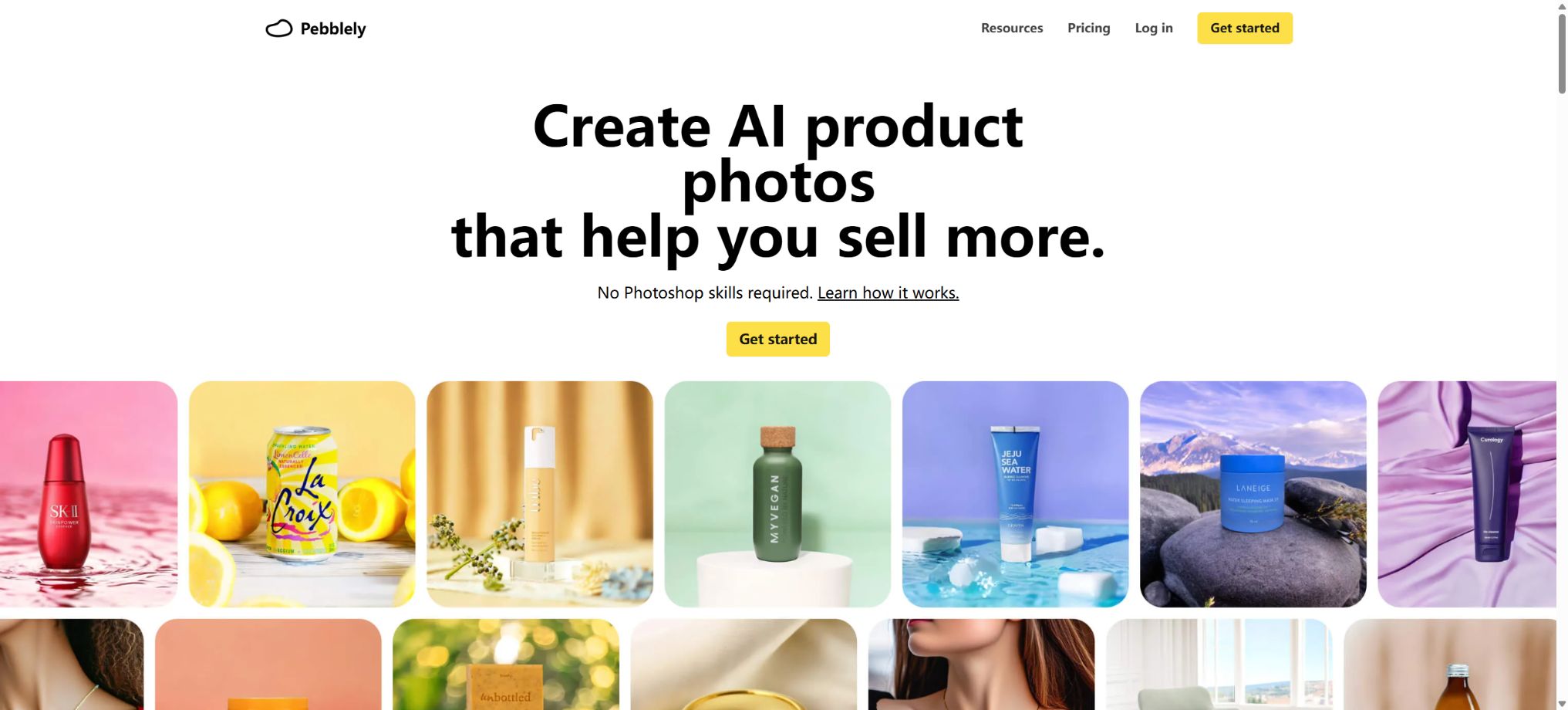
Pebblely is an AI-powered product photography tool designed for e-commerce sellers, consumer brands, and marketing teams. After users upload photos of their products, the system identifies the main elements of those products and creates matching backgrounds, shadows, and reflections, thereby transforming ordinary white-background images or casually taken photos into high-quality product images, social media posts, advertising visuals, and lifestyle-themed pictures.
The new version, which will be released in 2026, reworks the core workflow; it no longer requires users to carry out image extraction separately. The process is simplified to uploading and cropping the product, selecting a custom design or a preset template, setting the dimensions and quantity, and then generating and downloading the result.
It is better suited for quickly creating a large number of marketing variations, rather than replacing professional photography studios that require precise lighting, real models, and strict color management.
Core functions
1. Upload products to directly create scenarios.
Users need to upload clear photos of the product, crop and save it, after which the generation process can begin. The AI will recognize the outlines of the subject, its material, and the relationships within the image, and it will automatically add a background, shadows, and environmental reflections.
The new process eliminates the need for a separate background removal step, thereby reducing the number of operations required to transform the original image into marketing material.
Transparency, glass, metal, jewelry, small accessories, and complex packaging remain categories that are difficult to handle. After creation, it is necessary to zoom in to check the edges, bottle openings, label text, logos, direction of reflections, proportions of the products, and their colors; one cannot assume that the products are perfectly accurate just because of the background.
2. Custom – generated manually
The Custom mode allows users to describe the environment, materials, lighting, shooting angle, and atmosphere in natural language; for example, one can place skincare products on wet rocks, in a wooden bathroom, or in a soft-lit studio. Users can also add style reference images, specify colors, or use negative descriptions to eliminate objects and visual elements that are not desired.
Prompt words are suitable for describing the background and atmosphere; they should not be used to ask the AI to add features, certifications, capacity, or genuine accessories to a product. Prices, selling points, and legal statements in product ads need to be added and reviewed manually later on.
3. Over 40 theme templates
Templates offer over 40 pre-set themes, including cafes, photography studios, kitchens, water features, and other common commercial settings. They are suitable for users who are not familiar with prompt wording, and they also facilitate companies of the same brand in creating product series with a consistent style.
The template serves only as a starting point; the results for the same theme can still vary from time to time. The brand team should keep track of the colors, reference images, and structural guidelines, and select the version that exhibits the greatest consistency among the various options available.
4. Native marketing dimensions
Pebblely allows for direct creation of the final image size, without first generating a histogram and then forcing a crop. The preset options include a 1:1 square format of 1080×1080, a 4:5 vertical format of 1080×1350, a 9:16 landscape format for stories of 1080×1920, a 16:9 horizontal format of 1920×1080, as well as the Facebook ad size of 1200×628.
The native format provides more appropriate space for copy and products, but different e-commerce platforms have varying rules regarding the background color, margins, prohibited elements, and text proportions; it is therefore necessary to check against the specifications of the target platform before uploading.
5. Generation of batch product images
The Basic and Pro plans offer bulk generation functionality. Users can select multiple saved products at once, apply the same theme, messages, colors, sizes, and quantities to them, view the total cost before submission, and then download all of them in bulk after generation.
The batch processing feature is suitable for introducing new SKUs, holding holiday promotions, and creating content for multiple channels. To avoid extensive rework, it is recommended to first test the composition and quality with a representative product before applying this approach to the entire batch.
Products with different heights and shapes may also require separate adjustments to the prompts.
6. 1, 2, or 4 cards are generated each time.
The workflow allows for the creation of 1, 2, or 4 candidate images at a time, which makes it easier to find a balance between cost and the range of options available. A small number of images is suitable for scenarios that have already been defined, while a larger number of candidates is better suited for identifying possible compositions and advertising approaches.
7. Standard and high-resolution modes
A standard image typically uses 1 quota unit. The high-resolution mode provides clearer text, details, textures, and a better visualization of the product structure; it takes about 30 seconds to process and requires 2 quota units.
Official advertisements, packaging details, and close-ups are better suited for the high-resolution mode; however, it is advisable to first verify the composition in standard mode to avoid unnecessary rework.
8. Subjects holding objects and complex compositions
The new version improves the handling of products in people’s hands, complex multi-element compositions, as well as text, patterns, and product textures, enabling the creation of scenes that are more akin to lifestyle advertisements. This feature is suitable for showcasing beverages, foods, cosmetics, and portable items.
Errors can still occur regarding the fingers of AI characters, their grip position, the way products are obscured by them, and their size proportions. It cannot replace real endorsements, proof of effectiveness, or customer reviews either.
When real people are used as references, permission for their portraits is also required.
9. Reuse of reference images, colors, and backgrounds
In addition to textual descriptions, users can rely on diagrams or brand colors to guide the visual style, and they can create additional versions of the products based on the background that has already been generated. This allows for a more consistent atmosphere across the entire product line, without having to start from scratch each time.
Reference images may contain copyrighted photographs, people, logos, or designs. It is necessary to obtain authorization before using them, and one should avoid asking the system to replicate certain creators’ works in a similar manner.
Pebblely API
Pebblely offers an HTTP API designed for the processing of large volumes of products. After registering for the API, users receive an access token along with 20 free uses; developers can integrate functions such as background removal, product scene creation, and bulk asset generation into e-commerce backends, digital asset management systems, or automated workflows.
The standard interface mentioned in the document supports inputs of any aspect ratio. It is possible to first create products with a transparent background, and then use themes, custom descriptions, style colors, reference images, negative guidelines, and transformation parameters to generate a background. A standard task with a resolution of 512×512 usually takes around 3 seconds to complete.
The Generate+ mode takes about 15 seconds and emphasizes higher quality.
The result is returned as encoded image data, along with the remaining quota.
The official documentation counts standard API queries as 1 unit each, but the specific endpoints, high-quality mode settings, concurrency levels, retry options for failures, and batch pricing may vary. Before integrating the service officially, it is necessary to check the real-time quota table in the control panel, and to take care of issues related to timeouts, retries, result storage, and cost limits.
Price and version comparison
| Package or version | Prices, quotas, and core benefits |
|---|---|
| Price of the Lite package | Lite currently costs $9 per month and includes 30 images per month, over 40 background themes, as well as the option to create custom prompts. Paying annually offers a discount equivalent to more than two months’ worth of service; the actual amount due, along with any taxes and the currency used, are specified on the purchase page. Lite is suitable for individual sellers who want to test a small number of products, but it does not include the bulk creation features listed on the pricing page. If you handle multiple SKUs regularly, it’s advisable to compare the number of images available per month with Basic plan and its efficiency in handling bulk tasks. |
| Price of the Basic package | The current price of Basic is $19 per month; it includes 200 images per month, over 40 different themes, the option for custom prompts, and batch generation capabilities. The annual pricing listed in the official FAQ is $179 per year, which represents a savings of about 20% compared to paying monthly. However, it is still necessary to refer to the payment page when making a purchase. |
| Price of Pro package | Pro currently costs $39 per month, and includes 500 images per month, access to all themes, custom prompts, and the ability to generate images in bulk. The annual price listed in the official FAQ is $379 per year. This plan is more suitable for brands that need to release new content regularly, conduct advertising tests, or manage multiple SKUs. The subscription renews automatically, but users can cancel future renewals through their account settings and billing section. A reminder is sent 7 days before renewal; since the generated images are available immediately and can be downloaded without restrictions, paid amounts and renewal fees are generally not refundable. |
Price of the Lite package
Lite currently costs $9 per month and includes 30 images per month, over 40 background themes, and custom prompts. A yearly subscription offers a discount equivalent to more than two months’ worth of cost; the actual amount to be paid, along with any taxes and in which currency it will be charged, is specified on the purchase page.
Lite is suitable for individual sellers who want to test a small number of products, but it does not include the bulk production feature listed on the pricing page. If you handle multiple SKUs regularly, you should compare the monthly image volume and bulk processing efficiency offered by Basic.
Price of the Basic package
The current price of Basic is $19 per month; it includes 200 images per month, over 40 different themes, the option for custom prompts, and batch generation capabilities. The annual pricing listed in the official FAQ is $179 per year, which represents a savings of about 20% compared to paying monthly. However, it is still necessary to refer to the payment page when making a purchase.
Price of Pro package
The current price for Pro is $39 per month, and it includes 500 images per month, access to all themes, custom prompts, and the ability to generate images in bulk. The annual pricing listed in the official FAQ is $379 per year.
This solution is more suitable for continuous product launches, ad testing, and brands with multiple SKUs.
Subscriptions are automatically renewed, and you can cancel future renewals in the app’s profile and billing section. An official notification will be sent 7 days before renewal;
Since the generated results are available for immediate access and can be downloaded without restrictions, payments made as well as renewal fees are generally not refundable.
Free trial and quota
The official website allows users to start using the service after registration, but the current pricing page does not specify a fixed number of monthly images that can be used for free on the web version; therefore, historical free quotas should not be presented as long-term commitments. Registration for the API, on the other hand, provides 20 free uses.
The free amount, gifts offered as part of promotions, and benefits for new users may change; the information displayed on the account page should be taken as reference.
Generating images consumes quota based on the number of images; high-resolution images require twice as much quota as standard images. Before submitting multiple images, the estimated total cost is displayed, which helps in controlling monthly usage.
It is necessary to check the real-time rules at the time of purchase to determine whether unused credit is carried over, whether failed tasks are refunded, and how the credit amount changes after an upgrade.
Image ownership and commercial use
The official FAQ states that users own the images they create. This allows businesses to use these images on product pages, in advertisements, and in social media content; however, the fact that ownership is stated this way does not mean that the platform has removed any third-party rights related to those images.
The materials, brand identifiers, photographs of people, and reference images uploaded must be covered by the appropriate licenses; the output as well must not violate anyone’s trademarks, copyrights, or rights to their portrait.
The text on the packaging, the certification icons, and the product details generated by AI may be distorted. Before official release, it is necessary to compare each element with the actual product, and keep the original images along with records of the manual review process.
Privacy and uploaded data
According to the privacy policy, the platform processes the product images, custom descriptions, negative feedback, and reference images uploaded by users, in order to provide and improve the services; payments are handled by Stripe.
Data is retained for as long as it is necessary for the intended purposes, and users can request access to, correction of, or deletion of their personal data.
Before uploading, new products, customer materials, and images containing personal information must have their confidentiality requirements assessed. When using such materials, companies must also verify that the methods of data retention, deletion, and processing, as well as any intended uses for model improvement, are in line with internal policies.
Support for platforms and open-source status
- Web page applications;
- Accessible via desktop and mobile browsers;
- An HTTP API for batch processing of goods.
Pebblely is a commercial cloud service; there is no publicly available complete source code for it, and it is not an open-source product photography system that can be deployed on one’s own. The repositories on GitHub related to the Pebble smartwatch or other projects with similar names are not the official source code for Pebblely.
Pebblely usage tutorial
Complete a basic task.
- Clarify the purpose of the image, its dimensions, style, and requirements regarding commercial licensing.
- Upload the original images for which you have usage rights to Pebblely, or provide clear instructions;
- Select to upload products in order to create scenarios directly and generate low-cost candidates first;
- Use Custom to generate customized adjustments to composition, subject, and details;
- Zoom in to examine faces, hands, text, edges, logos, and artifacts;
- Export after confirming the color, resolution, and licensing, while retaining the original image;
Create reusable professional workflows
- Create a list of brand colors, fonts, layout elements, and elements that are prohibited.
- Tests are conducted separately for the scenario where products are uploaded and generated directly, for custom generation, as well as for over 40 different theme templates.
- Use the same set of representative samples to compare quality, speed, and cost;
- Complex edges, text, and images of key products should be handed over for manual refinement.
- Standardize naming, dimensions, and review status;
- Batch processing and release are carried out after random inspections;
Which users is it suitable for?
- E-commerce sellers who create main product images, scenario images, and content for social media;
- Marketing teams that need to quickly test ad compositions and backgrounds;
- Operations staff who handle a large number of SKU images and pictures related to holiday events;
- Small consumer brands and independent websites that lack budget for studios;
- Platforms and development teams that use APIs to automatically generate product materials.
Product advantages
- It is generated as soon as the product is uploaded, without the need to carry out a separate manual image extraction process.
- Custom prompts, reference images, colors, and more than 40 templates can be used together;
- Directly generate common social and advertising formats;
- Supports batch creation and batch download of multiple products;
- High-resolution mode improves text, textures, and details;
- Provides APIs for background removal and product scene generation.
Restrictions and Precautions
- Pebblely is good at creating marketing visuals quickly, but it cannot guarantee that the label text, logos, materials, packaging design, and product proportions will be entirely accurate.
- Glass, reflective materials, jewelry, and especially the hands of people need to be inspected carefully;
- Although Basic and Pro offer 200 or 500 monthly images, the high-resolution mode consumes 2 credits per image, which reduces the actual number of images that can be processed.
- It is more cost-effective to first confirm the direction in standard mode before creating the final image.
- The characters and scenes created cannot be used to fabricate false endorsements, reviews, claims about efficacy, or results of use;
- Whether lifestyle backgrounds can be used for the main image in e-commerce also depends on the rules of the target platform and the product category.
Frequently Asked Questions
Is Pebblely free?
Registration for a trial is available on the official website; however, the pricing page currently lists only the Lite, Basic, and Pro subscription plans, with no indication of a fixed number of free monthly accesses via the web interface. New API accounts come with 20 free requests.
How much is Pebblely?
The current monthly prices are $9 for Lite, $19 for Basic, and $39 for Pro. The estimated annual prices for Basic and Pro under the subscription option are $179 and $379 respectively; the final amount will be as indicated on the payment page.
Is it necessary to isolate the image first?
The new version does not require separate background removal. After uploading and cropping the product, the AI will identify the main subject and generate the background directly.
Complex edges still require manual verification.
Can it be generated in batches?
Yes. Both Basic and Pro allow selecting multiple items at once, applying the same settings, and downloading them in bulk; the estimated usage amount is displayed before submission.
Is there an API?
Yes. The API offers functions such as background removal, creation of product backgrounds, custom theme settings, and reference configurations; it is suitable for integration into e-commerce and asset management workflows. New accounts receive 20 free credits.
Is Pebblely open source?
It is not open source. It is an online commercial service; currently, there is no official complete source code nor a version that can be deployed independently.
Tools similar to Pebblely




 Guigong Network Security Registration No. 45132202000164