






Flair AI
A platform for creating brand product photography using scenario setup and AI generation.
Tags:AI product image generationWhat is Flair AI?
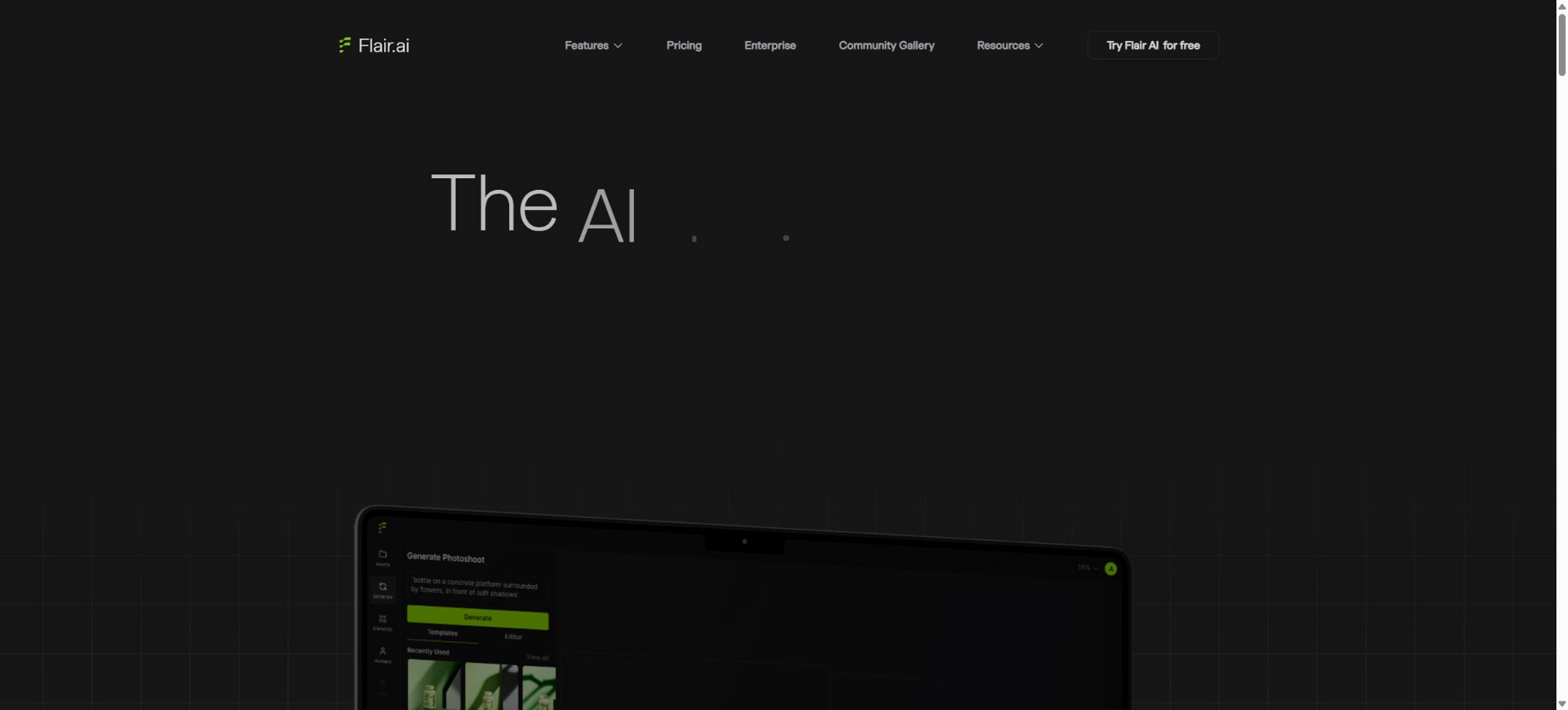
Flair AI is an AI-powered platform for product photography and advertising content, designed for e-commerce brands, marketing teams, and creative agencies. It combines functions such as product isolation, drag-and-drop scene creation, AI-generated backgrounds, virtual models, product videos, advertising templates, and brand model training in a single online workspace, thereby helping teams reduce the costs associated with traditional studio shooting and repeated formatting tasks.
Unlike product image generators that only accept a single prompt, Flair provides a visual canvas. Users can place products, props, 3D assets, and backgrounds within this canvas, adjust the lighting, camera angle, and composition, and then have the AI generate a more complete commercial image.
Core functions
1. Drag-and-drop product photography canvas
After uploading a product image, users can drag flowers, pedestals, plants, materials, decorations, and other elements onto the canvas; they can arrange their order, position, and size, and then choose a background and style to create the scene. This tool is suitable for products in the categories of cosmetics, food and beverages, jewelry, furniture, and lifestyle items.
Dragging the composition improves control, but AI may still alter the text on the packaging, the logo, the design of the bottle, and the proportions of the product. After it is generated, it is necessary to zoom in to compare it with the original image of the product.
2. Lighting and camera angle
Flair enables users to adjust the lighting, shadows, and camera angle within a scene, in order to simulate the highlights, reflections, and spatial depth that are characteristic of studio photography. Users can quickly test different composition views of the same product, such as front views, top-down views, side views, and close-ups.
Automatic lighting effects may not correspond to the actual properties of materials. For glass, metal, jewelry, and reflective items, it is necessary to pay close attention to reflections, refractions, and shadows resulting from contact with other surfaces.
3. Generation of AI product backgrounds
The platform can create backgrounds such as studio, natural, home, holiday, and abstract styles based on text, templates, or canvas layouts, and it allows products to be integrated into these scenes. The backgrounds can be regenerated and modified to serve as multi-channel assets for a set of products.
The scene created must not imply that the product possesses waterproof properties, heat resistance, certain dimensions, or specific performance characteristics that it actually does not have. The main image used for e-commerce purposes must also comply with the requirements of the target platform regarding the background color, any props used, and the text included.
4. Template and brand reuse
Users can start with existing templates, or save scenes, props, and compositions as reusable templates to create content in the same style for new products, SKUs, and campaigns. These templates are useful for establishing brand colors, a visual language, and consistent formatting.
Before reusing a template, it is necessary to verify the licensing for fonts, graphics, and logos, and to check whether adjustments are required for different product sizes. Having consistent settings across multiple items does not mean that all images must use exactly the same parameters.
5. On Model Photography
On Model Photography, it is possible to display clothing, accessories, and jewelry on AI-generated models. Users first upload high-quality images of the products, then select the environment, lighting, and settings for the model, thereby creating styling scenarios that are closer to those used in professional marketing photoshoots.
Images of virtual characters cannot replace information regarding actual sizes, fabrics, and how the fabric drapes. The patterns on clothing, logos, buttons, jewelry details, as well as the color of the skin, must all be checked individually.
6. AI Fashion and virtual models
The Fashion feature allows users to select hair style, body type, appearance, and other characteristics to create diverse AI models, while striving to preserve the patterns and brand elements of the clothing and jewelry. It enables the use of model assets for various markets and channels.
AI models should be used explicitly for synthetic content; they must not simulate real endorsements, reviews, or identities. When real people’s images are used as references, permission for their use must be obtained.
7. Custom Models brand models
Flair allows for the training of custom models using the brand’s own products, styles, or clothing data, thereby enabling the generation of results that are closer to the actual products and their visual aesthetics. The Standard and Fast models differ in terms of training speed, the number of models that can be trained, and the amount of resources required.
The training images must be owned by the brand or obtained with permission. A limited variety of angles, lighting conditions, and backgrounds can reduce the generalization capability of the model, and manual verification is still required to ensure consistency for key products.
8. Instant Image Generation
Instant generation allows for the quick creation of images without having to wait for the training of a fully customized model; it is suitable for sketches, ideas, and various ad variations. The official website states that the creation of such images and ads consumes 4 times as much resource as normal generation, which means that the actual number of images that can be created within the same plan is significantly reduced.
When a large number of versions are needed, it is first necessary to use the standard process to determine the composition, and then the high-resource mode should be employed to create the final images, in order to avoid quickly exhausting the monthly quota.
9. Image zooming and variants
Plans Pro and above offer Image Upscales and Image Variations, which allow for an increase in the output resolution or the creation of versions with similar compositions and styles based on the existing image. Scale provides both scaling up and variant generation functions.
Zooming in and making variations can alter the text on the packaging, the edges of the product, and the details of the images. Before official printing, it is necessary to check the pixels, colors, text, and the authenticity of the product.
10. Product video
AI Product Videos allows product images and scenarios to be turned into short videos or animations, without the need for traditional filming equipment or timeline editing. It is suitable for product displays, social media, advertising, and the announcement of new products.
The free version and various paid plans come with a limited number of video generation sessions. The logo, text, appearance of the products, and shadows in the videos may shift from frame to frame; therefore, it is necessary to view the entire video to ensure its quality.
11. AI-driven ad creation
AI Ad Generation creates marketing ideas by combining products, brand style, and ad templates, allowing for the rapid testing of multiple designs for different channels, formats, and campaigns. Brand asset management helps teams maintain consistency in logos, colors, and visual elements.
AI-generated copy may include incorrect prices, claims about efficacy, and promotional terms. It should be reviewed by operations, legal teams, or industry experts before being published, and false reviews or guarantees must not be created.
12. Team collaboration
The team can manage projects, assets, templates, and generated results in a shared workspace, and collaborate serta iterate on the design. The enterprise version also offers hands-on onboarding, a dedicated success manager, and Slack support channels.
Shared workspaces should have permissions defined for members, clients, and projects. Access rights for employees who leave the company, contractors, and temporary collaborators should be revoked promptly.
Free plan
The free version is available indefinitely at no cost; it includes 1 custom model, 5 generated images, and 1 video generation session. Instant Image Generation and ad creation consume 4 times as many image credits, which is why the free quota is more suitable for testing processes and ensuring product consistency.
The free version is not suitable for large-scale commercial production. Before releasing a product, companies should verify the commercial licensing; they cannot rely solely on the button for free generation to determine the rights of use.
Price and version comparison
| Package or version | Prices, quotas, and core benefits |
|---|---|
| Pro price | The current price of Pro is $8 per month; the page indicates that it includes 2 video generations, faster rendering, image enlargement, and the creation of image variants. The official website’s price list does not specify clearly the options related to Custom Models or the number of images that can be generated per month – the details are shown on the account settlement page at the time of purchase. Individuals and small creators can use Pro to improve speed and output quality; businesses using it for commercial purposes should carefully check the License page to understand the scope of the Pro+ commercial license. |
| Pro+ price | Pro+ currently costs $26 per month and includes up to 8 Standard or 2 Fast Custom Models, 80 generated images, 3 video generation sessions, rendering with highest priority, zooming functions, variation options, and a corporate license. The generation of instant images and ads is still subject to a multiplier of 4. For example, based on the quota of 80 regular images, it cannot be assumed that the higher consumption mode allows for 80 generations as well. |
| Scale price | The cost of Scale Tier 1 is currently $38 per month; it includes up to 15 Standard or 4 Fast Custom Models, 150 images, 5 videos, rendering with top priority, image scaling and variations, a corporate commercial license, early access to the AI Product Photography API, and priority customer support. This tier is suitable for small brands that need to generate product images on a regular basis and intend to integrate APIs into their operations. For higher capacities in terms of images, videos, and models, it is necessary to consult about enterprise-level solutions. |
| Enterprise price | Enterprise offers tailored quotes that include Pro+ features, custom quotas, unlimited API calls, a corporate commercial license, priority support, the ability to train custom models, SAML single sign-on, dedicated onboarding assistance, a dedicated success manager or Slack channel, custom billing options, and integration support. For \"unlimited API\" access, it is still necessary to specify in the contract the limits regarding rate, concurrency, reasonable usage, as well as storage and model constraints. When purchasing such services on an enterprise level, it is also important to check the data storage areas, deletion procedures, audit functions, and service levels. |
| Subscription, cancellation, and refunds | Subscriptions are billed automatically on a monthly basis or according to the selected interval, and it is possible to cancel future renewals. According to the terms, any fees that have already been paid are generally not refundable, nor can they be credited for the remaining time. Before making a purchase, it is advisable to use the Free version to check the quality of the product, the models, the videos, and the output. In case of technical issues, keep the training ID, project link, and account information available in order to contact support. |
Pro price
The current price of Pro is $8 per month; the page indicates that it includes 2 video generations, faster rendering, image enlargement, and the creation of image variants. The official website’s price list does not clearly specify the options related to Custom Models or the number of images allowed per month, so the details shown on the account settlement page should be taken as reference when making a purchase.
Individuals and small-scale creators can use Pro to increase speed and productivity; for commercial use by companies, it is essential to check the License page as well as the scope of the Pro+ commercial license.
Pro+ price
Pro+ currently costs $26 per month and includes up to 8 Standard or 2 Fast Custom Models, 80 generated images, 3 video generation sessions, rendering with top priority, zooming functions, variant creation, and a corporate commercial license.
The generation of instant images and ads is still calculated based on a rate of 4 times the normal amount. For example, if the standard allowance is 80 regular images, the high-consumption mode does not mean that 80 images can be generated in this mode as well.
Scale price
The Scale Tier 1 plan currently costs $38 per month; it includes up to 15 Standard or 4 Fast Custom Models, 150 images, 5 video transmissions, rendering at the highest priority level, image scaling and variations, a corporate commercial license, early access to the AI Product Photography API, as well as priority customer support.
Scale is suitable for small brands that need to generate stable product images on a regular basis and are preparing to integrate with APIs. For higher capacities for images, videos, and models, it is necessary to consult about enterprise-level solutions.
Enterprise price
Enterprise offers on-demand pricing and includes Pro+ features, custom quotas, unlimited API calls, a corporate business license, priority support, the ability to train custom models, SAML single sign-on, dedicated setup assistance, a dedicated success manager or Slack channel, custom billing, and integration support.
For “Unlimited API”, the rates, concurrency levels, rules regarding proper usage, as well as constraints on storage and models must still be specified in the contract. When purchasing such services, enterprises should also check the data areas, deletion options, audit functions, and service levels.
How is the quota calculated?
The package is billed based on the number of images and videos generated as well as the number of Custom Models used, and it does not rely on a single Credits wallet. A regular image counts as 1 generation unit, while Instant Images and Ad Generation require 4 times as many units.
Videos have a separate count.
Custom models are divided into Standard and Fast types, with different limits per package. Whether deleting a model releases available quota, whether failed tasks are refunded, and the date for monthly reset are all subject to the real-time updates provided in the account.
Commercial license
The official license page specifies that companies can obtain a commercial license through Pro+. Images downloaded or created by users during the paid subscription period can be used in commercial products even if the subscription is canceled later.
After upgrading to the paid version, images created under the free plan can also be covered by a commercial license.
The license does not grant users the right to upload products, characters, trademarks, or third-party works for which they do not have permission to use them. It is advisable for companies to choose the Pro+, Scale, or Enterprise versions, which include a clear indication of a Company Commercial License.
Subscription, cancellation, and refunds
Subscriptions are billed automatically on a monthly basis or according to the selected interval, and it is possible to cancel future renewals. According to the terms, any fees that have already been paid are generally not refundable, nor can they be credited for the remaining time.
Before making a purchase, it is necessary to use Free to verify the authenticity of the product, as well as the quality of the models, videos, and the output. In case of any technical issues, keep the training ID, project link, and account information handy in order to contact support.
Data ownership and security
According to the enterprise page, users retain ownership of the designs they create on the platform; Flair uses industry-standard encryption to protect data. For custom models, it is necessary to upload images used for training the model, and enterprises must ensure that such samples are authorized.
Public promotion is not a substitute for security assessments. For sensitive new products, as well as unreleased packaging and customer data, the methods of encryption, storage, deletion, and the uses to which sub-processors and models can be applied must be specified in the contract.
Flair API
The Flair API is used to integrate the generation of AI-driven product content into e-commerce, asset management, and marketing processes; it enables the automated creation of large numbers of product images, videos, and advertisements. Scale offers an early access version of its product photography API, while Enterprise provides unlimited API access along with dedicated integration support.
The public Custom Model API enables the creation and management of models, the uploading of training data, the initiation and cancellation of training processes, the monitoring of training status, the generation of predictions, the retrieval of results, and the soft deletion of records; authentication is carried out using API keys.
There is no unified, publicly available price per transaction for APIs; the cost depends on factors such as scale or volume of usage by the enterprise, type of content, and the contract terms. Development teams should request information regarding rate limits, error retries, concurrency levels, Webhooks, and detailed cost breakdowns.
Supported platforms
- Web applications for desktop and mobile browsers;
- APIs for enterprise workflows;
- Enterprise SSO and custom integration.
Flair is a cloud-based platform, not an offline desktop photography software. The network connection, the rendering queue, and the priority of tasks affect the time it takes to generate results.
GitHub and the open-source status
The Flair AI product photography platform is not an open-source product. The well-known Flair NLP and FLAIR for remote sensing on GitHub, as well as the alternative projects with the same name, are different from this commercial service; they cannot be used as official clients or their source code.
Providing public API documentation does not mean that the training models and rendering engines are made available, nor does it imply that they can be deployed in a private environment.
Flair AI Usage Guide
Complete a basic task.
- Identify the audience, platform, format, duration, and the information that needs to be conveyed;
- Prepare scripts, shots, or reference materials that can be used in Flair AI;
- Select the drag-and-drop product photography canvas to create a low-cost preview;
- Use lighting and camera angles to adjust the visuals, rhythm, subtitles, and sound;
- Check each frame for characters, text, logos, lip movements, and factual accuracy;
- Export in the desired format after confirming the licensing for music, portraits, and materials;
Create reusable professional workflows
- Create scripts, shot lists, brand assets, and a list of elements that are prohibited from use;
- Uniform parameters are generated and saved for the drag-and-drop product photography canvas, lighting and camera angles, as well as AI-generated product backgrounds.
- First, use representative shots to test the model and the quota;
- Transfer the failed shots to manual editing or regenerate them;
- Uniformize subtitles, volume, colors, and end credits;
- Record the version and reviewer before publishing in batches;
Which users is it suitable for?
- E-commerce brands that create main product images, scenario images, and ad images;
- Fashion teams that need clothing, jewelry, and a variety of virtual models;
- Staff responsible for creating visual content for categories such as cosmetics, food, automobiles, and furniture;
- Creative agencies that wish to reuse brand scenario templates;
- A social media team that needs product videos and ad variations;
- Enterprises and platforms that generate product content in bulk through APIs.
Product advantages
- Dragging the canvas makes it easier to control the composition than relying solely on text prompts.
- Products, props, 3D assets, lighting, and camera positions can be combined;
- It covers product photography, virtual models, videos, and advertisements;
- Supports Custom Model brands and reusable templates;
- Plans above Pro+ explicitly include a corporate business license;
- Scale and Enterprise offer APIs and enterprise integration.
Restrictions and Precautions
- The number of packages generated is not high; instant images and ads consume 4 times as many image credits as regular images, and videos have their own separate quota.
- High-frequency teams require Scale or Enterprise;
- AI may change packaging text, logos, textures, as well as details related to jewelry and clothing;
- Before publishing it online, it must be checked against the actual product;
- Virtual models cannot replace information regarding sizes, fabrics, and instructions for actual try-ons, nor can they simulate real people as brand ambassadors.
- Cancellation of a subscription generally does not result in a refund of the fees already paid;
- Companies should first test the actual SKUs within the free quota.
Frequently Asked Questions
Is Flair AI free?
There is a permanent free plan that includes 1 custom model, 5 images, and 1 video generation session, suitable for testing.
How much does Flair AI cost?
Currently, Pro costs $8 per month, Pro+ costs $26 per month, Scale Tier 1 costs $38 per month, while Enterprise pricing is available on request.
Which package is suitable for business use?
Pro+, Scale, and Enterprise include a Company Commercial License. Images that were created or downloaded during the paid period can still be used for commercial purposes even after cancellation.
Can virtual models be created?
Yes, it supports On Model Photography for clothing and jewelry, AI Fashion, as well as customizable character features; however, it is necessary to verify the quality of the products and respect portrait rights.
Is there an API?
Yes. Scale offers an early access to a product photography API, while Enterprise provides unlimited APIs as well as custom integrations.
The public Custom Model API enables the management of training and prediction.
Is Flair AI open source?
It is not open source. Flair NLP on GitHub and other projects with the same name are not the same product as this AI-based product photography platform.
Tools similar to Flair AI



 Guigong Network Security Registration No. 45132202000164