






Meitu Design Studio
An intelligent design platform under Meitu, focused on product images, AI models, and e-commerce videos
Tags:AI product image generationWhat is Meitu Design Studio?
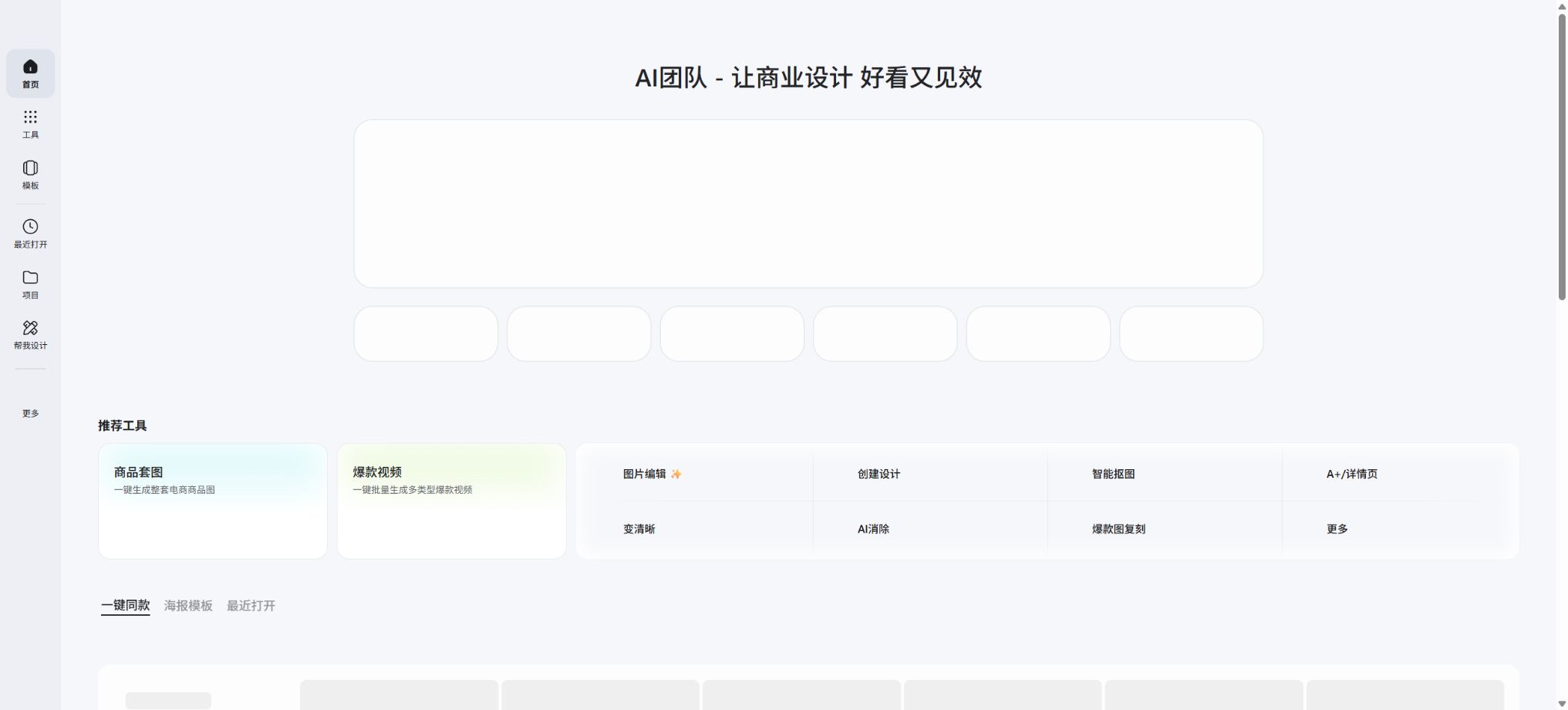
Meitu Design Studio is a one-stop online design platform offered by Meitu Company to e-commerce sellers, designers, operational staff, and corporate teams; its English name is DesignKit. It brings together functions such as AI-powered product photography, image processing, AI-driven design, poster templates, licensed graphics, team collaboration, and brand visual management in both browsers and apps, enabling users to quickly create main product images, detail pages, model photos, promotional posters, and video content for sales purposes from ordinary product photos.
As of this verification, the core AI tools include AI-generated product images, background elements for portraits, AI models, AI shoe try-on, AI clothing try-on, color adjustment for clothing, AI-powered promotional videos, intelligent image segmentation, AI removal functions, image enhancement, product refinement, image translation, AI-generated logos, LivePPT, AI posters, AI-written copy, and AI text effects. The previous descriptions that only mentioned “background replacement for products” no longer reflect the current set of capabilities.
AI product images
After uploading photos of products taken casually, users can choose recommended scenarios, upload reference images, enter text, add decorative elements, or specify colors to create a new background. The tool identifies the main subject and keeps the product in focus; it is suitable for use in the beauty, food, home goods, 3C products, jewelry, clothing industries, as well as for cross-border e-commerce.
You can also download images with a transparent background, a white background, or a solid-color background, which reduces the need for image editing and studio shooting steps.
The platform supports multiple product combinations – multiple elements can be added to a single canvas and their positions can be adjusted; the batch mode is suitable for creating unified scenes for products from various angles.
A reproduction based on a reference image will mimic the composition, lighting, and atmosphere, but it cannot guarantee pixel-level accuracy with the original image.
It is best to use an original image that is clear, free of obstructions, and has well-defined edges before generating the image; the more accurate the color and structure of the product, the more stable the result will be.
AI Agent product design
The AI design assistant enables the creation of products with a white background, multiple angle images, atmosphere-themed photos, e-commerce template images, and reference images for best-selling products, all in just one sentence. Users can adjust the background, composition, selling points, and style through continuous conversations, thus avoiding the need to switch between different tools.
Complex requirements are best broken down into multiple instructions: first handle the products, then create the scenarios, and finally produce the composite images. This approach usually yields more controllable results than trying to input all requirements at once.
AI models, try-on for clothing and shoes
- AI models:Choose official models or upload your own images of people, and combine the products with those models; this is suitable for showcasing clothing, cosmetics, accessories, and lifestyle items.
- AI try-on:Upload images of flat-lay clothing or people wearing the garments, so as to avoid the need for actual photography and repeated changes of outfits.
- AI shoe fitting:Generate shoe products within foot and styling scenarios for use as main images and marketing visuals for shoes.
- Changing the color of clothing:It enables the rapid creation of different color variations for the same design, making it suitable for launching multiple SKUs and conducting color tests.
- Model skin replacement and portrait backgrounds:Adjust the character images or scenes to create materials suitable for different regions and marketing styles.
These features can reduce the costs associated with creating samples, but they cannot guarantee that the style, fabric, color, size, and overall appearance of the product will be exactly the same as those of the actual item. Product pages should avoid using AI-generated images as representations of size or features; when necessary, real photos should be used along with clear indications thereof.
AI-powered product promotion videos
Meitu Design Studio offers AI-powered marketing videos; it enables the combination of product images, their features, as well as digital representations of people, to create marketing videos. The team version of the platform also provides options for converting product images into videos and creating 3D product videos, which are suitable for use as main visual content on e-commerce sites, in social media ads, and for product introductions.
Video generation, like image creation, consumes US beans; the specific functions and the progress of their availability are indicated on the account page.
The final video may exhibit issues such as distorted products, unnatural movements of the characters, spelling errors, and flickering between frames; it is therefore necessary to first test it with a short clip before proceeding with adding voiceovers, subtitles, editing, and adjusting it to the platform’s specifications.
Image processing tools
- Intelligent image masking:It can automatically identify products, people, pets, text, stamps, icons, and logos; it allows for the processing of multiple images at once, and it is possible to adjust edges, shadows, and backgrounds.
- AI removal:Remove clutter, watermarks, or unwanted elements, and then have the model fill in the background. The user must ensure that they have the permission to edit the original image.
- Become clearer:It improves the appearance of low-resolution images, but it cannot restore real details that are not present in the original file.
- Product refinement:It improves the lighting, texture, edges, and background, and is suitable for batch processing before launching a new product.
- Lossless resizing and puzzle merging:Adapted to the specifications of various e-commerce and social media platforms.
- Image translation:Identify the text in the image and replace it with the target language; this is suitable for images of cross-border products. Brand names, units, and regulatory texts require manual verification.
AI posters, logos, and PPTs
The AI design section also includes AI-generated posters, copywriting, decorative text, logos, and Live PPTs. Users can create initial drafts based on a theme or copywriting, and then arrange them using templates, fonts, and various elements.
It is suitable for promotional posters, social media content, in-store events, and internal reports; however, the registrability of a logo as a trademark, the accuracy of the data in PPTs, and the licensing of materials cannot be guaranteed automatically by AI.
Members, soybeans, and prices
Meitu Design Studio separates the templates and editing features from the AI generation quota: members have access to more templates, materials, and advanced tools, while functions such as AI-generated product images, AI models, and AI try-on services consume Meitu Coins. Once the free Meitu Coins provided to members are used up, they can be purchased separately.
| Package or version | Prices, quotas, and core benefits |
|---|---|
| Standard member | It is suitable for users of template editing and design tools; it includes poster templates, member features of the basic editor, a member image resource library, and 330 Amazon gift cards provided each month. |
| Premium Member | It includes the standard member benefits and is suitable for those who use AI Agents, product images, and template sets frequently. The official help center lists four subscription tiers: 638 yuan per month with 1000 US dollars’ worth of credits, 998 yuan per month with 1800 US dollars’ worth of credits, 1888 yuan per month with 3600 US dollars’ worth of credits, and 3688 yuan per month with 7500 US dollars’ worth of credits. When making a purchase, it is necessary to follow the expiration date and payment details displayed on the page. |
| Team and Enterprise editions | Seat provision, asset sharing, brand management, and corporate licensing services are available; higher-tier packages start at 20,000 US dollars per month – for specific prices, please contact the account manager. |
The personal version of the site also offers a trial option for new users at a cost of 0.9 yuan, but each account generally has only one chance to take advantage of this trial. A member account allows logging in from only one computer device at a time.
Certain features are shared between the Web and App versions.
Packages, activities, and bean consumption amounts may change; it is necessary to check the consumption guidelines for the current task before generation.
Personal and business use
The individual version of SVIP provides only an individual commercial license, and it is suitable for personal online stores, social media accounts, official accounts, short videos, and personal office use by private individuals. Enterprises, self-employed individuals, administrative organizations, or social groups should purchase the team version or the enterprise version.
Using personal authorization for company business constitutes an overuse of it.
Original materials can only be used as part of a complete design; it is not possible to download individual elements separately, resell them, distribute them, or use them as the sole component of a design. Some of these materials cannot be used in sensitive industries, for outdoor advertising, in trademarks, on packaging, or in products intended for resale; for special uses, separate authorization must be obtained.
Before making a purchase, a company should verify the authorized entity, the purpose of use, the duration, and the geographical area.
Team collaboration and brand management
The team version allows members to be invited, folders to be shared, and design records to be utilized; it also enables the setting of permissions for viewing, editing, and management. Assets associated with an individual account are not accessible by those in different teams by default, so it is necessary to determine the current workspace before starting to create something.
The team template library supports uploading and parsing PSD files, allowing team members to reuse common templates without modifying the original files.
Brand visual management allows for the centralized storage of templates, logos, colors, fonts, and other design assets, which is useful for e-commerce and marketing teams to produce consistent content. Once a team member’s membership expires, the assets they had access to remain available, but their rights to edit and use those assets are restricted.
Whether it is open source and the API
Meitu Design Studio is a commercial online service; its complete product source code is not made public, and it should be marked as non-open source in the relevant listings. The pages that are currently available are intended for use on the Web, in apps, as well as by teams and enterprises, and they do not provide general generation APIs that can be used freely.
For requests related to the integration of large-scale systems or customizations, please contact the company’s business department.
Tutorial for Meitu Design Studio
Complete a basic task.
- Clarify the purpose of the image, its dimensions, style, and requirements regarding commercial licensing.
- Upload the original images for which you have usage rights to Meitu Design Studio, or provide clear instructions;
- Select AI product images to generate low-cost candidates first;
- Use AI Agents for product design to adjust composition, main elements, and details;
- Zoom in to examine faces, hands, text, edges, logos, and artifacts;
- Export after confirming the color, resolution, and licensing, while retaining the original image;
Create reusable professional workflows
- Create a list of brand colors, fonts, layout elements, and elements that are prohibited.
- Test AI-generated product images, AI Agent-based product designs, as well as AI models for trying on clothing and shoes, separately;
- Use the same set of representative samples to compare quality, speed, and cost;
- Complex edges, text, and images of key products should be handed over for manual refinement.
- Standardize naming, dimensions, and review status;
- Batch processing and release are carried out after random inspections;
Which users are it suitable for
- Taobao, JD.com, Pinduoduo, and sellers on cross-border e-commerce platforms.
- Brands in the categories of clothing, shoes and bags, cosmetics, jewelry, food, and home goods.
- New media managers who need bulk images, posters, and videos.
- Individual businesses that lack a studio or professional designers.
- Marketing departments that need team templates, brand assets, and corporate authorization.
Advantages
- E-commerce AI offers comprehensive shopping capabilities, covering products, models, try-on services for clothing and shoes, as well as videos.
- It offers a one-stop service that covers image retouching, as well as the editing of posters, PPTs, and templates.
- Ordinary users can create marketing materials quickly without needing to master Photoshop.
- There is a clear distinction between personal and enterprise commercial licenses, with the enterprise version offering team management capabilities.
- The Web and App versions cover common creation scenarios and offer a free trial.
Restrictions and Precautions
- AI-generated results can change the shape, color, proportions, and material of a product; it is necessary to compare them with the actual product before it is released for sale.
- Real-person portraits, brands, trademarks, fonts, and reference images require authorization;
- It is forbidden to use AI-generated content to create false advertisements.
- The platform will add generation identifiers to AI-generated text, user interfaces, and images; when such content is made public, it is necessary to retain or add prominent identifiers in accordance with relevant regulations.
- US soybeans and membership benefits come with a validity period as well as device restrictions; before making a purchase, it is necessary to test the core functions using the trial quota and to determine the type of authorization applicable to an individual or a company.
- When dealing with sensitive sectors such as healthcare, cosmetic surgery, alcohol, and drugs, it is necessary to additionally verify the licensing for the materials used and comply with advertising regulations.
Frequently Asked Questions
Is Meitu Design Studio free?
Free features and a trial period for new users are available; more templates, advanced tools, and AI-generated content require a membership at Meidou.
What is the difference between standard members and premium members?
The standard membership is suitable for using templates and performing basic edits, with 330 USD worth of credits offered each month; the premium membership provides more credits and is intended for those who use the AI Agent, product images, and template sets frequently.
Can the generated product images be used for commercial purposes?
The personal version is intended only for individual commercial use; businesses and self-employed individuals should use the team or enterprise licensing option. The user must still confirm the rights related to the materials and third-party content.
Can Meitu Design Studio offer AI try-on services?
Yes, it also supports AI models, shoe try-ons, color changes for clothing, generation of portrait backgrounds and product images; however, the resulting outputs cannot replace actual testing of fit and sizes.
Is Meitu Design Studio open-source?
It is not open-source. It represents Meitu’s commercial Web and app services; for team use or custom integrations, the official enterprise solutions must be employed.
Tools similar to those in Meitu Design Studio



 Guigong Network Security Registration No. 45132202000164