






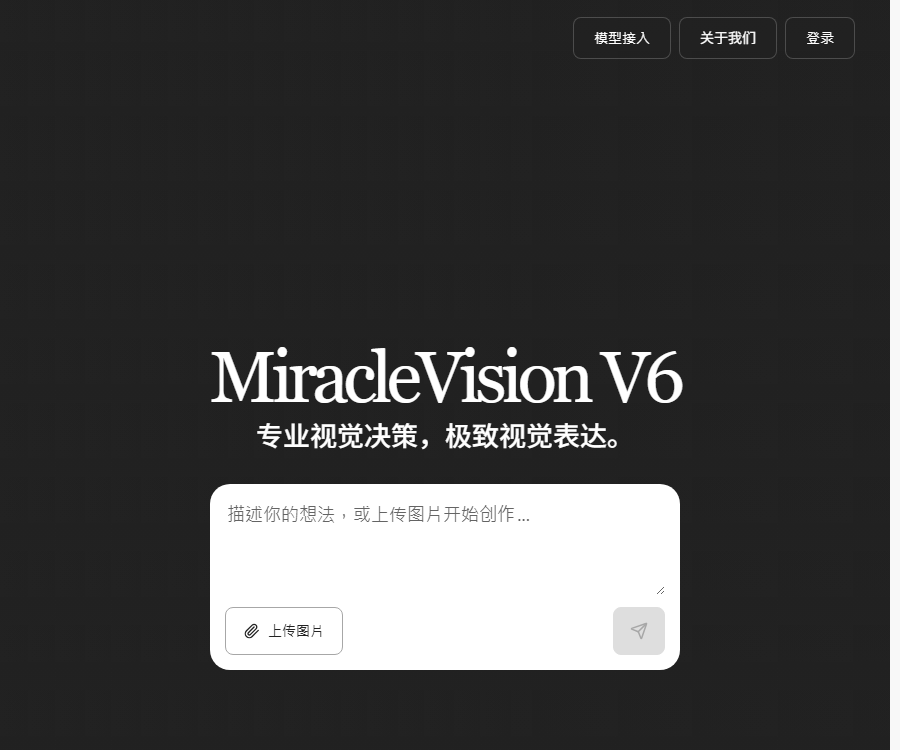
MiracleVision Smart Imagination
Meitu’s AI visual large model supports AI-based image, design, and video creation.
Tags:Common AI image toolsWhat is MiracleVision Smart?
MiracleVision Smart is a large-scale vision model developed independently by Meitu’s Research Institute for Imaging Technologies; the current version offered on the official website is MiracleVision V6.
It is designed for use in portrait, image, video, and design applications, and it offers practical capabilities through its ecosystem of beauty-related products and its open platform.
Main functions of MiracleVision V6
- Change the character’s hairstyle and hair color.
- Preview the appearance of different clothing combinations.
- Optimize facial and portrait details.
- Create professional-style portrait photos.
- Simulate studio lighting and the atmosphere of the image.
- Perform creative editing according to the instructions.
- Understand the content of images and the user’s intentions.
- Supports image, video, and design workflows.
- Integrate enterprise products through APIs.
- Create image agents using MCP.
Comparison of V6 portrait capabilities
| Ability | Primary uses | Key points of inspection |
|---|---|---|
| Hair styling editor | Change hairstyle and hair color | The hairline, ears, and the edges of the hair |
| Clothing and styling | Preview how the garment will look on the body | Human body structure, occlusions, and fabric texture |
| Portrait beautification | Improve facial and skin details | Avoid distortion and excessive smoothing. |
| Portrait photography | Generate studio-style photos | Identity consistency and hand details |
| Portrait atmosphere | Simulated lighting and environmental texture | Light direction, shadows, and skin tone |
| Creative Editing | Modify image elements and style | Semantic accuracy and copyright compliance |
Which users are it suitable for
| User | Suitable scenarios | Usage method |
|---|---|---|
| Photography users | Portrait retouching, lighting, and photography | Experience Meitu’s ecosystem products or its official website. |
| E-commerce team | Costume changes, product images, and background optimization | API or image MCP |
| Advertising designer | Creative concept diagrams and marketing materials | Text-to-image generation and local editing |
| Content creators | Attempts at social media visuals and visual style | Online experience or beauty products |
| Application developers | Access to image generation and editing capabilities | Meitu AI Open Platform API |
| Corporate clients | Batch image processing and agents | Public cloud APIs and business solutions |
MiracleVision V6 User Guide
- Go to the official page of the Meitu Fantasy Large Model.
- Use a modern browser supported on desktop computers.
- Log in to your account and check out the features available for testing.
- Upload images for which you have the legal right to process.
- Choose from hairstyle, clothing, beauty, or portrait options.
- Describe the desired outcome in specific terms.
- Retain the key elements of characters, actions, and background.
- After generation, compare the original image with the result.
- Check the facial features, hands, clothing, and lighting.
- If unsatisfied, reduce the scope of changes and try again.
- Save the results that meet the requirements in a timely manner.
- State that it has been processed by AI at the time of public release.
How to prepare portrait photos
| Factors | Recommended practices | Frequently Asked Questions |
|---|---|---|
| Clarity | Use high-quality original images. | Compressed images tend to have blurred details. |
| Character perspective | Give priority to the front view or a slight side view. | A large cheek area can change the features of the face. |
| obstruction | Try to avoid wearing masks and having long hair that covers much of the face. | The masked areas may be incorrectly filled in. |
| Light | Choose photos with clear skin tone and contours. | Strong backlighting affects identity consistency. |
| Background | The boundary between the main subject and the background is clear. | Complex backgrounds can easily affect the editing area. |
| Authorization | Use your own portrait or that of an authorized person. | Having public photos does not mean they can be edited freely. |
How to write prompts for portrait editing
The prompt should specify the elements that need to be modified, those that should remain unchanged, the visual style, and the intended use of the output, in order to prevent the model from making excessive changes.
| Task | Recommended description | It needs to be maintained. |
|---|---|---|
| Hair style | Change to deep brown curly hair of collarbone length. | The face, posture, and background remain unchanged. |
| Clothing | Replace with a beige business suit. | The character’s identity and the lighting remain unchanged. |
| Beauty care | Naturally reduces dark circles and minor imperfections | Preserve skin texture |
| Photos | Generate warm-toned studio half-body professional photos | Maintain the true features of the face. |
| Atmosphere | Add twilight side lighting and subtle rim lighting. | Do not change the characters’ expressions. |
| Creative Editing | Change the background to a simple, modern exhibition hall. | The proportions of the figure and the clothing remain unchanged. |
Technical features of MiracleVision V6
The official website states that V6 utilizes a completely new MoE model architecture, which enables dynamic routing and precise activation within a network of image experts through a Router mechanism.
- It is understood by taking into account the user’s intentions and aesthetic preferences.
- Covers the skills of experts in imaging, video, and design.
- Aesthetic preference alignment is achieved based on RLHF.
- Combined with professional manual evaluation.
- Optimize quality using aesthetic model scoring.
- Deeply integrate the Meitu product ecosystem.
Text-to-image generation capability
Text-to-image generation converts textual descriptions into images; the developers emphasize applications in various areas such as multiple sizes, low latency, style customization, and portrait photography.
- Identify the main elements in the image and their quantity.
- Describe the scene, time, and environment.
- Add composition, camera angles, and shot lengths.
- Describe light, color, and texture.
- Specify a realistic, illustrative, or commercial design style.
- Generate multiple candidate images for comparison.
- Check the text, handwriting, and spatial structure.
- Save and record the final version used.
Open capabilities for image editing
| Ability | Enter | Typical uses |
|---|---|---|
| Local redraw | Original image, mask, and text instructions | Replace or modify individual elements |
| AI seamless removal | Original image and mask for the area to be removed | Remove characters, objects, and distractions. |
| AI Ultra HD | Low-resolution images | Reconstruct details and improve clarity |
| Remove passersby | Photos containing the subject and passersby | Remove non-key characters from the background. |
| Whiteboard graffiti | Simple line drawings or doodles | Generate stylized visual elements |
| Image expansion | Original image and external completion area | Change the frame size and add background. |
Difference between local redraw and seamless removal
| Project | Local redraw | Traceless removal |
|---|---|---|
| Goal | Replace the specified area with new content. | Delete the area and fill in the background. |
| Main inputs | Mask and textual description | Region mask to be deleted |
| Suitable scenarios | Costume changes, object modification, and scene editing | Remove passersby, debris, and defects |
| Quality focus | The new content complies with the instructions. | The background textures and lighting are natural. |
What is Meitu Image MCP?
Meitu Image MCP Server makes image creation and editing capabilities available to compatible AI agents and development workflows.
- Invoke the image creation capability.
- Perform local redrawing.
- Perform AI-based seamless removal.
- Improve image clarity.
- Connects to the e-commerce material workflow.
- Create custom image intelligents.
What types of businesses are suitable for APIs?
| Industry | Connectivity capabilities | Requirements for going live |
|---|---|---|
| E-commerce | Product images, outfit changes, backgrounds, and high resolution | Product authenticity and batch quality inspection |
| Photography | Portrait beautification, photography, and lighting | Obtain customer authorization |
| Advertising | Text-to-image generation and creative editing | Copyright and brand verification |
| Social apps | Profile pictures, filters, and video features | Content security and privacy protection |
| Media | Image matching, restoration, and frame expansion | Label the synthesized content |
| Enterprise agent | MCP imaging tool invocation | Permission, key, and cost control |
MiracleVision API Integration Tutorial
- Go to the Meitu Dream Large Model technical capabilities page.
- Choose the text-to-image or image editing capability.
- Click on the 0-yuan trial to see the output effect.
- Register an account on the Meitu AI Open Platform.
- View the current connection documentation and request parameters.
- Apply for and store the Key and Secret properly.
- Construct a minimal request in the testing environment.
- Complete the request signature based on the document.
- Submit the task and save its identifier.
- Poll the status until it succeeds or fails.
- Download and save the generated results.
- Add timeout, retry, and error handling.
- Content security and manual review have been added.
- Expand the usage after confirming the production price.
Asynchronous tasks and result saving
The documentation for the open platform indicates that for some generation tasks, it is necessary to check the status using the task identifier; the first response received cannot be considered the final result.
- Save the business transaction ID for each request.
- Set a reasonable polling interval for the processing status.
- Record error messages for failed tasks.
- Avoid duplicate billing caused by infinite retries.
- The result images may be cleaned up periodically.
- Download it to your own storage immediately after success.
- Save the model, parameters, and generation time.
API prices and trial options
The technical capabilities page currently shows an option for a 0-yuan trial and an option to purchase immediately, but it does not display a verifiable, fixed price per call.
| Usage method | Public price status | Appropriate stage |
|---|---|---|
| Experience V6 on the official website | It is subject to the real-time benefits of the logged-in account. | Personal trial and effectiveness verification |
| Free trial for individual skills | The technical page provides a link to try it out. | API functionality evaluation |
| Public cloud API purchase | The price is subject to the real-time price on the purchase page. | Official product integration |
| Bulk invocation by enterprises | A business quote is required. | Large-scale and customized services |
| Meitu Image MCP | It is subject to the current purchase and quota page. | Agent and toolchain integration |
Input specifications, processing complexity, and concurrent requirements vary depending on the level of capability; therefore, it is not possible to determine the cost of all services based on the price of a single interface.
What needs to be confirmed before making a purchase?
- Interface name and model version.
- Trial quota and expiration date.
- Charging based on usage, per transaction, or through a package plan.
- Whether to charge for failed requests.
- Constraints on concurrency, frequency, and task queues.
- Input and output resolution and format.
- Duration for which the result file is retained.
- Commercial licensing and content responsibility.
- Service availability and technical support.
Differences between the official website experience and the API
| Project | Official website experience | Open platform API |
|---|---|---|
| Usage method | Upload images and perform operations on the web page | Program request interface |
| Suitable for users | Personal, design, and product experience | Developers and enterprises |
| Batch processing | Restricted by page permissions | It can be integrated based on the concurrency quota. |
| Parameter control | The interface provides common settings. | Pass detailed parameters according to the document. |
| Result management | Users download manually | The system automatically downloads and stores it. |
| Costs | Subject to the account balance. | The purchase page or the contract shall prevail. |
Real-person portraits and costume changes are compliant.
Creating hairstyles, outfits, beauty treatments, or photos for real people can alter their appearance or the situation in which they are depicted; appropriate authorization must be obtained for this.
- Give priority to processing one’s own photos.
- Obtain explicit consent before using someone else’s portrait.
- The authorization should cover editing, creation, and distribution purposes.
- It is forbidden to forge endorsements from celebrities or employees.
- It is not allowed to generate involuntary sensitive images.
- Material involving minors requires legitimate authorization from a guardian.
- Realistic results should clearly indicate AI processing.
Enterprise content security process
| Phase | Inspection contents | Person responsible |
|---|---|---|
| Before uploading | Portraits, copyright, and privacy permissions | Business and Legal Affairs |
| Generating... | Prompt and content security policies | Products and Technologies |
| After outputting | Characters, text, brands, and facts | Design and review |
| Before publication | AI identifiers and scope of use | Operations and Compliance |
| After publication | Complaint, withdrawal, and deletion mechanisms | Customer Service and Security Teams |
Data and Privacy Considerations
Portrait images may contain identifiable personal information; the party accessing them should read the current user agreement, the personal information protection policy, and the rules regarding interface data.
- Only upload the images required to complete the task.
- Avoid including IDs and sensitive information in the image.
- Set access permissions for the production environment.
- API keys must not be included in the front-end code.
- The results are downloaded or deleted as needed for business purposes.
- Establish procedures for users to revoke authorization and delete data.
Why is manual inspection needed for the generated results?
| Risk | Common manifestations | Inspection method |
|---|---|---|
| Identity drift | The facial features differ too much from those of the actual person. | Compare item by item with the authorized original image. |
| Structural error | Deformation of fingers, clothing, and accessories | Zoom in to examine key areas |
| Conflict between light and shadow | The characters and the background lighting are not in sync. | Check shadows and reflections. |
| Garbled text | Errors in the text on signs and clothing | Reformat or repair manually |
| Misuse of brand name | Generate approximate trademarks | Conduct brand review before publication |
| Fact distortion | The photograph was mistaken to be a real event. | Add AI-generated identifiers |
GitHub and open source
Meitu has an official GitHub organization, but no official open-source repository containing the weights for the MiracleVision V6 model or the complete source code of the product has been found.
| Project | Current status | Explanation |
|---|---|---|
| MiracleVision V6 | Not open source | Unpublished model weights and training code |
| Official website experience | Business services | The benefits available after logging in are as specified on the page. |
| Meitu AI Open Platform | Provide API | Access via the document and purchase page |
| Meitu Image MCP | Provide services | Designed for invoking agent-based imaging capabilities |
| Meitu’s official GitHub repository | It exists. | Other warehouses are not equivalent to the V6 open-source version. |
Product advantages
- Focused on portrait photography and visual aesthetic scenarios.
- It covers creation, editing, and image quality restoration.
- V6 offers a range of professional features for portrait photography.
- Deep integration with Meitu’s product ecosystem.
- Provides access via public cloud APIs.
- MCP facilitates the creation of intelligent imaging agents.
- Suitable for e-commerce, photography, and advertising industries.
Usage restrictions
- For a complete experience, it is recommended to use a computer browser.
- The unified API price is not displayed on the public page.
- Different capability parameters come with different prices.
- Structural errors may still occur in the generated results.
- Some result files are cleaned up on a regular basis.
- Live editors need to obtain permission for using portraits.
- The model weights and the platform’s source code are not made available publicly.
Frequently Asked Questions
What is MiracleVision Smart?
It is a visual large model developed independently by Meitu; V6 offers capabilities for creation and editing in areas such as portraits, images, videos, and design.
What can MiracleVision V6 do?
V6 offers functions such as hairstyle editing, outfit styling, portrait beautification, photo creation, atmosphere lighting, and creative editing.
Can MiracleVision be used for free?
Some pages related to technical capabilities offer a free trial period; the amount of access available on the official website as well as any specific restrictions depend on the information displayed on the page after logging in.
How much is the MiracleVision API?
The public page does not display a fixed uniform price; the actual price to be applied should be based on the purchase page for specific capabilities or the company’s commercial quotation.
Does MiracleVision offer APIs and MCP?
The Meitu AI open platform offers a variety of visual APIs; Meitu Image MCP can be used for image creation, editing, and the integration of intelligent agents.
Can the generated portraits be used for commercial purposes directly?
It cannot be generalized; it is necessary to verify the package authorization, the copyright of the materials, the permission for using real-person portraits, and the context in which they will be published, with manual review of the results.
Is MiracleVision an open-source model?
No, at present no official open-source repository containing the weights for the V6 model or the complete source code of the product has been found.
Tools similar to the imaginative intelligence of MiracleVision.




 Guigong Network Security Registration No. 45132202000164