






Red Raven AI
Create viral images and texts in one sentence, publish with just one click | An automated tool for managing image and text content on Xiaohongshu and official WeChat accounts
Tags:Common AI image toolsWhat is Red Raven AI?
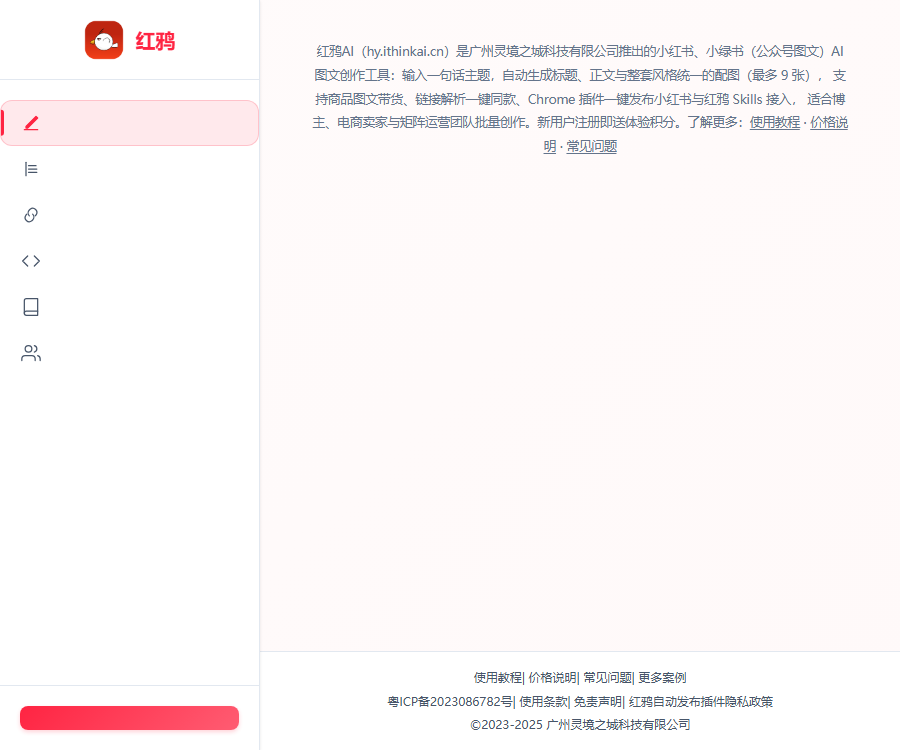
Red Crow AI is an AI-powered tool for creating images and text content, focused on Xiaohongshu and Xielvshu.
After entering a topic, the user can generate a title, a body text, and up to 9 images with a consistent style.
Main functions
- Generate a complete graphic note from a single sentence.
- Generate an editable outline for the title, text, and images.
- A maximum of 9 images with a consistent style can be generated at once.
- Upload product images to create promotional content that encourages purchases.
- Up to 5 reference images can be uploaded to control the content and appearance.
- Parse external content and save it to the knowledge base.
- Generate identical content with one click, following the layout of posts on REDnote.
- Use Chrome extensions to collect or publish content.
- Access the AI assistant through Skills, MCP, and OpenAPI.
- Use web applications on mobile phones and computer browsers.
Which users are it suitable for
| User | Common requirements | Suitable functions |
|---|---|---|
| Individual bloggers | Stably update REDnote posts | Theme generation and visually consistent images |
| E-commerce sellers | Create promotional content for products. | Product images and product details |
| Local businesses | Creating store locations and event content | Templates, reference images, and one-click publishing |
| Content team | Unify topic selection and materials | Knowledge base and creation records |
| Matrix operation | Manage the output of multiple accounts | Batch creation and deployment of plugins |
| AI Workflow Users | Create graphics and text directly within the Agent. | Skills, MCP, and OpenAPI |
Generate images and text from a single sentence
Red Crow AI first breaks down the theme, and then generates the title, the main text, and the image content for each page.
- Enter the specific target audience, scenario, and content objectives.
- Describe the account’s personality and the tone you would like to use.
- Clearly list the facts and product information that must be retained.
- First check the outline, then use points to create the image.
- Check the text, background, and visual consistency page by page.
- Manually revise exaggerated or unfounded expressions before publication.
Visually consistent imagery
The platform emphasizes maintaining consistency in the background, font, color scheme, and layout of the same note.
- Specify a uniform background color in the prompt.
- Set clearer title hierarchy for the cover.
- Control the length of text and information density per page.
- After creating the outline, apply the same visual requirements to each page.
- When a deviation on a single page is detected, only the corresponding image is redrawn.
- Finally, check the font, spelling errors, and brand colors.
Visual consistency can reduce the need for rework, but it cannot guarantee that the output will be exactly the same each time.
Product images and text
The product-related text and images are created based on the product photos uploaded by users, to generate promotional posts and accompanying images.
- Prepare clear, authorized front-view images of the products.
- Create product profiles and fill in the genuine selling points.
- Select the product image and text format as well as the target audience.
- Upload product images and optional reference style images.
- Generate a title, main text, and page-by-page outline.
- Remove fictional parameters and unproven efficacy claims.
- After confirmation, the image is generated and the packaging details are checked.
- Publish in accordance with the platform’s advertising and marketing rules.
Difference between ordinary images and text and product-related images and text
| Project | Regular text and images | Product images and text |
|---|---|---|
| Enter key points | Topics, perspectives, and reference style | Product images and actual selling points |
| Content objectives | Knowledge, experience, or life sharing | Product introduction and recommendation |
| Key points of the image | Information presentation and visual consistency | Product restoration and usage scenarios |
| Key points of review | Facts, citations, and originality | Parameters, efficacy, price, and advertising compliance |
Link parsing and one-click replication
Link parsing allows for the extraction of the text and images from content, while video content can be converted into spoken script.
The current page lists sources such as TikTok, Kuaishou, Bilibili, REDnote, and official WeChat accounts.
- Save the analysis results in the specified knowledge base.
- Convert valuable structures into material for one’s own creations.
- Do not copy others’ text, images, and unique expressions directly.
- REDnote’s one-click replication feature is currently available for text and image notes.
- REDnote video notes do not currently support analysis of the same structure.
- The range of platforms supported may change with version updates.
Knowledge base
The knowledge base allows for organizing materials into folders, and enables retrieval when creating content.
- Create folders by brand, product, account, or category.
- Save the approved brand information and product parameters.
- Use the results of link parsing as material for selecting topics.
- Regularly delete expired promotions and old parameters.
- Before use, verify whether the package includes access to the knowledge base.
- Sensitive data should not be uploaded directly to public cloud services.
Red Raven AI Usage Guide
- Register and log in by scanning the WeChat code.
- Receive trial points for new users.
- Enter a topic or select the product image mode.
- Upload up to 5 reference images as needed.
- You can also paste links to supported content for parsing.
- Create and edit titles, text, and image outlines.
- After confirming the outline, generate the images one by one.
- Check the generation progress in my creation.
- Download the copywriting and images, or install a plugin to publish.
- Review and adjust the next piece of content based on real data.
Chrome extensions
Red Crow provides publishing plugins and data collection plugins to link web content creation with operations on Xiaohongshu.
| Plugin | Uses | Precautions |
|---|---|---|
| Publish plugin | Send the generated images and text to REDnote. | Check the account and content before publishing. |
| Collection plugin | Collect reference notes for use as a guide. | The copyright of the content must not be violated. |
Browser plugins have access to page content and user activities; it is necessary to check the permissions and privacy policies before installing them.
Supported on mobile phones and computers
| Platform | Support status | Explanation |
|---|---|---|
| Mobile browser | Support | You can log in, create content, and view the results. |
| Computer browser | Support | Suitable for full creation and plugin workflows |
| Standalone App | No installation required | The official website is positioned as a web application. |
| Chrome extensions | Provide | Used for collection and publishing |
| AI Agent | Supports connection | Through Skill, MCP, or OpenAPI |
Points consumption
The following are the billing rules, as outlined in the official FAQ and development materials released on August 31, 2026.
| Operation | Points consumption | Explanation |
|---|---|---|
| Generate a copy outline | 2 points per attempt | It can be edited before generating the image again. |
| Generate image | 5 points per sheet | Calculated based on the actual number of images. |
| Link parsing | 2 points per attempt | Parse content links that are supported. |
| 6-image notes | About 32 points | Outline: 2 points plus 6 images |
| Generation failed. | The corresponding points are refunded. | Subject to the account records. |
Price of monthly subscription plan
The following are the monthly prices published in the official FAQ as of August 31, 2026.
| Package | Price | Integration | Explanation |
|---|---|---|---|
| New user experience | 19 yuan | 150 points | Only 1 purchase is allowed; the original price is indicated as 39 yuan on the page. |
| Influencers on social media | 149 yuan | 1100 points | Suitable for individual ongoing creation |
| Professional operation | 299 yuan | 2400 points | Open knowledge base functionality |
| Matrix operation | 599 yuan | 5000 points | Designed for multi-account management |
Annual plan price
The validity period of the points for the annual subscription plan is 1 year; it should be estimated based on the actual production volume prior to purchase.
| Package | Price | Integration |
|---|---|---|
| Influencers on social media | 1499 yuan | 13,000 points |
| Professional operation | 2999 yuan | 27,000 points |
| Matrix operation | 5799 yuan | 58,000 points |
Price of the additional quantity pack
| Price | Integration | Usage conditions |
|---|---|---|
| 79 yuan | 500 points | Use it within the validity period of the original package. |
| 149 yuan | 1000 points | Use it within the validity period of the original package. |
| 429 yuan | 3000 points | Use it within the validity period of the original package. |
The additional points are reset when the original plan expires; when usage is high, it is advisable to consider upgrading to a different plan or purchasing an additional data package.
Free quota and validity period of points
- New users receive 10 points upon registration.
- The validity period of the points for monthly subscription plans is usually 1 month.
- The validity period of the points for annual subscription plans is usually 1 year.
- The additional package is subject to the expiration date of the original plan.
- Invitation events can offer point rewards.
- Activities and prices are subject to the page for real-time purchases.
Packages, discounts, concurrency limits, and knowledge base privileges may be adjusted; the final terms shall be those indicated on the settlement page and in the purchase agreement.
How to choose a package
| Usage intensity | Estimation method | Suggestions |
|---|---|---|
| First experience | First, take a few notes. | Using complimentary points or a newcomer experience |
| Updated weekly | Number of articles multiplied by the number of images per article | Compare the monthly fees for self-media creators |
| Daily update account | 6 illustrations in a note are worth about 32 points. | Estimated at around 1,000 points per month |
| Knowledge base management | Verify storage and data volume | Choose professional operation level and above |
| Multi-account matrix | Statistics on accounts, devices, and monthly production volume | Compare matrix operational rights and interests |
Skills, MCP, and OpenAPI
Red Raven allows users to create API keys, enabling the capability to generate images and text to be integrated into AI assistants that can be invoked via tools.
- Skill is suitable for agents to call the interface according to the instructions.
- The MCP Server provides standard tool invocation methods.
- The OpenAPI documentation explains the fields and interface processes.
- The generated records will be synchronized to the \"My Creations\" section on the web page.
- The call consumes points from the same Red Raven account.
- The plain-text API Key is displayed only once during creation.
Agent Integration Tutorial
- Log in to RedRaven and go to the Plugins and Skills page.
- Create an API Key and save it securely right away.
- Choose between the Skill or MCP connection method.
- Configure the service address and keys according to the official documentation.
- First, only an outline is generated to test authentication and billing.
- After confirming the results, test the generation of individual images.
- Set timeout, polling, and failure handling.
- Check the generated records and points on the web page.
- Do not store keys in public repositories or front-end pages.
- After the leak, delete the old key and create a new one.
GitHub and the scope of open source
| Components | Public status | Explanation |
|---|---|---|
| Skill | Already published | Quick reference for agent interaction processes and interfaces |
| MCP Server | Already published | Tool invocation service in the Node environment |
| OpenAPI documentation | Already published | Interface fields and calling instructions |
| Warehouse license | MIT | Suitable for code and documents in warehouses |
| Red Crow Online Platform | Not open source | Generation models and the server are not part of the open-source scope. |
Using open-source connection components still requires a Red Crow account, an API Key, and points.
Data and Privacy
According to the official FAQ, the reference images and the generated results are stored in Tencent Cloud Object Storage for users to create and view.
- Do not upload passwords, identification documents, or customer privacy information.
- Product images should have order and shipping information removed.
- The team identifies the users who have access to accounts and the knowledge base.
- Download important pictures and archive them on your own.
- It is recommended to re-save the direct link to the interface image within 7 days.
- Read the latest privacy and terms of service before use.
Content compliance
- Verify the facts in the title, text, and images.
- Do not fabricate experiences, sales figures, and user reviews.
- The efficacy and data must be backed by genuine evidence.
- Referencing someone else’s structure does not mean that the content can be copied.
- Products, characters, fonts, and music require licenses.
- Advertising collaborations are labeled in accordance with the platform’s rules.
- Mark content generated or synthesized by AI in accordance with applicable requirements.
Usage restrictions
- AI-generated content can still contain factual and textual errors.
- The product packaging and details may be altered by the generation model.
- A catchy title does not guarantee visibility or conversions.
- The scope of link resolution varies according to the platform’s rules.
- Publishing plugins depends on the browser and the status of the target platform.
- Points, packages, and benefits may be adjusted in real time.
Frequently Asked Questions
Can Red Raven AI be used for free?
New users receive 10 points upon registration, allowing them to test the outline and a limited number of images; subsequent use can be covered by purchasing packages or additional bundles.
How many points are required to create a 6-image note using Red Raven AI?
Approximately 32 points in total: 2 points for the outline, and 5 points for each of the 6 images.
Which content platforms is Red Raven AI compatible with?
It is primarily aimed at REDnote and XIAOLVSE, and the generated content can also be downloaded for use on other image and text platforms.
Can Red Crow AI upload product images?
Yes, in the product image and text mode, promotional copy and accompanying images are created based on the product photos.
Which packages are available in the Red Crow AI knowledge base?
The official package page states that the knowledge base is available only to users with professional or higher tier packages.
Does Red Crow AI provide APIs and MCP?
It provides AI that can be accessed via API keys, Skills, MCP servers, and OpenAPI to enable calls to support tools.
Is RedRaven AI an open-source tool?
The online platform is not open-source, but the official Skill, MCP, and API documentation repositories are licensed under the MIT license.
Tools similar to RedRaven AI




 Guigong Network Security Registration No. 45132202000164