






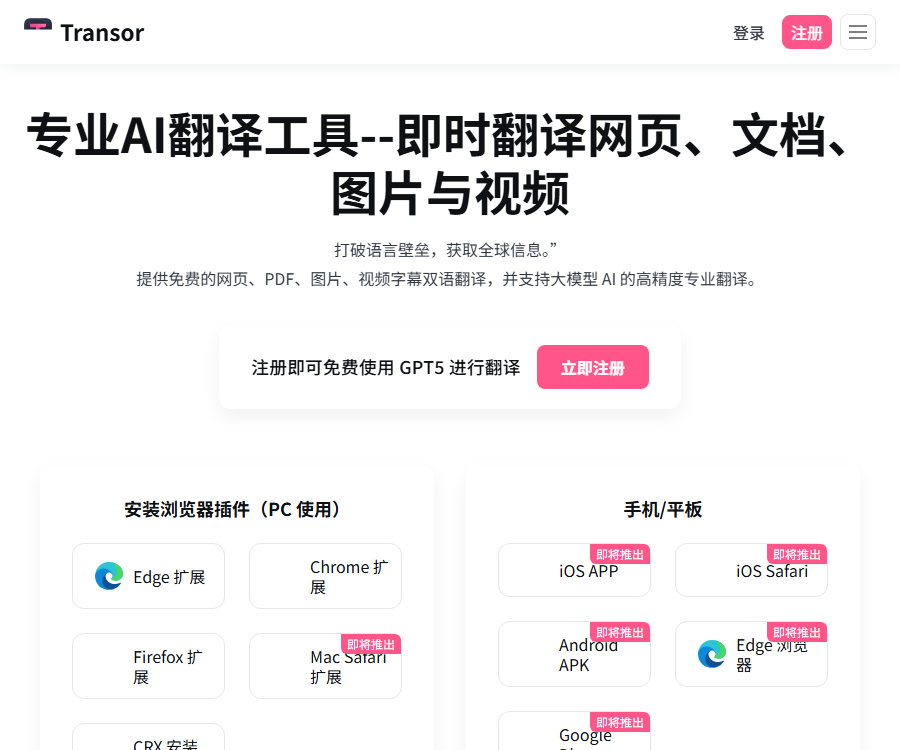
Transor Immersive Translation
Professional AI translation tool – instant translation of web pages, documents, images, and videos
Tags:Common AI image toolsWhat is Transor?
Transor is an AI translation tool designed for web pages, documents, images, and videos; it is also known as TransorAI.
It offers bilingual reading through browser extensions and an online translation service, allowing the user to switch between various translation options.
Main functions
- Translate the entire page while trying to maintain the original layout of the webpage.
- Read the content by comparing the original text with its translation.
- Translate PDF papers, contracts, manuals, and reports.
- Identify and translate the text in the image.
- Display bilingual subtitles for YouTube and Netflix.
- Double-click a word or select a sentence for quick translation.
- Directly translate the text into the target language in the input box.
- Save the translated content and export it as study materials.
- Switch between standard translation and large model services.
Immersive web page translation
Transor identifies the core content areas of a webpage and inserts translations there without disrupting the layout as much as possible.
| Display mode | Presentation method | Suitable scenarios |
|---|---|---|
| Universal | Intelligently displayed according to the page structure | News, blogs, and product pages |
| Replace | Replace the original text with the translation. | Quickly understand the meaning of content |
| Bilingual | Keep both the original text and the translation. | Language learning and terminology verification |
When the page style is abnormal, it is possible to switch to a bilingual mode or to display the original text temporarily for comparison.
Tutorial for translating web pages
- Install browser extensions from the official portal.
- Fix the expansion icon and open a foreign language webpage.
- Select the source language and target language in the settings.
- Click on the translation page or use the Alt+A shortcut key.
- Choose between the general, replacement, or bilingual mode depending on the purpose of reading.
- For professional content, it is possible to switch translation engines and expression styles.
- Import a glossary to standardize product names and industry terms.
- When encountering layout issues, revert to the original text and adjust the mode.
- Manually review the original text of important paragraphs.
PDF translation
PDF translation extracts the text from the document, while striving to maintain the page layout, tables, and the positions of images.
- It supports setting the source language, target language, and OCR.
- OCR recognition needs to be enabled for scanned PDFs.
- Complex tables can be exported as Markdown first for review.
- The results can be exported as bilingual PDF, Markdown, or bilingual HTML.
- Very large documents can be divided into chapters to reduce processing timeouts.
- Contracts and paper citations must be checked item by item against the original texts.
Image translation
Image translation combines OCR with layout adjustment, and is suitable for screenshots, posters, menus, and infographics.
| Pattern | Ability | Output |
|---|---|---|
| Free mode | Identify text in images | Copy plain text |
| Member mode | Identify, translate, and restore the position as much as possible. | Export images with translations |
The current document lists image formats such as JPG, JPEG, PNG, GIF, BMP, and WebP.
Improve image recognition accuracy
- Give priority to using high-resolution original images.
- Ensure a clear contrast between the text and the background.
- First, correct tilt, perspective, and blur.
- Artistic fonts and handwritten scripts require manual inspection.
- After exporting, check the numbers, units, and brand names.
Translation of video subtitles
Transor currently supports reading subtitles on YouTube and Netflix and displaying bilingual translations.
- The video must have original subtitles that can be captured.
- It is possible to switch between bilingual display and displaying only the translation.
- It is possible to adjust the color and font size of subtitles.
- The document lists the SRT, VTT, ASS, and SSA formats.
- Platform permissions and page redesigns may affect availability.
- The experience will be limited in the absence of subtitles or when the internet connection is unstable.
Word highlighting and input field translation
Double-click a word to view its definition; drag and select a sentence to see the contextual translation in a pop-up window.
By pressing the space bar three times quickly in the input field, the text already entered can be translated into the desired target language.
- Highlighting words is suitable for reading articles, emails, and technical documents.
- The translation in the input field is suitable for searching, writing, and cross-lingual chatting.
- The default target language can be changed in the settings.
- Do not enable translation when dealing with passwords and sensitive forms.
Translation services and models
Transor integrates basic machine translation with various large-model services, allowing users to choose between different options based on speed and quality.
| Type | The representative services listed on the official website | Suitable uses |
|---|---|---|
| Basic translation | Google, Microsoft | High-frequency web pages and regular content |
| Advanced models | DeepSeek, GPT-5 mini, Claude Haiku, Gemini Flash | Longer context and professional expressions |
| Top-tier models | GPT-5, Claude Sonnet, Gemini Pro | Complex or high-quality translation |
The service name and version may change, and the integration of third-party models does not mean that those models were developed by Transor.
Prices for the free version, Pro, and Max
The following are the monthly reference prices in US dollars as shown on the official price page as of August 30, 2026.
| Package | Page price | Suitable for |
|---|---|---|
| Free | Free | Web reading and lightweight translation |
| Pro | $ | For daily use by professional users and teams |
| Max | 10 dollars per month | Frequent use and the need for top-tier models |
The page may display the average monthly price after applying the annual discount; the total amount for the entire period, as well as taxes and exchange rates, will be indicated on the settlement page.
Comparison of package quotas
| Equity | Free | Pro | Max |
|---|---|---|---|
| Web page translation | Unlimited | Unlimited | Unlimited |
| 100 pages/month | 1000 pages/month | 5000 pages/month | |
| Base image | No quota specified | 1000 pieces/month | 5,000 per month |
| Pro Tokens | Not included | 10 million per month | 20 million per month |
| Max Tokens | Not included | Not included | 1 million per month |
| Collect | No cloud quota included | 5,000 per month | 20,000 per month |
| Priority support | Not included | Includes | Includes |
Unlimited use of bilingual subtitles, input fields, and basic translation is available in all three tiers, though they are still subject to the service rules.
Free usage scope
You can use the web’s bilingual translation, basic image recognition, word highlighting, subtitle generation, and input field translation without needing to log in.
After logging in, you can use features such as PDF support, advanced image processing, translation powered by large models, cloud-based bookmarking, and synchronization across multiple devices.
- The free version allows 100 pages per month.
- Some large models require logging in or having a payment plan.
- Third-party translation services may have their own specific restrictions.
- The free policies and list of models will be adjusted in line with operational strategies.
Refunds, renewals, and plan changes
According to the official FAQ, a refund can be requested within 72 hours after purchase, provided that the Token has not been used extensively.
- Refunds that meet the criteria generally take 7 to 10 business days to process.
- Whether a refund request is approved is determined by the authorities.
- Users can manage their subscriptions and cancel automatic renewal in their profile.
- Upgrades usually take effect immediately, while downgrades take effect in the next billing cycle.
- When submitting the application, keep the order number and account details.
Installation platform
The official website currently offers extensions for Chrome, Edge, and Firefox, as well as CRX installation packages.
| Platform | Current status | Explanation |
|---|---|---|
| Chrome | It can be installed. | Give priority to using the official store or entrance. |
| Edge | The official website provides a access point. | The status on the store page shall prevail. |
| Firefox | It can be installed. | Enter through the official product portal. |
| CRX | Available for download | When installing manually, it is necessary to carefully verify the source. |
| Safari | Coming soon | The current page is not marked as officially available. |
| iOS and Android | Coming soon | Do not mark a preview as already published. |
Privacy and security
The content of web pages, documents, and input fields may need to be sent to the selected translation service for processing.
- Do not translate passwords, keys, and verification codes.
- Delete irrelevant personal information before uploading the contract.
- Companies should address cross-border data transfers and supplier requirements.
- Extended permissions should be checked on the official store page.
- For sensitive documents, use the approved workflows as a priority.
- Delete cloud favorites and files that are no longer needed.
GitHub and open source
Currently, no official, complete open-source repository that can be attributed to Transor has been found.
Transor should be labeled as a closed-source translation service; the presence of browser extensions and multi-model support does not mean that the platform is open source.
Usage restrictions
- Machine translation may misinterpret context, terminology, and tone.
- In complex PDFs, the positions of tables and images may be offset.
- The quality of the scanned image has a direct impact on the accuracy of OCR.
- The redesign of the video platform may cause the subtitle feature to become unavailable temporarily.
- Models, quotas, and prices may change depending on the version.
- Legal, medical, and contractual provisions must be reviewed by professionals.
Frequently Asked Questions
Can Transor be used for free?
Yes, the free version supports basic functions such as web translation, bilingual subtitles, word highlighting, and input fields.
Does Transor support PDF translation?
Supported. The free version allows for the translation of 100 pages per month, while the paid version offers a higher volume.
Can Transor translate video subtitles?
Yes, the current official documentation explicitly supports bilingual subtitles for YouTube and Netflix.
How much is the Transor Pro?
The official price page shows $5 per month; the total amount for the entire period along with any taxes will be indicated on the settlement page.
Does Transor support mobile phones?
The current official website indicates that iOS and Android versions are upcoming, with the primary method of use still being desktop browser extensions.
Which translation models does Transor support?
The official website lists services such as Google, Microsoft, OpenAI, Claude, DeepSeek, and Gemini.
Is Transor an open-source tool?
No, there is currently no verifiable official repository containing the complete source code of the platform.
Tools similar to Transor’s immersive translation feature




 Guigong Network Security Registration No. 45132202000164