






Colorify AI
Colorify AI makes AI-based image processing more efficient and simpler.
Tags:Common AI image toolsWhat is Colorify AI?
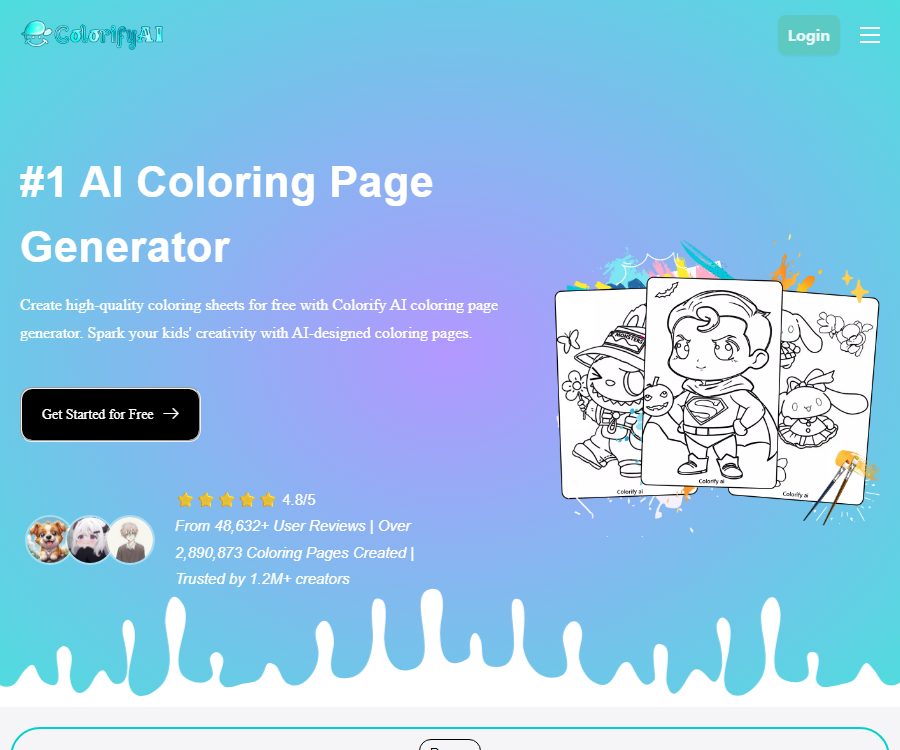
Colorify AI is an online platform for creating and coloring AI-generated illustrations; it can convert text descriptions or photos into black-and-white line drawings, as well as automatically color sketches. The product is aimed at families, educators, content creators, and those who design printable materials. The team states that the project began in 2024, but no verifiable information regarding the company’s full name, location, or key members is available.
Its focus is not on generating general images, but rather on transforming themes, characters, pets, or photos into clear outlines suitable for printing and hand-coloring. The website can be used in desktop, tablet, and mobile browsers; some of its functions can be tried out without logging in, while logging in is required to manage records of created works, points, and subscriptions.
Main functions
Text-generated coloring pages
- Enter a topic or scene description of up to 2000 characters, select the image aspect ratio, line style, resolution, and number of pages to generate black-and-white coloring sheets.
- The interface offers 15 preset styles such as science fiction, pixel, chibi, anime, geometric, clay, origami, etc.; it is also possible to describe other art styles in the prompt.
- It supports aspect ratios such as 1:1, 3:4, 4:3, 9:16, 16:9, 2:3, and 3:2, making it suitable for cards, vertical practice sheets, and horizontal classroom materials.
- It includes built-in functions for prompt translation and provision of example inspirations; Chinese users can first specify the main subject, action, level of complexity in the background, line thickness, and appropriate age group, and then compare the results produced by different models.
Photo to colored line drawing
- Upload PNG, JPG, JPEG, or WEBP images; the maximum size for a single file is 10MB, and up to 4 images can be selected at a time on the page.
- You can choose between a full-line sketch, a simplified line sketch, a version without a background, and an older-style version; it is suitable for portraits, pets, objects, travel photos, as well as materials for practicing with children.
- Once generated, it can be used for tracing, practicing, or coloring with three different levels of transparency, and it can be exported in 1K, 2K, or 4K resolution.
- Clear subjects, high contrast, and simple backgrounds generally make it easier to obtain continuous outlines; complex hair, transparent objects, and crowded backgrounds may still require manual line editing.
Sketch coloring and online coloring
- The sketch to image converter accepts line drawings or hand-drawn sketches, and allows the creation of colored versions in styles such as crayon, watercolor, oil painting, colored pencil, or anime.
- Online coloring tools offer over 100 preset colors as well as the possibility to create custom colors; users can fill in areas by clicking, and the tools support erasing and undoing actions.
- Other web tools include AI coloring, black and white filters, template creation, conversion of photos into sketches, conversion of photos into line drawings, name coloring pages, and a generator for entire coloring books.
- The amount of points consumed by different tools may vary depending on the model and GPU usage; therefore, the rule that \"one point is required for each coloring page\" cannot be taken to mean that all functions always incur exactly 1 point each.
Download, History, and Batch Generation
- The coloring pages can be downloaded in PNG or PDF format, making them suitable for electronic sharing and printing at home; they feature high resolution, have no watermarks, and bulk generation is subject to package restrictions.
- Records generated by visitors are stored for approximately 1 day; logged-in users can view their history in their personal portfolio, and once a record is deleted, it is no longer kept in the database according to the platform.
- Paid users can generate multiple pages in bulk, which is ideal for quickly creating draft versions with the same theme for courses, package of activities, and coloring books.
- For batch results, it is still necessary to examine each image individually with regard to fingers, text, contour closure, repeated elements, brand logos, and printing margins; they cannot be considered equivalent to the final printed product.
Input, Output, and Model Selection
| Project | Enter or set | Output | Applicable tasks |
|---|---|---|---|
| Text-to-coloring page | Prompt, style, ratio, model, resolution | Black and white line art, PNG or PDF | Theme exercise sheets, story scenarios, activity materials |
| Page for coloring photos | PNG, JPG, JPEG, WEBP; each file should not exceed 10MB. | Complete, simplified, or background-removed line art | Portraits, pets, items, and commemorative photos |
| Convert sketch to color image | Line drawings, sketches, styles, and custom prompts | Color images in various media styles | Color scheme preview, illustration concepts, and children’s creations |
| Online coloring | Line art, preset colors, or custom colors | Digital artworks with manually applied colors | Tablet activities, in-class exercises, and casual coloring |
| The entire coloring book | Theme, page requirements, and generation settings | Multiple pages of candidate content | Course packages, gifts, and pre-publication proofs |
The current page lists the basic models as well as model names such as Seedream, Nano Banana, and GPT image 2; however, the combination of models displayed by different tools varies. The models, resolution, and number of items per batch can also affect the amount of points consumed, so it is necessary to check the actual deduction amount in the generate button and the account’s point record.
Usage tutorial
- First, determine the purpose and target audience; for example, young children need thicker lines with fewer details, while coloring pages for adults can have more complex textures.
- Choose between text generation or photo conversion; before uploading the materials, ensure that you have the right to use them, and remove any identification documents, addresses, and other sensitive information.
- When generating text, it is necessary to specify the subject, actions, composition, level of background complexity, and requirements regarding line drawings; when converting photos, it is best to choose images with even lighting and a clear subject.
- Select the proportion, style, model, and resolution; only one image will be generated during the initial test, and batch processing will take place after the direction has been confirmed.
- Check whether the outline is closed, the text is correct, and the structure of the figures is natural; make corrections by regenerating, changing the model, or simplifying the input.
- Download the PNG version for further editing, or download the PDF version for direct printing; before printing, check the DPI, margins, and cropping area according to the paper size.
- When a product needs to be sold or a client project needs to be handled, first ensure that the Plus or Pro subscription is valid, and then save the date of creation, the package credentials, as well as the licenses for the materials used.
Prices, points, and commercial privileges
The pricing page offers monthly, annual, and one-time credit pack options, with prices displayed in US dollars. Both the monthly and annual payment pages indicate that the credit is allocated on a monthly basis; the actual amount to be paid, any taxes, exchange rates, and availability in different regions are subject to the details provided on the payment page.
| Package or version | Price | Billing cycle | Core benefits or quota | Suitable for users |
|---|---|---|---|---|
| Free trial | Free | By account or daily limit | Login is not required on the first attempt; the photo conversion page states that 5 conversions are allowed per day, and the free quota as well as any watermarks may vary depending on the tool used. | Occasional creation and effect testing |
| Basic | $ | Monthly or annual payment | 250 points per month, 2 advanced models, 4K resolution, batch processing, 6 coloring and sketching tools, no watermark; not for commercial use | High-frequency individual creation |
| Plus | $ | Monthly or annual payment | 900 points per month, including the basic functions, commercial use, and priority support. | Store sellers and content creators |
| Pro | 69.9 dollars or 699 dollars | Monthly or annual payment | 2,500 points per month, including commercial use, bulk processing, 4K quality, watermark-free version, and priority support. | Studios and bulk projects |
| 350 sub-packages | 20 dollars | One-time purchase | Only points are added; subscription benefits are not unlocked. | Temporary supplementary amount |
| 1000 point sub-packages | 50 dollars | One-time purchase | Only points are added; subscription benefits are not unlocked. | Batch task generation |
A regular coloring page typically costs 1 point, while other AI features may require more points. The subscription can be canceled at any time, and no charges will be applied to those pages starting from the following month. A refund is possible only if no points have been used; points that have already been spent, as well as any fees related to subscription upgrades, cannot be refunded.
Basic and free users are not allowed to use the generated coloring pages for commercial purposes; only valid Plus or Pro subscriptions permit commercial use. One-time credit packs do not automatically grant commercial rights, so it is necessary to determine in advance whether a subscription is required for a particular project before purchasing credits.
Suitable for users and typical use cases
- Parents and family users: Turn pet, travel, and family photos into coloring activities for parents and children, but adult supervision is required for managing child accounts and uploading materials.
- Teachers and educators: Create practice pages on animals, transportation, holidays, and letters based on the curriculum topics, adjusting the complexity of the lines according to the age of the students.
- Illustrators and content creators: fast generation of line drawings, color scheme suggestions, social media assets, and downloadable goodies.
- E-commerce and publishing users: They can create candidate pages for coloring books, activity packs, or customized products, but they need to have an effective commercial plan in place and go through a manual review process.
- Art beginners: Use the transparency mode to outline shapes, or employ online coloring tools to practice color combinations.
Advantages and capabilities boundaries
- Text generation, photo to line art conversion, automatic coloring, manual coloring, and entire book creation are all integrated within a single web-based workflow, reducing the need to switch between different tools.
- It offers a variety of ratios, line style options, models, and output in up to 4K resolution, making it suitable for use from screen practice to home printing.
- The free trial makes it possible to test the effectiveness first, but the number of free trials, watermarks, and the ability to save historical data vary depending on the tool and login status; it is not an unlimitedly free service.
- AI may generate broken lines, grayish shadows, incorrect text, extra limbs, or excessive details; printed and educational materials must be manually checked.
- The model is unable to determine whether a user possesses rights to roles, photos, trademarks, or fonts, and the platform’s commercial packages do not eliminate the risk of third-party infringement.
- The public page does not provide information regarding the level of service stability, the maximum number of items in the queue, or any commitments regarding corporate support; therefore, it should not be relied on for urgent, large-scale deliveries before it has been tested.
Platform, API, and open-source status
| Project | Current status | Explanation |
|---|---|---|
| Web version | Support | It can be used via desktop, tablet, and mobile browser. |
| Native mobile apps | Not confirmed yet | There are products with the same name in the app store, so it’s not possible to determine whether they belong to the website’s operator. |
| Browser extensions | Not confirmed yet | The extensions with the same name available in stores have different functions, and they cannot be considered the official version. |
| Public API or SDK | Not yet made public | There are no confirmed stable interfaces or billing documents available for third-party developers. |
| Official GitHub | Not confirmed yet | No official repository that corresponds explicitly to this service identity was found. |
| Product source code | Closed-source services | The source code of the product or the open-source license is not made public. |
Notes on privacy, security, and copyright
- The privacy policy states that images uploaded or created by visitors are automatically deleted within 24 hours; the creation history of logged-in users is stored in their accounts, and once specific records are deleted, they are no longer present in the database.
- The platform collects account information, uploaded content, payment-related data, device and usage data, as well as cookies; payments are processed by a third party.
- The photo conversion page states that the uploaded images are encrypted, not shared, and not used for training; however, the privacy policy mentions that data is processed with the aim of providing and improving services, and sensitive information requires confirmation from customer service regarding its specific usage.
- The product is advertised as being intended for children, but the terms require users to be at least 13 years old; those who have not reached the local age of majority need their guardian’s consent; children under 13 years old are not allowed to create accounts or use the service.
- Users retain the right to input and output, but they are still responsible for the legality of the materials, characters, trademarks, and the content that is generated; similar outputs may have been created by other users independently.
- The acceptable use policy prohibits activities such as infringement of rights, fraud, hate speech, explicit content, exploitation of minors, and circumvention of security filters; accounts that violate these rules may have their access restricted or terminated.
The governing law specified in the terms still contains placeholder text; moreover, the page does not provide the full names of the legal entities nor their registration addresses. In cases involving recurring subscriptions, minors, customer data, or commercial disputes, it is necessary to obtain written confirmation regarding the operating entity, the applicable law, and the procedures for refunds.
Frequently Asked Questions
Can Colorify AI be used for free?
A free trial is available; the home page states that no login is required for the first use, while the photo conversion page indicates that each user can perform 5 free conversions per day. The number of free conversions, as well as the options related to watermarks and models, may vary depending on the tool used, and the actual points displayed after logging in are more reliable.
Can the generated results be used for commercial purposes or to create paid coloring books?
Only valid Plus or Pro subscriptions allow commercial use; the free version, Basic, and individual credit packs do not grant such rights automatically. Users must also ensure that there are no third-party rights issues regarding prompts, photos, characters, trademarks, and fonts.
How many points are required for one coloring page?
Regular coloring pages usually cost 1 point, but advanced models and other AI tools may require more points due to the GPU usage. Check the prompts on the interface before submitting, and you can verify the amount used in the point history after completion.
How long are photos saved after they are uploaded?
The privacy policy states that visitor photos are automatically deleted within 24 hours, while the records of logged-in accounts can be retained in the history until the user deletes them. Sensitive or customer photos should still be uploaded with caution, and the relevant records should be removed promptly after use.
Can a subscription be canceled or a refund be obtained?
Users can cancel their subscription in the account details of their profile; after cancellation, the page indicates that no charges will be applied for the subsequent period. A refund is possible only if no points have been used, and the cost associated with upgrading the subscription cannot be refunded.
Does Colorify AI have an API, open-source code, or an official app?
To date, no public APIs, SDKs, official open-source repositories, native mobile applications, or browser extensions have been identified. Applications and code projects with the same name available on the internet cannot be considered official products of this website.
Tools similar to Colorify AI




 Guigong Network Security Registration No. 45132202000164