






BeautyPlus
BeautyPlus makes AI-based image processing more efficient and simpler.
Tags:Common AI image toolsWhat is BeautyPlus?
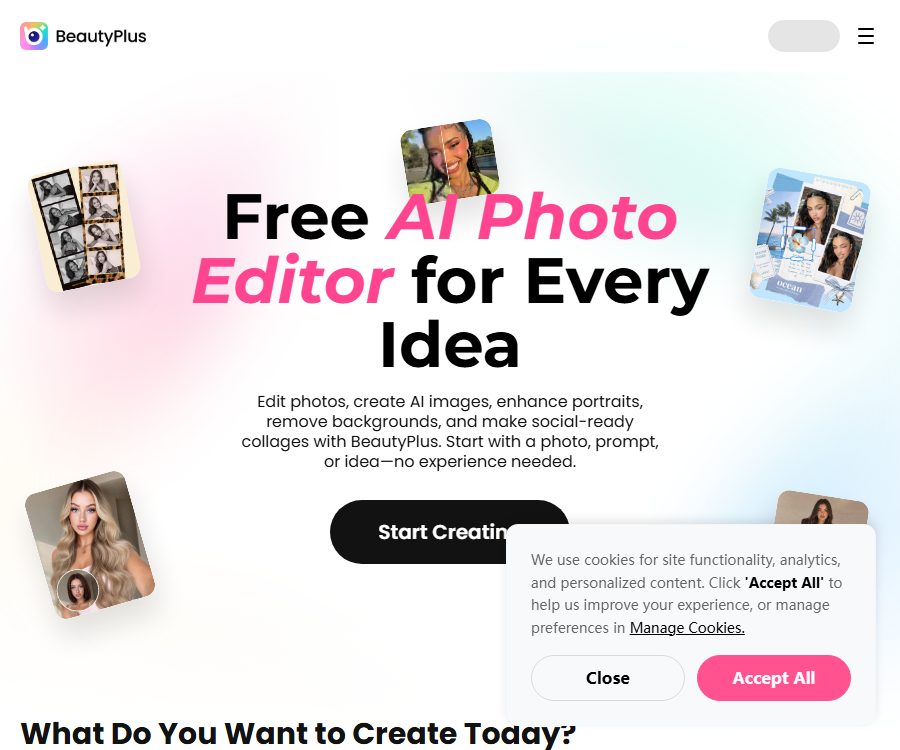
BeautyPlus is an AI-powered photo and video editing platform developed by Pixocial Technology; it was launched in 2013. Available for web, iOS, and Android, it offers tools for beautifying selfies and using creative templates, as well as functions for image generation, enhancement, and batch processing.
BeautyPlus also offers separate developer APIs and skills that enable the integration of features such as portrait enhancement, image improvement, filters, and style transfer into applications or AI agents. Consumer memberships and API packages belong to different product lines, and points and benefits cannot be used interchangeably.
Main functions of BeautyPlus
Selfies and portrait beautification
Users can smooth the skin texture, adjust facial features, refine the appearance of teeth and eyes, and apply makeup, filters, and stickers. Excessive adjustments may alter one’s true appearance; it is therefore important to maintain a natural look and avoid creating any misleading effects.
AI image editing
The platform offers functions such as image enhancement, background removal, background replacement, object removal, local replacement, restoration of old photos, and colorization. The details added by AI are the result of inference and may not necessarily correspond to the original scene.
AI-generated content and style transformation
Users can create new images from text or photos, and they can also produce animations, clay models, pixel art, cartoons, avatars, and professional photos. The content generated may have issues related to consistency in terms of text, hands, clothing, or identity.
Virtual modeling trial
BeautyPlus offers digital trials for hairstyles, hair colors, clothing, nail designs, tattoos, and glasses. The results are intended for creative previews only; they do not reflect the actual size, color, or texture of the items.
Video processing
Websites and applications offer tools such as video enhancement, background removal, and watermark processing. High-resolution videos require more data usage and longer processing times.
Puzzle and fan merchandise design
Users can create social puzzles, posters, support fans, signboards, digital cards, badges, and stickers. The scope of commercial use for the template materials must be determined in accordance with the specific licensing terms.
Developer API and Skills
The API covers facial and skin enhancement, body shape adjustment, expression modification, enhancement, filters, and style transfer, allowing for the combination of multiple effects. The developers also provide a way to integrate Skills with proxy environments such as Claude, OpenAI, and OpenClaw.
BeautyPlus usage guide
- Choose a web editor or install the official app on your phone.
- Import photos or videos for which you have usage rights, and keep a backup of the original files.
- First, complete the basic adjustments such as cropping, exposure, and color.
- Use portrait, background, object, or image quality enhancement tools as needed.
- When performing generative editing, specify the faces, clothing, and composition that need to be preserved.
- Zoom in to check for any abnormalities in edges, fingers, hair, text, and accessories.
- Compared to the original image, it reduces the level of over-polishing or distortion.
- Select the size, image quality, and watermark settings based on the publishing platform.
- Download important works to your local device; do not use BeautyPlus as a backup service.
API integration process
- Register for a BeautyPlus account and select the developer package.
- Apply for an API Key, and read the interface documentation and quota rules.
- Submit the image URL or file path in the testing environment.
- First, run a single effect, and then combine the steps of repair, modification, and outfit change.
- Handle callbacks, expired links, failed retries, and point deductions.
- Complete portrait authorization, as well as security and concurrency stress testing before going live.
Which users are it suitable for
- Ordinary users who need to beautify their selfies on a daily basis as well as the photos they use on social media.
- Creators who produce profile pictures, professional photos, and video content.
- E-commerce teams that need to process product images quickly.
- Fan communities that create support items, cards, and puzzles.
- Photography studios and restoration services for batch photo enhancement.
- Developers who wish to integrate image editing into their applications or AI agents.
The advantages of BeautyPlus
- It covers everything from shooting and portrait enhancement to AI generation and video processing.
- It can be used on both web browsers and mobile devices, with a low barrier to entry.
- The free version allows you to experience basic tools and limited AI capabilities.
- Pro and Max offer different quotas depending on the level of usage.
- The developer API supports batch processing, high concurrency, and the chaining of multiple effects.
- It offers multi-language interfaces including Simplified Chinese.
Usage restrictions and precautions
- AI generation and enhancement may produce inaccurate or inappropriate content.
- By default, consumer licenses are intended for personal, non-commercial use; commercial projects require verification of appropriate permissions.
- In-app virtual goods and subscriptions generally cannot be transferred across different app stores.
- Subscriptions are renewed automatically, and cancellation must be requested at least 24 hours before the end of the current period.
- Deleting an app does not equate to canceling a subscription.
- The credit points may have an expiration date, and any remaining balance after that date will not be compensated.
- BeautyPlus does not offer any backup guarantees, and the content may be deleted.
- To process someone else’s photos, it is necessary to obtain permission regarding both the portrait and its content.
BeautyPlus consumer prices
The following shows the structure of the website as of August 26, 2026. The real-time amounts for the Pro and Max versions are not displayed in the publicly available information; they vary depending on the region, platform, and any promotions in place, and the final amounts will be indicated on the purchase page.
| Plan | Price | Monthly points | Main limit |
|---|---|---|---|
| Free | $ | No fixed monthly points. | Limited AI capabilities, basic assets, export with watermark |
| Pro | Displayed on the settlement page | 200 | Unlimited enhancement for regular images; video enhancement for up to 2400 seconds; object removal and AI-generated content – more than 40 items each. |
| Max | Displayed on the settlement page | 500 | All Pro capabilities, unlimited AI UHD enhancement, 6000 seconds of video enhancement, 2000 seconds for UHD videos; over 100 instances each for object removal and AI-generated content. |
The monthly and annual fees for mobile services, as well as the promotional plans, are displayed by different app stores depending on the region. Membership options are marked with a diamond icon; before making a payment, it is necessary to check the deadline for switching from a trial version to a paid one, the renewal cost, and the available platforms.
BeautyPlus developer API pricing
The developer plans and consumer membership plans are billed separately; the current public prices are as follows. The annual rate shown is the equivalent monthly price, with actual billing being done on an annual basis.
| Plan | Reference price | Limit | Applicable scenarios |
|---|---|---|---|
| Max monthly payment | $ | 500 points per month | Individual developers and small automation projects |
| Max annual payment | That’s equivalent to 5.59 dollars per month. | 500 points per month | Development projects that are in use over a long period of time |
| Enterprise | Contact sales | Customization | High usage volumes, customized requirements, and dedicated support |
Data and content rights
The AI terms allow the platform to process and store input and output data in order to provide services, monitor security, and improve functions. Users grant the platform a global license necessary for operating these services; the specific retention period for different types of data can be found in the real-time privacy guidelines.
The terms specify that user-generated content and AI-generated content are generally intended for personal, non-commercial use only, unless explicit permission is given otherwise. Before using templates, virtual products, or generated content as commercial materials, written permission must be obtained or an API agreement that explicitly permits commercial use should be chosen.
Is BeautyPlus open source?
The BeautyPlus product is a closed-source commercial software. Although the terms state that certain AI capabilities are based on internal research and that some open-source software is utilized, this does not mean that the application, models, APIs, or Skills as a whole are open source.
Frequently Asked Questions
Can BeautyPlus be used for free?
Yes. It is possible to get started for free on both web platforms and mobile apps, but the number of AI processing sessions, the available materials, the quality of the output, and the option to export without watermarks are limited.
Which platforms does BeautyPlus support?
It is supported on web browsers, as well as iOS and Android; some features and purchase options may vary depending on the platform.
What is the difference between BeautyPlus Pro and Max?
Max offers higher monthly points as well as more credits for videos and AI-generated images, in addition to additional benefits related to AI UHD enhancement and 4K content.
Does BeautyPlus offer an API?
Available. Developers can use APIs for portrait modification, enhancement, filters, and style transfer, and they can also employ Skills within AI agents.
Will deleting BeautyPlus cancel the subscription?
No. It is necessary to turn off automatic renewal in the subscription settings of Apple or Google.
Is BeautyPlus open-source software?
No. The use of certain open-source components does not mean that the source code for the BeautyPlus product, its APIs, or its models is made available.
Tools similar to BeautyPlus




 Guigong Network Security Registration No. 45132202000164