






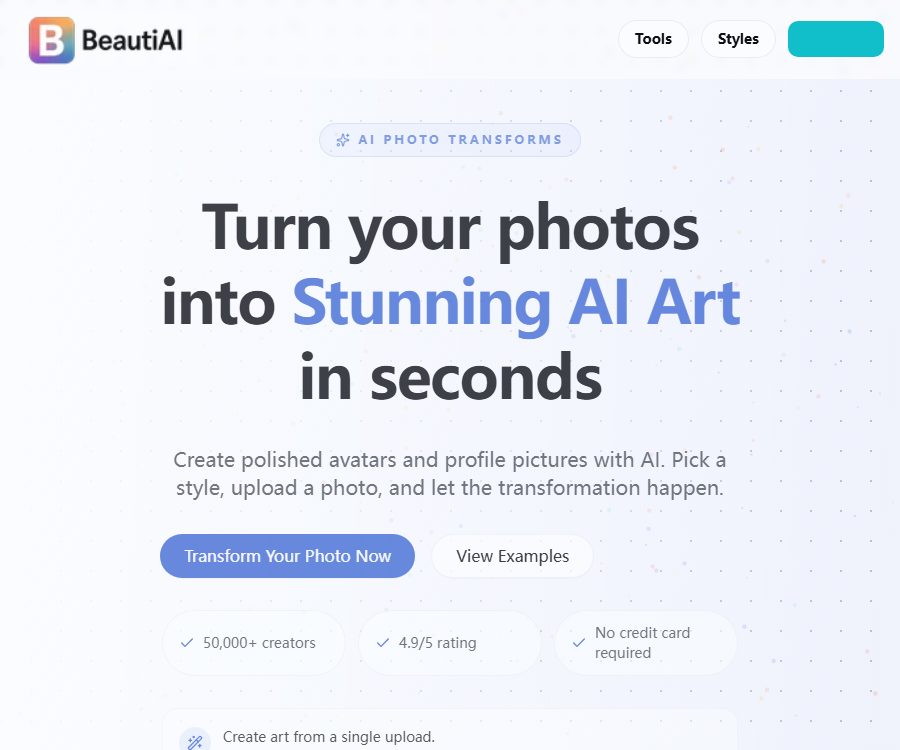
BeautiAI
BeautiAI – makes AI-based image processing more efficient and simpler.
Tags:Common AI image toolsWhat is BeautiAI?
BeautiAI is a web-based AI photo conversion platform designed for ordinary users. Users can upload photos and select predefined styles to create artistic avatars, cartoon characters, portrait-style images, or other creative visuals, without the need to write complex prompts.
The platform uses models such as Nano Banana, Flux Kontext, GPT Image, and SeeDream depending on the desired style. It also provides a set of tools for image cleanup, enhancement, and export, which can be used on smartphones, tablets, or computer browsers.
Main functions of BeautiAI
Predefined style conversion
The platform offers a wide range of styles, including anime, hand-drawn art, oil paintings, pixel art, movies, professional avatar designs, and character designs. Examples of each style are provided, which helps users who are not familiar with the relevant prompts to make quick choices.
Single-image generation
For most conversions, it is sufficient to upload a clear photo; the system will automatically analyze the subject and generate the result. The official website recommends using images with ample lighting, clear contrast, and minimal noise.
Multi-model scheduling
Different effects can be paired with image models such as Nano Banana, Flux Kontext, GPT Image, or SeeDream. The specific models may change as the service is updated, and the consistency of the style of the results will also vary.
Background and object processing
The tool center offers functions such as background removal, object removal, and watermark removal. Watermark removal is only applicable to images for which the user has the rights or authorization.
Image enhancement
Users can use tools such as zooming, coloring black-and-white photos, restoring old photographs, face swapping, and image merging. The enhanced details may be the result of AI inference and do not represent the true information of the original images.
Browser utilities
Tasks such as cropping, resizing, image stitching, compression, and format conversion can be carried out directly in the browser. Some local tools do not require sending images to a server; the specific procedures should follow the instructions provided on the page.
Commercial use
The official FAQ states that users can use the generated images on social media, for marketing purposes, in printed materials, and for other commercial projects. Users are still responsible for determining the permissible scope of use for portraits, trademarks, characters, training styles, and any third-party materials.
BeautiAI Usage Guide
- Browse through the before-and-after examples in the style library to select an effect that is similar to the desired one.
- Prepare high-quality photos in JPG, PNG, or WebP format.
- Ensure the file is no larger than 10MB, and avoid severe blurring or excessive filtering.
- Upload the photo and check the subject’s position and the cropping range.
- After selecting a style, start the generation process and wait for the cloud-based model to complete its processing.
- Check for any abnormalities in the face, hands, text, clothing, and background.
- If unsatisfied, replace the original image, style, or regenerate it.
- Download the satisfactory results and delete the images that are no longer needed in the account.
- Check for permission regarding portraits, as well as trademark and copyright risks, before making something public or using it for commercial purposes.
Ways to achieve better results
- Use photos with a positive perspective, even lighting, and a clear subject.
- Avoid crowds, heavy obstructions, and complex backgrounds with small text.
- For the character style, close-up or bust portraits are preferred.
- Multiple generations of the same photo may yield different results; keep the version that satisfies you.
- First, test the style at a smaller scale to decide whether to proceed with enlarging it.
- Do not upload ID cards, medical images, or other sensitive photos.
Which users are it suitable for
- Ordinary users who create social profile pictures and personal artwork.
- Content creators who need to produce cartoons or themed images quickly.
- A small team responsible for creating marketing concept diagrams and social media content.
- Beginners who do not want to learn about prompts and local models.
- Users who need background removal, scaling, restoration, and format conversion.
- People who use AI-generated images occasionally and do not want to subscribe to a monthly fee.
The advantages of BeautiAI
- You can start using it by uploading and selecting a style; the learning cost is low.
- The style library displays numerous before-and-after comparisons, making the selection straightforward.
- Integrate multiple image models and automatically match the effects.
- A one-time fee is applied, with no fixed monthly subscription charge.
- Points are automatically refunded in the event of a failed generation.
- It can be used across different devices on the web, and offers a variety of free, useful tools.
Usage restrictions and precautions
- AI may change facial features, skin color, age, or physical details.
- The text, fingers, accessories, and complex backgrounds in the output may be distorted.
- Style names may refer to third-party brands or creators; careful consideration is required for commercial use.
- Image generation is not based on traditional filters, and repeated generation of the same image can yield different results.
- Cloud processing requires an internet connection, and delays may occur during peak times.
- Free AI tools usually display a limit of 5 uses per day; the actual restriction is as indicated on the page.
- A commercial usage right does not mean that the platform assumes liability for infringement on behalf of the user.
- There is a discrepancy between the deletion policy on the privacy page and that in the FAQ.
BeautiAI price
As of August 26, 2026, BeautiAI uses a one-time credit system for payment; there is no monthly subscription or automatic renewal. The example prices provided in the official FAQ are 8.99 dollars for 10 credits, with 1 credit corresponding to one successful photo conversion.
The official website states that there are loyalty point packages available in different capacities; the larger packages generally have a lower cost per use, but the complete list of options is not displayed on the page for public access. The loyalty points remain valid as long as the account is active, and the actual prices, taxes, and discounts are specified on the purchase page.
Points rules
- Completing one photo conversion successfully usually results in the deduction of 1 point.
- If generation fails or is not completed, the points are automatically returned to the account.
- To purchase points, you need to create an account; browsing styles does not require logging in.
- There is no fixed expiration date for the points, but the account must remain valid.
- Payments are processed by third-party payment services, and the platform claims that it does not store any information related to bank cards.
Privacy and photo retention
The privacy policy states that uploaded photos are stored in an encrypted format, and that the generated images are retained on the server for 48 hours before being automatically deleted; it also says that no personal data is collected. The FAQ mentions that the generated images are saved in the user’s account for future access, and that users can delete them themselves.
There are significant differences between the two official statements; therefore, it cannot be assumed that all photos will disappear after 48 hours. It is recommended to download the results as soon as they are generated, manually delete the images stored in the account, and request through customer service that the account along with its associated data be deleted.
Is BeautiAI open source?
Since there is no verification of a official GitHub repository, source code license, API, or self-hosted version for BeautiAI, it should be considered a closed-source online service. The use of various third-party models or models with public names does not mean that the BeautiAI platform itself is open source.
Frequently Asked Questions
Does BeautiAI require prompt writing?
It’s not necessary. The user simply selects a preset style and uploads a photo, after which the result is generated.
Is a subscription required for BeautiAI?
It’s not necessary. The platform uses one-time credit packages; there is no fixed monthly fee or automatic renewal.
How many points are required for one conversion?
Generally, 1 point is consumed for each successful photo conversion, and points are automatically refunded in the case of a failed task.
Which image formats is BeautiAI compatible with?
JPG, PNG, and WebP are supported; the maximum size for a single file uploaded is 10MB.
Can the generated images be used for commercial purposes?
The authorities permit commercial use, but users must handle issues related to portraits, trademarks, characters, and copyrights on their own.
Is BeautiAI an open-source tool?
No. At present, no official source code repository, open-source license, or self-hosted solution has been identified.
Tools similar to BeautiAI




 Guigong Network Security Registration No. 45132202000164