






Ainime - AI Powered Creative Comunity for Anime Fans
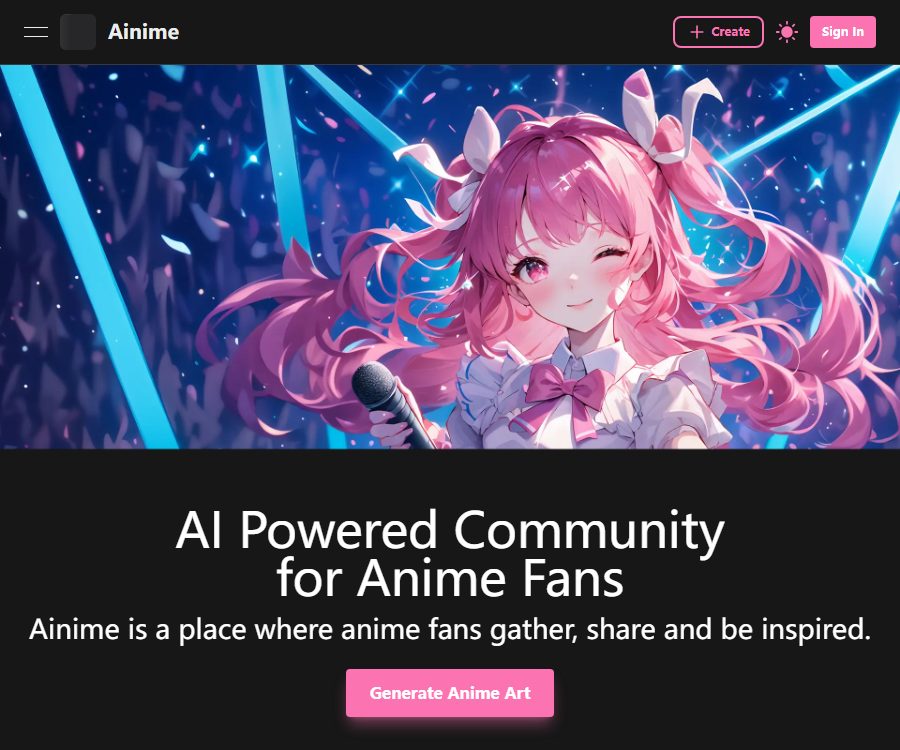
Ainime – an AI-powered creative community for anime fans, that makes AI-based image processing more efficient and simpler.
Tags:Common AI image toolsWhat is Ainime?
Ainime is a community for anime enthusiasts, offering AI-powered drawing tools, character interaction features, and a platform for sharing artworks. Users can create anime illustrations using text or reference images, as well as design characters, publish their works, and chat with the AI characters in the community.
The platform also offers a video-to-animation feature that allows short videos to be converted into Japanese-style animations, pixel art, illustrations, and other styles. It functions as both a creation tool and a community for user-generated content; special attention must be paid to the copyright of published works as well as to content security.
Main functions
Generating anime illustrations from text
After the user describes the characters, clothing, poses, background, and art style, the system generates an anime image. The creation page supports both positive and negative prompts, which helps to eliminate elements that are not desired.
Image generates image
Image to Image allows the upload of reference images in PNG, JPG, or WebP format; the maximum size for a single file is 5MB. The AI retains certain aspects of the composition and key features of the image, then redraws it using the selected model.
Model and LoRA selection
The platform offers models such as Anime XL, DreamShaper, Waifu XL, Kohaku XL, Anything, and it is possible to apply different LoRAs on top of them. The LoRA weights, the base model, and the prompts all contribute to determining the style and consistency of the characters.
Advanced generation parameters
On the creation page, it is possible to adjust the size, number of steps, CFG Scale, sampler, Seed, CLIP Skip, and VAE. Hires.fix, magnification level, number of steps for high-definition restoration, and noise reduction intensity are also supported.
Video anime
Users can upload videos that are less than 50MB in size and no longer than 60 seconds; however, the standard generation options as well as member benefits may limit the actual length of videos that can be processed. According to the official guidelines, generating a video of 20 seconds length requires a specific subscription plan, and it typically costs at least 100 Gems per second.
Character creation and AI chatting
Users can set the character’s name, cover image, background, personality, opening statement, scenario, and example dialogues; they can also choose to make the character public, private, or hidden. Characters can be marked as SFW or NSFW, with the public setting meaning that the character will be visible to other users.
Community sharing
Ainime allows users to publish their own works, participate in discussions, and view content created by others. When downloading or using the works of other users, it is necessary to respect the licenses provided by the creators as well as any third-party intellectual property rights.
Which users are it suitable for
- Individual creators who produce anime avatars, wallpapers, and character illustrations
- Writers who create original characters and story worlds.
- AI painting users who try out models, LoRA, and advanced parameters
- Creators who convert real-person or dance videos into short videos in an anime style
- Role-playing enthusiasts who create AI characters and write interactive stories.
- Anime community users seeking inspiration for their works and receiving feedback
Ainime anime drawing tutorial
- Register an account to check your current Gems balance and available models.
- Choose to generate an image from text, or upload a reference image of no more than 5MB.
- Describe the character’s appearance, clothing, posture, camera angle, background, and style of drawing.
- Exclude issues such as extra limbs, blur, and garbled text from the negative prompts.
- Select a base model that matches the desired art style, along with a small number of LoRAs.
- First, generate using the default steps and CFG, then fine-tune the advanced parameters one by one.
- Check the face, hands, clothing details, and character consistency.
- Before downloading or publishing, verify the licensing of the materials, the content rating, and the community rules.
Methods to improve the quality of output images
- First describe the subject and composition, then add details about style and lighting.
- In a single scene, only the main characters and actions should be clearly shown.
- Do not use too many LoRAs to avoid conflicts in style.
- Record the Seed, model, LoRA weights, and key prompts.
- When high resolution is required, first achieve the correct composition, then enable Hires.fix.
- When generating images from images, use reference pictures that are clear and have well-defined rights.
Prices and subscription plans
The prices listed below were verified on August 25, 2026, on the website’s dynamic pricing page; the currency used is the US dollar. The annual payment option is selected on that page, with a 30% discount applied. The amounts shown in the table represent the average monthly cost after the discount, whereas the actual charge is usually made on an annual basis.
| Plan | Monthly reference price | Monthly average price calculated on an annual basis | Gems per month | Primary interests |
|---|---|---|---|---|
| Newbie | Free | Free | Base limit | Low priority queue, limited chat, works are saved for 30 days |
| Explorer | 9.99 dollars | 7.99 dollars | 2000 | Medium priority queue, permanent preservation of works, all characters and models |
| Creator | 19.99 dollars | 14.99 dollars | 4500 | High priority queue, permanent preservation of works, all characters and models |
| Master | 39.99 dollars | $ | 10000 | Highest priority, 20-second videos, early access to new features |
Explorer, Creator, and Master all come with advanced features, as well as access to all roles and all models. The official website does not specify the exact number of Gems available for free users; the actual amount granted depends on the account used to log in.
Subscriptions can be canceled within the account; once canceled, no further renewal will take place in the subsequent period, and the membership benefits remain valid until the end of the current period. To switch to a different plan, it is usually necessary to first cancel the existing subscription and then select a new one after it expires.
Gems points rules
The terms of service define Gems as virtual points that can only be used to generate images with Ainime; they cannot be exchanged for cash, goods, or transferred to other users. The terms also state that the balance remains valid after the end of the subscription period or when the subscription is terminated.
The video page states that converting a 1-second video typically requires at least 100 Gems; the actual amount needed varies depending on the video’s length and the settings used for generation. The cost associated with image modeling, high-definition restoration, and other features is indicated before the submission button is pressed.
- Confirm the estimated Gems consumption and remaining balance before generation.
- First, use a low-cost setup to test the prompts and composition.
- The video is first cropped to the necessary segments to avoid unnecessary consumption.
- Record the failed tasks and check whether points have been deducted.
- The monthly Gems included in the package and the membership privileges should be understood separately.
Refunds and point validity
The official terms of service state that no refunds are provided for any purchases. Users can cancel their subscriptions, but the money paid for the current subscription period as well as the Gems purchased generally cannot be refunded.
The terms state that the balance of Ainime points is carried over automatically and remains intact even after the subscription is terminated. This rule may still be affected by the account status, any penalties for violations, and subsequent changes to the terms.
Generated content and commercial use
According to the terms of service, Ainime does not claim ownership or copyright over the AI-generated images; users are free to use the content they create. The video page also states that the generated videos can be used for both personal and commercial purposes.
The platform does not guarantee that the content created will not infringe on third-party rights; anime characters, artists’ styles, trademarks, and reference images may still pose risks. Commercial projects should use original concepts and licensed materials, and keep records of the creation process.
Community content and role security
Public communities allow users to mark content as adult-oriented, but the content available on such platforms is not necessarily suitable for all ages. When creating a public profile, the personality traits, scenarios, conversations, and profile pictures can be seen by other users.
- Do not disclose real names, contact information, schools, or exact locations.
- Do not upload unauthorized private photos or personal information.
- Stricter content guidelines must be followed when dealing with images of minors.
- Use the appropriate rating labels for adult or sensitive content.
- Check the license attached to others’ works before downloading them.
- Use the reporting channels when encountering infringement, impersonation, or harmful content.
Tips for rotating videos in anime style
The speed of video conversion can be as high as approximately 1 minute per second of footage, which means that long videos result in significantly longer waiting times and higher costs. Frequent changes of camera angle, rapid movements, and occlusions of characters also reduce the consistency between frames.
- Choose short videos with a clear subject and a stable background.
- First, trim it to around 5 seconds to test the style and stability of the characters.
- Avoid dense text, intense flashing, and rapid camera movements.
- Check frame by frame to see if there are any changes in the face, hands, and clothing.
- Save the original video and confirm the rights to use the characters and music.
Product advantages
- A wide range of anime models, LoRA options, and advanced parameter choices available
- It also supports text-to-image, image-to-image, and video-to-animation conversion.
- Offers high-definition restoration, zooming, and Seed reproduction capabilities.
- AI characters with background settings and example dialogues can be created.
- Creation, chatting, and community sharing are all gathered in one platform.
- The remaining balance of paid points can be carried over across periods in accordance with the terms.
Usage restrictions and precautions
- The generated output is unpredictable, and no guarantee is provided that it will fully meet the specified requirements or quality standards.
- Free users can only use non-Pro roles and models, and their works are saved for 30 days.
- Video generation is resource-intensive, and the processing time for long videos is also long.
- All purchases are non-refundable under the current terms.
- The community may contain adult or sensitive content; minors should be cautious.
- The free use of one’s own generated content does not mean that there are no risks related to third-party copyrights.
API and open-source status
The terms of service prohibit accessing the generation service through any means other than the Ainime website or its official software; however, users who need an API are allowed to contact the authorities. The public pages do not provide self-service API keys, interface documentation, or fixed API pricing.
As of the time of verification, no official repository for the Ainime core platform released under an open-source license was found. The website should be classified as a commercial online service, and its API access cannot be considered equivalent to that of an open-source project.
Frequently Asked Questions
Can Ainime be used for free?
You can use the Newbie free plan, but the capabilities related to creation, chatting, characters, and models are limited, and the created works are stored for only 30 days. The number of free Gems is indicated on the account page.
Does it support image-to-image generation?
Yes, it is possible to upload reference images in PNG, JPG, or WebP format; the file size limit is 5 MB. The user must have legitimate rights to upload such images.
Can videos be converted into anime?
Yes, the upload size can be less than 50MB and the duration can be up to 60 seconds; however, the actual length of the generated content is determined by the membership level and the relevant rules. Generating a result in 20 seconds is part of the privileges associated with the Master membership.
Will the points be reset at the end of the month?
According to the terms, the Gems balance is automatically carried over at the end of the subscription period and remains intact after cancellation. Account violations or changes in the terms may affect actual usage.
Can the generated content be used for commercial purposes?
The authorities permit free use of the AI-generated images, stating that these videos can be used for commercial purposes. Users still need to take care of third-party rights related to reference materials, well-known characters, trademarks, and portraits.
Does Ainime provide APIs or open-source code?
To use the API, one must contact the official party, as no complete documentation or prices are available publicly; moreover, there is no verifiable official open-source version of this platform.
Summary
Ainime is suitable for users who wish to carry out activities such as anime drawing, video style conversion, character chatting, and community sharing at the same time; its advantages lie in the wide range of options available for model selection, LoRA usage, and parameter control. Before subscribing, it is necessary to check the annual subscription cost, the amount of Gems required, the no-refund policy, as well as the copyright issues and security risks related to the public character and community content.
Tools similar to Ainime – an AI-powered creative community for anime fans




 Guigong Network Security Registration No. 45132202000164