






Airbrush
Airbrush makes AI-based image processing more efficient and simpler.
Tags:Common AI image toolsWhat is AirBrush?
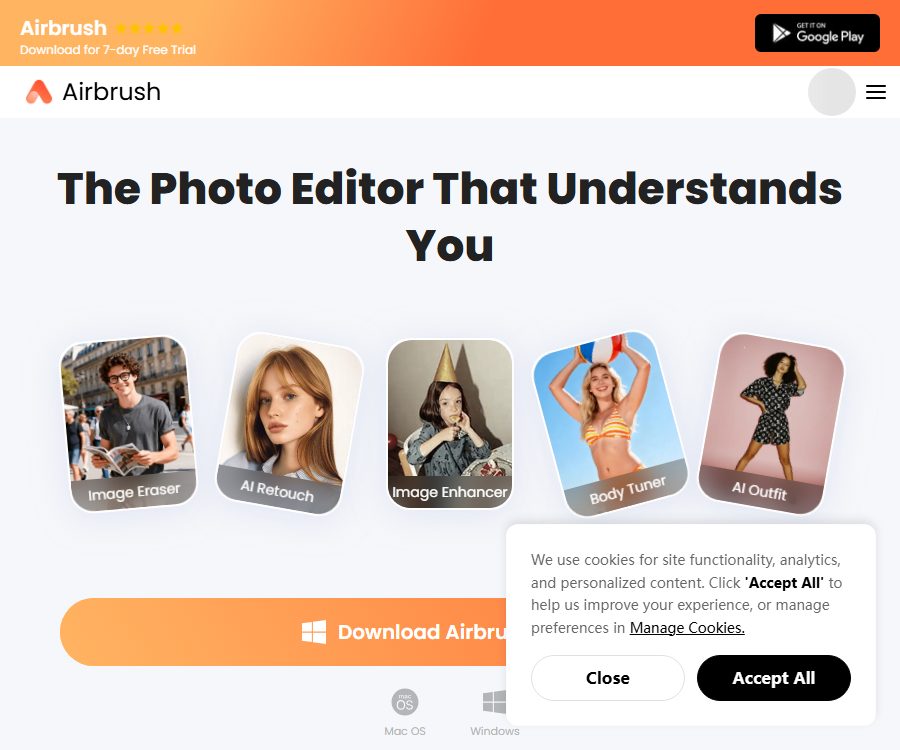
AirBrush is a photo and video editing tool designed for individual creators, photographers, and content teams. It offers an online editor for use on the web, AirBrush Studio for desktop-based editing, as well as mobile apps for iOS and Android.
The key features of the product include portrait enhancement, background processing, generative editing, and video refinement. The web version, the Studio version, and the mobile version belong to different product categories; membership benefits and advanced features are not available across all these platforms automatically.
Main functions
Portraits and skin enhancement
AirBrush offers tools for smoothing the skin, adjusting skin tone, removing blemishes and wrinkles, as well as enhancing the appearance of teeth and eyes. When editing portraits, it is important to retain the natural textures and avoid making excessive changes to the person’s actual features.
Adjustment of face shape, body, and expressions
The liquefaction and shaping functions allow for adjustments to the face, body, smile, and expressions; some of these functions are only available to a limited extent in the free version. When it comes to identification photos, job applications, and health information, it is not appropriate to use such tools to mislead others.
Background removal and replacement
Users can remove the background, replace the sky, or create new backgrounds for products, portraits, and social media images. Hair, transparent objects, and complex edges usually require manual inspection.
Magic erasure, repair, and replacement
Magic Erase can remove passersby and unwanted elements, AI Repair is used to complete the selected area, while AI Replacement generates new content based on the text. The resulting content may alter the surrounding structures, as well as the lighting and shadows.
AI image expansion and image synthesis
Magic Expand allows the background to extend beyond the boundaries of the image, while Magic Composition is used to reorganize or supplement the content of an image. It is suitable for changing the proportions of images on social media and expanding their composition, but the resulting output may not reflect the original details exactly.
Image enhancement and batch processing
Image enhancers can improve clarity and visual quality, and the Studio subscription allows for batch processing. Batch workflows are suitable for standardizing the style of portrait or product images, but it is necessary to check each image individually.
Generative models
Studio Master offers advanced image editing and text-to-image generation capabilities, leveraging models such as GPT Image and Nano Banana. Different models, as well as varying qualities and resolutions, require different amounts of generation credits.
Video editing
The online editor handles both photos and videos, and assigns points based on the duration of the video. Users can make basic adjustments, enhance portraits, edit backgrounds, and use AI functions; the specific features available may vary depending on whether the platform is used on a web browser, desktop computer, or mobile device.
Which users are it suitable for
- Individual users who quickly edit selfies, profile pictures, and social media photos
- Photographers and e-commerce teams that need to process images of people and products in bulk
- Content creators who edit characters, backgrounds, and visuals for short videos
- Designers who need image masking, background replacement, and canvas expansion
- Non-professional users who wish to modify certain parts of an image using text.
- Workshops, schools, and institutions that manage licenses for multiple devices and teams
AirBrush usage guide
- First, choose a web editor, AirBrush Studio, or a mobile app.
- Check whether the free quota, subscriptions, and points available at the target location are sufficient to meet the requirements.
- Upload the original photos or videos, and keep an unmodified local backup.
- First, complete the basic adjustments such as cropping, rotation, exposure, and color.
- Then, use skin, face shape, background, and generative tools to compare the results item by item.
- Zoom in to check that the eyes, teeth, hair, hands, and edges appear natural.
- It provides an estimate of the duration required for video tasks, thereby preventing unnecessary repeated exports.
- Choose an appropriate resolution for export, and confirm the rights to use the source materials and the resulting content.
Web editor prices
The prices listed below were verified on August 25, 2026, based on the official price page; they are expressed in US dollars. The subscription plans and points available through the online editor are not identical to those offered by AirBrush Studio, and the actual taxes and discounts shall be as indicated on the payment page.
| Web page design | Price | Monthly points | Upload space | Primary interests |
|---|---|---|---|---|
| Free | Free | Registration grants trial points. | 512MB | Basic tools; export and advanced functions are limited. |
| 10-point package | $ | 10 points | According to account rules | Photos and videos are both acceptable; the validity period is 1 year. |
| Web Plus Monthly Plan | $ | 80 points | 10GB | The integration function and export can be used an unlimited number of times. |
| Web Plus annual plan | $ | 80 points per month | 10GB | Annual promotional price, with all Plus benefits included |
According to the help center, new users receive 3 free points upon registration, and an additional 3 points are given when they upload content to the editor for the first time. The collage and camera functions are available for free indefinitely, but other tasks related to creation or export incur charges based on the type of media used.
Web page score consumption
- Photo creation or export: 1 point per instance
- Videos not exceeding 1 minute: 2 points per video
- Videos longer than 1 minute: 2 points for the first minute, with an additional 1 point for each additional minute, or for any portion of a minute.
- Subscription points can be used during the validity period of the subscription; any unused points will become invalid after cancellation or when the subscription expires.
- Individual point packs are valid for 1 year from the date of purchase.
Price of AirBrush Studio
Studio focuses on desktop portrait retouching, batch processing, and generative editing. The price listed is the annual subscription rate; the monthly average price shown on the page does not represent a monthly payment option.
| Studio plan | Annual total price | Average monthly price | Points are generated on a monthly basis. | Primary interests |
|---|---|---|---|---|
| Studio Pro | 99.95 dollars | 8.33 dollars | 50 points | Portrait tools, batch processing, 2 devices |
| Studio Master | 199.95 dollars | 16.66 dollars | 500 points | Advanced AI editing, text-to-image generation, batch processing, 2 devices |
| Teams and enterprises | Starting at $20 | According to the plan | In accordance with the contract | License management, multi-device support, and dedicated assistance |
Studio offers a 7-day free trial with 20 generation credits. After the trial period ends, automatic renewal takes place; if you do not want to continue using it, you should cancel the subscription before it expires and check its status.
Example of points generated by Studio
- Image enhancement: 1 point per save
- Facial restoration, AI-based local repair, and magic erasure: 2 points per save
- Magic Map Expansion: 1 point per save
- Magic Synthesis: 2 points are saved each time.
- Medium quality in GPT Image: 2 points per generation
- High quality for GPT Image: 8 points per generation
- Generation in 2K for Nano Banana 2: 4 points; generation in 4K: 6 points
Studio points are allocated at the start of each billing cycle and become invalid at the end of that cycle; they are not carried over to the next cycle. Even after the points are exhausted, standard editing functions can still be used, but generative AI functions require waiting until the next cycle or by upgrading to a higher plan.
Subscriptions, refunds, and cross-device benefits
Members of AirBrush Web, Studio, and mobile apps may be billed separately, and advanced features are not available across all platforms automatically. It is necessary to confirm the platform, number of devices, and account associated with the order before making a purchase.
Refunds for website subscriptions are calculated proportionally based on the remaining subscription period and any unused credits; credit packs purchased separately, being digital products, generally cannot be refunded after delivery. Refunds for mobile apps are also subject to the rules set by App Store or Google Play.
Photo privacy and portrait ethics
- Do not upload ID cards, medical records, private images, or unauthorized customer photos.
- Before using photos of minors, their guardians must evaluate them and give their consent.
- Do not use facial features and body modifications to create deceptive comparisons regarding health or weight loss.
- When posting images that show a clear change in identity or setting, indicate that AI editing was used.
- Before batch processing, enterprises verify data storage as well as access rights for different regions and teams.
- Export the project promptly once it is completed, and delete any online assets that are no longer needed.
Product advantages
- Photo and video editing available for web, desktop, and mobile devices.
- Portrait beautification, background processing, and generative editing tools
- Offers local repair, image enlargement, compositing, and advanced model selection.
- Studio supports batch processing, making it suitable for high-frequency workflows.
- On the web version, points can be purchased as needed; there is no requirement for a mandatory subscription.
- The price page shows the points consumed by the main tools.
Usage restrictions and precautions
- Web, Studio, and mobile memberships are not automatically interchangeable.
- Different rules apply to the points generated and those on regular web pages.
- Subscription points are generally not carried over, while individually purchased point packs are valid for 1 year.
- Generative restoration may alter actual details, making it unsuitable for evidence or news photos.
- For batch processing, manual inspection of edges, skin tone, and individual identities is still required.
- Promotional prices and discounts may change at any time; the information on the payment page shall prevail.
Open-source status
As of the time of verification, no information was found indicating that AirBrush’s core editor, AI models, or its commercial services were released under an open-source license by the official team. The use of models such as GPT Image and Nano Banana does not mean that AirBrush itself is open-source.
The product should be labeled as commercial software and an online service. Users can use the official applications on various devices, but they cannot deploy the entire platform by using the public code.
Frequently Asked Questions
Can AirBrush be used for free?
Some basic functions are available, and new website users receive a small amount of trial credits. Advanced editing, creation, and export features are subject to restrictions based on the number of credits or membership level.
Can Web Plus be used in Studio?
It cannot be set as default. The help center clearly states that membership statuses and premium features for different products are not transferable between them; it is necessary to confirm the relevant platform before making a purchase.
Will the free trial be automatically renewed?
After the 7-day trial period of Studio, automatic renewal takes place, and the same may apply to the mobile version as well. If you do not want to renew, you must cancel it before the deadline specified by the platform.
Do unused points carry over?
Subscription points are used within the current period or during the validity of the subscription, and they are generally not carried over. Purchased webpage point packs have a validity period of 1 year from the date of purchase.
Is it suitable for processing photos in bulk?
Both Studio Pro and Master offer batch processing, with Master providing more generation credits. For batch-produced videos, it is still necessary to conduct sample checks for consistency in faces, edges, and colors.
Is AirBrush an open-source tool?
No official open-source version or instructions for self-deployment were found. It offers commercial editing services via web pages, desktop software, and mobile apps.
Summary
AirBrush is suitable for individuals and teams who need to enhance portraits, process backgrounds, use AI to enlarge images, and perform batch photo edits. The web version is scored based on the number of media files exported, while the Studio version has points deducted according to the use of its generative tools. Before subscribing, it is important to understand the membership systems available for each platform, the total annual cost, the validity period of points, and the rules regarding automatic renewal.
Tools similar to Airbrush




 Guigong Network Security Registration No. 45132202000164