






AI Puffer
AI Puffer – makes AI-based image processing more efficient and simpler.
Tags:Common AI image toolsWhat is AI Puffer?
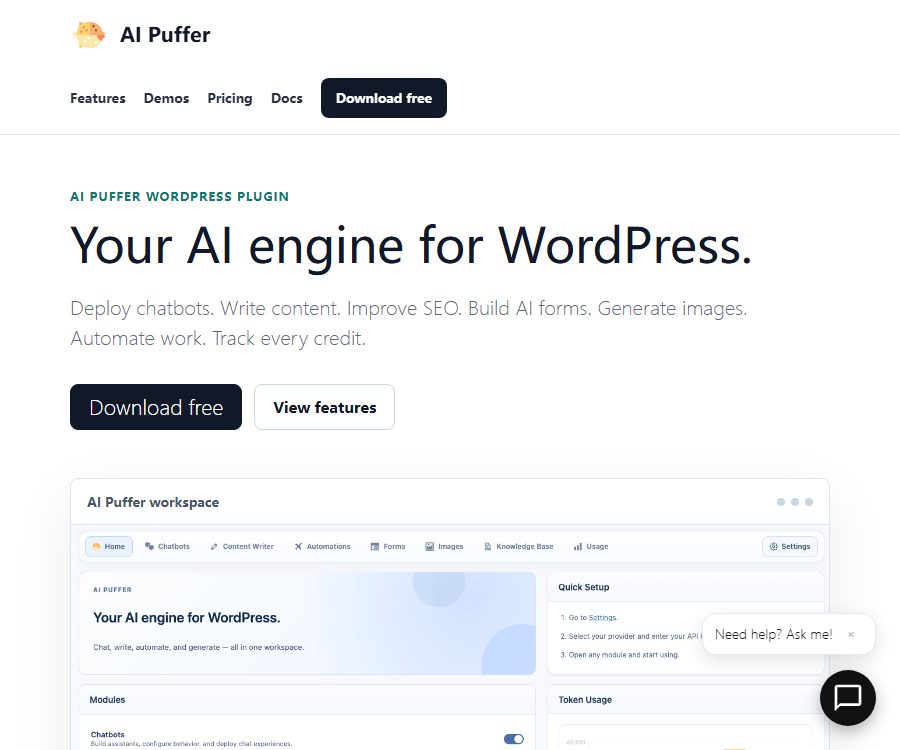
AI Puffer is a comprehensive plugin that adds AI functionalities to WordPress websites; its previous name was AI Power. Website owners can configure the model providers from the backend, and then integrate chat, writing, image, form, and automation features into the website’s front end or management processes.
It uses a built-in API key mechanism; the plugins are responsible for handling the interface, workflows, permissions, and usage management, while model requests are still billed through the user’s own service provider account. Purchasing the Pro version does not include any credits for OpenAI, Google, Anthropic, or other models.
Main functions
AI chatbot
- Create chatbots that can be displayed in pop-ups, embedded within pages, or integrated on external websites.
- Configure a model, system instructions, memory, knowledge sources, and interface for each robot.
- It supports web search, file and image tools, voice functionality, feedback, and session recording.
- Usage limits and point rules can be set based on visitors, logged-in users, or roles.
Content and SEO generation
- Generate content based on individual topics, batches of topics, CSV, RSS, web pages, or Google Sheets.
- Create and update WordPress articles, pages, and WooCommerce product descriptions.
- Generate summaries, keywords, tags, permanent links, and image metadata.
- Improve SEO fields in conjunction with Yoast, Rank Math, AIOSEO, and The SEO Framework.
AI forms and automation
AI Forms can convert structured inputs into generators, customer service tools, calculators, or lead forms. The automation module enables the scheduled creation of content, rewriting of existing articles, updating of products, indexing of information, or triggering external workflows.
Images, videos, and knowledge base
- Images can be created or edited using connected services, and some of these services also support video tasks.
- Convert website pages, text, and files into searchable sources of knowledge.
- It supports vector storage services such as Pinecone, Qdrant, and Chroma.
- The knowledge base can be used in chatbots, forms, search, and content workflows.
Dosage and integration management
The plugin keeps a record of requests and conversations, and allows internal points to be set based on every thousand tokens, each image, each video, or per request. Site owners can also sell point packages through WooCommerce, manage their balances, and view usage records.
Supported AI services
AI Puffer can be connected to services such as OpenAI, Google, Azure, OpenRouter, xAI, DeepSeek, Anthropic, ElevenLabs, and Replicate; it also supports local models from Ollama. The model capabilities available for different modules vary, and the options provided within the plugins should be taken as a guide.
Installation and Usage Instructions
- First, back up the WordPress website, then install the free version from the plugins directory and activate it.
- Go to the AI Puffer backend settings, add your own model provider key, and synchronize the models.
- Select the Chat, Content, Form, Image, or Knowledge Base module to activate only the functions you need at the moment.
- Configure role permissions, visitor limits, log retention, content moderation, and cost caps.
- Use the test page to verify prompts, output format, mobile display, and error handling.
- After confirming the data and cost risks, release the short codes, blocks, or bots on the official page.
Price and version comparison
The prices listed below were verified on August 25, 2026; the dollar amounts may vary depending on the number of sites, whether a yearly subscription or a lifetime license is chosen, as well as taxes and any ongoing changes. The actual scope of authorization and the settlement amount are determined according to the purchase page, while the cost of the model API is charged separately.
| Version | Reference price | Main functions | Suitable for users |
|---|---|---|---|
| Free | $ | Chatbots, content writing and AI forms, image generation | Test core functions and lightweight sites |
| Pro | Starting at $9.99 per month | It includes a free version, as well as features such as multi-step forms, file uploading, Ollama, local AI, vector files, automation, voice functionality, and external embedding and integration. | Commercial sites, content teams, and complex workflows |
According to the official information, a discount of up to 20% can be applied for annual payments, and a lifetime license may also be offered; the listed starting price does not necessarily correspond to the number of sites. There is no installation fee, and the monthly plan can be canceled through the account panel; automatic updates and support are included as long as payment continues.
Refunds and cancellations
- If a plugin causes issues that prevent it from being used and the support team is unable to resolve them, a refund can be requested within the 7-day guarantee period.
- A refund does not constitute an unconditional trial; whether it qualifies as a situation of \"unusable product with no resolution\" is determined by the policies and the outcome of the handling process.
- After canceling the annual subscription, it is usually still possible to continue using the installed plugins, but no further updates or support will be provided.
- Authorization, subscription, invoicing, and payment are handled by third-party services such as Freemius.
Key features of the Pro version
- AI Forms workflow, image and file upload, multi-step forms.
- Ollama for local AI, as well as uploading of PDF and TXT vector files.
- Chat triggers, real-time voice agents, session PDF downloads, and embedded third-party bots.
- WooCommerce product updates, RSS content generation, webpage text extraction, and intelligent SEO improvements.
- Integration with Google Sheets, Slack, HubSpot, Notion, Pipedrive, Zapier, Make, and n8n.
- Security and privacy controls, as well as priority email support.
APIs and developer capabilities
AI Puffer provides interfaces through the WordPress REST API; it can generate text and images, create embeds, send messages to bots, read logs, and write data to vector storage. Site owners need to create a REST key in the developer settings – leaving it blank will disable access to external APIs.
API keys enable access to the site’s AI functions and the ability to retrieve certain records; they should be kept secure, just like passwords. If it is necessary to integrate a robot into another website, it is also essential to set up a domain name, define permissions, establish usage limits, and implement measures to prevent abuse.
Open source and licensing information
The free version can be downloaded from the WordPress plugin repository, and its distribution must comply with the licensing requirements of that repository. The Pro version is provided via email after purchase, in ZIP format along with a license key; it includes advanced features that are subject to commercial licensing terms.
As of the verification date, no public GitHub repository maintained by the official team and representing the complete, up-to-date version of the product was found. Therefore, it can be stated that the code for free plugins is available publicly, but Pro features or the entire commercial service cannot be labeled as fully open source.
Product advantages
- A single plugin covers chat, content, forms, images, the knowledge base, automation, and billing.
- It is possible to choose from multiple model service providers, thereby avoiding dependence on a single model for the website.
- It supports Ollama and self-hosted vector databases, making it suitable for sites that wish to have greater control over their infrastructure.
- There is good integration with WordPress, WooCommerce, SEO plugins, and automation services.
- It offers internal points, quotas, logging, and WooCommerce point packages, making it easy to provide AI functions to visitors.
Usage restrictions and precautions
- The subscription fee for plugins is separate from the cost of model APIs; batch processing of text, images, and audio can result in higher external billing charges.
- The generated content may contain issues related to facts, copyright, trademarks, and SEO; it should be subjected to manual review before being published automatically.
- Chat records, form entries, and uploaded files may contain personal or business data; it is necessary to set up prompts for obtaining consent, define permissions, and specify retention periods.
- Installing numerous modules and automation increases WordPress’s resource consumption; performance should be evaluated in a testing environment.
- Local models still require appropriate server hardware and operational capabilities; enabling Ollama does not mean zero cost.
- Plugin updates, changes in the WordPress version, and modifications to third-party APIs can affect compatibility; official websites should have backup and rollback solutions in place.
Frequently Asked Questions
Is AI Puffer free?
There is a free version that offers core features such as chatbots, content and form handling, and image generation. Advanced automation, local AI, file uploading, external integrations, and priority support are available only with the Pro version.
Do I still need to pay for models after purchasing Pro?
It is necessary. AI Puffer does not include any model quotas; requests to services such as OpenAI, Gemini, Claude, and Replicate are still billed to your account by the respective service providers.
Can AI be run locally?
Pro supports integration with Ollama, but it still depends on the server’s network, memory, graphics card, and the model chosen. Other cloud features may also continue to transmit data to external services.
Whether API is provided
It provides WordPress REST interfaces that can be used for tasks such as handling text, images, embeds, chat, logs, and vector storage. Before using it, it is necessary to set up keys, quotas, and access controls.
Is it completely open source?
It cannot be labeled in this way. The code for the free version is available in the WordPress repository, but the Pro features and commercial licenses are not made available as a result; moreover, no complete official GitHub repository has been identified yet.
Summary
AI Puffer is suitable for website owners who wish to integrate AI-powered chat functions, content generation, and automation tools directly into their WordPress sites. It offers a wide range of modules and service providers, but the actual costs are determined by plugin licenses, model usage, server resources, and maintenance needs; it is therefore important to manage data usage and expenses carefully before going live.
Tools similar to AI Puffer




 Guigong Network Security Registration No. 45132202000164