






AI HomeDesign
AI HomeDesign makes AI-based image processing more efficient and simpler.
Tags:Common AI image toolsWhat is AI HomeDesign?
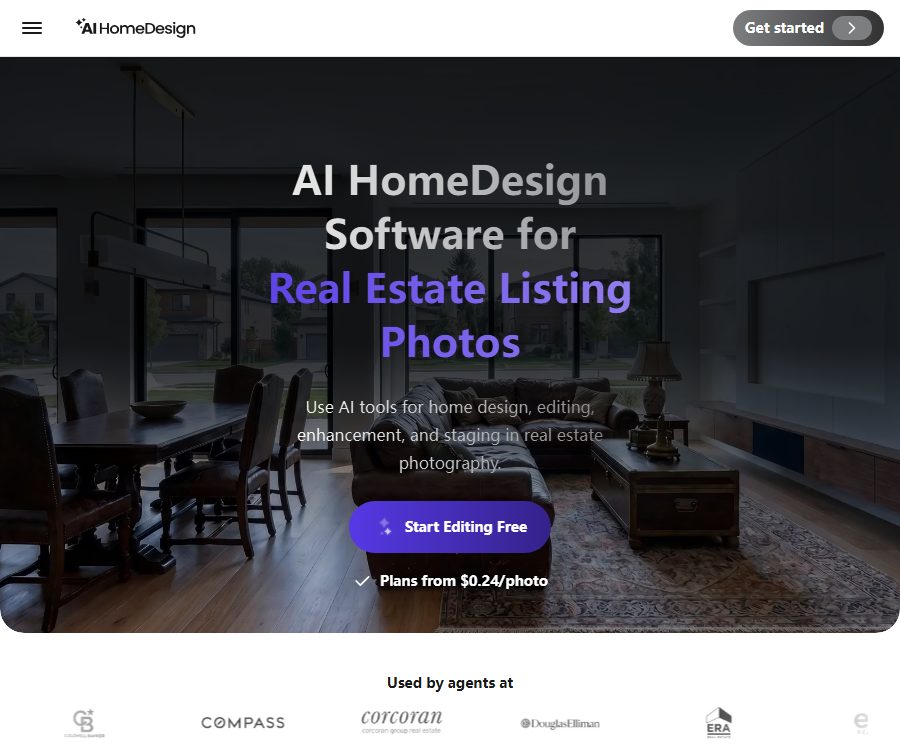
AI HomeDesign is a browser-based AI editing tool designed for real estate property images. It allows users to add furniture to unfinished or empty rooms, remove unnecessary elements, change the decoration style, improve the quality of the photos, and transform daytime scenes into twilight effects.
The product is designed to serve real estate agents, photographers, agencies, and home owners; no desktop software installation is required. The images produced serve as marketing and visual references only, and cannot be considered as an accurate representation of the actual condition of the property, as construction plans, or as proof of completion.
Main functions
1. AI Virtual Staging
The virtual layout tool identifies the type and structure of a room, and adds furniture and decorations that are in line with the style of that room, even if there is no furniture present. Users can choose spaces such as living rooms, bedrooms, and kitchens, as well as different design styles such as modern or Nordic.
2. Virtual Restaging
Virtual rearrangement is used to replace existing furniture, in order to give a room that is already occupied or already furnished a different style. Before generating the new layout, it is necessary to check whether the doors, windows, fixing elements, and the structure of the house have been altered incorrectly.
3. Item Removal
Removing objects allows for the automatic cleanup of clutter, and it is also possible to use masks to specify which objects should be deleted. The areas covered by those masks are filled in by AI, which may result in the creation of imaginary walls, floors, or device details.
4. Interior Designer
Interior design tools can redesign an entire room in accordance with the chosen style and color scheme. They are suitable for creating conceptual plans, but they cannot guarantee that the dimensions of the furniture, the materials used, the budget, and the construction conditions will be realistic and feasible.
5. Furniture Restyle
Changing the style of the furniture can alter the visual appearance of the entire set of furniture, while still preserving the basic layout of the room. This approach is suitable for comparing different marketing options and interior decoration schemes.
6. Replacement of walls, floors, and ceilings
The platform allows for changing the color of walls or wallpaper, the type of flooring, the ceiling, as well as the waterproof partitions in the kitchen or bathroom. The AI-generated designs only concern the appearance; they do not take into account the properties of the materials, the volume of work required, or the construction steps involved.
7. Under Construction
This tool allows unfinished spaces to be presented as if they were already complete, making it suitable for use in pre-sales or to showcase design concepts. It is essential to indicate clearly that these are renderings when they are shared, so as to prevent buyers from assuming that the work is actually finished.
8. Image Enhancement
Image enhancement allows for adjustment of lighting, sharpness, and color, and offers options such as grass, sky, fireplace flames, TV screens, and lights. Excessive enhancement can hide flaws in the house or alter the actual environment.
9. Day to Dusk
The transition from daylight to dusk allows the daytime exterior scenes to be transformed into images of a twilight setting. It is suitable for use as a cover image, though the sky, lighting, and environment are reconstructed by AI.
10. API and MCP
Enterprise includes APIs that enable integration with various image-related tools through private keys, Webhooks, and project task workflows. The developers have also released an MCP connector, which allows compatible AI clients to call these APIs using natural language.
Which users are it suitable for
- Real estate agents who need to create virtual floor plans for properties quickly.
- Real estate photographers who need to remove clutter and improve the quality of photos.
- Real estate agencies and teams that need to process multiple properties in bulk.
- For homeowners or designers who are interested in decoration and interior furnishings.
- Development teams that need to integrate property image editing into websites or internal systems.
Price and package comparison
As of August 25, 2026, the prices on the official website are as follows. The annual payment figure represents the average monthly amount after a one-time annual settlement; taxes, local currency conversion, discounts, and any additional fees are subject to the details shown on the checkout page.
| Plan | Monthly payment | Average monthly amount for annual payment | Monthly Photos | Primary interests |
|---|---|---|---|---|
| Free | $ | Not applicable | Free trial credit provided | No credit card is required to try it out; the number of free photos available depends on the account. |
| Pro | 35 dollars per month | $ | 30 | Download without watermarks, 6-month backup |
| Pro Plus | $ | $ | 80 | Download without watermarks, 12-month backup |
| Enterprise | Entry level: 99 dollars per month | The entry-level plan costs $49 per month, or $588 for an annual subscription. | It can be set between approximately 200 and 10,000. | Balance carryover, unlimited backups, priority support, API access |
The official user guide states that each result requires 1 photo or credit; the regeneration of results under the paid plan is free. The annual payment plan shows the remaining balance that can be carried over, and the specific period for such carryover as well as the total cost for different Enterprise tiers are indicated on the billing page.
It should be confirmed before purchasing.
- How to deduct photos when multiple results are generated from a single input.
- Number of free regenerations, fair use policies, and download conditions.
- Whether the unused balance under the monthly payment plan is carried over.
- The price per additional coin, its validity period, and the rules regarding refunds.
- The actual total price that Enterprise pays when choosing 200, 1000, 2000, 4000, or 10000 photos.
- API rate, concurrency, fees for failures, and service level.
Tutorial for virtual layout usage
- Obtain the right to use the photos of the properties, while retaining the original, unedited versions.
- Choose room photos that are clear, horizontal, have even lighting, and minimal distortion.
- Log in to your account and access AI Virtual Staging.
- Upload an image and select the correct room type and design style.
- If furniture is already available, use removal or switch to Virtual Restaging first.
- Generate multiple options and compare the dimensions of the furniture, as well as the relationships between passages and obstacles.
- Examine doors and windows, sockets, heating systems, floor textures, and fixing elements in detail.
- Download the watermark-free version while preserving the correspondence between the original image and the generated one.
- When publishing, clearly indicate “virtual layout” or “AI-generated image”.
- The description of the property states that the furniture, decorations, and some lighting are not real.
How to choose the right tool
- Adding furniture to an empty room: Select Virtual Staging.
- The overall style of the existing furniture can be changed: choose Virtual Restaging or Furniture Restyle.
- Remove clutter: Choose Item Removal or mask removal.
- Redesign the entire room: choose an Interior Designer.
- Only for modifying walls, floors, ceilings, or waterproof barriers: select the appropriate material tools.
- If the photo is dark or blurry: select Image Enhancement.
- Change the daytime exterior scene to dusk: select Day to Dusk.
- Result for an unfinished house once it is completed: Select Under Construction.
Methods to improve the quality of results
- Use photos that are clear, face the room directly, and have no severe lens distortion.
- The room type must correspond to the actual space, in order to avoid errors in the dimensions of the furniture.
- First, remove the unnecessary items, and then proceed with virtual layout or overall renovation.
- Only one main condition is changed at a time to facilitate the comparison of results.
- Check whether the AI is moving walls, doors, windows, and fixed devices.
- View it on both mobile and desktop devices to ensure that both the thumbnails and the full-sized images appear properly.
Product advantages
- It covers the entire process of real estate images, from cleaning and arrangement to enhancement.
- The browser can be used without the need to install specialized design software.
- The paid plan offers watermark-free options as well as free re-generation.
- Offers 30, 80, and bulk photo packages.
- Enterprise offers APIs, Webhooks, and priority support.
- The official MCP connector can be connected to AI-compatible clients.
Usage restrictions and property compliance
- AI may change room dimensions, structure, fixtures, and actual defects.
- Virtual furniture does not mean that these items are included when the house is delivered.
- Changes in materials and visualizations of unfinished work do not constitute a construction quote or a design commitment.
- The sky, lawn, lighting, and twilight effects may differ from those in the real world.
- MLS, advertising, and consumer protection rules vary from region to region.
- When publishing, the virtual layout should be clearly indicated, while the original image should also be retained.
- AI must not be used to modify and conceal important issues such as mold, cracks, and water damage.
Privacy and image saving
The privacy policy states that the platform processes account details, contact information, billing data, device information, logs, Cookies, location data, and interaction details, and shares the necessary data with service providers for purposes such as payment processing and analysis. The service is not intended for children under 16 years of age.
The pricing page lists Pro with 6 months of backup, Pro Plus with 12 months of backup, and Enterprise with unlimited backup, indicating that the recorded data can be stored in the account for an extended period. Before uploading, it is necessary to remove any address information, photos of residents, surveillance footage, files, and other private data.
- Only upload images that have been authorized by the landlord, photographer, or client.
- Remove personal photos, IDs, delivery receipts, and details of security systems.
- Set accounts and API minimum permissions according to the project requirements.
- After the property listing is completed, delete any unnecessary materials and results.
- For team procurement, it is necessary to confirm the data areas as well as the retention and deletion policies.
API Usage Instructions
The Enterprise plan includes API access; the official documentation provides private API keys, as well as information on projects, orders, processing steps, results, Webhooks, error codes, rate limits, and Postman workflows. The API allows for the use of tools such as virtual layout creation, item removal, image enhancement, interior design, and conversion of daytime scenes into twilight scenes.
- Activate Enterprise and obtain the private key from the account API section.
- Read the documentation on reading tools and widgets to confirm the parameters related to room type, style, and materials.
- Upload test images and create projects as well as processing tasks.
- Configure a Webhook to receive asynchronous results, thereby avoiding frequent polling.
- It supports retry on failure, idempotency, quota limits, and log anonymization.
- Before going live, check the costs, speeds, output review, and material deletion.
Open source and MCP situation
The AI HomeDesign main platform, as well as the APIs for model and image processing, are not open-source products. The official GitHub repository offers the AIHomeDesign MCP Server, which is licensed under the MIT license and is used to connect commercial APIs to Claude, ChatGPT, Gemini, and other MCP clients.
The open-source nature of MCP connectors does not mean that the core models are also open source; it also does not exempt one from the costs associated with Enterprise API subscriptions, keys, and usage fees. When custom connectors are used, image data of the properties is still sent to the AI HomeDesign service for processing.
Frequently Asked Questions
Can AI HomeDesign be tried out for free?
Yes. The official website states that registration grants free photos and no credit card is required, but the exact number depends on the account.
How much quota is consumed by a result
The official guide states that 1 credit is required for each result, while the paid version allows for re-generation for free.
Is a yearly subscription charged in one lump sum?
Yes. The Pro, Pro Plus, and Enterprise plans show initial annual subscription costs of $228, $348, and $588 respectively.
Can it be used in official property advertisements?
It can be used as marketing visuals, but it is necessary to comply with local MLS and advertising regulations; the virtual arrangement should be clearly indicated, and the original image must be retained.
Are APIs provided?
Available; the API is included in the Enterprise package, and asynchronous processing results can be obtained via Webhook.
Is AI HomeDesign open source?
The main platform is not open source; the official MCP connector is licensed under the MIT license – these two aspects need to be distinguished from each other.
Summary
AI HomeDesign is suitable for creating virtual layouts, carrying out cleanup tasks, applying decoration effects, and enhancing images on a large scale; it offers a range of tools as well as enterprise APIs. When it is put into use, it is essential to keep the visual elements, factual information about the houses, and the original photos strictly separate from each other, and to manage properly the costs related to photos, data storage, and advertising disclosures.
Tools similar to AI HomeDesign




 Guigong Network Security Registration No. 45132202000164