






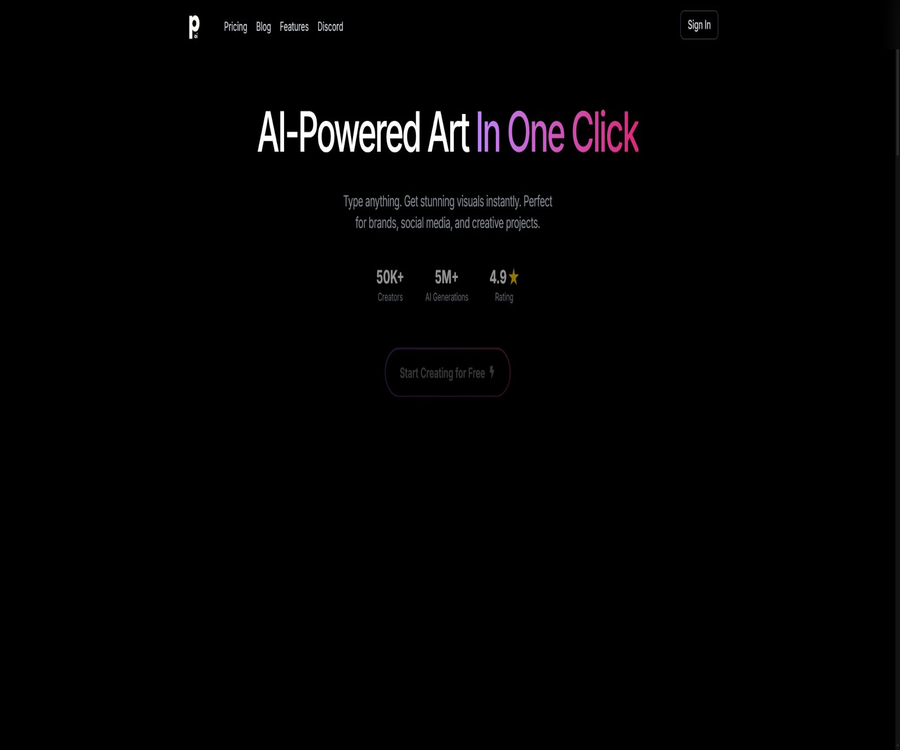
PhotoGenius.ai
PhotoGenius.ai: a smart tool specialized in AI-powered image processing.
Tags:Common AI image toolsTool Introduction
PhotoGenius.ai is a web-based AI visual creation platform that can generate images from text, and it also offers functions for image editing, 3D modeling, and video creation.
It combines multiple image and video models, making it suitable for creators and marketers who want to try out different generation techniques in the same interface.
Main functions
Multi-model image generation
The image workstation offers Flux, Stable Diffusion, Kandinsky, and other models currently available, and it allows users to select the style and the number of images to generate.
- Use textual prompts to generate one or more candidate images.
- You can choose styles such as anime, painting, pixel art, oil painting sketches, and cyberpunk.
- The list of models will be updated; the current options should not be considered permanent.
Image editing and creative tools
The platform offers basic and advanced image editing tools, as well as quick access options for setting profile pictures, app icons, logos, emojis, and creating advertisements.
- Suitable for social media, brand concept, and marketing material prototypes
- The history log makes it easy to go back and view the works that have been created.
- Precise formatting, as well as text and brand details, still require verification using specialized software.
Convert text and images to 3D
3D Suite can convert textual descriptions or uploaded images into 3D models, with the level of the package determining the range of capabilities available.
- Creator offers basic text-to-3D conversion.
- Pro adds advanced text-to-3D and image-to-3D conversion.
- Business offers a more comprehensive 3D creation suite.
AI video generation
The video workstation lists various video models; it is possible to enter a description of the scene, and select the starting image and style according to the requirements of each model.
- Supports generation processes that start with plain text or images.
- Different models have varying speeds, image quality, and input requirements.
- The points consumed by the video feature are not listed individually on the public pricing page.
Comparison of version capabilities
| Version | Image quality | Generation and editing capabilities | Commercial use |
|---|---|---|---|
| Creator | 1024×1024 high definition | Basic images, text to 3D conversion, and editing tools | The official page does not list it separately. |
| Pro | 2048×2048; the page refers to it as 4K. | Advanced conversion of images, text, and pictures into 3D format; advanced editing capabilities | Clearly included |
| Business | 4096×4096; the page is referred to as 8K. | Advanced imaging, full 3D, batch generation, and priority processing | It should be specified in the account terms. |
The 4K and 8K designations for the pages do not always correspond exactly to the pixel dimensions listed; therefore, the actual resolution should be determined based on the pixels of the downloaded file.
Usage tutorial
- Register and log in to the web platform, then select an image, 3D model, video, or a quick creative tool based on your goals.
- Select the model, the number of outputs, and the visual style, and describe the subject, composition, and lighting in clear wording.
- When reference to the appearance is needed, upload an image with usage rights and then set the parameters allowed for the model.
- Generate candidate results and use editing tools to refine local details.
- Check the characters, hands, text, trademarks, proportions, and the way facts are presented.
- Download the appropriate resolution based on the final use, and keep track of the points consumed for creation and editing.
Which users are it suitable for
- Content creators who produce social media content, concept diagrams, and posters
- Marketers who need to quickly create drafts for advertisements and brand visuals
- Product and game designers who wish to try out tools for converting images or text into 3D format
- AI art users who compare the performance of various image and video models
Prices and packages
| Package or version | Price | Billing cycle | Core benefits or quota | Suitable for users |
|---|---|---|---|---|
| Creator | Currently, 10 dollars per month is displayed. | Monthly payment; annual payment saves 20% on advertising costs. | 100 points per month, high-resolution images, basic 3D tools and editing tools | Beginner creators |
| Pro | Currently, 20 dollars per month is displayed. | Monthly payment; annual payment saves 20% on advertising costs. | 300 points per month, advanced models, image to 3D conversion, commercial use | Professional creators |
| Business | Currently, 30 dollars per month is displayed. | Monthly payment; annual payment saves 20% on advertising costs. | 1,000 points per month, batch generation, priority handling, and support | High-usage teams |
The pricing card may display a higher highlighted figure, which could represent the original price or the price during a promotion; the total annual cost is not clearly indicated in the captured content, so it is necessary to check the settlement page before making the payment.
Refunds and cancellations
- The annual subscription follows a strict no-refund policy; cancellations do not result in any refund for the unused period.
- The independent refund policy requires monthly subscribers to submit a request within 14 days after the deduction, with a maximum refund of 50%.
- The terms of service state that an application can be submitted within the first 30 days; however, there are conflicts in the existing rules, so it is safer to use a period of 14 days.
- In the event of a technical issue, a video recording along with detailed explanations must be submitted; whether a refund will be granted is determined by the authorities.
Product advantages
- Aggregate multiple image models in a web-based workspace
- It supports the creation of 2D images, 3D models, and videos simultaneously.
- Provides quick tools for common marketing and branding tasks.
- The three-tier point package makes it easy to choose based on the amount generated.
Usage restrictions and precautions
- The relationship between integration levels and specific models, resolution, as well as the computational demands of video tasks has not been fully disclosed.
- 3D models may have issues related to topology, materials, or geometry, and professional correction is required before they can be used in actual production.
- The coherence of video generation, as well as the physical appearance and consistency of the characters, vary depending on the model used.
- The images generated are licensed under a non-exclusive license; thus, exclusive or sole copyright is not automatically granted.
- For commercial use, it is necessary to choose a solution that explicitly includes the relevant rights, and to check the limitations imposed by third-party models.
- A mobile app with the same name is provided by another developer; its functions, costs, and privacy policies are not related to this website platform.
Platforms, APIs, and open-source status
PhotoGenius.ai offers image, 3D, and video workstations via a web interface; the official site does not provide any information regarding standalone desktop or mobile client support.
The official website does not provide any public APIs or complete documentation for the official SDKs, nor is the product itself labeled as open-source software; the fact that models such as Stable Diffusion are accessible does not mean that the entire platform is open-source.
Frequently Asked Questions
Can it be used for free?
The public pricing page lists only three types of paid subscriptions; whether there are bonus points or a free allowance available upon registration is not clearly specified by the authorities at present.
Which option can be used for commercial purposes?
The Pro package explicitly allows for commercial use, while the specific licensing terms for the other options should be checked in the account conditions before purchase.
Is a yearly subscription refundable?
No, the current refund policy specifies that refunds are not available for annual plans; it is recommended to first use the monthly payment option to check whether the model and features meet your needs.
Tools similar to PhotoGenius.ai




 Guigong Network Security Registration No. 45132202000164