






Palette
Palette, a smart tool focused on AI-powered images
Tags:Common AI image toolsTool Introduction
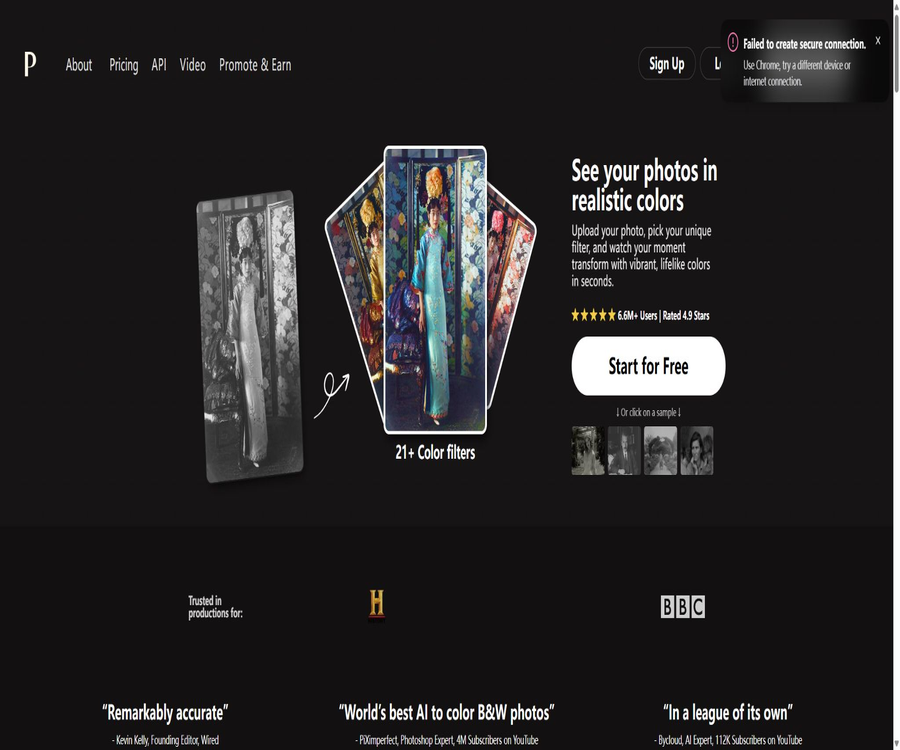
Palette.fm is an AI-based photo coloring service operated by Palette SAS; it is used to convert black-and-white or grayscale photos into colored images. It offers web tools, filters, text editing options, and developer interfaces, making it suitable for personal old photos, historical archives, and content creation processes.
AI coloring generates reasonable estimates when true color records are unavailable; it cannot reproduce the exact colors as they were in reality. For historical, judicial, or research purposes, the results should be labeled as digital color versions.
Main functions
Automatic coloring and filters
After uploading a picture, users can compare the results using more than 21 standard filters; they can also use textual keywords to further adjust the appearance of the people, the clothing, the environment, and the colors of the lighting.
- The free preview allows you to try different filters and descriptions repeatedly.
- It supports automatic color correction, as well as basic parameters such as white balance, color temperature, and saturation.
- Reference images can be used to guide color selection, helping to maintain a similar visual style across a set of photos.
- Creative filters offer brighter colors, but their stability may be lower than that of conservative filters.
HD download and batch processing
The paid credits in the consumer version are used to download high-resolution images without watermarks; the maximum resolution supported on the current web interface is 5000×5000 pixels. The developer API requires different amounts of credits depending on the resolution, such as SD, Full-HD, and 4K.
- On the web version, it is possible to upload multiple photos at once and manage commonly used filters.
- The API supports scripted batch coloring, making it suitable for archival or image-based products.
- The maximum size for a single API image file is 10MB, and it supports various common and professional formats.
Video coloring
Palette offers a separate video API that can handle SD, Full-HD, and 4K video frames, but the official documentation still classifies it as beta version.
- Videos are billed on a frame-by-frame basis, rather than at a fixed cost for a complete video file.
- The algorithm is not designed specifically for cross-frame consistency, and rapid movement or camera changes may cause color flickering.
- The previous frame can be used as a reference while keeping the same prompt to improve consistency in short scenes.
Usage tutorial
- Open the Palette.fm web tool, upload a black-and-white photo or start by using the examples.
- After waiting for automatic coloring, compare the details of the skin tone, sky, clothing, and background in the standard filters.
- Click the adjustment option and use brief keywords to specify the colors you wish to keep or modify.
- Zoom in to examine the edges, hands, face, and various areas of the object; if necessary, change the filters or use reference images to regenerate the image.
- Free users can download low-resolution previews with watermarks, while paid users can use their credits to obtain high-resolution versions without watermarks.
- For batch or video tasks, it is necessary to first test the parameters using a small number of samples, and then increase the scale of processing through the API.
Which users are it suitable for
- Individual users who wish to add natural colors to family albums, commemorative photos, and old portraits.
- Creators who need to produce historical content, documentary material, or social media images quickly.
- Museums, media, or video teams that deal with a large volume of digital archives and require automated workflows.
- Developers who wish to add photo coloring capabilities to apps, cloud storage services, or editors.
- Professionals in photo restoration and colorization who need to create a draft first before having it refined by specialists.
Website price
On the web version, one point is required for each high-resolution, watermark-free colored image; the options available are free access, annual subscription, and one-time purchase. The page also offers other choices regarding the number of photos, but public scraping only displays the price of the currently selected option.
| Plan | Price | Limit | Primary interests | Suitable for users |
|---|---|---|---|---|
| Free | 0 dollars | 1 trial of high-definition version without watermarks; unlimited low-definition previews | The preview size is up to 500×500, with a Palette indicator and ads. | Comparison of experience and effects |
| Annual subscription | 72 dollars per year | 480 pages per year, which translates to 6 dollars per month per page | Watermark-free high resolution, fast processing, professional workflow, ad-free | Continuously process photos |
| One-time purchase | 49 dollars | 75 pieces | High-definition version without watermarks; the points are valid for 2 years, with limited ads. | Users who do not want to subscribe |
Subscription points can be refreshed automatically; the unused amount can be carried over up to five times the amount included in the monthly plan. The validity of the remaining points after cancellation is determined by the account rules. For one-time purchases, other quantity options are available, and the specific prices must be checked on the settlement page.
Image API pricing
The pricing for APIs and the points available on personal websites are based on different calculation methods; the interfaces have been moved to RapidAPI. The documentation lists various image processing options, but its price table does not clearly indicate whether the pricing is on a monthly basis or for some other time period – it is necessary to confirm this on the platform before making a purchase.
| Plan | Public price | Includes integration | Extra points | Requests per second |
|---|---|---|---|---|
| Basic | Free | 200 | Each is 0.01 US dollars | 1 |
| Pro | 39 dollars | 8000 | $ | 2.5 |
| Ultra | 79 dollars | 20000 | $ | 3.3 |
| Mega | 169 dollars | 48000 | $ | 5 |
Watermarked SD, standard SD, Full-HD, and 4K images require 1, 10, 15, and 20 API credits respectively; calls to the prompt interface also consume credits. The principle of \"one credit per image\" applied on the web page cannot be used directly to estimate the API costs.
Video API pricing
| Plan | Public price | Integration | SD per minute | Full-HD per minute | 4K per minute |
|---|---|---|---|---|---|
| Ultra | 89 dollars | 67500 | 1.98 dollars | 3.15 dollars | 4.74 dollars |
| Mega | 189 dollars | 180000 | 1.58 dollars | 2.40 dollars | 3.60 dollars |
The cost of a video is estimated based on the number of frames and resolution; the editing frame rate and the actual amount of processing required affect the final bill. Since video-related capabilities are still in the testing phase, formal projects should first verify continuity, throughput, and the ability to retry in case of failures.
Product advantages
- It focuses on coloring black-and-white photos, and its operation process is simpler than that of general image generators.
- Filters, text prompts, and reference images offer multiple levels of control, ranging from one-click results to manual guidance.
- There are both personal web tools and APIs for images and videos, which can handle both small-scale and large-scale tasks.
- The terms confirm that the user retains ownership of the generated images and videos, and allow their use for commercial purposes.
Usage restrictions and precautions
- The colors generated may not match the actual historical colors, especially for uniforms, flags, artifacts, and branded items.
- Low-quality, blurry, damaged, or severely overexposed photos reduce the clarity of character boundaries and the accuracy of detail recognition.
- Different filters and suggestions can alter skin tone and cultural context; manual review should be conducted before public dissemination.
- Video algorithms do not guarantee temporal consistency, and color changes from frame to frame may require subsequent correction.
- Before uploading someone else’s portrait, profile, or images protected by copyright, it is necessary to ensure that privacy rights, portrait rights, and usage permissions have been addressed.
- Users who make their first purchase and process fewer than 50 images can request a refund within 14 days; refunds are generally not provided for other purchases.
Platform, language, and format
| Category | Support status | Explanation |
|---|---|---|
| Web version | Support | Upload, filtering, text adjustment, and download |
| Mobile apps | Mentioned in the terms of service | The current official website does not provide a verifiable link to the official store. |
| Develop interfaces | Image API and beta video API | Currently available through RapidAPI |
| Batch process | Support | Works with scripts, Google Drive, or Dropbox workflows |
| Resolution | The maximum size for web pages is 5000×5000; the maximum size for APIs is 4K. | The actual limitations vary depending on the entrance and plan. |
| Interface language | The authorities have not yet made the complete list public. | The text prompt effect needs to be tested in different languages. |
APIs, SDKs, and open-source status
Palette provides API documentation for images and videos, Python examples, and tutorials on batch processing; however, the APIs in question are hosted by RapidAPI. No standalone SDK suite that is maintained independently by the company is available, so developers must create their own wrappers based on the API documentation.
The GitHub project listed in the database consists of code for tutorials on coloring early black-and-white photos, created by its founder Emil Wallner; it is licensed under the MIT license. This repository directs users to the Palette API in order to access the latest technologies, and this does not imply that Palette.fm’s business model, hosting services, or production algorithms are open source.
Privacy and content rights
The privacy policy states that uploaded files are handled securely and deleted shortly after the results are returned; they are not made public, shared, or used for other purposes unless the user explicitly submits them as feedback. The platform still retains usage statistics that do not include the files, as well as necessary account and payment records.
The user retains ownership of the images and videos created, and these can be used for commercial purposes, provided that the original content is legal and does not violate any third-party rights. For sensitive family photos or confidential documents, it is still necessary to assess the risks associated with processing them in the cloud first.
Frequently Asked Questions
Can Palette.fm be used for free?
A preview with a logo, sized up to 500×500, can be generated for free, and there is also one opportunity to access a high-resolution version without watermarks. To download high-resolution versions without watermarks, it is necessary to subscribe or purchase credits.
Can AI colorization restore the true colors?
No guarantee can be given. The model infers colors based on the structure of the image and the patterns it has learned; in the absence of historical data, it can only generate versions that appear visually reasonable.
Is Palette.fm an open-source tool?
The current business services and production models are not open-source products that have been officially recognized. Although the early tutorial repositories were released under the MIT license, they should be considered separately from the current hosting engines.
Tools similar to Palette




 Guigong Network Security Registration No. 45132202000164