






Nuvio
Nuvio, an intelligent tool focused on AI-powered imaging.
Tags:Common AI image toolsTool Introduction
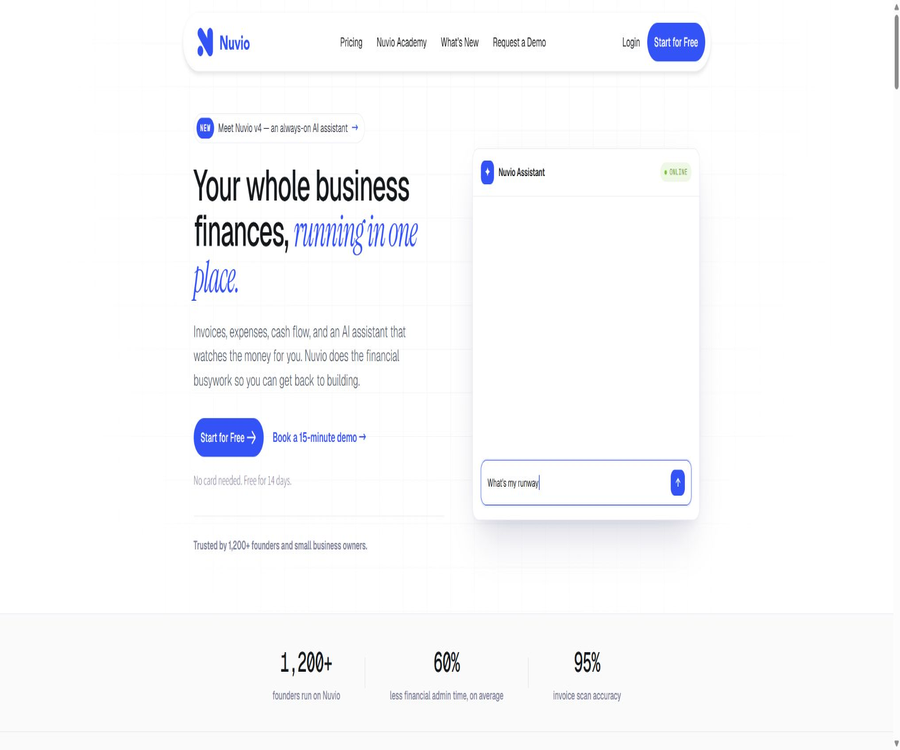
Nuvio is a corporate financial management platform provided by Canadian company Nuvio Labs Inc., designed for founders and small to medium-sized businesses that do not have large financial teams. It brings bank transactions, revenues, expenses, invoices, projects, and cash forecasts together in one system, with an AI assistant continuously analyzing the business data.
This product should not be confused with the open-source media player of the same name, Nuvio Media; the domain names, development teams, purposes, and licensing terms of the two are different. This entry deals with enterprise financial and analysis services.
Main functions
Banks, income and expenditure, and reconciliation
Companies can connect their bank accounts or manage them manually, and aggregate transactions in a financial dashboard. The system allows for the recording of income and expenses, tracking of payment status, monitoring of receipts, and quick reconciliation, enabling founders to have a relatively up-to-date overview of their cash flow.
- View multiple accounts, balances, and transaction details in one place.
- Analyze revenue and profits by customer, product, project, and category.
- Match and confirm transactions with income, expense, or payment records.
- The number of connections, the amount of data recorded per month, and multi-currency support are subject to the limitations of the package.
AI credentials and fee processing
Users can upload receipts and invoices in JPG, PNG, or PDF format; the AI will extract the text and identify the supplier, amount, taxes, and expense categories. After the identification is complete, the user must confirm it before saving it – the automatic results cannot be considered valid for accounting purposes.
- It supports uploading files or taking photos as proof; each file is limited to 5MB in size.
- It automatically reads key information and attempts to match suppliers with transactions.
- Auxiliary classification and tax handling to reduce manual data entry.
- Blurry images, complex layouts, as well as currency and regional tax systems can reduce the quality of recognition.
Invoices, receipts, and project finance
Nuvio allows for the creation and sending of sales invoices, tracks the status of invoices – whether they are due, paid, or overdue – and sends automatic reminders to customers who fail to make payments on time. The Growth plan and higher versions also offer project finance and banking integrations, enabling separate tracking of customer or project performance.
- Create invoices and track accounts receivable and payment records.
- Reminders are sent for overdue invoices, thereby shortening the manual collection process.
- View income, expenses, and profits by project.
- Before sending a formal reminder, it is necessary to verify the customer, the amount, the deadline, and the tone of communication.
Cash flow forecasting and AI assistants
The cash flow function predicts future financial changes based on existing data; the home page currently allows viewing trends for up to one year. Users can also ask questions in natural language regarding expenses, debts, profits, etc., and have the assistant send alerts and perform other actions within the limits of authorized permissions.
- Check the months with future cash shortages and the overall trend.
- Query the financial performance for a specific period, supplier, customer, or category.
- It proactively alerts to anomalies or significant changes, reducing the need to repeatedly check the dashboard.
- The points available for AI assistants are limited in different packages, and the pricing page still indicates that certain features will be added in the future.
Usage process
- Register a company account and start a 14-day trial; no credit card is required in advance.
- Select a manual account or connect to a supported bank, then import the necessary customer, supplier, and opening balance data.
- Invite financial staff or accountants, and assign account roles and access permissions based on their responsibilities.
- Enter income, expenses, and invoices, and upload a small number of documents to test the recognition, tax rate calculation, and classification results.
- Verify transaction matches, project profits, and cash forecasts, then use an AI assistant to identify specific financial issues.
- Before choosing a premium package, check the monthly transaction volume, number of bank accounts, file storage space, currency options, and AI credits.
Input, Output, and Integration
| Type | Enter content | Output or action | Precautions |
|---|---|---|---|
| Bank connection | Balance and transaction data | Cash view, income and expenditure matching, and forecasting | The available institutions and connection methods vary by region. |
| Cost document | JPG, PNG, or PDF credentials | Supplier, amount, taxes and fees, and category draft | Manual confirmation is required before saving. |
| Invoices and customers | Customers, products, deadlines, and amounts | Sales invoices, status tracking, and reminders | Automatic debt collection must comply with the contract and local regulations. |
| Projects and tags | Projects, products, services, tax rates, and classifications | Analysis of detailed revenue, expenses, and profits | Advanced capabilities are limited by the package. |
| REST API | Authorized accounts, transactions, and business entities | Read or write data on the financial platform | The interface is still in beta version, so changes and errors may occur. |
Suitable for users and scenarios
- Founders of startups who wish to get rid of scattered tables and multiple bank pages.
- Small businesses that need to standardize invoices, receipts, expense documents, and project finances.
- Companies that wish to enlist the help of external accountants but do not pay per member.
- Development teams that need to connect internal business systems with financial records via interfaces.
- Personal household budgeting, regulated audits, and consolidated financial statements for large corporations are not its main areas of focus.
Prices and packages
Nuvio offers a 14-day free trial without the need for a credit card; the regular subscription fee is based on the size of the company, and it is not calculated according to the number of members. The page displays both the discounted annual price and the monthly price, with taxes being charged separately. Some buttons, AI features, and enterprise functionalities still have a label indicating that they will be available in the future.
| Package or version | Price | Billing cycle | Core benefits or quota | Suitable for users |
|---|---|---|---|---|
| Starter | The annual fee is equivalent to $19 per month; the monthly payment option shows $24 per month. | Annual or monthly payment | 100 transactions per month, manual bank tracking, analysis dashboard, payment tracking, and 5GB of storage space | Startups with low trading volumes |
| Growth | The annual plan amounts to $39 per month, while the monthly plan costs $49 per month. | Annual or monthly payment | 500 transactions per month, 3 bank accounts, cash forecasting, project finance, 20GB of storage, and 10 AI credits as listed on the page | Growing companies that require bank integration and forecasting capabilities |
| Scale Up | The annual fee is equivalent to $49 per month; the monthly fee is shown as $59, but there is a formatting issue in the pricing information. | The settlement page shall prevail. | 2,500 transactions per month, 5 bank accounts, 50GB of storage space, multiple currencies, and 100 AI credits as listed on the page | Higher transaction volume and international operations |
| Enterprise | Contact sales | Customization | The page lists unlimited transactions and bank accounts, 100GB of storage space, and unlimited AI credits; however, it is still marked as upcoming. | Companies that require a higher credit limit |
After canceling the subscription, access will remain valid until the end of the current payment period, but no refund for that period’s fee will be given. Prices may vary depending on the region, taxes, and page updates; in particular, for packages or benefits marked as upcoming, the details shown on the settlement page and the sales confirmation shall prevail.
Product advantages
- It covers transactions, fee receipts, invoices, collections, projects, and forecasts, reducing the need to switch between multiple tools.
- Charging is based on the company rather than on individual users; it is currently possible to invite multiple members and accountants to work together.
- The AI assistant answers questions by making use of the company’s financial context, and it can also carry out certain subsequent actions.
- Public REST API documentation is provided to facilitate data exchange with external business systems.
Usage restrictions and precautions
- Nuvio is not a substitute for accountants; AI-based classification, tax calculation, and cash forecasting all require manual verification.
- Different plans impose specific restrictions on transaction volume, bank accounts, file space, currency types, and AI credits.
- The API is in beta phase; production integration must handle field changes, errors, authentication failures, and duplicate writes.
- Automatic invoice reminders may affect customer relationships; before enabling them, it is necessary to set a reasonable frequency and provide an option to stop them manually.
- The pricing page contains a few inconsistencies between the buttons and the billing information; it is necessary to check the actual functions available before making a purchase.
Privacy and data security
Nuvio handles account information, financial records, transactions, customer data, and uploaded files; it is authorized to store, analyze, and back up this data in order to provide and improve services. The privacy page also states that analysis, advertising, and data processing services are utilized, and companies should not assume that all data remains local.
- Available multi-factor authentication should be enabled, and members should be granted only the minimum permissions necessary.
- Before uploading information about third-party customers or suppliers, it is necessary to verify that the company has the appropriate permissions to do so.
- The privacy policy states that personal information may be retained for 90 days to 2 years after the account is closed, and longer periods may be required due to certain legal obligations.
- No cloud-based financial platform can guarantee absolute security; important records still need to be exported and backed up separately.
API and open-source status
Nuvio offers a Beta REST API that utilizes secure connections and JSON data; it includes endpoints related to accounts and transactions, customers and suppliers, fees, revenues, payments, products and services, projects, tags, tax rates, and currencies. Developers should request tokens based on authentication requirements and permission levels, and they need to plan for compatibility adjustments before the stable version is released.
To date, no product codes or SDKs for the enterprise financial version of Nuvio have been made available under an open-source license; the terms of service grant only limited rights of use. The GPL repository associated with Nuvio Media, which has the same name, relates to a different media product and cannot be used as evidence that this financial platform is open source.
Frequently Asked Questions
Is Nuvio free?
It offers a 14-day trial without the need for a credit card, but it is not a permanently free service. After the trial period, one must choose a regular subscription; different plans come with restrictions on transactions, account usage, storage space, and AI credits.
Can Nuvio replace existing accounting software?
It enables the centralization of financial operations and analysis, but whether it meets local requirements regarding bookkeeping, taxation, and statutory reporting depends on the region and the specific company. It is recommended to use it for operational and decision-making purposes, with professional staff handling the statutory accounting procedures.
Can the Nuvio API be used in production systems?
Technically, the interfaces and endpoints have been provided with relevant documentation, but they are still marked as Beta. For use in production environments, it is necessary to first test them using test data, and to implement controls for version management, permissions, error handling, and data consistency.
Tools similar to Nuvio




 Guigong Network Security Registration No. 45132202000164