






Mokker
Mokker, an intelligent tool focused on AI-powered images
Tags:Common AI image toolsWhat is Mokker?
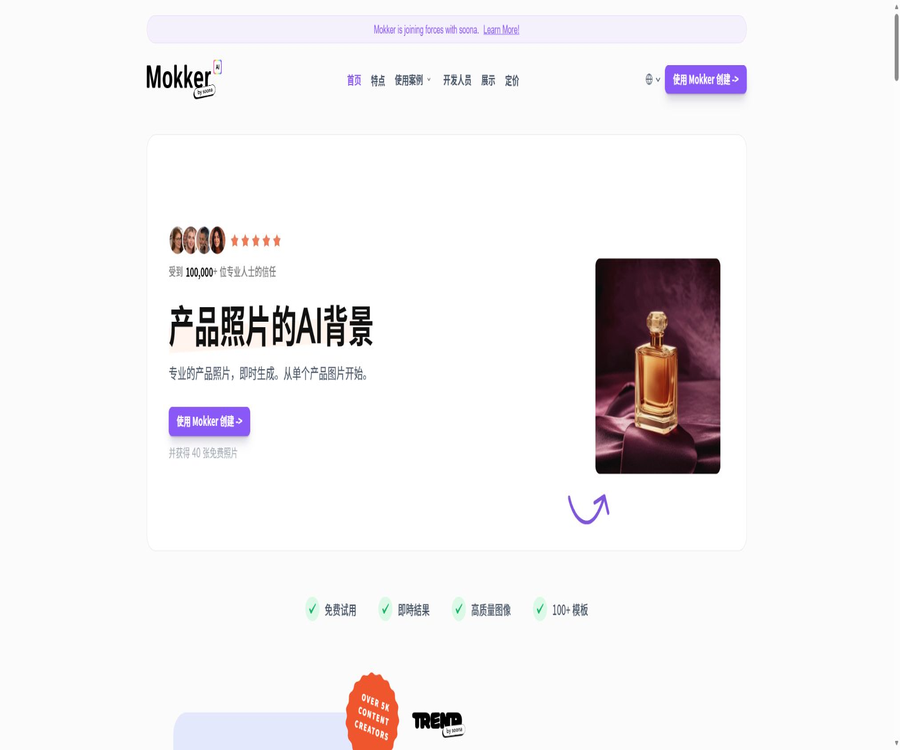
Mokker is a web tool specialized in e-commerce product photography; it was created by zerolens GmbH and acquired in 2024 by the content creation platform Soona.
The standalone Mokker account and generation service are still in operation, and they are used primarily to convert individual product photos into images suitable for use in stores, on social media, and in printed materials.
Main functions
Generation of product backgrounds and scenarios
- Automatic background removal: After uploading a photo of a product, the system identifies the main subject and removes the original background, thereby providing a transparent version of the product that can be used for subsequent scene composites.
- Scene templates: Choose an environment from hundreds of options such as indoor, outdoor, minimalist, food, city, etc., and the system will then generate lighting and a background that match the product.
- Custom prompt: Use text to describe the desired setting, materials, lighting, and props; you can also specify elements that should not be included. This feature is available in Starter and higher plan versions.
- Photo props: Add preset or custom props to the visual scene to create a more complete composition by combining the product with the surrounding elements.
- Batch output: Studio Options allows the generation of 1, 2, or 4 candidate results at a time, which facilitates comparing compositions under the same settings.
Reference diagrams and consistency
- Moodboard: Upload up to 3 image files as inspiration for style reference; the system identifies the common atmosphere, composition, and visual features and applies them to the output.
- Product Replace: Open an existing scene image and replace the products within it; this allows products from the same line to share similar backgrounds and shooting styles.
- Color control: Set the brand color or target color to help create product images that are closer to the visual specifications; however, it is still necessary to check whether there are any errors in the actual appearance of the product.
- Size adaptation: Adjust the generated content to fit different proportions such as website banners, product detail pages, and social media stories.
Export and Team Collaboration
- With a paid subscription, you can download 4K PNG or JPEG files, which are ideal for e-commerce pages, advertisements, and certain printing applications that require a higher resolution.
- The Team package includes 3 seats, allowing members to work together and manage assets within the same team account; organizing products using folders is not currently supported.
- Currently, there are no APIs available to the public; the development page only offers a way to register for access in advance, and the example requests should not be considered as actual, operational interfaces.
Input and output
| Stage | Enter | Output or purpose | Precautions |
|---|---|---|---|
| Product import | Single product photo | The main product element after the background has been removed | Materials with clear edges, even lighting, and an intact condition are easier to work with. |
| Scene design | Templates, prompts, negative prompts, props, and brand colors | 1 to 4 candidate images for product scenarios | The resulting output may alter the text, texture, reflections, or geometric structure. |
| Style reference | Up to 3 reference images and optional textual descriptions. | New scenes using a similar visual language | References can only serve as a guide for style; they cannot guarantee pixel-perfect replication. |
| Product replacement | Existing scenarios and new product materials | Series of product images for the isomorphic diagram | It is necessary to check the proportions, contact shadows, and occlusion relationships. |
| Export | Selected results and target size | PNG or JPEG; 4K available with a subscription. | High resolution does not mean that the details are absolutely accurate. |
Usage tutorial
- Register and log in to Mokker Studio, then upload a product photo that you have the rights to use, whose subject is clearly visible and that has not been cropped.
- Review the automatic background removal results, select a scene template suitable for the industry and purpose, or use custom prompts to describe the setting and lighting.
- Add props, brand colors, or Moodboard reference images, and set the number of candidates per batch to 1, 2, or 4.
- After generating the candidate images, pay close attention to the brand text, the edges of the packaging, the proportions of the product, the reflection of the materials, the direction of the shadows, and the points of contact.
- When uniformity across the series is required, use Product Replace in suitable scenarios to switch to other products, and then adjust the aspect ratio according to different channels.
- Download the final file and keep the original product images as well as the records of the creation process; before commercial use, verify once again the requirements regarding trademarks, copyrights, and the authenticity of the advertisement.
Price packages
| Package or version | Price | Billing cycle | Core benefits or quota | Suitable for users |
|---|---|---|---|---|
| Free | Free | One-time limit | The current pricing page lists 20 photos, the full Studio suite, and all templates; some entries indicate 40 photos, but the actual number is determined by the account settings. | First test of background and scene effects |
| Starter | 13 dollars | Annual price calculated on a monthly basis | 500 exports per month, high-quality output, custom prompts | Individual sellers and sole proprietorships |
| Team | $ | Annual price calculated on a monthly basis | Includes Starter benefits, unlimited number of photos, and 3 team seats | Small e-commerce and content teams |
| Organization | $ | Annual price calculated on a monthly basis | At least 5 seats, including team benefits and priority support; custom AI models are still indicated as upcoming. | Multi-member organizations and high-frequency production |
The page offers both monthly and annual payment options; the price shown is the equivalent amount for an annual subscription, with a indication of up to 35% savings. The actual monthly price, taxes, and currency depending on the region will be indicated on the billing page after logging in.
After canceling the subscription, you can continue to use the current benefits until the end of the billing cycle; any unused photo credits will be deleted at that time. Custom services generally do not allow for free returns or cancellations, so it is necessary to check the refund policies before making a payment.
Suitable for users and scenarios
- E-commerce sellers: Create additional visual content and advertising materials for Amazon, Shopify, Etsy, or independent websites, in addition to the main images.
- Consumer brands: Quickly test different seasons, colors, and styling options before deciding whether to proceed with actual filming.
- Social media team: Convert a product asset into various formats such as banners, square images, and vertical stories.
- Teams for furniture, cosmetics, jewelry, food, and electronic products: create background images for products that are difficult to photograph repeatedly.
- Creative Studio: Use Moodboards and product replacements to create reusable series of visual drafts.
Platform, API, and open-source status
| Project | Current status | Explanation |
|---|---|---|
| Web application | Available now | After registration, upload, creation, collaboration, and export are carried out in the browser. |
| Soona platform integration | Available now | Subscribers to Soona can use the relevant AI Studio functions in their console. |
| API | Not yet made public | It is currently in the pending registration stage, and cannot be planned according to the formal production interface. |
| Native mobile apps | Not confirmed yet | No official iOS or Android native apps have been confirmed. |
| Open-source product | No | The platform relies on proprietary services and media licenses; no official SDK or open-source code repository has been identified. |
Authorization, Privacy, and Security
- Mokker grants a license for commercial use of the photos created on its platform, but this license is not exclusive and is subject to specified allowed and prohibited uses; it does not mean that users acquire full ownership of the media content on the platform.
- The license covers advertising, packaging, catalogs, social media, web pages, videos, and certain print uses, but it prohibits reselling the media as a resource library, distributing extractable files, or using it for illegal or infringing content.
- Users are responsible for verifying the rights related to product packaging, trademarks, portraits, artistic works, and reference images; AI-generated content does not eliminate any obligations related to third-party permissions.
- The current help documentation states that the content uploaded and created will not be used for model training, and other customers will not have access to these assets; in cases involving confidential new products, an evaluation in accordance with contracts and organizational policies is still necessary.
- The privacy policy outlines information related to account registration, IP addresses, server logs, cookies, as well as data used for analysis and marketing purposes; it also allows users to request access to, correction of, or deletion of their personal data that is subject to storage requirements.
- The service does not guarantee accurate, reliable output or uninterrupted operation. If a task fails to be generated yet a quota has been deducted, the current rule is to return that quota to the account.
Advantages and limitations
- Uploading templates, assets, and making visual adjustments lowers the barriers associated with complex prompts, enabling the rapid creation of multiple product design concepts.
- Moodboard and Product Replace help in reusing visual styles, but they do not currently support organizing products by folder, nor do they allow applying the same background to multiple items at once.
- AI can rewrite label text, adjust interface structures, modify details of jewelry, simulate transparent materials and realistic reflections, but it cannot replace product photography that requires evidence-level accuracy.
- The API and custom AI models have not yet been officially launched; therefore, demands for automated solutions and brand-specific models should not be based on future feature timelines.
- The number of free copies varies between different official pages, ranging from 20 to 40; moreover, the subscription benefits may change as a result of product integrations following acquisitions.
Summary
Mokker is suitable for individual sellers and brand teams who wish to quickly expand their e-commerce content from single product photos; its advantages lie in the templates, props, reference images, and options for replacing products.
Before making a purchase, it is necessary to check the free quota, monthly pricing, and team seats in the account, and to make a decision based on business licensing requirements, data confidentiality, the authenticity of the output, as well as the APIs that are not yet available.
Tools similar to Mokker




 Guigong Network Security Registration No. 45132202000164