






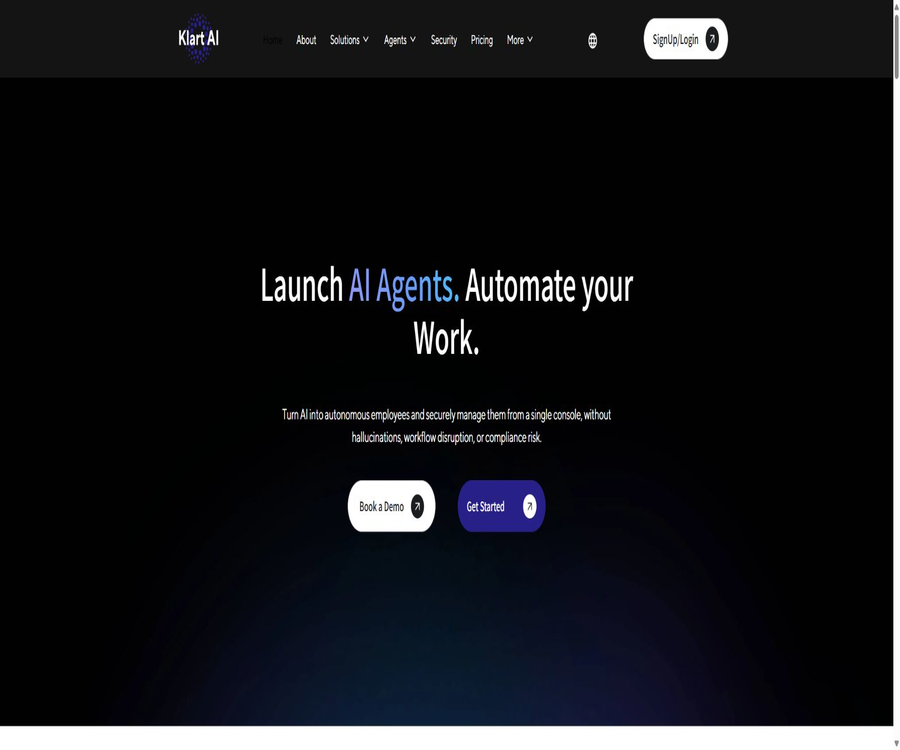
Klart AI
Klart AI: an intelligent tool specialized in AI-powered imaging.
Tags:Common AI image toolsA one-sentence summary
Klart AI is a corporate AI agent platform that connects a company’s knowledge, communication tools, and business systems into a unified workspace, enabling specialized agents to answer questions, carry out workflows, and escalate complex situations to human personnel.
What is Klart AI?
Klart AI is operated by the company Klart AI based in Paris, France, and it is aimed at small and medium-sized enterprises as well as large organizations that wish to implement artificial intelligence solutions in their operations. Initially, the product focused on providing assistance through Slack, Microsoft Teams, and Gmail, but it has since expanded to include multi-role agents, long-term memory functions, enterprise search tools, customer support services, and cross-system automation.
It does not merely provide a generic chat window; rather, it enables agents to work in Slack, Teams, web chats, and connected business systems. Companies can control what information agents can access, what actions they can perform, and when it is necessary to switch to human assistance.
Overview of Core Competencies
| Ability | Specific functions | Typical use | Precautions |
|---|---|---|---|
| Professional intelligent agent | Provide AI employees designed for specific roles | Administration, writing, research, legal affairs, and customer service | Professional advice still requires manual review. |
| Klart Brain | Maintain organizational context across tools and over time | Continuous collaboration and corporate memory | It is necessary to plan the retention period and permissions. |
| Corporate knowledge Q&A | Search and respond based on approved content | Employee self-service and customer service knowledge base | The answer may still be incorrect. |
| Workflow execution | Execute multi-step tasks based on plans, events, or requests | Reports, notifications, approvals, and follow-ups | High-risk actions require approval. |
| Automatic proxy construction | Assemble the proxy after reading role, company data, and tool stack information. | Quickly deploy department assistants | Testing is still required even after automatic configuration. |
| Multi-channel deployment | Provides consistent capabilities in Slack, Teams, and web chat. | Internal collaboration and external customer service | The permission models vary across different channels. |
| Model routing | Select different large models based on the task. | Taking into account quality, speed, and cost. | The model can change; it cannot be assumed to have a fixed version. |
| Integration and APIs | Connect documents, tickets, CRM, and internal systems | Cross-system search and automation | Write operations must have restricted permissions. |
Professional AI agents
Klart AI offers a variety of pre-set roles that cover tasks such as administrative assistance, personal development, content writing, management consulting, legal affairs, SEO, research, and customer support. Each role provides prompts, knowledge, and tools organized around specific ways of working, eliminating the need for users to configure an agent from scratch.
| Agent roles | Main tasks | Suitable for teams | Artificial boundary |
|---|---|---|---|
| Klarty | Coordination of emails, knowledge, plans, and tasks | Managers and operations | Important deliveries and schedule changes require confirmation. |
| Mentor | Personal development, review, and decision support | Employees and managers | It cannot replace medical or psychological professional services. |
| Calla | Branded sales, marketing, and internal copywriting | Market and content | Check facts, copyrights, and brands before publishing. |
| Marcus | Advice on leadership and team management | Managers and Human Resources | Personnel decisions must be made by the person in charge. |
| Justa | Understanding, reviewing, and processing legal documents | Legal and business teams | It does not replace the opinions of licensed lawyers. |
| Atlas | Analyze websites, search performance, and traffic. | SEO and growth | It is necessary to connect the analysis data correctly. |
| Ilber | Conduct research and generate structured results | Research, Strategy, and Consulting | Key conclusions need to be cross-verified. |
| Lyra | Answer customer questions and handle complex situations. | Customer Service and Success Team | Permissions should be established for refunds, commitments, and complaints. |
The product page mentions two numbers regarding the count of professional agents: 10 and 20; this might be due to different versions or asynchronous updates of the page. The roles that can be used with an actual account should be determined based on the registration dashboard and the contract list.
Klart Brain long-term memory
Klart Brain is a persistent memory layer shared among all agents, used to store the enterprise context across different tools, sessions, and over time. Agents can gradually become familiar with processes, terminology, and collaboration practices, thereby avoiding the need to reprovide background information for each task.
- Connects enterprise documents, tickets, chats, and databases.
- Preserve the organizational context within tasks and conversations.
- Allow agents from different specialties to access authorized knowledge.
- Continue unfinished processes based on historical work.
- Use corporate data to constrain responses and actions.
- It supports the long-term development of departmental and organizational memory.
Long-term memory also expands the scope of sensitive data that is retained. Companies need to determine what information can be stored in Brain, for how long, who has access to it, how access rights are revoked after an employee leaves the company, and how incorrect memories can be corrected or deleted.
Corporate knowledge Q&A and fact-checking
Klart AI searches through connected company documents, messages, tickets, and business data to find relevant information, and then generates responses for employees or customers. The product emphasizes verified and traceable responses, which helps to reduce repeated inquiries; however, it should not be considered a guarantee that no false information will ever be provided.
| Type of knowledge | Tasks that an agent can perform | Quality control |
|---|---|---|
| Policies and manuals | Answer questions related to HR, IT, and operations. | Displays the applicable version and effective date. |
| Product documentation | Handling usage issues and customer service inquiries | Link to the correct product version |
| Ticket history | Summarize the cases and seek solutions. | Avoid disclosing other customers’ data |
| Projects and tasks | Check status, blocked items, and responsible person | Verify whether the data is synchronized in real time. |
| CRM records | Prepare the client’s background and next steps. | Restrict sensitive fields and batch export |
| Contracts and legal documents | Search for terms and create a summary. | Reviewed, explained, and advised by the legal department |
| Tables and reports | Extract numbers and generate descriptions. | Verify the formula, time range, and currency. |
Before deployment, acceptable answer criteria should be established, requiring the agent to specify the basis, timing, and level of confidence behind its responses. In cases involving finance, law, human resources, healthcare, or external commitments, manual verification is necessary before proceeding.
Workflow automation
The agents of Klart AI can plan steps, invoke tools, verify results, and upgrade the processing process when necessary. The preset automations can operate according to a schedule or in response to system events or user requests, making them suitable for creating continuous workflows for generating reports, carrying out follow-ups, sending notifications, and handling internal requests.
- Aggregate daily emails and generate to-do items.
- Collect project status and send reports.
- Respond to internal requests and assign responsible persons.
- Summaries are generated after collecting data from multiple systems.
- Update the status of CRM records, tickets, or tasks.
- Triggers reminders and approvals based on rules.
- Forward abnormal and sensitive requests to human agents.
Whether automation can actually carry out actions depends on the permissions of the connectors and the account settings. Companies should classify tasks such as retrieval, suggestions, drafting, writing, and external sending into different risk levels; not all agents should be granted the same permissions by default.
Automatically create custom proxies
The Automated Custom Agent Builder creates personalized agents by taking into account the user roles, company data, and toolset, thereby eliminating the need for teams to start from scratch with prompts and empty processes. The agents generated automatically still require review by business leaders regarding their objectives, tools, scope of knowledge, and upgrade rules.
- Select the positions or business scenarios that need to be automated.
- Connects representative company knowledge and tools.
- It explains user roles, task objectives, and prohibited behaviors.
- Let the system generate initial agents and recommended workflows.
- Check what resources the agent can read and modify.
- Test with normal, abnormal, and malicious inputs.
- Set conditions for manual approval, escalation, and termination.
- Launch on a small scale and make continuous adjustments based on the logs.
Multi-channel deployment
| Channels | Primary uses | Key configurations |
|---|---|---|
| Slack | Employee questions, requests, and internal processes | Channel range, user identity, and message permissions |
| Microsoft Teams | Corporate knowledge, tasks, and collaboration | Tenant authorization, team and file permissions |
| Web chat component | Customer self-service and pre-sales support | Knowledge scope, brands, upgrades, and session privacy |
| Gmail | Assistance with email processing and replies | Separation of permissions for reading, drafting, and sending |
| Customer messages and automated Q&A | Templates, consent, regional, and platform policies | |
| API | Embed custom applications or internal systems | Authentication, rate limiting, logging, and data minimization |
When the same agent operates across different channels, it cannot be assumed that Slack members, Teams users, and website visitors have the same identity or permissions. Knowledge retrieval and tool invocation must be determined anew based on the current channel, user, and session.
Integrated ecosystem
Klart AI can be connected to documents, collaboration tools, ticketing systems, CRM platforms, human resources systems, and various enterprise systems. The public integration catalog includes Slack, Teams, Gmail, Confluence, Zendesk, Jira, Google Drive, Dropbox, OneDrive, WhatsApp, Salesforce, Notion, BambooHR, Workday, and SAP, among others.
| Category | Representative integration | Achievable tasks |
|---|---|---|
| Communication and collaboration | Slack, Teams, Gmail, WhatsApp | Q&A, messages, emails, and notifications |
| Document knowledge | Google Drive, Dropbox, OneDrive, Notion, Confluence | Search, summarization, and knowledge Q&A |
| Customer service ticket | Zendesk and web chat | Redirect, reply, and upgrade |
| Project management | Jira | Query tasks, update status, and generate reports |
| Customer relationships | Salesforce | Customer background, records, and follow-up |
| Human Resources | BambooHR, Workday | Policy Q&A and employee procedures |
| Business operations | SAP and internal databases | Business data querying and process execution |
On the home page, it is stated that there are over 1,000 software integrations, and the company profile page mentions more than 200 such integrations. These numbers can change depending on the connectors used and over time; when making a purchase, it is necessary to determine whether the target system relies on native connections, automated connectors, or custom APIs.
Multi-model routing
Klart AI selects different large models based on the task at hand and processes the results under unified governance rules. The current page displays models such as GPT, Claude, Mistral, and Cohere; however, the specific versions may change, so it should not be assumed that any particular model will remain the core solution forever.
| Task | The value of model routing | Control is required. |
|---|---|---|
| Quick Q&A | Choose a model that offers a better balance between speed and cost. | Accuracy of answers and permissions |
| Long document analysis | Choose a model with strong contextual understanding capabilities. | File size and sensitive content |
| Content writing | Generate a draft in line with the brand’s tone. | Copyright, facts, and manual posting |
| Structured extraction | Output table or field | Format validation and exception handling |
| Complex reasoning | Choose a more powerful model to handle multi-step tasks. | Cost, latency, and auditability |
| Tool execution | Call the business system after model evaluation. | Approval, minimum permissions, and rollback |
The terms of service state that the platform will utilize external model services and retains the right to change these models. Companies should determine which data will be sent to each sub-processor, as well as whether the chosen deployment meets the requirements related to data location, zero data retention, or the use of private models.
Departmental use cases
- The human resources team automatically answers questions regarding policies and employees.
- The IT team routes common requests and collects troubleshooting information.
- The customer service team handles repeated inquiries and upgrades complex tickets.
- The operations team is responsible for coordinating updates, approvals, reminders, and reports.
- The project team aggregates the status, risks, and tasks to be completed.
- The sales team prepares customer information and plans for subsequent communications.
- The marketing team creates brand copy and analyzes SEO.
- The legal team searches for contracts, precedents, and internal policies.
- Managers can query operational and team information across different systems.
Usage steps
- Register for a trial account or schedule an enterprise demonstration.
- Select a department, a position, and a specific business problem.
- Add the required professional agents or create custom proxies.
- Connects knowledge bases with business tools on the smallest possible scale.
- Configure roles, permissions, data scope, and model policies.
- Create sets for common issues, normal processes, and abnormal test cases.
- Set up approval processes, manual escalation, and operation logs.
- Start with a pilot run in a small team or through a single channel.
- Check the quality of answers, the success rate of executions, and permission events.
- Expand the scope of data and users only after confirming value and security.
Pricing and Packages
Klart AI offers a 7-day free trial period, which includes the Pro features, access for 1 user, unlimited proxies and integrations, with a limit of 100 messages per user per day. The Pro plan costs 24 euros per month, or 19 euros per month on an annual basis, representing a savings of 21%.
| Plan | Price | Billing cycle | Primary rights and limits | Suitable for users |
|---|---|---|---|---|
| Free Trial | Free | 7 days | Pro features, 1 user, unlimited proxies and integrations, 100 messages per user per day | Limited-scale full testing |
| Pro monthly plan | 24 euros | Monthly | No restrictions on AI agents and integrations, APIs; 1 GB of knowledge per user; message usage is subject to fair use policies. | Growth teams and companies |
| Pro annual subscription | That’s equivalent to 19 euros per month. | Settled on an annual basis | Similar to Pro Monthly, the page indicates a 21% savings. | Teams that plan to use it in the long term |
| Enterprise | Custom quote | Custom contract | Starting from 100 users, unlimited usage, custom integration, unlimited APIs, pricing based on active users | Large organizations and complex deployments |
The Pro card on the pricing page states “Unlimited messages”, but the notes on that page specify that both the Free and Pro plans allow a maximum of 100 messages per user per day; therefore it cannot be considered as truly unlimited. The wording regarding the 1GB of storage capacity also varies depending on whether it is counted per user or per data channel, so it is necessary to check the settlement page and the contract before making a purchase.
Safety and compliance
Klart AI states that static data is encrypted using AES-256, while transmission takes place via TLS 1.3. The platform offers fine-grained permission controls, data isolation, audit capabilities, a zero-trust architecture, and flexible deployment options. It also specifies that customer data is not used to train its models.
| Project | Public explanation | It should be verified at the time of purchase. |
|---|---|---|
| Data encryption | Static AES-256, Transport TLS 1.3 | Key management, backup, and exception ranges |
| GDPR | The statement complies with GDPR. | Processing protocols, data regions, and rights request procedures |
| SOC 2 | Complying with relevant standards and working toward Type II certification | Whether the current report has been prepared and what its scope is |
| EU AI Act | It states that it proactively meets the requirements of transparency, accountability, and security. | Obligations of customers and suppliers respectively |
| Access control | Fine-grained permissions and controlled workspace invitations | SSO, roles, revocation, and administrator logs |
| Deployment | Supports cloud and flexible hosting options | Is local deployment limited to enterprise solutions only? |
| Model training | Do not use customer data to train the model. | Data retention settings of external model providers |
The security page states that the SOC 2 Type II certification process is in progress; therefore, it cannot be labeled as having already obtained Type II certification. Companies should request the latest audit reports, penetration test results, a list of sub-processors, incident notification procedures, and business continuity documents.
Privacy and data processing
The privacy policy lists personal data such as names, email addresses, and contact information, and explains that users can request access to, correction of, restriction on, porting of, deletion of such data, or objection to its processing. The terms also state that the platform uses internal vector databases and may rely on external model services such as OpenAI, Cohere, and Claude.
- Only the data channels necessary to achieve the goal are connected.
- Avoid placing the data from all departments in the same permission group.
- Limit the time during which the agent can store sensitive conversations and attachments.
- Confirm the data retention and training settings for the external model service.
- Revoke permissions promptly in cases of departure, role changes, and guest accounts.
- Establish processes for exporting, correcting, and deleting requests.
- Isolate customer service visitor data from internal employee data.
- Regularly review memory, logs, and connector authorizations.
The privacy policy was last updated in 2023; it still describes the services using the terms from Mail, Slack, and Teams from earlier times, and may not fully cover the current capabilities of Klart Brain and its multi-agent features. For official purchases, it is necessary to obtain the latest version of the privacy documents, data processing agreements, and retention policies.
API, deployment, and open-source status
Pro includes API access, while Enterprise offers APIs without conventional restrictions as well as custom integrations. The public pages do not provide a complete overview of the endpoints, SDKs, rate limits, and Webhook documentation; development teams should check these details through the trial backend or during the pre-sales process.
| Project | Current status | Correct understanding |
|---|---|---|
| Platform API | Available for Pro and Enterprise. | The specific endpoints and limits need to be confirmed by logging in. |
| Custom integration | Provided by Enterprise | It is necessary to assess implementation, maintenance, and costs. |
| Cloud deployment | Available | The data region and sub-processors need to be confirmed. |
| Flexible or on-premises deployment | Mentioned on the security page | The actual range and packages are subject to confirmation upon sale. |
| Official GitHub | No clear official organization or central warehouse has been identified. | It is not possible to use this as a basis to label a product as open source. |
| Core platform source code | Not disclosed | Klart AI is a commercial SaaS platform. |
Providing APIs, connectors, and optional deployment options does not mean that the product is open source. Companies that require self-hosting or code audits should explicitly define in the contract the deliverables, licenses, maintenance responsibilities, and exit procedures.
Product advantages
- Covers corporate knowledge Q&A and multi-step actions.
- Professional role agents lower the barrier to getting started with a blank configuration.
- Klart Brain supports long-term context across tools.
- It can be deployed in Slack, Teams, and web chats.
- Connects documents, tickets, CRM, HR, and enterprise systems.
- Supports running automation based on schedules, events, and requests.
- Multi-model routing allows for the selection of appropriate capabilities among different tasks.
- It offers fine-grained permissions, encryption, and audit capabilities.
- The Pro version has an open price and offers a full short-term trial period.
Main limitations
- A 7-day trial period is too short; complex enterprise integrations may not be able to be fully tested.
- The so-called unlimited messages are actually limited to 100 messages per day as a fair usage limit.
- The wording on the knowledge capacity page is not entirely consistent; it needs to be verified before settlement.
- Enterprise starts at 100 users and is not suitable for small custom projects.
- Different pages have varying updates regarding the number of proxies and integrations.
- SOC 2 Type II is still in the process of implementation; it should not be mistaken for being certified.
- The privacy policy still describes the early versions of the product; the timeliness of its updates needs to be verified.
- The core platform is not an open-source software that has been officially confirmed.
- Multi-system write operations require strict permissions, approval, and rollback capabilities.
- Proxy answers and professional advice can still contain errors.
Purchase and testing checklist
- Choose a scenario in which energy savings can lead to time savings or an improved response rate.
- Verify whether the target connector provides native support and what its read and write capabilities are.
- Verify the specifications for Pro’s minimum seat capacity, message volume, and knowledge storage capacity.
- Evaluate the total costs of monthly, annual, and Enterprise plans.
- Test permission inheritance, cross-channel identity management, and isolation of sensitive data.
- Verify the mechanisms for correcting, deleting, and retaining long-term memory.
- Information on the current progress of SOC 2 and the materials related to security audits are required.
- Obtain the latest privacy documents, processing agreements, and list of sub-processors.
- Test model errors, tool failures, and manual upgrade processes.
- Confirm the API, rate limiting, logging, export, and exit solutions.
- Write and external transmission permissions will be granted only after limited-scale verification.
Frequently Asked Questions
What is Klart AI mainly used for?
It combines corporate knowledge, specialized AI agents, and cross-system workflows, enabling teams to retrieve information and carry out tasks within Slack, Teams, web chats, and business tools.
Is Klart AI an ordinary chatbot?
It’s not just for chatting. Agents can use Klart Brain’s long-term memory, connect to enterprise tools, carry out multi-step workflows, and delegate complex tasks to human agents.
Is Klart AI free?
A 7-day free trial is available, including Pro features and access for 1 user. Both the trial version and the Pro version are subject to a fair usage limit of 100 messages per user per day.
How much is Pro?
The monthly payment page shows a cost of 24 euros per month, while the annual payment page indicates an equivalent cost of 19 euros per month, with a savings of 21% indicated. The actual number of seats, taxes, and settlement periods must be confirmed before making the payment.
Is Chinese supported?
The price comparison page is available in over 50 languages, but it does not list in detail the quality of the Chinese version and of different sales channels. For testing Chinese-language Q&A functions, search capabilities, and tool functionalities, it is necessary to use actual materials from the company.
Which tools can be connected?
The public directory includes Slack, Teams, Gmail, Google Drive, Notion, Confluence, Jira, Zendesk, Salesforce, Dropbox, OneDrive, WhatsApp, BambooHR, Workday, and SAP, among others.
Will the model be trained using customer data?
The security page states that customer data will not be used to train models. Companies should still verify the retention settings of external model services, the terms applicable to sub-processors, and the deployment options chosen.
Has Klart AI obtained SOC 2 Type II?
The security page states that the SOC 2 Type II certification process is in progress, without specifying that it has already been completed. When making a purchase, it is necessary to obtain the current valid report and verify its scope of coverage.
Is Klart AI open source?
The source code and licenses for the core platform, as made publicly available by the authorities, have not been verified; therefore it should be classified as a commercial, closed-source service. APIs and custom integrations do not equate to open source.
Summary
Klart AI is suitable for teams that wish to manage corporate knowledge, specialized AI agents, and cross-system automation in a unified manner. Its Klart Brain, pre-defined intelligents, automated agent creation, multi-channel deployment capabilities, and a wide range of connectors enable it to go beyond simple question-and-answer functions to true business execution.
Before formal adoption, it is essential to verify permission isolation, long-term memory capacity, the capacity for storing messages and knowledge, the capabilities of connectors for reading and writing data, as well as the mechanisms for manual upgrades. While the security statements are fairly comprehensive, details regarding SOC 2 compliance status, updates to the privacy policy, API specifications, and the scope of enterprise deployment still require clear documentation at the procurement stage.
Tools similar to Klart AI




 Guigong Network Security Registration No. 45132202000164