






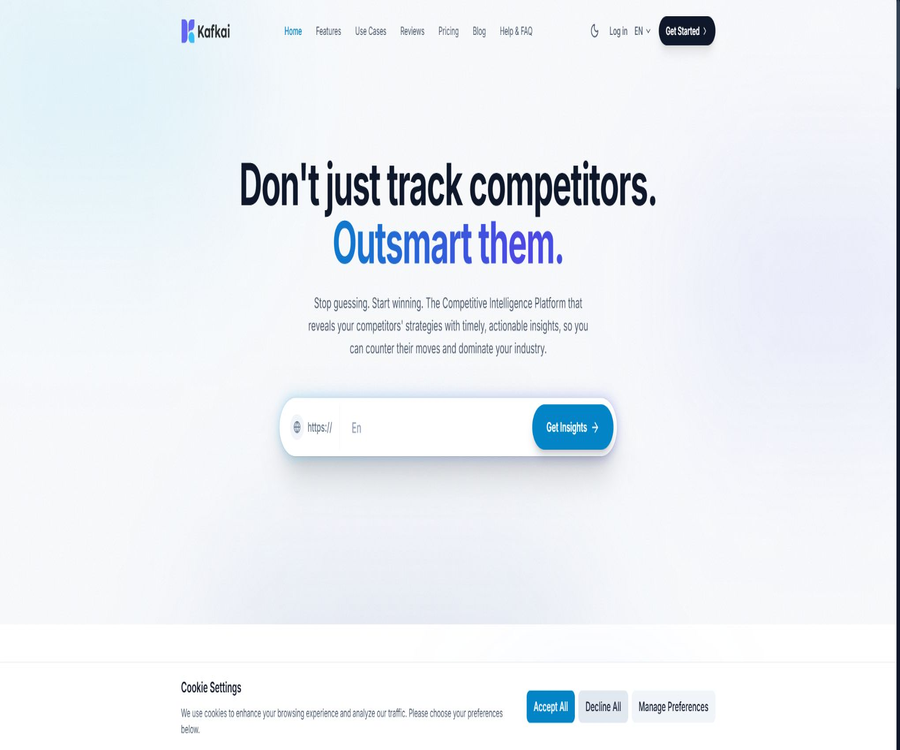
Kafkai
Kafkai, an intelligent tool focused on AI-powered imaging.
Tags:Common AI image toolsA one-sentence summary
Kafkai is a content marketing platform that integrates competitive intelligence, keyword strategy, ranking tracking, and AI-driven article generation, helping small and medium-sized enterprises as well as agencies to identify more targeted content opportunities based on real website data.
What is Kafkai?
In its early days, Kafkai was known for its AI article generation tool; it has since evolved into a platform for competitive intelligence and strategic content creation. Users start by creating a website project and adding their competitors, then analyze keywords, rankings, and backlinks, before finally turning the resulting strategies into articles.
The current service is operated by Kafkai Giken, Inc. in Japan; the terms were updated in June 2026 to reflect the new company name. Old prices, old package options, and old limits on the number of articles that can be processed at once may still appear in historical records, but they cannot be used as a basis for current purchases.
Product module
| module | Key capabilities | Main output | Suitable for tasks |
|---|---|---|---|
| Projects | Organize websites, competitors, keywords, and articles | Single-site workspace | Ongoing content management |
| Market Position Tracker | Compare changes in keyword rankings | Threat, momentum, and volatility indicators | Monitor the competitive landscape |
| 4C Strategy | Classify opportunities based on the degree of overlap between the website and its competitors. | Catch Up, Compete, Consolidate, Complement | Establish content priorities |
| Correlate | Expand semantically relevant keywords from custom terms | Thematic clusters related to competitor rankings | Explore the specified topic |
| Article Generation | Generate titles, structures, and multilingual articles | Editable articles | Content creation |
| Market Intelligence Report | Analyze keywords, rankings, backlinks, and brand positioning | Custom PDF reports | One-time competition study |
Project workspace
A Project is the core container in Kafkai; each project corresponds to a key website, a target Google region, and one or more competitors. Keywords, articles, ranking history, and strategies are all managed within a project.
- Enter the domain name of the website to be analyzed.
- Select the main search markets and regions.
- Add actual competing websites for comparison.
- Fill in the business details, target audience, and brand tone.
- Track keywords and article generation quotas.
- Check ranking performance and competitive changes.
- Go straight to article generation from the strategy keywords.
Websites with new domain names, little content, or a lack of backlinks may not have sufficient data. The number of projects, the number of competitors, and the maximum number of keywords are limited by the package chosen.
Project settings
The project details form asks about the key aspects of the business, the content of the website, the target market, the audience, the brand’s tone, and the main themes of the content. The more specific the information provided, the easier it will be to create titles and articles that are in line with the brand’s identity, rather than generating generic text.
| Settings | What should be filled in? | Main impacts |
|---|---|---|
| Project Description | The specific focus of the business or project | Limit the scope of the research |
| Website Info | Products, services, and business models | Establish a brand context |
| Target Audience | User roles, requirements, and knowledge level | Adjust the topic and wording. |
| Brand Voice | Professional, friendly, direct, and other tones | Affects the style of the article |
| Brand Values | 3 to 5 key topics | Improve content consistency |
| Focused Location | Main Google regions | Identify keywords and ranking markets |
The process for establishing a project
- Log in to the dashboard and create a new project.
- Enter the domain name of your own website.
- Select the Google region that needs to be analyzed.
- Add at least one competitor domain name.
- Fill in the information regarding the business, target audience, tone, and theme.
- Wait for the platform to collect and organize keyword data.
- Check whether competitors truly correspond to the market.
- Select the first set of content opportunities from the strategy panel.
Competitor analysis
Kafkai compares the keyword coverage and ranking of a user’s website with those of competing websites, thereby identifying overlapping areas, topics where performance is poor, existing advantages, and opportunities for improvement. Users can also analyze public domain names that do not belong to them.
Entering a social media profile cannot replace a real website, as keyword and ranking analysis rely on data from indexable domain names. Choosing the wrong competitors can have a direct impact on strategies; it is necessary to make decisions by taking into account both business insights and platform data.
4C Competitive Strategy Framework
| Strategy | Meaning of data | Content actions | Precautions |
|---|---|---|---|
| Catch Up | Competitors perform well while one’s own performance is weak. | Add topics that the user has already looked for among competitors’ products | Do not mechanically replicate competitors’ products. |
| Compete | Both myself and my competitors perform very well. | Update, deepen, and differentiate key content | Evaluate maintenance costs |
| Consolidate | I already have advantages while my competitors are weaker. | Create supporting content and maintain advantages. | Avoid ignoring old pages. |
| Complement | Neither side covers it adequately. | Try new topics that are not yet in use. | First, verify the actual needs. |
The 4C framework is used to organize competitive positions and content directions; it is not a formula for determining search engine rankings. The priority of various strategies still needs to be determined based on business value, user needs, content quality, and conversion pathways.
Correlate strategy
Correlate allows users to enter any keywords of interest, and then uses semantic search to identify relevant topic clusters based on website and competitor ranking data. It is suitable for exploring product, event, or new market keywords that fall outside the four types of recommendations provided by the platform.
This feature is available starting with the Growth package: Growth includes 100 searches per month, Pro includes 300 searches per month, and Agency includes 500 searches per month. The Starter plan only mentions “Correlate Strategy” without specifying any independent monthly search count.
Market Position Tracker
Market Position Tracker compares a user’s website with those of competitors based on keyword ranking history, and displays indicators such as Threat Level, Momentum, and Volatility. Paid accounts allow users to view trends over 1, 3, 6, and 12 months.
| Indicators | What does it represent? | How to use it |
|---|---|---|
| Threat Level | The risk that competitors may rise to a similar position | Identify the topics that need to be defended. |
| Momentum | The overall upward or downward trend in rankings | Determine whether the content strategy remains effective. |
| Volatility | Degree of ranking fluctuation | Distinguish between stable trends and short-term changes |
| Competitor Average | The overall ranking of competitors | Observe one’s own changes relative to the market. |
| Publishing Correlation | Relationship between the release date and changes in ranking | Assessing the long-term performance of the content after it goes live |
Ranking data is updated periodically rather than in real time; new articles usually have to wait for the search engine to index them. Temporal relevance alone cannot prove that the publication of content is responsible for changes in rankings.
Market Intelligence
Kafkai Market Intelligence utilizes domain keywords, rankings, and backlinks to analyze a brand’s actual position on the Internet and to identify competitors who share similar characteristics in terms of data. It is focused more on business competition analysis rather than technical SEO audits.
- Identify the keywords through which users discover the brand.
- Compare the keyword overlap between the brand and its competitors.
- Check which websites link to the target domain name.
- Assess the brand awareness reflected in online data.
- Differences were found between the actual competitors and the list anticipated.
- Organize growth and defensive strategies using the 4C framework.
- Generate explainable research materials for client proposals.
New websites, or domain names that lack public keyword and link data, may not allow for the creation of comprehensive reports. The platform uses public data and delivers results on a best-effort basis; it does not guarantee equal coverage across all markets.
Single market intelligence report
Companies that do not need a continuous subscription can order PDF reports that combine manual compilation with quantitative analysis provided by the platform. The reports are delivered by email within approximately 24 hours after payment is confirmed.
| Number of units purchased | Euro unit price | Unit price in yen for Japanese customers | Delivered content | Suitable for users |
|---|---|---|---|---|
| 1 portion | 398 euros | 68,000 yen | Qualitative research and quantitative appendices for a single domain | Single-brand or competitor research |
| 2 copies | 319 euros per copy | 54,400 yen per copy | Two domain names or market reports | Teams that need to compare two projects |
| 3 copies or more | 238 euros per portion | 40,800 yen per piece | Batch reporting | Agents and multi-brand companies |
The price listed for the report includes taxes; to place an order, it is necessary to provide the target domain name, country, and billing details, after which the team will review the request and issue an invoice. It is a different product from the monthly subscription plan, and the price of the report should not be included in the article quota.
Keyword strategy
Users can view tags, competitive relationships, and strategy categories based on the keywords identified by Kafkai, and then select the words that are suitable for creating content. The system focuses on a small number of targeted competitive opportunities, rather than providing a large database of keywords.
- Filter keywords by competitive position.
- Check the ranking relationship between the website and its competitors.
- Use tags to organize content topics.
- Expand related topic clusters from custom words.
- Assign keywords to different articles.
- Avoid multiple pieces of content competing for the same intent.
- Priorities are determined based on business value.
AI article generation
The article generation process starts with the project keywords; the user selects the language and receives several title suggestions, after which they can decide on the structure of the article and the number of versions to generate. The resulting articles are saved in the My Articles section, where they can be viewed, modified, and exported.
| Generation stage | User control | Platform output |
|---|---|---|
| Keywords | Select strategy words or custom words. | Content theme and competitive context |
| Language | Select supported languages | Articles in the language of the corresponding region |
| Title | Select or adjust from the suggestions. | Main direction of the article |
| Structure | Check or customize sections | Content outline |
| Writing style | In line with the brand’s tone for the project | Expressions that are appropriate for the context of the project |
| Number of articles | Specify the number of articles to be generated. | Go to the draft list of articles |
| Automatic citation | Growth and above can be enabled. | Quotations and corresponding explanations in the text |
Article generation process
- Complete the analysis of websites and competitors as part of the project.
- Select strategy keywords that are in line with business objectives.
- Confirm the language of the article and the target region.
- Generate multiple titles and select the one that best reflects the search intent.
- Check whether the sections cover the information that users truly need.
- Select the number of items to generate and start the task.
- Check the facts, citations, brand tone, and repetitive content section by section.
- Add professional experience, case studies, images, and internal links.
- Export and publish after manual editing.
Article template
After the article is generated, it is possible to switch between the Standard, Navigational, and Bibliographic templates without having to regenerate the text. These templates primarily alter the page structure, the navigation elements, and the way citations are presented.
| Template | Structural features | Appropriate content |
|---|---|---|
| Standard | Standard blog reading structure | News, guides, and general articles |
| Navigational | Emphasize chapter navigation and internal linking. | Longer tutorials and specialized content |
| Bibliographic | Emphasis on citation and research-style layout | Articles that are data-intensive or require evidence |
Templates can only adjust the organization of content; they cannot correct incorrect facts, outdated data, or a lack of original value. The content still needs to be reviewed by an editor before it is published.
Automatic citation
Plans starting with Growth include automatic citation functionality, which allows for the inclusion of contextual citations in articles and the display of corresponding details in templates such as Bibliographic. Citations facilitate verification, but they do not guarantee that each source is reliable or that it has a commercial license.
The terms require users to verify on their own the accuracy, availability, licensing, and regional restrictions of third-party materials. If images, data, or other third-party content are included in the final product, the user is responsible for any consequences that arise from its use.
Multilingual support
Kafkai currently supports 17 languages for content generation, with the strongest capabilities in English and Japanese. For other languages, differences in the quality of keywords and facts may occur due to insufficient search data or coverage in specific fields.
| Language group | Includes language | Usage suggestions |
|---|---|---|
| Key languages | English, Japanese | Functionality and data compatibility are relatively complete. |
| European languages | Dutch, French, German, Italian, Spanish, Swedish, Estonian, Portuguese, Polish, Danish | Expression and regional intent are checked by native-speaking editors. |
| Asian languages | Malay, Indonesian, Korean, Thai | First, verify keyword coverage and naturalness. |
| Others | Arabic | Check the writing direction, region, and terminology. |
| Chinese | Not included among the current 17 language generation models. | No guarantee can be given that it will be generated in Chinese natively based on this. |
Subscription plan
Kafkai offers four monthly subscription tiers: Starter, Growth, Pro, and Agency; the prices listed do not include taxes. Each tier is differentiated primarily based on the number of projects, competitors, keywords, articles published per month, and Correlate usage.
| Package | Price | Projects and competitors | Keywords and articles | Suitable for users |
|---|---|---|---|---|
| Starter | 28 euros per month | 1 project, 1 competitor | Up to 400 keywords, 10 articles per month | Single-site small businesses and trial users |
| Growth | 58 euros per month | 1 project, 3 competitors | Up to 2,400 keywords, 30 articles per month, 100 Correlate operations | Teams that operate a single site on a continuous basis |
| Pro | 128 euros per month | 3 projects, with 3 competitors per project | Up to 3,600 keywords, 100 articles per month, 300 Correlate operations | Multi-site brand and professional content teams |
| Agency | 258 euros per month | 5 projects, with 5 competitors for each project | Up to 6,000 keywords, 300 articles per month, 500 Correlate operations | Agents and multi-client teams |
All four plan packages list the 4C strategy and automatic referencing, but the feature description states that automatic referencing is available only for plans at the Growth level and above; there is therefore a discrepancy in the information provided on the page. Starter users should verify their actual permissions before trying out the service or proceeding with payment.
Free trial
The pricing page offers a limited-functionality free trial, and it states that no credit card is required to start the trial. The terms specify that some trials may incur charges based on the subscription selected after they conclude; the exact procedure depends on the plan and trial conditions displayed at the time of payment.
Users without a valid subscription can still create limited trial projects. The number of trial articles, the duration, and the data scope are determined by what is displayed in the account; it is no longer applicable to the old criteria of 10 trial articles per year as in 2023.
Upgrade and downgrade
Users can upgrade or downgrade their packages, and price changes take effect starting from the next billing cycle. Before upgrading, it is necessary to determine how the new rates will affect new projects, competitors, keyword usage history, and the amount of content that can be used.
Unsubscribe
The help documentation states that cancellation currently requires manual handling via email or online chat, and that the benefits associated with the package are lost immediately once cancellation is carried out. This information differs from what is stated in the pricing FAQs regarding periodic changes; before canceling, it is necessary to export any relevant articles and data first.
- Confirm the next renewal date and current usage.
- Export articles, keywords, and the necessary ranking records.
- Use your registered email to contact support to request cancellation.
- Ask clearly whether the cancellation takes effect immediately or at the end of the cycle.
- Wait for written confirmation and save the ticket.
- Check whether subsequent bills have stopped.
- If the account is no longer needed, apply separately to have all data deleted.
Refund rules
Refunds are determined on a case-by-case basis by Kafkai; a 20% processing fee is usually applied to the approved amount. A request for a refund can be made only within 3 days after the deduction, and only if the subscription has not been used at all since the renewal.
| Recipient of the refund | Application window | Main conditions | Additional costs |
|---|---|---|---|
| Monthly renewal | Within 3 days after the deduction | No usage after renewal. | A 20% processing fee is charged on the approved amount. |
| Credits | Within 3 days after purchase | Only the unused portion will be refunded. | 20% processing fee and possible bank fees |
| Minimum refund amount | Same application window | The amount deducted should be at least equivalent to 20 euros. | Small amounts may not be refundable. |
| Authorized dealers may make purchases. | According to the dealer agreement | The direct purchase rules of the platform may not apply. | The terms of the contract between the two parties shall prevail. |
The platform has removed the 30-day refund guarantee offered in the initial period; the old commitments stated in previous blogs can no longer be applied. Users should conduct tests on actual projects during the trial phase, and avoid creating a large volume of usage records in situations where things are not clear.
Publishing integrated with CMS
At the moment, Kafkai does not offer a direct website publishing option, WordPress plugins, or integration with public CMS platforms. Articles must be downloaded in a format suitable for publication, or manually copied into website and blog systems.
- Verify the facts in an external editor.
- Add brand cases and professional experience.
- Check the title, meta description, and internal links.
- Confirm citation and third-party material licensing.
- Set the author, date, and category in CMS.
- Preview the layout on desktop and mobile devices.
- After publication, record the date in the ranking analysis process.
Article quality and SEO assurance
Kafkai does not guarantee that search rankings will improve after using its platform. Indexing speed, website quality, level of competition, technical issues, brand authority, and the value of the content all influence the final results.
The help center clearly advises against publishing AI-generated articles as-is, as the resulting content may contain errors; moreover, bulk publishing of low-quality text can pose risks related to search results. Users should use such tools for research and drafting purposes, rather than as automatic publishers that operate without any oversight.
Content rights and commercial use
The documentation indicates that users are free to use the generated content, and delivering articles to customers is not considered as reselling Kafkai services. Users still need to take into account the copyright regulations regarding purely AI-generated content in their respective regions, and they must keep records of any manual creation or editing that has been done.
The terms specify that the licensing status of third-party materials may change, and the platform does not guarantee that such materials are suitable for specific commercial, editorial, or regional purposes. Publishers must verify images, data, trademarks, and any cited materials on their own.
Data and Privacy
Service hosting and processing may take place in Japan, the United States, and Singapore. When enterprises use these services from other regions, they need to assess whether cross-border data transfers, customer domain name data, content drafts, and account information comply with their internal policies.
| Data or settings | Primary uses | Precautions |
|---|---|---|
| Website domain name | Project analysis and keyword research | Any public domain name can be analyzed. |
| Competitor domain names | Compare rankings and content positions | Historical data may be lost after deletion. |
| Brand information | Adjust the tone and theme of the article. | Do not enter sensitive business secrets. |
| Article draft | Create, save, and export content | Check retention and permissions before publishing. |
| Accounts and bills | Login, subscription, and invoicing | Use a strong, unique password. |
| Trust area | Japan, the United States, Singapore | Evaluate cross-border processing |
Delete project and account data
Currently, deleting projects requires the team to handle each case manually; removing a competitor’s account may also result in the deletion of related historical data. To delete all account data as well, it is necessary to contact them using the registered email address and provide the registration date for identity verification.
Account data cannot be restored once it is deleted; therefore, it is necessary to export articles, keywords, rankings, and billing information before performing such an action. Accounts that have not been purchased and for which no logins have taken place for 90 consecutive days may also be deleted by the platform.
API, GitHub, and open-source status
The current support materials do not provide APIs for content creation, CMS plugins, or comprehensive development documentation available to ordinary users; the terms only state that API credentials may be issued after approval. Whether such access is granted, as well as the associated costs and usage limits, require a separate application.
No official public GitHub repositories, open-source SDKs, or model licenses that can be attributed to Kafkai’s current platform were found. The product should be classified as a closed-source web service; the API requires approval and is not part of the standard features available in the standard packages.
Supported platforms
| Platform or channel | Current status | Primary uses |
|---|---|---|
| Web | Full support | Projects, analyses, articles, rankings, and bills |
| Mobile browser | Accessible via Web | View projects and articles |
| PDF report | Buy separately | Delivery of market intelligence |
| Article export | Support | Manually upload to CMS |
| WordPress plugins | Not supported | Manual publication is required. |
| Direct CMS integration | Not supported | There is no automatic publishing. |
| Public API | Not widely available. | The application may need to be reviewed. |
| Native mobile apps | Not confirmed | It is primarily used via the Web. |
Which users are it suitable for
- Small and medium-sized enterprises that need data-driven content strategies.
- Brand teams that manage multiple websites simultaneously.
- An agency that conducts keyword and competitor research for clients.
- The team hopes to turn these competitive opportunities directly into the content of articles.
- SEO professionals who need to track keyword momentum and threats.
- International business teams that need draft versions of articles in multiple languages.
- Consultants who wish to use one-time reports to support client proposals.
Product advantages
- Combine competitive intelligence with article generation within the same project.
- The 4C framework makes it easier to explain keyword opportunities.
- Correlate supports expanding topics from custom terms.
- It can track ranking threats, momentum, and volatility.
- The subscription plan specifies the limits for public projects, competitors, keywords, and articles.
- It supports 17 language generation options.
- Growth and higher versions offer automatic citation capabilities.
- There are also market intelligence reports that can be purchased without a subscription.
- A free trial usually doesn’t require a credit card to get started.
Main limitations
- The platform does not guarantee an improvement in search rankings.
- New domain names or languages with few speakers may lack sufficient data.
- Chinese is not among the current 17 languages that can be generated.
- AI-generated articles cannot be published directly without human editing.
- No WordPress plugins or direct CMS publishing.
- Deleting projects and accounts requires manual assistance.
- Cancelling may result in the immediate loss of the package benefits.
- The refund window is only 3 days, and a 20% processing fee is usually deducted.
- The terms regarding the automatic Starter referral benefits vary across different pages.
- There are no public open-source codes or API documentation for regular users.
Pre-purchase checklist
- Verify that the website has sufficient keyword and backlink data.
- Select the actual competitors and the main Google regions.
- Verify the quality of project data using a limited trial version.
- Compare the required items, competitors, keywords, and article quotas.
- Verify whether the Starter actually contains automatic references.
- Test the naturalness of the target language and keyword coverage.
- Establish manual review processes for facts, copyrights, and brands.
- It has been confirmed that there is no impact on team efficiency resulting from direct CMS releases.
- Read the rules for immediate cancellation and 3-day refund.
- When conducting a single study, it is necessary to compare the costs of subscriptions and PDF reports.
Frequently Asked Questions
Is Kafkai just an AI article generator?
That’s not all. The current product also offers analysis of projects and competing products’ keywords, 4C strategy, Correlate tool, rankings data, and market intelligence reports.
How much is Kafkai?
The prices are 28, 58, 128, and 258 euros per month for Starter, Growth, Pro, and Agency respectively; these amounts do not include taxes. There are also one-time market intelligence reports available at prices ranging from 238 to 398 euros each.
Is there a free version of Kafkai?
A limited-function free trial is available; the pricing page indicates that no credit card is required to get started. The specific duration, number of articles, and pricing terms after the trial are specified on the registration and payment pages.
Does Kafkai support Chinese?
The 17 generation languages currently available do not include Chinese. English and Japanese have the most comprehensive support, while the keyword data and level of coverage for other languages may vary.
Can it be published directly to WordPress?
It cannot be published directly. The platform does not offer WordPress plugins or CMS integrations; users must export or copy the articles and upload them manually to an external system.
Can the generated article be used directly?
It is not recommended. The platform clearly states that AI may make mistakes; users should verify the facts, cite sources and obtain third-party permissions, and add original insights along with manual editing.
Will Kafkai guarantee an improvement in rankings?
No guarantees are provided. The platform offers strategies for data and content, but rankings are also influenced by factors such as indexing, technical quality, competition, authority, and the value of the content.
Is Kafkai open source?
No. No official public open-source repositories, models, or SDKs have been found, and the API for ordinary users is not fully available to the public.
Summary
Kafkai is suitable for small and medium-sized enterprises as well as agencies that are not satisfied with the capabilities of generic AI writing tools and wish to turn competitive data into actionable plans. The project workspace, the 4C framework, ranking tracking, and article generation together form a continuous process that goes from research to the initial draft.
Its value depends on the quality of the data available on the website and the team’s ability to make subsequent edits. Before purchasing, it is necessary to verify the data related to the target region and language, check the scope of the package and the permissions for automatic citation, and ensure that tasks such as fact-checking, handling third-party licenses, ensuring brand differentiation, and CMS publishing remain part of the manual workflow.
Tools similar to Kafka




 Guigong Network Security Registration No. 45132202000164