






jpghd
jpghd, an intelligent tool specialized in AI-generated images
Tags:Common AI image toolsA one-sentence summary
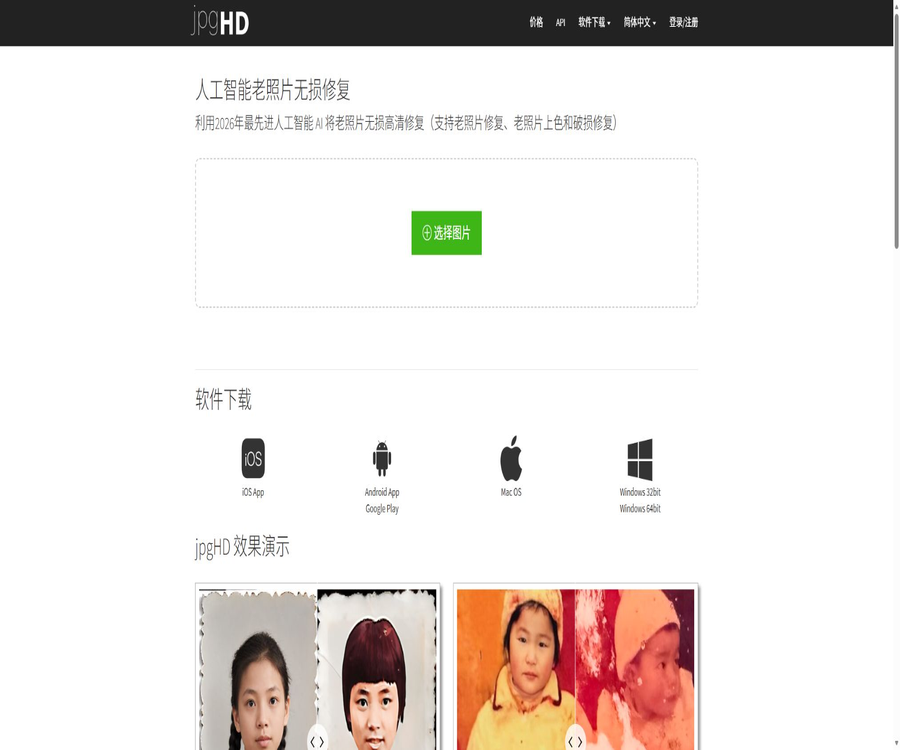
jpgHD is an AI-based image enhancement tool designed for old photographs, low-resolution images, illustrations, and anime assets; it can remove noise, sharpen images, increase resolution, add color to black-and-white photos, and repair scratches.
What is jpgHD?
jpgHD uses deep learning super-resolution models to process existing images uploaded by users, with a focus on improving resolution, noise, compression artifacts, and signs of aging. It is not a creative platform that generates images from scratch based on textual instructions.
Users can upload files directly from the web page, or they can use clients for Windows, macOS, iOS, or Android. Paid accounts also offer batch processing, high-resolution output, and task APIs.
Overview of Core Competencies
| Ability | Main function | Suitable materials | Package restrictions |
|---|---|---|---|
| AI Enhance | Improve clarity, details, and noise. | Low-resolution photos, landscapes, and portraits | The free version is available for trial. |
| 2x or 4x magnification | Increase the output size and restore details. | Photos, blueprints, and animations | High-quality output may consume a certain number of paid usage credits. |
| Old Photo Restoration | Repair aging, damage, and scratches | Scan old photos | Paid features |
| Colorize | Estimating colors for black-and-white photos | Black and white figures and historical photos | Paid repair process |
| Ultra Restoration | Use a more powerful repair mode to handle complex damages. | Severely aged or low-quality materials | An upgrade is required, and additional charges may apply. |
| Batch Mode | Process multiple images sequentially | Albums and batch media | Paid features |
| Task API | Create, query, and retry tasks via programs | Developers and automated processes | An account, key, and number of attempts are required. |
AI Clear Enhancement
Basic enhancement analyzes edges, textures, and noise, thereby improving visual clarity while enlarging the image. Appropriate processing types can be selected for photos, portraits, landscapes, design drafts, illustrations, and animations.
- Reduces noise caused by scanning, compression, and low light.
- Improves blurred edges and local textures.
- Choose different models for photos or artistic images.
- Output at the original size, 2 times, or 4 times.
- Keep the existing watermarks and copyright notices.
- Download the enhanced image once it is completed.
AI can estimate details that are not present or are not clear in the original image; therefore, the enlarged version does not represent the true historical information. When such images are used as evidence, in archives, in medical contexts, or for identity verification, it is necessary to retain the original unprocessed file as well.
Restoration of old photographs
The old photo mode is used to address issues such as fading, noise, wrinkles, scratches, and local damage; it can be combined with zooming and colorization. The quality of the restoration depends on the scanning quality, the size of the damaged areas, the size of the subjects, and the complexity of the background.
- Repair more noticeable scratches and surface damage.
- Reduces paper texture, spots, and scanning noise.
- Enhance the contours of the characters’ faces and clothing.
- Improve the overall contrast and clarity of the photo.
- Enable black and white coloring simultaneously as needed.
- Try complex repairs in Ultra mode.
Severely missing features such as facial features, hands, text, and background may be incorrectly reconstructed by the model. Important family or historical photos should first be scanned in high-quality format; thereafter, various configurations can be compared and different versions saved.
Colorizing black and white photos
Colorize determines the likely colors based on objects, people, and scenes, thereby giving black-and-white photos a natural colored appearance. These colors are estimates generated by the model; they do not reflect the true colors of clothing, military uniforms, buildings, or historical settings.
| Object to be colored | May improve | Manual inspection is required. |
|---|---|---|
| Skin color of the character | To add more depth to the face. | Different ethnic groups and lighting conditions may cause color variations. |
| Clothing | Distinguish between clothing areas | The colors of historical uniforms and fabrics may be incorrect. |
| The sky and plants | Restore common natural colors | The season and the shooting environment cannot be determined. |
| Architecture and furniture | Improve scene readability | The material and coating may be misidentified. |
| Stains on photos | It may be corrected along with the background. | Stains can also be misidentified as objects. |
Photos and anime models
In the configuration, you can choose between Portrait or Landscape, as well as Artwork or Anime. Photo models focus on natural textures and faces, while art models place more emphasis on lines, flat areas, and the edges of illustrations.
Choosing the wrong model type can result in a plastic appearance of the skin, broken lines, or excessive sharpness. It is recommended to test both the photo mode and the artistic mode using the same image, in order to compare the local details.
2x and 4x magnification
| magnification factor | Output variation | Suitable situations | Risk |
|---|---|---|---|
| 1x enhancement | The size remains essentially unchanged. | Only noise reduction and sharpening are needed. | The improvement in details is limited. |
| 2x magnification | The width and height are each increased by about 2 times. | Regular printing and web use | The file size increases. |
| 4x magnification | The width and height are each increased by about 4 times. | Smaller original image and face detection assistance | Pseudo-details and excessive sharpening are more apparent. |
| Ultra Restoration | Use a more robust repair process. | Complex damages and high-demand materials | The cost and processing time may be higher. |
The magnification level refers to the pixel size; it does not mean that the amount of information increases in the same proportion. Before printing, it is necessary to check the actual resolution based on the viewing distance, the type of paper, and the desired size.
Input preparation
The quality of rotation, cropping, and scanning before uploading has a direct impact on the outcome of the restoration process. The platform recommends removing desks, frames, and any irrelevant background elements, so that the software can focus its efforts on the areas of the photo that truly need to be repaired.
- Use scans or original files of the highest possible quality.
- Rotate the image to the correct orientation.
- Remove the frame, desktop, shadows, and unnecessary edges.
- Keep an unmodified original copy as a backup.
- Choose between photo or anime mode based on the material.
- First, conduct tests on a small area using a lower magnification.
- Compare facial, textual, hand, and background details.
- Process the entire batch of photos after confirming the results.
Processing speed and task logging
Processing a single image usually takes around 3 to 5 minutes; smaller images as well as those with fewer faces are processed more quickly. Restoring old photographs and handling dynamic-related tasks often require more time compared to basic enhancement tasks.
After logging in, the tasks are not lost immediately when the browser is closed, and it is possible to view the recent history. The page displays only records from the last 3 days; users should download and save them locally as soon as possible after completing their tasks.
Free version
Free users can enhance 5 images per month; this quota is renewed once it expires. The limits for free uploads are a maximum of 3000 pixels on the longest side and a file size of no more than 10MB. No priority processing, photo restoration, or batch mode is available for free users.
| Project | Rules for the free version | Impact |
|---|---|---|
| Number of processing times | 5 per month | Suitable for trial use or occasional processing |
| Validity period | Refresh every 1 month | It is not clear whether the unused count is carried over. |
| Upload size | Up to 3000 pixels and 10MB | Large images need to be reduced in size or purchased more times. |
| Queue | No priority | Longer waiting times during peak hours |
| Restoration of old photographs | Not supported | Only basic enhancements can be tested. |
| Batch mode | Not supported | It is necessary to process each image one by one. |
Paid image packs
jpgHD uses subscription packages that are purchased based on the number of images, rather than an automatic renewal subscription. All three available plans in USD are valid for one year and include priority handling, no limits on the file size for uploads, photo restoration, and batch processing options.
| Package | Price | Validity period | Core rights and interests | Suitable for users |
|---|---|---|---|---|
| 50 pieces | 5 dollars | 1 year | Priority queues, no upload limits, old photo restoration, and batch processing | A few family photos |
| 132 pieces | 12 dollars | 1 year | Similar to 50 packs, the cost per individual pack is lower. | Medium-sized album |
| 270 pieces | 18 dollars | 1 year | Like other paid packages, the cost per item in the public package is the lowest. | Batch repair and studio |
| Custom quantity | Dynamic page calculation | 1 year | May include additional free trials. | A specific number of users is required. |
Price differences may exist depending on the payment method, currency, in-app purchases within mobile apps, and any promotional offers. The final amount to be paid shall be based on the details displayed on the settlement page, including the number of items, the quantity given as a gift, the validity period, and the total amount due.
In-app purchases for mobile apps
The iOS app offers packs of 50, 132, and 270 images, with different price levels that may be determined by region, previous prices, or promotions. In-app purchases should not be simply combined with the dollar-based packages available on websites; it is necessary to check in advance whether account credentials can be used across different platforms.
Failed tasks and the number of retries
If processing fails, the user can delete the faulty task to have the deducted attempts restored. Whether tasks that are still in progress or have been successfully completed will have their attempts restored depends on the actual status shown on the account page.
- Wait for the task to clearly show a failed status.
- Save the error information and task number.
- Delete failed tasks from the history record.
- Check whether the remaining number of images has been restored.
- If it is not restored, contact support and provide the order and task details.
Refund rules
The terms for June 2026 allow for a refund request to be submitted within 14 days of purchase, though each case is reviewed on an individual basis. If technical issues with the platform prevent proper use of the service and the support team is unable to resolve them adequately, users can request a refund.
| Situation | Possible outcomes | Precautions |
|---|---|---|
| The technical issues of the platform cannot be resolved. | An application can be submitted within 14 days. | It is necessary to first contact support for troubleshooting. |
| A large number of services are already in use. | A refund may be denied. | The terms do not specify a particular ratio. |
| Violation of usage rules | A refund may be denied. | The account may also be suspended. |
| Abuse of the refund mechanism | May refuse | Retain evidence of the actual issues |
| Approval for refund granted | Processing will be completed within approximately 10 business days. | The time it takes for the funds to arrive is also affected by the payment service provider. |
Dynamic photo feature aperture
The home page still displays the instructions for the Magic Photo feature, stating that it allows for creating dynamic effects in portraits and supports up to 10 faces. The page also indicates that faces smaller than 256 pixels may not be recognized.
The AI transparency statement issued for the same platform in June 2026 states that the product does not generate videos, nor does it perform facial reconstruction or deepfake techniques; there is a clear contradiction between these two statements. Therefore, Magic Photo should not be regarded as a stable core capability, and it is necessary to rely on the functions actually available in the account as well as the official support information before using it.
Web usage process
- Select the image that needs to be enhanced and wait for the page to determine its dimensions.
- Verify that the image does not exceed the upload limit of the current account.
- Choose between the categories of portraits, landscapes, or artistic animations.
- Choose Original Size Enhancement, 2x, 4x, or Ultra mode.
- Enable scratch repair and coloring as needed.
- Submit the task and wait for about 3 to 5 minutes.
- Zoom in to examine faces, text, lines, and colors.
- Download the results and delete sensitive images from the history.
Batch processing
Paid accounts allow selecting multiple images at once and using the \"Process All Images\" function, which improves the efficiency of processing entire albums. Before batch processing, it is necessary to use representative samples to determine the model, scaling factors, and coloration scheme.
- Group them by movies, animations, and old photos.
- Do not mix materials with different directions and proportions together.
- First, check whether there are any duplicate files or files that cannot be processed.
- Estimate the number of times required for each pattern.
- After batch processing is complete, perform random checks on faces, text, and edges.
- Save the results using the original file name and processing parameters.
Task API
The account page provides a simple task API; it is possible to use an API key to create enhanced tasks, query one or more tasks, and retry specific tasks. Images can be submitted by providing their accessible URLs, and the service returns the task identifier and its status.
| API operations | Main inputs | Main output | Uses |
|---|---|---|---|
| Create task | Image address, model, scratches, coloring, and dynamic parameters | Task identifier or error status | Start processing |
| Query task | One or more task identifiers | Processing status and result information | Polling batch tasks |
| Retry task | Failed task identifier | New processing status | Tasks that failed to recover |
| Incorrect quota. | Current key and request parameters | Insufficient quota status | Prevent unlimited tasks |
The public examples support 1x, 2x, and 4x scaling for photos and artistic images, with scratches, coloring, and dynamic processing available as optional parameters. The official pricing for actual usage, rate limits, callbacks, concurrency, and service levels are not fully detailed in the brief documentation.
API integration recommendations
- Create a dedicated account and purchase enough processing credits.
- Generate an API Key in the account and store it in the key management system.
- Prepare a temporary and controlled input image URL.
- First, use non-sensitive samples to validate the model and its response status.
- Save the task identifier and use a backoff strategy to query the status.
- Handles parameter errors, insufficient quota, and service failures.
- After downloading the results, delete the temporary input and output files.
- Monitor the number of requests to limit bulk requests from a single user.
Privacy and image retention
The privacy policy for June 2026 specifies different retention periods for free and paid images: images from free accounts are automatically deleted within 24 hours after processing, while those from paid accounts are deleted within 72 hours. The homepage states that this retention period is \"no more than 3 days\", which corresponds to the upper limit for paid accounts.
| Data | Handling method | User suggestions |
|---|---|---|
| Upload image | Used only for enhanced tasks requested by users. | Manually delete sensitive images after processing. |
| Images for free accounts | It is automatically deleted within 24 hours after processing. | Do not rely on cloud-based history for backups. |
| Images for paid accounts | It will be automatically deleted within 72 hours after processing. | Download the results before the deadline. |
| Account information | It may include an email address and a username. | Use a strong, unique password. |
| Technical log | Record device, IP, and fault information | Evaluating cross-border and corporate compliance |
| Payment information | Processed by a third-party payment service. | The platform does not store the complete card directly. |
Uploaded files are stored in Alibaba Cloud’s object storage, and the content moderation service periodically scans them for any inappropriate or prohibited content. Images are not made publicly available; however, “private processing” does not mean that only the algorithms have access to the data – sensitive files and photos of minors still require careful handling.
Model training and ownership
jpgHD means that the images uploaded by users will not be used to train or improve any machine learning models, unless explicit and informed consent is given by the users in the future. The users retain ownership of their uploaded images, and the platform does not claim any rights to those images.
Users must possess the images or have obtained the necessary permissions, and they are responsible for respecting rights related to portraits, privacy, copyright, and trademarks. Before modifying old photos or client-provided materials, it is necessary to clarify the scope of authorization granted by the photographer, the person depicted in the photo, and the party that commissioned the work.
Safety measures
- Transmission is encrypted using TLS 1.2 or a higher version.
- Static data and backups are encrypted using industry-standard encryption methods.
- Production access is governed by the principle of least privilege and requires multi-factor authentication.
- Access to the production system is logged and audited.
- The network layer provides throttling and DDoS protection.
- Perform vulnerability scanning on dependencies and infrastructure.
- User passwords are stored using salted hashing.
- APIs handle authentication, input validation, and rate limiting.
The page mentions that cloud service providers hold certifications such as ISO 27001 and SOC 2, but it does not state whether jpgHD itself has obtained similar independent certifications. Companies should not treat the certifications of infrastructure service providers as equivalent to product-level compliance certificates.
AI output and authenticity
AI restoration involves inferring missing pixels and colors; as a result, the image may deviate from the original person, object, or historical setting, even though it might still appear natural. When the image is made public or published, it should be indicated that it has been enhanced using AI in those cases where this is necessary.
- Retain the original scan and its file hash.
- Record the model used, magnification, and coloring options.
- Do not use the repaired version as a substitute for the original forensic evidence.
- Manual verification of the characters’ identities and historical details is carried out.
- Avoid describing inferred colors as established facts.
- Inspect the face and brand logo before commercial delivery.
- When necessary, display both the original image and the enhanced version simultaneously.
Content restrictions
The platform prohibits material related to child sexual abuse, non-consensual intimate images, terrorist and extreme content, illegal pornography, content that incites violence, fraud, malware, and infringing materials. Such illegal content may be automatically removed, and it can lead to the suspension or termination of the account.
Supported platforms
| Platform | Current status | Primary uses |
|---|---|---|
| Web | Support | Upload, configure, process, download, and account management |
| Windows 32-bit | Download available | Desktop image processing |
| Windows 64-bit | Download available | Desktop image processing |
| macOS | Download available | Desktop image processing |
| iPhone and iPad | Provide App Store apps | Mobile photo restoration |
| Android | Provides installation options and a link to Google Play. | Mobile photo restoration |
| Task API | Support | Programmatic creation, querying, and retrying |
iOS apps currently require iOS or iPadOS 12.0 or later, and they support multiple interface languages. The versions for desktop and mobile devices, as well as the payment options and functions available, are determined by the actual pages within the respective apps.
API, GitHub, and open-source status
jpgHD offers its own task API and examples of Python requests, but no official public GitHub repository, open-source SDK, or model license could be found. The provision of interface examples does not imply that the server-side models or the source code of the platform are made available to the public.
The product should be labeled as a closed-source cloud service, it should provide APIs, and it must support desktop and mobile clients. When using these APIs, developers still need to purchase usage credits and comply with the rules regarding images and content.
Which users are it suitable for
- Ordinary users who need to restore old family photos.
- Family members who organize historical photo albums and personal files.
- Designers and content creators who need to scale up low-resolution images.
- Creators who work with comic, illustration, and anime materials.
- Small studios that need to improve scanned images on a bulk basis.
- Developers who wish to automate image processing through APIs.
- Users who need to create aesthetically pleasing colored versions of black-and-white photos.
Product advantages
- It covers regular enhancement, old photos, colorization, and scratch repair at the same time.
- Different processing modes are available for photos and anime materials.
- A basic trial is offered for free, with 5 copies per month.
- The price of the paid image pack and its one-year validity period are made public.
- It supports web, Windows, macOS, iOS, and Android.
- Paid users can use priority queues and batch processing.
- Provides a simple task API.
- Clearly distinguish the deadline for deleting free and paid images.
- It is stated that the user’s images are not used for model training.
Main limitations
- The free version does not support old photo restoration and batch mode.
- The free upload limit is 3000 pixels and 10MB.
- The processing usually takes a few minutes; it is not an instant local computation.
- Severe damage may result in incorrect reconstruction of the text and faces.
- AI coloring cannot prove the true historical colors.
- The number of payments expires after one year.
- Refunds are subject to case-by-case review and are not guaranteed unconditionally.
- Magic Photo’s statements are not consistent with those in the AI transparency declaration.
- The name of the model, details of the training data, and product-level security certifications are not disclosed.
- The core code and models of the platform are not open source.
Pre-purchase checklist
- First, use the free quota to test representative images.
- Compare photos, animations, 2x, and 4x modes.
- Determine whether basic enhancement is needed or paid old photo restoration.
- Select the package with a one-year validity period based on the actual number of images.
- Check the prices for in-app purchases on websites and apps, as well as the rules regarding cross-platform accounts.
- Check the 24 or 72-hour retention period for sensitive photos.
- Confirm image copyright, portrait rights, and usage permissions.
- Save the original images, parameters, and output files for batch processing tasks.
- API users assess the risks of abuse regarding temporary image addresses and their usage frequency.
- Report any technical issues that cannot be resolved within the 14-day refund period.
Frequently Asked Questions
Is jpgHD free?
A free quota is available, allowing 5 images to be enhanced each month, with a limit of 3000 pixels and 10MB per image. Services such as old photo restoration, batch processing, priority handling, and higher-quality outputs require a paid subscription.
Is the paid plan a subscription?
It is not a subscription with automatic renewal; instead, it involves purchasing a certain number of images valid for one year. The available packages are: 50 images for $5, 132 images for $12, and 270 images for $18.
How soon will the photos be deleted?
The current privacy policy states that images from free accounts are deleted within 24 hours after processing, while those from paid accounts are deleted within 72 hours. Users can also manually delete them from the history section.
Will the uploaded images be used for training?
The platform states that it will not use users’ images to train or improve models, unless explicit informed consent is obtained in the future. Uploaded files will still be stored in the cloud and subject to automatic content scanning.
Will failed attempts deduct the count?
After a failed task is deleted, the corresponding amount should be refunded. The user should verify that the task is marked as failed and check their account balance after the deletion.
Does jpgHD provide an API?
A task API is provided to create, query, and retry image processing tasks. Detailed information regarding concurrency limits, rate constraints, service levels, and the pricing for these separate APIs is not available in the brief documentation.
Is jpgHD open source?
No. There are currently interfaces and examples of Python calls available, but no official open-source repository, model weights, or open-source license can be found.
Can the repaired result be considered the original historical version?
No. AI can infer missing textures and colors, which helps to improve the visual appearance, but it cannot replace unprocessed documents, evidence, or actual historical records.
Summary
jpgHD is suitable for users who need to enhance ordinary images at a low cost, enlarge anime assets, or repair old family photos in bulk. The free version allows them to test the quality of the service, while paid packages provide access to high-resolution processing, batch handling, and priority service for those old photos.
What truly requires attention are the errors in AI-driven inference, photo rights, and cloud data processing. Users should keep the original images, download sensitive content promptly and delete it, purchase access licenses valid for one year, and clearly distinguish between enhanced images and the actual originals in archival, news, forensic, and commercial contexts.
Tools similar to jpghd




 Guigong Network Security Registration No. 45132202000164