






Instant 3D AI
Instant 3D AI: an intelligent tool focused on AI-powered imaging.
Tags:Common AI image toolsWhat is Instant 3D AI?
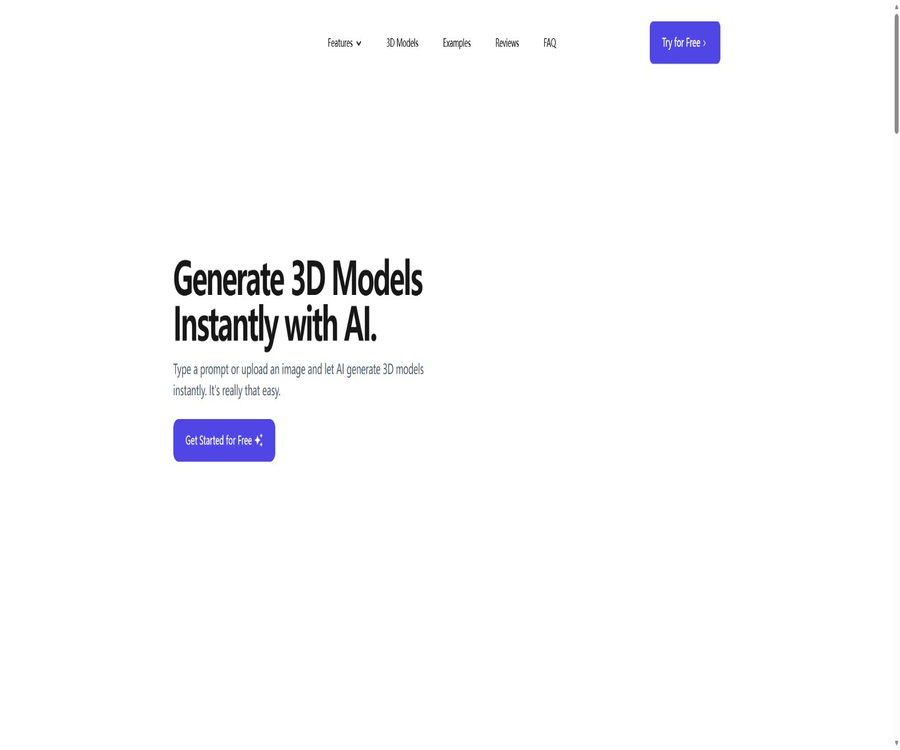
Instant 3D AI is a browser-based AI modeling tool designed for non-professional users and 3D creators. Users can upload reference images or provide a textual description, and the system will generate 3D models with geometric shapes and textures automatically.
The platform also offers an online 3D viewer, character creation, automatic topology reconstruction, and AI-based editing tools. It is well suited for rapid concept validation and the creation of draft assets; however, complex production models may still require further processing in specialized software.
A one-sentence summary
Instant 3D AI can quickly convert images or textual descriptions into 3D models that can be viewed, modified, and exported.
Main functions
Generate 3D models from images
Users can upload photos, concept sketches, product images, character designs, or drafts; the AI will then determine the shape, proportions, and details of the object. Using multiple angles of the same object as references helps to reduce uncertainties regarding the areas that are obscured.
Generating 3D models from text
Users can describe objects, characters, buildings, or styles in natural language, and the system will generate the corresponding 3D mesh and textures. The more precise the instructions are, the easier it is to maintain consistency in shape, material, perspective, and style.
AI character generation
The character generator can create 3D characters based on their front-view images, and it is suitable for the initial design phase of animations and games. The consistency in the appearance of the front, side, and back views directly affects the proportions of the body and the details of the clothing.
Online 3D viewer
Users can upload, view, edit, and explore 3D models in a browser, without the need to install full-scale modeling software first. The viewer is suitable for quickly checking outlines, textures, and orientations, but it cannot replace a full-fledged sculpting or animation workstation.
Automatic topology reconfiguration
Automatic topology reconstruction is used to optimize and organize the model mesh, making it easier to move on to subsequent stages of production. The resulting model still requires inspection with regard to the number of faces, edge flows, normals, holes, and non-manifold geometry.
Texture and detail adjustment
After it is generated, it is possible to continue adjusting the texture, lighting, detail quality, and the number of polygons. Reducing the number of polygons helps with real-time applications, but excessive simplification can damage the outlines and texture seams.
Input and output
| Type | Supported content | Suitable uses | Precautions |
|---|---|---|---|
| Single image | Photos, product images, concept diagrams, and sketches | Quickly create rough models of objects or characters | The obscured back side is inferred by AI. |
| Multi-angle images | Different views of the same object | Improve consistency in shape and proportions | The view should maintain consistency in terms of objects, lighting, and style. |
| Text description | Description of natural language objects, characters, and scenes | Quickly generate 3D concepts from ideas | Complex requirements may necessitate multiple rewrites of the prompt. |
| GLTF | Suitable for web pages and modern real-time pipelines | Web display, AR, and app previews | Check texture packaging and material compatibility. |
| OBJ | Universal Grid Exchange Format | Modeling, sculpting, and transfer across software | The materials and textures may be saved in separate files. |
| FBX | Common content creation exchange format | Games, animations, and DCC workflows | The bones, units, and axis need to be verified separately. |
Steps to generate 3D from images
- Prepare a reference image with a clean background, clear outlines, and a complete subject.
- If conditions permit, add front, side, and back views of the same object.
- Log in to the web application and select the feature for generating 3D images.
- Upload the image and ensure that there are no copyright, privacy, or confidentiality restrictions.
- Wait for the AI to analyze the image and generate grids and textures.
- Check the shape, back side, texture, and details in the online viewer.
- Use AI to adjust textures, lighting, details, or the number of polygons.
- Choose GLTF, OBJ, or FBX for export, and verify it in the target software.
Steps for generating 3D from text
- First, determine the object category, main shape, material, style, and usage scenario.
- Describe the subject in concise English, avoiding including conflicting requirements in a single instruction.
- There are constraints such as the addition ratio, color, surface texture, and whether low-polygon versions are required.
- Submit it for generation and examine the model from multiple perspectives.
- Modify the prompts one by one to address issues with shape or texture, rather than rewriting them all at once.
- Adjust the number of faces, texture quality, lighting, and details.
- Export to Blender, game engines, or other production software for further processing.
- Complete topology, UV, collision, binding, and performance checks in formal projects.
How to prepare reference images?
- Ensure that the main subject occupies the majority of the frame, while preserving its complete outline as much as possible.
- Use a simple background to prevent other objects from overlapping with the subject;
- Reduce strong reflections, motion blur, and excessive depth of field;
- In multi-angle images, the shape, material, and proportions of the objects should remain consistent;
- The turnaround images of the characters should use the same posture, clothing, and design details;
- Transparency, mirror finish, fine lines, and internal structure require additional manual inspection;
- Do not upload facial images, works, product photos, or confidential designs for which you do not have permission to handle.
How to write good text prompts?
Prompt words can be organized by subject, shape, material, style, color, and complexity. For game assets, production requirements such as low polygon count, clean outlines, and neutral poses can also be specified.
| Prompt section | Example information | Function |
|---|---|---|
| Main body | Robots, chairs, castles, or cartoon characters | Determine the model category |
| Design | Round, mechanical, symmetrical, or exaggerated proportions | Control the main contours |
| Material | Wood, ceramics, metal, or fabric | Affects surface texture |
| Style | Realistic, cartoon, low-poly, or retro | Unified visual language |
| Color | Primary colors, secondary colors, and patterns | Reduce random color selection |
| Uses | Game props, animation concepts, or 3D printed prototypes | Help control complexity |
Generation speed and quality
The product description indicates that the typical generation time is around 15 to 25 seconds, while the entry point for using the application is described as taking about one minute. Server load, the complexity of the input data, and the processing steps all influence the actual waiting time.
Rapid generation does not mean that the model can be used in production right away. The geometry on the back side, the layer structure, holes, fingers, faces, transparent materials, and complex textures usually require careful examination.
How to choose the export format?
| Format | Main features | Recommended scenarios | Check after exporting |
|---|---|---|---|
| GLTF | Suitable for web pages and real-time rendering; supports material and scene information. | Web 3D, AR previews, and modern engines | Differences in texture paths, compression, and rendering |
| OBJ | Simple structure and wide software compatibility | Static grids, carving, and general exchange | Material files, textures, and normals |
| FBX | It is commonly used for exchanging game and animation content. | Unity, Unreal, and animation production | Axial, scale, bones, and materials |
The current page does not list STL as a format that can be exported directly; 3D printing users may need to convert it in another software. Before conversion, it is necessary to address issues related to closure, wall thickness, dimensions, and supports.
Which users is it suitable for?
- Game developers who need to create placeholder assets and concept models quickly;
- Animation teams that wish to convert character side views into 3D rough models;
- Beginners who lack experience in traditional modeling but want to test their ideas;
- Designers who need sketches of product aesthetics, furniture, or spatial elements;
- Content teams that wish to prepare initial assets for web pages, AR, or VR;
- Makers and educational users who need to convert their ideas into 3D printed prototypes;
- I hope to quickly compare concept artists with different design approaches.
Typical use cases
| Scene | Recommended input | Main outputs | Subsequent processing |
|---|---|---|---|
| Game prototype | Concept art or low-polygon description of the props | Placeholder grids and textures | Face reduction, collisions, LOD, and engine testing |
| Concept of roles | Consistent character transformation maps | 3D rough model of the character | Topology, binding, expressions, and animations |
| Product visualization | Multiple-angle images of products with a clean background | Display model | Verification of dimensions, material, and brand details |
| 3D web display | Image or textual description | GLTF model | Compression, loading performance, and mobile testing |
| 3D printing | Images of objects with clear outlines | Convertible grid | Verification of closure, wall thickness, ratio, and slicing |
| Architecture and interior design concepts | Furniture or architectural sketches | Conceptual assets | The exact dimensions and construction details require re-modeling. |
Product advantages
- Two ways of creating content, via images and text, help to lower the barriers to 3D creation;
- Common tasks can be completed in a browser, without the need to install large software first.
- It supports multi-angle reference images, which are useful for improving areas that are obscured;
- Offers online viewing, AI-driven detail adjustment, and automatic topology reconstruction;
- It is possible to export files in GLTF, OBJ, and FBX formats for use in common production pipelines;
- The pricing structure is simple, and new users can first test it using the free trials.
- Suitable for proof of concept, rapid prototyping, and educational purposes.
Usage restrictions
- A single image cannot provide complete information regarding depth and the back side of an object, so AI has to make guesses.
- Generation models do not guarantee that the topology is suitable for bonding, subdivision, or high-quality animation;
- Complex characters, fingers, transparent objects, and reflective materials are prone to errors.
- High quality or production-grade characteristics in promotional materials cannot replace the acceptance testing that is carried out on the actual software.
- There is no public specification for a unified resolution, number of faces, or maximum file size.
- The features for batch creation, team collaboration, and enterprise permissions have not been confirmed yet.
- There are no public APIs, making it difficult to connect automated production pipelines directly.
- Commercial use, rights to generate assets, and rules for processing input data require separate confirmation.
Price packages
The price information was verified on August 23, 2026; the actual amounts, taxes, exchange rates, and discounts may vary, and the final figures will be those displayed on the settlement page.
Instant 3D AI adopts a simple model based on a free trial period followed by a monthly subscription. The free tier allows for three image generations; after that, one can purchase a plan costing $10 per month that provides unlimited generations.
| Package or version | Price | Billing cycle | Core benefits or quota | Suitable for users |
|---|---|---|---|---|
| Free trial | $ | One-time experience | 3 image generations | Users who are testing the quality of inputs and outputs for the first time |
| Unlimited generation subscriptions | 10 dollars | Monthly | There is no limit on the number of generations; specific details regarding fair use or resource constraints are not disclosed. | Individual creators who continuously generate images or text. |
\"Unlimited generation\" should not be automatically interpreted as unlimited concurrent usage, unlimited file sizes, or enterprise-level service guarantees. Before subscribing, it is necessary to check on the billing page details such as taxes, auto-renewal options, cancellation deadlines, usage restrictions, and account support.
Refunds and subscription notes
If a customer is not satisfied with the product, they can contact support to request a refund; however, the public page does not specify the deadline for submitting such requests, the applicable conditions, or the time it takes to process them. Users should save the payment details at the time of purchase and submit their request as soon as they encounter a problem.
- Confirm whether the subscription is renewed automatically and the effective date after cancellation;
- Check whether refunds apply to accounts that have already generated a large volume of transactions;
- Check whether the price includes local taxes and fees related to the payment methods.
- Export the models and textures that need to be retained before canceling the account;
- Do not interpret a brief promise of a refund as an unconditional, long-term refund.
Copyright, Privacy, and Commercial Use
The public product page does not provide complete information regarding the ownership of the input images, prompts, and the generation models, nor does it outline the commercial licensing terms or rules for using them. For commercial projects, it is necessary to obtain clear terms of use in advance and keep records of the relevant licenses.
| Matters | Current public information | Usage suggestions |
|---|---|---|
| Enter image rights | Not specified in detail | Only upload materials that are your own, authorized, or permitted for processing. |
| Model ownership generation | Not specified in detail | Obtain clear permission before commercial release. |
| Commercial use | No explicit commitment. | Do not assume commercial viability solely based on a paid subscription. |
| Input data retention | Not specified in detail | Avoid uploading confidential designs, facial images, and unreleased products. |
| Used for model training | Not specified in detail | For sensitive items, confirm with the service provider first. |
| Third-party rights | The user is responsible for verifying it themselves. | Check trademarks, characters, designs, and copyrights. |
API, GitHub, and open-source status
To date, no verifiable public API, official SDK, or core GitHub repository for Instant 3D AI has been found. The paper projects, medical tools, and third-party code with the same name that appear in searches are not related to this commercial web-based product.
| Technical projects | Current status | Explanation |
|---|---|---|
| Web application | Provide | It is primarily used for uploading, creating, viewing, and exporting via a browser. |
| Public API | Not confirmed | It cannot be assumed that support for batch or programmed generation is available. |
| Official SDK | Not confirmed | There are no verifiable documentation files for the language SDK. |
| Official GitHub | Not confirmed | The warehouse with the same name does not match the identity of this product. |
| Open-source core model | No | Web page generation services are commercial hosting products. |
| Local deployment | Not confirmed | When offline processing is required, other deployment options should be chosen. |
Pre-launch checklist
- Use representative images and prompts to test the generation quality;
- Check the back, bottom, thin sections, and shaded areas of the model;
- Verify that the grid, normals, UVs, textures, and materials are complete;
- Import it directly into Blender, Unity, Unreal, or the target tool;
- Test the number of faces, LOD, collision, and loading speed in accordance with the requirements of the real-time platform;
- 3D printing is used to repair issues related to closure, wall thickness, dimensions, and suspended structures;
- Verify the commercial authorization for the input materials and the assets that are generated;
- Confirm subscription, cancellation, refunds, and model export arrangements.
Basic information
| Project | Content |
|---|---|
| Tool name | Instant 3D AI |
| Tool type | Image to 3D, text to 3D, and AI modeling |
| Operation platform | Web browser |
| Main inputs | Images, multi-angle reference diagrams, and textual descriptions |
| Export format | GLTF, OBJ, and FBX |
| Free quota | 3 image generations |
| Paid price | 10 dollars per month |
| Public API | Not confirmed |
| Core open source | No |
Frequently Asked Questions
Is Instant 3D AI free?
New users can create image models for free up to three times. To continue using this service, a subscription costing $10 per month is required, which allows unlimited creation of models.
Can 3D models be created from text?
Yes. After the user enters details regarding the object, shape, material, and style, the system generates a 3D asset with a grid and texture.
Does it support images from multiple angles?
Multiple images of the same object from different angles are supported; multiple views generally help to improve the proportions and the appearance of the back side. All images should maintain the same design and orientation.
What formats can be exported?
The formats that are explicitly listed at present include GLTF, OBJ, and FBX. If STL is needed, it can be converted and adjusted in other 3D software.
How long does it take to generate?
The typical duration is stated to be between fifteen and twenty-five seconds, and applications also describe the entire process in about one minute. The actual time depends on the server load and the complexity of the input.
Can the generated results be used directly in games?
Not necessarily. Before using it officially, it is still necessary to check the topology, number of faces, UVs, materials, collisions, LOD, axes, and performance.
Are APIs provided?
No public API or SDK documentation has been found yet. When batch automation or system integration is required, it is necessary to first consult the service provider.
Is Instant 3D AI open source?
It is not open source. The code for papers with the same name available online, as well as other Instant3D repositories, are not the same as this commercial web-based product; they represent different projects.
Summary
Instant 3D AI reduces the barriers to creating 3D asset prototypes by using images, text, and character face maps; it offers viewing in a browser, AI-driven adjustments, topology reconstruction, and export in common formats. Three free generations along with a monthly fee of $10 make it easy for individuals to test the functionality first.
Its value lies primarily in enabling rapid exploration, rather than in automatically meeting all production standards. When it is used in games, animations, web pages, printed materials, or commercial projects, technical checks, manual adjustments, and verification of rights are still required.
Tools similar to Instant 3D AI




 Guigong Network Security Registration No. 45132202000164