






Image Computer
Image Computer: an intelligent tool specialized in AI-driven image processing.
Tags:Common AI image toolsA one-sentence summary
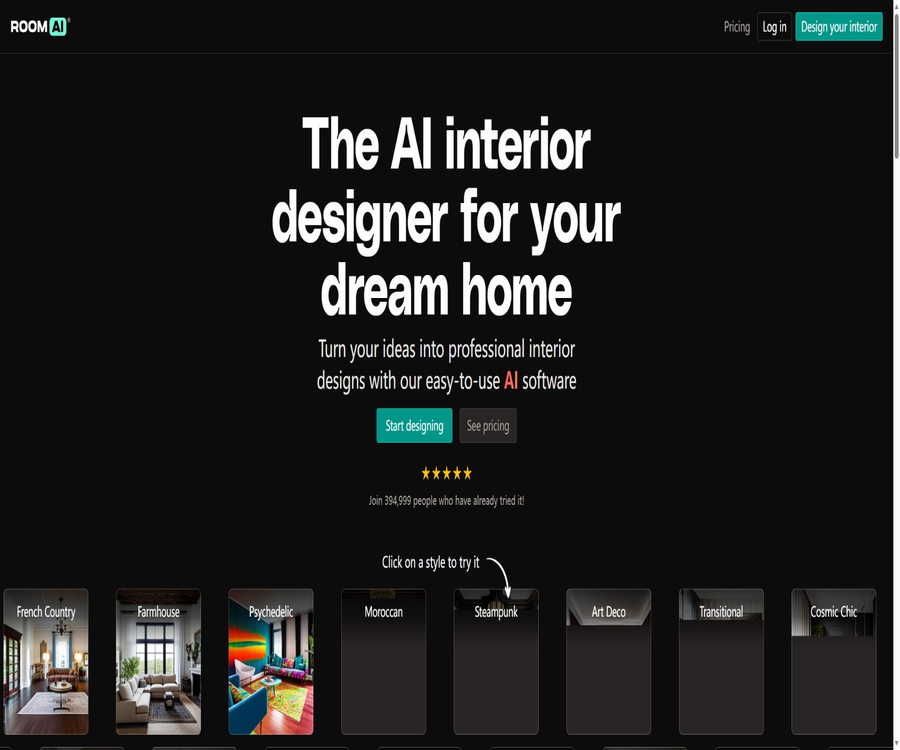
The directory entry named Image Computer actually refers to Room AI, an AI-based space design tool that can transform photos of rooms into designs in various styles, and it can also create interior concept drawings from scratch.
Name and product identity
The current product page, account system, prices, terms of service, and privacy policy all use the Room AI brand; there is no separate product or entity named Image Computer. This name seems to be merely an identifier used for promotional purposes, and the actual capabilities should be based on those of Room AI.
| Project | Verification results | How should the table of contents be understood? |
|---|---|---|
| Record name | Image Computer | It can be retained as an old name or a search alias. |
| Current product brand | Room AI | This name is used for the main text and the description of functions. |
| Operating entity | Killbridge Ventures Pte. Ltd. | Terms of Service and Privacy Responsibility Parties |
| Creator | Marc Köhlbrugge | Responsible for product design and development |
| Product type | AI interior design SaaS | It is not a general-purpose image editor or computer-generated tool. |
Tool Introduction
Room AI is designed for homeowners, interior designers, real estate agents, and architects; it uses artificial intelligence to rapidly generate design concepts for spaces. It combines elements such as room type, design style, colors, materials, and user-provided photos to create realistic concept images that can be used for idea generation, communication with clients, and visual comparison before starting renovations.
The platform offers two main methods: Restyle and Generate. The former reconfigures the furniture and decorative style based on existing photos of a room, while the latter creates a new space based on design preferences.
Main functions
Redesign of the existing room’s style
After uploading photos of the bedroom, living room, kitchen, bathroom, or other spaces, users can choose a design style and see how the space will look after the renovation. The system tries to maintain the outlines of the rooms, windows, and other major architectural features, while replacing the furniture, colors, decorations, and materials.
Create interior designs from scratch
When there are no available photos of the room, it is still possible to specify the type of space and design preferences in order to create new renderings. This approach is suitable for initial brainstorming and exploring the atmosphere; it is not equivalent to a detailed construction model with exact dimensions.
Various room types
The public interface covers the living room, bedroom, kitchen, bathroom, dining room, home office, children’s room, media room, entryway, terrace, laundry room, and home gym. The style, colors, and materials for different spaces can be customized further.
Design style library
The platform offers over 40 design styles, including modern, Scandinavian, medieval modern, and country house styles, as well as Art Deco, Moroccan, cyberpunk, and steampunk styles. Users can create various variations of the same photo and compare them.
Intelligent color matching
Users can choose colors directly or use an intelligent color palette that matches the style and the space. This feature is useful for comparing walls, decorative elements, and the overall atmosphere, but the visual display on the screen cannot replace actual samples of paints and materials.
Material selection
The tool offers options for materials such as wood, stone, metal, glass, and fabric; examples include maple, teak, cherry wood, marble, copper, leather, and velvet. It is used to indicate visual directions, and it does not generate actual purchase lists or engineering specifications on its own.
High resolution and watermark removal
The Personal version outputs content at a standard resolution with a small watermark, while the Pro and Team versions offer the highest resolution without any watermark. For professional presentations and commercial projects, it is advisable to choose a package that includes a commercial license.
Team and custom styles
The Team version supports up to 5 users and offers the ability to train a distinct style of design. This feature is suitable for design studios that wish to maintain consistency in their visual style; however, the specific requirements regarding materials, the training methods, and compatibility aspects need to be checked within the account.
Input, Setup, and Output
| Stage | Available content | Function | Precautions |
|---|---|---|---|
| Spatial input | Photos of existing rooms | Recreate based on the real world. | It is recommended to have clear lighting and a complete view. |
| Space type | Living room, bedroom, kitchen, etc. | Help the model understand spatial uses. | Choosing the wrong type may lead to an unreasonable configuration. |
| Style | Modern, country house, Art Deco, etc. | Decide on the overall visual language. | The style with the same name can still exhibit significant variations. |
| Color | Choose your own color or use the smart color palette | Control the atmosphere created by walls and decorative elements | There is a color difference between the display and the actual object. |
| Materials | Wood, stone, metal, glass, and fabric | Explore the texture of surfaces and furniture | It does not represent the actual model or availability status. |
| Output | Realistic interior concept art | Save, download, compare, and display | Resolution, watermarks, and licensing depend on the package. |
What types of spaces are suitable for creation?
- Exploration of styles for living room furniture, walls, lighting, and decorative elements.
- Comparison of bedding, storage solutions, color schemes, and atmosphere in bedrooms.
- Preview of kitchen cabinets, countertops, backsplashes, and overall style.
- Bathroom tiles, bathroom cabinets, hardware, and color schemes.
- Conceptual designs for a home office, a children’s room, and a fitness area.
- Auxiliary spaces such as a terrace, laundry room, media room, and entrance hall.
- Early visual discussions on light commercial spaces such as offices, retail stores, and hotels.
Usage tutorial
- Choose the free demo, or create an account using your email address or Google/Apple account.
- Decide whether to reshape the existing space or create a new design from scratch.
- Upload photos of rooms with even lighting, clear images, and as complete as possible.
- Choose the right room type and the desired design style.
- Set colors, materials, and other available preferences.
- Generate multiple versions to compare the layout, atmosphere, furniture, and details.
- Download the desired visual effects and use them in personal or commercial projects, in accordance with the permissions granted by the package.
- Before starting the renovation, have a designer or contractor check the dimensions, safety aspects, budget, and feasibility.
Professional project workflow
- Confirm with the client the intended use of the space, budget, preferences, items to be retained, and elements to be excluded.
- Capture multiple angles and record the actual dimensions, lighting, doors, windows, and fixed equipment.
- Choose a small number of distinct styles and color schemes for each space.
- Generate sufficient variation, but promptly discard images with clearly incorrect spatial structures.
- Organize the candidate solutions into concept boards and clearly label them as visual proposals.
- After determining the direction with the client, proceed to the layout, dimensions, and selection of materials.
- The structure, mechanical and electrical systems, fire safety measures, as well as local regulations are inspected by qualified professionals.
- Save the final renderings and authorization documents, and regularly back up the projects in the account.
Tips for photographing pictures
- Use a wide-angle perspective that is horizontal and vertical, with no excessive tilt.
- Ensure that the main walls, doors, windows, and fixed fixtures are all included in the frame as much as possible.
- Avoid characters, pets, motion blur, and strong mirror reflections.
- Shoot during the day and reduce overexposure in windows and very dark corners.
- The structures that need to be retained should be clearly visible in the image.
- In the same space, front-facing and diagonal photos can be prepared for separate testing.
- Remove family photos, addresses, and other private details before uploading.
Free demo and account
The free trial does not require a credit card; you can use the sample rooms to experience different styles. After creating a free account, you can save designs and upload photos of your own rooms, but to make full use of all features, enjoy higher resolution, and access additional professional benefits, a subscription is required.
| Method | Is an account required? | Available content | Main limitations |
|---|---|---|---|
| Free demo | It’s not necessary. | Sample spaces and various style experiences | It is not possible to obtain full payment capabilities. |
| Free account | It is necessary. | Save the design and try to upload a photo of the room. | The credit limit and advanced features are limited. |
| Personal subscription | It is necessary. | Personal room design and monthly image quota | For personal use only, with watermark, standard resolution |
| Pro subscription | It is necessary. | High resolution, watermark removal, and commercial license | Single user with a monthly limit on the number of images. |
| Team subscription | It is necessary. | Team slots, business licenses, and unique styles | A maximum of 5 people, with a limit on the number of images per month. |
Prices and packages
Room AI offers three subscription tiers: Personal, Pro, and Team, with options for monthly or annual payment. The annual payment option displays a discount of around 33%, but the full annual fee is charged at once.
| Package | Monthly price | Annual payment conversion | Image quota | Core rights and interests | Suitable for users |
|---|---|---|---|---|---|
| Personal | $ | 19 dollars per month, 228 dollars for the whole year | 250 per month | For personal use, with a small watermark, in normal resolution, for 1 person | Homeowners and personal inspiration exploration |
| Pro | $ | 69 dollars per month, 828 dollars for the whole year | 1000 pieces/month | Commercial license, no watermark, highest resolution, 1 person | Designers, agents, and freelancers |
| Team | $ | $ | 5,000 per month | Commercial license, no watermark, highest resolution, up to 5 people, unique style | Design studios and small teams |
Some marketing pages use terms such as “unlimited redesigns” or “unlimited rooms”, but the current pricing page specifies limits of 250, 1000, and 5000 images per month. When making a purchase, it is necessary to refer to the image quota, renewal period, and account benefits indicated on the payment page.
How to choose a package
- Use it only for inspiration for home renovations and be willing to accept a watermark; you can choose Personal.
- For showing to customers, use on social media, or in business proposals, choose Pro or Team.
- Individual professional users usually start by evaluating their actual monthly volume of images with the Pro plan.
- If multiple people need to work together or if you want to develop your own visual style, consider Team.
- Annual payment can reduce the average monthly cost, but it is necessary to assess the risks associated with long-term use and potential refunds.
- Before generating at high frequency, it is necessary to confirm whether the image limit includes failed and duplicate results.
Commercial licensing and copyrights
The Personal version is intended for personal use only, while the Pro and Team versions include commercial licenses. Users must ensure that their usage complies with the plan they have purchased, as the rights to use the generated images are determined by the subscription level.
| Matters | Rules | User responsibility |
|---|---|---|
| Upload photo | Users retain their original rights. | Upload and processing permissions are required. |
| Platform license | The user grants a non-exclusive license necessary for the provision of the services. | Avoid uploading photos of customers or properties that you do not have permission to handle. |
| Generate image | Rights are granted according to the subscription plan. | Personal cannot be used for commercial projects. |
| Uniqueness | The platform does not guarantee unique output. | Trademarks, brands, and exclusive designs require additional verification. |
| Model training | It is forbidden to use outputs to train AI or to create competing products. | Batch scraping and automated data collection are not permitted. |
| Commercial display | Pro and Team include commercial licenses. | Save records of valid subscriptions and project licenses. |
The determination of copyright for AI-generated content varies depending on the region and the effort invested in its creation by humans; moreover, platforms do not guarantee that such images are unique. Before using them for branding, advertising, real estate listings, or delivery to clients, it is necessary to check for trademarks, characters, artistic works, and design elements owned by third parties.
Privacy and image processing
Room AI collects account information, generates images, records usage time, and processes platform-related data and analysis results. To enforce the usage rules, the team may occasionally manually examine the images created by users.
| Data | Example | Primary uses | Precautions |
|---|---|---|---|
| Account information | Name, email address, and registration details | Logging in, support, and communication | Submit only the necessary information. |
| Using data | Generate images, set times, and perform actions | Service operation, abuse prevention, and improvement | Not suitable for uploading highly sensitive content. |
| Analyze data | Pages, duration, and behavior | Product analysis | Affected by cookies and analytics tools |
| Room photos | Residential, office, or customer spaces | Generative design | First, remove faces, addresses, and private documents. |
| Manual review | Check the generated images from time to time. | Check whether there are any violations of the usage rules. | The content uploaded cannot be considered invisible to anyone. |
| External services | Third-party processing and storage platforms | Provide generation and infrastructure. | The policy does not list all suppliers nor set a fixed deadline. |
- Do not upload photos containing family members, children, faces, or identification documents.
- Hide addresses, emails, screens, and personal collections before shooting in a room.
- Designers must obtain written authorization when working on clients’ spaces.
- Platforms may use aggregated and anonymized images to enhance AI capabilities.
- The privacy policy does not specify a uniform duration for keeping images.
- When third-party services process data, the platform does not guarantee absolute confidentiality.
- For projects that require strict confidentiality, it is necessary to first confirm the contract and the procedures for deletion with the service provider.
Refunds, cancellations, and data retention
By default, refunds are not provided under these terms, but the service provider may decide on a case-by-case basis whether to grant one. The subscription price and the benefits associated with it can be adjusted; users who do not accept an increase in price can cancel their subscription.
- Subscriptions and invoices are managed through the Stripe customer portal.
- The annual fee is charged once per year; before canceling, it is necessary to check whether this will affect the already paid period.
- AI image generation incurs computational costs, and refunds are not an automatic right.
- After cancellation of the subscription, the platform retains the right to delete account data and images.
- Important designs should be downloaded and backed up by yourself before cancellation.
- In the event of duplicate charges or technical failures, orders and relevant evidence should be submitted promptly.
The capabilities limits of the renderings
Room AI generates conceptual diagrams intended to help explore styles and communication directions, rather than precise CAD, BIM, construction drawings, or material lists. The images may show changes in doors and windows, dimensions, furniture proportions, structure, and the location of mechanical and electrical components.
| It can be used for | It should not be used directly. |
|---|---|
| Compare styles, colors, and material options | Determine the actual dimensions and carry out construction layout. |
| Discuss visual preferences with family members or clients | Determining load-bearing walls and structural modifications |
| Create early proposals and mood boards | Finalize the design for water, electricity, gas, and fire protection systems. |
| Establish a general direction for the procurement of soft furnishings. | Ensure that the furniture is either already available or can be fitted in. |
| Assisted virtual display of real estate | Presenting a fictional state as the current actual condition of the house |
| Create conceptual content for social media | Replace the signatures of designers, architects, and contractors |
Which users are it suitable for
- Homeowners who wish to quickly compare styles before starting renovations.
- It is necessary to show customers interior designers from various directions.
- Real estate agents who use virtual interior elements to help buyers understand the potential of a space.
- Architects who need to create quick visual sketches during the early conceptual stage.
- A team that creates lightweight proposals for office, retail, and hotel spaces.
- Small design studios that require a large number of high-resolution concept drawings.
Situations that are not very suitable
- Engineering projects that require millimeter-level precision and CAD or BIM outputs.
- Users who wish to obtain directly the available furniture models and an accurate budget.
- Projects that require the system to automatically carry out structural, mechanical and electrical, as well as regulatory reviews.
- Users who wish to purchase images only once and do not want a subscription.
- Teams that need complete open-source code, local deployment, or a public API.
- Projects that require confidentiality cannot have their room photos sent to cloud services for processing.
- It is intended for professional users who wish to use the Personal version’s output directly in commercial applications.
Main advantages
- It can both remodel existing rooms and create spaces from scratch.
- Covers a variety of rooms and over 40 design styles.
- Supports colors, smart color palettes, and a wide range of material options.
- It can quickly generate multiple visual directions for the same space.
- The free trial does not require a credit card, and the threshold for trying it out is low.
- Pro and Team explicitly offer commercial licenses and watermark-free outputs.
- Team supports up to 5 members and allows them to develop their own playing style.
- It is suitable for homeowners, designers, agents, and architects to discuss plans together.
Usage restrictions and precautions
- Image Computer is not the name of a separate product at present; the actual service is Room AI.
- The Personal version is intended for individual use only; it features a watermark in the output and has a lower resolution.
- All paid plans specify a monthly limit on the number of images.
- The various descriptions on the marketing page need to be understood in conjunction with the details provided on the pricing page.
- The default refund policy is quite strict; it is advisable to try the service thoroughly before opting for an annual payment.
- If it is canceled, the account image may be deleted, so you need to back it up yourself.
- The platform may review images and use external services to process data.
- The generated results are not guaranteed to be unique, and the spatial structure may also change.
- Automatic scraping, using the output to train AI, or creating similar competitive services are prohibited.
- No public APIs, SDKs, or complete open-source code have been identified.
API, GitHub, and open-source status
- The current product offers design capabilities to users through a web application.
- The terms of service prohibit automatic access, scraping, and any usage that causes excessive strain on resources.
- No public APIs or SDKs intended for developers have been identified.
- No official GitHub open-source repository for the core Room AI product has been found.
- The custom-style training in the Team version is a feature of the account; it does not mean that the model weights can be downloaded.
- Companies that need batch integration should first contact the service provider to confirm whether private collaboration is available.
Basic information
| Project | Content |
|---|---|
| Directory name | Image Computer |
| Actual product | Room AI |
| Operating entity | Killbridge Ventures Pte. Ltd. |
| Creator | Marc Köhlbrugge |
| Time of going live | September 2022 |
| Tool type | AI for interior design and creation of spatial renderings |
| Main pattern | Restyle and Generate |
| Number of styles | Over 40 types |
| Support space | Residential rooms and some light commercial spaces |
| Free method | Credit card-free demo and access to a free account |
| Paid price | $ |
| Commercial use | Pro and Team include commercial licenses. |
| API | Not disclosed |
| Open-source status | Not open source |
Frequently Asked Questions
What is the relationship between Image Computer and Room AI?
This directory entry leads to Room AI; the page does not provide any information regarding the Image Computer brand or its specific products. Image Computer can be considered an alternative name for this service, rather than being another AI tool.
Can Room AI be used for free?
You can first use a credit card-free demo to see how the style of a sample room can change. Uploading your own photos requires an account, and for full long-term use, an account is needed as well; high resolution and advanced features require a subscription.
Can it maintain the original layout of the room?
The system will try to preserve the layout, doors, windows, and architectural features, but the AI may still alter the dimensions, structure, or fixed installations. Any actual decisions regarding decoration must be based on measurements and professional drawings.
Can it be used for commercial projects?
Pro and Team include commercial licenses, while Personal is intended for personal use only. Business users must also ensure that the photos, trademarks, furniture designs, and other materials they upload are covered by legitimate rights.
How many images can be generated per month?
The limit is 250 for Personal, 1000 for Pro, and 5000 for Team. Before settling the account, it is necessary to determine whether failed tasks, enlargements, and regenerations are included in this quota.
What is the price?
The monthly fees are 29, 99, and 299 dollars respectively; the annual fees correspond to 19, 69, and 199 dollars per month, with one-time payments of 228, 828, and 2388 dollars respectively.
Can I get a refund?
The default policy is no refunds, but the service provider can decide on a case-by-case basis. It is recommended to use the free trial first, and before purchasing an annual subscription, to check the available quota, commercial usage rights, and image quality.
Are the room photos uploaded safe?
The platform implements reasonable protective measures, but it makes use of third-party services; it may also generate images for manual review as part of compliance checks. Sensitive areas and customer projects require that personal information be removed first, and authorization must be obtained.
Is an API provided?
No public APIs or SDKs have been identified, and the terms of service prohibit unauthorized automatic access. When integration is required, it is necessary to inquire directly whether there are any corporate partnership options available.
Is Room AI open source?
No. There is no official open-source repository for the core web application, the generation model, or the training code.
Summary
Room AI allows for quick exploration of styles, colors, and materials using real photos of rooms, and it makes it possible to create a concept for a space from scratch. For homeowners, it reduces the difficulties associated with visual comparisons before starting renovations; for designers and agents, the Pro and Team versions provide the resolution, watermark removal, and licensing needed for commercial use.
When using it, consider the renderings as a tool for conceptual communication rather than as a design ready for implementation. Before subscribing, pay attention to the alias for the directory, the maximum number of images per month, commercial licensing terms, the fact that refunds are not provided by default, the risk of data deletion in case of cancellation, and photo privacy issues.
Tools similar to Image Computer




 Guigong Network Security Registration No. 45132202000164