






ClipMode.ai
ClipMode.ai: a smart tool specialized in AI-powered image processing.
Tags:Common AI image toolsWhat is ClipMode.ai?
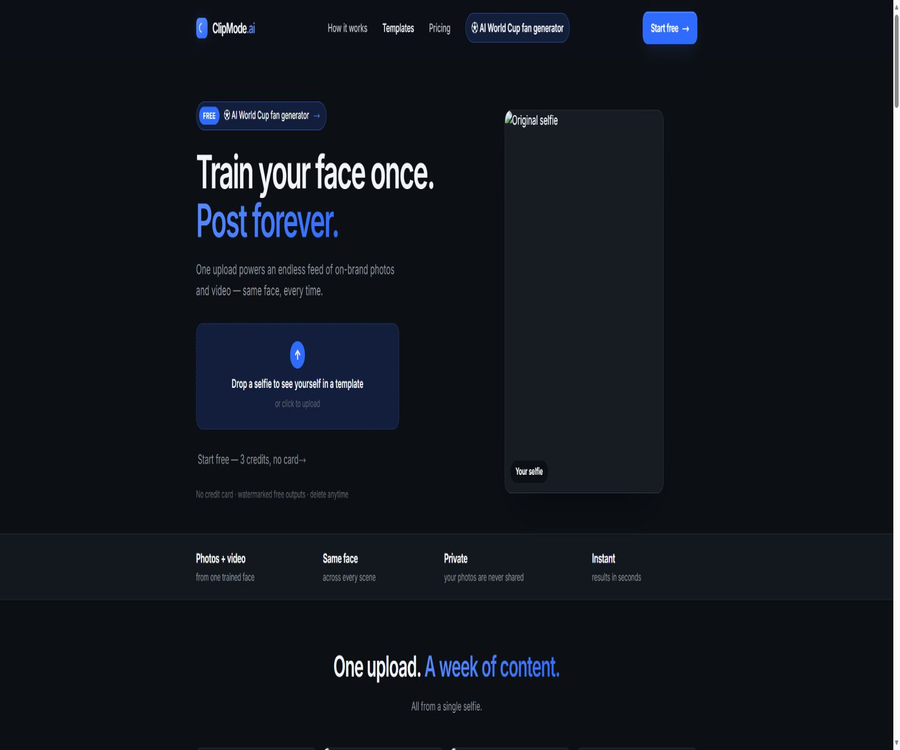
ClipMode.ai is a browser-based platform for creating AI-generated photos and short videos with a fixed identity. Users can upload their own reference photos, and using templates or custom character models, they can generate consistent facial images in various outfits, locations, and visual themes.
The service is operated by ClipMode LLC, a company registered in Delaware, United States. It is primarily used for social media content, virtual avatars, professional profile pictures, dating profiles, and visual storyboards; it is not a traditional video editing software with features such as a timeline, subtitles, voiceovers, or multiple tracks.
A one-sentence summary
ClipMode.ai allows creators to generate photos for different scenarios as well as 5-second videos using the same identity, addressing the issue posed by conventional image generators, which make it difficult to maintain consistency in a character’s appearance each time the face is changed.
Two ways of creation
| Method of creation | Required input | Main features | Suitable scenarios |
|---|---|---|---|
| Quick template creation | Usually, one clear photo of the face needs to be uploaded. | There is no need to train a model first; simply select a photo pack or a 5-second video template to generate it. | Quick experience, profile picture, and single social post |
| Private role model | Multiple reference photos with usage rights | A few minutes of training, after which the same identity is maintained in different scenarios. | Long-term accounts, virtual influencers, and series content |
| Convert images to short videos | Photos have been generated or characters trained. | Allow entities with the same identity to enter the 5-second motion template. | Dynamic posts, storyboards, and action tests |
The home page of the official website emphasizes that one selfie is sufficient to get started, while the FAQ provides several example images to illustrate the process of training private models. These two aspects likely correspond to pre-trained templates and custom training processes; the actual number of images required as well as the quality standards are determined by the upload interface in Studio.
Main functions
Generation of fixed identity photos
The platform is designed with face consistency in mind, allowing the same identity to be reused in various scenarios such as travel, work, photography studios, outdoor activities, graduations, dates, and style editing. Each result also shows a consistency score, which helps users select versions that are closer to the reference person.
Over 90 photo packs
The template library contains over 90 sets of photo packs and preset scenarios, so users do not need to start with empty prompts. The number of templates and their themes are subject to change; it is advisable to check the available content and the credit points required before using them.
- Professional avatar: Creates studio, business, and personal brand images.
- Socializing and dating: Try out photos of different scenarios, outfits, and lifestyles.
- Travel and Outdoor: Creating visual content in various locations and natural environments.
- Graduation and memorials: Quickly create themed personal photos.
- Editing and Fashion: Exploring strong styling, lighting, and magazine aesthetics.
- Virtual characters: Maintain a similar facial appearance for characters that are to remain active over time.
5-second AI video template
ClipMode.ai allows fixed identities to be incorporated into 5-second video templates, which can be used for social media posts, action previews, and storyboards. It is better suited for creating individual short clips; the official website does not offer capabilities for combining longer videos, adding audio, subtitles, or editing timelines.
Training of private role models
Users can submit their own photos or authorized reference photos to train private models; the website states that it takes about two minutes to create most character models. The training speed is affected by the queue, photo quality, and model load, and it should not be considered a fixed guarantee.
Maintain identity across photos and videos
The same training role can be used for static photos and video frames, which helps to avoid the issue of constant changes in facial features and overall appearance across different contents. However, hairstyles, side views, obstructions, strong lighting, and rapid movement can still reduce consistency.
Multiple generation engines
The official website states that users can choose from different generation engines, but it does not list all the model names, versions, or the costs associated with each engine. The generation speed, style, review process, and credit consumption are determined by the real-time options available in the Studio.
Private work space
According to the official instructions, the training models and the images they generate are, by default, visible only to the account holder himself; it is also possible to delete individual results or the entire model. Nevertheless, the content may still be processed by the system or authorized personnel for security checks, operational purposes, or legal requirements.
Free trial with watermark
New users can receive 3 free credit points, without the need to link a credit card. The output provided for free comes with watermarks; it is suitable for checking face matching, template quality, and workflow procedures, but not appropriate for use in formal client deliveries.
Downloading and batch content creation
The platform is designed for creators who need to publish images and short videos on a regular basis; the results generated can be managed in their personal workspace and used for creating further content. The official website does not clearly specify all the output formats, resolutions, rules regarding batch downloading, and metadata requirements.
Complete generation process
- Register an account to receive 3 free credit points; first, read the rules regarding the use of content and portraits.
- Choose either a template that requires no training or a private role model; do not confuse the two processes.
- Upload a clear, unobstructed reference photo of yourself that you have the rights to use.
- For roles that require a long-term presence, multiple angle photos must be submitted and the training of a private model is required.
- Select a scene from the photo pack or 5-second video templates, and then choose the available generation engine.
- Submit the task and check the scores for face, hands, clothing, background, and consistency.
- Remove the results that contain obvious errors, adjust the reference photos or templates, and generate the content again.
- After confirming the watermark, commercial license, and consent from the individuals, download it and proceed with the publishing process.
Usage tutorial
Prepare reference photos
- Use only your own photos, or obtain explicit written consent from the adult in the photo.
- Choose images with clear, positive, natural expressions and a face proportion that is moderate.
- Avoid sunglasses, masks, heavy filters, extreme shadows, and large areas of coverage.
- When training the model, prepare different angles, expressions, and lighting conditions, while keeping the character consistent.
- Remove minors, third-party faces, and sensitive background information from the photos.
- Save the original image and authorization records before uploading, so as to handle disputes or conduct retraining.
Create series of character content
- First, use a small amount of credit points to test templates with significant differences, such as those for indoor and outdoor use.
- Select the most stable reference direction for faces and the generation engine from the results.
- Determine the character’s hairstyle, clothing, colors, and overall visual tone to establish a visual style.
- Only one major variable in the scene or action is changed at a time, to facilitate comparison.
- Multiple candidates are generated from the same template, and those with abnormal features or limbs are eliminated.
- Short videos start as single-shot footage, which are then edited, voiced, and subtitled in external software.
- Mark AI-generated content before publishing, and comply with the platform’s and advertisers’ rules.
Delete model and account data
- Delete individual generated results that are no longer needed in the workspace.
- Before deleting the role model, download the works that need to be retained and for which you have permission to use.
- Use the account deletion feature on the settings page, or submit a request to the support team.
- Retain the deletion requests and completion notifications for subsequent verification.
- Check again the copies on the third-party publishing platform and the files downloaded locally.
Which users are it suitable for
- Virtual influencer managers: Maintain the identity and visual style of the characters within the accounts over the long term.
- Content creators who do not appear on screen: they create photos and short videos using authorized characters.
- Personal brand managers: Create draft social avatars, professional images, and promotional materials.
- Job seekers and freelancers: Try avatar candidates with different professional backgrounds.
- Dating and social networking users: Create personal photos for various scenarios, but do not misrepresent one’s identity.
- Marketing team: Quickly develop a concept diagram for the event once permission from the model is obtained.
- Film, television, and game teams: Create preliminary storyboards for the characters’ appearances, movements, and camera shots.
- Photographer and designer: Explore design options before deciding on whether to carry out a real shooting or opt for post-processing.
Typical use cases
- The same virtual character needs to appear consistently in office, travel, and studio scenes.
- Individuals need to quickly compare the clothing, lighting, and background of the profile images for different occupations.
- Social media accounts require multiple images and short updates with a consistent style on a weekly basis.
- A promotional proposal requires showing the model’s appearance and the camera angle before proceeding with the actual shooting.
- Short film creators need 5 seconds of character action as a storyboard or editing placeholder.
- Users wish to create private role models without making the original reference photos public.
- The content team needs to test the conversion styles of different templates as well as the consistency with the brand identity.
- The photographer wishes to first show the client a preview of the styling options, but still prefers to have a live consultation for confirmation.
Product advantages
- The product has clear objectives, with a focus on improving consistency for the same character across different scenarios.
- The two approaches of pre-trained templates and custom models allow for both a quick start experience and long-term use of the respective roles.
- It generates both static photos and 5-second videos at the same time, without the need to use different tools for the characters.
- Over 90 sets of photo packs are available; regular users do not need to know complex prompt phrases.
- New accounts come with 3 free credit points and no credit card is required.
- The credit points purchased are marked as being valid indefinitely, making them suitable for irregular use.
- The original training reference images are deleted after training is completed; by default, the model retains them for 30 days.
- Users can delete accounts and content on their own, and the options for privacy control are straightforward.
Usage restrictions and precautions
- The free quota consists of only 3 credit points, and the output is marked with a watermark; it is suitable only for very limited testing.
- The Premium is payable in a single annual installment of $600; it is not possible to pay $50 per month.
- The Premium page does not clearly state how many credit points are included; additional purchases may still be required to generate them.
- The cost associated with video credit points is not fully listed on the page showing public prices, so it is not possible to estimate it based on the price per image.
- The number of photos required for model training is indicated in different places on the home page; the amount specified in the upload prompt should be followed.
- Generative faces may still exhibit drift in profile views, when occluded, during movements, and in complex lighting conditions.
- 5-second videos are just short clips; for longer videos, as well as audio narration, subtitles and editing, external tools are required.
- The instructions for commercial use primarily refer to Premium; it is necessary to determine the scope of authorization for free versions and separate credit packages.
- The terms do not clearly specify the ownership of the copyright over the generated results, their exclusivity, or the provisions regarding compensation in case of infringement.
- The platform uses AI to analyze all prompts, while also retaining the option for manual review and content removal.
- It is not allowed to upload photos of minors, nor to create deepfakes of real people without their consent.
- The public privacy statement is rather brief; it does not list all sub-processors, data locations, or the specific security standards in place.
Price and credit points
The following are the dollar prices as of August 21, 2026. ClipMode.ai offers a combination of a small amount of free credit points, credit packages available on demand, and a Premium annual membership; the credit points that have been purchased are marked as being valid indefinitely.
| Project | Price | Billing method | Public equity or quota | Suitable for users |
|---|---|---|---|---|
| Free trial | $0 | One-time for new accounts | 3 credit points, no credit card required, output with watermark | First effect test |
| 50 credit points | $10 | One-time purchase | The reference fee for each page is $0.20; it enables model training and faster generation. | Low-frequency experience |
| 200 credit points | $25 | One-time purchase; the original price on the page is $40 | The reference fee for each page is $0.125; it enables model training and faster generation. | Small batches of photos |
| 500 credit points | $50 | Buy once; the original price on the page is $100. | The reference fee for each page is $0.10; it enables model training and faster generation. | Ongoing content creation |
| 5,000 credit points | $300 | One-time purchase | For large credit packages, the specific usage of images and videos is shown in the Studio. | High-frequency creators |
| Premium ClipMode Club | Equivalent to $50 per month | Pay $600 once for use over 1 year | Custom models, fast generation, commercial licensing, free model renewal, and member discounts | Commercial and long-term character management |
How to understand credit points?
The pricing page explains the cost of 50, 200, and 500 credit packages in terms of the cost per image, but it does not provide a complete breakdown of the fees associated with each image engine, video template, failed task, and model training. Videos generally cannot have their costs calculated based on the credit cost per image.
The fact that credit points never expire does not mean that the training models are retained indefinitely. The official website states that model weights are saved for 30 days by default; options for free renewal and longer retention in the Premium version depend on the specific benefits offered to members.
Refunds and cancellations
The website’s FAQ states that a refund can be requested within 7 days of purchase, as long as the credit points have not yet been used. The terms of service specify that virtual credit points purchased cannot be refunded; therefore, it is more logical to assume that subscriptions or other types of purchases qualify for the 7-day refund period, while credit packs generally do not qualify for a refund.
Refunds are reviewed by the platform; they may be denied in cases of violations, misuse, or when credit points have already been used. Before making a payment, it is advisable to save the price, membership benefits, and refund information. The final amount, including taxes, will be as indicated on the settlement page.
Input and output
| Project | Currently supported | Precautions |
|---|---|---|
| Single selfie | Supports rapid creation of templates. | It should be a clear photo of an adult or an authorized person. |
| Multiple reference photos | Supports training with private roles | The quantity and quality requirements are subject to those set by Studio. |
| Text and template selection | Support | All prompt texts undergo automatic compliance analysis. |
| Photo output | Support | Differences in resolution, format, and engine have not been fully disclosed. |
| 5-second video output | Support | There is no support for uploading long videos or editing timelines. |
| Consistency score | Support | It can only assist in filtering; manual inspection is still required. |
| Free output | Support | With watermark |
| Commercial export | Premium promotional support | Consent of the individuals, rights of third parties, and local laws must still be respected. |
Platforms, APIs, and open-source status
| Project | Current situation |
|---|---|
| Web page version | Supported; after registration, go to Studio to create it. |
| Windows and macOS | When used through a modern browser, no native desktop application was observed. |
| iOS and Android | No official independent mobile apps were found. |
| Browser extensions | No findings were detected. |
| Developer API | No public documents, self-service keys, or pricing information were found. |
| Official SDK | No findings were detected. |
| Official GitHub | No warehouse that can be confirmed was found. |
| Is it open source? | No, commercial closed-source services |
| Chinese interface | No official localization instructions are available. |
ClipMode.ai does not have any confirmed official connection to OpenAI’s CLIP model, other ClipMode code projects, or the editing tool with the same name. Even if third-party generated models are used under the hood, this does not mean that the platform can be classified as open source.
Portrait, Commercial, and Content Rules
Users must have the right to upload photos, and can only train AI characters for themselves or for adults who have given explicit consent. The platform prohibits minors, deepfakes of people without consent, involuntary content, pornography, extreme violence, illegal activities, and other specified types of content.
- Do not upload photos of public figures, colleagues, clients, or strangers to create realistic dummies.
- When obtaining model authorization, specify the scope for AI training and generation, as well as the platform and duration of use.
- Characters who appear to be under 18 years old must not be submitted, even if it is claimed that their actual age is higher.
- If prohibited content appears in the generated results, use should be stopped and the platform should be informed.
- Check trademarks, clothing designs, background artwork, and other third-party rights before commercial release.
- Ads, dating profiles, and professional profiles must not use AI-generated photos to engage in deliberate identity deception.
- Indicate that the content was generated by AI on the required platform or jurisdiction.
- Save the person’s consent, the original photos, the generation records, and the license terms at the time of purchase.
Boundaries for commercial use
The official website explicitly lists commercial-use licensing as a Premium benefit, but the terms of service do not provide a complete definition of ownership of the output, the scope of the license, resale rights, exclusivity, or infringement protections. Before using it in customer projects, advertisements, products, or paid subscriptions, it is necessary to obtain specific written authorization from the platform.
Privacy and data processing
The official homepage states that the reference photos are used solely for creating the user’s own content; they are not shared nor used to train public models. Once the training of the private model is complete, the original reference images are deleted from the server. The weights of the trained model are saved for 30 days by default, with the option to extend this period.
The generation of images and the training of models are, by default, private to the account; users can delete individual outputs, models, or the entire account. The terms state that data and content will be permanently removed from the system once the account is terminated, but no specific time frame for carrying out this deletion is specified.
- The platform collects email addresses, IP addresses, browsers, pages visited, times, query phrases, as well as any content that is uploaded or generated.
- Data is used to provide services, personalize experiences, enable communication, ensure security, and improve services.
- Personal information will not be sold or leased, but may be provided to service providers, law enforcement agencies, or business successors.
- All prompt texts are analyzed by AI to check for any violations of content rules.
- The platform also carries out manual review and management of content, and can delete content or suspend accounts.
- The data may be processed in other countries, and the terms of disclosure do not specify the exact data centers.
- Users can delete their account in the settings, or they can request that their personal information be removed by the support team.
- Do not include addresses, identification documents, or account information in the prompts, photo backgrounds, or file names.
- The platform is explicitly intended for adults only, and it does not collect information on minors intentionally.
- The public terms only mention the adoption of protective measures, without listing the encryption standards, certifications, or a list of sub-processors.
Privacy check before uploading
- It is confirmed that all the individuals in the photos are adults and have given their consent for AI training and image generation.
- Remove documents, door numbers, screens, license plates, and other elements that identify the background.
- Register using a dedicated account and a strong password, and do not keep the login status active on shared devices.
- First, test the model using photos with low sensitivity, and then decide whether to expand the range of materials used.
- Periodically delete unused results and models, and record the deletion time.
- Before stopping use, export the legitimate works first, then delete the account and check the confirmation email.
Basic information
| field | Content |
|---|---|
| Tool name | ClipMode.ai |
| Operating company | ClipMode LLC |
| Company registration address | Delaware, United States |
| Tool type | Platform for generating AI photos and short videos with a fixed identity |
| Main inputs | Single selfie, multiple reference photos, templates, and generation options |
| Main output | AI photos and 5-second videos |
| Number of templates | Over 90 sets of photo packs and video templates |
| Free quota | 3 credit points, no credit card required; output with a watermark. |
| Price pattern | Credit pack plus Premium annual membership |
| Validity period of credit points | The current annotation never expires. |
| The model is retained by default. | 30 days; an extension is available upon request. |
| Main platforms | Web |
| Chinese support | No official explanation available. |
| Public API | No findings were detected. |
| Official SDK | No findings were detected. |
| Official GitHub | No findings were detected. |
| Is it open source? | No |
| Age limit | For adults only; content intended for minors is strictly prohibited. |
Recommendation score
The recommendation score is 4.0 out of 5. ClipMode.ai combines consistent identities, templates that require no training, private models, and 5-second videos within the same workflow, making it suitable for content creators who need to maintain a consistent character image over time.
The main shortcomings are the limited amount of free usage, high annual fees, lack of transparency regarding video charges and output specifications, as well as incomplete commercial licensing and data security documents. When dealing with real people’s portraits or client projects, authorization and privacy reviews are more important than the speed of generation.
Frequently Asked Questions
Is ClipMode.ai a video editing software?
No. It primarily generates AI-generated photos with fixed identities and 5-second short videos; it does not offer, as stated publicly, support for longer video timelines, subtitles, voiceovers, or multi-track editing.
Is ClipMode.ai free?
New accounts come with 3 free credit points; no credit card is required, but the free outputs include watermarks. To generate more content, it is necessary to purchase a credit package or subscribe to Premium.
Is it possible to use it by uploading just one photo?
Template creation is quick – it can start with just a selfie; for private character models, several reference photos from different angles may be required. The exact number depends on the instructions provided by Studio.
How long does it take to train a model?
The official website states that it takes about two minutes to generate most character models, but the actual time required depends on factors such as the quality of the photos, the queue length, and the system load.
How long can a video be generated by ClipMode.ai?
The current official website focuses on showcasing 5-second video templates; no information regarding longer video lengths, continuation of scenes, or detailed instructions for full video editing is available.
Do credit points expire?
The current price page specifies that the purchased credit points never expire. By default, the weights of trained models are saved for only 30 days; these two time periods should not be confused with each other.
Is Premium really 50 dollars per month?
This is the equivalent price of an annual fee; a one-time payment of 600 dollars is required to cover one year, rather than monthly payments. It is necessary to determine what credit points are included in the Premium before making the payment.
Can the generated results be used for commercial purposes?
The official website lists the commercial licensing as a Premium feature, but the public terms do not provide a detailed definition of its scope. It is necessary to verify the current authorization and obtain consent for the use of personal portraits before using advertising, delivering products to customers, or commercializing them.
Will the uploaded photos be used to train public models?
Officials state that this will not happen; the reference photos are intended solely for use in generating content by the users themselves, and the original images are deleted after training is completed. The prompts and content still undergo both automatic and manual security reviews.
Will the model be saved permanently?
It is not saved permanently by default. The official website states that training weights are retained for 30 days, with the option to extend this period; Premium offers free renewal of models, but the specific duration must be checked in the account settings.
Can I upload photos of other people or celebrities?
It is not allowed without explicit consent. The terms prohibit the creation of deepfakes that allow an individual to be identified without permission, and it is also strictly forbidden to upload any photos of minors.
Does ClipMode.ai offer an API?
No public API documentation, developer keys, or pricing information was found. It is currently intended primarily for individual creators working on web platforms.
Is ClipMode.ai open source?
It is not open source; no official source code repository or license has been found. The existence of open-source projects with the same name or the OpenAI CLIP model does not mean that this commercial platform offers its source code openly.
Summary
ClipMode.ai is ideal for creating long-term visual characters based on licensed adult figures, and it allows for the rapid generation of series of photos and short videos. The templates that require no training lower the barrier to entry for first-time users, while private models are better suited for accounts that prioritize consistency across different contents.
Before making a formal payment, it is necessary to use the free credit points to check the quality of the face image, and to verify the costs associated with video processing, model retention, and commercial licensing. For any content featuring real people, consent, privacy issues, risks of misrepresentation, and manual review must take precedence over speed of publication.
Tools similar to ClipMode.ai




 Guigong Network Security Registration No. 45132202000164