






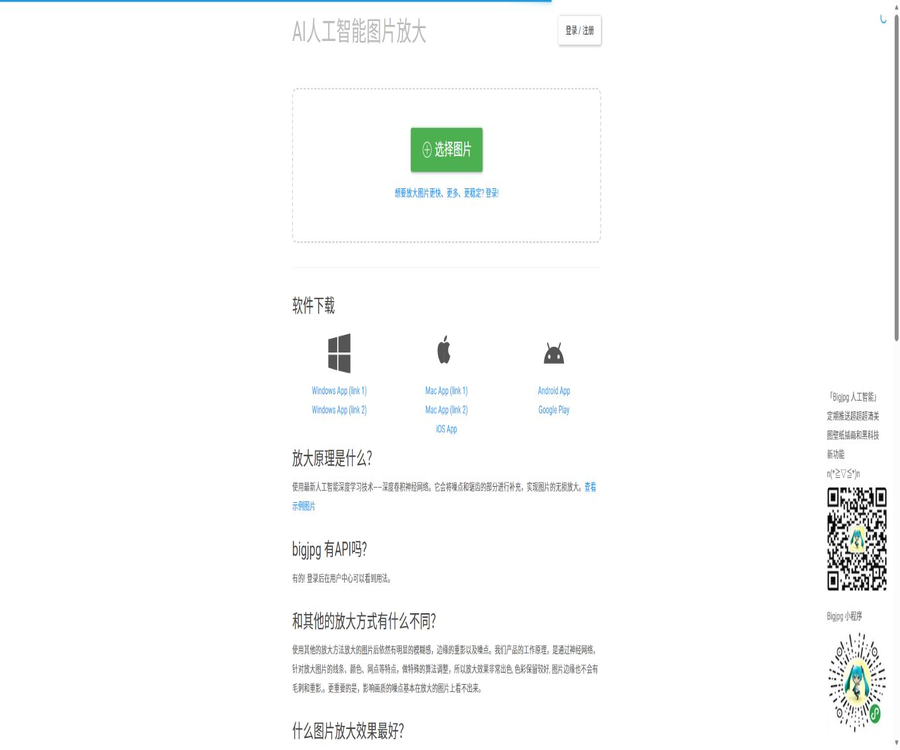
BigJpg
BigJpg, a smart tool specialized in AI-driven image processing.
Tags:Common AI image toolsA one-sentence summary
BigJpg is a tool that uses deep convolutional neural networks to enhance the resolution of images and remove noise; it is particularly suitable for anime illustrations, but it also works with regular photos.
Tool Introduction
BigJpg takes in images already owned by users, uses neural networks to reduce jagged edges, noise, and compression artifacts, and outputs a version with higher resolution. It is not an image-generation platform; it does not create new characters or scenes, nor does it offer features such as face swapping, AI avatars, video generation, or deepfake technology.
The current service is available via a web interface, as well as clients for Windows, macOS, iOS, and Android; it also provides logged-in users with access to a task history and API functions. The free version is suitable for handling a small number of images, while the paid version offers support for larger files, 16-times zooming, parallel processing, and batch mode.
Main functions
AI super-resolution upscaling
The system employs deep convolutional neural networks to analyze the lines, colors, and local structures in images; it increases the pixel size while striving to minimize the blurring that occurs as a result of traditional interpolation. The resulting image is a reconstruction created by the model, and it is not possible to restore those true details that were not recorded in the original image.
Anime illustration mode
The Artwork mode is optimized for animations, illustrations, line drawings, and the edges of color blocks; it generally manages to preserve outlines and colors well. However, small text, dots, complex textures, and artifacts resulting from original compression may still be misinterpreted.
Photo mode
The Photo mode is suitable for ordinary photos, portraits, landscapes, and product images. High magnification can alter the appearance of skin, hair, distant text, and fine textures; it is necessary to compare important images side by side with their original versions.
Multi-stage noise reduction
Users can choose between no noise reduction, low, medium, high, or the highest level of noise reduction. Excessive noise reduction may remove textures, particles, and brush strokes as noise, so it is necessary to test each setting based on the quality of the original image.
2x to 16x magnification
The free version supports up to 4 times scaling, while the paid version allows for up to 16 times scaling. The higher the scaling factor, the greater the pixel size, processing time, and size of the output file; however, the visual quality does not necessarily improve in proportion to this factor.
Batch and parallel processing
The paid plans offer parallel processing and batch mode, making them suitable for illustration collections, product catalogs, and material libraries. The number of parallel tasks, the task queue, and server load still affect the actual speed.
Offline tasks and history
Visitors who are not logged in must keep their browser open after starting a task; otherwise, the results may be lost. Users with an account can close the browser and continue working, while also being able to view the history of their operations in their account.
Image type and settings
| Settings | Optional items | Applicable scenarios | Precautions |
|---|---|---|---|
| Image type | Artwork | Anime, illustrations, line drawings, and graphics | It may smooth out fine textures. |
| Image type | Photo | Portraits, landscapes, products, and everyday photos | The details of the characters need to be examined up close. |
| Magnification level | 2 times, 4 times | Free version and paid version | Suitable for most basic tasks |
| Magnification level | 8 times, 16 times | Paid version | At high magnification, traces of AI reconstruction may be visible. |
| Noise reduction | None, Low, Medium, High, Highest | Different noise and compression levels | Avoid choosing something that is too strong at once. |
| Server | Mainland China or the United States | After logging in, select it in the settings. | Test speed by network location |
Quick Start Guide
- Prepare images for which you have legitimate rights to process them, and keep the original files.
- Select image upload and make sure that it does not exceed the account’s size and file size limits.
- Choose the correct type between Artwork and Photo.
- First, choose 2x or 4x, and set the noise reduction to low to medium depending on the level of noise.
- Start the task and wait for it to be processed; keep the page open even if you are not logged in.
- Download the result and compare it with the original image in terms of lines, text, figures, and textures.
- If the results are not satisfactory, adjust the image type or the noise reduction level and process it again.
Tutorial on enlarging anime illustrations
- Use the original illustrations that have not been reproduced multiple times, or the highest-quality version of them.
- Select the Artwork mode and start testing at 2x.
- When the lines are clear but there is slight compression noise, choose low or medium noise reduction.
- Check the eyes, hair, outline, small text, gradients, and dots.
- If a larger size is needed, try the 4x option or the paid high-magnification option.
- Compare the results for different parameters side by side, rather than just viewing thumbnails.
- It is used to check the color space, final pixels, and print resolution before printing.
Photo enhancement tutorial
- First, complete exposure, white balance, cropping, and correction of obvious defects.
- Select the Photo mode and determine the noise reduction level based on the noise present in the original image.
- Use a 2x scaling factor to create the first version, avoiding a 16x scaling from the start.
- Check the face, hair, fingers, text, edges of buildings, and repeating textures.
- Reduce noise reduction when waxing or texture loss is detected.
- If remnants of serrations and compressed blocks are detected, increase the noise reduction level step by step.
- After downloading, conduct a final check on the target screen or in print format.
Batch processing tutorial
- Group them by frames and illustrations to prevent incorrect parameters from being used for different types.
- Standardize file naming, and create directories for the original images, those under processing, and those that have been approved.
- After logging in to your paid account, select the batch mode.
- Set the zoom level and noise reduction intensity for the entire batch.
- First, use a small sample to validate the parameters, and then submit the full batch.
- Monitor failed tasks and retry them when server load is low.
- After downloading, randomly check the edges, dimensions, file integrity, and color.
Which users are it suitable for
- Anime and illustration creators: enlarging line drawings, character images, and wallpapers.
- Photo users: Increase the size of old photos and images with low resolution.
- E-commerce operations: Prepare larger-sized product display images.
- Designer: enlarges images for posters, presentations, and social media content.
- Archivist: Improves the readability of scanned images and historical photos.
- Mobile users: Can submit tasks at any time via iOS or Android.
- Developer: Create scaling tasks in bulk via API.
- Small teams: Use paid batch and parallel processing capabilities to work with the asset library.
Typical use cases
- Enlarge low-resolution anime images to use as desktop or phone wallpaper.
- Prepare illustrations with higher pixel counts for printing and display.
- Enhance old photos, scanned images, and compressed images.
- Enlarge the product image on the product details page.
- Improve small-sized elements in presentations and web pages.
- Batch-process illustration sets, profile pictures, and content asset libraries.
- Enlarge images through the API and integrate them into the content creation process.
Product advantages
- There are clear directions for optimizing anime, illustrations, and clean lines.
- It also offers photo mode and five levels of noise reduction.
- The free version allows for a basic magnification of 2 times and 4 times.
- The paid version supports up to 16 times compression and files of 50MB in size.
- It supports use on multiple platforms, including web, desktop, and mobile devices.
- Logged-in users can view task history and process tasks offline.
- Provides publicly accessible API examples and task query procedures.
- It is possible to switch between servers in mainland China and those in the United States.
- The privacy policy clearly states that the images uploaded by users are not used for model training.
Effect limitations and precautions
- Super-resolution estimates details, but it does not mean restoring the true original information.
- High magnification can produce a plastic appearance, artificial textures, and repetitive patterns.
- Small characters, faces, fingers, and regular lines require close inspection.
- Maximum noise reduction may result in the loss of strokes, pores, particles, and texture.
- The processing speed is affected by the file size, parameters, server traffic, and time of day.
- Free users use shared servers, which offer lower priority and stability.
- The task may fail due to network issues or the number of online users, and needs to be submitted again.
- Free images are deleted within 24 hours, while paid images are deleted within 72 hours.
- Uploaded files are regularly scanned by the cloud content moderation service for prohibited content.
- The service does not guarantee any specific quality of output or suitability for a particular purpose.
Differences between the free version and the paid version
| Ability | Free | Basic, Standard, and Premium | Explanation |
|---|---|---|---|
| Number of images per month | 20 pieces | 500, 1000, or 2000 pieces | According to the purchased package |
| Processing speed | Slow | Highest priority | It remains affected by the server status. |
| Server | Sharing | High performance | Paid tasks are given priority. |
| Maximum upload size | 5MB | 50MB | Free version is also limited to 3000×3000 pixels. |
| Maximum multiple | 4 times | 16 times | It is recommended to conduct a test at a low magnification first. |
| Offline amplification | Support available after logging in. | Support | Visitors need to keep the page open. |
| Parallel amplification | Not included | Support | Suitable for multitasking |
| Batch mode | Not included | Support | Suitable for material libraries |
| File retention | Deleted within 24 hours | Delete within 72 hours | It will be removed from the activity system upon expiration. |
Prices and packages
The prices listed below are those on the official website as of August 20, 2026. All three subscription plans require a one-time payment and remain valid for the specified period only; they are not permanent purchases. The monthly image quota is reset either on a calendar month basis or according to the account’s billing cycle, and this should be confirmed before making the payment.
| Package | Price | Validity period | Number of images per month | Primary interests | Suitable for users |
|---|---|---|---|---|---|
| Free | $ | Available for a long time | 20 pieces | 5MB, 4x, shared server | Occasionally process images. |
| Basic | 6 dollars | 2 months | 500 pieces | 50MB, 16x, priority servers, parallel and batch | Short-term small projects |
| Standard | 12 dollars | 6 months | 1000 pieces | Advanced capabilities similar to those of Basic | Ongoing creation and operation |
| Premium | 22 dollars | 12 months | 2000 pieces | Similar to Basic, and it offers the highest monthly limit. | Frequent users and teams |
Payment methods
- Stripe payments are listed publicly on the web page.
- List WeChat Pay and Alipay at the same time.
- More payment methods may be displayed depending on the region.
- Mobile apps allow payments to be made using Apple Pay or Google Wallet.
- The official website also mentions that it is possible to contact support for information regarding payments in certain cryptocurrencies.
- Taxes, exchange rates, app store prices, and refunds are subject to the actual channels.
Suggestions for package selection
| Demand | Recommended package | Reasons | Confirm before purchasing |
|---|---|---|---|
| Less than 20 per month | Free | No payment is required. | Are 5MB and 4 times sufficient? |
| Two months for concentrated processing | Basic | 500 pieces per month, with a short deadline | Total quantity of items and batches |
| Stable use for half a year | Standard | 1000 pieces/month | Is the limit reset on a monthly basis? |
| High-frequency processing throughout the year | Premium | 2,000 pieces per month at a low unit price | Account sharing and concurrency rules |
| Programmatic workflows | Paid plan plus API | Higher limits and stability | Relationship between API calls and image quota |
Refund rules
Refund requests must be submitted within 14 days of purchase, and they are reviewed on a case-by-case basis by the authorities. If technical issues with BigJpg prevent the service from functioning properly and the support team is unable to resolve them within a reasonable time frame, users can apply for a refund.
- Refunds may be denied after making extensive use of the purchased services.
- Applications may be rejected if the terms are violated or if the refund mechanism is abused.
- The approved refund is typically returned to the original payment method within 10 business days.
- Purchases from app stores may also be subject to the store’s refund policies.
- Keep the payment receipts, task failure records, and support tickets when applying.
API features
After logging in, BigJpg provides API keys and examples within the account; these tools allow users to create scaling tasks, check the status of multiple tasks, and retry those that failed. The available examples support using image URLs as input, and the results of processing can be retrieved through the task IDs.
API parameters
| Parameters | Optional values | Function | Precautions |
|---|---|---|---|
| style | art, photo | Choose an illustration or photo model. | It must match the type of material. |
| noise | -1、0、1、2、3 | From no noise reduction to maximum noise reduction | Too high a value will result in loss of texture. |
| x2 | 1、2、3、4 | Corresponds to 2, 4, 8, 16 times | High-multiplication plans are subject to restrictions. |
| input | Accessible image URL | Specify the remote original image | Do not expose private resources. |
| Task ID | Return after creating the task | Query and retry tasks | Save the mapping to business records |
API Integration Tutorial
- Register for and log in to a BigJpg account, then check the API key within that account.
- Confirm the package quota, file restrictions, and 8x or 16x permissions.
- Prepare images that can be accessed securely from the server, and avoid making sensitive original images public.
- Create a task after setting the image type, noise reduction level, and zoom factor.
- Save the returned task number; do not include the API key in the frontend code.
- Periodically check the status of tasks, and implement backoff and retry mechanisms for timeouts and failures.
- After downloading the result, verify the integrity of the file and its visual quality.
- After processing is complete, clear the temporary image addresses and task mappings.
API security recommendations
- API keys are stored only in the server-side key management system.
- Set a short-term signature address and minimum read permissions for the upload source.
- Limit the types of services, users, and images that can be called.
- Record the task number, parameters, duration, reason for failure, and quota usage.
- Check the file type, size, and malicious content of the downloaded result.
- Replace the key immediately after a leak is detected, and check for any abnormal tasks.
- Do not rely on unverified third-party services for processing sensitive images.
Platform and client
| Platform | Support status | Current instructions |
|---|---|---|
| Web | Support | Upload, configure, and download via browser |
| Windows | Support | The official website provides two download mirrors. |
| macOS | Support | The official website provides two download mirrors. |
| iPhone and iPad | Support | Free in stores in China, including in-app purchases |
| Android | Support | There are options to download the APK from the official website as well as on Google Play. |
| API | Support | Obtain the key after logging in to the account. |
Mobile app status
The iOS version of this app in China is listed as free; it is version 1.3.1, requires iOS 9.0 or higher, and is compatible with both iPhone and iPad. The Google Play version is still under development; it is compatible with phones and tablets and includes in-app purchases.
Multilingual and servers
The official website offers interfaces in multiple languages, including English, Simplified Chinese, Traditional Chinese, Japanese, Korean, German, French, Spanish, Portuguese, Russian, Arabic, and Turkish. The default server is located in mainland China; after logging in, it is possible to switch to a server in the United States through the settings.
Privacy and document retention
Images uploaded with a free account are removed within 24 hours after processing, while those from paid accounts are deleted within 72 hours. The images are not made publicly available, and the storage links use identifiers that are difficult to guess; however, if a user shares an external link voluntarily, it may still allow others to access them.
- It handles service-related emails, usernames, technical information, and necessary usage logs.
- Payment information is processed by third-party payment providers.
- Uploaded files are stored in Alibaba Cloud Object Storage.
- The files are regularly scanned by Alibaba Cloud’s content moderation service for prohibited content.
- Officials state that personal information is not sold.
- Officials state that users’ images are not used for training or improving models.
- The data may be processed outside the user’s country.
- Users can apply to access, correct, or delete data in accordance with the rules of their respective regions.
Copyright and Content Policy
The user retains ownership of the uploaded images and must ensure that they possess the necessary copyrights, licenses, as well as rights related to privacy and portraits to process those images. BigJpg will not obtain the original images or the commercial permissions required for their use just because the image has been enlarged.
- The uploading of material depicting child sexual abuse and involuntary private images is prohibited.
- Terrorism, extremism, severe violence, and illegal content are prohibited.
- Images that violate copyright, trademarks, privacy, and publicity rights are prohibited.
- The fabrication of documents, fraud, malware, and phishing content are prohibited.
- The platform can remove content and suspend or close accounts that violate the rules.
- Copyright and trademark owners can submit complaints in accordance with the relevant policies.
AI transparency
BigJpg describes its own model as a discriminative image enhancement system designed for super-resolution of individual images, rather than a generative system that creates new images from prompts. The model reconstructs pixels and visual details; as a result, the output may still contain AI-induced assumptions and distortions.
- Text-to-image or text-to-video generation is not available.
- No synthetic characters, scenes, or objects are created.
- Face swapping, deepfake technology, and voice cloning are not available.
- Users cannot upload custom models or training data.
- Users are not allowed to fine-tune the BigJpg model.
- By default, enhancing an image does not add new watermarks, nor does it remove existing ones.
- In scenarios where authenticity is important, it is recommended to disclose that AI enhancement was used.
Safety precautions
- Do not upload ID cards, medical images, unpublished designs, or customer confidential information.
- For sensitive materials, offline and auditable local solutions should be preferred.
- Use a unique and strong password for the account to secure the email address.
- Do not save API keys or long-term login credentials on shared computers.
- Obtain the desktop and mobile clients from the official website.
- Third-party APKs, cracked memberships, and unofficial packages may steal images or keys.
- Back up the downloaded results promptly, as the files on the server are automatically deleted.
GitHub and the open-source status
The BigJpg official website does not list any official GitHub organizations or repositories containing the source code; the core models, web services, and client applications are not made available under an open-source license. There are third-party versions of BigJpg available in Python, TypeScript, and Android formats on the internet, but these are clearly not official projects.
The fact that official APIs are provided does not mean that the platform is open source, nor does it imply that third-party SDKs have undergone security audits. Developers should first refer to the official API examples available in the account, and carefully check the maintenance status and licensing of third-party repositories.
Basic information
| field | Content |
|---|---|
| Tool name | BigJpg |
| Development company | Guangzhou DataTech Co., Ltd. |
| Tool type | AI image super-resolution and noise reduction |
| Best materials | Anime, illustrations – photos are also supported. |
| Free multipliers | Up to 4 times |
| Payment multiplier | Up to 16 times |
| Free quota | 20 per month |
| Payment limit | 500, 1000, or 2000 per month |
| Price pattern | Free version plus a time-limited one-time payment package |
| API | Available; obtain the key after logging in. |
| Official SDK | Not disclosed |
| Is it open source? | No |
| Main platforms | Web, Windows, macOS, iOS, Android |
Recommendation score
The comprehensive recommendation score is 4.5 out of 5 points. BigJpg is particularly good at enlarging the lines and color blocks in animations and illustrations; its package prices are low, and it supports use on web pages, desktops, mobile devices, as well as through APIs.
The main drawbacks are the limited amount of free usage, the possibility that high-magnification results may contain false details, and the need for images to be stored in the cloud and have their content reviewed. For sensitive images and tasks that require a high degree of accuracy, it is better to use local processing methods.
Frequently Asked Questions
Is BigJpg free?
There is a free version that provides 20 images per month; each image can be up to 5 MB in size, with dimensions of 3000×3000 pixels, and zooming up to 4 times is supported.
How much can BigJpg be enlarged by?
The free version offers up to 4 times amplification, while the paid version provides up to 16 times amplification.
What kind of images are best suited for this?
The official focus is on optimizing animations and illustrations; ordinary photos can also be processed using the Photo mode.
Can it be used without logging in?
Yes, but the browser needs to remain open while the task is in progress; after logging in, it’s possible to work offline and view the history.
Is the paid plan monthly?
It is not an automatic monthly subscription; instead, you pay once for a period of 2 months, 6 months, or 12 months, and image credits are provided on a monthly basis.
How long are uploaded images stored?
Free accounts remain valid for approximately 24 hours, while paid accounts are valid for about 72 hours; after that they are automatically removed from the campaign system.
Will the images be used to train the model?
The current privacy policy clearly states that user-uploaded images will not be used to train or improve models, unless explicit consent is obtained in the future.
Are APIs provided?
Available upon login; you will receive an API key that allows you to use the interfaces for creating, querying, and retrying tasks.
Is there an official Python SDK?
There is no official public SDK; the website only provides examples of usage in Python and via the command line.
Is BigJpg open source?
It is not open-source; the packages and clients with the same name available on the Internet do not represent the official source code.
Is it compatible with Windows and Mac?
Yes, the official website provides download links for Windows and macOS client versions.
Can the generated images be used for commercial purposes?
Whether it can be used for commercial purposes depends on the copyright of the original image, permissions related to portraits, trademarks, and other materials; BigJpg does not automatically grant such rights.
Tools similar to BigJpg




 Guigong Network Security Registration No. 45132202000164