






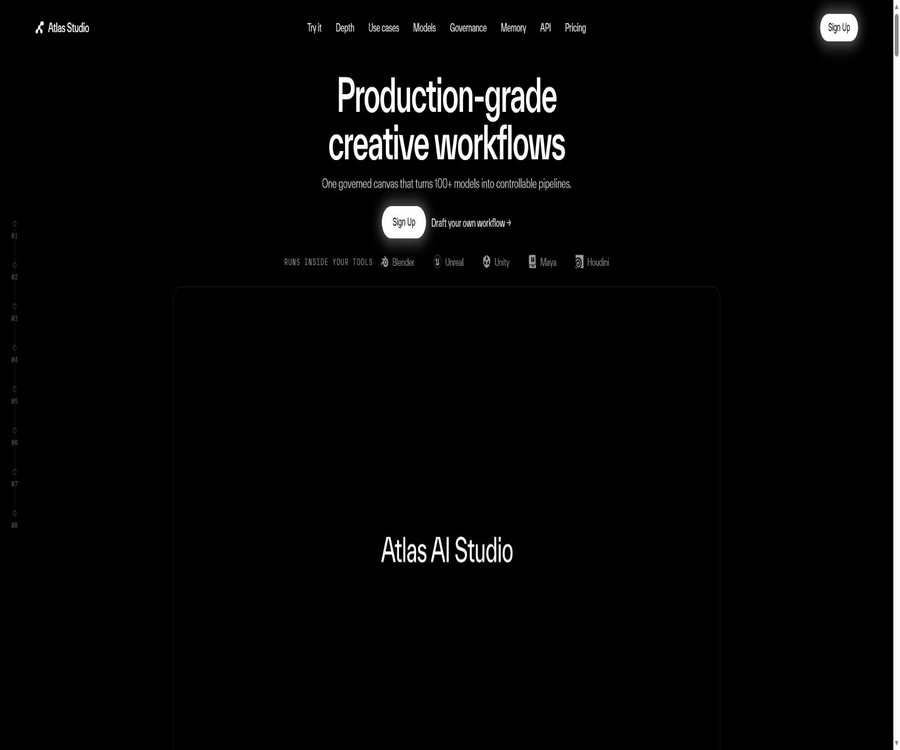
Atlas Studio
Atlas Studio, a smart tool focused on AI-generated images
Tags:Common AI image toolsWhat is Atlas Studio?
Atlas Studio is an AI-driven content creation platform designed for teams working on games, CG, and virtual worlds. It utilizes a node-based canvas to connect images, 3D models, videos, audio, and large language models into reusable workflows.
Unlike tools that generate only a single 3D model, Atlas places more emphasis on the processing of assets once they are ready for use in production. The workflow allows for further tasks such as retopology, UV unwrapping, PBR texturing, rigging, animation, dimension correction, review, and export to game engines.
Core functions
- Node-based workflow: Uses visual nodes to connect the steps of input, modeling, processing, review, and output.
- AI Workflow Assistant: Automatically assembles the appropriate models and processing pathways based on natural language requests.
- Multi-model orchestration: Invoke over 100 models for images, 3D, video, audio, and language within a single canvas.
- Game-grade 3D processing: offers topological reconstruction, UV unwrapping, texture baking, PBR materials, and mesh optimization.
- Character creation: Multiple-view characters can be converted into 3D models, after which bone binding and motion redirection are carried out.
- Memory Core: Stores the game’s art style, characters, world setting, materials, colors, and negative rules.
- Asset lineage: Records prompts, models, seeds, approvals, versions, and generation steps.
- Batching and parallelism: Running the same production process on a large number of assets simultaneously.
- API release: The validated workflow is packaged into a production interface with a version identifier.
- Engine integration: Connects with Unreal, Unity, Blender, and custom content creation systems.
The difference between Atlas and single AI 3D generators
| Comparison items | Atlas Studio | Single AI 3D generator |
|---|---|---|
| Product positioning | Content Production and Model Orchestration Layer | Generate a single 3D result from text or images |
| Model selection | It is possible to select or set a fallback link among multiple backends. | Usually, own or fixed models are used. |
| Post-processing | Retopology, UVs, PBR, baking, binding, and engine checks | The original grid and texture are usually the main outputs. |
| Repeatability | Save nodes, parameters, versions, and approval records. | Most are one-time generated tasks. |
| Style consistency | Through Memory Core and reference package management approach | Usually, it is necessary to repeat the prompts and references each time. |
| Production access | Plugins, APIs, and batch processing | Primarily based on web downloads or simple APIs |
AI Workflow Assistant
Atlas AI Agent is a multi-agent system used for building workflows; users can directly describe the desired characters, tools, environment, or production goals. The system selects the appropriate models, connects the relevant nodes, sets the parameters, and displays the resulting workflow on a canvas for artists to make modifications.
- Understand asset types, visual style, target engine, and technical budget.
- Select the appropriate image, grid, texture, or language model from the model library.
- Configure backup models and failure recovery paths for unstable steps.
- Connect generation, optimization, baking, materials, and export into a complete workflow.
- Key settings are displayed before execution, giving users ultimate control.
- Suggestions for corrections or parameter optimization are proposed based on the operation results.
How does the node canvas work?
Each node is responsible for a specific task such as input, generation, transformation, decision-making, or output; texts, images, grids, materials, and other assets are transmitted between the nodes. Users can replace a single model or parameter without having to redo the entire process from scratch.
| Node type | Function | Example |
|---|---|---|
| Input node | Receive text, images, grids, or item variables | Concept description, character setup diagrams, target polygon count |
| Language model node | Expand, refine, or review prompts and specifications | Convert art-related requirements into structured prompts |
| Image node | Create, edit, split, or enhance 2D assets | Character design sheets, material references, and marketing visuals |
| Grid node | Create, split, re-topologize, and optimize 3D models | Converting images to 3D format, creating low-poly models, and processing quadrilateral faces |
| Material node | Generate UV, PBR maps, and baking results | Base color, normal, roughness, and metallicity |
| Animation node | Bind bones, redirect actions, and output the character | Humanoid character rig and action clips |
| API and output nodes | Release interfaces or export production assets | GLB, engine plugins, and custom backends |
Generate game-level grids from concept diagrams
- Prepare concept drawings of the characters or props, specifying the requirements regarding style, materials, and structure.
- Use image processing nodes to standardize input conditions such as background, perspective, and T-shaped posture.
- Select a primary image to convert into a 3D model, and configure other models as fallback options in case of failure.
- After generating the high-detail mesh, check the contours, occluded areas, and component connections.
- Set the target number of faces as well as the requirements for triangular or quadrilateral faces, then proceed with topological reconstruction.
- Unfold the UVs and bake the high-detail model data into the low-model normals and PBR textures.
- Adjust the scale, axis, pivot, and units, then run the target engine for verification.
- After approval, export the GLB or send it to the project from the plugin.
3D production capacity
- Convert text or images to 3D: Generate a mesh from descriptions, concept diagrams, or multi-view references.
- Component separation: Breaking down complex objects into components that can be edited and replaced individually.
- Redo topology: Generate triangular or quadrilateral surface structures based on the target number of faces.
- UV processing: Unfold the UV and prepare a stable layout for texture creation.
- PBR material: Generates maps such as base color, normal map, roughness, and metalness.
- Texture baking: Transfers high-detail models to lower-detail versions that are more efficient to use.
- Multi-view modeling: Using front, side, and back views as references helps to reduce the illusion of invisible areas.
- Scale and Pivot: Automatically corrects the actual size, axis, base position, and rotation center.
- Engine preset: Performs checks on geometry, textures, and export for the target engine.
Character binding and animation
Atlas can feed the character mesh further into processes related to humanoid rigging, motion redirection, and animation nodes. This approach is suitable for creating prototypes and large numbers of characters, but complex facial features, realistic clothing behavior, and high-quality handcrafted animations still require expertise to refine.
- Use front, side, and back references to create a well-structured character mesh.
- Redo the topology and check the wiring in the areas where deformation occurs, such as the shoulders, elbows, hips, and knees.
- Adjust the humanoid binding nodes to generate bone and skinning weights.
- In standard movements, check for interposition, stretching, and joint collapse.
- Redirect the existing movements to the new skeleton, and adjust the proportions and root motion.
- Export characters, skeletons, materials, and animations according to the engine specifications.
Memory Core and style consistency
Memory Core is used to store the artistic direction and constraints of a project, ensuring that only the context required for the current task is retrieved each time it is run. It helps to avoid the need to re-enter the entire set of artistic guidelines repeatedly, and it also enables different workflows to share rules regarding characters, locations, and colors.
- Document the worldview, era, materials, colors, lighting, and emotional tone.
- Save role identities, costumes, props, and environment definitions.
- Maintain negative rules that prohibit the presence of modern elements, cartoonish styles, or oversaturation.
- Reference packs for organizational concept maps, environment, architecture, lighting, and textures.
- Set reference influence weights for different types of generation.
- It indicates a lack, insufficient diversity, conflicts, or references that have not been used for a long time.
Model library and fallback strategies
Atlas does not rely solely on its own models; it utilizes third-party models as well as its own models to handle different tasks. Its model library includes high-quality images, grids, videos, audio files, language models, along with Atlas’ own tools for grid processing.
| Model category | Primary uses | Representative selection |
|---|---|---|
| Image | Concept design, reference images, textures, and marketing materials | GPT Image, Flux, Seedream, and Qwen Image, etc. |
| 3D mesh | Conversion of text or images into 3D format and multi-view reconstruction | Atlas Titan, Tripo, Trellis, Meshy, and Hunyuan3D, among others |
| Video | Concept animation, shot previews, and marketing videos | Veo, Sora, Seedance, Kling, and other video models |
| Audio | Drafts for voice, music, and game audio | Speech synthesis and music generation models |
| Language models | Tips for processing, planning, inspection, and workflow orchestration | Gemini, GPT, and Claude series |
| Grid tool | Remapping topology, UVs, baking, and engine adaptation | Dedicated processing tools within the Atlas cluster |
Appropriate use cases
- Characters and props: Generate meshes and materials that can be used in the engine in bulk, based on the design drawings.
- Environmental expansion: Create buildings, vegetation, rocks, and scene elements while maintaining the same artistic style.
- Player-generated content: The validated processes are released as controlled APIs for use within the game.
- Prototype development: Quickly convert concepts into placeholder or medium-quality assets that can be tested in levels.
- Asset library generation: Creates a large number of variants in parallel, while standardizing the number of faces, UVs, and naming conventions.
- Character animation: Completes automatic binding, action redirection, and basic animation output.
- Marketing content: Use the same project memory to create posters, videos, voiceovers, and promotional materials.
- Technical art tools: Package repetitive transformation, optimization, and verification steps into team templates.
Which team members are suitable
- Concept artist: Quickly explore ideas related to characters, props, environments, and materials.
- 3D Artist: Uses editable nodes to carry out the initial stages of creation, including the creation of meshes, textures, and optimization.
- Technical artist: Build an asset pipeline that is repeatable, auditable, and compliant with engine specifications.
- Art Director: Use Memory Core to manage styles, approval processes, and reference rules.
- Engine programmer: Integrates workflows into game tools and the runtime through plugins or APIs.
- Production manager: View version, cost, batch processing, and delivery status.
- Innovation and R&D team: Testing different generation models under unified governance.
How to publish a workflow as an API
The team can package a set of validated nodes into versioned interfaces, specifying the inputs and outputs. When games, internal tools, or automated services call these interfaces, they receive the results of the workflow along with the corresponding asset hierarchy.
- First, complete and test the workflow within the canvas to ensure that the inputs and outputs of each node are stable.
- Define the text, images, or parameters that need to be provided by the caller as API inputs.
- Select the final grid, image, or other file as the API output.
- Fix the model version, default parameters, approval rules, and fallback methods in case of failure.
- Release a new version and verify permissions, concurrency, processing time, and costs in the testing environment.
- Tasks and asset identifiers are saved by invoking interfaces through engine plugins or the business backend.
- Create a new version when modifying the process, to avoid disrupting the already operational content pipeline.
Engine integrated with DCC
| Tools or platforms | Integration method | Typical uses |
|---|---|---|
| Unreal Engine | Official plugins or APIs | Generate, optimize assets, and import them into the editor. |
| Unity | Official plugins or APIs | Pass GLB assets and operational workflows to the project. |
| Blender | Plugins and file workflows | Continue editing the mesh, materials, bindings, and animations. |
| Maya | Existing content pipelines and export formats | Perform professional adjustments to roles, animations, and assets. |
| Houdini | Pipeline integration | Combining procedural modeling with large-scale environment generation |
| Custom engine | Versioned APIs and standard files | Call the workflow from an internal tool and receive assets. |
Asset governance and traceability
- Record the prompt, model, version, parameters, and random seed used for each generation.
- It displays the license or approval status of the model, helping the team assess intellectual property risks.
- Configure approval by an art director or technical specialist for key outputs.
- Retain workflow versions, change history, and asset generation lineage.
- Lock in the validated parameters to reduce uncontrolled variations during production.
- Use project folders and organizational permissions to separate different projects and teams.
- Regularly check whether the terms of third-party models permit the intended commercial use.
Prices and packages
Atlas uses a shared point pool for studios; there is no charge based on the number of users, and unlimited members can be added to all public plans. With the monthly subscription option, additional credits can be purchased by using points, while there is a 20% discount available for annual subscriptions.
| Package | Monthly price | Shared points | Primary interests |
|---|---|---|---|
| Free trial | Start for free | The information displayed on the registration page shall prevail. | Used to experience the canvas and basic generation process. |
| Pro | 50 euros per month | 5,000 points per month | Over 100 models, shared Memory Core, production-grade 3D processing, GLB export, and commercial licensing |
| Studio | 200 euros per month | 25,000 points per month | Includes Pro benefits, API, Unreal/Unity/Blender plugins, advanced memory management, as well as version and audit logs. |
| Enterprise | 2,000 euros per month | Customized by project | Custom model training, organization-level memory, custom integration, VPC or on-premises deployment, and SLA |
| Excess points | 0.01 euros per point | Based on the actual purchase price | Used to continue production after the package points are used up |
| Annual payment | The public price is 20% off. | Select the corresponding package | 20% savings compared to monthly payment |
How to estimate the integral
The official website estimates that 5,000 points in the Pro version correspond to around 250 grids that can be used in the engine, or approximately 2,500 high-quality images. 25,000 points in the Studio version are estimated to equate to around 1,250 grids, or about 12,500 images.
- Different models, resolutions, retopologies, and material steps require different amounts of integration.
- A complete 3D pipeline typically uses more integrals than a single image.
- Retries in case of failure, batch variants, and alternative models should also be included in the budget.
- The team should calculate the actual unit cost based on the assets that are ultimately approved.
- Before API production, it is necessary to set project quotas, alerts, and concurrency limits.
- Corporate solutions should include customized training, integration, cloud resources, and support within the total cost.
How to choose a package
| Usage requirements | Suggested solution | Reason for selection |
|---|---|---|
| Verification process for individuals or small teams | Free trial or Pro | First, verify the generation quality, node experience, and points per asset. |
| Daily production by multiple people | Pro | Shared points and unlimited seats are suitable for small art teams. |
| An API or engine plugin is required. | Studio | APIs and official plugins are available starting from Studio among the public offerings. |
| Audit and version governance are required. | Studio | Includes advanced memory management, version control, audit logs, and priority support. |
| Large-scale projects and custom-developed models | Enterprise | Offers customized point pools, model training, and organization-level capabilities. |
| VPC, on-premises deployment, or SLA | Enterprise | The enterprise is required to deliver the goods under a separate contract. |
Product advantages
- It covers the entire pipeline from concepts to engine assets, rather than merely outputting the original mesh.
- The model-agnostic orchestration approach allows teams to compare and replace different generation models.
- The non-destructive node canvas facilitates the identification of issues and allows for the reuse of established processes.
- Memory Core transforms artistic directions, references, and rules into a shared context for the team.
- APIs, plugins, and batch execution are suitable for truly integrating AI into game development.
- The asset hierarchy, approval, and auditing capabilities are better suited to the governance requirements of large studios.
- No limit on the number of seats and shared points help to avoid increased software costs per person.
Usage restrictions
- The automatically generated grids, UVs, materials, and bindings may still require refinement by professional artists.
- The quality, speed, licensing, and integration resource consumption of over 100 models vary.
- Complex hero characters, facial animations, and detailed topologies are difficult to automate entirely.
- The longer the workflow, the more difficult it is to estimate failure points, wait times, retries, and costs.
- APIs and engine plugins are available starting with the Studio package; the cost for small teams to adopt them is relatively high.
- The platform primarily operates within the Google Cloud ecosystem, and decisions regarding cloud procurement and deployment need to be evaluated in advance.
- When using third-party models, it is still necessary to verify each element such as the training data, licenses, and limits on commercial use.
- Real-time content creation by players requires additional security reviews, performance constraints, and content filtering.
Evaluation recommendations prior to going live
- Select 20 to 50 real assets to establish baselines for quality, time consumption, and cost.
- Establish automatic-check standards for the number of faces, topology, UVs, PBR, proportions, and naming.
- Calculate separately the first-pass success rate, the time required for manual adjustment, the score, and the final delivery cost.
- Have the legal and art teams review the model licenses, reference images, and the ownership of the generated assets.
- For each production workflow, manual approval, version locking, and rollback mechanisms are maintained.
- First, validate the plugin and API in a separate branch or test project to prevent contaminating the official asset repository.
GitHub and open source
Atlas AI Studio, along with its multi-agent capabilities, Memory Core, and production backend, constitutes a commercial platform that is not fully open-source. The company provides a repository of product documentation where one can find information on the features and some details regarding workflows; however, this does not enable one to deploy the entire platform on their own.
| Project | Public status | Explanation |
|---|---|---|
| Atlas AI Studio platform | Not open source | The node canvas, multi-model scheduling, and managed production capacity fall under commercial services. |
| Atlas multi-agent system | Not open source | Responsible for understanding requirements and assembling the production workflow. |
| Memory Core | Not open source | Ability to manage project context, references, style, and rules |
| Official product documentation | Public warehouse | You can view the product instructions, node indices, and production guidelines. |
| Third-party models | The licenses vary from one another. | It should be verified separately for specific models and business scenarios. |
| Output assets | Use according to packages and agreements | The public package includes a commercial license and instructions on IP security. |
Basic information
| Project | Content |
|---|---|
| Product name | Atlas Studio or Atlas AI Studio |
| Tool type | AI-native game and CG content creation platform |
| Key capabilities | Multi-model orchestration, node workflows, 3D post-processing, governance, APIs, and plugins |
| Number of models | The official website states that there are over 100 types. |
| Main output | Images, grids, PBR materials, animated characters, animations, videos, and audio |
| Support tools | Unreal, Unity, Blender, Maya, Houdini, and custom engines |
| Starting price | Pro costs 50 euros per month, while Studio costs 200 euros per month. |
| By seat or not | No, a shared points pool with no limit on the number of seats is used. |
| Is it open source? | The platform is not open-source, but the official documentation repository is available publicly. |
Recommendation score
The comprehensive recommendation score is 4.5 out of 5 points. Atlas is particularly suitable for technical art specialists and studio teams that need to integrate generative AI into the creation of game assets; however, its value depends on whether it can indeed reduce the costs associated with manual editing, review, and integration.
Frequently Asked Questions
What does Atlas Studio do mainly?
It arranges various AI models on the node canvas and processes the results into assets that are more suitable for use in game and CG production.
Can Atlas directly generate 3D models usable in games?
It is possible to carry out tasks such as topology reconstruction, UV processing, PBR application, binding, and engine testing; however, assets with high requirements still need to be manually inspected and refined.
Does Atlas use only its own developed models?
No, it simultaneously utilizes third-party models as well as Atlas’ own 3D processing capabilities.
Which game engines are supported?
The authorities give priority support to Unreal and Unity; it is also possible to integrate with other pipelines using Blender plugins, standard files, and APIs.
How does Atlas charge?
It charges based on a shared points pool per studio, rather than per seat; the Pro version costs 50 euros per month.
Which package provides an API?
Under the public plan, Studio begins to offer APIs as well as plugins for Unreal, Unity, and Blender.
Can one train their own 3D models?
The enterprise solution offers the option to train custom 3D base models; specific details regarding data, costs, and delivery require separate discussions.
Can the generated assets be used for commercial purposes?
The public paid packages include information on the commercial license, but it is still necessary to verify the models used, the reference materials, and the specific terms of the agreement.
Is Atlas an open-source tool?
No, the full platform is intended for commercial use; the official party only makes available certain materials such as product documentation.
Is it suitable for individual independent developers?
You can start with a free trial or the Pro version, but its true value lies in serving teams that have a consistent need to create 3D assets.
Tools similar to Atlas Studio




 Guigong Network Security Registration No. 45132202000164