






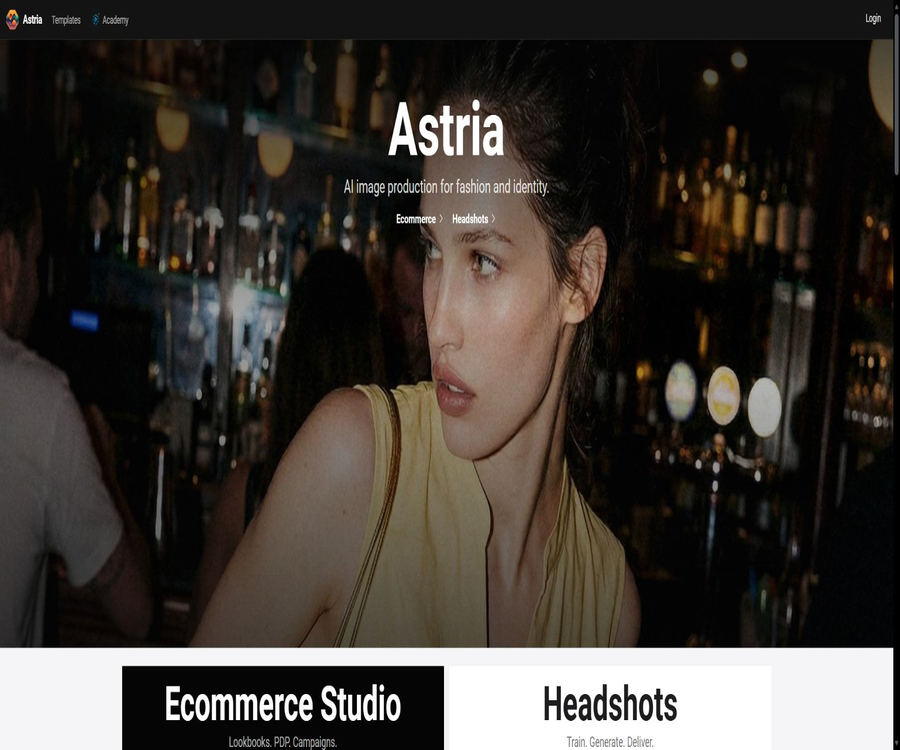
Astria.ai
Astria.ai: a smart tool specialized in AI-powered image processing.
Tags:Common AI image toolsWhat is Astria.ai?
Astria.ai is a customized image generation platform designed for developers, imaging studios, and AI application teams. Users can upload images of people, products, clothing, pets, or various style elements; by training specialized models, they can generate multiple images with higher consistency.
It offers both a web interface and REST APIs, and it combines model fine-tuning, prompt engineering, image generation, video generation, callbacks, and billing within the same service. This platform is particularly suitable for creating AI-generated photos, product images, virtual try-ons, and brand-related content.
Core functions
- Image fine-tuning: Use training images to create specialized models that can recognize specific people, objects, or styles.
- Flux LoRA: Trains lightweight adaptation weights on the Flux base model, balancing identity preservation and prompt understanding.
- FaceID: It makes use of fewer reference images to quickly identify a person’s identity, eliminating the need for traditional weight training.
- Image generation: The results are controlled through prompts, negative prompts, seeds, size, and the number of images to be generated.
- Image control: Supports reference images, pose, depth, edges, local redrawing, and various ControlNet methods.
- Enhancement processing: Offers options such as face restoration, face swapping, super-resolution, film grain, and color styling.
- Packs template: It packages the training settings along with a set of prompts into reusable templates for photos or product images.
- Video generation: Supports text-to-video, image-to-video generation, multiple references, start and end frames, as well as audio and motion control.
- Developer API: Use Tune and Prompt to create, query, and delete tasks, as well as to receive Webhooks.
Comparison of model fine-tuning methods
| Method | Main features | Suitable scenarios | Precautions |
|---|---|---|---|
| Flux LoRA | It trains lightweight adaptation weights, offering strong performance in prompt understanding and character consistency. | Photos, products, pets, and style customization | It is necessary to prepare a variety of clear training images. |
| Checkpoint | Save more complete model weights | Some older models or highly customized processes | Larger files generally result in higher costs for training and storage. |
| FaceID | Quickly create references based on a person’s identity characteristics | Quick avatar creation, try-on, and character retention | It is primarily designed for faces and cannot replace training for all types of subjects. |
| PTI or text embedding combination | Adapt identities or concepts based on specific base models | Compatible with some SDXL workflows | The parameters and performance of different base models cannot be directly interchanged. |
| Public base model | Generate directly using the platform’s library models. | General creation and process testing | It does not include user-specific characteristics. |
Features of Flux LoRA training
The current Astria documentation identifies Flux as an important approach for fine-tuning and inference; the recommended Portrait preset can also be used for most training tasks that are not related to style. This preset handles issues such as cropped, blurred, or low-resolution images, and it helps to prevent the model from overfitting to clothing and background elements.
- The basic resolution is 1024 pixels, and it can handle various aspect ratios.
- Descriptive, natural-language prompts are generally more suitable for Flux than simple label stacks.
- The Portrait preset emphasizes identity characteristics, diverse composition, and alignment with prompt instructions.
- The Fast preset is suitable for scenarios where the output should be similar to that of the training data, but it represents an earlier version of a rapid solution.
- The number of training steps affects cost, similarity, generalization ability, and the risk of overfitting.
- For commercial use, it is still necessary to verify the scope of licensing provided by the base model and the platform.
How to train models specific to characters
- Choose LoRA, FaceID, or another training method, and decide whether you want to generate a profile picture, a full-body image, or a scene image.
- Prepare 4 to 16 clear photos of the same person, including close-ups, medium shots, different angles, and various expressions.
- Images with severe filters, obstructions, group photos, repeated compositions, and low resolution are excluded.
- Create a Tune by selecting the base model, character category, training preset, and uploading the training images.
- The first set of samples was created using fixed test prompts with various scenarios and lighting conditions.
- Compare identity similarity, hand, face, clothing adhesion, and background overfitting.
- Adjust the training images, prompts, LoRA strength, or generation parameters to finalize the template.
Prompting and image generation
Astria refers to a single image generation task as a Prompt, and associates it with a specific Tune. Developers can control the number of images generated, the aspect ratio, the random seed, the number of inference steps, the intensity of the prompt, and the callback address.
- Positive prompts describe the subject, clothing, environment, camera angle, lighting, and style of the image.
- Negative prompts are used to eliminate unwanted objects, distortions, or visual features.
- Fixing the seeds helps compare parameter changes, but it does not guarantee the same output across different models.
- LoRA strength control balances the specialized features with the capabilities of the base model.
- Super-resolution, face restoration, and face swapping increase the number of processing steps and the associated costs.
- One request can include 1 to 8 images; the cost varies depending on the model and the enhancement features used.
What is a Packs template?
A Pack is a set of prompts, classification rules, and training parameters that enables the photo themes designed by the creative team to be used directly within the application. It reduces the need for hard-coded parameters in the backend and allows operators to update themes without having to modify the software.
| Pack composition | Function | Applied value |
|---|---|---|
| Basic Tune | Specify the base model to be used for training or inference. | Unified model version and basic image quality |
| Classification of characters or subjects | Distinguish between input types such as people, pets, and products. | Use appropriate prompts for different categories of applications. |
| Prompt set | Define clothing, scenes, shots, and style. | Quickly create sellable theme packs |
| Generation parameters | Save dimensions, model, and inference configurations | Reduce inconsistencies between front-end and back-end parameters |
| Cost configuration | Record the cost of using Pack by category. | Facilitates the use of accounting packages and calculation of gross profit. |
| Feedback data | Record the user’s preference or choice regarding the results. | Help the creative team optimize the theme. |
How to build an AI portrait application using Packs
- First, design several visual themes for the target audience, and use multiple test subjects to verify fairness and stability.
- In Pack, set the base model, training type, character classification, prompt, and generation parameters.
- The front end collects the users’ photos and checks their number, clarity, and quality of the faces before uploading them.
- The backend creates Tunes using Pack, in order to maintain a unique correspondence between business orders and those Tunes.
- Wait for the training to complete and its callback to occur, before triggering the batch prompts in Pack.
- Display the generated results to the user, while recording the reasons for selections, failures, and refunds.
- Update the Pack based on real feedback; there is no need to hardcode each prompt in the backend code.
Virtual try-on and product photography
Astria can combine references of people, clothing, or products with generation models for virtual try-ons and the creation of e-commerce content. Clothing references can be images of models wearing the items in question, or flat lay images; however, the training instructions and category labels must be accurate.
- Clothing try-on: Transfer the designated clothing to the target character or virtual model.
- Product shoot: Create product footage in various backgrounds, lighting conditions, and compositions.
- Brand model: Keep the same person, while changing the clothing, pose, and location.
- Home layout: Create various furniture and decoration styles for indoor spaces.
- Pet photography: Train the pet as the main subject and create designs with holiday, movie, or artistic themes.
- Marketing variants: Create visual materials in landscape, portrait, and social media formats in bulk.
Multiple characters and multiple LoRA generations
The multi-LoRA feature allows multiple trained characters to be included in the same image; however, the greater the number of characters, the higher the likelihood of identity confusion and failed composition. Each character should use a compatible base model, and its position and characteristics should be clearly specified in the prompt.
- Create stable-quality Flux LoRAs for each character separately.
- The same or compatible base models and training methods are used.
- Specify left/right, front/back, clothing, and actions in the prompt.
- Start with tests of two-person half-body scenes, and then add more complex backgrounds and full-body movements.
- Check for issues with face matching, overlapping limbs, and swapped clothing.
Video generation capability
Astria’s video interface supports text-to-video, image-to-video, reference image-to-video, reference video, and motion control functions. Users can choose the video model, motion instructions, duration, aspect ratio, starting and ending frames, as well as audio parameters.
- Text-to-video: Videos are generated directly by simply entering descriptions of actions and scenes.
- Tusheng Video: First generate or upload the first frame, then describe the characters and camera movements.
- Multiple reference videos: Use several reference images of people or products to maintain the characteristics of the subject.
- Start and end frame control: Specifies the initial and final frames of the video in order to regulate the progression of changes.
- Action transfer: Upload a demonstration video to have the target person replicate the desired action.
- Audio generation: Some models are capable of generating sound or accepting reference audio.
- Video duration: The available options depend on the model; when the duration exceeds the basic limit, the cost usually increases in a linear manner.
Prices of representative video models
The official documentation lists the price in cents for each video task based on its duration; different resolutions, audio qualities, durations, and models result in varying costs. The table below shows only representative models – the actual fee charged will be based on the price in effect at the time the task is created.
| Examples of video models | Base price | Support duration | Main features |
|---|---|---|---|
| Seedance 1.5 720p | Starting at 14 cents | 4 to 12 seconds | Conventional image-to-video generation |
| Seedance 1.5 audio version 720p | Starting at 29 cents | 4 to 12 seconds | Generate video with audio |
| Seedance 2 Fast 720p | Starting at 110 cents | 4 to 15 seconds | More references and audio capabilities |
| Wan 2.2 Fast 720p | Starting at 11 cents | 5 seconds | Fast video generation |
| Kling 3.0 Standard | Starting at 92 cents | 3 to 15 seconds | Standard quality and longer duration |
| Veo 3.1 Lite 720p | Starting at 44 cents | 4, 6, or 8 seconds | Lightweight video generation |
| Motion control model | Starting from 154 to 370 cents | Usually 10 seconds | It is necessary to enter a driving video. |
APIs and developer capabilities
- REST interface: Provides creation, querying, listing, and deletion operations for Tune and Prompt as the core resources.
- Bearer authentication: Authorization is carried out using the account API key for each request.
- Webhook callback: Sends the result object to the business backend once training or generation is completed.
- Idempotent control: Prevents the repeated creation of models or duplicate charges during timeout retries.
- Mock testing: Use the fast testing branch to create simulated Tune entries and images, without incurring any actual generation costs.
- Automatic top-up: The account balance can be replenished according to the settings when it reaches zero, making it suitable for applications that need to run continuously.
- Packs API: It separates creative templates from backend logic, and supports libraries as well as user-owned Packs.
- Image inspection: Low-quality images and facial features are identified prior to training, to help identify issues with the uploaded images.
API integration steps
- Register an account and create an API key in the settings; the key is stored only on the server side.
- First, use the Mock mode to verify authentication, task creation, status querying, and callback handling.
- Generate a unique title or identifier for each business order, and enable account idempotency settings.
- Upload the training images or provide the URL of the controlled images, create a Tune instance, and note down the returned identifier.
- Receive the completion status of training via Webhook, thereby avoiding throttling caused by frequent polling.
- Create a Prompt or use Pack to generate images, while recording the task costs and output status.
- Exponential backoff is used for timeouts and server errors, in order to verify whether the task has indeed been created.
- Clean up Tune, training graphs, and generation results when the user deletes their account or closes an order.
Billing and balance rules
Astria uses a pre-paid balance system along with charge-by-action pricing; the account balance is shared between the web interface and the API. Users can purchase credit amounts and set up automatic top-ups, but frequent small-topup requests may be rejected by the issuing bank.
| Billing items | Billing method | Explanation |
|---|---|---|
| Model fine-tuning | Charging is based on Tune and training settings. | The model type, base model, number of training steps, and preset settings affect the price. |
| Image generation | Charging is based on the number of prompts, models, and images. | Enhancements, face processing, and high resolution may incur additional fees. |
| Video generation | Charging is based on the model’s standard duration. | Longer durations usually result in proportionally higher costs. |
| Packs | Calculated based on the configuration within the pack. | The number of categories and hints may correspond to different costs. |
| Extended model storage | According to real-time account rules | By default, automatic extension can be selected before expiration. |
| Mock testing | Free | Returns simulated Tune data and images, for use only in interface testing. |
| Large-scale use by enterprises | Contact the team | High daily training volumes or special throughput requirements require prior coordination. |
Since the costs associated with image training and generation vary depending on the model and features used, the catalog should no longer refer to fixed prices from years ago. Before the service goes live, it is necessary to visit the pricing page to determine the current cost of each service, and to calculate the gross profit by taking into account the actual failure rate, retry attempts, and storage costs.
Data saving and deletion
According to the official documentation, after training is completed, the generated images, as well as the training images and models, are retained for 30 days by default; thereafter they are automatically deleted. Users can delete the entire Tune setup in advance, or they can choose to extend the storage period of the models through the billing settings.
- Obtain explicit authorization from the owners of the rights to the persons and elements in the photo before uploading it.
- Avoid uploading identification documents, payment information, medical records, or any personal details that are not relevant.
- Images are transmitted via temporary server addresses, with a limited validity period for those addresses as well as restricted access rights.
- Explain to end-users the default retention period for models, training graphs, and generated graphs.
- A deletion interface is provided to simultaneously clean up the business database, cache, and third-party storage.
- Stricter compliance procedures are applied to children’s data, facial images, biometric information, and cross-border data.
Which users are it suitable for
- Developers of AI photo and avatar applications: Quickly set up processes for uploading, training, generating, and delivering content.
- E-commerce and fashion team: Creating product images, virtual try-ons, and marketing-related visual materials.
- Photography studio: Turns theme templates into digitally printable products that can be sold repeatedly.
- Brand creativity team: Maintains consistency in characters or products while generating multiple variations of content.
- Real estate marketers: Create visuals showing interior layouts and various decoration styles.
- Video Application Team: Combines the custom elements, the first frame, and action cues to create short videos.
- AI Agent users: Incorporate image and video generation into workflows via CLI, skills, or MCP.
Product advantages
- Model training, inference, templates, image enhancement, and video are all included in a unified API.
- It offers various ways to maintain entities, such as Flux LoRA, FaceID, and Checkpoint.
- Packs allows creatives to update themes without relying on backend code deployment.
- The official documentation includes complete parameters, error codes, callback information, and recommendations for production integration.
- The Mock mode and idempotent settings help reduce the risks associated with interface testing and duplicate charges.
- The official sources provide a CLI, AI skills, MCP services, as well as reference implementations for open-source photo applications.
Usage restrictions
- The effectiveness of training depends heavily on image quality, subject diversity, and prompt design.
- The same model cannot guarantee that the details of faces, hands, text, and products are accurately reproduced in every image.
- Multiple characters, multiple LoRAs, and complex actions significantly increase the risk of identity confusion and failed composition.
- The costs are calculated separately for training, generation, enhancement, video processing, and storage; it is necessary to continuously monitor the costs at scale.
- By default, training data, models, and generated results are deleted after 30 days; for long-term use, they need to be exported or their expiration date extended.
- Webhooks do not currently guarantee automatic retries; the service provider must implement a mechanism for compensatory queries.
- Some tests or new models may be in beta version, and should not be used in critical production processes without first being evaluated.
- Face recognition, face swapping, and virtual try-ons involve issues related to portraits, privacy, the authenticity of advertisements, and copyright risks.
GitHub and open source
The Astria platform and its managed inference services are not fully open-source products, but the official GitHub repository provides various client applications, integration tools, and example projects. To use these codes, one still needs an Astria account as well as an API quota.
| Official projects | Uses | Open-source status |
|---|---|---|
| skills | Provide Astria API skills, prompts, and workflows for AI coding tools. | Public, MIT license |
| cli | Call images, videos, Tune, Prompt, and Pack from the terminal. | Public client tools |
| astria-mcp | Allow chats or agents that support MCP to call Astria. | Public integration projects |
| headshots-starter | Reference implementation for building an AI professional photo application | Public application templates |
| astria-docs | Content from the official documentation site | Public document repository |
| Managed training and generation backend | Perform model training and inference on images and videos | Not fully open source |
Basic information
| Project | Content |
|---|---|
| Product name | Astria.ai |
| Tool type | AI image fine-tuning, image generation, video generation, and developer APIs |
| Main model approaches | Flux LoRA, FaceID, Checkpoint, and platform’s model library |
| Main scenarios | AI-generated photos, product images, virtual try-ons, brand content, and videos |
| Development approach | Web interface, REST API, CLI, AI capabilities, and MCP |
| Billing mode | The prepaid balance is deducted based on training, generation, enhancement, video processing, and storage. |
| Default retention period | 30 days after the training is completed |
| Is it open source? | The hosting platform is not open-source; however, multiple official clients and example projects are available publicly. |
Recommendation score
The comprehensive recommendation score is 4.4 out of 5 points. Astria is suitable for teams that need to integrate the capability of creating customized character or product images into their products quickly; its advantages lie in its complete API set and extensive control options. However, it is necessary to manage training data carefully, as well as address issues related to failure rates in image generation and the associated costs.
Frequently Asked Questions
What does Astria.ai do mainly?
It offers customized image model fine-tuning, image generation, video generation, and developer APIs.
Can one train their own face?
Yes, users can use Flux LoRA or FaceID to maintain the identity of the person and create photos in different scenarios.
How many photos are needed for training?
A character scene can typically start with 4 to 16 high-quality photos; the actual number depends on the training method and objectives.
How to choose between LoRA and FaceID?
LoRA is more suitable for stable, long-term customization of entities, while FaceID is faster and requires fewer reference images, but it is primarily designed for facial recognition.
Does Astria support virtual try-on?
Supported – it is possible to use character models, clothing references, and generation prompts to create try-on images or e-commerce display images.
Can Astria generate videos?
Yes, it supports text-to-video, image-to-video generation, multiple references, start and end frames, audio, and action control.
How does Astria charge?
The platform uses a prepaid balance, and charges are incurred based on training, images, enhancements, videos, and storage services; the current unit price is indicated on the account pricing page.
Will the model be saved permanently?
No, by default it is deleted 30 days after training is completed; users can delete it earlier or choose to extend its storage period.
Is an API testing mode available?
The Mock mode allows for the simulation of Tune, image, and callback processes without incurring any actual generation costs.
Is Astria an open-source tool?
The hosting platform is not a fully open-source project, but the official team has made available the CLI, skills, MCP, and photo application templates.
Tools similar to Astria.ai




 Guigong Network Security Registration No. 45132202000164