






Aragon
Aragon: an intelligent tool focused on AI-powered imaging.
Tags:Common AI image toolsWhat is Aragon AI?
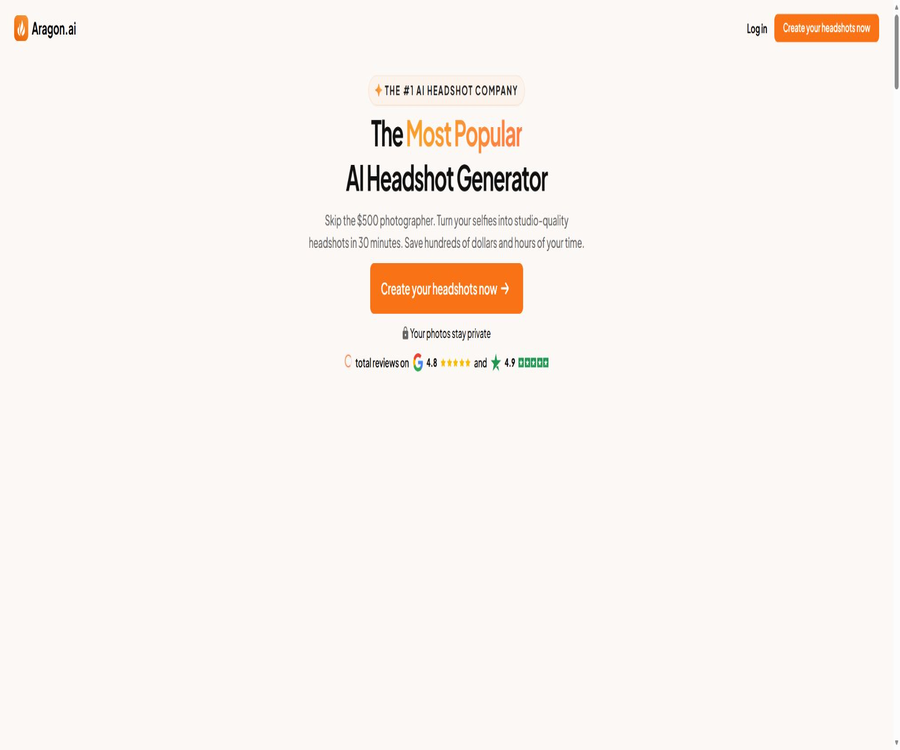
Aragon AI is an AI-based photo generation and editing platform that focuses on creating realistic professional headshots; by uploading a few self-portraits, users can generate images with different outfits, backgrounds, poses, and lighting settings.
The product is no longer limited to LinkedIn avatars; it also includes creative photo packs, prompt generation, photo restoration, selective editing, unified team avatars, and enterprise APIs.
Core functions
AI professional avatar generation
Users usually upload 6 clear selfies and select preferences such as clothing and background; the system then creates a personalized avatar by generating around 40 to 100 candidate images.
- Professional styles in areas such as business, law, healthcare, real estate, and job hunting
- Backgrounds such as offices, studios, and solid colors
- A variety of costumes, poses, expressions, and shooting angles
- It takes about 30 minutes to generate, and a reminder is sent via email.
- Different packages offer 40, 60, or 100 results.
- The premium packages offer higher-resolution output.
AI photo generator
The platform can generate photos related to travel, fashion, dating, entrepreneurship, home life, seasons, and lifestyle, based on an individual’s AI avatar; it is suitable for expanding one’s personal content library.
AI photo editor
- Replace or remove the background
- Change clothing, hairstyle, hair color, and posture
- Enhance realism and clarity
- Remove objects, text, defects, and accessories
- Expand the image and restore old photos
- Adjust expressions, eyes, and facial details
- Create stickers, comics, and stylized photos
AI chat guidance editor
Subscribers can describe the desired changes in natural language and choose from the available models, which reduces the time required for making edits one item at a time.
Personal AI character
Users can create AI characters based on their own appearance, which can then be reused in various photo sets and scenarios; the number of characters that can be created is determined by the package level.
Team avatar
Companies can ask their employees to upload photos individually, ensuring a consistent background and style, without the need to gather teams located in different places in a studio.
- Each member uploads their own selfie independently.
- The administrator sets unified requirements for the brand’s background and style.
- Each member can obtain a maximum of 100 candidate avatars.
- Members are granted a certain number of edits by default.
- Supports re-shooting for large-scale remote teams and new employees
- Companies can contact sales to request an API.
What use cases are suitable?
- Creating profile pictures for LinkedIn and job search websites
- Update resume, email signature, and personal website
- Create professional photos for lawyers, doctors, and real estate agents
- Unified company official website and organizational directory profile pictures
- To enable remote teams to avoid in-person centralized filming
- Create photos for social media and personal branding
- Repair, enlarge, or adjust existing photos
- Creating portraits for travel, dating, and creative themes
Main advantages
- You only need about 6 selfies to get started.
- It usually takes about 30 minutes to complete the generation.
- Provide a large number of candidate images in various styles at once
- Avatar creation and subsequent editing are integrated within the same platform.
- Covers purchasing scenarios for individuals, teams, and enterprises.
- The account and related data can be deleted.
- Uses AES-256 encryption and has undergone SOC 2 Type II audit.
- Free daily editing credits are provided to allow users to try out certain tools.
Usage restrictions and precautions
- The output is an AI-generated image, not a real photographic record.
- Face similarity and detail stability vary depending on the quality of the input.
- Text on glasses, teeth, earrings, hands, and clothing may be distorted.
- Entering a single angle or using a single light source will reduce the diversity of the results.
- Avatar packs usually cannot be regenerated indefinitely.
- Downloading photos will be considered as using the product.
- Once the subscription points have been used, they generally no longer qualify for a refund.
- When it comes to documents, news, or identity verification, one should not use fake photos.
- When publishing publicly, it is recommended to clearly state that the photos were generated by AI.
Price of avatar package
Professional avatar packages use one-time photos; the starting price shown on the current public page is 35 dollars, while the highest tier typically costs 75 dollars.
| Package | Reference price | Number of profile pictures | Resolution and positioning |
|---|---|---|---|
| Basic | Starting at $35 | 40 pieces | Standard resolution, suitable for basic professional profiles |
| Standard | Displayed on the settlement page | 60 pieces | More styles and candidate images |
| Executive | 75 dollars | Up to 100 pieces | Enhanced resolution, ideal for high-quality display and printing |
The Basic and Standard outputs usually have a resolution of 896×1088 pixels, while the Executive version can reach 1792×2176 pixels; the promotional prices and settlement currencies may vary.
Photo editing subscription price
Continuous photo creation and editing are available through a monthly subscription based on points, which can be used for functions such as creating photos, editing them, and using personal AI avatars.
| Plan | Monthly fee | Monthly points | Number of edits | AI characters |
|---|---|---|---|---|
| Lite | 15 dollars | 300 | Up to 75 to 100 times | Up to 1 |
| Pro | 29 dollars | 1,200 | Up to 240 to 300 times | Up to 3 |
| Ultimate | 49 dollars | 2,400 | Up to 480 times | Up to 5 |
| Creator | Displayed on the settlement page | 12,000 | Up to 2,400 times | Up to 10 |
The official website shows different limits for the number of edits that can be made in a single instance via various entry points; it is necessary to refer to the current benefits displayed on the account settlement page before making a purchase.
Team and API prices
| Products | Pricing method | Explanation |
|---|---|---|
| Team avatar | Quotation based on team size | Uniform style, with options for members and administrators to take control. |
| Enterprise solutions | Contact sales | Suitable for large numbers of members, brand control, and dedicated support. |
| API | Terms and prices will be provided after application. | For companies that need to integrate avatar generation into their own products |
Refund rules
- For avatar products, it is advisable to preview them first before deciding whether to download them.
- Downloading any photo is usually considered to mean it has been used.
- Failing to meet the upload requirements may affect the eligibility for a refund.
- Monthly subscriptions must be requested within 14 natural days after the deduction.
- A full refund is possible only if the subscription points have not been used.
- Team accounts usually only refund the amount corresponding to unused points.
- The final outcome will be determined in accordance with the refund policy and customer service review.
Requirements for uploading photos
- Prepare at least 6 recent self-portraits of you alone.
- Ensure the face is clear with natural lighting.
- Provides front, side, and slight head-turn angles
- Avoid heavy filters, sunglasses, and large areas of coverage.
- Do not upload group photos or overly compressed images.
- Using different backgrounds and clothing can add more training information.
- Select a photo that matches your current appearance.
Tutorial for creating professional avatar images
- Register and select the option for your personal professional avatar.
- Choose between the Basic, Standard, or Executive photo packages depending on your needs.
- Choose the gender presentation, clothing, background, and overall style.
- Upload at least 6 clear selfies from different angles.
- Remove input images that are blurry, obscured, or have inconsistent appearances.
- Submit the generation task and wait for an email notification.
- Preview the similarity, facial features, clothing, and background details image by image.
- First decide whether to proceed with a refund, then download a profile picture that you like.
- Use editing tools to correct the background, clothing, or minor flaws.
Tutorial for creating team avatars
- Establish the guidelines for the background, clothing, and composition of the company’s logo.
- Create a team project and specify the number of members.
- Employees are invited to take and upload their own selfies.
- Provide members with uniform requirements regarding lighting, angle, and photo quality.
- The administrator checks the progress of participation and the generated results.
- Use the editing tools to standardize the brand background and colors.
- Select the final photo for each member and establish naming rules.
- When new employees start working, the same template is used to generate the relevant documents.
Photo editing tutorial
- After logging in, upload the photos that need to be processed.
- Choose the background, clothing, clarity, or the local removal tool.
- Select the area to be modified or enter a natural language request.
- Confirm the points expected to be consumed for each processing step.
- Generate multiple versions and compare facial consistency.
- Zoom in to examine details such as edges, text, jewelry, and hands.
- Keep the most natural version before downloading.
Privacy and security
Aragon AI uses the uploaded portraits to train models and generate personalized results; therefore, selfies, facial features, and account information are all data that require careful handling.
- The platform states that AES-256 encryption is used to protect data.
- The SOC 2 Type II compliance audit has been completed.
- Users can manage their privacy settings in their account.
- Users can delete their accounts and related data.
- Enterprise customers can view the terms regarding data processors and sub-processors.
- Photos of sensitive occupations and minors require explicit authorization.
GitHub and open source
Aragon AI has an official GitHub organization, but as of the time of verification, no public projects available for self-deploying the core avatar models were present.
Do not confuse it with the open-source organization Aragon DAO of the same name; their products, companies, and GitHub projects are all different.
Basic information
| Project | Content |
|---|---|
| Tool name | Aragon AI |
| Development company | Aragon AI, Inc. |
| Tool type | AI professional avatars, AI photo creation and editing |
| Primary users | Job seekers, professionals, creators, and corporate teams |
| Input requirements | Usually at least 6 selfies. |
| Generation time | It usually takes about 30 minutes. |
| Supported platforms | Web page version |
| Price pattern | Free points, one-time avatar packs, monthly subscriptions, and corporate quotes |
| Is registration required? | Yes |
| Whether API is provided | Companies can contact sales to make a request. |
| Is it open source? | The core products are not open source. |
Recommendation score
The overall recommendation score is 4.5 out of 5 points. Aragon AI is suitable for quickly creating a large number of realistic professional headshots, as well as for helping remote teams to maintain a consistent brand image; however, users should carefully examine the details and understand the refund policies before downloading it.
Frequently Asked Questions
What does Aragon AI do?
It converts selfies into professional headshots and creative portraits, and provides editing tools for background, clothing, posture, and clarity.
How many photos need to be uploaded?
Usually, at least 6 clear, recent self-portraits of an individual from different angles are required.
How long does it take to generate?
The authorities generally provide a processing time of around 30 minutes; this time may be longer during peak periods.
Can it be used for free?
Some editing tools and options for downloading free avatars provide experience points; however, complete avatar packs and frequent editing require payment.
How many profile pictures will be generated?
Basic, Standard, and Executive typically offer 40, 60, and up to 100 cards respectively.
Can photos be used for commercial purposes?
The generated photos can be used for common professional and personal scenarios; before using them in formal commercial contexts, it is still necessary to check the current terms of use associated with the account.
Can I get a refund after downloading it?
Usually not; downloading photos is considered to be an indication that the product has been used.
Is it possible to create a unified avatar for the entire company?
Yes, the team solution supports member invitation, a unified style, and administrator management.
Is Aragon AI open source?
The core generation platforms and models are not open-source, and the official GitHub repository does not provide core models that can be deployed independently.
Tools similar to Aragon




 Guigong Network Security Registration No. 45132202000164