






Alpha3D
Alpha3D, a smart tool focused on AI-driven image processing.
Tags:Common AI image toolsWhat is Alpha3D?
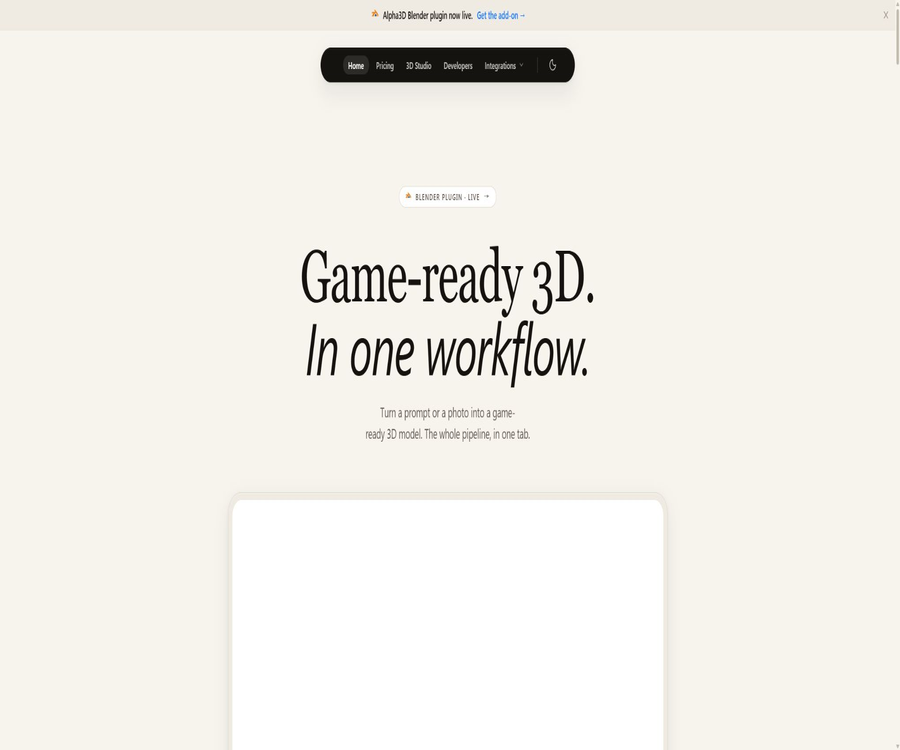
Alpha3D is an AI-based 3D asset platform designed for game development, AR, 3D printing, digital content, and e-commerce presentations. Users can create 3D models from textual descriptions, single images, or multi-view references, and then carry out tasks such as topology creation, UV mapping, texturing, rigging, and format conversion within the same workflow.
The platform focuses on the entire process, from the initial concept to the creation of game-ready assets, rather than simply producing unstructured, highly dense grids. The resulting assets may still require artistic adjustments, physical validation, and engine testing using tools such as Blender, Maya, or other DCC tools.
End-to-end 3D workflow
- Enter a text description or upload a reference image.
- Generate the base grid and initial material.
- Check the proportions, contours, and details.
- Execute topological reconfiguration and control the number of faces.
- Generate or optimize UV unwrapping.
- Use AI to regenerate PBR textures.
- Automatically bind bones to characters or objects.
- Convert to the target engine or software format.
- Final verification is carried out in DCC and the game engine.
Core functions
- Generate 3D assets based on the textual instructions.
- Convert a single product or concept diagram into 3D.
- Use multiple views to improve shape consistency.
- Automatically re-topologize and reduce the number of polygons.
- Automatically generate UV layout.
- Generate or redraw PBR textures for existing meshes.
- Automatically bind bones to the appropriate model.
- Split the model into editable components.
- Convert between GLB, FBX, OBJ, and STL.
- Multiple steps are connected through the Alphred dialogue Agent.
Text to 3D generation
Users can describe the category, shape, material, style, and purpose of an object, and the platform uses this information to generate a 3D model. Prompts are useful for quickly exploring various items and prototypes; however, achieving precise mechanical dimensions, brand-specific designs, and consistency with particular characters still requires additional references and manual modeling.
Image generation 3D
Image to 3D allows the creation of 3D assets with a grid and materials, starting from a product image, concept art, or character reference. Clear subjects, even lighting, simple backgrounds, and well-defined outlines generally facilitate the reconstruction process.
- Upload a complete front view or perspective reference of the subject.
- Avoid large areas of obstruction and severe motion blur.
- Minimize interference from complex backgrounds.
- Check whether the image has a license for use.
- After it is created, pay special attention to checking the invisible back side.
- Manually correct thin slices, holes, and transparent materials.
Multi-view generation
Multi-view input allows users to provide multiple angles of the same object, which helps the model understand its back side, sides, and structural relationships. All views must reflect the same object, along with consistent proportions, materials, and lighting settings; otherwise, misalignments may occur during integration.
Alpha 4 generation model
The official website currently presents Alpha 4 as the core model for generating 3D content from images and text, emphasizing higher quality and improved production processes. The model versions are updated continuously, and it is necessary for the team to keep reference images, parameters, and export results in order to be able to reproduce the results.
Intelligent topology reconfiguration
AI-generated models often feature dense or irregular grids, and Smart Topology is used to reconstruct a topology that is more suitable for real-time rendering and subsequent editing. The automatic results need to be checked for edge flow issues, loss of contours, non-manifold geometry, and areas related to animation joints.
- Reduce the number of unnecessary polygons.
- Control the number of target faces and model complexity.
- Improve the performance of the real-time engine.
- Prepare a clearer grid for UVs and animation.
- Find a balance between preserving the contour and reducing the number of faces.
- Recheck the artificial edge flow of the character’s joints.
UV automatic expansion
Alpha3D offers the capability for independent UV unwrapping, allowing three-dimensional surfaces to be broken down into UV islands suitable for 2D texture mapping. Automatic UV unwrapping can save time by eliminating repetitive tasks, but it is necessary to check for issues such as stretching, overlapping, seam locations, and pixel density.
AI textures and PBR materials
The platform can create and redraw PBR textures for generating assets or uploading meshes, enabling the model to display characteristics such as metalness, roughness, and surface details under different lighting conditions. After importing the model into the engine, it is still necessary to check the texture channels, color space, and material nodes.
- Redesign the surface style based on the textual description.
- Generate base colors, normals, and texture maps related to the material.
- Create multiple skin versions for the same grid.
- Correct discontinuous or blurry texture areas.
- Check the PBR performance in the target engine.
Automatic binding and animation preparation
Auto-rigging can create skeletons for appropriate characters or objects, enabling them to be used in animation workflows. Automatic skeletons do not guarantee proper deformation for every type of non-standard body shape, clothing, or accessory; it is necessary to test key poses after the skeletonization process.
Model segmentation
The segmentation feature allows an integrated mesh to be divided into multiple editable parts, which facilitates replacement, animation, material assignment, and game logic. Automatic segmentation might cut objects along incorrect boundaries; it is therefore necessary to check the relationships between the various components before exporting.
Alphred dialogue Agent
Alphred allows users to describe a complete 3D processing pipeline in natural language, such as generating helmets, reducing the number of polygons, redrawing textures, and converting formats. It carries out the tasks step by step, displaying the associated cost before each operation is performed.
- Describe the asset objectives and style in one sentence.
- Automatically select generation and processing steps.
- Series topology, UV, mapping, and transformation.
- The estimated points consumption is displayed before each step.
- Reduce switching between multiple tool pages.
Online 3D viewer
The generation model can be rotated, scaled, and inspected directly in the browser, without the need to install any specialized software. Online previewing is suitable for quickly assessing contours and textures, but grid errors, skeletal structures, and engine materials still require inspection using specialized tools.
Supported export formats
| Format | Main features | Suitable uses |
|---|---|---|
| GLB | A single file contains geometry, materials, textures, and optional animations. | Web, AR, Three.js, and real-time preview |
| FBX | Widespread support for bone, animation, and DCC exchange | Unity, Unreal, Maya, and 3ds Max |
| OBJ | Generic static mesh and external material files | Cross-software switching and static assets |
| STL | Based primarily on geometric surfaces, without complete material definitions. | 3D printing and prototype manufacturing |
Format conversion
Convert 3D can perform conversions between GLB, FBX, OBJ, and STL formats; each conversion requires 12 3D credits. The capabilities of these formats are not entirely equivalent – for example, OBJ does not store skeletal animation data, and PBR materials may need to be reconfigured after being converted to OBJ format.
GLB export
GLB is suitable for real-time assets that require a small size, self-contained PBR materials, and browser compatibility. After exporting, it is necessary to check whether the textures are embedded properly, as well as the coordinate directions, units, and animation clips.
FBX export
FBX is more suitable for exchanging data between animation tools, game engines, and professional DCC software. The platform’s FAQ indicates that certain inputs need to be converted to FBX first on the server, and specific processes may result in additional points.
Constraints of OBJ and STL
OBJ is suitable for static geometry and general data exchange, but it does not support skeletal animation; STL usually does not contain game materials or textures. Before choosing an export format, it is necessary to determine the target software, the requirements for animation, and the needs related to 3D printing.
Game development
- Quickly generate environmental props and conceptual assets.
- Create low-cost prototypes for indie games.
- Adjust the number of faces in real time through re-topology control.
- Create a basic skeleton for the character.
- Export to Unity or Unreal to continue development.
- Generate multiple material versions for the same asset.
- Manually handle collisions and LOD before official release.
AR and Web 3D
The GLB format and PBR textures are suitable for AR previews of products, WebGL presentations, and interactive web pages. Mobile AR requires additional control over triangle faces, texture sizes, draw calls, collisions, and file size.
Visualization of e-commerce products
Brands can create 3D previews from product photos, which can be used on product pages, in virtual displays, and for AR try-ons. The resulting visuals must accurately reflect the dimensions, colors, structure, and other details of the brand; approximate models that might mislead consumers are not acceptable.
3D printing
STL exports can serve as a starting point for 3D printing prototypes, but AI-generated models do not necessarily have closed shapes, proper wall thicknesses, or structures suitable for manufacturing. Before printing, it is necessary to check for non-manifold meshes, normals, holes, supports, and the actual dimensions.
Which users are it suitable for
- Game developers who need rapid prototyping.
- Independent creators who lack a complete 3D team.
- Designers who create AR and Web 3D content.
- E-commerce teams that wish to create 3D assets for products in bulk.
- 3D artists who need to create a basic grid before proceeding with fine-tuning.
- Software teams that need an API to generate assets in bulk.
- Beginners who wish to learn about AI-assisted 3D processes.
Typical use cases
- Convert concept diagrams into game items.
- Generate environmental assets quickly based on text.
- Perform automatic topology reconfiguration for existing high-mode.
- Generate PBR materials for texture-free meshes.
- Automatically bind static characters to the base skeleton.
- Convert GLB to FBX to proceed with the animation process.
- Create Web 3D and AR previews of products.
- Generate 3D printed concept models.
It’s not very suitable for which situations
- Engineering CAD projects that require millimeter-level precision in dimensions.
- There is a need for movie-quality character topology and the creation of complex hair.
- High-budget assets that require to be generated in a single step in order to be released directly.
- Commercial projects for which the copyright of the uploaded image cannot be verified.
- Users who only need to generate simple two-dimensional images.
- Teams that require an open-source complete core model as well as the ability to train it locally.
- Workflows with a point-based, multi-step cost system are not acceptable.
Tutorial on Converting Images to 3D
- Prepare reference images with a clear subject and relevant rights.
- Crop the background while preserving the complete outline of the object.
- Upload the image and select the appropriate generation category.
- After it is generated, check it from various angles in the viewer.
- Make corrections to the back side, slices, and shaded areas.
- Run the steps for re-topology, UVs, and textures.
- Select the target format and download it.
- Verification is carried out in Blender or the target engine.
Tutorial on Converting Text to 3D
- It describes the object category, proportion, material, and style.
- Add usage purposes and target platform requirements.
- Generate multiple versions to compare outlines.
- Select the base model that is closest to the requirements.
- Adjust the topology and the number of target polygons.
- Complete UV, PBR textures, and optional binding.
- After exporting, check the scale and materials in the target scene.
Tutorials on creating game assets
- First, define the engine, platform, and polygon count budget.
- Create a base model using text, images, or multiple views.
- Run redo topology and check for contour loss.
- Expand UVs and control texture density.
- Generate or redraw PBR materials.
- Binding and pose testing are performed when animation is required.
- Export GLB or FBX to import into the engine.
- Add collision, LOD, and performance testing.
API Integration Tutorial
- Contact Alpha3D to request API access.
- Verify the available endpoints, format, quota, and concurrency.
- Initiate a task using test images or prompts.
- Poll for status or receive completion notification.
- Download the model and verify the file integrity.
- Handling of failures, timeouts, and repeated tasks is implemented.
- Protect the key and keep track of each point spent.
API capabilities
Alpha3D offers a REST API, but the official documentation states that it is necessary to contact the team first in order to obtain access to it. The basic plan already includes support for REST API; for bulk processing, however, factors such as data processing rate, asynchronous tasks, callbacks, storage options, and commercial licensing need to be taken into consideration.
Points system
The platform uses both 3D credits and Alphred Tokens: the former is used to cover the costs associated with generation, conversion, and 3D processing, while the latter is employed for coordinating the dialogue agents. Alphred displays the cost of each step before it is carried out, allowing users to decide whether to proceed or not.
Price packages
Alpha3D offers four self-service packages: Tester, Basic, Creator, and Creator Pro; an annual payment plan provides a 20% discount. A complete list of real-time points for each tier is not consistently available in the search results, so the table below shows only the information that is currently confirmed by the official source.
| Package | Monthly fee | The quota or location has been confirmed. | Suitable for users |
|---|---|---|---|
| Tester | 5 euros | 90 3D credits and 1,000 Tokens per month | New users experiencing the full process |
| Basic | 16 euros | 1,000 3D credits per month, approximately 35 models, including REST API | Independent creators |
| Creator | 100 euros | More 3D credits and Tokens | Teams that continuously produce 3D content |
| Creator Pro | 150 euros | Maximum self-service limit | High-frequency specialized production |
| Annual billing | 20% discount on the corresponding package | Prepayment on an annual basis | Long-term stable users |
Example of single-step integration
| Operation | Public score | Explanation |
|---|---|---|
| Format conversion | 12 3D credits | Single conversion between GLB, FBX, OBJ, or STL |
| Specific GLB to FBX pre-conversion | Maybe an additional 7 credits | It depends on the specific submission link. |
| Generation and processing | Display step by step | Models, topologies, UVs, textures, and binding have different costs. |
| Alphred’s arrangement | Use Tokens | The dialogue Agent will first show the cost for each step. |
Commercial use and ownership
The official FAQ states that the assets created under any paid plan can be used under a private commercial license, and such assets become the property of the user. However, commercial rights do not exempt the user from the responsibility to verify the rights related to the images, brands, characters, trademarks, and similar works that are used.
Privacy and data
Uploading images, grids, and generating assets may involve unreleased product designs or customer intellectual property. Companies should verify aspects such as content retention, training purposes, deletion options, team permissions, data storage areas, and API transmission methods before uploading sensitive designs.
GitHub and the open-source status
No GitHub repository has been found where Alpha3D makes its core generation models, topology engine, or the complete source code of its platform available to the public. It is a commercial service built upon proprietary data and models; API access does not imply that the platform is open source.
Product advantages
- It covers the entire process, including generation, topology, UVs, texturing, binding, and transformation.
- Supports text, image, and multi-view input.
- Exports common formats such as GLB, FBX, OBJ, and STL.
- Alphred can chain multiple steps using natural language.
- Provides independent format conversion and model post-processing tools.
- The paid plan allows for commercial use of the generated assets.
- Low-cost packages starting from 5 euros are available.
- REST API is supported for batch workflows.
Usage restrictions
- Errors in structure and the back side may still exist in the generated grid.
- Automatic topology and skeleton creation require review by professionals.
- Multi-step processing consumes points separately.
- Different formats cannot retain exactly the same materials and animations.
- It is not suitable as a replacement for accurate CAD and engineering modeling.
- For commercial use, it is still necessary to check the input and output intellectual property rights.
- An application must be submitted to the team through the API, and few details are available publicly.
- The core model and platform are not open source.
Basic information
| Project | Content |
|---|---|
| Tool name | Alpha3D |
| Tool type | AI 3D generation and asset creation platform |
| Input method | Text, single images, and multiple views |
| Core competencies | Generation, retopology, UVs, texturing, binding, and format conversion |
| Export format | GLB, FBX, OBJ, and STL |
| Primary users | Game, AR, e-commerce, 3D art, and development teams |
| Price pattern | Subscribe monthly or annually to earn points. |
| Whether API is provided | Yes, an application is required. |
| Is it open source? | No |
Recommendation score
The comprehensive recommendation score is 4.5 out of 5 points. Alpha3D is suitable for creators and game teams that need to obtain editable 3D assets quickly; its advantage lies in its complete post-processing capabilities, though professional 3D quality checking is still required before final release.
Frequently Asked Questions
Can Alpha3D generate 3D models from images?
Yes, it supports single images as well as multiple view references, and it can also continue to work with grids, UVs, and textures.
Does it support text-to-3D generation?
Yes, users can describe objects, materials, styles, and uses to create basic models.
What formats can be exported?
GLB, FBX, OBJ, and STL are supported; the capabilities regarding animation and materials vary depending on the format.
Is automatic binding supported?
It is supported, but non-standard roles and complex attachments still need to be checked and corrected in specialized software.
How much is Alpha3D?
The Tester plan costs 5 euros per month, the Basic plan is 16 euros, the Creator plan costs 100 euros, and the Creator Pro plan is 150 euros.
Can generative models be used commercially?
Assets generated under any paid plan can be used under an official proprietary commercial license.
How many points are required for format conversion?
Each conversion between common formats consumes 12 3D credits.
Does Alpha3D provide APIs?
REST APIs are available; you need to contact the authorities to request access and determine the specific quotas.
Is Alpha3D open source?
It is not open-source; the core generation model and the complete 3D processing platform are part of proprietary commercial services.
Tools similar to Alpha3D




 Guigong Network Security Registration No. 45132202000164