






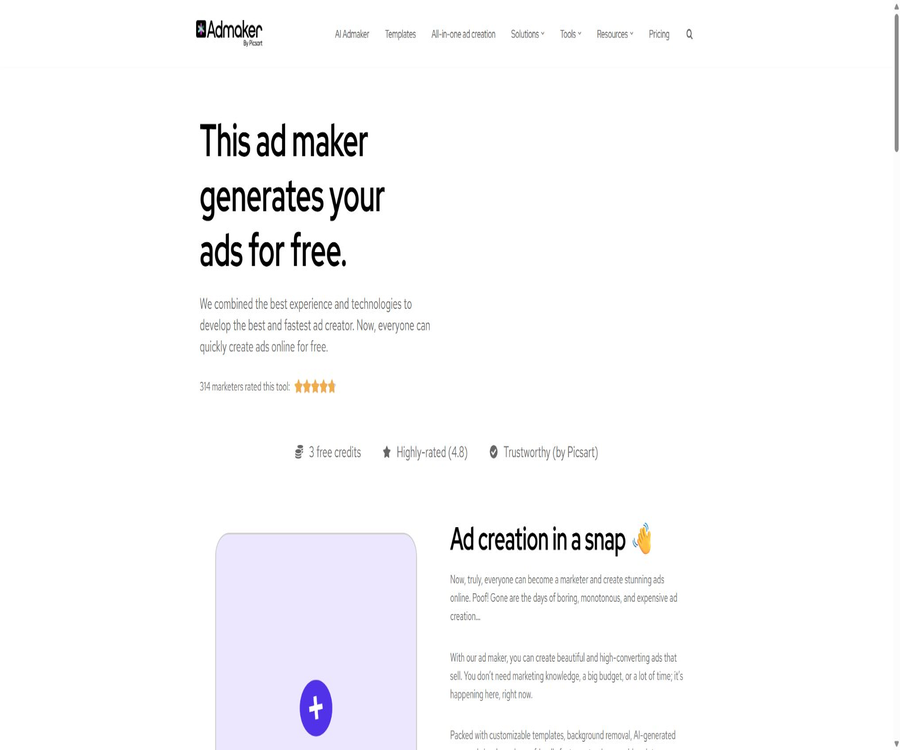
Admaker by Picsart Generate ads the easy way (AI)
Admaker by Picsart: Create ads easily using AI – a smart tool focused on AI-generated images.
Tags:Common AI image toolsWhat is Admaker by Picsart?
Admaker by Picsart is an online advertising creation tool designed for small businesses, e-commerce sellers, content creators, and marketers. After uploading product images, users can remove the background, create new backgrounds, add text, draft ad copy, and export the content in formats suitable for various social media platforms.
This tool was developed and operated by Picsart, but it features its own online editor as well as one-time credit packages. The prices of Admaker credits are not identical to those of the Plus, Pro, or Ultra subscriptions available on Picsart’s main site; it is necessary to consider them separately when making a purchase.
Main functions
- Upload product images: Use actual photos of the products as the main content of the advertisement.
- Background removal: Automatically removes the background of the original image while keeping the product intact.
- AI image generation: Create advertising visuals based on textual descriptions.
- Background template: Choose pre-made studios, booths, and scenes.
- Advertising copy: Generates suggestions for titles, body text, and action buttons.
- Text formatting: Add and adjust marketing text on images.
- Multi-size export: tailored for common social media ad formats.
- Advertising template: Start editing quickly using ready-made compositions.
- Image tools: cropping, rotating, scaling, and adding text.
- Text tools: Generate ad titles, tags, prompts, and creative ideas.
Advertising production process
- Upload clear, front-facing product images that have commercial usage rights.
- Automatically remove the background and check whether the edges of the product are intact.
- Choose a pre-made background or enter prompts to create a new scene.
- Fill in the product, target audience, selling points, and advertising objectives.
- Create ad copy and select an appropriate title.
- Add text, colors, fonts, and action buttons.
- Switch between different platform sizes and check the safety area.
- After exporting the file, create a campaign on the target advertising platform.
Upload product images
- Give priority to using product photos with high resolution and even lighting.
- Ensure that the main part of the product is not obscured by hands, packaging, or other objects.
- Use images that have copyright and commercial usage rights.
- Avoid including small text in the original image that is difficult to edit.
- Prepare for manual inspection of transparency, reflectivity, and hair edges.
- Check the products after AI processing against their actual colors.
- Do not mistake the generated scenario for the actual environment in which the product is used.
Background removal and scene generation
The system can first isolate the product and then place it within a template or a background generated by AI. This process is suitable for quickly creating ads for e-commerce, but complex edges, glass, jewelry, and semi-transparent materials may require manual adjustments.
- Remove the original product background with one click.
- Choose from prefabricated booths, studios, and lifestyle scenarios.
- Use prompts to generate similar or entirely new backgrounds.
- Adjust the size and position of the product in the image.
- Ensure that the background color is consistent with the brand’s visual identity.
- Check whether the shadows, perspective, and lighting are natural.
- Regenerate or replace inappropriate scenes.
AI ad copywriting
- Generate the main text of the advertisement based on product information.
- Provide a short title suitable for the image.
- Propose perspectives based on functions, benefits, pain points, and discounts.
- Generate versions of the copy that can be used on different social media platforms.
- Provides tools for labels, prompts, and ad creative ideas.
- Users are allowed to modify the AI suggestions rather than adopting them as is.
- Check the prices, data, reviews, and performance promises before publishing.
Templates and visual editing
- Start with product displays, a minimalist background, and promotional layouts.
- Replace the background, product images, and marketing text.
- Adjust the font, size, color, and alignment.
- Control the visual hierarchy of logos, products, and action buttons.
- Reuse the same brand structure for different activities.
- Generate a similar yet original version from the reference template.
- Check the readability of the text on the small screen before exporting.
Supported advertising channels
The Admaker website lists Facebook, Instagram, LINE, LinkedIn, Pinterest, Reddit, Snapchat, TikTok, and X as available platforms. This means that it is possible to create ads in the appropriate sizes and export them, but it does not imply that the tool can connect directly to all advertising accounts for publishing ads.
| Channels | Materials suitable for production | Publication method |
|---|---|---|
| Feed, Story, and other image ads | After exporting, publish it in the Meta Ads dashboard. | |
| Feed, Story, and vertical social media creatives | After exporting, publish it in the Meta Ads dashboard. | |
| TikTok | Vertical static or supplementary visual element | The applicable scope of static images must be determined based on the event. |
| B2B images, brand, and lead-generation ads | After exporting, publish it on LinkedIn’s backend. | |
| Vertical product and inspiration images | Create a promotion Pin after exporting. | |
| Community image ads | Set it in Reddit’s backend after exporting. | |
| Snapchat | Vertical creative designs for mobile devices | After exporting, upload it according to the platform’s specifications. |
| LINE | Social advertising images for the Asian market | After export, it is deployed via the corresponding account. |
| X | Timeline images and promotional materials | After exporting, publish it in X Ads. |
Export in multiple sizes
- For square Feed ads, choose a canvas ratio of approximately 1:1.
- Use the vertical format for Stories and mobile use cases.
- Use a horizontal canvas for banner or link ads.
- Keep the products, logos, and main titles away from the cutting edges.
- Check whether the font size is too small in different dimensions.
- Avoid distortion of the product’s proportions due to simple stretching.
- After exporting, it should still be previewed on each advertising platform.
Free online advertising tools
- Add text to images: Include titles and action information visually.
- Background removal: Quickly isolate the main subject of the product.
- Image cropping: Adjusting the aspect ratio and composition of the image.
- Image scaling: to fit different platform sizes.
- Image rotation: Correcting the direction or creating special compositions.
- Ad copy and headlines: Create a preliminary draft of the text.
- Tag generation: Provides tag suggestions for organic social content.
- Prompt words and ad creativity: help determine the direction for generation.
- Translation tool: Create preliminary versions in other languages.
Appropriate use cases
- E-commerce sellers quickly create promotional images for their products.
- Small businesses create basic ads when they don’t have full-time designers.
- The social media team adjusts the sizes for different platforms.
- Marketing staff can quickly create multiple visual and textual versions.
- Independent creators produce ads for courses, activities, and digital products.
- Local businesses create images for festivals, discounts, and new products.
- The agent creates creative drafts before the official design.
- The product photography team creates simple variations of the scenes.
Which scenarios are not suitable?
- Projects that require long videos, virtual influencers, or complex animated ads.
- Teams that need to automatically connect to advertising accounts and optimize budgets.
- Companies that require an open-source and locally deployable complete design platform.
- Multinational teams that require extensive brand approval and asset management.
- High-risk products that require absolute accuracy with regard to packaging, text, and product details.
- Provable predictions of advertising effectiveness and media attribution analysis are required.
- Users who wish for automatic renewal of their credits and a full Picsart subscription.
Tutorial on creating e-commerce ads
- Choose a product and a clear marketing goal.
- Prepare front-facing product images, the logo, price, and genuine selling points.
- Remove the background and check the edges of the product.
- Select a scene or template that is consistent with the product’s positioning.
- Generate three to five titles from different angles.
- Compress the main text to a length that is suitable for quick reading on mobile devices.
- Export materials in two formats: square and vertical.
- Test a small number of variants with the same audience and budget.
Tutorial on brand consistency checking
- Organize the brand logo, color values, fonts, and prohibited uses.
- Identify the key details that prevent AI from modifying product photos.
- Choose fixed title levels and margins for the advertisement.
- Check whether the generated background fits the brand’s identity.
- Check the color, packaging, labeling, and product proportions.
- Remove AI-generated text that is not in line with the brand’s tone.
- Save the approved templates for reuse in future activities.
Check the tutorial before publishing
- Confirm that the advertisement images and fonts have commercial usage rights.
- Check the product name, price, discount, and expiration date.
- Check whether the AI has generated incorrect logos, packaging, or characters.
- Preview the cropping on different platforms and devices.
- Verify that the text does not extend beyond the safe area or is difficult to read.
- Check that the landing page matches the promises made in the advertisement.
- Additional verification is carried out for medical, financial, and sensitive categories.
- After uploading, save it as a draft first, and then have it approved by the advertising manager.
Price packages
Admaker uses one-time credit packs, rather than automatic recurring subscriptions. The table below shows the prices in dollars as displayed on the official pricing page at the time of this verification; 4 images can be created per credit. Prices, taxes, and the free quota may change.
| Plan | One-time price | Integration | Number of images generated | Advertising copy |
|---|---|---|---|---|
| Free | $ | 4 points | 16 pieces | The free range is determined by the editor. |
| Lite | $ | 50 points | 200 pieces | Generate unlimited times |
| Plus | 3.59 dollars | 100 points | 400 pieces | Generate unlimited times |
| Pro | 3.99 dollars | 200 points | 800 pieces | Generate unlimited times |
How to calculate the integral
| Operation | Points rules | Explanation |
|---|---|---|
| AI image generation | 1 point generates 4 images | Regenerating will continue to consume points. |
| Advertising copy creation | The paid package indicates unlimited usage. | Reasonable use and platform restrictions should still be observed. |
| Export in multiple sizes | All current packages are available. | List the Facebook and Instagram dimensions prominently. |
| Purchase with points | One-time payment | It is not a monthly subscription, and there is no automatic renewal. |
| Free quota | The price page shows 4 points. | The home page may still show 3 points, subject to the amount credited to the account. |
Difference in free usage amounts on the home page and the pricing page
On the Admaker homepage, 3 free credits are still shown, while the price page indicates 4 free credits, allowing for the creation of 16 images. In case of such discrepancies, it is necessary to follow the actual amount credited after registration and the information displayed on the settlement page; fixed numbers of free credits should not be promised.
- After registration, check the balance of your account points first.
- Do not rely solely on old screenshots to determine the free quota.
- Record the effective date of the campaign or promotion.
- Check whether free points require a payment method to be linked.
- Check whether the unused points have an expiration date.
The difference between Admaker points and Picsart subscriptions
| Products | Billing method | Key capabilities | Are they mutually inclusive? |
|---|---|---|---|
| Admaker by Picsart | One-time point package | Advertising images, copy, templates, and export in multiple sizes | The Picsart premium subscription cannot be included by default. |
| Picsart Plus | Monthly or annual subscription | More extensive capabilities for editing images and videos | The core benefits are determined by the Picsart account page. |
| Picsart Pro | Monthly or annual subscription | Higher limits and professional creation features | It should not be automatically equated to Admaker points. |
| Picsart Ultra or Team | Website subscriptions and team management | Advanced models, seats, and collaboration | Purchased separately from Admaker’s pricing page |
| Picsart Creative APIs | Developers pay according to the plan or usage amount | Image processing and generation interfaces | It’s not an Admaker web points package. |
It is necessary to confirm before making a purchase.
- Will the registered account receive 3 or 4 free points in reality?
- Do the prices for Lite, Plus, and Pro include local taxes?
- Whether the points have expired, can be refunded, or transferred.
- Whether points are deducted for failed generation and re-generation.
- Image resolution, format, and watermark removal rules.
- Are there any reasonable usage restrictions on the unlimited number of captions in paid packages?
- Are Admaker points shared with Picsart subscriptions?
- Commercial license for the creation of images and templates.
Copyright and commercial use
- Only upload images of products that you own or for which you have authorization.
- Verify the commercial licensing scope of templates, fonts, and materials.
- Do not imitate protected brand characters and the styles of famous artists.
- Check whether the AI-generated characters, logos, and packaging violate any copyright laws.
- Avoid directly copying the complete layout and copy of a competitor’s ad.
- Save the original materials and authorization records for the client’s projects.
- Read the current terms of Picsart and Admaker before going live.
Effect evaluation indicators
- Time required from identifying the needs to exporting the first batch of materials.
- The total cost of generation automatically and of manual modification each time.
- The percentage within the generated image that can be used for testing.
- CTR for different visuals, headlines, and action buttons.
- Conversion rate after clicking and cost per conversion.
- Ad platform rejection rate and number of brand revisions.
- The rate of material fatigue and the number of new effective ideas generated each week.
- The difference between Admaker’s costs and the costs of outsourcing design.
Product advantages
- The process from product images to finished product ads is straightforward.
- Background removal, scenes, text, and formatting are all available in one tool.
- Multiple images can be generated at once, which facilitates quick filtering.
- Supports ad sizes for various social media platforms.
- Provides templates and free tools suitable for beginners in design.
- One-time credit packs are inexpensive, and there is no need for a fixed subscription commitment.
- It is developed and operated by the mature digital creation platform Picsart.
- The paid package offers unlimited generation of ad copy.
Usage restrictions and precautions
- Its main strength lies in static images; it is not a full-fledged media distribution platform.
- Multi-platform support refers mainly to size and design, and does not imply direct publication.
- AI may change the details of products, their colors, logos, and the text on packaging.
- Complex image masking and lighting effects require manual adjustment.
- A large number of generated ads does not necessarily mean that they will improve conversion rates.
- There is a discrepancy in the figures for free points on the homepage and the pricing page.
- The Admaker points and the main Picsart subscription belong to different systems.
- Once the one-time credits are used up, they need to be purchased again.
- Other tools are still needed for advertising strategies, target audiences, budgeting, and performance analysis.
GitHub and the open-source status
The Admaker web-based product is not open source, but Picsart has an official GitHub repository that provides the Creative APIs in TypeScript, Python, and Java SDK formats, as well as Figma plugins and various research projects. These developer tools do not constitute the complete source code of the Admaker editor.
| Project | Status | Explanation |
|---|---|---|
| Admaker web editor | Closed-source commercial products | The ad generation, points, and template systems are not open source. |
| Picsart Creative APIs TypeScript SDK | MIT open source | Development tools for image processing and generation interfaces |
| Picsart Creative APIs Python SDK | Official release | Suitable for servers or automated integration |
| Picsart Creative APIs Java SDK | Official release | Designed for integration with Java applications |
| Picsart Figma plugin | Official release | Linking the design process with Picsart’s capabilities |
| Fully self-hosted Admaker | Not provided | SDK does not mean that web-based products can be deployed locally. |
Basic information
| field | Content |
|---|---|
| Tool name | Admaker by Picsart |
| Development company | Picsart |
| Tool type | AI-powered advertising images, copywriting, and online design tools |
| Main inputs | Product images, brand information, and textual prompts |
| Main output | Static ad images and copy |
| Price pattern | Free points plus one-time point packages |
| Auto-renewal enabled? | The Admaker integration package is not a subscription. |
| Deploy directly or not | It is primarily used for generation and export; it does not support direct delivery across all channels by default. |
| Is it open source? | Admaker does not offer an open-source version, while Picsart provides an open-source SDK. |
Recommendation score
4.4 / 5. Admaker by Picsart offers a cost-effective process that combines product extraction, AI-generated scenes, copywriting, and multi-size exports, making it suitable for small businesses to create static ads quickly; however, it does not handle the actual deployment and optimization of these ads, and the details of the products as well as copyright issues still require manual verification.
Frequently Asked Questions
What is Admaker by Picsart mainly used for?
It helps users create ad backgrounds, copywriting, and static graphics in various sizes from product images, and it provides templates as well as basic image editing tools.
Is Admaker free?
Free points are provided. The price page shows 4 points and 16 images, but the main page still indicates 3 points; the actual amount should be based on what is credited after registration.
How many images can be generated per point?
The official price page states that 4 images are generated for every 1 point.
Is a subscription required for Admaker?
It’s not necessary; Lite, Plus, and Pro are all one-time package deals, and there is no automatic monthly subscription renewal.
How much are Lite, Plus, and Pro?
The current one-time prices are 2.99, 3.59, and 3.99 dollars, corresponding to 50, 100, and 200 points respectively.
Which advertising platforms are supported?
The official website is optimized for platforms such as Facebook, Instagram, TikTok, LinkedIn, Pinterest, Reddit, Snapchat, LINE, and X.
Can I publish ads directly?
The core process involves generating and exporting materials; users still need to go to the respective advertising platform to set the target audience, budget, and campaign details.
Can video ads be created?
This standalone Admaker is primarily designed for static images; for video ads, one can consider the Video Ad Maker tool on the Picsart platform as well as its video models.
Does the Admaker score include Picsart Pro?
It cannot be included by default; the two fall under different pricing systems, and the benefits associated with each should be determined according to their respective settlement pages.
Is Admaker open source?
The web-based version of the product is not open-source, but Picsart has made available the multilingual SDKs for its Creative APIs as well as some developer tools.
Tools similar to Admaker by Picsart: Generate ads the easy way (AI)




 Guigong Network Security Registration No. 45132202000164