






Stable diffusion XL
Stable diffusion XL, a smart tool focused on AI-generated images
Tags:Common AI image toolsWhat is the Stable Diffusion XL online generator?
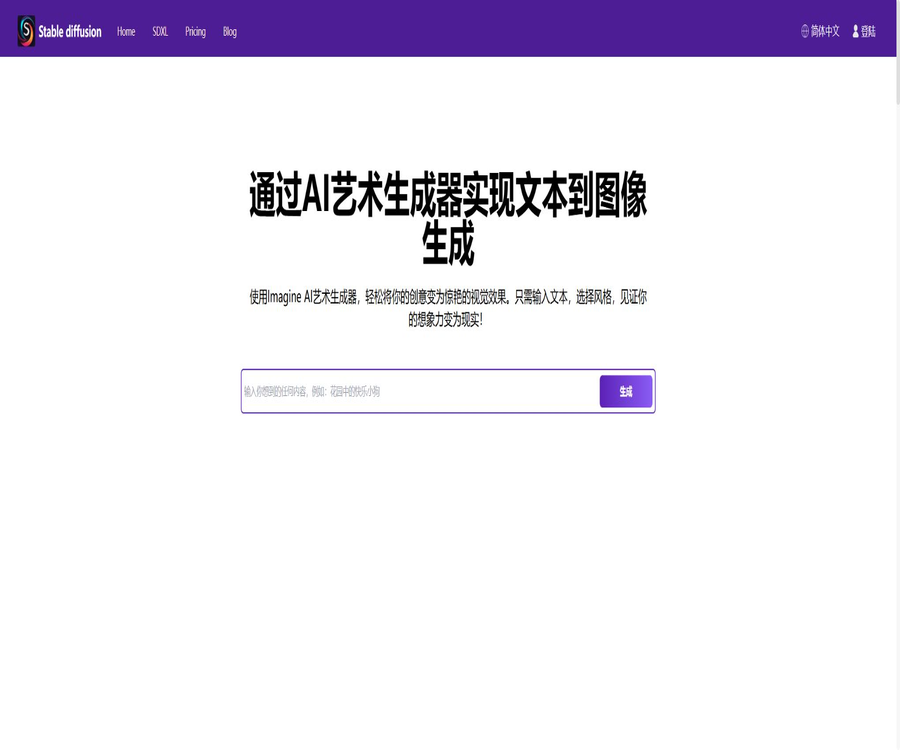
StableDiffusionAI.ai is a web-based AI art tool designed for ordinary users; it allows images to be created based on textual prompts. It provides information on high-resolution image generation, negative prompts, LoRA, and local deployment, all in the context of Stable Diffusion XL. The website’s terms indicate that the service is operated by MIRA MUSE LLC in the United States.
This website is not the official site of Stability AI, nor is it the Stable Diffusion XL model itself. It should be classified in the catalog as a third-party online generation service, with separate explanations provided for website memberships, SDXL model licenses, and community open-source tools.
A one-sentence summary
A third-party web platform that allows users to experience SDXL-style image generation without the need for any installation; it offers a free quota, quick membership registration, and product instructions in Chinese.
Main functions
- Enter text prompts to generate AI images.
- Choose different styles and image sizes.
- Use negative prompts to reduce unwanted content.
- Browse and save the generated records.
- Download or share the selected image.
- It can be created through the free regular queue or the member fast queue.
- Learn about the products using pages in multiple languages, including Chinese.
- Learn concepts such as SDXL, local installation, LoRA, and embedding.
What is Stable Diffusion XL?
Stable Diffusion XL 1.0, abbreviated as SDXL, is a high-resolution text-to-image model released by Stability AI in 2023. It is based on a core model, and independent refinement models can be used to enhance the final details; its default target resolution is 1024×1024.
- A larger UNet architecture is used to enhance the visual expression capabilities.
- Understand the prompt by combining the two text encoders.
- It supports additional criteria such as size, cropping, and target resolution.
- The base model is responsible for generating the main latent space results.
- Refined models can be used for noise removal and detail enhancement in post-processing.
- Suitable for photography, illustration, conceptual design, and product visualization.
- It can be run via code, a community interface, or third-party websites.
Is SDXL still the latest version of Stable Diffusion?
No. SDXL 1.0 remains an important model with a well-developed ecosystem, but Stability AI has since released the Stable Diffusion 3 and 3.5 series; describing SDXL as the “latest version” on third-party websites is an outdated statement.
| Model family | Publication time positioning | Main features |
|---|---|---|
| Stable Diffusion 1.x | Early popularization version | There are a variety of community models, and the hardware requirements are relatively low. |
| Stable Diffusion 2.x | Subsequent upgrade series | Training and text encoding scheme adjustments |
| SDXL 1.0 | 2023 High-Resolution Series | Level 1024 generation, dual-text encoder, optional Refiner |
| Stable Diffusion 3 | New architecture series | Adopting the multi-modal diffusion Transformer approach |
| Stable Diffusion 3.5 | Current official core image model series | Versions such as Large, Large Turbo, and Medium |
How to create images online
- Go to the website’s online generation page.
- Register an account and complete email verification.
- Check the number of free uses or quickly generate a member balance.
- Enter the subject, scene, composition, lighting, and style.
- Write down the defects that need to be avoided in the negative prompts.
- Select the image size and other available parameters.
- Click Dream to submit and generate the task.
- Select the one from the results that is closest to the target.
- Modify a variable, generate it again, and compare.
- Check for characters, hands, text, and infringement risks before downloading.
Prompt structure
SDXL is generally capable of understanding natural language, but a clear structure helps to ensure consistent output. It is recommended to describe the subject, action, environment, composition, camera angle, lighting, materials, colors, and purpose in sequence.
| Partially | Explanation | Example direction |
|---|---|---|
| Main body | Core object of the image | Modern glass perfume bottles |
| Action | Object status or behavior | Place it on a light-colored stone slab. |
| Environment | Location and background | Minimalist photography studio background |
| Composition | Shot size, perspective, and position | Close-up view, the subject is in the center with empty space at the top. |
| Lens | Focal length and depth of field perception | 85mm lens, shallow depth of field |
| Light | Direction of the light source and hardness/softness | Soft side backlighting |
| Material | Surface and details | Transparent glass, true refraction |
| Uses | Final image target | High-end e-commerce main image |
Prompt iteration process
- Generate a low-complexity version first to confirm the main subject and the orientation of the image.
- Lock in the effective composition and lighting description.
- Adjust only one of the variables – style, lens, or color – at a time.
- Use negative cues to eliminate errors that occur consistently.
- If the platform supports a seed value, fixing the seed helps to keep the parameters constant.
- Retain the complete settings and generation time of the excellent results.
- The final version is created using manual photo editing and typesetting tools.
How to use negative prompts
Negative prompts are used to reduce the likelihood of certain elements or defects appearing; they are not absolute prohibitions. They are suitable for eliminating ambiguity, low quality, extra limbs, duplicate objects, or unnecessary compositional elements.
- Give priority to describing the problems that occur repeatedly in practice.
- Avoid stacking dozens of contradictory terms.
- Do not expect negative feedback to accurately delete complex objects.
- The same negative word has different effects across different models.
- Increasing the guiding intensity does not necessarily lead to higher quality.
- The hands of the characters and the text still need to be reviewed manually.
LoRA and embeddings
LoRA is an abbreviation for Low-Rank Adaptation, which refers to low-rank adaptation; it is not what some websites call “regional reinforcement learning”. By training a small number of additional weights, it enables the base model to learn specific characters, products, clothing, poses, or visual styles.
| Technology | Primary uses | Files and usage methods |
|---|---|---|
| LoRA | Slight adjustments to characters, styles, or concepts | Load additional weights and set the intensity. |
| Textual Inversion embedding | Express specific concepts with new tokens | Place it in the embedding directory and call it in the prompt. |
| Checkpoint | Weights of the complete or merged model | Its large size determines the overall generation characteristics. |
| ControlNet | Constrain the structure by edge, depth, or posture. | It is necessary to control the model and the input condition diagram. |
| VAE | Encoding and decoding between latent space and images | Affects color, details, and decoding performance. |
The current online page does not demonstrate that users can freely upload and switch between any LoRA models, embeddings, or Checkpoints. The fact that articles on the website explain these concepts does not mean that the page generator already provides the corresponding control functions.
Prices for the free version, Pro, and Max
The following are the annual pricing in US dollars as displayed on the official subscription page when it was checked in August 2026. The page offers the option to pay monthly, but the monthly amount was not shown consistently during this capture, so no estimates can be provided.
| Plan | Annual reference price | Generate quota | Concurrent tasks |
|---|---|---|---|
| Free | $ | 10 times per day, valid for 7 days | 1 |
| Pro | Converted to 7 dollars per month, with annual billing. | 1,000 rapid generations per month; unlimited for regular generations. | 2 |
| Max | Converted to 14 dollars per month, with annual billing. | 3,000 rapid generations per month; unlimited for regular generations. | 5 |
Comparison of package benefits
| Equity | Free | Pro | Max |
|---|---|---|---|
| Processing speed | Normal processing | Fast quota plus regular unlimited amount | More quick credit limits along with unlimited regular credit. |
| watermark | No watermark | No watermark | No watermark |
| Commercial license | Support is indicated on the subscription page. | Support | Support |
| Images are private. | Not included | Not included | Includes |
| Generation quality | It is currently the same as the paid version. | It has not been increased at the moment. | It has not been increased at the moment. |
| Public API | Not included | Not included | Not included |
The FAQ on the subscription page clearly states that current payments do not improve image quality; what is purchased are faster processing speeds, unlimited generation in the standard version, higher concurrency levels, and the privilege of having images kept private. The option “Images are private” is marked with a strikethrough on both the free version and the Pro version pages.
What does the 7 days in the free quota mean?
The subscription page states that the free plan allows 10 updates per day, with a note indicating that this validity lasts for 7 days; however, it does not clarify whether this refers to the trial period for new accounts, the validity period of the quota, or the duration of the promotion. Users should not assume that updates can be made freely on a daily basis indefinitely – the actual rules are specified on the account page.
- After registration, check the start and end dates of the free benefits.
- Do not think of 10 times a day as something that can be accumulated indefinitely.
- Ordinary queues may experience waiting times during peak hours.
- The free rules may vary depending on the event and business strategies.
- For important projects, the results should be downloaded in a timely manner within the validity period of the quota.
Quick generation and normal generation
| Project | Quick generation | Normal generation |
|---|---|---|
| Queue priority | Higher | Normal or low |
| Member quota | Pro: 1,000 times per month, Max: 3,000 times per month | The paid plan is indicated as having no volume limit. |
| Experience during peak times | It is usually more stable. | A warning about excessive traffic volume may appear. |
| Output quality | Officials state that there is no higher resolution available at the moment. | Same as the current fast mode |
| Suitable scenarios | Centralized production and multiple rounds of iteration | Exploration without a sense of urgency |
Subscription, cancellation, and refunds
Subscriptions are automatically renewed according to the plan set, until the user cancels them. The cancellation process can be carried out at any time on the account details page; even after cancellation, the remaining credit can still be used until the current subscription period ends.
- The annual payment page shows the average monthly price, not a commitment to charge on a monthly basis.
- Confirm the total amount actually deducted before making the purchase.
- It supports processing major credit cards and some digital wallets via Stripe.
- It is possible to upgrade or downgrade the plan within the account.
- Once the quick credit limit is used up, the account may revert to the free plan.
- New customers can request a full refund within 3 days for their first purchase.
- Refund requests made after more than 3 days are generally not accepted under the terms.
- Unsubscribing does not mean that the amounts already paid will be automatically refunded.
Are the images private?
Only the Max plan includes an option to select “Private Images” on the subscription page; the corresponding features in the Free and Pro plans are marked with a line, which means that customer materials that need to be kept confidential should not be created using the free or Pro plans.
- Do not upload identification documents, contracts, or unreleased commercial materials.
- The results generated in the free and Pro versions may not offer privacy protection.
- Even when using Max, it is necessary to first confirm the storage location and the deletion mechanism.
- For highly confidential projects, local deployment is given priority for evaluation.
- After downloading, delete the unnecessary online records promptly.
User content and platform licensing
The terms of service state that users retain ownership of the content they submit, but at the same time grant MIRA MUSE LLC a worldwide, non-exclusive, royalty-free, perpetual license to use, copy, modify, distribute, publish, and process such content. This authorization is quite broad in scope.
- Only upload materials that you own or for which you have authorization.
- Business clients should assess whether a permanent license meets the confidentiality requirements.
- Platform licensing and whether the generated results can obtain copyright are separate issues.
- Do not use unauthorized works to train or simulate specific creators.
- Obtain permission for portraits and privacy when dealing with real people.
- Save the authorization documents for the input materials as well as the records of any manual modifications.
Commercial use and copyright
The subscription page lists the commercial license as one of the benefits of the three available options, but this does not mean that users can use any of the generated content without restrictions. Users still need to take into account issues related to copyright on reference images, trademarks, character rights, portrait rights, as well as the various copyright regulations regarding AI-generated works in different regions.
| Risk | Frequently Asked Questions | Suggestions |
|---|---|---|
| Copyright for reference images | Upload someone else’s photographs or illustrations | Obtain clear authorization first. |
| Portraits of people | Generate content that can identify real people | Obtain consent and avoid misrepresentation. |
| Trademark | The brand logo appears on the screen. | Check and clean before publishing. |
| Character copyrights | Use protected movie, TV, or game characters | Commercial projects should avoid unauthorized use. |
| AI copyright | Pure AI-generated content may lack the authenticity of a human author. | Retain records of artificial selection and modifications |
| Controversies over training data | The output may be affected by data biases. | Conduct similarity and compliance reviews |
Privacy and advertising data
The privacy policy states that when registering an account, information such as name, company, address, email address, and phone number may be collected; logs may record the IP address, browser type, internet service provider, time of access, page from which access was made, and click data. The website also uses cookies, and personalized ads may be displayed through third-party advertising services.
- When registering, only fill in the information required by the service itself.
- Use your browser’s settings to restrict unnecessary cookies.
- Do not send sensitive personal information in the customer service attachments.
- Pay attention to the respective privacy policies of third-party advertisers.
- Users who meet the criteria can request access to, correction of, deletion of, and migration of their data.
- The platform states that it does not intentionally collect personal information from children under 13 years of age.
- The privacy policy applies only to the website’s online activities and not to other channels.
Is API support available?
Public APIs are not supported. The FAQ on the subscription page clearly states that there are no public APIs available at the moment, though they might be provided in the future; as a result, Pro or Max members cannot use these APIs for programmed, bulk calls either.
- Do not treat web account automation as an official API.
- Unauthorized automated scripts may trigger risk controls.
- Developers should wait for the official API documentation and key management interface.
- To evaluate the official Stability AI platform or other API services, a production-grade interface is required.
- Before purchasing a membership, do not assume that the package includes developer call credits.
What use cases are suitable?
- New users can experience SDXL text-to-image generation without any installation required.
- Content creators create article covers and images for social media.
- Designers quickly explore concepts and compositional directions.
- The e-commerce team creates drafts for scenarios involving non-confidential products.
- Illustration enthusiasts test photographic, anime, and artistic styles.
- The teacher demonstrates the basic method of generating content using diffusion models.
- Users without a dedicated graphics card make use of cloud computing power.
- Beginners who need Chinese explanations.
Tasks that are not suitable for completion directly
- Public APIs are needed for automated mass production.
- Projects that require the latest Stable Diffusion 3.5 model.
- Advanced workflows that require uploading LoRA, ControlNet, and Checkpoints as needed.
- Projects that contain trade secrets and cannot be granted a permanent license to the platform.
- Batch materials requiring 100% consistency in character and product structure.
- Research tasks that require complete offline operation, auditability, and reproducibility.
- Final images that rely on precise text, data, and facts.
- Tasks that involve imitating specific works or real people without authorization.
Product advantages
- It can be used directly in the browser, eliminating the need for model and graphics card configurations.
- Chinese pages and basic tutorials are provided.
- Free accounts allow you to experience the daily generation quota.
- The paid plan offers both fast and standard generation options.
- The number of concurrent tasks for Pro and Max, as well as their quick quota limits, are clearly distinguished.
- All options currently indicate that there are no watermarks and no commercial licensing required.
- Max offers clear privacy protections for images.
- Subscriptions can be canceled, upgraded, or downgraded at any time.
- A 3-day refund period is offered for first-time purchases.
Usage restrictions and precautions
- The website is not the official site of Stability AI.
- The official website refers to SDXL as the latest version; the information provided there is outdated.
- Some of the technical descriptions on the official website are inaccurate or overly simplified.
- The online generator has not been shown to support any LoRA and ControlNet formats.
- The free quota is stated to be valid for 7 days, but the explanation is not clear enough.
- Even with unlimited data plans, restrictions on data usage and fair use may still apply.
- Paid members do not currently improve the quality of the generated images.
- Only the Max plan explicitly offers image privacy.
- User-generated content grants the platform a broad, permanent license.
- There are no public APIs available at the moment.
- AI-generated faces, hands, text, and complex structures can still make mistakes.
- A business license cannot replace the review of copyright and portrait rights.
Install SDXL locally
Users who require greater control, better privacy protections, and more plugin capabilities can deploy SDXL locally. It is recommended to use established interfaces or libraries such as Diffusers; one should not assume that the old CompVis repository archives are equivalent to complete SDXL installation packages, as suggested on the official website.
- Verify that the graphics card, video memory, disk, and drivers meet the requirements of the target interface.
- Choose ComfyUI, AUTOMATIC1111, or a code repository as the mode of operation.
- Download the SDXL weights and necessary configurations from the trusted model hosting page.
- Verify the file hash, license, and model card.
- Install a Python and PyTorch environment that is compatible with the graphics card.
- Place the model in the corresponding directory and launch the local interface.
- Generated using the officially recommended resolution and simple guidelines.
- Add VAE, LoRA, and ControlNet as needed.
- Fix the version and save the workflow to ensure reproducible results.
- Back up the available environment before regularly updating dependencies.
SDXL hardware requirements
The actual amount of video memory required depends on the interface, precision, resolution, batch size, optimization methods, and whether Refiner is used simultaneously. The claim on the official website that at least 4GB of video memory is needed applies only to scenarios with high levels of optimization or under limited settings; it cannot be considered a universal requirement for all SDXL workflows.
| Usage method | Resource characteristics | Suitable for users |
|---|---|---|
| Online websites | No local graphics card is required; it relies on the network and a subscription. | For beginners and light use |
| Low VRAM optimization | Model unloading, slicing, or quantization may be used. | Users who are okay with a slower speed |
| Regular local generation | More video memory is usually required. | High-frequency creators |
| Base plus Refiner | There are two loading phases, and the resource requirements are higher. | Users who are seeking the complete SDXL workflow |
| Training or LoRA fine-tuning | More video memory, storage, and time are required. | Technical team and senior creators |
GitHub and the open-source status
The StableDiffusionAI.ai website does not contain a complete source code repository that is maintained by MIRA MUSE LLC; therefore, this online service should be classified as non-open source. The fact that the website explains open-source models does not mean that its own source code is available publicly.
The official code for SDXL is located in the generative-models repository of Stability AI; the official documentation states that SDXL Base 1.0 and Refiner 1.0 are licensed under the CreativeML Open RAIL++-M license. It is inaccurate for the official website to describe those weights as being in the public domain and requiring no license at all.
| object | Whether to make it public | License or status |
|---|---|---|
| The StableDiffusionAI.ai website | No complete source code was found. | Commercial Service Terms |
| SDXL official code | Public on GitHub | Subject to the warehouse license. |
| SDXL Base and Refiner weights | Available publicly | CreativeML Open RAIL++-M |
| Third-party WebUI | Multiple community projects are made public. | It has no direct affiliation with this website. |
| Website API | Not open | Members do not include API access. |
Basic information
| field | Content |
|---|---|
| Tool name | StableDiffusionAI.ai |
| Database name | Stable Diffusion XL |
| Operator | MIRA MUSE LLC |
| Tool type | Third-party SDXL online text-to-image generation platform |
| Main platforms | Web pages |
| Primary language | Supports multiple languages including Chinese for page content |
| Free quota | During verification, it is checked 10 times per day, and the page indicates that it is valid for 7 days. |
| Pro annual subscription | Converted to 7 dollars per month |
| Max annual payment | Converted to 14 dollars per month |
| Payment methods | Stripe |
| Refund window | Within 3 days of the first purchase |
| Whether API is provided | No |
| Is the website open source? | No |
| Are the SDXL code and weights publicly available? | Yes, but it is subject to the relevant licenses. |
Recommendation score
4.0 / 5. This website is suitable for those who want to try SDXL with minimal requirements and for quickly creating non-confidential visual drafts; its annual subscription price is also low. However, the technical information on its official site is outdated and contains incorrect statements. Only Max offers private generation options, and there are no public APIs or advanced model control features.
Frequently Asked Questions
Is StableDiffusionAI.ai the official website of Stability AI?
No. It is a third-party online generator operated by MIRA MUSE LLC; Stability AI is the official developer and licensor of the SDXL model.
Is Stable Diffusion XL the latest version?
No. SDXL was released in 2023, and since then Stable Diffusion 3 and the 3.5 series have been introduced; yet due to its mature ecosystem, SDXL is still used by a large number of tools.
Can the website be used for free?
A free version is available; during verification it is indicated that 10 generations per day are allowed, with a validity period of 7 days. The exact start and end times must be checked by logging into the account.
How much are the Pro and Max versions?
On the annual payment page, it is shown that the Pro plan costs $7 per month, while the Max plan costs $14 per month. The monthly payment amount and the total amount deducted on an annual basis are as indicated on the settlement page.
Will the image quality be better after payment?
Not at the moment. The official FAQ states that the paid plans are designed to improve speed, data volume, concurrency, and privacy, rather than output quality.
Are images private by default?
No. At present, only the Max plan includes the option to keep images private; neither the Free nor the Pro plans offer this feature.
Is API support available?
It is not supported at the moment. The official FAQ clearly states that there is no public API available, and Pro and Max members do not have the rights to make calls as developers.
Is SDXL open source?
The official code and model weights are available publicly, but they are not in the public domain. Users must comply with the corresponding CreativeML Open RAIL++-M license.
Tools similar to Stable diffusion XL




 Guigong Network Security Registration No. 45132202000164