






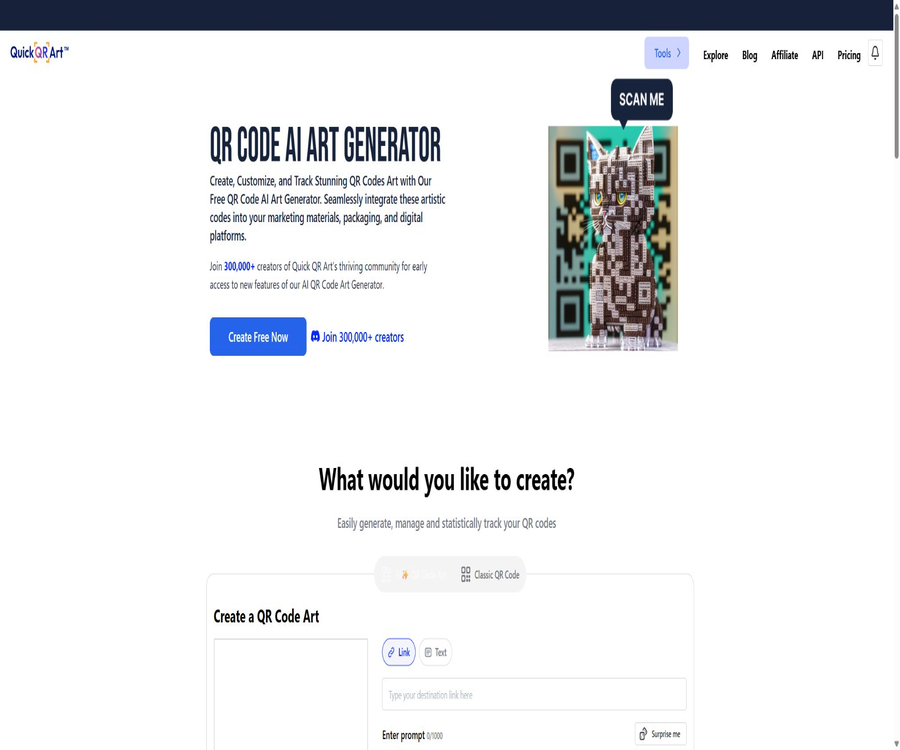
Quick qr art
Quick qr art: a smart tool focused on AI-generated images
Tags:Common AI image toolsWhat is Quick QR Art?
Quick QR Art is an AI design tool that combines ordinary QR codes with generative images; it is operated by Pixel ML, Inc. Users can enter a link or text, and then use prompts, templates, or reference images to create artistic QR codes with a specific visual theme.
The product offers classic QR codes, link tools, text art, Fusion Art, image blending, image enlargement, and developer APIs. The more complex the artistic effects, the more manual testing is required to ensure that the QR codes can be scanned successfully.
Main functions
- Generate an AI art QR code based on the textual instructions.
- Upload the reference image and blend it together with the QR code.
- Use templates and Magic Prompt to optimize visual descriptions.
- A standard classic QR code is generated to serve as a reliable foundation.
- Combine images with generative visuals through Fusion Art.
- Use Text Art to create artistic images with readable text.
- Expand, enlarge images, and enhance facial features.
- Create and manage short links as well as the target content for QR codes.
- Use a scanning tool to verify whether the QR code is readable.
- Used on web pages, iOS, Android, and Discord bots.
- Generate art QR codes and images in bulk through the developer API.
- Paid members receive watermark-free versions as well as the commercial terms and privacy settings.
How do art QR codes work?
While ordinary QR codes use black and white modules to encode information, AI-powered artistic QR codes incorporate elements such as scenes, textures, and colors while still maintaining their core structure. The generation models cannot guarantee that each resulting QR code will be scanable reliably.
| Components | Function | Common risks |
|---|---|---|
| QR code content | Save links, text, or other information | Excessive content will increase module density. |
| Error correction level | It allows the pattern to be restored even when parts of it are obscured. | The error correction capability is not infinite. |
| QR Weight | Control the intensity of the QR code pattern in the image. | Too low makes scanning difficult; too high affects the artistic effect. |
| Prompt | Decide on the scene, subject, style, and colors. | Complex descriptions may damage the coding region. |
| Refer to the diagram | Provide background or visual direction. | Contrast and texture can interfere with recognition. |
| Number of steps generated | It affects the details of the image and the performance of the prompt words. | An increase in the number of steps does not necessarily improve scanability. |
Generate artistic QR codes from text
The text-based generation method is suitable for users who do not have a pre-existing background image. The platform creates an artistic QR code in PNG format with dimensions of 768×768 pixels, based on the content of the QR code and visual cues.
Tutorial for generating on the web page
- Go to the art QR code generation page and log in with your account.
- Enter the short link or brief text that you want to encode.
- Select H-level error correction to generate a clear basic QR code.
- Enter a brief visual prompt or select an appropriate template.
- Use Magic Prompt to optimize the description as needed.
- After generation, wait for the task to complete and download the PNG file.
- Test the final product using various smartphones and scanning apps.
- Increase QR Weight and simplify the image when scanning is not possible.
Prompt writing format
- Use short sentences to describe a clear subject and scene.
- Choose high contrast and avoid large areas of uniform texture.
- Place the main visual elements outside the QR code structure.
- Avoid too many characters, small text, and complex lists.
- Use exclusion parameters to reduce noise, watermarks, and cluttered backgrounds.
- First ensure scanning is done, then gradually increase the intensity of the artistic style.
Generate using the reference image.
The From Image or Blend mode allows users to upload existing images as a background, which can then be combined with the QR code structure. It is suitable for brand visuals, event posters, product packaging, and photographic themes.
Reference figure fusion step
- Select reference images for which usage rights are clear and the ownership is well defined.
- Crop it to a nearly square shape, leaving enough margin.
- Enter the QR code content and check that the base code can be scanned.
- Upload the reference image and select the image generation mode.
- First, generate candidate results using a moderate level of fusion intensity.
- Test the center of the QR code, the positioning points at the four corners, and the quiet area separately.
- Regenerate after adjusting the weights, prompts, or reference images.
- Verify again at the final print size.
How to improve scanability
The official documentation states clearly that there is currently no fixed method that allows all AI art QR codes to be scanned 100% of the time. Users need to make adjustments based on factors such as the basic structure of the QR code, error correction, link length, weight, number of steps, and testing distance.
- Use a high-quality base QR code with 768×768 pixels.
- Choose H-level error correction to improve fault tolerance.
- Try to shorten the link to no more than 25 characters.
- Increase the QR Weight gradually to 3, making small adjustments of about 0.05 each time.
- If there are insufficient artistic details, gradually increase the number of generation steps to 20.
- If scanning becomes difficult after increasing the step count, reduce the step count and increase the QR Weight.
- Keep the prompt short and use exclusion parameters.
- Testing the scanning is done from a distance of about 10 times the side length of the QR code.
QR code testing checklist
- First, use the built-in camera to test whether it can recognize it.
- Perform cross-testing using at least one third-party scanning app as well.
- Test it on separate devices running iOS and Android.
- Check for strong light, weak light, reflections, and tilt angle.
- The test shows the screen display, ordinary paper, and the actual packaging material.
- Verify that the address, parameters, and page to which navigation occurs after scanning are entirely correct.
- After printing, samples are taken from different batches and sizes for inspection.
- During the event, continuously monitor the scanning success rate and broken links.
Classic QR codes, links, and scanning tools
The platform not only generates AI QR codes, but also offers traditional QR codes, link management tools, and scanning options. For official marketing campaigns, it is advisable to keep a standard QR code as a backup, so that it can be replaced quickly in case the artistic version becomes unusable.
- Classic QR codes are suitable for scenarios where the highest level of stable scanning is required.
- Short links can reduce the density of QR codes and facilitate subsequent management.
- Dynamic linking helps to adjust the target page without having to reprint the images.
- Scanning tools can be used for a preliminary readability check of the generated content.
- Link analysis data should be presented in conjunction with the privacy policy and Cookie notice.
Fusion Art, Text Art, and image enlargement
| Tools | Primary uses | Precautions |
|---|---|---|
| Fusion Art | Combining multiple images and generating visual content | Complex compositions may not be suitable for scanning codes. |
| Text Art | Transform words or phrases into readable artistic images | Long texts and small font sizes can still lead to errors. |
| Blend | Merge the reference image with the QR code | The positioning points and modules must be tested repeatedly. |
| Outpaint | Expand the image toward the edges. | New regions may produce duplicates or artifacts. |
| Upscale | Zoom in on the image by 2x, 4x, or 8x. | Zooming out does not automatically restore the incorrect QR code structure. |
| Face Enhance | Improve the details of the characters’ faces | It may change identity traits or expressions. |
Websites, mobile devices, and Discord bots
| Platform | Usage method | Suitable for users |
|---|---|---|
| Web version | Generation, management, downloading, subscription, and API management | Individuals, designers, and enterprise users |
| iOS apps | Mobile devices used to create and manage artistic QR codes | Users of Apple iPhones and tablets |
| Android apps | Mobile templates and QR code generation | Android users |
| Discord bot | Use commands such as qrart, blend, and generate. | Experiments by community creators and teams |
| Developer API | Generate and process interfaces via key invocation | Application integration and batch workflows |
The prompts and images in Discord’s public channels can be seen by other members; therefore caution is needed, even if the account has privacy settings. Trade secrets and unreleased material related to events should not be uploaded to public chat spaces.
Member price
The main individual subscription plan available for Quick QR Art is Pixel ML Essentials. As of the subscription page checked in August 2026, the annual payment amounts to $11 per month, with a discount of around 42% applied to the annual plan.
| Plan | Current displayed price | Core rights and interests |
|---|---|---|
| Free service | $ | Limits, scope of public availability, watermarks, and non-commercial licensing restrictions apply. |
| Pixel ML Essentials annual plan | $ | 1,000 quick points per month, no watermark, commercial terms, and 3 concurrent tasks |
| Monthly payment plan | The settlement page shall prevail. | The monthly payment amount is not displayed correctly on the current page. |
| For corporate or bulk orders | Contact for a quote | Higher limits, concurrency, support, and procurement arrangements |
Essentials membership benefits
- 1,000 quick-generation points per month.
- The generated result does not contain any platform watermark.
- The Stealth privacy generation mode can be used.
- The general terms for commercial use apply.
- Additional points can be purchased as needed.
- Run 3 fast tasks simultaneously.
- Access the member gallery and exclusive support channel.
- Experience new features in advance.
- Includes unlimited AI avatar and AI hairstyle generation.
- Includes benefits related to the Purrfect mobile application.
Rights differences between the free version and the paid version
The terms of service state that paid members can retain ownership of the assets they create, provided they comply with the agreement. Non-paid users do not acquire ownership of such assets; instead, they can use them under a Creative Commons license that permits use for personal, non-commercial purposes.
| Project | Non-paying users | Paid members |
|---|---|---|
| Asset rights | The platform grants a signed, non-commercial license. | The terms stipulate that users have the right to create assets in a compliant manner. |
| Commercial use | Not suitable for general commercial use | Applicable Member Business Terms |
| watermark | It may have a watermark. | No watermark |
| Public display | By default, the works may be made public and reused. | Stealth can be used to reduce visibility when displayed publicly. |
| Corporate revenue threshold | Not applicable | Companies with an annual revenue of over 1 million dollars are required to purchase a Pro membership for each user. |
Whether free or paid, users grant Pixel ML broad, permanent, global, and sublicensable rights to use the prompts and the generated assets. Companies that require strictly confidential and exclusive materials should first have the terms reviewed by their legal team.
API functions and authentication
Developers can purchase API package credits to activate and manage their own keys. The interface supports Art QR Code V5, V5s, extended versions, as well as various other image generation and editing tasks.
- All requests must include an API key in the request header.
- The average limit for creating tasks is 10 requests per second.
- The 429 status code is returned when the rate limit is reached.
- Different endpoints may have their own constraints on concurrency and parameters.
- Companies can contact the authorities to apply for a higher limit.
- Keys should be stored only on the backend and must not be included in web pages or mobile clients.
API integration steps
- Register for a Quick QR Art account and go to API management.
- Select the API package suitable for your volume of calls and complete the purchase.
- Create and copy API keys, then store them in the server’s key management system.
- Select the art QR code or image processing endpoint based on the document.
- Use the minimal request to test authentication, parameters, and callback results.
- Add task polling, timeout, error retry, and idempotency control.
- Implement backoff for 429 responses and limit concurrent users.
- Monitor the balance of points, failure rate, and scanning success rate before going live.
API credit consumption
| API tools | Each consumption |
|---|---|
| AI art QR code | 1 point |
| AI Text Art | 1 point |
| SDXL 1.0 text-to-image generation | 1 point |
| SD 1.5 text-to-image generation | 0.5 points |
| 2x magnification | 1 point |
| 4x magnification | 2 points |
| 8x magnification | 4 points |
| Face enhancement | 1 point |
Price of API credit packages
The following are the Early Bird prices in US dollars as shown in the official API price document verified in August 2026; the page states that any applicable taxes are already included in the listed prices. The purchased credits are valid for 2 years from the date of purchase.
| Number of points | Total price | Price per point |
|---|---|---|
| 5000 | 45 dollars | 0.009 dollars |
| 25000 | $ | 0.0085 dollars |
| 50000 | 400 dollars | 0.008 dollars |
| 100000 | 750 dollars | 0.0075 dollars |
| 500000 | 3500 dollars | 0.007 dollars |
| 1000000 | 6500 dollars | 0.0065 dollars |
Creating an AI art QR code typically costs 1 point, so the basic cost per code is around $0.0065 to $0.009. The overall cost also includes expenses related to retrying failed attempts, scaling the image, storage, link services, and manual scanning tests.
Subscription, cancellation, and refunds
Monthly or annual subscriptions are automatically renewed on a recurring basis, unless the user terminates them in accordance with the terms. The fee for the current period is generally not refunded after cancellation, and the benefits remain valid until the end of the current subscription period.
- Any subscription period that has already begun typically requires full payment.
- Unsubscribing will prevent charges from being deducted in subsequent periods.
- Proportional refunds are generally not provided during the current subscription period.
- Some refund requests may be handled on a case-by-case basis at the discretion of the platform.
- Mobile subscriptions are also subject to the rules of app stores.
- API credit packages and subscriptions are subject to different billing methods.
- Save the price, benefits, renewal details, and expiration information before making a purchase.
What use cases are suitable?
- Brands create visually consistent QR codes for packaging and promotional materials.
- The organizers create tickets, display boards, and check-in art codes.
- The restaurant incorporates menu links into the dishes or thematic illustrations.
- Retailers include creative codes on product labels and in display windows.
- The designer quickly explored ways to integrate QR codes with posters.
- Content creators create personal pages and QR codes for social media.
- Developers generate marketing assets in bulk through APIs.
- The relevant organizations use short links and analysis data to assess the effectiveness of code scanning.
Tasks that are not suitable for completion directly
- A critical entry point that requires 100% successful scanning of all devices and printing environments.
- QR codes for payments, authentication, and emergency information cannot tolerate failures.
- Large-scale marketing campaigns that are printed in bulk without undergoing manual scanning tests.
- Enterprise systems that require a fully private deployment and source code control.
- Using content generated from free accounts for commercial projects.
- It refers to confidential designs for which the material is not permitted to be used by the platform under any circumstances.
- Using QR codes to redirect to scams, malware, or illegal content.
Product advantages
- Combine the QR code encoding structure with AI-based visual styles.
- It supports three methods of creation: text prompts, templates, and reference images.
- It provides classic codes, artistic codes, links, and scanning verification tools.
- The weight, number of steps, and exclusion parameters of the QR code are adjustable.
- Covers web pages, iOS, Android, and Discord.
- Paid members receive watermark-free content, permission for commercial use, and a privacy mode.
- The API documentation, points consumption, and bulk pricing are quite transparent.
- The developer API supports a high number of calls as well as custom limits.
- It also offers Text Art, zooming, image enlargement, and face enhancement.
Usage restrictions and precautions
- AI art QR codes cannot guarantee 100% scannability.
- Different devices, distances, lighting conditions, and materials can affect recognition.
- Complex prompts and low QR Weight can easily disrupt the encoding structure.
- Generation may take 20 to 60 seconds, or longer during busy periods.
- The output is a PNG file with a default resolution of 768×768 pixels; it is not equivalent to a vector file.
- Free works may be public, include watermarks, and are intended for non-commercial use only.
- Member Stealth cannot hide the content in public Discord channels.
- The terms grant the platform a broad, long-term license to use the prompts and assets.
- The rules regarding subscriptions and API credit packs should not be confused with the balance.
- The platform allows for adjustments to the model, style of rendering, functions, and availability of services.
- No complete publicly available source code for the platform has been found.
Privacy and data processing
The privacy policy states that Pixel ML may collect account details, email addresses, company information, IP addresses, cookies, usage data, as well as text inputs, image uploads, and messages from public chats provided by users. Payment card information is handled by third-party payment service providers; Pixel ML only stores confirmation details of the payments.
- Do not include customer lists, internal links, and information about confidential activities in the prompt.
- Remove personal privacy details and file metadata before uploading the image.
- The content in public galleries and Discord channels may be seen by other people.
- The platform may share necessary data with service providers, consultants, and business partners.
- Personal information may be stored and processed across different regions.
- Children under 13 are not considered target users for this service.
- Users who meet the criteria can request access to, correction of, deletion of, and export of data.
- The platform states that it does not sell personal information as defined by California law.
Content and community rules
- Adult content, nudity, bloodshed, and disturbing images are prohibited.
- It is not allowed to generate content that is harassing, violent, infringing on rights, or illegal.
- The service must not be used for political campaigns or to influence elections.
- It is not allowed to reproduce others’ creative works publicly without permission.
- An account is intended for use by a single person; typically, a user can have only one account.
- It is not allowed to bypass restrictions, perform reverse engineering, or use unauthorized automated methods to access web pages.
- Compliance automation should use official APIs.
GitHub and the open-source status
As of the time of verification, no official GitHub repository maintained by Pixel ML or Quick QR Art that provides the complete source code of the platform was found. Projects related to QR code art available on the Internet cannot be considered as the official code for Quick QR Art.
Quick QR Art offers commercial APIs, but the fact that these APIs can be called does not mean that the platform is open source; the open source status in the tool catalog should be marked as \"no\".
Basic information
| field | Content |
|---|---|
| Tool name | Quick QR Art |
| Operating company | Pixel ML, Inc. |
| Tool type | AI art QR codes, image generation, and linking tools |
| Main inputs | QR code content, text prompts, templates, and reference images |
| Common outputs | 768×768 pixel PNG art QR code |
| Supported platforms | Web, iOS, Android, and Discord |
| Individual price | Free services and Pixel ML Essentials membership |
| Annual membership | The conversion rate for verification is 11 dollars per month. |
| API price | $ |
| Validity period of API points | 2 years after purchase |
| Whether API is provided | Yes |
| Is it open source? | No |
Recommendation score
4.5 / 5. Quick QR Art offers a comprehensive set of functions related to artistic QR codes, mobile devices, Discord, linking tools, and APIs, and its pricing is fairly transparent; however, factors such as the reliability of scanning, the limitations of the free version, permissions for using platform assets, and printing tests need to be integrated into formal workflows.
Frequently Asked Questions
Can Quick QR Art be used for free?
Free services are provided, but there are restrictions on the amount that can be generated, on the use of watermarks, on public display, and on rights of use. Works created by unpaid users may be used under a licensed basis with attribution and for non-commercial purposes only.
Can art QR codes always be scanned?
No guarantee can be provided. The authorities have made it clear that there is no fixed method that allows for 100% scanning; it is necessary to adjust the length of the links, implement error correction, consider factors such as weight, and determine the number of steps required, while also testing in various devices and actual printing environments.
How long does it take to generate a picture?
The quick guide indicates a reference time of around 20 seconds, while the FAQ on the subscription page states that some tasks may take up to 60 seconds. The actual speed is influenced by the model, the queue, and the tasks themselves.
How much is the membership?
During the verification in August 2026, the annual plan for Pixel ML Essentials was equivalent to $11 per month, with billing on an annual basis. The monthly price and any promotional rates are subject to those indicated on the settlement page.
How much does it cost to have an API generate an artistic QR code?
An art QR code costs 1 point; the price ranges from approximately 0.0065 to 0.009 dollars per code, depending on the size of the point package, and this does not include the costs associated with retries, scaling, or using one’s own infrastructure.
Do API points expire?
Yes. The official price document states that the purchase credits are valid for 2 years from the date of purchase.
Can free works be used for commercial purposes?
It is not suitable for general commercial use. Untagged works are subject to a royalty-free, non-commercial license; commercial projects require the purchase of an appropriate paid membership and compliance with the relevant terms.
Is Quick QR Art open source?
It is not open source. The platform offers developer APIs, but no official complete source code repository has been identified.
Tools similar to Quick qr art




 Guigong Network Security Registration No. 45132202000164