






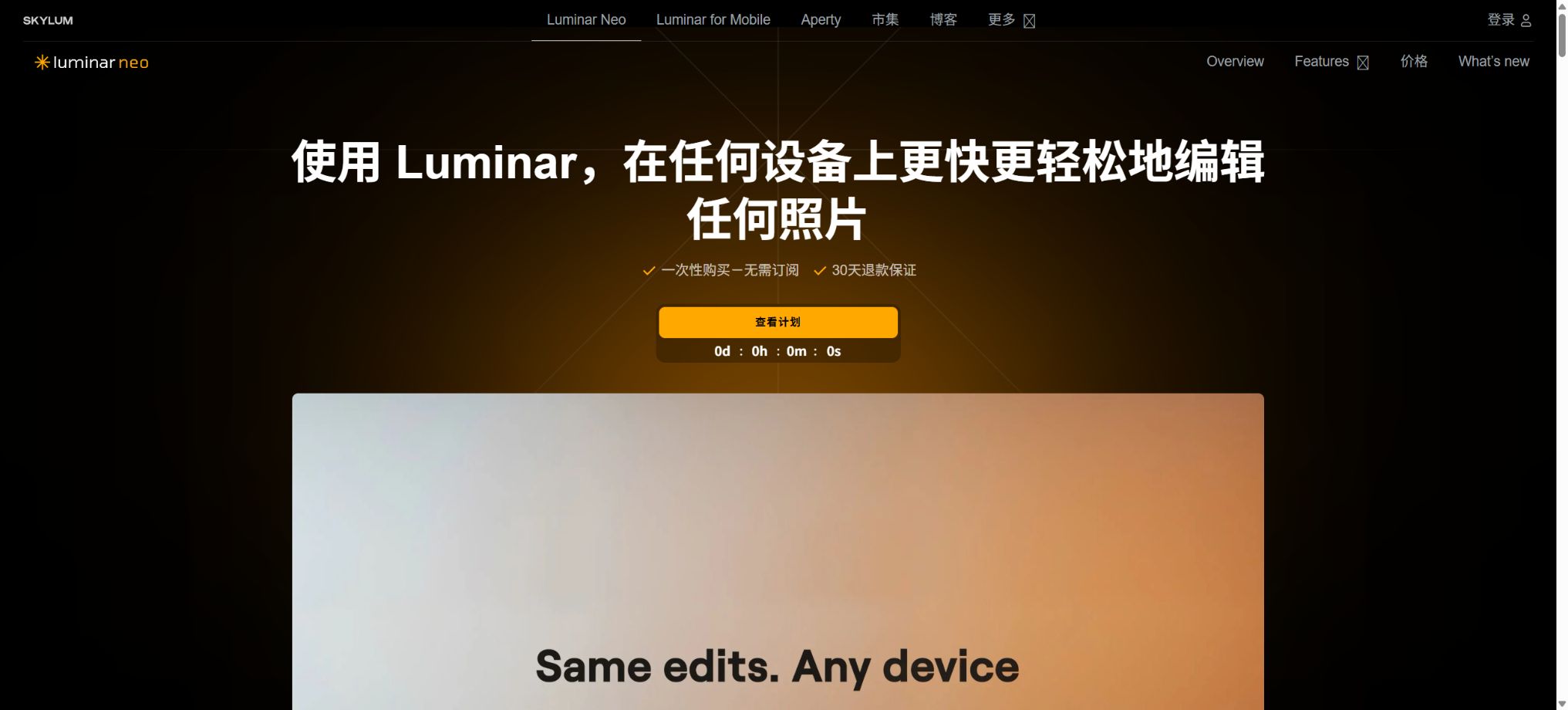
Luminar Neo
A desktop photo editing software that focuses on intelligent enhancement, replacement, and portrait retouching.
Tags:Common AI image toolsWhat is Luminar Neo?
Luminar Neo is a desktop photo editing software developed by Skylum; its current official website refers to it as Luminar on Desktop.
It is designed for photographers and ordinary photo editors; it integrates RAW processing, layers, masks, non-destructive editing, photo management, and a variety of AI tools into applications for Windows and macOS. It can also be used as a plugin or extension for Adobe Photoshop, Lightroom Classic, and Apple Photos.
Its feature is not to generate an entire image from text, but rather to perform intelligent enhancements on existing photos – such as sky replacement, portrait editing, light adjustment, noise reduction, sharpening, zooming, restoration of old photos, and generative local edits. Users can get started quickly using the AI presets, and then refine the results with layers, brushes, and professional adjustments.
Core functions
1. RAW development and basic adjustments
Luminar Neo is compatible with over 1,000 different cameras, as well as common file formats such as JPEG, PNG, TIFF, DNG, CR2, CR3, NEF, ORF, and RAF. Its RAW processing tools allow for adjusting exposure, white balance, highlights, shadows, color settings, sharpness, noise reduction, and lens information; it also enables cropping, rotation, resizing, and perspective correction.
Unsupported camera RAW files can be converted to DNG format using Adobe DNG Converter. Important photos should be kept in their original RAW format along with separate backups; it is not sufficient to rely only on directory databases or exported files.
2. Enhance AI – one-click enhancement
Enhance AI analyzes an image and allows one to adjust brightness, contrast, color, details, and depth using a slider; Accent AI is used for overall enhancement, while Sky Enhancer identifies the sky area in the image. It is suitable for quickly processing travel photos, landscape images, and social media photos, and can also serve as a starting point for further refinement.
One-click enhancement can darken shadows, increase saturation, or over-sharpen an image. For official printing and commercial use, it is necessary to closely examine high-contrast edges, noise, as well as the transition between skin tones and the sky, and to compare these elements with the original image.
3. Sky AI sky replacement
Sky AI automatically identifies the sky, the foreground, and the horizon; it replaces overcast skies or skies lacking depth with those from a material library or custom skies, and it adjusts the lighting, colors, reflections, and depth of field automatically. Users can adjust the position of the horizon, as well as various settings related to masks, fog, temperature, brightness, and water reflections.
Synthetic skies are suitable for creative works and marketing images, but they should not be used in news reports, documentaries, real estate content, travel materials, or as evidence photos, as this could lead viewers to believe that the sky was captured in actual conditions. Tree branches, gaps in buildings, and semi-transparent edges need to be manually edited.
4. Portrait retouching
Portrait Bokeh AI can identify human faces and simulate background blur, while Face AI, Skin AI, and Body AI are used to adjust the appearance of eyes, facial lighting, skin, lips, teeth, and posture. Studio Light and Portrait Background Removal are employed to reshape the lighting around a person and remove the background.
Portrait tools should maintain authenticity and respect, avoiding alterations to the face or body that could create misleading identities or appearances. Photos for identification documents, medical records, images of news figures, and material related to minors require stricter authorization and review.
5. Light and depth of field
Relight AI adjusts the brightness of nearby and distant elements based on the depth in the image; Light Depth along with other lighting tools are used to create a sense of depth in the scene. Sunrays allow for the addition and positioning of light sources, while Atmosphere AI can be used to introduce fog, mist, and vapor. Golden Hour is used to simulate warm-colored lighting conditions.
Depth estimation may be inaccurate for hair, mesh structures, glass, and complex backgrounds with multiple elements. When adding lights, it is necessary to check that the direction of shadows, color temperature, and reflections are consistent, in order to avoid having multiple conflicting light sources.
6. Noiseless AI and Supersharp AI
Noiseless AI is used for reducing noise in photos taken at high ISO values or in low-light conditions; Supersharp AI aims to correct motion blur, focusing issues, and slight tremors. Upscale AI allows the increase of the output size, making it suitable for old photos, photos that have been cropped, and those intended for large-scale printing.
AI-based noise reduction and sharpening functions estimate details, which may result in the skin, hair, text, and textures appearing in an unnatural manner. For use in archives, research, and as evidence, it is necessary to retain the original versions and indicate any processing that has been done.
7. Restoration – Restoration of old photographs
Restoration is used to automatically address issues such as fading, scratches, stains, low contrast, and poor details in faces, thereby helping to restore old family photos. After restoration, users can still use tools for cloning, erasing, adjusting curves, and changing colors to make further local adjustments.
Automatic repair may create facial features and texture details that are not present in the original photo. Archival records should store the repaired version separately from the scanned original, along with a record of the steps taken for the processing.
8. GenErase – Generative removal
GenErase allows you to remove elements such as trash, road signs, utility poles, vehicles, graffiti, crowds, and other distractions from photos, and it automatically fills in the spaces left behind with appropriate content. After saving, a new TIF file is created and added to the Generative Creations collection; the original photo remains unchanged.
The probability of failure when removing large areas is high; it is recommended to select smaller areas in multiple steps. The resulting images may contain repeated textures, perspective errors, and fictional elements, so they should be used with caution for documentary, evidentiary, and product photos.
9. Replacement of GenSwap objects
GenSwap allows for the replacement of selected objects based on textual instructions or the addition of new elements, enabling changes to props, decorations, plants, and background details. It is suitable for creating creative compositions, drafting advertisements, and previewing client proposals.
The clearer the prompts, the easier it is to control the results; however, the model may still alter the characteristics of surrounding objects, lighting, and people. For commercial projects, it is necessary to check for trademarks, characters, product designs, and third-party copyrights.
10. GenExpand – Generative image expansion
GenExpand is used to expand the boundaries of an image, to change vertical images into horizontal ones, to create space for titles, or to fill in any areas that have been cropped. The official recommendation is to expand the image in one direction at a time; a reduction of about 10% per expansion is generally more stable than expanding it by 25% at once. This approach also helps to preserve the natural details of high-resolution images.
The extended areas are content predicted by AI; they are not real scenes outside the camera. Real estate, news, and travel listings should not present the generated parts as actual environments.
11. HDR, focus stacking, and panoramic stitching
HDR Merge allows the combination of multiple images taken with different exposure levels; Focus Stacking is used to merge images from different focal planes, while Panorama Stitching combines several photos together. These tools are suitable for landscape, architectural, product, and macro photography, and they can also be used in conjunction with Noiseless, Supersharp, and color correction tools for post-processing.
Before merging, it is necessary to ensure that the exposure settings, focal length, and shooting location of the files are correct. Movement of people, leaves, waves, and clouds can cause ghost images; moreover, the seams between panoramic images as well as any distortions at the edges need to be checked.
12. Layers and Masks
Layers can combine photos, textures, skies, overlay elements, and adjustments; it is also possible to set blending modes, transparency levels, and masks. Mask AI is capable of identifying skies, people, buildings, plants, mountains, water surfaces, and other objects, while Background Removal AI can detect the main subject along with up to nine additional types of elements, and it provides a Refinement Brush for refining edges.
Automatic masking cannot completely replace manual selection. Before generating a high-resolution output, it is necessary to check areas such as hair, glass, tree branches, shadows, and reflections, and refine them using the brush tool when needed.
Photo management and non-destructive workflows
Catalog allows photos to be organized by folder, album, date of capture, date of editing, tags, file name, type, and size. The single-image editing mode enables images to be edited without being officially imported into the catalog, so the files remain in their original location.
Edit parameters to save them in a non-destructive way, allowing for reverting to previous adjustments.
Luminar’s Catalog is not a complete digital asset management system, nor does it serve as an automatic replacement for backups of the original files. It is necessary to understand the relationships between the various references in the catalog before moving or renaming source files, and it is important to back up photos and the catalog on a regular basis.
Export format
After making the edits, it is possible to export files in formats such as JPEG, PNG, TIFF, PSD, and PDF, taking into account factors like size, color space, sharpness, quality, and PPI. The PSD format allows for exporting flat files that can be opened in Photoshop; however, it is not possible to create a layered PSD file that retains the layers from Luminar.
For printed projects, it is necessary to check the color space, bit depth, PPI, and output sharpening; as for social media, attention should be paid to the compression techniques used by each platform. It is advisable to keep a high-quality master file before exporting.
Plugin mode
Luminar Neo can function as a plugin or extension for Adobe Photoshop, Lightroom Classic 6 and later versions, as well as macOS Apple Photos. It is ideal for using the AI tools available in Luminar after managing and performing initial RAW processing in Lightroom, before returning to the main application to continue working.
The plugin mode does not provide all the Catalog tools; certain functions for creation, merging, and management are available only in standalone applications. Back-and-forth editing usually results in the creation of TIFF or other new files, so it is necessary to reserve storage space and to verify the color settings.
Cross-device editing and Spaces
The All Platforms and Max plans include Luminar Mobile, which allows editing on iOS, Android, and ChromeOS; projects created on mobile devices can be carried over to desktop versions using the Luminar Ecosystem. At present, synchronization occurs mainly from mobile devices to desktops, while transferring projects back from desktop to mobile is still a feature to be developed in the future.
Spaces is used to create shareable web-based photo albums. Luminar Web is scheduled to be available in the fall of 2026.
The visibility and access level of the web album should be determined before sharing customer or private photos.
What is Luminar Prime?
Luminar Prime is a generative service with ongoing updates, including GenErase, GenSwap, GenExpand, Restoration, AI Assistant, Spaces, regular updates, and a material library. All current permanent licenses include access to Prime for the first year; after 365 days, it is possible to renew the subscription in order to continue using these online and ongoing services.
The core applications and the permanent features that were included when the service was purchased will not disappear once Prime’s subscription expires. Core AI editing tools such as Sky AI, Light Depth, and Background Removal AI can continue to be used.
However, new major upgrades may require an additional fee.
Price and version comparison
| Package or version | Prices, quotas, and core benefits |
|---|---|
| Desktop Only price | As of August 2026, the Desktop Only version costs $129 one-time and can be activated on two Windows or macOS computers; the desktop application can be used indefinitely. It includes Luminar Prime for the first year, generative tools, Restoration, AI Assistant, ongoing support, an upgrade in the fall of 2026, and a library of assets, but it does not include mobile applications or cross-device editing. After 365 days, the core desktop software and the permanent features already obtained can still be used, but generative tools and Prime services require renewal. |
| Prices for All Platforms | The current promotional price for All Platforms is $159; the original price on the page is $259, and it is available for a one-time purchase. It includes a permanent license for use on desktops, a permanent license for mobile devices, the ability to edit content across different devices, as well as an upcoming web interface. It also comes with Prime membership for the first year and access to a material library. The desktop license allows use on two computers, while the mobile license can be used on up to three mobile devices. The deadline for the promotion, as well as tax amounts and currency details, may vary; these should be checked on the payment page. |
| Max price | The current promotional price for Max is $199, while the original price on the website is $399; it is available for a one-time purchase. It includes functionality for all platforms, and its main selling point is the comprehensive set of creative resources it offers. The current resource library contains over 2,150 presets, more than 500 LUTs, over 400 blending effects, more than 550 sky backgrounds, and more than 50 tutorials. Max includes access to Luminar Prime for one year; after that, the subscription must be renewed annually and can be canceled at any time. New features released during the subscription period remain available permanently, but future services and additional generative capabilities require a Prime subscription to continue to be used. |
Desktop Only price
As of August 2026, the Desktop Only version costs $129 one-time and can be activated on two Windows or macOS computers; it provides permanent access to the desktop application. It includes Luminar Prime for the first year, generative tools, Restoration, AI Assistant, ongoing support, an upgrade in the fall of 2026, and a library of assets, but it does not include a mobile app or cross-device editing capabilities.
After 365 days, if Prime is not renewed, the desktop core software and the permanent features already obtained can still be used; however, generative tools and Prime services require renewal.
Prices for All Platforms
The current promotional price for All Platforms is $159; the original price on the page is $259, and it is available for a one-time purchase. It includes a permanent license for use on desktops, a permanent license for mobile devices, the ability to edit content across different devices, as well as an upcoming web interface. It also comes with Prime membership for the first year and access to a material library.
The desktop license allows use on two computers, while the mobile license can be used on up to three mobile devices. The deadline for the promotion, as well as taxes and currency types, may vary; the information displayed on the settlement page should be taken as reference.
Max price
Max is currently available at a promotional price of $199; its original price on the page is $399, and it must be purchased in a single transaction. It offers support for all platforms, and its main selling point is the comprehensive set of creative resources it provides. The current resource library includes over 2,150 presets, more than 500 LUTs, over 400 blending effects, more than 550 sky backgrounds, and more than 50 courses.
Max includes access to Luminar Prime for one year; thereafter, Prime is subscribed to on an annual basis and can be canceled at any time. New features released during the subscription period remain available permanently, but future services as well as new generative capabilities require a Prime subscription to continue to be accessible.
A permanent license does not mean permanent access to all AI functions.
All three options specify permanent use, but GenErase, GenSwap, GenExpand, Restoration, and AI Assistant are only available for 365 days after purchase. The core AI tools and professional editing tools can be used on a long-term basis, whereas access to major updates, future generative services, and material libraries is not necessarily permanent.
When making a purchase, it is necessary to consider \"permanent software license\" and \"one-year Prime service\" as separate options. If the main needs are working with RAW files offline, as well as handling sky and portrait images and performing professional photo editing, then a permanent license offers greater value.
If one relies on generative tools for an extended period, the renewal costs should be included in the budget.
Luminar Neo usage guide
Complete a basic task.
- Clarify the purpose of the image, its dimensions, style, and requirements regarding commercial licensing.
- Upload the original images for which you have usage rights to Luminar Neo, or provide clear instructions;
- Select RAW development and basic adjustments to first generate low-cost candidates;
- Use Enhance AI to instantly improve the composition, subject, and details;
- Zoom in to examine faces, hands, text, edges, logos, and artifacts;
- Export after confirming the color, resolution, and licensing, while retaining the original image;
Create reusable professional workflows
- Create a list of brand colors, fonts, layout elements, and elements that are prohibited.
- Test RAW development with basic adjustments, one-click enhancement via Enhance AI, and sky replacement via Sky AI, respectively;
- Use the same set of representative samples to compare quality, speed, and cost;
- Complex edges, text, and images of key products should be handed over for manual refinement.
- Standardize naming, dimensions, and review status;
- Batch processing and release are carried out after random inspections;
Fair use restrictions
- The claim of unlimited use in the first year with Prime is subject to the fair use policy.
- Automated or bulk creation is prohibited, as is the resale of access rights as paid services or APIs, sharing a single license among multiple users, as well as bypassing technical or security restrictions.
- Luminar does not provide a batch generation API available to ordinary developers;
- Teams that require server-side automation or large-scale e-commerce processing should not treat personal permanent access rights as commercial API packages.
Refund and authorization management
Purchases from the official website come with a 30-day refund guarantee – if you are not satisfied, you can request a full refund within that period. The license is activated through your Skylum account, no separate key is required.
When all seats are occupied, it can be reactivated in the account, or started again after logging out of the old device on a new one.
If you do not wish for automatic renewal before Prime expires, you should cancel it in your account. Cancellation will only stop charges for the subsequent period; the services can still be used during the already paid period.
When purchasing through app stores or distributors, it is necessary to follow the rules of those respective channels.
System requirements
The minimum requirements for macOS are macOS 12, an Intel Core i5 of eighth generation or higher; Apple M1, M2, M3 and subsequent chips are also supported. For Windows, the minimum requirement is 64-bit Windows 10 1909, an Intel Core i5 of eighth generation or an AMD Ryzen 5 or better, along with a graphics card that supports OpenGL 3.3.
At least 8GB of memory is required on both ends; 16GB or more is recommended. Approximately 10GB of available space is needed, and an SSD is advised. The monitor should have a resolution of at least 1280×768.
Generative, noise reduction, merging, and processing large numbers of RAW files place higher demands on memory, GPU, network, and disk resources. Having the minimum required configuration only ensures that the software can run; it does not guarantee smooth performance for tasks requiring high resolution.
Local and cloud processing
Most traditional editors run on local computers, so there is no need to continuously upload photos in their raw format or for color adjustment. However, tools such as GenErase, GenSwap, GenExpand, Restoration, AI Assistant, cross-device synchronization, and web albums rely on the network or cloud services; therefore, the entire Luminar workflow cannot be considered completely offline.
Before using cloud-based generative capabilities, client confidential information, identification documents, and unpublished business materials must have their data processing and usage permissions verified in accordance with the organization’s policies.
Commercial use and generative rules
The official AI guidelines do not prohibit the use of compliantly generated content for commercial purposes, but users must have the rights to the input material and must comply with rules regarding copyright, trademarks, privacy, portraits, and public rights. It is forbidden to create content that is a copy of, substantially similar to, or an obvious imitation of someone else’s work style.
The EULA also prohibits the use of the generative functions or outputs for developing and training other machine learning or AI models. Permission for commercial use does not mean that Skylum assumes any liability; users are responsible for the inputs, outputs, and the final uses thereof.
API and open-source status
Luminar Neo is a commercial desktop software; it is not an open-source photo editor, nor does it offer any publicly available general image editing or generative APIs. Unofficial repositories on GitHub under the names Luminar Neo or Skylum do not indicate that the product is open-source, and downloading unknown installation packages can pose risks related to piracy and security issues.
What is provided officially are host software plugins and the ability to use mobile devices and web-based photo albums; it is not an SDK or model code that can be deployed freely.
Which users is it suitable for?
- Photography enthusiasts who wish to complete RAW color correction and photo enhancement quickly;
- Wedding and travel photographers who need AI tools for skies, portraits, depth of field, and lighting;
- Home users who want to restore old photos, reduce noise, sharpen images, and enlarge them;
- Professional users who add AI plugins to their Lightroom or Photoshop workflows;
- Landscape and product photographers who need HDR, focus stacking, and panoramic stitching;
- Users who prefer to purchase the core software once rather than subscribing to the full editor on a recurring basis.
Product advantages
- A solid foundation in RAW files, layers, masks, and non-destructive editing;
- AI tools for the sky, portraits, lighting, noise reduction, and sharpening are well-developed;
- GenErase, GenSwap, and GenExpand work in conjunction with local editing;
- It can operate independently or serve as a plugin for Adobe and Apple Photos;
- The permanent core license is separate from the first-year Prime subscription, with clear version boundaries;
- It supports cross-device workflows for moving to the desktop as well as a web-based photo album.
Restrictions and Precautions
- Generative, Restoration, and AIAssistant are available only for the first year; a permanent license does not mean access to all AI services on a permanent basis.
- Major upgrades and future features may incur additional costs;
- Its directory management is inferior to that of professional DAM systems, and PSD files cannot have their layer structure exported to Luminar.
- The plugin mode also does not include all the functions of standalone applications.
- AI sky, object removal, image enlargement, and restoration can generate images that do not exist in reality; uses in documentary, archival, news, and commercial contexts require thorough review.
- High-resolution RAW, HDR, panoramic, and generative tasks require significant hardware resources;
- At least 8GB of RAM is only sufficient for basic use;
Frequently Asked Questions
Is Luminar Neo a perpetual license?
All three current tiers require a one-time purchase; the core desktop applications or cross-platform apps can be used indefinitely. However, Prime, the generative tools, Restoration, AI Assistant, and the asset library are available only for the first year.
How much is Luminar Neo?
The current price is 129 dollars for the Desktop Only version, 159 dollars during the All Platforms promotion, and 199 dollars during the Max promotion. The original prices for the latter two versions were 259 dollars and 399 dollars respectively; prices may vary depending on the region and any ongoing promotions.
Can RAW be edited?
Yes, it supports over 1,000 different cameras as well as various RAW formats. RAW files that are not supported can be converted to DNG first.
Can it be used as a plugin for Lightroom or Photoshop?
Yes, it is supported on Lightroom Classic 6 and later versions, Adobe Photoshop, as well as macOS Apple Photos. Some Catalog and Extra tools need to be used within separate applications.
Do generative tools require an internet connection?
It is necessary. Basic RAW processing and most traditional editing tasks are carried out locally, but functions such as GenErase, GenSwap, GenExpand, and other Prime online features rely on network services.
Is Luminar Neo open-source or does it offer an API?
It is not open source, and there are no complete editing or generation APIs available for ordinary developers. Its Adobe and Apple plugins are not equivalent to developer APIs.
Tools similar to Luminar Neo




 Guigong Network Security Registration No. 45132202000164