






Fotor
An online visual platform offering photo editing, image piecing, design tools, and AI-generated content.
Tags:Common AI image toolsWhat is Fotor?
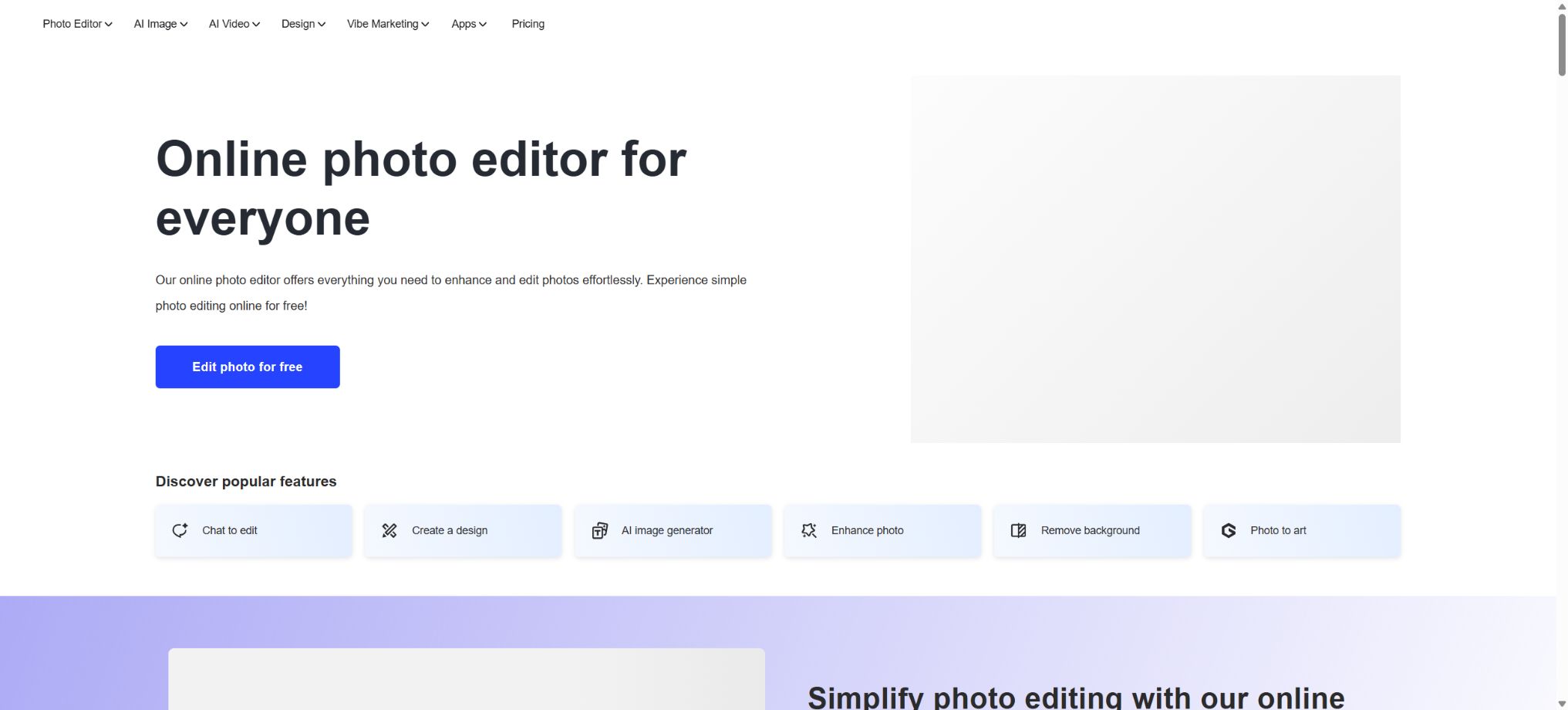
Fotor is an online visual platform that combines photo editing, graphic design, AI-powered image generation, AI video creation, and the production of materials for e-commerce marketing. Users can adjust brightness, color, crop images, apply filters, and add text just like in regular photo editing software; they can also use natural language commands to enhance images, repair them, isolate elements from an image, remove objects, enlarge images, change the appearance of subjects, and create product scenarios or video ads.
It is no longer just a simple photo editor; the current version handles personal photos, social media designs, profile pictures and ID photos, e-commerce product images, batch processing, brand assets, presentations, as well as developer interfaces. It is suitable for individuals and teams who are not familiar with professional layer-based software but need to deliver visual content quickly.
Core functions
1. Online photo editing
The basic editor offers common functions such as cropping, rotating, scaling, adjusting exposure, brightness, contrast, saturation, color temperature, sharpening, blurring, using curves, applying filters, adding borders, inserting text, using stickers, and overlaying images. Templates and puzzle tools enable quick creation of social media posts, posters, flyers, cards, logos, wallpapers, and ID photos.
Basic operations are suitable for everyday photo editing and quick layout work, but complex compositing, precise masking, print color management, and large projects with multiple layers are better handled by professional desktop software. After using automatic adjustments, it is necessary to check whether the skin tone, white balance, shadows, and highlights are exaggerated.
2. AI image enhancement and restoration
Fotor can automatically detect issues such as blurriness, low resolution, noise, improper exposure, and color problems. It offers tools for one-click enhancement, defuzzing, sharpening, color correction, restoration of old photos, coloring of black-and-white photos, and up to 4x zoom. The portrait features include skin improvement, facial clarity enhancement, adjustment of expressions, and creation of professional headshots.
AI enhancement adds details based on training data, but it does not mean that the original true information is restored. Historical archives, photographic evidence, medical images, and precise product details should be kept in their original form; generated textures should not be regarded as genuine content.
3. Intelligent object removal and background processing
The background removal tool automatically separates people, products, animals, cars, and logos; it allows for the export of transparent PNG files, the replacement of the background with a solid color, or the creation of a new background for the scene. This tool also supports batch removal and replacement of backgrounds, making it suitable for use in e-commerce product images, ID photos, and marketing materials.
Misjudgments can occur when the hair, glass, semi-transparent materials, complex shadows, and the color of the background are similar to those of the actual object; it is therefore necessary to zoom in to examine the edges carefully. When creating a background for a product, it is also important to check the shadows, perspective, reflections, and the proportions of the product, in order to avoid discrepancies between the image and the real object.
4. Removal of objects, people, text, and watermarks
The magic eraser allows users to remove unwanted elements such as pedestrians, clutter, text, or watermarks, after which the AI recreates the background. The platform also provides dedicated tools for removing people from images, deleting text, changing colors, editing text within pictures, and extracting signatures.
Removing someone else’s watermark does not mean that one has the right to use the artwork. It should only be used when one possesses the rights to the original image, has received authorization, or has a legitimate reason for doing so.
News and evidence images should not alter the meaning of the facts by removing elements from them.
5. Generative editing
AI Replace allows for the replacement of selected areas according to text instructions; AI Expand is used to expand the canvas; AI Reshot enables the re-adjustment of a photo’s composition; Relight is used to change the lighting; Photo to Angle generates images from different perspectives. Changing hairstyles, clothing, age, and editing the text within an image are features designed for portrait and marketing creative purposes.
Generative modifications can alter a person’s identifying features, the structure of a product, and its brand identity. Photo materials must be used with the individual’s consent, and product displays should ensure that colors, accessories, and functions match those of the actual products being sold.
6. AI image generation
Users can enter prompts to generate illustrations, realistic images, avatars, characters, tattoo concepts, baby images, logos, stickers, and backgrounds. The available model options include GPT Image, Gemini and Nano Banana, Seedream, Ideogram, Qwen, FLUX, Midjourney, and more; each of these models differs in terms of text rendering, consistency of characters, level of realism, speed, and cost in terms of usage credits.
The list of models is constantly changing, and some advanced models are available only to specific members. Before generating a image, it is necessary to determine the format, style, and purpose; use low-cost prompt templates for testing first, and then choose high-resolution models in order to avoid unnecessary consumption of credits.
7. AI video generation and processing
Fotor supports text-to-video, image-to-video, and video style conversion; it also offers video enhancement, background removal, object removal, watermark and text removal, image quality restoration, and 4K upscaling. The current model library includes series such as Veo, Kling, Hailuo, PixVerse, Seedance, Wan, and Grok, which are suitable for converting product images, portraits, and creative concepts into short videos.
Video tasks generally require more points than image tasks, and faces, hands, text, logos, as well as the structure of products may shift during movement. Official advertisements should be checked frame by frame to ensure that the use of music, sounds, portraits, trademarks, and other reference materials is authorized.
8. E-commerce product images and batch editing
For businesses, Fotor offers services such as product background creation, AI PhotoShoot, Flatlay to Model, Fashion Model AI, Ghost Mannequin, AI Listing, and batch photo editing. Users can convert flat-lay images of clothing into scenes with models, apply uniform cropping, enhancement, color adjustment, and background replacement, and they can also create various sales scenarios from product photos.
Batch tools are suitable for processing the main images of SKUs as well as promotional materials, but the same parameters may not be appropriate for all images that differ significantly in terms of exposure, texture, and background. It is recommended to first test them on a small number of samples before carrying out batch processing, and to keep the original files.
9. Vibe Marketing and ad production
Vibe Marketing brings together product visuals, posters, marketing videos, and promotional materials within a single workflow. The available tools include Product Video, Link to Ad, UGC Video, Smart Ad Video, AI Poster, product review templates, fashion videos, and Draw to Video, which allow for the quick creation of promotional content from product links, images, or creative descriptions.
The automatically generated selling points, user reviews, and demonstration results cannot replace accurate information. Before publishing an ad, it is necessary to manually verify the price, performance, promotional terms, endorsement relationships, and compliance requirements of the platform, in order to avoid creating false or misleading content.
10. AI Agent and AI Slides
AI Agents are used to understand creative tasks through dialogue and to combine multiple actions. Membership plans offer different numbers of chat sessions and tasks depending on the level; Pro+ and higher tiers also include AI Slides, which allow for the creation of presentation structures and page elements based on a given theme, making them suitable for marketing proposals, classroom presentations, and draft content.
The facts, figures, text, and presentation structure generated by the Agent still need to be reviewed. Sensitive content that involves company data, customer information, or unreleased products should not be uploaded without authorization.
Free version and membership plans
| Package or version | Prices, quotas, and core benefits |
|---|---|
| Basic | FotorBasic is a permanently free option that offers a limited amount of free credits, 1 concurrent generation task, 2 interactions with AIAgent, and 1 Agent task; it also provides basic editing tools, templates, and puzzle features. |
| Pro+ | FotorPro+ grants 300 points per month, allowing for 30 concurrent generation tasks, 2000 Agent conversations, and 5 Agent tasks. |
| Pro | FotorPro grants 100 points per month; it allows for 10 concurrent generation tasks, 1,000 Agent conversations, and 2 Agent tasks. The platform offers more than 100 editing tools, over 20 AI-based portrait enhancement features, more than 100,000 templates and assets, over 1,000 advanced effects and fonts, dedicated models, 2GB of cloud storage for long-term storage of creative works, as well as the possibility to export files in high resolution, in transparent PNG format, and without watermarks. Building on the Pro version, it adds AI-powered batch image extraction and background replacement, multi-brand kits, AISlides, and 100GB of cloud storage – making it particularly suitable for e-commerce businesses, marketing teams, and small organizations. |
| Max | FotorMax awards 1,000 points per month; the current package includes 50 concurrent generation tasks, 5,000 Agent conversations, and 500GB of cloud storage, in addition to access to various advanced image and video processing models – making it suitable for users who need to generate content frequently. |
Fotor Basic is a permanently free option that provides a limited amount of free credits, 1 simultaneous processing task, 2 interactions with the AI Agent, and 1 Agent task. It allows for basic editing, use of templates, and picture puzzles. The storage period for content created with a free account is 30 days, with 512MB of cloud storage available.
Standard JPG, PNG, and PDF exports include watermarks.
Fotor Pro grants 100 points per month; it allows for 10 simultaneous generation tasks, 1,000 Agent conversations, and 2 Agent tasks. It also provides more than 100 editing tools, over 20 AI-based portrait enhancement features, more than 100,000 templates and assets, over 1,000 advanced effects and fonts, exclusive models, 2GB of cloud storage for long-term storage of creative works, as well as the possibility to export files in high resolution, in transparent PNG format, and without watermarks.
Fotor Pro+ grants 300 points per month, allowing for 30 simultaneous generation tasks, 2000 Agent conversations, and 5 Agent tasks. Building on the Pro version, it offers AI-based batch image cropping and background replacement, multi-brand kits, AI Slides, as well as 100GB of cloud storage – making it ideal for e-commerce businesses, marketing teams, and small organizations.
Fotor Max awards 1,000 points per month; the current package includes 50 concurrent generation tasks, 5,000 Agent conversations, and 500GB of cloud storage, in addition to access to various advanced image and video processing models – making it suitable for users who need to generate content frequently.
How to view the current price?
As of August 2026, the price page on the official website displays amounts dynamically, based on account type, region, currency, payment frequency (monthly or annual), and any applicable promotions; thus, there is no fixed, uniform price shown to all visitors. The Basic plan is available permanently for free, at 0 dollars.
The actual subscription costs for Pro, Pro+ and Max are subject to the local currency and taxes displayed on the purchase page.
The catalog does not display historical promotional prices as the current fixed prices, in order to prevent users from seeing different amounts in various regions or at different times. When comparing packages, it is necessary to take into account not only the price but also the monthly points, the number of simultaneous connections, the range of available models, cloud storage options, the possibility of exporting without watermarks, and batch processing capabilities.
How is the score calculated?
The annual subscription plans Pro, Pro+ and Max also grant 100, 300 and 1000 points per month, rather than issuing the entire annual amount at once. As long as the subscription remains valid, unused points can be accumulated for up to 5 months;
Once the subscription ends, the member points become invalid.
Single-purchased one-time points are valid for 2 years, while points granted as part of promotions usually have a shorter validity period.
According to the official examples, the creation of ordinary images, logos, stickers, backgrounds, and filters usually costs 1 point each; while elements such as age, hairstyle, and outfit changes cost around 2 points each.
Removing advanced watermarks costs about 4 points per operation, while Face Mimic costs around 5 points per use. The first face used for face swapping costs 2 points, with an additional 1 point added for each additional face.
The points for videos are significantly higher: for a 4-second video in 360p, the score is 10 points; for a 4-second video in 720p, it’s 20 points; for a 4-second video in 1080p, the score is 50 points; and for an 8-second video in 720p, the score is 40 points. For tasks involving the removal of the background or certain objects from a video, 20 points are awarded for each such operation.
AI Slides assigns 10 points for each presentation example; additional charges are applied each time AI-generated text or images are used in the presentation.
Fotor usage guide
Complete a basic task.
- Clarify the purpose of the image, its dimensions, style, and requirements regarding commercial licensing.
- Upload the original images for which you have usage rights to Fotor, or provide clear instructions;
- Select online photo editing to generate low-cost candidates first;
- Use AI-powered image enhancement and restoration to adjust the composition, subject, and details;
- Zoom in to examine faces, hands, text, edges, logos, and artifacts;
- Export after confirming the color, resolution, and licensing, while retaining the original image;
Create reusable professional workflows
- Create a list of brand colors, fonts, layout elements, and elements that are prohibited.
- Test online photo editing, AI-based image enhancement and restoration, as well as intelligent object extraction and background processing separately;
- Use the same set of representative samples to compare quality, speed, and cost;
- Complex edges, text, and images of key products should be handed over for manual refinement.
- Standardize naming, dimensions, and review status;
- Batch processing and release are carried out after random inspections;
AI editing limitations for Pro and Pro+
- Most of the AI editing features available to Pro members can be used up to 200 times per day, with some tools allowing 200 images per day.
- Once the limit is reached, one can wait for midnight UTC to reset it, or continue using 1 point at a time;
- This restriction applies to common functions such as artistic effects, image enlargement, replacement, image cropping, magic eraser, text removal, zooming, restoration, coloring, portrait editing, expression adjustments, filters, and profile pictures.
- Pro+ offers unlimited access to the aforementioned AI editing tools, but queues may still occur during periods of high demand;
- Age changes, hairstyles, outfit changes, and other advanced generation features that are charged based on a point system will result in point deductions regardless of the member’s level.
- The so-called unrestricted use does not include all third-party models and video tasks.
The difference between members and point packages
Buying only points does not automatically grant Pro or Pro+ membership benefits. Points are used to pay for AI generation and processing, while membership unlocks features such as ad-free and watermark-free outputs in high resolution, advanced editing tools, templates, fonts, assets, and storage space.
Users who need to perform editing and exporting tasks on a regular basis should consider membership plans; those who only occasionally use specific AI functions can opt for one-time credit packages.
Subscription, renewal, trial, and refunds
Member subscriptions are automatically renewed by default; canceling a subscription merely stops charges for the next period and does not entail a refund. After cancellation, access is usually still available until the end of the current period.
The official help center states that payments made are generally not refundable.
New registered users who meet the requirements may be offered a 7-day trial period; if it is not canceled in time, a charge will be applied automatically. The authorities recommend disabling auto-renewal at least one day in advance.
When upgrading a plan, the system usually calculates the difference based on the current plan. When downgrading or changing from a monthly to an annual payment plan, it is recommended by the authorities to cancel the current subscription first and wait until the current period has ended before subscribing again.
Plans purchased from different app stores should be canceled and refunded through the respective stores.
Commercial use and copyright
According to the official guidelines, users can use the AI-generated images for personal or commercial projects, as well as for marketing and sales purposes. Fotor does not claim any ownership rights over these generated images. However, users are responsible for the input materials, any portraits, trademarks, third-party models used, as well as the intended use of these images.
Allowing commercial use does not mean that the output is copyrighted in all jurisdictions, nor does it guarantee that no one’s rights will be violated. When using well-known characters, artists’ styles, real people, brand logos, or customer-provided materials, it is necessary to check for relevant permissions and local regulations.
Privacy and generated content storage
According to the privacy policy, the AI-generated content is stored on AWS services located in the United States until the user deletes it; the input data is retained as long as the account exists, and the user can delete it themselves or request its removal.
The facial data uploaded when creating an AI avatar is stored temporarily and deleted once the avatar is successfully generated.
Fotor makes use of various third-party image and video processing models to handle the input data. The company states that it does not use the AI-generated inputs and outputs for advertising, analysis, or data brokerage purposes; nor is such content used unless the user decides to post it in the community.
However, content created by users who are not subscribed using free credits may be made publicly available in the community by default; special attention should be paid to the posting status when it comes to private photos and commercial materials.
Supported platforms
- Online version of the web browser;
- Windows desktop applications;
- macOS desktop applications;
- iPhone and iPad apps;
- Android phone and tablet apps.
The same account can be synchronized across multiple devices, but the functions, promotional offers, and subscription management options may vary depending on the device used. Batch processing, complex formatting, and large-scale content creation are better suited for desktop or web versions, while mobile devices are ideal for quick image editing and posting.
OpenAPI and AI Editor SDK
Fotor offers OpenAPI and AI Editor SDK for developers. Its public interfaces cover image generation, text-to-image conversion, image-to-text conversion, artistic effects, background removal, AI-based zooming, portrait enhancement, professional headshots, photo coloring, restoration of old photos, AI replacement, AI-driven image expansion, and creation of baby images; it also provides functions for task querying, balance checking, and Webhook notifications.
The server is authenticated using API keys; there is also an option for clients that do not have their own servers, allowing the submission of public image URLs or Base64-encoded data. The developer platform charges based on tokens, and the pricing and usage limits are specified in the control panel.
The availability of SDKs and interfaces does not mean that the Fotor editor, its models, or its cloud platform are open source.
Open-source status
Fotor is a commercial cloud-based product, and it is not an open-source photo editing tool or a generative model. What is made available officially are the development interfaces, integration documentation, and the editor SDK, rather than the complete source code.
Organizations that require local offline processing, private models, or auditable source code should consider alternative solutions.
Which users is it suitable for?
- Individual users who need quick photo editing, image stitching, and social media posters;
- E-commerce sellers who create batch versions of product main images, model photos, and scene images;
- Operations and marketing professionals responsible for creating advertisements, short videos, and brand materials;
- Regular users who need professional headshots, identification photos, and the restoration of old photographs;
- Students and professionals who wish to create presentations quickly using templates and AI Slides;
- Development teams can access batch processing capabilities for image cropping, enhancement, generation, and restoration through APIs.
Product advantages
- Access to photo editing, design, image creation, and video generation is centralized in one place;
- Available for Web, Windows, macOS, iOS, and Android;
- Tools for e-commerce product images, batch backgrounds, and marketing videos are quite comprehensive;
- Aggregates multiple mainstream image and video models;
- The package clearly distinguishes between monthly points, concurrent usage, agents, as well as storage and export capabilities.
- Official OpenAPI, Webhook, and AI Editor SDK are provided.
Restrictions and Precautions
- The free Basic export includes a watermark, the created content is retained for only 30 days, and the cloud storage space is limited;
- Pro does not offer unlimited use for all AI editing functions; common AI tools still have a limit of 200 uses per day.
- Advanced generation and video playback continue to consume points;
- Member points are only valid for a maximum of 5 months and become invalid once the subscription expires.
- The subscription package cannot replace the member’s benefits such as watermark-free content, advanced templates, and high-resolution exports.
- Trial periods and subscriptions are automatically renewed, and the amounts already paid are generally not refundable.
- Errors in generated repairs, face swaps, outfit changes, product scenes, and videos may occur;
- When it comes to portraits, trademarks, advertising material, and copyrighted content, authorization must be obtained and manual review is required;
- Cloud AI sends the materials to Fotor and its third-party model services;
- When users who are not subscribed use the free credits, they should also check whether the content is set to be published in the community by default; confidential documents, identification papers, and products that are not meant to be made public should not be uploaded without the authorization of the organization.
Frequently Asked Questions
Is Fotor free?
There is a permanently free Basic version that allows for basic editing, the use of templates, puzzle features, and a limited amount of AI credits; however, exported files contain watermarks, and there are restrictions on storage space and the number of times content can be generated.
How many points does Fotor Pro offer per month?
Pro earns 100 points per month, Pro+ earns 300 points per month, and Max earns 1000 points per month. The annual subscription plan also awards points on a monthly basis, with unused points accumulating for up to 5 months.
Can Pro members use AI indefinitely?
It cannot be simply assumed that everything is infinite. Most of the AI editing tools in Pro allow 200 operations per day as a maximum limit; once this limit is reached, one can wait for it to be reset or use points to proceed.
Pro+ allows unlimited use of these commonly used editing tools, but points are still deducted for advanced models and video tasks.
Can Fotor be used for commercial purposes?
Officials allow AI-generated images to be used for personal and commercial purposes, but users must ensure that the input data, characters, trademarks, and resulting images do not violate third-party rights; platform approval does not automatically confer copyright protection.
Does Fotor have an API?
Yes. OpenAPI supports tasks such as image generation, image cropping, enlargement, restoration, colorization, creation of avatars, image replacement, and image expansion. It also provides Webhook and AI Editor SDKs, with pricing based on the token rules of the developer platform.
Is Fotor open source?
It is not open source. It is a commercial online editing and generation platform; making the API and SDK available does not mean that the editor or the source code of the models are made public.
Tools similar to Fotor




 Guigong Network Security Registration No. 45132202000164