






Pixlr
A set of image tools that offers browser-based photo editing, templates, and generative AI functions.
Tags:Common AI image toolsWhat is Pixlr?
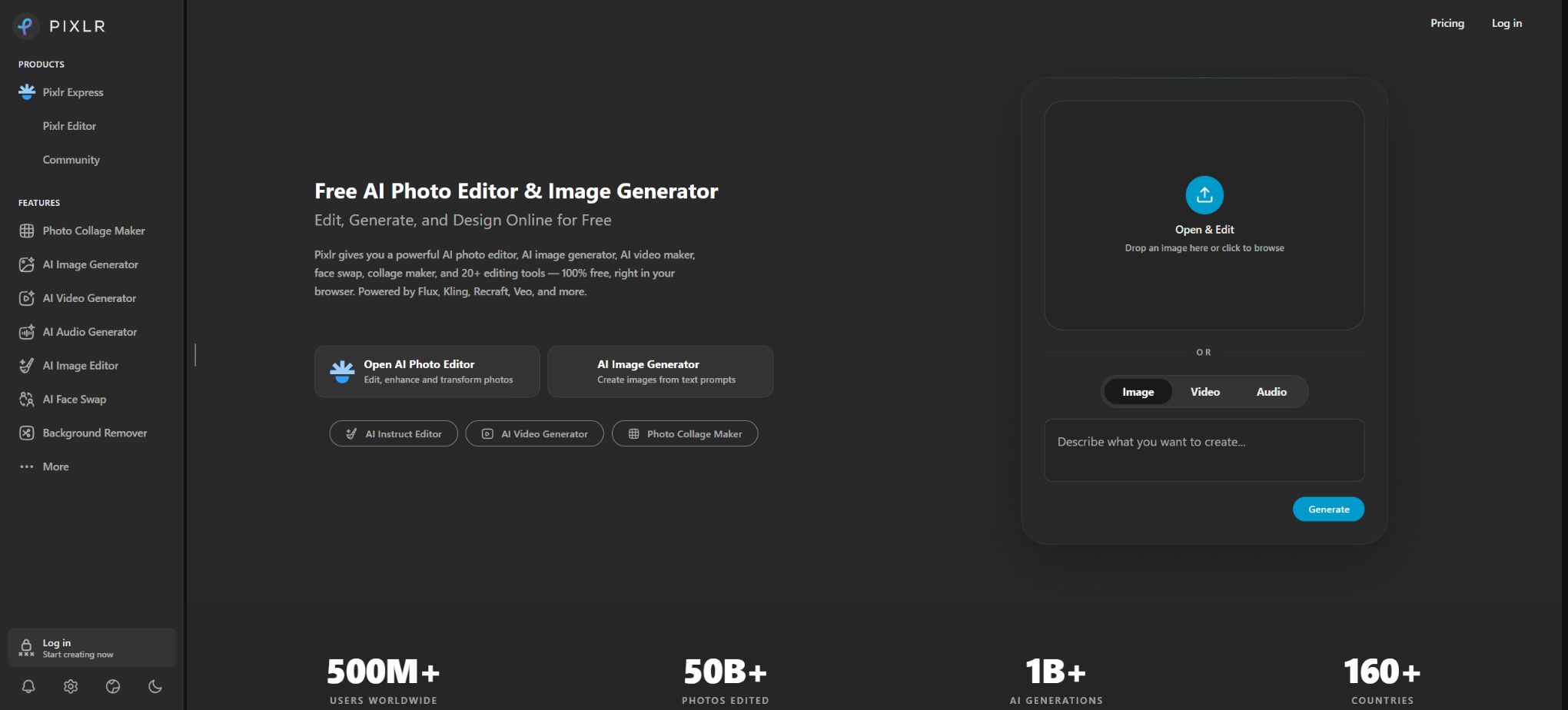
Pixlr is a set of tools for image editing, graphic design, and generative AI that works on browsers, desktops, and mobile devices. Users can work with layers, selections, colors, and filters just like in traditional photo-editing software; they can also create or modify images, videos, and audio using natural language.
Currently, Pixlr is not a single editing tool; it consists of Pixlr E, Pixlr Express, Pixlr Designer, Batch Editor, Remove BG, as well as various AI-based utilities. Different versions of this software are designed for tasks such as professional layer editing, quick photo editing, template creation, batch processing, and one-click generation.
Pixlr E – Advanced image editor
Pixlr E is an advanced editor that is quite similar to professional desktop photo-editing software; it offers features such as layers, masks, selections, curves, color grading, blending modes, brushes, text, and transformation tools. Users can customize the workspace and use it to carry out complex compositing, editing, and design tasks in the browser.
It is suitable for photographers, designers, and content creators who are familiar with the layer workflow, but cloud-based editing cannot fully replace professional pre-press processing, RAW file management, or large PSD projects. For complex files, attention should be paid to font compatibility, smart objects, color modes, and effects.
Quick photo editing with Pixlr Express
Pixlr Express emphasizes low learning costs, offering tools for cropping, color adjustment, filters, collage creation, text addition, stickers, HDR processing, and AI functions. Users can access features such as object removal, background replacement, generative image expansion, and image filling directly from the sidebar; it is suitable for use on social media, in e-commerce, and for everyday photos.
The one-click effects can improve efficiency, but automatic HDR, sharpening, and portrait processing might be excessive. For official product images and portraits, the intensity of these effects should be reduced, and attention should be paid to skin tone, edges, and true details.
Pixlr Designer template design
Pixlr Designer is designed for creating posters, social media posts, advertisements, and brand visuals; it allows users to start with templates and then add images, text, fonts, elements, and animations to generate various design variations. The Premium version and higher offer a larger library of templates, fonts, elements, and animation resources.
Templates are suitable for quickly creating drafts, but for brand projects it is still necessary to have unified specifications regarding font licenses, color values, the safe area around the logo, and the dimensions appropriate for different platforms. Text generated by AI may contain spelling errors; therefore, important headings should be reorganized using editable text layers.
Batch Editor for batch image editing
Batch Editor allows you to process a large number of photos at once, enabling you to adjust the brightness, color, crop, borders, and artistic effects for multiple images simultaneously. Presets can be saved for reuse. According to the official documentation, it is possible to handle more than 100 images at a time, with the option to export them in JPG, PNG, or WebP format.
Batch editing is suitable for e-commerce product images, promotional photos, and social media content; however, the same preset may not be appropriate for images with significant differences in exposure. It is advisable to test it on a small number of samples before carrying out batch processing, and to keep the original files.
AI image generator
Pixlr AI Image Generator can create images based on textual descriptions; it supports square, landscape, and portrait aspect ratios, and offers options for styles such as anime, cinematic, neon, as well as settings for colors, lighting, composition, and negative prompts. In some modes, it is also possible to use a starting image to control the degree of similarity.
The current platform aggregates models such as Flux, Recraft, Qwen, Stable Diffusion, SDXL, Seedream, and others. The list of available models, as well as the speed and cost associated with generation, can change; it is therefore necessary to check the Fast, Pro, or Ultra tier and the real-time pricing before clicking the generate button.
Generative filling
Generative Fill allows users to select an area using a lasso or rectangle, and then enter text to add, remove, or replace elements. The tool offers three AI models to produce different results, and it enables further adjustments; the final output can be saved in JPG, PNG, PDF, WebP, or PXZ format.
Local filling can alter the edges, shadows, and textures of a selected area. When editing products, buildings, and people, it is necessary to examine the image closely, and keeping the original layers unaltered allows for easy reversal of changes.
Generative image expansion and transformation
Generative Expand expands the canvas and adds a new background based on the surrounding content; it is useful for converting square images into banners or vertical posters, as well as for creating space for titles. Generative Transform allows objects to be moved, scaled, and rotated, with AI filling in the spaces that are left behind in their original positions.
The expanded content is based on the model’s predictions and does not represent the actual scope of what was filmed. News items, evidence, property listings, and product displays must not use this additional content to mislead viewers.
Object removal and AI Backdrop
Remove Object allows you to delete unwanted elements such as clutter, pedestrians, stains, and other objects by brushing or selecting them, while automatically reconstructing the background. AI Backdrop first separates the main subject and then creates a new background based on textual descriptions; it also enables the application of effects such as blurring, rotation, scaling, and pixelation.
E-commerce users can quickly create images with a white background or set-specific backgrounds, but the shadows, proportions, and reflections in the AI-generated backgrounds may not be realistic. The appearance and features of the products cannot be altered in such a way as to differ from their actual appearance.
Remove BG intelligent background removal
The standalone BG removal tool removes the background automatically once it is uploaded; you can choose a transparent, white, or black background, and use Draw, Magic, and Lasso to restore or delete edges. It supports automatic cropping, edge smoothing, saving as individual files, and batch downloading in ZIP format.
According to the official guidelines, it is possible to upload more than 100 images at a time. Hair, transparent objects, glass, and backgrounds of the same color may still lead to errors, requiring manual adjustment using Fine Tune.
Super Scale, Super Sharp and Remove Noise
Super Scale uses AI to enlarge images; the homepage indicates that a resolution of up to around 25 million pixels can be supported. Super Sharp is used to correct blurred edges, while Remove Noise helps to reduce grain and background noise.
These tools are suitable for enhancing old photos, web assets, and generated images.
AI enhancement may create texture, facial, and text details that do not exist. Archives, evidence, medical records, and high-precision product images should retain their original form, with a note indicating that they have been enhanced.
AI face swapping, avatars, and stickers
Face Swap allows for the replacement of faces in photos or videos; Avatar Generator is used to create digital avatars; Sticker Maker generates stickers with a transparent background based on given prompts. These tools are suitable for entertainment, profile pictures, and marketing purposes, but consent must be obtained before using real people’s faces.
It is forbidden to use face-swapping techniques to impersonate others, or to create fraudulent, pornographic, or defamatory content. When such content is made public, it must be labeled as synthetic in accordance with the local regulations and the rules of the platform.
AI video generation
Pixlr offers services for creating videos from text as well as from images; it allows the use of models such as Kling, Google Veo, Seedance, PixVerse, Vidu, Wan, and LTX. Users can choose between Fast, Pro, or Ultra quality levels, specify whether a vertical or horizontal format is desired, decide whether audio is needed, and then proceed with the creation process following the given instructions.
Tusheng Video enables the animation of products, people, or old photos. Different models offer varying support for the first frame, audio, duration, and resolution, and their pricing is usually significantly higher than that of regular images.
The face, hands, text, and brand logos may shift during motion, requiring frame-by-frame review.
AI audio and voice
Currently, Pixlr also offers text-to-speech, speech-to-text, text-to-music, and other audio functions, leveraging models such as ElevenLabs, ACE-Step, and MiniMax. Users can generate voiceovers, transcribe speech, or create music based on specific styles.
Voice cloning, authentic human voices, and the release of commercial music involve additional rights. Paid credits do not guarantee automatic permission to use other people’s voices or protected works.
AI Assistant and natural language editing
The AI Assistant allows users to specify tasks such as “changing the sky to a sunset scene,” “removing people from the image,” or “adjusting the style to that of an advertisement”; the system then carries out the corresponding editing actions. It is suitable for beginners who are not familiar with layers and selection tools, but automatic execution may alter areas that were not explicitly specified.
Extract Layers
Extract Layers uses AI-based segmentation to break down a single composite image into multiple layers, making it easier to rearrange elements, move subjects, or add animations. Complex occlusions, transparent materials, and small text may not be able to be separated completely, and the results of this segmentation require manual inspection.
Free to use
Pixlr offers a free trial version that includes ads and a limited amount of AI resources; basic editing, design functions, as well as some AI-powered tools are available for use. The number of saves, the models that can be used, the queues, and the available quotas in the free plan vary, and for actual projects it is necessary to follow the real-time instructions provided by the account login.
Being free does not mean that all generation models are unlimited; videos, high-quality images, private mode, high-resolution exports, and a large amount of content usually require a subscription or AI Credits.
Plus price
| Package or version | Prices, quotas, and core benefits |
|---|---|
| Plus | The Plus plan costs $2.49 per month; when paid annually, the cost is $1.99 per month. |
| Pro | Official estimates suggest that around 80 Fast images, 16 Pro images, 80 Fast edits, or 4 Fast videos can be generated per month. |
The Plus plan costs $2.49 per month, with an annual rate of $1.99 per month. It includes ad-free use, unlimited storage, 1 concurrent AI task, and 80 AI credits per month.
By paying annually, you receive 960 Credits, valid for the whole year.
Official estimates suggest that around 80 Fast images, 16 Pro images, 80 Fast edits, or 4 Fast videos can be generated per month. The actual consumption depends on the model and settings, and these figures should not be added together.
Premium price
The Premium plan costs $9.99 per month; when paid annually, the cost is $7.99 per month. It includes all the benefits of the Plus plan, access to all images, videos, and audio models, 4 concurrent tasks, 1000 Credits per month or 12,000 Credits upon annual payment, as well as an AI-generated private mode and larger libraries of fonts, templates, elements, and animations.
Official estimates suggest around 1,000 Fast images per month, 200 Pro images per month, 1,000 Fast edits per month, or 50 Fast videos per month.
Ultra price
The monthly cost for Ultra starts at 24.99 dollars, while the annual plan amounts to 19.99 dollars per month. The standard Ultra plan includes 5000 Credits per month, whereas the Ultra MAX version provides 10,000 Credits per month.
It offers 8 concurrent tasks, a priority AI queue, the possibility of exporting high-resolution files, Private and Mature content modes, and unlimited usage for Fast image generation within the limits of fair use.
Unlimited Fast is subject to fair use policies, model capacity limits, and service demand; it cannot guarantee unlimited or instant generation at any time. Pro and Ultra models, video processing, editing, and other resource-intensive tasks still result in the deduction of Credits.
Price of Ultra MAX
Ultra MAX costs 49.99 dollars per month; when paid annually, the cost is 39.99 dollars per month. It includes 10,000 Credits per month or 120,000 Credits per year. This plan is suitable for users who need to work with high-frequency videos and high-quality models; ordinary photo editors generally do not need it.
Validity period of AI Credits
Subscribed Credits are restored to the package quota during renewal and are not cumulative. For example, when renewing a Premium plan, even if 863 points remain, the amount will be reset to 1000 points.
After canceling the subscription, the package Credits are reset to zero.
Monthly Credits are valid for one month, while annual Credits are valid for one year.
The additional Credit Pack is calculated separately from the subscribed Credits and does not have an expiration date. When a subscription is active, the credits from that package are used first, followed by those from the top-up pack.
Before making a purchase, check the points required for each AI action.
Subscription, cancellation, and refunds
Plus and Premium can be subscribed to via the website as well as through Android and iOS apps; once purchased, the corresponding benefits can be used on the Web, desktop, and mobile devices under the same Pixlr account. The website accepts Visa, Mastercard, and PayPal, while mobile payments are processed through the app stores.
With automatic renewal, you can cancel at any time and continue using it until the end of the current period. Pixlr states that no refunds are provided after the payment has been processed.
To request a refund for mobile devices, you need to contact the app store.
Taxes and regional prices are subject to those on the settlement page.
Pixlr for Education
PixlrEdu offers free educational programs to students, teachers, and education-related non-profit organizations at eligible schools. Typically, it is the school teachers or administrators who submit the requests on behalf of the institution; students do not submit applications separately.
The educational environment offers an ad-free experience, along with templates, materials, and advanced editing features.
The terms require that regular users be at least 16 years old; those under 16 must be under the direct supervision of a parent, guardian, or authorized adult. Educational accounts are also subject to rules regarding child privacy and institutional consent.
Use of the work in commercial projects
Pixlr is an editing tool that allows users to use photos and designs for which they have rights in personal or commercial projects. When using templates, stock materials, fonts, third-party models, or portraits of others, it is still necessary to comply with the relevant licensing terms.
The copyright and exclusivity rights regarding AI-generated content vary from jurisdiction to jurisdiction. When users publish AI-generated content, they grant Pixlr the licenses necessary to operate and display such content, in accordance with the relevant terms.
For private client projects, Private Mode should be used and the sharing settings should be checked.
Privacy and data processing
Pixlr is a cloud-based service that handles accounts, file uploads, generates suggestions, keeps track of usage patterns, and collects device information in order to provide editing and AI-related functions. The terms state that the platform may use anonymized data for business analysis purposes.
The uploaded images may be processed using third-party AI models. Medical information, identification documents, unreleased products, and customer confidential data should not be uploaded without the authorization of the organization.
Before deleting an account and its content, important items should be exported first.
Supported platforms
- Web browser;
- Windows desktop applications;
- macOS desktop applications;
- iPhone and iPad apps;
- Android phone and tablet apps.
Some functions vary slightly between different platforms. Large layer projects, batch tasks, and text design are better suited for desktop or web use, while mobile devices are ideal for quick photo editing and creation.
API and open-source status
Pixlr does not offer complete API sets for creation and editing to ordinary developers, nor does it make available the source code for its Pixlr E, Express, Designer, and AI orchestration systems; as a result, it is not open-source software. It is a commercial cloud-based and client-based suite that does not support full private deployment.
Pixlr usage tutorial
Complete a basic task.
- Clarify the purpose of the image, its dimensions, style, and requirements regarding commercial licensing.
- Upload the original image for which you have permission to use, or provide clear instructions;
- Select the Pixlr E advanced image editor to create low-cost candidates first;
- Use Pixlr Express to quickly edit images and adjust composition, subject, and details;
- Zoom in to examine faces, hands, text, edges, logos, and artifacts;
- Export after confirming the color, resolution, and licensing, while retaining the original image;
Create reusable professional workflows
- Create a list of brand colors, fonts, layout elements, and elements that are prohibited.
- Test the advanced image editing tool Pixlr E, the quick photo editing tool Pixlr Express, and the template design tool Pixlr Designer, respectively.
- Use the same set of representative samples to compare quality, speed, and cost;
- Complex edges, text, and images of key products should be handed over for manual refinement.
- Standardize naming, dimensions, and review status;
- Batch processing and release are carried out after random inspections;
Which users is it suitable for?
- Users who need to edit browser layers but do not want to install large software;
- Operators who create social media images, advertisements, and template designs;
- E-commerce and photography users who handle batches of product images and promotional photos;
- Content creators who use generative filling, image expansion, object removal, and object deletion;
- Individuals who wish to create images, videos, music, and narration on the same platform;
- Schools and educational institutions that meet the criteria and need free creative tools.
Product advantages
- A comprehensive combination of traditional photo editing, template design, and generative AI;
- Available across platforms: Web, desktop, iOS, and Android;
- Pixlr E meets both the needs related to layers and those for more advanced editing tasks;
- Tools for image cropping, object removal, image enlargement, filling, and zooming are intuitively designed;
- Aggregates multiple image, video, and audio models;
- Offer a low-cost Plus version and an Ultra version for high-frequency generation;
- Eligible schools can apply for the free education program.
Restrictions and Precautions
- The free version includes ads and usage limits; high-quality images and videos consume Credits more quickly.
- Annual points are valid for one year, while monthly points are not carried over.
- Ultra’s Fast images are not subject to limits regarding fair use or storage capacity, but this does not mean that all models, videos, and editing functions are unrestricted.
- Browser-based editing has limited capabilities when it comes to large files, professional printing colors, and complex PSD files.
- For important projects, the original local files should be retained;
- AI-based image filling, expansion, enhancement, and video processing can generate incorrect details; factual information, as well as content related to products and people, must be reviewed manually.
- Face swapping, voice modification, and the use of real-person footage involve risks related to portraits, privacy, and fraud.
- Authorization must be obtained before use, and the rules of the publishing platform must be followed.
Frequently Asked Questions
Is Pixlr free?
There is a free trial available, which allows for basic editing and the use of some AI tools; however, there are ads, limits on saving files, and restrictions on the amount of AI functionality that can be used. More models, private mode, and high resolution require a subscription.
How much is Pixlr?
The monthly rates are 2.49 dollars for Plus, 9.99 dollars for Premium, 24.99 dollars starting with Ultra, and 49.99 dollars for Ultra MAX; the corresponding annual rates are 1.99, 7.99, 19.99, and 39.99 dollars per month respectively.
What is the difference between Pixlr E and Express?
Pixlr E offers layers, selections, masks, and professional adjustment tools, making it suitable for complex editing; Express focuses on one-click image edits, filters, collage functions, and AI-powered shortcuts.
Do subscription points carry over?
No. The monthly credits are reset at the time of each monthly renewal, while the annual credits remain valid throughout the year and are reset in the following year.
Purchasing an additional Credit Pack will not cause it to expire.
Is it possible to remove objects in batches?
Yes, Remove BG allows the uploading of more than 100 images at once, and the images can be downloaded as a single ZIP file; however, complex edges still require manual correction.
Can Pixlr create videos and audio?
Yes, services such as text-to-video, image-to-video, text-to-speech, speech-to-text, and text-to-music are now available, with Credits consumed based on the model used.
Is Pixlr open source?
It is not open source; it is a commercial platform for online photo editing, design, and multi-model generation.
Tools similar to Pixlr




 Guigong Network Security Registration No. 45132202000164