






LiblibAI
A domestic creation platform that integrates model communities, online image generation, ComfyUI workflows, and training capabilities.
Tags:Common AI image toolsWhat is LiblibAI?
LiblibAI, which is commonly referred to in Chinese as “哩布哩布AI”, is an AI-based visual creation platform operated by Beijing Yanyu Technology Co., Ltd. It brings together models, workflow communities, online image generation tools, video generation functions, Stable Diffusion WebUI, ComfyUI, LoRA training capabilities, AI applications, and open APIs in one single website; this allows users to create content using popular image and video models without having to configure their own graphics cards or local environments.
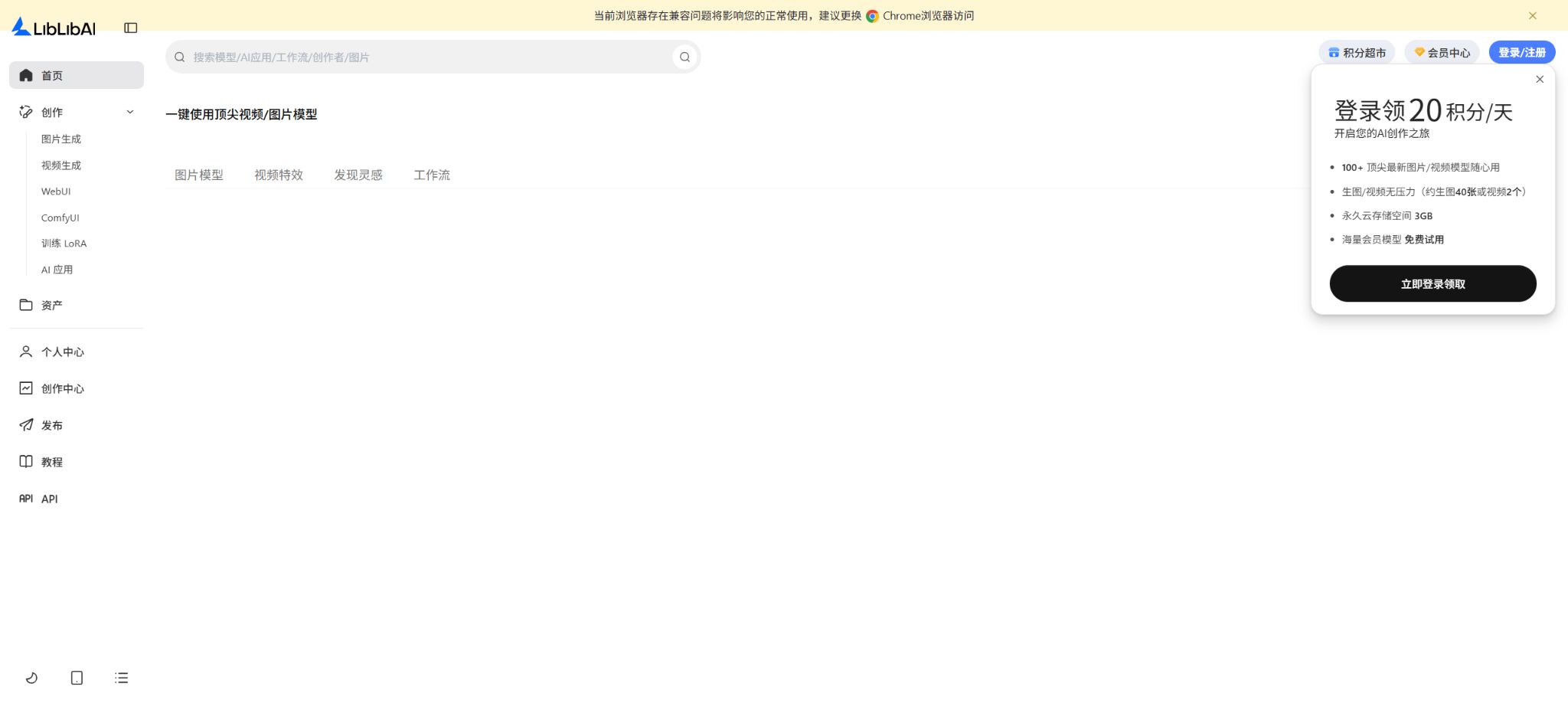
As of this verification, LiblibAI has evolved from an early community for sharing Stable Diffusion models into a comprehensive AI creation platform. The homepage shows that over 100 image and video models are available for use, and the creation area includes functions for image generation, video generation, WebUI, ComfyUI, training of LoRA models, and the development of AI applications.
The Application Plaza offers over 6,000 quick-access applications that cover areas such as image editing, e-commerce, architecture, design, and video effects.
Other products associated with this platform include Xingliu and LibTV.
Current main models
LiblibAI is not a single underlying model; rather, it is a platform for aggregating and creating models. The page currently offers models from various suppliers, depending on their availability, such as those from Seedance, Seedream, Keling, the video models from Tongyi Wanshang series, Qwen Image, as well as the platform’s intelligent images, all-in-one images, and Xingliu series.
The list of models is constantly being updated; SDXL, Flux, or certain specific versions mentioned in older tutorials do not reflect all the capabilities available today.
- Image model:It is used for text-to-image, image-to-image generation, image reference, intelligent editing, text rendering, style transfer, and creating visual sequences.
- Video model:It is used for text-to-video, image-to-video, start and end frames, comprehensive references, audio generation, video extension, and video editing.
- Community model:This includes resources such as Checkpoint, LoRA, along with associated VAE and ControlNet tools; the specific procedures for downloading them and the permissions for commercial use are specified on the model’s page.
- Workflow:Creators can publish or reuse ComfyUI workflows, combining multiple models, nodes, and processing steps into repeatable tasks.
Image generation
The new version of the image generator is designed for ordinary users who are not familiar with nodes and parameters. After selecting a model, users can enter prompts, upload reference images, and set the scale, quantity, and method of image generation. It supports text-to-image and image-to-image conversion, use of multiple reference images, as well as partial or instruction-based editing; it is suitable for creating background images for posters, product scenes, portraits, illustrations, architectural renderings, and content for social media.
Different models show significant differences in terms of Chinese text quality, consistency of characters, realism level, and generation cost; it is recommended to start by using a low-cost model for preliminary drafts, before switching to a higher-quality version.
The generated results are saved in the user’s personal assets; free accounts come with a basic amount of cloud storage space. The platform indicates that logged-in users can earn 20 points per day, which is enough to create around 40 images or 2 videos. However, the actual number of items that can be created depends on factors such as the model used, resolution, duration, and various features. The \"maximum number of items that can be generated\" should not be understood as a fixed value applicable to all models.
Video generation and digital avatars
The video section brings together a variety of popular models; it supports creation from text or images, provides reference materials, allows use of initial and final frames, offers video effects, and enables simultaneous display of audio and video. Users can choose between different options regarding speed, image quality, consistency of the characters, and cost, depending on their specific needs.
The platform also offers a digital avatar feature that allows creating video clips with speech, using just an image of a person and some audio; this is suitable for voiceovers, courses, marketing purposes, and virtual characters.
Video generation involves higher randomness and costs compared to images. When producing video officially, it is necessary to first determine the first frame, the characters, and the composition, and then use short-duration tests to examine the movements and shots.
A finished video usually also requires editing, subtitles, sound addition, and defect correction.
Authorization must be obtained before uploading real-person portraits, voices, or video/audio materials.
WebUI and the model community
The WebUI maintains the generation approach familiar to Stable Diffusion users, allowing for precise control by combining base models, LoRA, ControlNet, and various parameters. The model community offers functions for searching, browsing, downloading, saving favorites, leaving comments, and viewing artworks; the details page for each model usually lists recommended parameters, trigger words, version information, the base model used, and licensing details.
When using community models, it is not sufficient to rely only on the example images. The base models, LoRAs, workflows, and image templates may each have different restrictions regarding downloading, redistribution, and commercial use.
When multiple resources are combined, if even one of them does not permit commercial use, the resulting image generally cannot be used commercially either.
The fact that model files can be downloaded does not mean that the LiblibAI platform itself is open source.
Online ComfyUI
LiblibAI offers a cloud-based version of ComfyUI, which allows users to access node workflows through a browser; there is no need to install Python, CUDA, or any plugins locally. Users can import workflows, add models and nodes from the community, adjust sampling parameters and control settings, and save or share reusable processes.
For complex product images, batch outfit changes, partial repairs, zooming, and video processing, ComfyUI is more flexible than one-click generators.
Cloud-based workflows are still subject to constraints such as node compatibility, model licensing, video memory availability, execution time, and content censorship. Third-party workflows may lack certain models or custom nodes; it is necessary to examine each node and the input files after importing them, in order to avoid running scripts of unknown origin.
LoRA training
Users can upload a set of images of people, art styles, products, or characters to train LoRA, so that specific visual features can be reused in subsequent generations. The platform handles data preprocessing and cloud-based training, making it suitable for creators who do not have a local GPU.
The quality of training depends on the amount of data, its clarity, the diversity of its composition, the tags used, and the training parameters; repeated data or data with watermarks can lead to overfitting and defects.
The membership package includes a certain amount of training computing power, which can be purchased additionally once it is exhausted. If the training materials contain real people, brands, or copyrighted characters or works, users still need to obtain the necessary permissions.
Before releasing the model to the community, it is also necessary to select the appropriate download and commercial licensing options.
AI applications and quick creation
Application Plaza transforms complex workflows into simple forms; users only need to upload materials or enter text to carry out the tasks. Common uses include changing the background of products, altering models’ outfits, expanding images, removing certain elements, restoring old photos, rendering buildings, creating profile pictures and ID photos, as well as adding special effects to posters and videos.
There are many applications, and they are updated frequently; however, their quality, resource consumption, and commercial usage rules are determined by the models used in those applications as well as the statements provided by their creators.
Price and version comparison
| Package or version | Prices, quotas, and core benefits |
|---|---|
| Individual member price | LiblibAI uses a model that combines “daily free points + individual membership + additional points + team plans.” The ongoing annual subscription prices shown on the official purchase page are as follows: Basic version – 429 yuan per year, with a renewal fee of 399 yuan in the following year; this amounts to approximately 33 yuan per month. It provides 700 points per month, allowing for up to around 2800 images or 140 videos. Advanced version – 2199 yuan per year, with a renewal fee of 1799 yuan in the following year; this is equivalent to about 92 yuan per month. It offers 4600 points per month, enabling up to around 18400 images or 920 videos. The page also provides options for monthly or quarterly subscriptions, as well as team memberships and a membership store; the discount rates may vary depending on the account and the time period. Membership points are usually issued on a monthly basis and expire each month, with any unused points not carrying over to future periods. Different models have different consumption levels, and the “maximum number of items that can be generated” is estimated based on tasks with low consumption levels; it does not represent the actual number of high-quality images or long videos that can be produced. Refunds are generally not available if the results are not satisfactory after purchasing virtual memberships or points, so it is recommended to first test using the daily free credits. |
| Open APIs and pricing | The LiblibAI open platform offers an API for star-stream image generation as well as a ComfyUI workflow API. The star-stream API is suitable for standardizing text-to-image and image-related tasks; the workflow API enables the use of existing ComfyUI applications, with the result being images or videos that have passed verification. API credits and the points available for website personal memberships are two separate systems that cannot be exchanged for one another. The basic API plan starts at 10 yuan; originally, 100 credits were equivalent to 1 yuan, with a default QPS of 1 and 5 concurrent tasks, and these credits remain valid indefinitely. The standard API plan costs 2000 yuan and includes 220,000 credits, meaning 100 credits cost 0.9 yuan, again with a default QPS of 1 and 5 concurrent tasks, plus discounts on top-ups. For higher quotas, it is possible to customize the number of credits, concurrent tasks, and discounts – for this purpose, contact the enterprise sales team. The actual number of credits required for an API task is not fixed; it varies depending on factors such as the model used, image size, number of steps, and video parameters. The APIs are suitable for commercial use and invoicing, but the generated content must still comply with the licensing terms of the models used and the platform’s rules. API credits are virtual products, and refunds are generally not provided after a top-up has been made. |
Individual member price
LiblibAI adopts a model that includes \"free points per day + individual membership + additional points + team plans.\" The continuous annual subscription rates displayed on the official purchase page are as follows:
- Entry version:429 yuan per year; the renewal fee for the following year is 399 yuan, which is equivalent to about 33 yuan per month. There are 700 points available each month, and this allows for up to around 2800 images or 140 videos.
- Advanced version:2199 yuan per year, with a renewal fee of 1799 yuan in the following year; this amounts to approximately 92 yuan per month. There are 4600 points per month, which allows for up to around 18400 images or 920 videos.
The page also offers options such as continuous monthly subscriptions, quarterly subscriptions, team memberships, and a member supermarket. The discount offers may vary depending on the account and the time period. Member points are usually issued on a monthly basis and expire each month; any unused points do not accumulate over time.
Different models have varying levels of consumption; the “maximum number of outputs” is estimated based on tasks with low consumption, and it does not represent the actual number of high-quality images or long videos that can be generated.
Virtual memberships and points purchased generally do not allow for refunds if the results are not satisfactory; it is recommended to first test them using the daily free quota.
Open APIs and pricing
The LiblibAI open platform offers an API for starstream image generation as well as a ComfyUI workflow API. The starstream API is suitable for standardizing text-to-image and image-related tasks;
The workflow API can call published ComfyUI applications and return images or videos that have passed the review.
API points and the points for website personal members are two separate systems that cannot be used interchangeably.
- API Basic Plan:Starting from 10 yuan: 100 points at the original price are equivalent to 1 yuan; the default QPS is 1 and the number of concurrent tasks is 5, with the points remaining valid indefinitely.
- API standard plan:2,000 yuan equals 220,000 points; thus, 100 points cost 0.9 yuan. The default values are QPS of 1 and a concurrency level of 5, and discounts are available for top-ups.
- Higher limit:Custom points, concurrency limits, and discounts are available; please contact the corporate sales department for more details.
The actual score for API tasks is not fixed; it varies depending on the model used, size, number of steps, quantity of images, or video parameters. The interface supports commercial use and invoicing, but the content generated must still comply with the licensing terms of the models employed as well as the platform’s guidelines.
API credits are virtual products, and refunds are generally not provided after a top-up.
Commercial rules
LiblibAI states that to determine whether an image can be used for commercial purposes, it is necessary to check the licenses of the base model, LoRA, the workflow, and the image template. If the base model cannot be used commercially, then the resulting composite image cannot be used commercially either.
Even if the base model is available for commercial use and LoRA is not, the resulting output cannot be used commercially.
Members or API users do not automatically obtain the right to use all models on the site for commercial purposes; they should refer to the \"Commercial License Scope\" field on each detailed page.
The platform recommends that members use the official templates as well as those models that are explicitly designated for commercial use. Images created using these member-specific templates during the valid period of the member’s or API account remain usable for commercial purposes under the existing license even after that period expires.
Images generated using the member model after the identity has become invalid do not enjoy the same permissions.
Even if the model is permitted for commercial use, those who deliberately imitate protected works or violate rights related to portraits, trademarks, or other aspects cannot be exempted from responsibility as a result.
Is it open source?
The LiblibAI website, the online image generation system, the Xingliu service, and the open API are not open-source software; there is no publicly available complete source code for these platforms. Many Checkpoints, LoRA models, and ComfyUI workflows available in the community may be licensed under open-source or open-weight licenses, but the license for each individual resource is different.
In the catalog, LiblibAI should be labeled as a \"platform that is not open source; some community models and workflows can be downloaded.\" It should not be described as an open-source platform just because it supports Stable Diffusion and ComfyUI.
LiblibAI usage guide
Complete a basic task.
- Clarify the purpose of the image, its dimensions, style, and requirements regarding commercial licensing.
- Upload the original images for which you have usage rights to LiblibAI, or provide clear instructions;
- Select the current main model and first generate low-cost candidates;
- Use images to adjust composition, subject, and details;
- Zoom in to examine faces, hands, text, edges, logos, and artifacts;
- Export after confirming the color, resolution, and licensing, while retaining the original image;
Create reusable professional workflows
- Create a list of brand colors, fonts, layout elements, and elements that are prohibited.
- Test the current main models, as well as image and video generation technologies, in conjunction with digital humans.
- Use the same set of representative samples to compare quality, speed, and cost;
- Complex edges, text, and images of key products should be handed over for manual refinement.
- Standardize naming, dimensions, and review status;
- Batch processing and release are carried out after random inspections;
Which users are it suitable for
- AI painting beginners: Those who hope to be able to use various models and apply them with just one click, without the need to install any software.
- Illustrators and designers: Precise control via LoRA, ControlNet, WebUI, and ComfyUI is required.
- E-commerce and marketing team: Create product images, model photos, posters, and short videos.
- Anime and IP creators: Train LoRA characters while maintaining the style of the series.
- Workflow author: Publishes models, node workflows, tutorials, and works.
- Developers and enterprises: Access generation capabilities in bulk through image or workflow APIs.
Advantages
- Model communities, online generation, training, and workflows are all concentrated on the same platform.
- It offers both one-click generation and professional WebUI as well as ComfyUI operation methods.
- It covers images, videos, digital avatars, and a wide range of scenario-based applications.
- Experience points are provided daily to lower the barrier to making a first attempt.
- Offers API, team member management, invoicing, and business license filtering.
Restrictions and Precautions
- There are many aggregation models available on the platform, and the names of these models, as well as their prices and availability status, change frequently; moreover, the parameters mentioned in the tutorials may be outdated.
- Queueing in the cloud, review processes, node errors, or unstable models can affect the results.
- The resource consumption for high-definition content, videos, and complex workflows is significantly higher than that of ordinary image generation.
- Training data and works are stored in the personal cloud assets; when dealing with corporate secrets or unreleased designs, it is necessary to first assess the relevant data and permission policies.
- The generated content may contain errors in text, hand movements, identities of characters, product structure, and physical actions.
- A manual review is required before the commercial release, and AI-generated visuals cannot be used as a representation of the actual product.
- Real people, voices, trademarks, films, music, and copyrighted characters require authorization, and AI-generated identifiers must be added in accordance with regulations and platform requirements.
Frequently Asked Questions
Is LiblibAI free?
Registration is free; the page shows that logging in grants 20 points per day. Different models have different consumption levels, and once the free quota is used up, it is possible to purchase a membership or more points.
How much does it cost to become a LiblibAI member?
Under the current continuous annual subscription offer, the basic version costs 429 yuan per year, while the advanced version costs 2199 yuan per year. The packages and discounts may change; the prices displayed on the purchase page shall prevail.
Can LiblibAI be used with ComfyUI?
Yes. The platform offers cloud-based ComfyUI, community workflows and workflow APIs, while also maintaining a WebUI suitable for Stable Diffusion users.
Can the generated images be used for commercial purposes?
It is necessary to check simultaneously the commercial usage terms related to the base template, LoRA, workflows, and templates. Membership status or API access does not mean that all resources on the site can be used for commercial purposes automatically.
Is LiblibAI open source?
The platform itself is not open source. Some of the models, LoRAs, and workflows available on the platform can be downloaded or used under open licenses; it is necessary to check individually the licenses of the respective authors and the underlying models.
Tools similar to LiblibAI




 Guigong Network Security Registration No. 45132202000164