






Bg Eraser
Bg Eraser, an intelligent tool dedicated to removing objects from images.
Tags:AI image object removalA one-sentence summary
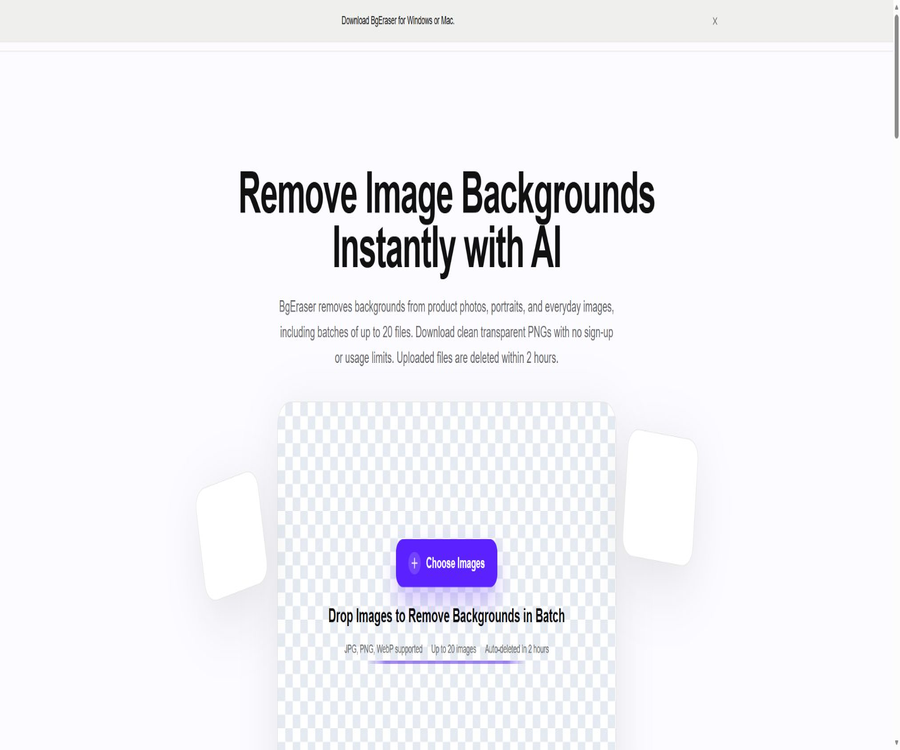
BgEraser is a free, registration-free online AI tool for removing backgrounds; it can process up to 20 JPG, PNG, or WebP images at a time and provides the results in transparent PNG format for download.
Tool Introduction
BgEraser uses AI to identify the main elements in an image and its background, automatically separating people, products, pets, logos, and other foreground objects. Users can start processing images without needing to install any complex design software or create an account.
The current focus of this product is background removal and batch output; it is no longer aimed at serving as a complex image editor. Functions such as image enlargement, object removal, and comic generator that are listed in the website’s navigation are provided by separate websites and should not be considered part of BgEraser’s built-in features.
Main functions
AI automatically removes the background.
After an image is uploaded, the system automatically detects the edges of the subject and removes the background. Images with a clear subject, high resolution, and a distinct difference between the foreground and background tend to yield cleaner results.
Batch processing
A single workspace allows the upload of up to 20 images, making it suitable for tasks that involve repeated use of images such as product catalogs, employee profiles, and social media content. The multiple images can be downloaded together, thereby reducing the need to save them individually.
Transparent PNG output
The processed images are downloaded in PNG format to preserve the transparent background. Even if the original image is in JPG or WebP format, the final output format will be PNG as provided on this page.
Replace with solid-color background
Users can keep a transparent background, or they can apply a solid-color background before downloading. The current website does not offer features such as gradients, scene generation, shadow reconstruction, or complex background templates.
No registration required
Removing the background from an image does not require registration, logging in, or purchasing a subscription; users can simply select the image and start the processing process, which makes it suitable for temporary tasks that require minimal effort.
Automatically delete files
According to the official privacy policy, the original images uploaded and the resulting outputs are automatically deleted from the servers within 2 hours after processing. Exceptions such as security investigations, handling of abuse cases, or legal obligations may require a longer, limited period of retention.
Supported inputs and outputs
| Project | Support range | Explanation |
|---|---|---|
| Input format | JPG, PNG, WebP | Confirm that the file can be opened properly before uploading. |
| Single batch | Up to 20 pieces | If the quantity is too large, it can be divided into batches. |
| Output format | PNG | Used to preserve a transparent background |
| Batch download | ZIP | Multiple results can be saved together. |
| Background style | Transparent or solid color | Background of complex scenarios not made public |
| File retention | It usually does not exceed 2 hours. | There are security and legal exceptions. |
Quick image masking tutorial
- Prepare JPG, PNG, or WebP images with a clear subject and legitimate editing rights.
- Go to the BgEraser page and select one or more images.
- Wait for the system to automatically identify the subject and remove the background.
- Zoom in to examine hair, fur, translucent areas, holes, and edges.
- Choose to retain a transparent background or apply the desired solid color.
- Download a single PNG file, or package multiple results into a ZIP file.
- After confirming that the file has been saved, close the page and delete any local temporary files as needed.
Tutorial on batch product images
- Standardize the original image’s dimensions, shooting angle, lighting, and the proportion of the subject.
- No more than 20 product images are selected per batch.
- After uploading, wait for the removal of all backgrounds to be completed.
- Check each item for its edges, fine lines, transparent packaging, and shadows.
- Choose a transparent or solid-color background in accordance with the guidelines of e-commerce platforms.
- Download it in ZIP format and rename the files according to the product code.
- Check the dimensions, color, compression, and platform preview before publishing.
Tutorial on portrait photo masking
- Choose photos in which the subject and the background are clearly distinct, with clear details of the hair.
- Avoid uploading unauthorized private photos or identification documents.
- After completing the automatic processing, pay close attention to the hair, glasses, ear accessories, and the edges of the clothing.
- For results with obvious missing or residual background, select a clearer original image again.
- Keep a transparent background for the avatar, or use a solid color that conforms to the brand guidelines.
- After downloading, check the edges again at the actual avatar size.
Tutorials on logo and graphic design
- Priority should be given to using the original vector files; bitmaps should only be processed when the source files are not available.
- Ensure there is sufficient color difference between the logo and the background.
- Upload PNG, JPG, or WebP files to obtain a transparent result.
- Check whether thin lines, internal spacing, small text, and light-colored areas have been accidentally deleted.
- Preview transparent PNGs on dark and light backgrounds respectively.
- Confirm trademark ownership and usage rights prior to commercial release.
Which users are it suitable for
- E-commerce operations: Batch creation of product main images and transparent background materials.
- Design and marketing staff: Quickly prepare posters, presentations, and advertising materials.
- Content creators: Handle social media posts, video covers, and thumbnails.
- Photography users: Remove distracting backgrounds from portraits, pet photos, and everyday shots.
- Office staff: Create concise profile pictures, presentation slides, and document illustrations.
- Small businesses: They can carry out basic image masking without the need to purchase specialized software.
- Students and teachers: Prepare transparent images for course materials, assignments, and presentations.
Typical use cases
- Convert product photos to transparent PNG.
- Create unified solid-color background images for e-commerce platforms.
- Remove indoor or outdoor backgrounds from portraits.
- Prepare image masking for personal avatars and team profile pages.
- Extract the main elements of pets, clothing, furniture, or handcrafted items.
- Convert bitmap logos into transparent elements that can be overlaid.
- Organize product launch and social media promotional images in bulk.
Product advantages
- The core features are free and no account is required.
- A maximum of 20 images can be processed at a time, making it suitable for small-scale production.
- It supports common JPG, PNG, and WebP inputs.
- The transparent PNG output can be further used for design and e-commerce platforms.
- The batch results can be downloaded in ZIP format.
- It can directly replace a solid-color background.
- The official website offers interfaces in Simplified Chinese and multiple other languages.
- The original image and the resulting output are usually deleted within 2 hours.
Effect limitations
- Hairs, fur, smoke, glass, and semi-transparent materials are prone to developing cracks.
- When the color of the main object is similar to that of the background, the edges may be accidentally deleted.
- Thin lines, mesh patterns, open designs, and complex ornaments may be combined.
- Blurry, low-resolution, or heavily compressed images will reduce the quality of segmentation.
- Multiple overlapping objects may make it impossible to select the foreground as desired by the user.
- Shadows and reflections can be regarded as part of the background or the subject.
- The current page does not offer public options for hand-drawn brushes, edge repair, or mask export.
- The official website does not specify the file size and maximum resolution.
Usage restrictions and precautions
- The so-called lack of usage restrictions does not mean unlimited uploads in a single instance; 20 images are still the maximum per batch.
- The service can be modified, suspended, or stopped; the provider does not guarantee its continuous availability.
- Automatic deletion of files reduces the risks associated with long-term storage, but it does not mean that there are no risks at all.
- Technical request metadata may include IP addresses, time, browser, and device information.
- Page usage analysis and advertising services may set cookies or similar identifiers.
- Do not upload identification documents, medical images, unreleased products, and other sensitive content.
- It is necessary to have the proper rights to the original images, portraits of people, and trademarks before using them for commercial purposes.
- Automatic image cropping cannot guarantee that each image will reach a professional level of editing quality.
- The desktop version download text appears in the header, but there is no downloadable link available on this page.
Free mode and pricing
As of August 20, 2026, the core web service of BgEraser does not require registration, login, or purchase of a subscription; the official terms state that there are no usage restrictions based on subscription plans at present. In the future, account, billing, or quota features may be added, and rules will need to be reviewed again at that time.
| Project | Current price | Limit or conditions | Explanation |
|---|---|---|---|
| Remove background from a single image | Free | No registration required | Output transparent PNG |
| Batch background removal | Free | A maximum of 20 per transaction. | ZIP available for download |
| Solid-color background | Free | Used along with the processing results | Unpublished advanced background templates |
| Paid members | None | The account plan is not enabled. | There are no comparable multiple price levels. |
| Enterprise solutions | Not disclosed | No sales package description available. | One should not guess the price on their own. |
Comparison of free and professional tools
| Demand | BgEraser | Professional editing software | Selection suggestions |
|---|---|---|---|
| Automatic background removal | Support | Usually supported | Ordinary entities can first use BgEraser. |
| Batch processing | Up to 20 pieces per batch | Automated processes can be established. | Choose a specialized solution for large-scale tasks |
| Transparent PNG | Support | Support | Both are possible. |
| Manual mask repair | Not disclosed | Usually supported | Complex hair and transparent objects are handled with specialized software. |
| Layers and compositing | No full editor is provided. | Support | Complex designs are created using specialized software. |
| Cost | Currently free | It’s possible to subscribe or purchase outright. | Select by quality and workload |
Commercial use and copyright
The official FAQs state that the processed results can be used in product lists, marketing materials, presentations, and other business projects, provided that the user has the rights to edit and use the original images. The service does not automatically grant the user rights to copyright, portrait rights, or trademark permissions as a result of processing the images.
- Make sure the image was taken by you, purchased with proper authorization, or comes from a library of materials that permit editing.
- Photos of people must comply with requirements regarding portrait rights, privacy, and advertising use.
- Brand logos and the appearance of products may be protected by trademarks and design rights.
- Do not obscure the image sources or remove copyright information by altering the background.
- Retain the original image license, purchase proof, and processing records.
- Once the generated file is incorporated into a commercial project, it must still comply with the rules of the downstream platforms.
Privacy and data processing
The privacy policy states that the service processes the original images uploaded, the results generated, as well as the metadata related to technical requests, all of which are used to deliver the service, prevent abuse, ensure reliability, and conduct aggregate analyses. The company claims that it does not sell personal information.
- The original image and the resulting output are usually automatically deleted within 2 hours after processing.
- Safety investigations, handling of abuses, or legal obligations may constitute exceptions to such retention.
- Google Analytics is used for aggregating usage analytics.
- Google AdSense is used for advertising purposes and may employ cookies or similar identifiers.
- Data may be processed across borders depending on the infrastructure and location of the service providers.
- The service is not available for children under 13.
- No online service can guarantee absolute security.
Suggestions for processing sensitive images
- First, determine whether the image contains personal information, medical data, financial details, unreleased products, or customer secrets.
- When sensitivity is high, the offline local masking method should be used preferentially.
- When processing must be done online, irrelevant information to the task should first be cropped or obscured.
- Avoid uploading to public computers, shared browsers, or untrusted networks.
- After downloading, verify the local file and clear the browser’s download and cache records.
- Record the criteria used for supplier evaluation and processing in accordance with the organization’s requirements.
Multilingual support
The current official website offers versions in English, Traditional Chinese, Simplified Chinese, Spanish, French, Japanese, Korean, German, Italian, Vietnamese, and Russian. The language of the interface does not affect the image processing models, nor does it mean that customer service will provide responses in all these languages.
Supported platforms
| Platform | Support status | Explanation |
|---|---|---|
| Web page version | Support | The main applicable methods that can be verified at present |
| Windows | Browser support | The header contains a text indicating download, but there is no accessible link for downloading on the desktop. |
| macOS | Browser support | The header contains a text indicating download, but there is no accessible link for downloading on the desktop. |
| iOS | Mobile browsers can try it. | There are no public, independent applications. |
| Android | Mobile browsers can try it. | There are no public, independent applications. |
| Browser extensions | Not disclosed | There is no official extension entry. |
API, GitHub, and open-source status
BgEraser does not provide public developer API documentation, a self-service key interface, or an official SDK. The existence of processing interfaces within the website does not equate to a developer API that is available to third parties; therefore, it is not possible to create instructions for automated integration based on those interfaces.
The official website does not provide a link to GitHub, and the projects with similar names that can be found through public searches cannot have their origin verified through the official site. The core online service of BgEraser is not open-source, and third-party repositories with similar names do not represent the official source code of the product.
Basic information
| field | Content |
|---|---|
| Tool name | BgEraser |
| Tool type | AI background removal and batch image extraction |
| Input format | JPG, PNG, WebP |
| Output format | PNG with transparent or solid-color background |
| Batch quantity | A maximum of 20 per transaction. |
| Batch download | ZIP |
| Price pattern | Currently free; no paid plans available |
| Is registration required? | It’s not necessary. |
| File retention | It is usually deleted within 2 hours. |
| Chinese interface | Supports Simplified and Traditional Chinese. |
| API | Not disclosed |
| Is it open source? | No |
| Main platforms | Web |
Recommendation score
The comprehensive recommendation score is 4.3 out of 5 points. BgEraser is free to use, requires no registration, supports batch processing of up to 20 images, and allows for the output of transparent PNG files; it is very useful for product photos, portraits, and various everyday images.
It lacks public manual edge repair tools, information regarding file sizes, and developer interfaces; for images with complex hair, glass elements, or high sensitivity, more specialized or offline solutions are required.
Frequently Asked Questions
Is BgEraser free?
It’s free; the core functions of the website currently require no subscription or payment.
Is it necessary to register an account?
It’s not necessary; you can upload the image directly and process it.
How many can be processed at a time?
A maximum of 20 images can be uploaded at a time.
Which image formats are supported?
It supports uploading JPG, PNG, and WebP files, with the processed results available for download in PNG format.
Is it possible to download in batches?
Yes, multiple results can be packaged together into a ZIP file.
Can the background color be changed?
A transparent background can be retained, or a solid-color background can be used.
How long are uploaded images stored?
Officials state that the original images and the resulting files are usually deleted automatically within 2 hours after processing, though security or legal exceptions may extend this period.
Can the results of the processing be used for commercial purposes?
Provided that the user has the rights to edit and use the original image, it can be utilized for commercial purposes such as products, marketing, and demonstrations.
Is Chinese supported?
Supported; the official website offers interfaces in Simplified Chinese and Traditional Chinese.
Are there Windows or Mac clients available?
The desktop version download text appears in the header, but there is no downloadable link available on this page; therefore, it can only be confirmed that a browser is being used.
Are APIs provided?
There are no public developer APIs, SDKs, or key access points available.
Is BgEraser open source?
It is not open-source, and GitHub projects with the same name available online cannot be confirmed as being part of the official service.
Tools similar to Bg Eraser



 Guigong Network Security Registration No. 45132202000164