






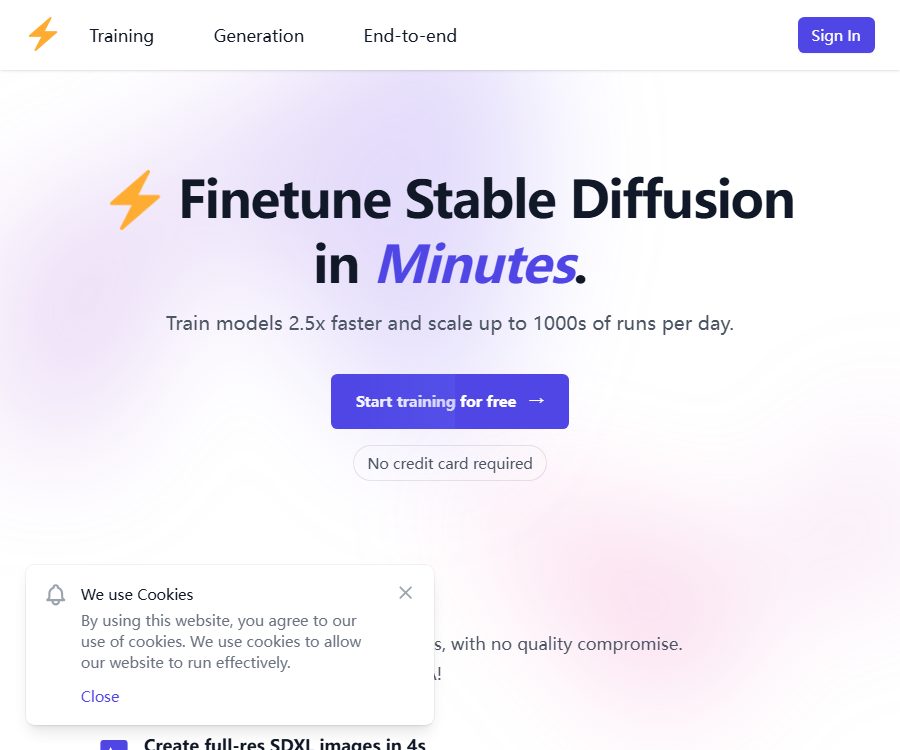
dreamlook.ai
Dreamlook.ai makes the creation of AI-generated images and illustrations more efficient and simpler.
Tags:AI image illustration generationWhat is dreamlook.ai?
Dreamlook.ai is a cloud-based service used for fine-tuning the Stable Diffusion model and generating images. Users can train models for characters, pets, objects, or various styles; they can download the complete checkpoints and LoRA files, and they can also execute tasks in bulk through a web interface or API.
It supports Stable Diffusion 1.5 and Stable Diffusion XL, and offers a variety of base checkpoints. Its focus is on enabling rapid fine-tuning of full-model systems similar to DreamBooth, rather than being a hair and makeup application with the same name.
Overview of main functions
| Functions | Enter | Output | Suitable for tasks |
|---|---|---|---|
| Full model fine-tuning | Training images, base model, instance prompts, and number of steps | Complete checkpoint for Safetensors | Customization of characters, products, pets, roles, and styles |
| LoRA extraction | Completed full model fine-tuning | Smaller rank 64 LoRA files | Reduce download and storage costs, combine multiple concepts |
| Text to image generation | Base models or self-trained models, prompts, and parameters | SD1.5 or SDXL images | Validate the model, create avatars, assets, and concept art |
| High Res Fix | Prompt, target resolution, and redraw parameters | Higher-resolution images | Reduce structural issues in direct high-resolution generation |
| ControlNet | Control charts and generation parameters | Images that are more constrained by posture or structure | Paid users who need composition and posture control |
| API | JSON requests, image URLs, training or generation configurations | Task status, checkpoints, and generation results | Profile picture apps, product images, and batch generation system |
| Task and checkpoint management | Task type, task number, or checkpoint number | List, status, cancellation, and download information | Track batch training and automated processes |
Supported models and training methods
Dreamlook.ai enables fine-tuning of Stable Diffusion 1.5 and SDXL, as well as training of UNet together with the corresponding text encoders. The platform uses full-model fine-tuning followed by the extraction of LoRA; it does not currently support direct training of native LoRA.
- It is possible to train characters, objects, pets, products, and visual styles.
- It is possible to start from various basic checkpoints, or to continue training using existing checkpoints under the paid plans.
- It supports CompVis-compatible formats and safetensors weights.
- It supports image caption files, Face Crop, Center Crop, Offset Noise, and segmented saving of checkpoints.
- By default, SDXL can be trained and generated at 1024×1024, with a training option of 512×512 as well.
- By default, LoRA extraction generates files with a rank of 64; the file sizes for SD1.5 and SDXL are different.
Full checkpoints are usually significantly larger than LoRA, requiring more storage and GPU memory for downloading and local inference. LoRA is easier to manage and combine, but it may not retain as many details as full models in certain cases.
Prepare training images
The document recommends using at least 10 to 15 clear and diverse images. High-quality images taken from different angles and in various backgrounds are generally more important than simply adding more low-quality images.
- The subject is clear, the focus is accurate, and there is sufficient lighting; severe compression and obstruction should be avoided.
- Character training should include various expressions, angles, and backgrounds, and not all of them should come from the same shooting location.
- Face Crop can be used to train a single face, while for objects and styles, either Center Crop or custom cropping can be chosen.
- It is best for the images to have a resolution suitable for training; enlarging images that are too small will result in a loss of details.
- Do not include unrelated people, complex watermarks, or prominent elements that compete with the main subject.
- Only upload images for which you have permission to use, and the persons in those images must be adults who have given explicit consent.
Training is not based on a precise formula: too few steps may prevent the model from learning the essential aspects, while too many steps can lead to overfitting. The document suggests using around 100 steps per image as a starting point for SD1.5, but iterations are still necessary depending on the dataset and the base model.
Web training tutorial
- Register an account and verify the token balance, the duration of the package, and the rights to the images.
- Go to the model training page and select Normal mode or Expert mode.
- Upload 10 to 15 or more high-quality training images.
- Select the SD1.5 or SDXL base model, and set the prompts for characters, objects, or style.
- Set the number of training steps, cropping method, learning rate, checkpoint format, and LoRA extraction.
- If there are detailed instructions for each image, upload the JSON file containing those instructions and ensure that the file names match.
- Start the task after confirming the expected token consumption.
- On the task page, you can view the progress, reasons for failure, and the list of checkpoints.
- After completing the training, download the complete checkpoint and LoRA as soon as possible, and create sample outputs on the text generation page.
- Adjust the images or the number of steps based on similarity, overfitting, and composition issues, and then decide whether to retrain.
Instance hints and image descriptions
The prompt suggests using less common trigger words to identify the subject; for example, referring to a person with a specific code followed by “person”. It is necessary to use this trigger word again in the prompt during generation, otherwise the identified subject may not appear consistently.
The advanced mode supports JSON-based descriptions for images; the description of each image can be up to 77 tokens long. This approach is useful for distinguishing clothing, angles, backgrounds, and actions, and it also allows multiple descriptions for the same image, with one of them being selected randomly during training.
Web image generation
When generating a page, you can choose either a basic model or a self-trained model that is still within its validation period; after entering the appropriate prompt, an image is generated. The current website focuses on txt2img functionality, and no img2img feature is available.
- Supports base models and self-trained checkpoints.
- The prompt weight syntax is similar to that of AUTOMATIC1111.
- High Res Fix first creates the image in low resolution, then enlarges it and redraws it.
- SDXL works better with concise and clear prompts; using lengthy prompts similar to those in SD1.5 may reduce its effectiveness.
- ControlNet features are available only with a paid subscription.
- The generation speed is a benchmark provided by the page; it does not mean that the same time will be achieved for every task.
By default, the models in the free plan are saved for only 48 hours; once this period expires, they disappear from the list of available models. If you need to use them over a longer period, you should download them before the expiration date or opt for a subscription that allows for an extended storage period.
Download and use it with other tools.
The training results can be downloaded as CompVis-compatible safetensors checkpoints, which can then be loaded in AUTOMATIC1111. These compatible checkpoints can also be imported into DiffusionBee for text-to-image and image-to-image generation on a Mac.
- Complete checkpoints are suitable for users who seek accurate restoration of the original content and full control.
- The extracted LoRA files are smaller in size, making them suitable for use in combination with base models as well as for applying multiple concepts simultaneously.
- The hardware requirements, plugins, and security risks of third-party tools are determined by those tools themselves.
- Before downloading, check the file format, model type, number of training steps, and expiration date.
- Checkpoints obtained from untrusted sources may pose security or copyright risks.
AUTOMATIC1111 and DiffusionBee are merely compatible third-party projects, not clients of dreamlook.ai. Their open-source status does not imply that the dreamlook.ai product itself is open source.
API integration process
- Log in to your account and create a dedicated key on the API Key page.
- Store the key in server-side environment variables or a key management system; do not include it in the frontend code or in public repositories.
- Choose dreambooth, image_gen, or the end-to-end training generation interface in accordance with the OpenAPI specifications.
- Prepare JSON parameters such as image URL, base model, instance prompt, number of steps, cropping, learning rate, and output format.
- Submit the task and save the returned task number.
- Query the task list or individual tasks to view progress, failure messages, checkpoints, and image results.
- Use the checkpoint interface to download the model and complete the backup within its validity period.
- Set classification handling and retry policies for 401, 403, 422, temporary redirects, and server errors.
The public APIs cover tasks, tags, cancellation, user profiles, checkpoints, model training, image generation, and end-to-end processes. No official SDKs for Python, JavaScript, or other languages are available at present; developers must call the network interfaces directly or develop their own wrappers.
API errors and cost control
- 401 usually indicates that the API key is invalid or missing.
- 403 may indicate that there are insufficient tokens or that the current permissions do not allow execution of this task.
- 422 indicates that the request parameters or task configuration do not meet the requirements of the interface.
- 5xx indicates an error on the server side; it is necessary to use a backoff strategy to attempt the request again and to prevent repeated charges.
- If a task is canceled or deleted after it has started, the tokens may not be refunded; the automated system should first verify the estimated cost.
- The callback address, task ID, and billing records should be written to one’s own audit log.
Token consumption rules
| Operation | Consumption | Conversion notes | Precautions |
|---|---|---|---|
| SD1.5 fine-tuning | 10 tokens every 5,000 steps | 150 tokens correspond to up to about 15 standard training tasks. | The number of additional steps increases proportionally. |
| SDXL fine-tuning | 30 tokens every 5,000 steps | 150 tokens correspond to up to about 5 standard training tasks. | The training resolution and configuration can affect the actual rules. |
| SD1.5 Image Generation | 1 token per 8 cards | Up to about 1,200 items per 150 tokens | The high-resolution feature may increase consumption. |
| SDXL image generation | 8 tokens per set of 2 | Up to 150 tokens, which is approximately 600 units. | Based on the estimated time required for submission. |
Tokens can be used for training and generation; purchasing tokens and subscribing are two complementary billing options. Subscriptions enhance features, limits, concurrency, queues, and retention periods, and they also provide a certain number of tokens each month.
One-time token bundle
| Package or version | Price | Billing cycle | Core benefits or quota | Suitable for users |
|---|---|---|---|---|
| 150 tokens | 15 dollars | One-time use | $ | Small-scale testing |
| 300 tokens | 27 dollars | One-time use | $ | Minimal training and generation |
| 700 tokens | 60 dollars | One-time use | About 0.086 US dollars per token | Ongoing personal projects |
| 1,200 tokens | 100 dollars | One-time use | Approximately 0.083 dollars per token | Medium-volume tasks |
| 5,000 tokens | 400 dollars | One-time use | $ | High-frequency production |
| 10,000 tokens | 750 dollars | One-time use | $ | Massive training and generation |
Purchasing tokens constitutes a final sale, and no refund is given regardless of whether they are used or not. If a task is canceled or deleted after it has started, the tokens spent on that task may also not be refunded.
Monthly subscription comparison
| Package or version | Price | Billing cycle | Core benefits or quota | Suitable for users |
|---|---|---|---|---|
| No Plan | $ | None | Register 50 tokens, 1 concurrency, up to 5,000 steps and 50 images; data is retained for 48 hours. | First test |
| Enthusiast | 19 dollars | Monthly | 100 tokens per month, ControlNet, 1 concurrency, up to 50,000 steps and 500 images, with storage for 30 days | Individual creators |
| Pro | 199 dollars | Monthly | 1,000 tokens per month, 10 concurrent tasks, high priority, up to 500,000 steps and 5,000 images; data is retained for 90 days | Professional teams and application development |
| Enterprise | 4,999 dollars | Monthly | 10,000 tokens per month, 100 concurrent connections, dedicated capacity, up to 5 million steps and 50,000 images, team features | Large-scale commercial systems |
The models associated with the Enterprise plan can be retained for an extended period throughout the validity of that plan, while the corresponding time limits for other plans are 48 hours, 30 days, and 90 days. It is necessary to determine the timing of access and deletion after the paid plan expires, before the plan is downgraded, and to download the important models in advance.
Subscriptions are automatically renewed, and it is up to the user to manage and cancel them. The terms generally do not allow for a refund on subscriptions; unused tokens and any remaining subscription time are not refunded either after the account is terminated or suspended.
Payments and bills
The service supports payment methods such as Visa, Mastercard, American Express, Apple Pay, Google Pay, PayPal, WeChat Pay, and Alipay. Payments are processed by Stripe, and the platform states that it does not store any banking card details itself.
- Before making a purchase, confirm the currency, taxes and fees, the party responsible for payment, and the invoice recipient.
- It records the renewal date for subscribed users as well as the time when the model was downloaded before the downgrade.
- Tokens are carried over, but any unused balance at the time of account closure is not guaranteed to be refunded.
- You can view transactions on the billing page and obtain receipts or invoices.
- The team should restrict who can purchase tokens, create large tasks, and delete checkpoints.
Privacy, storage, and data processing providers
The privacy policy explains how website usage, browsing history, device type, browser type, IP address, and images uploaded by users are handled. Users can contact the service provider to request access to, update, or delete their personal information.
By default, uploaded images and trained models are deleted after 48 hours; a subscription allows for an extension of the time during which these models can be retained. The deletion policy does not mean that users do not need to back up their data, nor does it imply that all bills, logs, and legal records are removed at the same time.
- Cloud and analytics involve Google and Amazon Web Services.
- Emails and communication involve SendGrid and Discord.
- Customer service and experience analysis involve Crisp and Hotjar.
- Payments are processed by Stripe, and the promotion program uses Rewardful.
- Networking, security, and internal collaboration also involve Cloudflare, Bitwarden, Notion, Trello, GitBook, and Better Stack.
- The list of third-party processors may change as business conditions evolve, and companies should review it regularly.
Reasonable security measures are implemented for these services, but absolute safety cannot be guaranteed. When working with trained facial images, unreleased products, or customer data, it is necessary to first remove sensitive information and restrict access to such data; moreover, after the task is completed, those data should be downloaded and checked to verify that they have been deleted.
Content rules, portrait, and commercial use guidelines
The terms prohibit the uploading or creation of explicit content, as well as the uploading of images of children. Images used for training models must show adults who have given clear consent, and users must also be of legal age in their respective jurisdictions.
- Only upload images that you have taken yourself, for which you have a license, or that have been authorized for use.
- Obtain clear consent from the person being photographed regarding AI training, generation, and the intended scope of commercial use.
- Do not train recognizable images of public figures, minors, or unaware individuals.
- Before commercial use, check the licenses for the base model, checkpoints, LoRA, fonts, and training materials.
- Just because a user has a model they trained themselves does not mean they can bypass the restrictions imposed by the underlying models and third-party materials.
- Retain consent forms, authorization letters, training configurations, and generation records for product images and advertisements.
The platform allows users to download models trained on their own and use them in other tools, but it does not guarantee that all outputs can be copyrighted or used for commercial purposes indefinitely. The scope of permissible use depends on the rights associated with the input data, the licensing terms of the underlying models, local laws, and the specific context in which the models are deployed.
Open-source products and developer ecosystem
| Project | Current status | Explanation |
|---|---|---|
| Public API | Already provided | Supports training, generation, task, and checkpoint management. |
| OpenAPI specification | Already provided | It allows you to view the request structure, responses, and error codes. |
| Official SDK | Not confirmed yet | No official Python or JavaScript packages were found. |
| Official GitHub | Not confirmed yet | No warehouse that corresponds explicitly to the product identity was found. |
| Product source code | Not disclosed | Dreamlook.ai is a hosted service. |
| Product open-source license | Not yet made public | Third-party project licenses do not apply to this product. |
Suitable for users and scenarios
- Photography and profile picture apps: Train character models with user consent.
- E-commerce and brand teams: Create images that feature specific products or a consistent visual style.
- Pet content products: Train pets and generate scenes in bulk.
- AI art creators: Train personal styles or concepts using LoRA.
- Developer: Build training, generation, and model download processes through APIs.
- Research and Prototype Team: Quickly compare base models, datasets, and the number of steps.
Advantages and main limitations
Main advantages
- It supports full-model fine-tuning and generation for both SD1.5 and SDXL.
- After training, complete checkpoints can be obtained and LoRA can be extracted, thereby reducing platform lock-in.
- Websites are suitable for non-developers, while APIs are suited for batch systems.
- The paid plan offers ControlNet, higher concurrency, and a longer storage period.
- It supports the use of downloaded models with common local Stable Diffusion tools.
Main limitations
- The web page generator currently does not have its own img2img functionality.
- Free models and uploaded images are saved for a default period of 48 hours only.
- The training results are influenced by image quality, the number of steps, the base model, and the prompt.
- There are strict limits on refunds for tokens, subscriptions, and tasks that have already been started.
- Face training involves risks related to portraits, privacy, and deepfake technology.
- The product is not open-source, and there is no official SDK or GitHub repository available.
Summary
Dreamlook.ai is suitable for users who need to quickly train customized SD1.5 or SDXL models and who also want access to complete checkpoint files, LoRA parameters, as well as API functions. Before starting large-scale tasks, it is advisable to first test the dataset using free tokens, and pay close attention to matters such as the model storage period, automatic renewal options, refund policies, and permissions related to images of people.
Frequently Asked Questions
What does dreamlook.ai do?
It offers cloud-based fine-tuning for Stable Diffusion, LoRA extraction, text-to-image generation, and APIs. Users can train models for characters, objects, pets, or styles.
Is there a free quota available after registration?
Yes, No Plan currently includes 50 registered tokens. The free version has lower limits regarding concurrency, training capacity, and the duration for which models can be stored.
How are fees charged for training SD1.5 and SDXL?
The current rule is that 10 and 30 tokens are consumed after every 5,000 steps. It is still advisable to check the estimated consumption on the task page before submitting it.
How long is the model saved?
The free plan defaults to 48 hours, the Enthusiast plan provides 30 days, the Pro plan offers 90 days, and the Enterprise plan keeps the data stored for an extended period throughout the validity of the plan.
Can I download the complete model?
Yes, after the training is complete, it is possible to download the full Safetensors checkpoint as well as the extracted LoRA files. Backups should be made before the expiration of the retention period.
Is native LoRA training supported?
The current process involves first performing full-model fine-tuning, and then extracting LoRA from the checkpoint; it does not involve training LoRA directly from scratch.
Is there an API?
Yes, the public interfaces cover training, generation, task management, cancellation, labeling, and checkpoint management. An API key must be created in the account before making calls.
Can a refund be obtained for purchasing tokens?
Generally, this is not possible; purchasing tokens constitutes a final sale. Tokens may not be refunded even if the task is canceled or deleted.
Can children or people who have not given their consent be trained?
No. The terms prohibit the use of images of children; training must be conducted with adults who have given explicit consent.
Is dreamlook.ai open source?
The product does not come with open-source code or an open-source license, and there is no official GitHub account for it. The compatibility with open-source tools does not mean that the product itself is open source.
Tools similar to dreamlook.ai



 Guigong Network Security Registration No. 45132202000164