






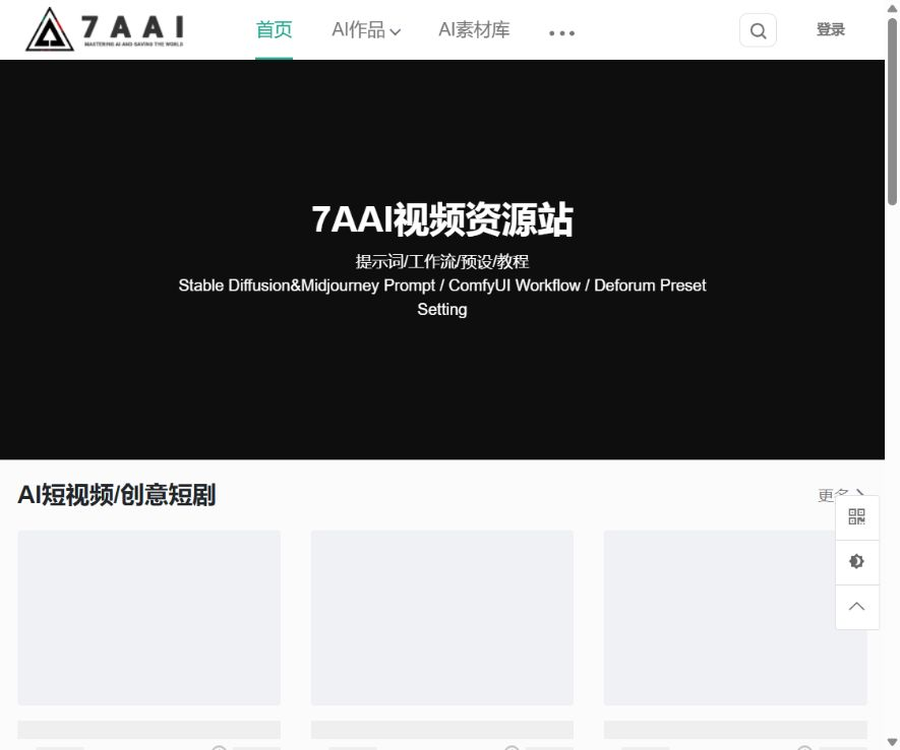
7AAI Video Painting Resource Site
7AAI Video Painting Resource Site is a platform that offers a wealth of resources for those who are interested in AI-driven painting as well as for professionals in this field. By providing easily accessible tutorials and resources for download, it lowers the barrier to getting started with AIGC technology, while also offering advanced learning opportunities for experienced users.
Tags:AI image illustration generationWhat is a 7AAI video drawing resource site?
7AAI Video Painting Resource Site is a platform designed for AIGC creators, offering tools for displaying their works, discovering resources, learning tutorials, and navigating various tools.
It primarily helps users find examples, prompts, workflows, and learning materials; it is not an AI generator that can directly run custom models.
Main content
- Examples of AI-powered short videos and creative short dramas.
- References for AI-based commercial advertising works.
- AI-generated artwork in flat design, portrait, and landscape styles.
- Examples of AI-generated artistic text and icon design.
- References for AI painting prompts and parameters.
- ComfyUI workflow resources.
- Stable Diffusion learning tutorial.
- Midjourney prompt guidelines and tutorials.
- ChatGPT usage guide.
- Research report on new AIGC technologies.
- Articles on software error reporting and issue resolution.
- Navigation using third-party AI tools.
List of website sections
| Section | Main content | Suitable for users |
|---|---|---|
| AI works | Video, advertising, painting, and design examples | Users looking for creative inspiration |
| AI material library | Prompt words, workflows, and creative resources | Creators who need to reuse processes |
| AI tutorials | Getting started, tool tutorials, and error handling | Beginners learning AIGC |
| AI navigation | Introduction to third-party AI products and access points | Users comparing creative tools |
| 7AAI Studio | Entrance to business collaborations and project services | Teams with customization needs |
Which users are it suitable for
- AIGC beginners: Learn about common tools and basic processes.
- AI painting users: Looking for prompt phrases and image examples.
- ComfyUI user: Found workflows that can serve as a reference.
- Short-video creators: Study cameras, styles, and storytelling.
- Advertising professionals: View AI-based commercial visual examples.
- Designer: Collect ideas for artistic text, icons, and layout.
- Teachers and trainers: Selecting AIGC-based teaching examples.
- Tech enthusiasts: Keeping track of model and tool developments.
7AAI Usage Guide
- Open the 7AAI homepage.
- First, determine whether you need a piece of work, materials, or a tutorial.
- Enter the corresponding primary category.
- Filter by AI-generated images, videos, or workflows.
- Use keywords to search for topics and software.
- Open the details page to read the full instructions.
- Confirm the author, update time, and resource category.
- Check whether prompts or workflows are available.
- Check the terms regarding learning and commercial use on the page.
- Record the model, version, and parameters used.
- Check the file type and source before downloading.
- Test third-party workflows in an isolated environment.
- Replace unauthorized images, fonts, and models.
- Manually verify the generated results.
- Check the copyright and AI labeling requirements before publishing.
How to find AI-created works
The portfolio section is suitable for observing complete works, as well as the visual style and commercial orientation, but the examples displayed there cannot be considered ready-to-use commercial materials.
- Filter by short videos, commercial ads, or print works.
- First, read the description, then determine whether it fits the target scenario.
- Record the author and the date of publication of the work.
- View similar prompts and related recommendations.
- Distinguish between official brand works and cases included on the platform.
- Do not remove the watermark or pretend to be the original author.
How to use prompts
- Confirm the model and version corresponding to the prompt.
- Separate the subject, scene, style, and camera description.
- Record the size, sampler, and random seed.
- First, conduct tests on small images using low-cost parameters.
- Modify the variables one by one, rather than changing them all at once.
- Check the characters’ hands, text, and brand elements.
- Save the valid parameters and the reasons for failure.
- Recreate it based on your own project.
The same prompt may yield significantly different results across different models, versions, nodes, and random seeds.
How to use ComfyUI workflows
- Confirm the workflow file format and release date.
- Check the required ComfyUI version.
- List all custom nodes.
- Check the dependencies of the model, VAE, and LoRA.
- Download dependency files from trusted sources.
- First, import the workflow into an isolated environment.
- Check whether the node contains external requests.
- Fix missing nodes and paths.
- Use non-sensitive materials for testing.
- Record the video memory, resolution, and runtime.
- Verify that the output file contains no sensitive information.
- Connect to the official project once stability is achieved.
Workflow security check
| Check items | Main risks | Suggestions |
|---|---|---|
| Custom node | Execute unknown code | View the source and code update history |
| Model file | Unclear copyright or disguised files | Check the license and verification values. |
| External interface | Upload images or expose keys | Check the network behavior of nodes. |
| Dependent version | Node conflict or failure to operate. | Test using an independent environment |
| Output directory | Overwriting files or exposing metadata | Use a dedicated project directory. |
How to choose the content of the tutorial
| Learning objectives | Suggested sections | Key points of learning |
|---|---|---|
| Getting to know AIGC from scratch | AIGC Getting Started Guide | Basic concepts and tool classification |
| Local AI painting | Stable Diffusion tutorials | Models, parameters, and plugins |
| Online image generation | Midjourney tutorials | Prompt variations, composition, and version differences |
| Text and dialogue | ChatGPT tutorial | Asking questions, verification, and task breakdown |
| Track industry changes | Reports on new technologies | Publication date and source of information |
| Resolve runtime errors | Software issues and errors | Version, logs, and dependency environment |
AI tool navigation
The navigation section includes introductions to third-party AI products, which is useful for discovering new tools; however, their features, prices, and availability may have changed.
- Confirm the official product domain name before visiting.
- The official product pricing page shall prevail.
- Do not treat the navigation instructions as an official guarantee.
- Verify the identity of the developer who created the app being downloaded.
- When it comes to top-ups, confirm the refund rules first.
- Read the data policy before uploading private materials.
Can the resources be used for commercial purposes directly?
It cannot be used for commercial purposes by default; some detail pages explicitly state that it is intended only for reference and learning, and must not be utilized in commercial activities without the platform’s permission.
| Content type | Rights that need to be verified | Common misconceptions |
|---|---|---|
| Images and videos | Copyright, portraits, and trademarks | Being able to watch it does not mean that it can be downloaded for commercial use. |
| Prompt | Page terms and author statement | Copying prompts does not guarantee that the resulting content will be free of copyright violations. |
| Workflow | File licenses and node licenses | Being runnable does not mean it can be resold. |
| Models and LoRA | Restrictions on model licenses and training materials | Free models may not allow commercial use. |
| Fonts and music | Commercial licensing and geographic scope | The rights associated with a created work are not automatically removed. |
| Brand cases | Brands, advertising, and original author permissions | Inclusion does not imply a brand partnership. |
Pricing and fees
During verification on the official website, no stable and publicly available membership packages, uniform pricing for resources, or complete comparison tables of fees were found.
| Project | Current public status | Usage suggestions |
|---|---|---|
| Browse works | Some pages can be accessed directly. | The actual permissions of the page shall prevail. |
| View tutorials | Some content is available publicly. | Confirm the full content after logging in. |
| Download resources | Varies depending on the specific resources. | View download requirements and licensing. |
| Member packages | A stable price list has not been made public yet. | Do not use the old version of third-party prices. |
| Business cooperation | Provide a separate entrance | Request a quote for each project and sign the contract. |
If the details page indicates requirements regarding points, membership status, or payment, the information shown on that page and the settlement results at the time shall prevail.
Whether API is provided
To date, no API documentation, developer console, or pricing information for stable interfaces provided by 7AAI has been found.
Third-party AI tools on websites may each provide their own APIs, but this does not mean that 7AAI itself offers a unified generation interface.
Is it open source?
To date, no GitHub open-source repository that can be confirmed as belonging to 7AAI’s official team has been found; therefore, the website platform should be classified as a non-open-source online service.
The platform may contain open-source models and workflows; the open-source status of each individual resource needs to be checked by examining its license.
How to evaluate artwork examples
- First, distinguish between work displays and tutorial resources.
- View the author, category, and publication date.
- Check whether the page indicates the tools used for creation.
- Do not assume that the platform is involved in the creation of the works.
- Examples of commercial advertisements are not the same as materials for brand licensing.
- The technical outcomes should be understood in context with the version of the model at that time.
Relevance of content
AIGC tools evolve rapidly, and the interfaces, model names, parameters, and prices mentioned in earlier tutorials may no longer be valid.
- Give priority to reading articles that have been published or updated recently.
- Then go to the official website of the corresponding tool to check the version.
- Record the complete environment when an error occurs.
- Do not install outdated nodes blindly.
- Retain reproducible versions for important projects.
Privacy and account security
- Use a unique and strong password when registering.
- Do not disclose personal information in comments or works.
- Do not save API keys in workflow files.
- Obtain authorization before uploading customer materials.
- Perform a security scan after downloading the file.
- Third-party navigation sites should verify the domain name again.
Product advantages
- Examples of AI-powered video and painting generation.
- It covers tutorials, materials, and navigation at the same time.
- It includes content related to Stable Diffusion and Midjourney.
- ComfyUI workflow resources can be found.
- Examples of commercial ads and short videos are more intuitive.
- It is suitable for beginners to gain an understanding of tools.
Usage restrictions
- The platform is not a direct AI generator.
- The availability of different resources varies.
- There is no publicly available fixed price list for members.
- No public API documentation was found.
- No official open-source code repository was found.
- Some of the content is explicitly provided for educational reference only.
- Old tutorials may not be compatible with the current version of the software.
- Third-party resources require separate verification of security and licensing.
Frequently Asked Questions
Is 7AAI an AI art generation tool?
No, it is primarily a website offering AI-related content, prompt templates, workflows, tutorials, and tools for navigation; tasks need to be carried out using the corresponding tools.
What does 7AAI include?
The website covers AI short videos, commercial ads, graphic illustrations, artistic text, material libraries, ComfyUI workflows, and a variety of AIGC tutorials.
Are the resources of 7AAI free?
Some content is available for public viewing, but the official website does not specify uniform pricing rules; the conditions for downloading and using each resource need to be checked on its respective detail page.
Can 7AAI resources be used for commercial purposes?
It cannot be assumed to be suitable for commercial use; some detail pages specify that it is intended solely for educational purposes. Images, videos, prompts, workflows, and models require separate verification of their licensing status.
Does 7AAI provide APIs?
No public API documentation has been found at present; the third-party tools listed in the navigation may provide their own APIs, but these are not related to the interfaces of the 7AAI platform.
Does 7AAI have an official GitHub?
To date, no GitHub repository has been found that can be confirmed as belonging to 7AAI officially; each open-source resource on the site should be assessed based on its respective license.
Is it safe to use the 7AAI workflow?
After downloading, check the custom nodes, the source of the models, external requests, and the versions of dependencies; also test with non-sensitive materials in an isolated environment first.
Tools similar to those found on the 7AAI video drawing resource site



 Guigong Network Security Registration No. 45132202000164