






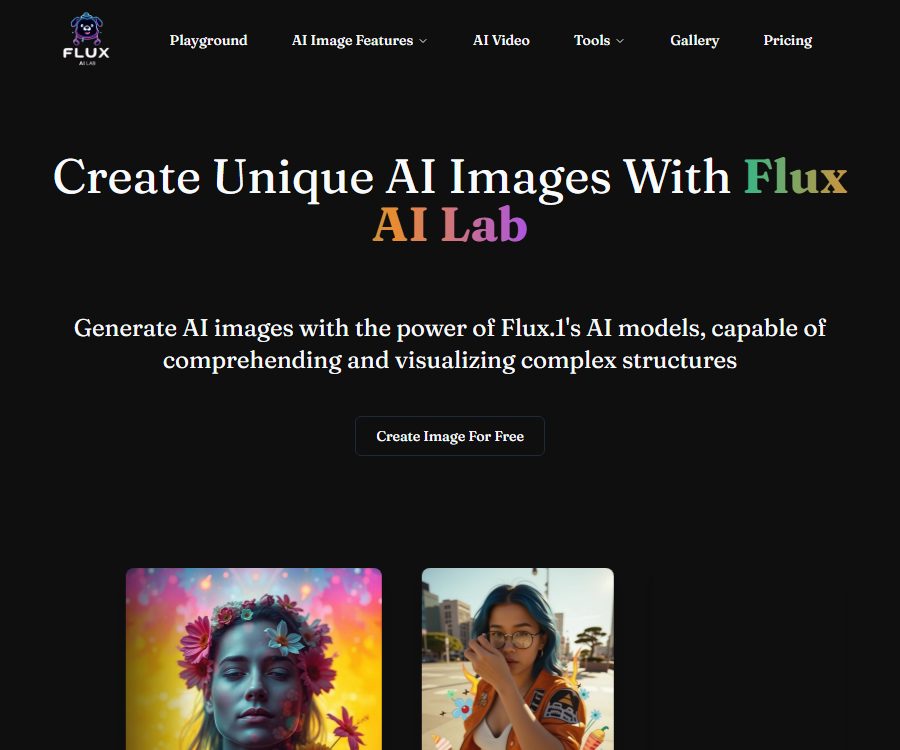
Create AI Images with the Latest flux.1 AI Pro Ultra model
Create AI images using the latest flux.1 AI Pro Ultra model to make the creation of AI images and illustrations more efficient and simpler.
Tags:AI image illustration generationWhat is Flux AI Lab?
Flux AI Lab is a third-party platform for generating and editing web images; it makes use of the FLUX.1 series and related inference services to enable users to create or modify images using prompts and reference images.
It is not the same website as Black Forest Labs, the developer of the FLUX model, and the page does not reveal the full identity of the company behind it. When using it, it is necessary to keep in mind the subscription terms of Flux AI Lab and the license terms for the underlying model.
Main functions
Text-to-image generation
- The user enters details such as the subject, scene, composition, lighting, style, and specific requirements, and the system generates an image that corresponds to those descriptions.
- The platform currently lists Flux 1.1 Pro Ultra, Flux 1.1 Pro, Flux 1.1 Dev, and Flux 1.1 Schnell.
- Different models focus on resolution, prompt understanding, speed, or customizable styles, and they require different amounts of points; the cost for each generation is displayed next to the generate button.
Single-photo character generation
- The Character Generator takes a photo of a person and creates as many consistent variations of that character as possible in different scenarios and styles.
- It is suitable for character concepts, avatars, and visual proposals, but the face, clothing, hands, and identity traits may still vary.
- It is necessary to obtain explicit consent before uploading someone else’s photos; the creation of content that shows involuntary nudity, impersonation, harassment, or violates portrait rights is prohibited.
Refer to style and structure
- Style to Image allows you to upload a reference image so that the new image can adopt its visual style, structure, or composition.
- Reference images should only serve as constraints for creation; they cannot be used to circumvent copyright, trademark, character rights, or artists’ rights.
- Users need to specify both the elements they wish to retain and those they want to change, in order to reduce the likelihood that the model will copy irrelevant details as well.
AI-powered remighting and background processing
- The Relight tool allows users to upload photos, adjust the lighting, or create new backgrounds; it is suitable for product displays, creating a specific atmosphere around characters, and generating composite sketches.
- Automatic lighting can result in inconsistencies in shadow direction, reflections, edges, and skin tone; commercial images should be viewed at an enlarged scale for inspection.
- When real products are involved, the generated visuals must not mislead consumers regarding color, size, material, or the actual appearance of the product.
Local redrawing and image expansion
- Inpainting allows you to modify the text, people, objects, or background within the selected area, while leaving the rest of the area unchanged as much as possible.
- Outpainting allows the image to be extended beyond its original edges, which is used to change the aspect ratio, add background elements, or adapt it for vertical or horizontal formats.
- Multiple edits can accumulate errors in texture and consistency; for important projects, the original image and each intermediate version should be retained.
Redux, deep and edge control
- Redux generates similar variants based on the reference diagram, making it suitable for exploring different ways of expressing the same theme.
- Depth uses depth and perspective information to constrain spatial relationships, making it suitable for preserving the posture of characters or the hierarchy in a scene.
- Canny is generated based on edge and line structures, making it suitable for changing the material, color, and style while preserving the contours.
Input and output
| Tools | Main inputs | Main output | Suitable for tasks |
|---|---|---|---|
| Text generation | Prompt words, models, and generation parameters | Brand new images | Concept maps, posters, and visual drafts |
| Character generation | Photos of characters and descriptions of scenes | Multiple scenario variants of the same character | Avatar and character concept |
| Reference style | Requirements for reference images and text | New graphs constrained by structure or style | Series of visual explorations |
| Redo the lighting | Requirements for the original image, lighting, and background | Reconfigure the lighting or change the background image. | Combining products with characters |
| Local redraw | Original image, selection area, and modification description | Image with local modifications | Remove, replace, or repair elements |
| Expand image | Original image, direction of expansion, and description | The image after expanding the canvas | Change the frame size and add background elements |
Usage process
- First, determine the intended use and any licensing requirements; do not use free solutions designed solely for non-commercial purposes for commercial projects.
- Select a specific mode from the text generation, characters, style references, remighting, or image toolkit options.
- Enter the prompt and upload images that you have permission to use, making sure they do not contain any private information, unauthorized individuals, or restricted materials.
- Select a model, check the amount of points required next to the generate button, and then set the screen ratio, style, and any necessary control parameters.
- Multiple candidates are generated to check the similarity with regard to characters, hands, text, product details, lighting, and reference images.
- Use local redrawing or image enlargement to make the modifications, while retaining the original input, prompt, and edited version.
- Confirm the commercial permissions of the package before downloading, and conduct checks regarding copyright, portraits, trademarks, potential misrepresentation, and platform policies before publishing.
Suitable for users and scenarios
- Designers and marketers: Create layout drafts, advertising concepts, and visual content for social media.
- E-commerce team: Explore the product background and lighting options, but it is necessary to ensure that the product information remains accurate.
- Character creator: Generates candidate characters with different scenarios, outfits, or styles from a single photo.
- Photography and post-production staff: expanding the canvas, replacing specific elements, and adjusting background lighting.
- Independent creators: Produce covers, illustrations, and visual materials after obtaining clear commercial licensing.
Price packages
Flux AI Lab charges based on monthly credits; different models and functions require different amounts of credits, and the actual amount will be displayed before generation. The monthly credits are reset each month, while the history of generated content under paid plans is retained for 20 days.
| Package or version | Price | Billing cycle | Core benefits or quota | Suitable for users |
|---|---|---|---|---|
| Free | 0 dollars | No subscription required | No login required; generated in a queue with a limited quantity; images are public; no history is saved; intended only for non-commercial use | Anonymous experiences and personal testing |
| Starter | 12.9 dollars | Monthly | 800 points; latest model; private generation; 20 days of history; commercial use allowed | Lightweight commercial creation |
| Premium | 29.9 US dollars | Monthly | 3,000 points; Starter benefits; early access to new features | Ongoing content creation |
| Platinum | 69.9 dollars | Monthly | 7,500 points; the remaining benefits are the same as those in Premium. | High-frequency individual or team projects |
| Businesses | Custom quote | Contractual agreement | Personalized usage and business options | Enterprise and customization needs |
The terms allow for price variations depending on region and settlement details; taxes are usually included, unless otherwise specified in the contract, service agreement, or invoice. Although annual subscriptions are mentioned in the terms, the current price page does not show the amount for annual payment.
Subscription, cancellation, and refunds
- Paid subscriptions are automatically renewed on a monthly basis or according to the applicable annual cycle, and users can cancel them in their account settings.
- Upon cancellation, any fees that have already been paid will not be refunded nor applied as a credit, and the outstanding fees may become due immediately.
- The price adjustment will take effect at the time of the next renewal or 30 days after notification, whichever is later.
- The platform may offer trials or pilot programs to some users, but there is no fixed, uniform duration for these trials nor any clear criteria for eligibility.
Commercial use and content rights
- The free plan is explicitly intended for non-commercial use only, while the Starter, Premium, and Platinum plans allow commercial use.
- Commercial licenses do not guarantee that the output will be copyrighted, nor do they eliminate the risks related to third-party rights that may arise from the input images, portraits, trademarks, and training materials.
- The terms classify uploaded and generated content as User Content, stating that the user retains any other ownership or licensing rights, but no exclusive copyright is granted for the output.
- Publicly generated content grants the platform and other users broad, permanent, and sublicensable rights to use it; images from the free version are also displayed publicly.
- Projects that require confidentiality, exclusivity, or are still unpublished should be created using private paid services, with confirmation of 20 days of history retention and arrangements for subsequent deletion.
Model and open-source status
- The FLUX model was developed by Black Forest Labs, while Flux AI Lab merely provides services for generating and editing web pages.
- The FLUX.1 Schnell model from Black Forest Labs, along with its official inference code, are licensed under the Apache 2.0 license; the FLUX.1 Dev version is subject to a separate non-commercial license.
- The availability of models or inference repositories does not mean that the Flux AI Lab website is open-source, nor does it imply that every Pro model can be downloaded or deployed on one’s own.
- No public API, SDK, official code repository, or open-source license for Flux AI Lab itself was found.
Platform and availability
- Flux AI Lab can be used via a web interface; it allows for free content creation without the need to log in, as well as support for logging in using Google accounts.
- No verifiable official iOS, Android, desktop applications, or browser extensions have been found; apps with the same name may be provided by other developers.
- The terms state that the service is currently available only to users located in the United States; visitors from other regions must bear the responsibilities associated with local laws and availability on their own.
- Websites may restrict features, suspend accounts, or interrupt services; it is therefore important to download essential materials promptly and keep local backups.
Privacy and security
- Logging in with Google provides the platform with the user’s ID, email address, name, and avatar link; the terms state that the platform does not store passwords for third-party accounts.
- The privacy policy may also collect information such as the company name, address, phone number, IP address, browser type, internet service provider, time of access, pages visited, and click data.
- Google Cloud, Vercel, and Cloudflare are used for the infrastructure, Stripe handles payments, while FAL, Replicate, and Hugging Face provide GPUs and model inference capabilities.
- The input images and prompt words may need to be sent to inference service providers; the policies do not specify in detail the duration for which these data are stored by such providers or the purposes for which they are used in training.
- The site uses cookies and Google advertising technologies; users can limit such tracking through their browser and advertising settings.
- Transmission is encrypted, but the platform does not guarantee absolute security for all transmissions; do not upload identification documents, private photos, trade secrets, or unauthorized data.
Capacity boundaries
- The website currently lists mainly the FLUX.1 and 1.1 series; it is not possible to conclude that all new models from Black Forest Labs are available just based on the label “latest”.
- The generated results may contain errors related to the consistency of hands, text, and figures, as well as issues with physical structure and product details.
- Free images are public and do not retain a history, making them unsuitable for confidential drafts, client projects, or tasks that need to be recovered later.
- The payment history is stored for only 20 days, and it cannot replace local asset management or version backup.
Frequently Asked Questions
Can Flux AI Lab generate images for free?
Yes, the free version does not require logging in, but it involves waiting in line, has a limited number of images that can be generated, the images are made public, no history is kept, and it can only be used for non-commercial purposes.
Can the paid plan be used for commercial purposes?
All versions – Starter, Premium, and Platinum – indicate that commercial use is permitted, but users still need to address issues related to copyright, portraits, trademarks, and licensing of the materials.
How many points do different models consume?
The integration cost varies depending on the model and features used; the platform displays the amount consumed for each operation next to the generate button, and there is no fixed cost per image.
How long is the generation history retained?
The paid plan keeps a history of 20 days, while the free plan does not retain any history. Important images and prompt phrases should be downloaded and backed up in a timely manner.
Is Flux AI Lab an official product of Black Forest Labs?
It’s not the same website. The FLUX model was developed by Black Forest Labs, while Flux AI Lab is a third-party web service that provides access to these models.
Does Flux AI Lab provide APIs or open-source code?
To date, no public APIs, SDKs, code repositories, or open-source licenses specific to this platform have been found; the fact that some of the underlying FLUX models are available under an open-source license does not mean that the entire website is open source.
Tools similar to those used for creating AI images with the latest flux.1 AI Pro Ultra model.



 Guigong Network Security Registration No. 45132202000164