






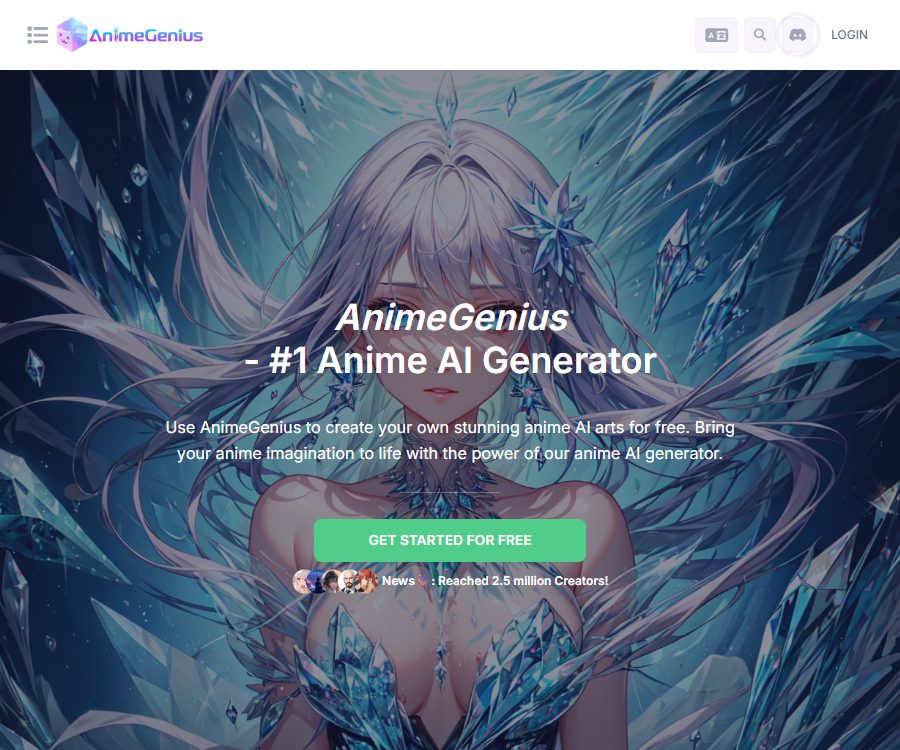
AnimeGenius
AnimeGenius – makes the creation of AI-generated images and illustrations more efficient and simpler.
Tags:AI image illustration generationWhat is AnimeGenius?
AnimeGenius is a platform within the Live3D ecosystem dedicated to the creation of AI-generated anime images and videos. Users can create anime characters based on text, photos, sketches, or pose references, and they can also convert static images into short videos.
The platform integrates various models and LoRA technologies, and offers features such as real-time drawing, prompt generation based on images, zooming capabilities, as well as a community for creating original characters. It is suitable for users who are new to AI-driven art creation, as well as for creators who need to generate content in bulk or use their own custom models.
Main functions of AnimeGenius
Convert text into animated images
After the user enters details such as characters, clothing, actions, environment, and art style, the system generates an animated image corresponding to those details. Using a fixed structure for prompts along with specific model combinations helps to maintain the visual style of the series.
Image-to-image generation and photo animation
Image-to-image generation allows the composition or key features of the uploaded image to be retained, while the style and details can be altered. Converting photos into cartoons is suitable for profile pictures, character concepts, and social media content; however, it is necessary to obtain permission for using real people’s images before publishing such content.
Generate images from poses
Pose-to-Image uses pose references to control a character’s standing position, movements, and limb orientation. It is suitable for character design, as well as for sketching dance poses and movements; however, complex hand movements or interactions involving multiple characters may require multiple attempts.
AI stickers and original characters
The platform offers AI sticker creation tools and allows users to develop works around original characters. Creators can save frequently used styles, character traits, and color schemes to use for creating avatars, expressions, and various other assets.
Real-time drawing and auxiliary tools
Realtime Painter enables the creation of images on the spot, based on sketches and adjustment processes, making it suitable for quickly testing compositions. The platform also offers features such as image zooming, converting images into prompts, and providing prompt assistance.
Creation of anime videos
The video section includes options such as converting images to videos, text to videos, reference images to videos, and video to video. The video features were first made available in the Plus version; the Basic version is more suitable for users who mainly need to generate videos from images.
Models and LoRA
AnimeGenius offers a large number of AI models and LoRA files, and allows paid members to upload a certain number of their own private models and LoRA files. The options available regarding public models, slots for uploading private models, and permissions to create new models vary depending on the plan chosen.
AnimeGenius usage guide
- Register for an account and receive free points for that day; first decide whether you want to create a picture or a video.
- Choose text-to-image, image-to-image, pose control, or another generation option.
- Select models and LoRAs that suit the desired style; avoid combining too many conflicting styles at once.
- Fill in the prompts for subject, appearance, actions, camera angle, environment, and lighting.
- Set the size, resolution, and number of items to be generated, and determine the estimated amount of points required.
- After generation, check the face, hands, clothing, background text, and proportions of the characters.
- When animation is needed, provide a satisfactory image along with a description of the actions to be performed.
- Before downloading, verify whether the current license permits commercial use and whether the work needs to remain confidential.
Methods to improve generation quality
- Keep the description of the subject specific, and detail the hairstyle, clothing, color scheme, and distinctive accessories.
- Use posture references to control movements, avoiding the need to rely on lengthy prompts to describe complex limb movements.
- First, test the combination of the model and LoRA at a lower cost, and then generate a high-resolution version.
- When creating the same character, save the prompt, seed, model, LoRA, and reference images.
- The video starts with clear images of a single person, and the action instructions are brief and continuous.
Which users are it suitable for
- Anime enthusiasts: Create original characters, avatars, and stylized illustrations.
- VTubers and live streaming creators: creating character concepts, expressions, and channel content.
- Comic and game team: Quickly explore character poses, clothing, and scene design.
- Short-video creators: Convert anime images into animated clips.
- Advanced AI painting users: Use models, LoRA, batch tasks, and private upload slots.
Product advantages
- Anime has a clear vertical focus, covering images, poses, stickers, and videos.
- It supports multiple models and LoRA, offering a wide range of style options.
- Free points can be obtained daily, making it suitable to try it out first before subscribing.
- Plus and Pro offer more video capabilities as well as a higher number of concurrent tasks.
- One-time credit packs that do not expire are available for users who do not wish to maintain a subscription.
Usage restrictions and precautions
- Images created by free users cannot be used for commercial purposes; commercial use requires at least a paid subscription.
- Free daily points can be accumulated, but the account limit is 500; once this limit is reached, points must be used before more can be obtained.
- Points that remain unused during the subscription period can be carried over, and after cancellation the subscription points are valid for only two weeks; daily reward points, on the other hand, do not expire.
- Different models, sizes, video lengths, and generation methods result in varying amounts of energy consumption; it is necessary to check the real-time alerts before submitting.
- Refunds are available only within 24 hours after the initial payment and provided that no points have been used; no refunds are given for renewal payments.
- As of the verification date, no official API documentation available to the public was found, nor was it confirmed that the AnimeGenius commercial platform is open source.
AnimeGenius price
As of August 26, 2026, the official website lists Free, Basic, Plus, and Pro as the available pricing plans; monthly, annual payment options as well as one-time credit packages are available. The final price, taxes, and discounts may vary, so it is necessary to refer to the payment page before making a purchase.
| Plan | Monthly payment | Monthly points | Daily rewards | Main positioning |
|---|---|---|---|---|
| Free | $ | 50 points per day, up to a total of 500 | No additional rewards. | Free image trial; not for commercial use |
| Basic | $ | 8,000 points | 50 points per day | Image generation, commercial use, 3 concurrent tasks |
| Plus | $ | 30,000 points | 120 points per day | Add full video tools and 10 concurrent tasks |
| Pro | $ | 65,000 points | 180 points per day | Higher limits, more private slots, and priority support |
Annual payment plan
| Plan | Annual total price | Converted to monthly price |
|---|---|---|
| Basic | $ | $ |
| Plus | $ | About $24 per month |
| Pro | $ | About $49 per month |
For an annual subscription, the full yearly cost must be paid in one go; the monthly rate indicated on the page is provided for comparison only and does not mean that payments will be taken out on a monthly basis. Before starting long-term use, it is necessary to determine the required video functions, the number of private model slots, and the level of concurrency needed.
One-time point package
| Price | Basic points | Validity period |
|---|---|---|
| 10 dollars | 7,000 points | Does not become invalid |
| 20 dollars | 16,000 points | Does not become invalid |
| 50 dollars | 45,000 points | Does not become invalid |
| 100 dollars | 100,000 points | Does not become invalid |
The official website’s system may award additional points during holiday promotions; as a result, the amount displayed at checkout can be higher than the standard value. These one-time points do not expire and are suitable for those who create content intermittently.
Open source, APIs, and platforms
- Platform used: Web interface.
- Mobile app: The official website’s FAQ does not mention any plans to release a separate AnimeGenius app at the moment.
- Public API: None found as of the verification date.
- Open-source status: The commercial platform’s open-source status has not been confirmed; the model and LoRA may use different licensing terms.
- Community features: Allow users to browse works, creators, models, LoRAs, and original characters.
Frequently Asked Questions
Does AnimeGenius offer free points every day?
Yes. Free users can earn 50 points per day, with a maximum of 500 points available. Once this limit is reached, some points must be spent before further points can be accumulated.
Can images generated for free be used for commercial purposes?
No. The official website states that images from the free plan cannot be used for commercial purposes; it is necessary to subscribe to the Basic, Plus, or Pro plan, and at the same time comply with the licensing terms regarding the models and third-party materials.
Which option supports video generation?
Plus and Pro offer a full range of video creation features such as converting images to videos, text to videos, and reference images to videos. Basic is primarily a tool for generating images.
Do one-time points expire?
FAQ on the official price page: The one-time points purchased separately do not expire. Subscription points and free points follow different rules regarding accumulation and expiration.
Does AnimeGenius support uploading one’s own models?
The paid plans offer options for uploading private models and private LoRA files, with the number of such upload slots increasing as one moves from the Basic to the Plus and Pro plans. It is necessary to verify the model licenses and compliance requirements before performing the upload.
Does AnimeGenius provide an API or open-source code?
As of August 26, 2026, no public official API documentation has been found, nor is there any evidence indicating that the AnimeGenius commercial website has been made open source.
Tools similar to AnimeGenius



 Guigong Network Security Registration No. 45132202000164