






AI Art Generator
AI Art Generator – makes the creation of AI-generated images and illustrations more efficient and simpler.
Tags:AI image illustration generationWhat is eBank AI Art Generator?
eBank AI Art Generator is an AI-powered image generation and creation tool within the Netwrck system; it allows images to be created based on prompts, and it enables further editing of the resulting images, scaling them, removing backgrounds from them, or creating videos from them.
The product offers both a web interface and public APIs, with the same credit balance being used for both. It is suitable for individual creation, and can also be integrated into applications that require capabilities for processing images, videos, audio, and backgrounds.
Main functions
1. Generation of multi-scale images
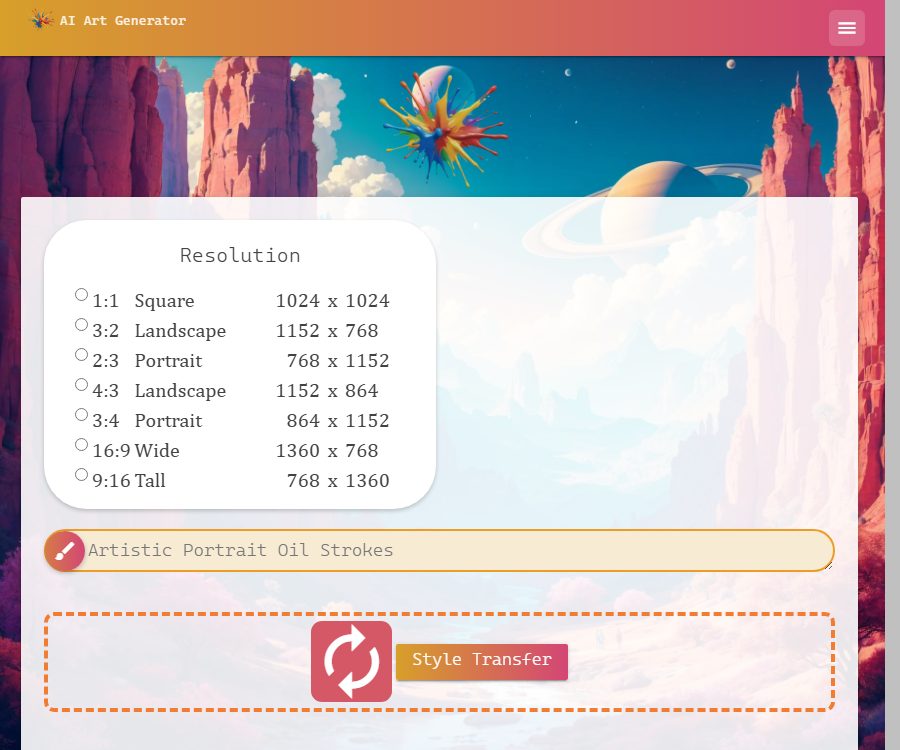
The current generator supports square, landscape, portrait, 4:3, 3:4, 16:9, and 9:16 aspect ratios. The basic resolution ranges from 768 pixels to 1360 pixels.
2. Style selection
The page offers style tags such as anime, photography, digital art, comics, fantasy, neon, low-polygon, line art, cinematic, and abstract. These tags are used to guide the generation of models, but they do not guarantee identical results each time.
3. Reference image style conversion
Users can drag in images for style transfer or to continue creating. The uploaded images must have legitimate usage rights, and should not contain sensitive or confidential content.
4. Image editing and 2K upscaling
The generated results can be opened in a separate editor, which offers 2K zooming and other post-processing options. Different editing tools may utilize free local capabilities or require additional credits.
5. Background removal
The background removal tool processes images and can be used for product photos, profile pictures, and design elements. Complex hair, transparent objects, and backgrounds that are similar in color may still require manual editing.
6. Image-to-video generation
The generated image can be further converted into a video, with options to set the duration, aspect ratio, frame rate, resolution, and audio track. The cost of a video is usually much higher than that of an image; it is advisable to start by testing with a short duration first.
7. Community works and history
The page displays AI-generated works and provides options for downloading, redrawing, and editing them; logged-in users have access to a creation library as well as saved requests. The content available in the public community cannot be copied and used freely.
8. Public API
The API provides access to tools for processing images, videos, audio, and removing backgrounds, with credits deducted at the same rate as on web pages. Developers do not need to purchase separate API packages.
Which users are it suitable for
- Creators who need to quickly produce avatar images, illustrations, posters, and social media graphics.
- Users who wish to continue enlarging the image, removing the background, or creating short videos after it has been generated.
- Development teams that need to integrate image and video generation capabilities through APIs.
- Small projects that want to control the cost of advanced models using pay-per-use billing.
- AI art enthusiasts who wish to browse community creations and gain inspiration for prompts.
Comparison of package prices
As of August 24, 2026, eBank outlines three main ways of using it. Prices are stated in US dollars; it is necessary to check the taxes, exchange rates, and settlement details before making a payment.
| Plan | Price | Main limit | Suitable scenarios |
|---|---|---|---|
| Free | $ | Image generation 5 times a day, low priority queue | Occasional generation and functional testing |
| Unlimited images | $ | Unlimited standard images, 500 video/API credits per month, priority in the GPU queue | Ongoing image creation |
| Pay as you go | Starting at $20 | Points are used for videos, zooming, voice, advanced models, and APIs. | Used by advanced tools or developers |
To generate content for free, you need to log in; the platform’s own GPUs are used, and such tasks are executed after paid tasks. If the resources are busy, you may be asked to try again later, and free tasks are not automatically transferred to the paid cloud infrastructure.
Comparison of integration packages
1 point is equivalent to 0.01 US dollars; in other words, 100 points are earned for every 1 dollar spent. The points purchased remain valid as long as the account is active, while the points associated with a subscription are updated on a monthly basis.
| Top-up amount | Earn points |
|---|---|
| 20 dollars | 2000 points |
| 75 dollars | 7500 points |
| 150 dollars | 15,000 points |
| 250 dollars | 25,000 points |
| 500 dollars | 50,000 points |
Common per-use costs
- Prompt enhancement: 1 point, which is 0.01 US dollars.
- Batch prompt generation: 1 point, which is 0.01 USD.
- Background removal: 2 points, which is 0.02 dollars.
- Image creation or editing on Seedream: 5 points, which is equivalent to 0.05 dollars.
- Creating or editing with Qwen Image 2 Pro: 9 points, which is equivalent to $0.09.
- GPT Image 2: 26 points, which is $0.26 per image.
- Videos, audio, and digital avatars are typically charged on a per-second or per-duration basis.
If the platform indicates a failure or returns no results, the corresponding points will be automatically refunded. The costs associated with models and suppliers can change; therefore, it is necessary to refer to the current price list before carrying out any bulk requests.
Image generation tutorial
- Create a free account and first use the daily free trials to verify the effectiveness.
- Select the proportion and base resolution that correspond to the distribution channel.
- Describe the subject, scene, composition, lighting, colors, and desired style.
- Select only a small number of mutually compatible style tags.
- After generation, check the hand, face, text, logos, and background structure.
- Use redrawing or the editor to make local corrections, then scale up to 2K as needed.
- Download the official results promptly, and save the prompt words and generation parameters.
- Check the rights to portraits, trademarks, and materials before commercial release.
Tutorials on converting images to videos
- Choose a source image with a clear composition and well-defined edges for the subject.
- First, verify the direction of the movement using a shorter duration and lower resolution.
- It explains the camera movement, the characters’ actions, and the elements that need to remain unchanged.
- Select the landscape or portrait aspect ratio based on the publishing platform.
- Check the estimated integration cost before submitting the payment task.
- After the task is completed, check for flickering, distortion, audio-video synchronization, and frame consistency.
- Once satisfied, increase the duration or resolution and download it for saving.
API Integration Tutorial
- Create an API key in the account and purchase a small amount of testing credits.
- Store the key in server-side environment variables; do not expose it to the frontend.
- Select the specific tool and confirm the single integration value and request parameters.
- Set separate timeout and status handling rules for image, video, and audio tasks.
- Record the task number, actual charges, and refunds, but do not record sensitive input.
- Implement rate limiting, retrying, idempotency, and alerts for insufficient balance.
- Calculate the success rate and average cost using real business samples before scaling up usage.
Product advantages
- Image generation, editing, zooming, background removal, and video production are all available on one platform.
- Free accounts allow 5 image generations per day.
- Subscriptions and pay-per-use options are available, catering to different frequencies of use.
- The conversion between points and dollars is straightforward, and the points that have been purchased do not expire automatically over time.
- The website and the API share the same balance, so developers do not need to maintain a separate billing system.
- Automatic refunds for failed tasks help to reduce unnecessary expenditures.
Usage restrictions and precautions
- Free tasks are placed in a low-priority queue, and may not be generated immediately during peak times.
- The unlimited subscription covers standard images; advanced models, videos, and APIs still require points.
- Videos are usually charged per second, and resolution as well as duration significantly affect the cost.
- Community works may be displayed publicly; do not upload sensitive material that you do not wish to make public.
- The model can produce errors related to characters, text, object relationships, and sequential actions.
- The availability, price, and content policies of third-party models may change at any time.
- Commercial use still requires compliance with portrait, copyright, trademark, and local laws.
Copyright and commercial use
The official price page states that images and videos created by users can be used for commercial purposes. This statement does not replace a review of the rights related to the input materials, protected characters, real-person portraits, and brand logos.
- Do not upload customer photos or copyrighted works for which you do not have permission to use.
- Explicit consent must be obtained when dealing with real people and voice cloning.
- Materials from public communities cannot be considered to be in the public domain just because they can be downloaded.
- Save the generated records and the manual modification process to facilitate the resolution of rights disputes.
Explanation of the open-source status
The official Netwrck GitHub repository makes available the Stable Diffusion image server, Android WebView, and other components; some of these projects are licensed under the MIT license.
These repositories do not demonstrate that the eBank web platform, accounts, billing system, community features, video content, and all model interfaces are entirely open source. Therefore, the main product should be classified as a proprietary commercial service, with it being specified separately that some components are open source.
Frequently Asked Questions
Is eBank AI Art Generator free?
A free account can generate 5 images per day; it is necessary to log in and use the low-priority queue.
How much is the Unlimited subscription?
The current price is $9 per month or $90 per year, and it includes unlimited standard images as well as 500 video/API credits per month.
Do points expire?
The purchased points remain valid throughout the account’s validity period, and the monthly points included in the subscription are updated as per the billing cycle.
Is a fee charged if generation fails?
According to the official guidelines, tasks that fail or yield no results have their points automatically refunded; this should be checked in the balance record.
Is the platform open source?
The complete platform is not an open-source product; the developers have made available only some of the servers, clients, and example components.
Summary
eBank AI Art Generator is suitable for users who need to go beyond image generation to tasks such as editing, scaling, creating videos, and using APIs. When making a purchase, it is important to distinguish between the standard option that offers unlimited images and the premium version that requires credits for advanced tools; at the same time, one should also pay attention to the content available in the community, the costs associated with third-party models, and the rights related to the content.
Tools similar to AI Art Generator



 Guigong Network Security Registration No. 45132202000164