






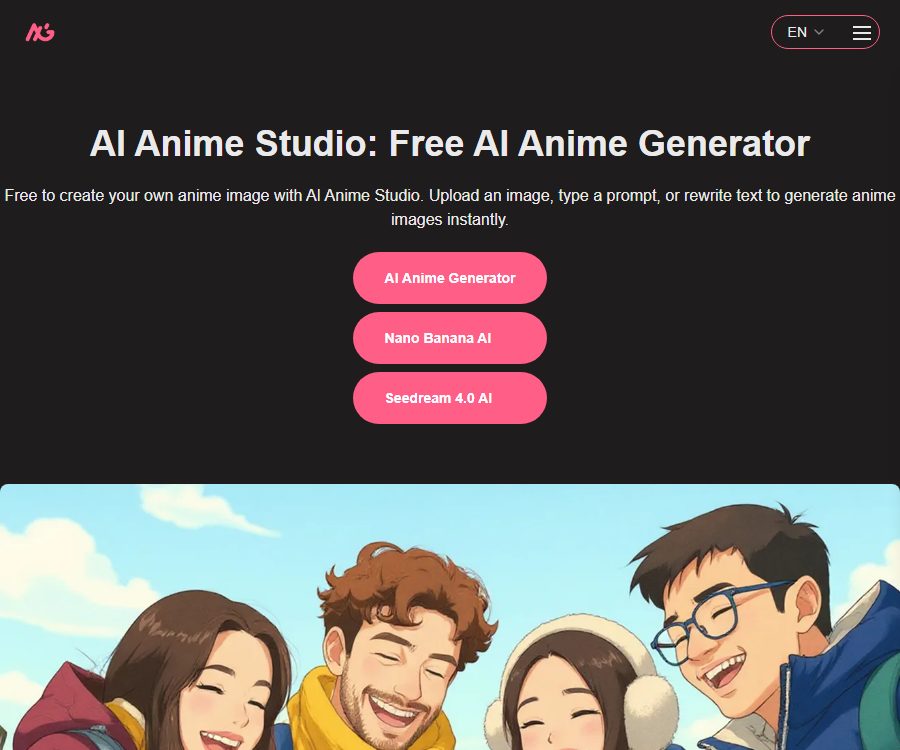
AI Anime Studio
AI Anime Studio makes the creation of AI-generated images and illustrations more efficient and simpler.
Tags:AI image illustration generationWhat is AI Anime Studio?
AI Anime Studio is a web-based tool for creating and editing AI-generated anime images; users can enter prompts or upload reference images, and then select a style and aspect ratio to produce their artwork.
The core generator page indicates that it utilizes Nano Banana AI technology, and it shows examples of animations, realistic images, line drawings, and 3D dolls. The website also provides separate access points such as Seedream 4.0, but the models and rules associated with each access point may differ.
Main functions of AI Anime Studio
1. Vivid anime images
Users can describe characters, clothing, expressions, actions, scenes, lighting, and composition, so that the system can generate images in an anime style. The more specific the instructions are, the more likely the result will be in line with what is desired.
2. Reference image editing
After uploading an existing image, you can request that the style of the artwork be changed or that the scene be modified using text instructions. It is suitable for turning photos into anime-style images, and it can also be used for refining character designs and concept sketches.
3. Various visual styles
The page features categories such as classic animations, modern animations, realistic styles, line art, pixel art, and 3D dolls. The models do not necessarily replicate the style of a particular artist or a specific work in an exact manner.
4. Screen aspect ratio setting
Before generation, you can choose the aspect ratio based on the avatar, poster, cover, or banner. The specific aspect ratios and resolutions supported by each option shall be determined by the interface used for generation.
5. Character and Scene Creation
This tool can be used for creating rough drafts of characters, game scenes, concept art for items, storyboards, and images for social media. When consistency across multiple elements is required, it is necessary to use the same prompts and reference images and to apply filtering processes repeatedly.
6. Preview and Download
Once generation is complete, you can view the candidate results and download the images you like. Important works should be saved locally promptly; do not rely on the web browser’s history as a permanent cloud storage solution.
7. Learning with Textual Assistance
The home page also introduces additional features such as homework solution assistance, text rewriting, study summaries, course outlines, and knowledge cards. At present, the main focus of the available generator is still image generation; other capabilities will need to be tested one by one through the respective interfaces.
Which users are it suitable for
- Ordinary users who want to create 2D avatars and images for social media quickly.
- Illustration or game teams that need concept sketches of characters, scenes, and props.
- Creators who wish to convert photos into anime, line art, or doll style.
- Students and teachers who create presentations, course covers, and visual materials for events.
- Marketers who quickly compare compositions and visual directions before formal design.
Costs and entry requirements
As of August 24, 2026, the main anime generation tool offered by AI Anime Studio claims to require no registration, is free of charge, and does not impose any limits on the number of generations that can be performed. The official website does not list any membership subscriptions, point packages, or pricing plans based on the number of generated images.
“The option of free use without any limit on the number of times” is indicated on this page; it does not constitute a permanent commitment to such service. The platform may impose restrictions on usage, introduce waiting times, carry out audits, or charge fees depending on factors such as load, the provider of the models, location, or operational strategies. It is necessary to follow the information displayed on the interface at any given time.
Check it before use.
- Does the current entry require login, a verification code, or queuing?
- The number of images that can be generated at each time, as well as their aspect ratio and resolution.
- Refer to the figure format, size, and retention time.
- Whether the generation history is public and whether it can be manually deleted.
- Terms of authorization for commercial use, redistribution, and print sales.
- Whether different model entrances use separate quotas or rules.
Tutorial for creating anime images
- Define the purpose of the image by first selecting whether it will be used as a profile picture, poster, cover, or for character design.
- Describe the subject’s age range, hairstyle, clothing, expression, and movements.
- Add background information, camera distance, composition, lighting, colors, and the overall atmosphere of the image.
- Select an anime or other visual style and set the appropriate proportions.
- When role consistency is required, upload a clear reference image that shows the authorized usage.
- After generation, compare the details of the figure’s structure, hands, text, and background.
- Modify only a small number of prompts at a time, and keep track of the versions that consistently produce good results.
- Download the candidate images and carry out manual editing and rights verification before their official release.
Refer to the diagram editing tutorial.
- Select the original image that contains no sensitive information and for which you have usage rights.
- Identify the characters, poses, composition, and key colors that need to be retained.
- It indicates the changes that need to be made to the style of drawing, the background, the clothing, or the materials used.
- Avoid proposing a large number of conflicting changes at the same time.
- Generate low-risk test results to check for identity and facial changes.
- For consecutive characters, maintain the same reference image and fixed description.
- After downloading the results, delete the uploaded files or historical records that are no longer needed.
Prompt writing format
- Subject: Number of characters, appearance, clothing, posture, and expression.
- Scene: location, time, weather, and background objects.
- Composition: close-up, full body, top-down view, low angle, or centered layout.
- Lighting: natural light, backlighting, neon lights, soft lighting, or cinematic lighting.
- Style: anime, line art, pixel, realistic, or 3D dolls.
- Quality requirements: details, clarity, color, and issues to be avoided.
Product advantages
- It can be used directly on web pages; no registration is required for the core generator.
- The current page claims to be free and allows unlimited number of generations, resulting in a low barrier to trying different options.
- It also supports text generation and style conversion of reference images.
- In addition to animations, realistic styles, line drawings, pixel art, and 3D effects are also displayed.
- The process is simple, making it suitable for users with no experience in drawing or deploying models.
- It can be used in various scenarios such as profile pictures, covers, character sketches, and marketing visuals.
Usage restrictions and precautions
- The page does not provide information on the level of service offered, the speed of generation, or any guarantees regarding permanent availability.
- The model names and specific version details are not complete enough, and the output may change over time.
- Errors can still occur with complex hand movements, multiple relationships between characters, sequential roles, and accurate text.
- The learning and text processing capabilities described on the home page are not necessarily as comprehensive as those of the image generator.
- There is no public, unified API, so it is not suitable for direct use as an interface for bulk processing.
- Free tools may control costs by imposing speed limits, queues, or restricting certain functions.
- Important business materials still require manual design, review, and backup.
Copyright and security recommendations
It is not possible to determine whether an image generated can be used for commercial purposes solely on the basis of whether it is free; after all, the cost being free and having commercial licensing rights are two different things. The current public pages do not provide clear and consistent information regarding commercial licensing.
- Do not upload photos, illustrations, character designs, or customer materials for which you do not have permission to use.
- When real-person photos are involved, consent must be obtained to avoid creating deceptive or harmful content.
- Do not directly copy protected characters, trademarks, or the recognizable style of specific artists.
- Before commercial release, check the characters, text, brand logos, and sources of the materials.
- When used by minors, additional content filtering and privacy protection measures should be implemented.
- Save prompt words, input materials, and records of manual modifications to facilitate internal audits.
Privacy and data processing
Reference images and prompts may be sent to third-party models or infrastructure for processing. Since public pages do not clearly disclose all model providers, retention periods, and training purposes, sensitive images are not suitable for direct upload.
- Avoid uploading identification documents, family photos, unreleased design drafts, and personal sensitive information.
- Check the current privacy policy and the prompts on the generation page before use.
- Download the results as soon as they are generated, and delete the historical records that can be removed.
- Before using it, enterprises should confirm the data region, sub-processors, as well as the mechanisms for deleting data and terminating training.
API and open-source status
As of the date of verification, AI Anime Studio does not provide any verifiable public developer APIs, SDKs, or pricing information for calls. The model access points available on its website cannot be considered stable program interfaces.
At the same time, no official open-source repository or open-source license for the platform’s developer team was found. The use of external model names does not imply that the source code of the website or those models is available publicly.
Frequently Asked Questions
Is AI Anime Studio free?
The Core Anime Generator currently claims to be free, offer unlimited usage, and require no registration, but policies and real-time restrictions may change in the future.
Can I upload photos to create animations?
It is possible to upload reference images and adjust their style using prompts, but it is necessary to ensure that you have the rights to use those images and to avoid including sensitive content.
Can the generated images be used for commercial purposes?
The public page does not provide clear and unified guidelines regarding commercial licensing; before using the material for commercial purposes, it is necessary to check the latest terms and verify the rights related to that material.
Is API support available?
No verifiable public APIs or standard pricing for calls have been found; therefore, web-based creation is more suitable at the moment.
Is AI Anime Studio open source?
No official evidence of the platform’s open-source nature has been found; it should therefore be considered a non-open-source web service.
Summary
AI Anime Studio is suitable for quickly creating anime-style images, applying style changes, and designing character concepts. Its free, registration-free trial version is convenient to use, but it offers limited options in terms of models, commercial licensing, data retention, and API capabilities; for actual commercial projects, it is advisable to conduct thorough evaluations and retain manual design processes.
Tools similar to AI Anime Studio



 Guigong Network Security Registration No. 45132202000164