






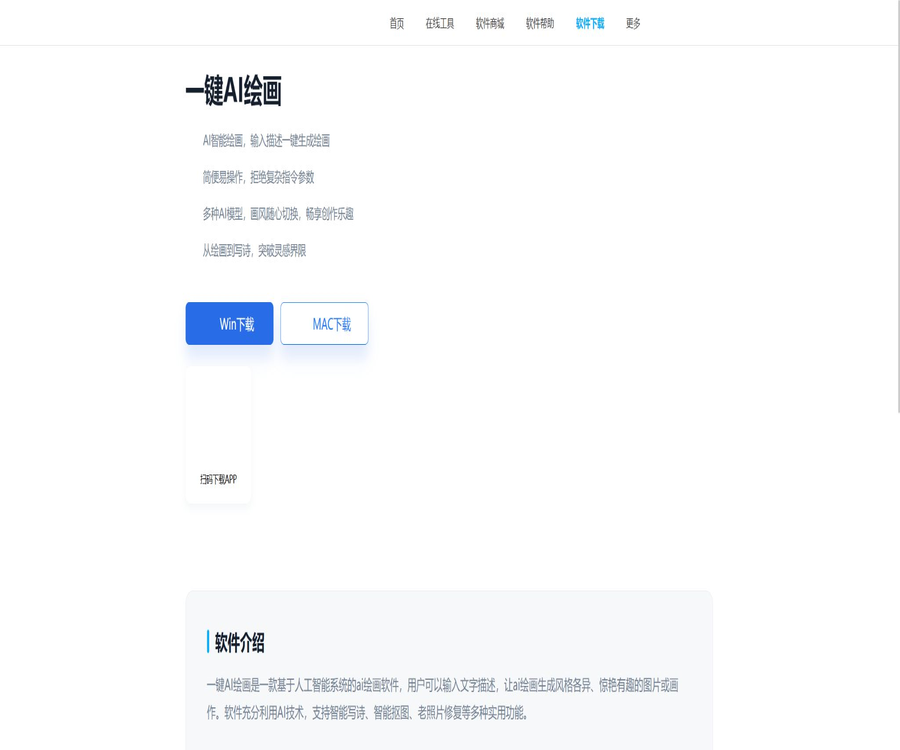
Quick Office – One-click AI drawing
Quick Office – One-click AI drawing; an intelligent tool focused on AI-generated images
Tags:AI image illustration generationWhat is one-click AI painting?
One-Key AI Painting is an AI-based image generation and processing software that belongs to the Quick Office product suite; it is operated by the team at Hudu Technology. Users can enter a description of the image along with relevant keywords, select the model, style, size, and number of images to be created, and then the corresponding images will be generated.
It not only offers text-to-image generation but also includes functions such as reference image creation, intelligent object removal, photo restoration, special effect filters, and basic image editing, all within the same software. Its design is aimed at being lightweight and easy to use, making it suitable for ordinary users who do not want to deal with complex local model parameters.
Current service status
| Project | Verification status | Explanation |
|---|---|---|
| Product introduction page | Accessible | It is possible to view the features and access the download link. |
| Online service components | The current prompt indicates a service anomaly. | The page asks to retry or contact customer service. |
| Windows download | The official website still shows the entry point. | Before installation, verify the signature, version, and source of the file. |
| Mac download | The official website still shows the entry point. | The official history page indicates version 2.0.0 for the Mac version. |
| Mobile version | The official website displays a QR code scanning link. | The specific application name, system, and version need to be verified after scanning the code. |
The current error message does not mean that the software is permanently disabled, nor does it guarantee that the generation services will work properly. After downloading and installing it, it is advisable to first use the free trial version to test login, model invocation, and export functions.
Main functions
- Text-to-image: Enter descriptions of the scene, subject, style, and composition to generate a painting.
- Creation with reference images: Upload templates or reference pictures to generate new content based on the existing visual elements.
- Model and art style switching: Choose the model and artistic style based on different creative directions.
- Canvas settings: Adjust the output size, aspect ratio, and the number of images to be generated.
- AI avatars and wallpapers: Create avatars, wallpapers, illustrations, and social media images.
- Convert photos to comics: Transform portrait photos into a comic or artistic style.
- Smart object removal: Identifies faces or objects and removes the background.
- Restoration of old photographs: Fixing blurriness, noise, fading, and local damage.
- Colorizing black-and-white photos: Creating a colored version of black-and-white images.
- Lossless scaling: Increases the resolution and visual clarity of images.
- Special effect filters: Offer features such as a time-camera, gender transformation, and artistic filters.
- Image editing: Includes cropping, layering, pixelation, adding text, and adjusting basic parameters.
- Image format conversion: The historical version for Mac also covered common image format conversions and batch processing.
- Smart poetry writing: Generates text content based on a theme, serving as an additional feature for creating images.
Text to image
Image generation is the core capability of this software. Users do not need to set up a local environment; they simply need to describe the subject, scene, lighting, and style they desire in order to start generating images.
Suggestions for prompts
- Start by writing about the main subject, such as a person, product, building, animal, or natural landscape.
- Additional environments, such as indoors, forests, city streets, the seaside, or space.
- Describe the composition, such as close-up, top-down view, symmetry, negative space, or wide angle.
- Specify the lighting style, such as soft light, backlighting, dusk, neon, or studio lighting.
- Choose a style, such as realistic, illustration, comic, watercolor, or oil painting.
- Specify the colors, emotions, and visual elements to be avoided.
- It is important to use concise and independent phrases in order to reduce conflicting descriptions.
How to create the first AI image
- Download the installation package suitable for Windows or Mac from the official product page.
- After installation, open the software and go to the AI painting feature on the home screen.
- In the description of the image, enter the subject, environment, composition, lighting, and style.
- Select available models and painting styles.
- Set the canvas ratio, size, and the number of images to be generated.
- Click to generate and wait for the cloud processing to complete.
- Compare multiple results, save the appropriate version, or continue adjusting the prompt.
- Check for text, character limbs, brand elements, and copyright risks before exporting.
Reference images and image generation
The reference image feature allows users to upload existing pictures, so that the AI can create new versions based on their content, composition, or style. It is useful for establishing a consistent visual style, but the results may not always preserve the identities of people, text, and other details accurately.
- Use images that you have taken yourself, for which you have obtained authorization, or that can be used legally.
- Do not upload others’ private photos or sensitive images without their consent.
- The clearer the reference image, the easier it is usually to identify the main elements and structure.
- When it is necessary to maintain the appearance of the brand’s products, manual design review should be arranged.
- After generation, check for faces, fingers, text, logos, and background objects.
- When dealing with real-person portraits, it is necessary to clarify whether their public and commercial use is permitted.
Photo restoration
The software offers tools for coloring black-and-white images, reducing noise, restoring blurred faces, fixing overexposure, removing fog, and performing lossless scaling. AI-based restoration attempts to infer missing details, so the resulting image may appear clear but not reflect the actual original condition.
Appropriate photos
- Old photos with slight blurriness or insufficient resolution.
- There are family photos with noise, fading, or minor damage.
- Black and white photos that need to be previewed with coloring.
- Ordinary images that need to be enlarged for display on a screen.
- Materials whose contrast, brightness, or clarity needs to be improved.
Precautions for repairs
- Keep the original, unprocessed files first.
- Do not consider the facial features and textures generated by AI as real historical details.
- Archives, evidence, and news photos should not retain only restored versions.
- Excessive restoration can result in a waxen appearance, color distortion, and errors in details.
- For important photos, the processing parameters and the date of creation should be saved alongside them.
Intelligent image masking
Smart object removal can automatically identify faces or objects and remove the background, making it suitable for use in profile pictures, e-commerce content, and social media posts. However, hair, transparent objects, shadows, and complex edges may still require manual editing.
- Try to choose images with a clear contrast between the subject and the background.
- Check the hair, the edges of clothing, transparent glass, and small accessories.
- When changing the background, pay attention to the direction of light, color temperature, and perspective.
- Confirm whether to retain the transparent background before exporting.
- After batch processing, randomly select different types of images for inspection; do not rely solely on the first image.
Special effects and filters
The software includes various entertainment features such as photo-to-comic conversion, time-lapse camera, animated photos, gender transformation, and artistic filters. These effects are intended for creative expression purposes only; they should not be used to determine a person’s actual age, identity, or gender.
- It is suitable for creating social media avatars, holiday images, and entertainment content.
- You must obtain consent from the person in question before using their photos.
- When making it publicly available, avoid causing impersonation, humiliation, or misrepresentation.
- Decisions regarding whether to process and publish photos of minors should be made by their guardians.
- Do not use face manipulation techniques to carry out fraud, fake authentication, or misleading propaganda.
Image editing and batch processing
In addition to creation and restoration, the historical product documentation also covers functions such as cropping, color adjustment, layering, adding text, applying mosaic effects, stitching, compression, format conversion, and batch resizing. The features available in different system versions may not be identical.
| Tool category | Tasks that can be processed | Restrictions |
|---|---|---|
| Basic editing | Crop, zoom, rotate, adjust text and parameters | Not the same as a specialized layer editor |
| Content processing | Image cropping, pixelation, and partial removal tools | Complex backgrounds may leave traces. |
| Format conversion | Common image formats, HEIC, and processing of some RAW files | The actual format list is subject to the software. |
| Batch operations | Crop, resize, rotate, sort, and rename | First, use a copy to test the output rules. |
| Photo restoration | Noise reduction, fog removal, colorization, and sharpening | AI may reconstruct rather than restore details. |
Windows version and Mac version
| Comparison items | Windows version | Mac version |
|---|---|---|
| Official website entrance | Yes | Yes |
| AI painting | The product page explicitly indicates support. | The History 2.0.0 page provides explicit support. |
| Generate with reference to the diagram | The product description includes | The history page contains |
| Photo restoration | Support | Support |
| Image editing | Support | The history page provides more comprehensive editing options. |
| Current version number | It is not displayed on the official website. | Public historical data is 2.0.0 |
| Service status | It needs to be installed and then tested in practice. | It needs to be installed and then tested in practice. |
Mobile version
The product page indicates that the app can be downloaded by scanning a code, but the public website does not clearly list the name of the mobile app, its system requirements, or its version number. After scanning the code, it is necessary to check the developer, the app name, the permissions, and the privacy policy, in order to avoid installing third-party software with the same name.
- Give priority to using the official website QR code or legitimate app stores.
- Check the developer’s name and privacy policy.
- Do not download the so-called premium version from cloud storage services or pirated websites.
- Only the permissions necessary to carry out the current functions are granted after installation.
- Confirm the cloud processing and deletion rules before uploading a portrait.
Prices and payment methods
The official website confirms that a free trial is available, but it does not disclose the current fixed membership price for one-click AI drawing, the price per point, or the packages offered on various platforms. The software may offer paid features based on the capabilities for generating, editing, and exporting images; the actual prices shall be as indicated on the purchase page.
| Version or method | Price status | Suggestions |
|---|---|---|
| Software download | Free | The fact that it can be downloaded for free does not mean that all functions will remain free forever. |
| Free trial | It is clearly provided on the official website. | First, test the generation quality, speed, and export limitations. |
| Individual members | There is no unified, publicly disclosed price. | Cycle, automatic renewal, and benefits within the software kernel |
| Number of generations or points earned | No unified standard has been made public. | Confirm whether separate charges are applied for tasks generated once, failed tasks, and expansions. |
| Windows version | Refer to the software purchase page. | The prices of other QuickOffice products cannot be applied. |
| Mac version | Refer to the software purchase page. | Confirm whether it is compatible with Windows memberships. |
| Mobile version | Subject to the respective app store. | It may use different subscription models compared to the desktop version. |
It is necessary to confirm before making a purchase.
- Which functions in AI-based painting, restoration, image masking, and editing are available to members?
- Are there any restrictions regarding the size, quantity, ordering, and models when generating images?
- Whether free results or member-only results have watermarks.
- Does the membership support sharing on Windows, Mac, and mobile devices?
- The cycle for automatic renewal, the option to cancel it, and the time when it takes effect.
- Whether the points or the number of uses expire and are reset.
- Whether to refund the quota in case of service errors, generation failures, or approval rejections.
- Are there still any restrictions regarding licenses for models, materials, or platforms for commercial use images?
Image quality inspection process generation
- First, verify whether the image meets the original theme, the number of subjects, and the composition requirements.
- Zoom in to examine faces, fingers, glasses, accessories, and the joints between objects.
- Check the text, numbers, symbols, and product structure in the image.
- Check the shadows, reflections, perspective, light direction, and background details.
- Use reverse search or asset tracking to identify the risk of excessive similarity to existing works.
- Confirm that the reference images, portraits of people, and brand elements have authorization for use.
- Save the prompt, generation date, and manual modification records before publishing.
Which users are it suitable for
- Beginners who want to try text-to-image generation quickly but don’t want to install local models.
- Individual users who create avatar images, wallpaper, illustrations, and photos for social media.
- Content creators who need simple concept diagrams and idea sketches.
- Users who need image masking, restoration, and basic editing in one place.
- Home users who wish to colorize, clarify, or reduce noise from old photographs.
- Office workers who need to adjust the size and format of regular images in bulk.
Typical use cases
- Generate concept images for articles, official accounts, and presentations.
- Create social profile pictures, phone wallpapers, and holiday greeting cards.
- Generate creative drafts for advertising or e-commerce campaigns.
- Convert portrait photos into comic or artistic styles.
- Colorize old black-and-white photos and improve their clarity.
- Automatically isolate products or portraits and then change the background.
- Adjust image format, size, and file names in bulk.
Unsuitable requirements
- Professional design that requires precise text formatting, editable vectors, and complete layers.
- Long-term projects that require fixed characters to be exactly the same in a large number of images.
- Organizations that require completely offline, locally running algorithms that are auditable.
- Research efforts that require the disclosure of the model name, training data, and inference parameters.
- Treat AI-enhanced images as historical originals, legal evidence, or news facts.
- Generating real people, brand characters, or copyrighted works without authorization.
Product advantages
- The operation process is simple; users do not need to understand complex model parameters.
- It also supports text generation and secondary creation of reference images.
- A variety of models, styles, sizes, and settings for the number of items to generate are available.
- Creation, repair, image masking, special effects, and editing are all integrated in one software.
- It covers Windows, Mac, and mobile access points.
- A free trial is provided to facilitate verification before purchase.
- Suitable for regular office work, family photos, and light content creation.
- The official website offers basic tutorials and access to online customer service.
Usage restrictions and precautions
- The official website indicates that there is a service issue; the cloud-based generation feature needs to be tested after installation.
- The current fixed membership price is not made public, resulting in limited price transparency.
- The official website does not clearly disclose the name of the current generation model or its technical specifications.
- Errors such as fingers, text, structure, and perspective issues may appear in the generated images.
- The reference images generated do not guarantee consistency in the details of characters, products, and brands.
- AI restoration guesses the details and cannot be considered a true restoration.
- The features and memberships may vary slightly between different system versions.
- Uploading photos to the cloud may involve personal images and privacy information.
- The generation speed depends on the network, server load, and the selected model.
- For commercial use, it is still necessary to check portraits, trademarks, materials, and copyright.
- The product does not provide public, complete source code or solutions for local model deployment.
Privacy and copyright
AI-based image creation and photo restoration can be used to work on faces, family photos, product images, and unreleased designs. Before using such tools, it is necessary to read the privacy policy, user agreement, and rules regarding the generated content available in the client software.
- Do not upload ID cards, bank cards, medical records, or other sensitive images.
- Obtain the consent of the person themselves or their guardian before uploading someone else’s photos.
- Clarify the rules for saving, deleting, and using images and prompt words in training.
- Commercial projects may only use reference images and materials for which upload permission exists.
- Avoid imitating the fake images of celebrities in sensitive situations.
- Removing watermarks should only be done from files for which you have rights.
- When publishing AI-generated content, comply with the applicable platform labeling requirements.
GitHub and the open-source status
As of this verification, no official open-source repository that can be identified as belonging to the OneKey AI Painting or QuickOffice products was found. Such software should be classified as commercial, closed-source products; it cannot be assumed that it is based on some open-source project that can be deployed independently just because AI models are used in it.
| Project | Open state | Explanation |
|---|---|---|
| One-click AI painting client | Not open source | Use it through the official installation package. |
| Cloud generation service | Not open source | The model names and inference services have not been fully made public. |
| Photo restoration and image masking algorithms | Not open source | Provided as a software feature |
| Develop interfaces | No public documents were found. | It should not be marked as providing a public API. |
| Local deployment | No public solution is available. | Dependence on the status of software and online services |
Basic information
| field | Content |
|---|---|
| Tool name | One-click AI painting |
| Brand affiliation | Quick Office |
| Companies related to operations | Shanghai Hudun Information Technology Co., Ltd. |
| Tool type | AI art generation, photo restoration, image cropping, and image editing |
| Core input | Text description and reference images |
| Supported platforms | Windows, Mac, and mobile access points |
| Price pattern | Free download, free trial, and in-app purchases |
| Public fixed price | Not found |
| Whether API is provided | No public interfaces were found. |
| Is it open source? | No |
| Current web page status | The product page is accessible, but there is an error indicated for the service components. |
Recommendation score
4.0 / 5. The one-click AI painting tool offers a convenient combination of functions such as generation, restoration, image cropping, and basic editing, making it suitable for beginners and those with simple needs. However, issues with error messages, opaque pricing, and limited information about the models mean it is better to try it out first before deciding whether to pay for it.
Frequently Asked Questions
Is one-click AI drawing free?
The software can be downloaded for free and a free trial is available, but this does not mean that all models, the number of generations, and the export functions will remain free indefinitely. The paid features are specified on the purchase page within the software.
Is it compatible with Windows and Mac?
Support is available; the official website provides download links for both Windows and Mac versions. The version of the Mac version listed in the public historical records is 2.0.0, so it is necessary to check the current version during installation.
Can images be generated properly now?
The product page indicates a service error at the moment; the actual functionality can only be determined after installation and testing. It is recommended to use the free trial first, and not to purchase a premium membership before verifying its performance.
Is image-to-image generation supported?
The official product description includes options for uploading templates or reference images in order to create derivative works. It is necessary to conduct actual tests to determine the extent to which the identity of the persons, the text, and the details of the product are preserved in the resulting output.
Can old photos be restored?
It can be used for noise reduction, colorization, sharpening, and repairing certain damages, but AI will infer missing details, so the results cannot be considered a completely accurate restoration.
Can images be created for commercial use?
It is necessary to examine simultaneously the software protocols, the models used, the reference materials, character portraits, trademarks, and the rules of the platform on which the content is published. Paid memberships do not automatically resolve all copyright issues.
Does One-Key AI Painting provide an API?
No public development interface documentation has been found to date. It is primarily available as software for desktop and mobile devices.
Is one-click AI painting open source?
It is not open source; no complete client, server, or model code that has been made publicly available by the developers can be found.
Is it the same software as AI Smart Drawing?
It’s not the same product page or download link, but both belong to Xunjie Office’s AI image tools, and their functions overlap to a large extent. It is necessary to verify the exact name of the product when downloading or purchasing it.
Similar to Quick Office – a tool for AI-powered drawing with just one click



 Guigong Network Security Registration No. 45132202000164