






getimg.ai
A platform that combines text-to-image generation, editing, image enlargement, and custom model creation.
Tags:AI image illustration generationWhat is getimg.ai?
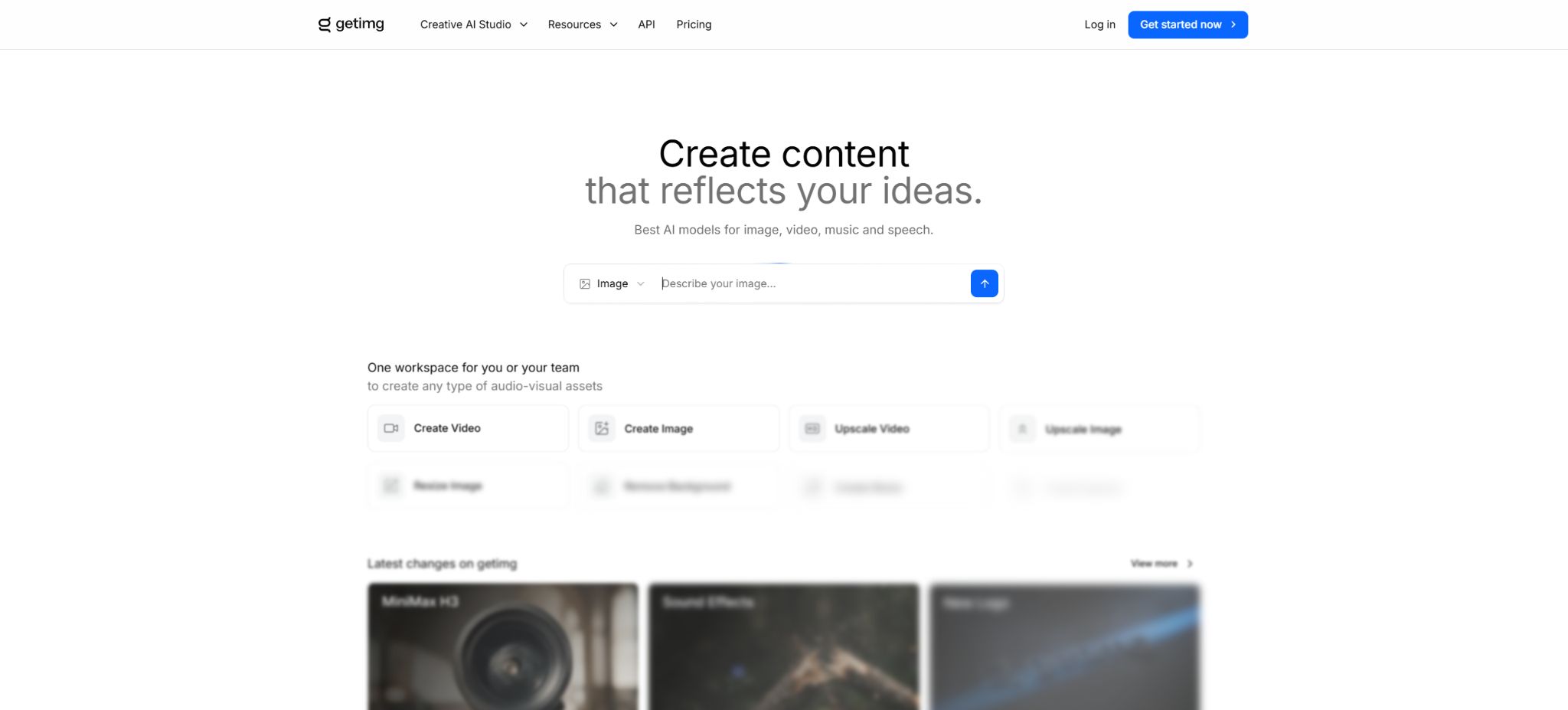
getimg.ai is an AI-powered workspace for individual creators and teams, dedicated to handling images, videos, and audio; it has been operated by a European team since 2022. It brings together popular generation models, natural language editing tools, functions for enlarging or resizing content, image cropping, music and voice processing, as well as team asset management, all in one interface, thereby reducing the need to switch between various model websites.
The current product has been upgraded from the early Stable Diffusion toolkit to Content Generator.
Users can use Auto mode to let the system select a model based on suggestions, or they can manually specify image, video, and audio models such as Seedream, Nano Banana, FLUX, GPT Image, Qwen, Veo, Kling, Sora, Seedance, Hailuo, Lyria, and Eleven.
AI image generation
The image generator supports text prompts, up to 10 reference images, batch creation, as well as various options for image size and quality. Smart Prompt Enhancement allows short descriptions to be expanded into more detailed prompts, making it suitable for beginners.
When precise control is required, the enhancement can be turned off and a specific model selected.
In Auto mode, the model is selected automatically based on the task, which reduces the cost associated with testing each option individually; however, it is possible that a model with a higher score will be chosen. When working to maintain a fixed budget or to reproduce a project, it is necessary to manually specify the model, resolution, quality, reference images, and instructions, while also keeping a record of the details related to the generation process.
Multi-model selection
The platform currently integrates various image models such as Seedream 5.0, Nano Banana 2, FLUX.2, GPT Image, Qwen Image, and Z-Image Turbo, as well as video models like Google Veo 3.1, Kling 3.0 and O3, Seedance 2.0, Sora, and MiniMax Hailuo. The list of available models is updated frequently as new versions are released by the suppliers.
The different models vary significantly in terms of text presentation, consistency of characters, product details, number of reference images, video and audio quality, and price. It is possible to view the Credits cost displayed by the tool before generation, and the number of images for a particular model indicated on the pricing page cannot be applied to all models.
Reference images and image generation
References can influence the face, characters, objects, style, color palette, lighting, composition, and perspective. Up to 10 references can be used to meet various requirements simultaneously, such as including a product, a scene, and the brand’s colors at the same time.
Traditional Image to Image also allows control of the degree to which the resulting image resembles the original one, by adjusting its intensity.
Relying on multiple sources does not guarantee that all details will be retained, and it may cause the model to confuse the attributes of individuals or products. Before uploading images of real people, customer materials, or works created by others, it is necessary to obtain permission regarding their portraits and copyrights.
Elements: Reused characters, products, and styles
Elements represents the current consistency feature. Users can save character photos, product images, style or color references as reusable elements; thereafter, they can invoke them by entering the corresponding @name, without the need to re-upload them each time or to wait for traditional model training.
It is suitable for brand products, fixed characters, virtual avatars, and series visuals. Elements can be shared in team spaces, allowing different members to use the same references.
Consistency in identity and product features may still vary; it is necessary to check the logos, packaging, and design of advertising and e-commerce images.
DreamBooth training has been converted to an older feature.
In the early version of getimg.ai, the Model Trainer used DreamBooth to train characters or styles on FLUX.1 dev; at least 3 images were required, with 10 to 20 images being recommended.
The authorities have announced that, starting from February 28, 2026, new traditional training methods as well as the old Stable Diffusion and SDXL processes will be discontinued; existing models will remain accessible, while the creation of new consistent content will be handled through Content Generator and Elements.
Therefore, “the ability to retrain the DreamBooth model” should no longer be listed as a key selling point. Existing users can continue to manage their current models, but once custom models are deleted, they cannot be restored.
To train a real-person model, permission from the individual must be obtained.
Natural language image editing
After opening any image that has been generated or uploaded, users can enter commands such as “remove background,” “convert to black and white,” “replace objects,” or “change hairstyle,” and they can also add reference images and select the model to be edited. The original image is not overwritten; instead, a new version is created.
Image Editor also supports local repair, background replacement, image enlargement, and export. Once editing is complete, the image can be sent directly to Upscaler or Video Generator, thereby reducing the need for repeated downloads and uploads.
The model may still modify unspecified areas; key items and characters should be compared before and after.
Image zooming and intelligent resizing
Entry supports zooming in on images up to 4K resolution; Core supports up to 8K, while Plus and Ultra support up to 16K. Smart Image Resizer adds or rearranges content as needed to fit the desired format, making it suitable for adapting a main image for banners, vertical layouts, and square social media posts.
The enlarged textures and text may be regenerated by AI, and this does not mean that the true details are restored. Images related to printing, construction, healthcare, e-commerce, and identification documents require manual verification.
Background and common editing tools
The independent Actions include tasks such as Remove Background, Change Background, and Swap Hairstyles, and can be invoked directly from the image library. Background removal is suitable for transparent product images, while background replacement is appropriate for e-commerce and marketing scenarios.
Hair style replacement is part of the creative preview and should not be used to mislead people regarding the actual outcome.
AI video generation
The video feature supports creating videos from text or images, as well as providing control over the first frame and guidance using reference images. Some models allow for multiple cameras, original audio, or different resolutions.
Users can click on existing images to use them as a reference for videos or as the first frame, in order to continue with the same project.
Videos consume Credits based on the model used, duration, resolution, whether native audio is included, and the number of frames generated. The faces of characters, their clothing, products, and the background can change as they move; therefore, each frame of the video needs to be checked carefully.
Video zoom
Video Upscaler is used to increase the resolution and clarity of existing videos. It is suitable for enhancing social media content, old footage, and AI-generated videos, but it cannot guarantee the restoration of real faces or small text.
High-resolution output also increases processing costs and file size.
Music, voice, and sound effects
The platform offers functions for creating music, speech, and sound effects. Music can be generated based on style, mood, and purpose, with durations ranging from about 30 seconds to 3 minutes;
Speech converts scripts into narration in a chosen language, with a specific tone and accent; sound effects are used to create background sounds and audio effects in films, videos, and social media content.
Audio models and licenses can vary. Before using real-person voices, commercial music, or Content ID, it is necessary to review the terms related to the respective models and platforms; one should not ignore third-party rights to voices and trademarks just because a \"paid package allows commercial use\".
Image gallery, folders, and 30-day trash bin
All media items are added to the content library in chronological order; it is possible to save them, filter them, view models, prompts, citations, and the exact creation dates, as well as download, move, or delete them in bulk. Folders can be used to organize materials by customer, campaign, or style.
Deleted content is first moved to the Trashed folder where it remains for 30 days; during this period it can be restored, after which it is permanently deleted. For long-term projects, it is necessary to back up the final outputs, the original images, and the parameters used for creation, as one cannot rely solely on the cloud-based history.
Team workspace
Teams allows multiple members to create, upload, and organize images, videos, and audio in the same space. Folders, Elements, favorites, and a history of creations are visible to all members of the team, making it suitable for organizations, agencies, and internal content teams to maintain a consistent brand identity.
A team can be set as a public space within a Workspace or as a private space accessible only to invited members. The member roles are Admin and Creator; the Admin can invite or remove members, change their visibility settings, and delete the team.
The Creator is responsible for generation and asset management.
Materials from different teams are isolated from one another, and cannot be referenced across teams directly.
Core allows for the creation of 2 Teams, Plus enables 5 Teams, and Ultra permits 10 Teams. The pricing is based on the number of seats, with each seat coming with a certain amount of monthly Credits; the total cost should be calculated according to the actual number of users.
Free to use
getimg.ai allows users to register for access to some of its functions on a trial basis; however, the current public pricing page lists only the paid versions Entry, Core, Plus, and Ultra. The free tier, the models available, download options, and commercial rights may change, and it is necessary to refer to the real-time information displayed in the account for accurate details.
Commercial rights are explicitly included in all paid packages. Content generated for free should not be used for customers, advertisements, products, or paid services without first checking the terms.
Price and version comparison
| Package or version | Prices, quotas, and core benefits |
|---|---|
| Entry package | The Entry plan costs $10 per month; when paid annually, the cost is $8 per month, for a total of $96 per year. Taxes are additional. Users receive 3,000 Credits per month, which allow access to 11 image models and 9 video models. The plan supports 4K resolution, integration of music and voice, execution of up to 2 generation tasks at the same time, and includes commercial usage rights. The price page estimates around 60 images with the Auto mode, but the actual number depends on the models and settings used. The range of models available under the Entry plan is smaller than that of higher-tier plans, and no additional Credits can be purchased. |
| Core package | The core service costs $30 per seat on a monthly basis; when paid annually, the cost is $25 per seat per month. The total annual cost for one seat is $300, with taxes added separately. Each seat comes with 15,000 credits per month, access to all image and video models, 8K scaling, the ability to handle 4 tasks simultaneously, and up to 2 Teams accounts. According to the pricing page, the Auto mode allows for approximately 300 images. Adding more seats to a team results in additional costs and credits; the price per seat should not be taken as the total cost for the entire team. |
| Plus package | The monthly cost for Plus is 65 dollars per seat; when paid annually, the cost comes to 55 dollars per seat per month. The total annual cost per seat is 660 dollars, with taxes added separately. Each seat receives 35,000 Credits per month, as well as 16K of zoom capability, support for 8 tasks at the same time and up to 5 Teams. Additional credits can be purchased when the remaining balance falls below 10% of the monthly quota. The price page estimates that around 700 images can be processed in Auto mode. The actual price and validity period of additional credits are indicated on the Billing page. |
| Ultra package | The Ultra plan costs 175 dollars per seat on a monthly basis; when paid annually, the cost is 150 dollars per seat per month. The total annual cost for one seat is 1800 dollars, with taxes added separately. Each seat comes with 100,000 Credits per month, 16K resolution, support for 10 tasks at the same time and up to 10 Teams; credit top-ups are also available. According to the pricing page, the Auto mode allows processing of around 2000 images. High-resolution video models can quickly consume tens of thousands of credits, and professional teams still need to calculate costs based on the number of shots, duration, and the rate of rework. |
| Web subscriptions do not include an API. | The getimg.ai API is a standalone, pay-as-you-go service; there is no need to subscribe to a web package first, and the web Credits cannot be used with this API. Developers can top up funds on the Dashboard, generate keys, and view their usage levels, with the cost of each response being displayed. |
Entry package
The monthly fee for Entry is $10; when paid annually, the cost is $8 per month, totaling $96 for the whole year. Taxes are additional. Users receive 3000 Credits per month, which allow access to 11 image models and 9 video models. 4K scaling, music and voice support, the ability to carry out two generation tasks at once, and commercial usage rights are also included.
The price page estimates around 60 images in Auto mode, but the actual number is determined by the model and settings. The model options available in the Entry version are fewer than those in the higher-tier plans, and no Top-up Credits are provided.
Core package
The Core plan costs $30 per seat on a monthly basis; when paid annually, the cost is $25 per seat per month. The total annual cost for each seat is $300, with taxes added separately. Each seat comes with 15,000 Credits per month, access to all image and video models, 8K scaling, the ability to handle 4 tasks simultaneously, and up to 2 Teams accounts.
According to the pricing page, the Auto mode is estimated to handle around 300 images. Adding more members to the team results in additional costs and points; the price per member should not be considered as the total cost for the entire team.
Plus package
The Plus plan costs 65 dollars per seat on a monthly basis; when paid annually, the cost is 55 dollars per seat per month. The total cost for one seat for an entire year is 660 dollars, with taxes added separately. Each seat comes with 35,000 Credits per month, 16K levels of zoom, support for 8 tasks simultaneously and up to 5 Teams. Additional credits can be purchased when the remaining balance falls below 10% of the monthly quota.
The price page estimates that around 700 images can be processed in Auto mode. The real-time price and validity period for additional shots are indicated on the Billing page.
Ultra package
For Ultra, the monthly cost is 175 dollars per seat; when paid annually, it amounts to 150 dollars per seat per month. The total annual cost per seat is 1800 dollars, with taxes added separately. Each seat comes with 100,000 Credits per month, 16K of zooming capability, support for 10 tasks at the same time and up to 10 Teams; credit top-ups are also available.
According to the pricing page, the Auto mode is estimated to handle around 2,000 images. High-quality video models can quickly consume 100,000 points; professional teams still need to calculate costs based on the number of shots, duration, and the rate of rework.
Points rules
All operations require at least 1 Credit; the actual cost depends on factors such as the model, the number of images or videos, resolution, quality, and the quality of the original audio. The amount to be charged is displayed in advance above the execution button.
The planned Credits are reset on the date corresponding to the day of subscription purchase, rather than on the 1st of each month. Any unused amount is not carried over.
The upgrade can be processed based on the proportion of points already used, with any difference settled accordingly; once canceled, it can still be used until the end of the current period.
Payment and cancellation
The platform accepts major credit and debit cards, as well as PayPal, Apple Pay, and Google Pay. Subscriptions can be canceled at any time, while the benefits and credits remain valid until the end of the paid period.
Annual payment is nominally 20% cheaper than monthly payment; taxes are charged separately.
Web subscriptions do not include an API.
The getimg.ai API is a standalone, pay-as-you-go service; there is no need to subscribe to a web package first, and the web Credits cannot be used with this API. Developers can top up funds on the Dashboard, generate keys, and view their usage levels, with the cost of each response being displayed.
Image and video APIs
The API offers a variety of image and video models through a unified interface. Image requests are typically returned synchronously, while for video requests, it is necessary to poll for status after they are submitted.
The official source provides examples of JavaScript SDKs; it is also possible to send JSON requests directly.
The current publicly available example prices are as follows: Nano Banana 2 Lite costs $0.035 per 1K image, Gemini Omni Flash charges $0.11 per second for 720p videos, HappyHorse 1.1 costs between $0.14 and $0.18 per second, and Kling 3.0 Turbo ranges from $0.112 to $0.14 per second. These prices and models can change, so it is necessary to check the latest information on the developer’s page when planning a production budget.
API keys must be stored on the server side; they cannot be embedded in the frontend or placed in public repositories. Developers are also responsible for handling content moderation, concurrency issues, retry attempts in case of failures, as well as managing temporary result addresses and user deletion requests.
Commercial use and copyright
All paid plans allow for commercial use of the generated images and videos, which can be used in client projects, advertisements, products, and social media content; no separate commercial license is required. The pricing page also outlines the applicable terms of the model licenses.
Commercial licenses are not the same as copyright. Outputs generated by pure AI may not be protected by copyright in certain jurisdictions, and such outputs might contain third-party trademarks, characters, portraits, or similar works.
Users still need to verify the entered rights and the final content.
Privacy and data security
getimg.ai states that its team is located in the European Union and places a strong emphasis on privacy, security, and transparency. The cloud services store uploaded files, generation history, Elements, as well as team assets to enable various functions.
Every team member can see all the content of that team.
This was not generated locally offline. Before uploading confidential customer information, unreleased products, and real-person data, it is necessary to review the latest privacy policy, as well as the procedures for handling data with third-party models, the retention period, and the process for deleting such data; moreover, private teams and the principle of minimum permissions should be applied.
Support for platforms and open-source status
- Web browser version;
- The team shares a Workspace;
- APIs for generating images and videos;
- JavaScript SDK and standard HTTP calls.
getimg.ai is a commercial cloud aggregation platform; its complete source code for the workspace, model routing, editing functions, billing system, and team management is not made available publicly. While some of the underlying models may be available under open licenses, the platform itself is not an open-source tool, nor does it offer full options for private deployment.
getimg.ai Usage Guide
Complete a basic task.
- Clarify the purpose of the image, its dimensions, style, and requirements regarding commercial licensing.
- Upload the original image for which you have usage rights to getimg.ai, or provide clear instructions;
- Select AI image generation to create low-cost candidates first;
- Use multiple models to refine composition, subject, and details;
- Zoom in to examine faces, hands, text, edges, logos, and artifacts;
- Export after confirming the color, resolution, and licensing, while retaining the original image;
Create reusable professional workflows
- Create a list of brand colors, fonts, layout elements, and elements that are prohibited.
- Test AI image generation, multi-model selection, as well as reference images and image generation separately;
- Use the same set of representative samples to compare quality, speed, and cost;
- Complex edges, text, and images of key products should be handed over for manual refinement.
- Standardize naming, dimensions, and review status;
- Batch processing and release are carried out after random inspections;
Which users is it suitable for?
- Creators who wish to use multiple image and video models within a single subscription;
- Teams responsible for creating ads, e-commerce content, social media materials, and product assets;
- Users of Elements who require consistency in terms of characters, products, and brand style;
- Content producers who place images, videos, music, and narration within the same project;
- Agencies and studios that need to share assets, folders, and permissions;
- Developers who integrate image and video generation into their products using pay-as-you-go APIs.
Product advantages
- Images, videos, music, audio, and sound effects are all fully covered;
- The Auto mode lowers the barriers to choosing among multiple models.
- Up to 10 reference images can be used to enhance consistency in the Elements series;
- Natural language editing, 16K scaling, intelligent resizing, and object extraction built-in;
- The team space allows for the isolation of assets and supports role management;
- All paid plans include commercial rights;
- The API is billed on a pay-as-you-go basis and provides accurate usage data.
Restrictions and Precautions
- The old versions of StableDiffusion, SDXL, and DreamBooth, as well as the corresponding training methods, were discontinued in February 2026; therefore, the old tutorials do not reflect the current capabilities.
- New projects should use ContentGenerator and Elements;
- Credits are not carried over, and the costs vary significantly between different models; the number of images shown on the price page is merely an estimate in Auto mode.
- Team packages are charged per seat;
- Web subscriptions do not include an API, and an API requires separate payment;
- Asynchronous video generation also requires programs to handle status and failure cases;
- AI outputs may contain errors in text, characters, products, and continuity;
- A business license does not guarantee that the work enjoys exclusive copyright or is free from infringement;
- All members of the team can access the shared assets, while sensitive content requires selecting the appropriate team, setting appropriate permissions, and performing regular cleanup.
Frequently Asked Questions
Is getimg.ai free?
It is possible to register for a trial with limited functions, but the current stable commercial versions are Entry, Core, Plus, and Ultra. Full functionality, quota limits, and commercial rights require payment.
How much does getimg.ai cost?
The monthly fees are 10 dollars for Entry, 30 dollars per seat for Core, 65 dollars per seat for Plus, and 175 dollars per seat for Ultra. The annual fees correspond to 8, 25, 55, and 150 dollars per month respectively; taxes are additional.
Will the points be carried over?
No. The package points are reset each month on the date corresponding to the day of purchase, and any unused balance is cleared.
Top-up can be purchased when the Plus and Ultra balances are below 10%.
Can DreamBooth also be trained?
New creations are not allowed. Starting from February 28, 2026, the new consistency creation method will be replaced by Elements, which requires no training.
The old model is still accessible.
Can the generated content be used for commercial purposes?
All paid packages include commercial rights, but users still need to handle the licensing aspects related to copyrights, trademarks, portraits, and the specific models chosen.
Does web subscription include an API?
It is not included. The API is a standalone, pay-as-you-go product; no subscription is required, but separate payment and keys are needed.
Is getimg.ai open source?
It is not open source; it is a commercial cloud-based creative and team platform that aggregates multiple models.
Tools similar to getimg.ai



 Guigong Network Security Registration No. 45132202000164