






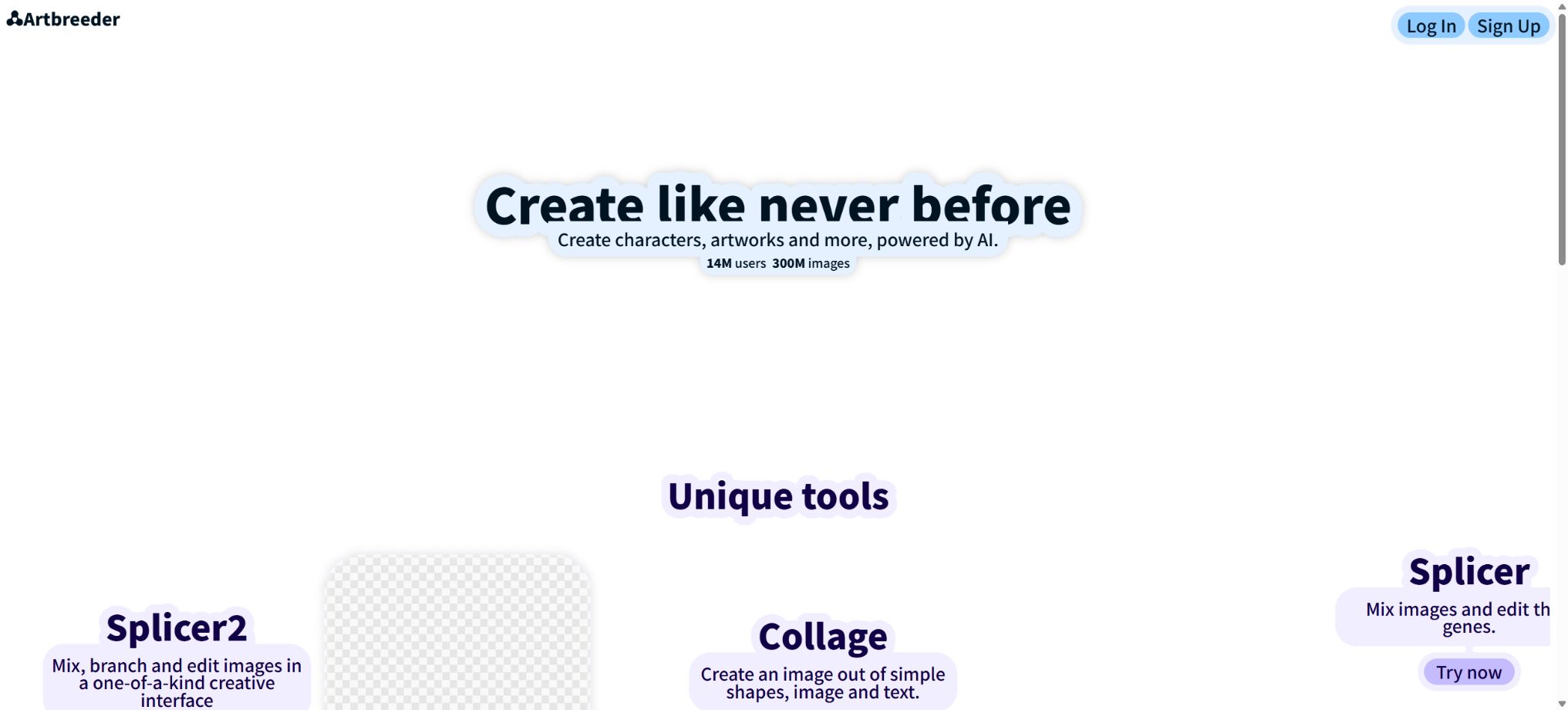
Artbreeder
Explore creative communities for AI images through mixing, adjustment, and collaboration
Tags:AI image illustration generationWhat is Artbreeder?
Artbreeder is an AI creation platform that features image blending, branching exploration, and community collaboration; it was originally named Ganbreeder. In its early stages, it used StyleGAN and BigGAN to represent images such as portraits and landscapes as adjustable “genes,” and later it expanded its capabilities to include text-to-image generation, synthesis of reference images, collage control, image editing, image enlargement, and video generation from images.
Compared to generators that only accept prompt inputs, Artbreeder is better suited for creating variations from existing images: users can combine multiple reference images, adjust features related to characters or style, choose different paths along the generation tree, and further remix works created by the community. This tool also supports new models such as GPT Image, Nano Banana, Flux, Krea, and SDXL.
Composer: Precisely blends images and text.
Composer allows multiple images to be used as references for content, style, or composition, with text used to guide the creation process. Users can adjust the degree of influence of each reference image, and they can also place or draw images within the canvas area so that specific people, objects, or textures appear in desired locations.
Paint Mode allows different images to be applied to the canvas area and overlapped with one another, making it suitable for creating compositions with two elements or combining characters with backgrounds. If the intensity of the overlay is too high, it may result in the image appearing similar to the original one or make it difficult to coordinate the various elements; if the intensity is too low, the features of the image will be lost.
The settings should be adjusted gradually to arrive at a satisfactory version.
All Pro tiers allow unlimited generation of basic results in Composer; however, using the Enhance feature may still require credits. According to the official updates, Enhance costs 0.1 Credits per use for all users, while the cost associated with high-quality models is indicated on the interface.
Splicer 2: Tree-like branching and gene editing
Splicer 2 uses a tree-like interface to mix, edit, and explore images. Each time, several variations are generated from the current image; the user can choose one of them to pursue further, or return to a previous node to try another direction.
It is suitable for the exploratory development of character sketches, portraits, monsters, and visual concepts.
The classic Splicer still retains the concept of “Genes”; it allows for adjustment of age, expression, gender appearance, color, style, and other potential characteristics. These genes are not precise parameters representing a person’s physical traits or identity, and changes in the sliders can affect multiple attributes at once; they should also not be used for identifying real people or making professional judgments.
Mixer 2: Up to four reference images can be used together for collaborative ideation.
Mixer 2 allows the upload of up to 4 images along with textual instructions; the system first generates several creative concepts along with corresponding prompts, and then creates an image for each concept. Users can continue to make variations, edit the prompts, and switch between different models, with the entire exploration process being saved within the session.
It is more like a visual brainstorming tool, suitable for combining references of products, colors, characters, and scenes to come up with new ideas. The resulting mixture does not retain the details of each individual image; in commercial design, it is necessary to check the brand elements and ensure that the use of the reference materials is permitted.
Prompter: Text-to-image generation and image editing
Prompter allows for the entry of positive descriptions, negative descriptions, as well as parameters regarding image size and the starting image, so as to generate visual content. The Normal mode is used for text-to-image generation; the Instruct mode enables the modification of existing images using natural language; the In-Paint mode allows for the re-generation of a specific area of an image.
The platform continues to add new models. Updates in 2026 will include Flux 2, Flux 2 Flash, Nano Banana Pro, GPT Image 1.5, GPT-2 Image, as well as Krea 2 Large and Krea 2 Turbo, among others.
Models differ in terms of realism, text presentation, speed, reference preservation, and integration cost; the list of available options may continue to change.
Collager: Control the composition using shapes, images, and text.
Collager allows users to place simple shapes, brushstrokes, text, and images from Artbreeder on a canvas; the AI then transforms this collage into a complete image. The user decides on the position of the elements, their relative order, and the overall color scheme, while the model is responsible for adding style and details.
Collager can be used independently, or it can be incorporated into Composer as part of a Composition, thereby enabling a combination of spatial control and control over multiple reference styles. The clearer the collage, the more stable the composition usually is.
Too many minor elements may be ignored by the model or merged incorrectly.
Animator: Converting images into videos
Animator converts static images and textual captions into short videos, supporting various video models. The platform includes models such as Wan 2.5 that feature native audio, enabling the creation of both video content and audio.
This tool is currently available primarily to subscribed users, with Credits consumed based on the model selected.
Tusheng Video is prone to issues such as changes in facial features, flickering of objects, incorrect limb movements, and background shifts; it is suitable for concept previews, social media videos, and creative ideas, but should not be used directly in official brand content without first being reviewed.
Outpainter for image expansion
Outpainter can expand the content beyond the edges of an image, change its aspect ratio, or add elements to the scene. It is useful for converting square images into horizontal banners or vertical posters, as well as for leaving space for a subject within the image.
The new areas are inferred by AI; building lines, repetitive textures, and human limbs need to be examined more closely.
Worlds: Experimental World Construction
Worlds is an experimental platform for creating scenes and stories from any image, with a focus on world construction and narrative exploration. It is suitable for concept art and generating interactive ideas, but its experimental features may vary; it cannot be considered a mature game engine or a stable API for production purposes.
Portraits and Genes
The classic Artbreeder portrait tool allows users to upload photos of the front face, combine different parent images, and adjust underlying genes. The uploaded images are re-encoded by neural networks, and as a result, the original image is not usually preserved at the pixel level.
Input of a frontal, clear, and complete face yields results that are closer to the desired outcome.
This type of encoding and mixing is suitable for creating fictional character concepts, but not for purposes such as identity verification, determining age, or inferring real genetic information. It is necessary to obtain consent before uploading someone else’s portrait, and it must not be used to create deceptive or defamatory content.
Community browsing, Lineage, and Remix
Public works are displayed on the Browse page and on users’ profiles, where others can view them, like them, and continue to modify them; moreover, it is possible to track the parent images and branches of a particular image using Lineage. The Daily Remix Party starts with a seed image, and multiple people work together to create new versions of it, thus forming a collaborative image tree.
Sharing publicly can lead to greater visibility and inspiration, but it also means that the work can be legally reused by others. For client projects that require exclusivity or for characters that have not yet been released, Private Mode should be activated before creation, rather than assuming that all copies can be removed after the content has been published.
Daily matches and achievements
Artbreeder offers themed competitions, voting options, and achievement rewards. Users can submit their works, participate in the voting that takes place the following day, and earn Credits.
If private images are used in a competition, they will become public once voting starts.
The Credits obtained through Achievements expire on the next subscription reset date; users can postpone collecting them and use them when needed. The themes of the competitions, the prizes, and the rules change every day, so they should not be considered a reliable source of points.
Public works use CC0.
The Artbreeder terms require users to release the images created on the platform under the Creative Commons CC0 license, which is equivalent to placing them in the public domain: anyone can use them for any purpose, including commercial use, and usually there is no need to give credit. The platform still recommends indicating the corresponding lineage when the resulting work is very similar to the original image.
This open rule forms the basis of the Artbreeder collaborative ecosystem; it also means that it is difficult to maintain exclusivity over publicly shared works. Users cannot prevent others from using their publicly available images just because they created them themselves, and the licenses granted remain valid even after the account is deactivated.
Private Mode
Subscribers can set individual images to private, or enable global Private Mode so that any content created thereafter is not visible or usable by others by default. The official FAQ states that even after the subscription ends, images that have been set to private will remain private forever.
Private mode is primarily used to control the visibility of the platform, and it should not serve as a replacement for confidentiality agreements or local backups. When using third-party models, synchronizing data with Google Drive, or uploading sensitive information, it is also necessary to review the relevant data processing policies.
Free to use
Free features such as Splicer can still be used even without a subscription, and Collager can operate at a slower speed once the Credits are exhausted. Prompter, Animator, high-resolution mode, fast mode, and certain models require credits or a subscription.
Free generation is usually public and subject to the CC0 rules; it may also include advertisements, slower processing times, and lower download resolutions. Projects that require private and high-quality outputs should consider the Pro version.
Price and version comparison
| Package or version | Prices, quotas, and core benefits |
|---|---|
| Starter price | The current annual Starter plan costs $7.49 per month; the payment is made for 12 months in advance, granting 1200 Credits for the whole year. Based on the pricing information, it is possible to generate around 12,000 SDXL images. This plan includes ad-free use, privacy controls, synchronization with Google Drive, unlimited generation using Composer, and the fast mode of Splicer. |
| Advanced price | The Advanced annual plan costs $15.99 per month, granting 3300 Credits for the whole year; this amounts to approximately 33,000 SDXL images, according to official estimates. It offers the same core features as the Starter plan, with the main differences being the larger number of credits and a lower cost per unit, making it suitable for those who use the advanced models more frequently for tasks related to enhancements and animation. |
| Champion price | Champion costs 30.99 dollars per month on a yearly basis, granting 8400 Credits for the whole year; this amounts to approximately 84,000 SDXL images. It offers the lowest cost per credit among the three available tiers. It is intended for creators who generate content frequently, but the actual cost per image or video for different models can be much higher than the estimated cost for SDXL. |
| Monthly payment and real-time prices | The pricing page allows switching between monthly and annual payment options; however, the amounts displayed for annual payment as well as the annual Credits are fixed. The monthly price, taxes, and settlement amounts depending on the region are determined based on the real-time information on the purchase page, and the discounted annual price cannot be considered as the amount that needs to be paid each month. |
Starter price
The current annual Starter plan costs $7.49 per month; the payment is made for 12 months in advance, granting 1200 Credits for the whole year. Based on the pricing information, it is possible to generate around 12,000 SDXL images. This plan includes ad-free use, privacy controls, synchronization with Google Drive, unlimited generation using Composer, and the fast mode of Splicer.
Advanced price
The Advanced annual plan costs $15.99 per month, granting 3300 Credits for the whole year; this amounts to approximately 33,000 SDXL images, according to official estimates. It offers the same core features as the Starter plan, with the main differences being the larger number of credits and a lower cost per unit, making it suitable for those who use the advanced models more frequently for tasks related to enhancements and animation.
Champion price
Champion costs 30.99 dollars per month on a yearly basis, granting 8400 Credits for the whole year; this amounts to approximately 84,000 SDXL images. It offers the lowest cost per credit among the three available tiers. It is intended for creators who generate content frequently, but the actual cost per image or video for different models can be much higher than the estimated cost for SDXL.
Monthly payment and real-time prices
The pricing page allows switching between monthly and annual payment options; however, the amounts displayed for annual payment as well as the annual Credits are fixed. The monthly price, taxes, and settlement amounts depending on the region are determined based on the real-time information on the purchase page, and the discounted annual price cannot be considered as the amount that needs to be paid each month.
Credits rules
Credits are used for high-quality models, rapid generation, enhancement, animation, and other operations that require significant computational resources. Basic generation with Composer is available to subscribers unlimited times, while Splicer and the slower Collager still offer a certain amount of free usage even after the credits run out.
Points are not carried over at the moment: monthly subscriptions are reset each month, while annual subscriptions are reset annually. When the balance runs low, it is possible to renew or upgrade in advance, or to purchase more Credits on the account page.
The price of the model and the number of images that can be generated at one time vary; the figure provided by the developers for SDXL is merely an estimate.
High-resolution downloads synchronized with Google Drive
Pro offers high-resolution download options of up to 2048 pixels, and it allows new images to be automatically synced to Google Drive, thereby reducing the need for manual downloads. Once synced, the files are subject to the permissions and storage policies of the Google account; for team projects, it is necessary to use the appropriate Drive account and to review the sharing settings regularly.
Content safety and NSFW review
The platform automatically marks images that may be NSFW. Users can request a review to remove such markings at an additional cost; free users can do this 3 times per day, while subscribers have no such limit.
The review entry does not mean that it is allowed to create content that violates rules; compliance with the platform’s terms and the laws of the relevant jurisdiction is still required.
The company and its technical background
Artbreeder is operated by Morphogen, Inc., with Joel Simon as its creator. The classic version of this system uses BigGAN and StyleGAN, and it was inspired by evolutionary exploration methods such as Picbreeder.
The authorities once provided a minimal open-source version that used BigGAN, but currently the full website, Composer, Splicer 2, model integration, community, and billing system are not all available under an open-source license.
Supported platforms and APIs
Artbreeder is primarily used through a web browser; it does not offer a fully functional generation API that is available to ordinary developers, one that is stable and comes with official billing documentation. The terms prohibit the use of robots, scripts, crawlers, or any other unauthorized methods to create accounts or access the service, as well as the scraping of internal interfaces for mass creation.
Artbreeder usage tutorial
Complete a basic task.
- Clarify the purpose of the image, its dimensions, style, and requirements regarding commercial licensing.
- Upload the original images for which you have permission to use, or provide clear instructions;
- Select Composer: It enables precise blending of images and text to create low-cost candidates first;
- Using Splicer 2: Tree-like branching structures along with gene editing to adjust the composition, main elements, and details;
- Zoom in to examine faces, hands, text, edges, logos, and artifacts;
- Export after confirming the color, resolution, and licensing, while retaining the original image;
Create reusable professional workflows
- Create a list of brand colors, fonts, layout elements, and elements that are prohibited.
- Test Composer separately: for the precise blending of images and text; Splicer 2: for tree-like structures and gene editing; and Mixer 2: for creating designs using up to four reference images.
- Use the same set of representative samples to compare quality, speed, and cost;
- Complex edges, text, and images of key products should be handed over for manual refinement.
- Standardize naming, dimensions, and review status;
- Batch processing and release are carried out after random inspections;
Which users is it suitable for?
- Creators of characters, portraits, and concepts through blended imagery and branching exploration;
- Designers who need to take into account diagrams, style, and spatial composition in order to achieve proper control over the design;
- Learners of AI art who wish to continue creating Remixes from publicly available works;
- An author who provides inspiration for creating game characters, novel protagonists, and scenes;
- Visual artists who use collage to quickly determine the layout of posters or storyboards;
- Subscribers who need to convert static concept diagrams into short videos.
Product advantages
- Mixing, genetic sliders, and tree-like branches are distinctly different from one another;
- Composer allows separate control over content, style, and composition;
- Mixer 2 can transform multiple references into various creative concepts;
- Prompter continuously integrates the latest image models;
- Collager, Outpainter, and Animator are used for composition, image expansion, and animation;
- Community Lineage facilitates learning the generation process and collaborative Remixing;
- The subscription offers a private mode as well as automatic synchronization with Google Drive.
Restrictions and Precautions
- Publicly created content is shared under CC0, and it is not suitable for client projects that require exclusive copyright or strict confidentiality.
- Private mode must be enabled before creating;
- Points are not carried over, and the number of SDXL images available for annual promotion is merely an estimate based on low-cost models;
- New models and videos consume more resources;
- When a portrait is uploaded, it is re-encoded by the model, which prevents an accurate reproduction of the original photo.
- Referencing diagrams may also violate portrait, trademark, or copyright laws;
- Tools and models are updated frequently, and older versions of Mixer, Tuner, Poser, as well as earlier Prompter tutorials may have been replaced by Composer or newer tools.
- Community collaboration is suitable for exploration, but making parameters, lineage, and remixes public reduces the exclusivity of the works.
- Important documents still need to be backed up locally;
Frequently Asked Questions
Is Artbreeder free?
There are free features available, such as Splicer and the slow Collager; high resolution, private mode, fast generation, animations, and new models require a subscription or Credits.
How much is Artbreeder?
The current annual pricing is $7.49 per month for Starter, $15.99 per month for Advanced, and $30.99 per month for Champion; these plans include 1200, 3300, and 8400 annual Credits respectively. The monthly fees and taxes are as indicated on the settlement page.
Can the generated images be used for commercial purposes?
Images made public under CC0 can be used for commercial purposes, and anyone is free to reuse them. The user remains responsible for the rights related to the input materials, real people, and third-party brands.
How can I prevent others from using my work?
After subscribing, enable Private Mode before generating the content, or set individual images to private. According to the official instructions, images that were set to private remain private even after unsubscribing.
What is the difference between Composer and Mixer 2?
Composer emphasizes precise control over the content, style, and spatial position of each reference; Mixer 2 is more like a multi-reference visual brainstorming session, where multiple concepts and ideas are presented first before further variations are created.
Are Credits carried over?
Not at the moment. The reset occurs on a monthly basis for the monthly plan, and on an annual basis for the annual plan.
The Achievement points also expire on the next renewal date of the subscription.
Is Artbreeder open source?
The entire platform is not open source. The developers have provided a minimal example of BigGAN, but the current creation tools, model services, and community systems are commercial cloud-based products.
Tools similar to Artbreeder



 Guigong Network Security Registration No. 45132202000164