






Playground AI
An AI creation platform for posters, social media visuals, and image editing
Tags:AI image illustration generationWhat is Playground AI?
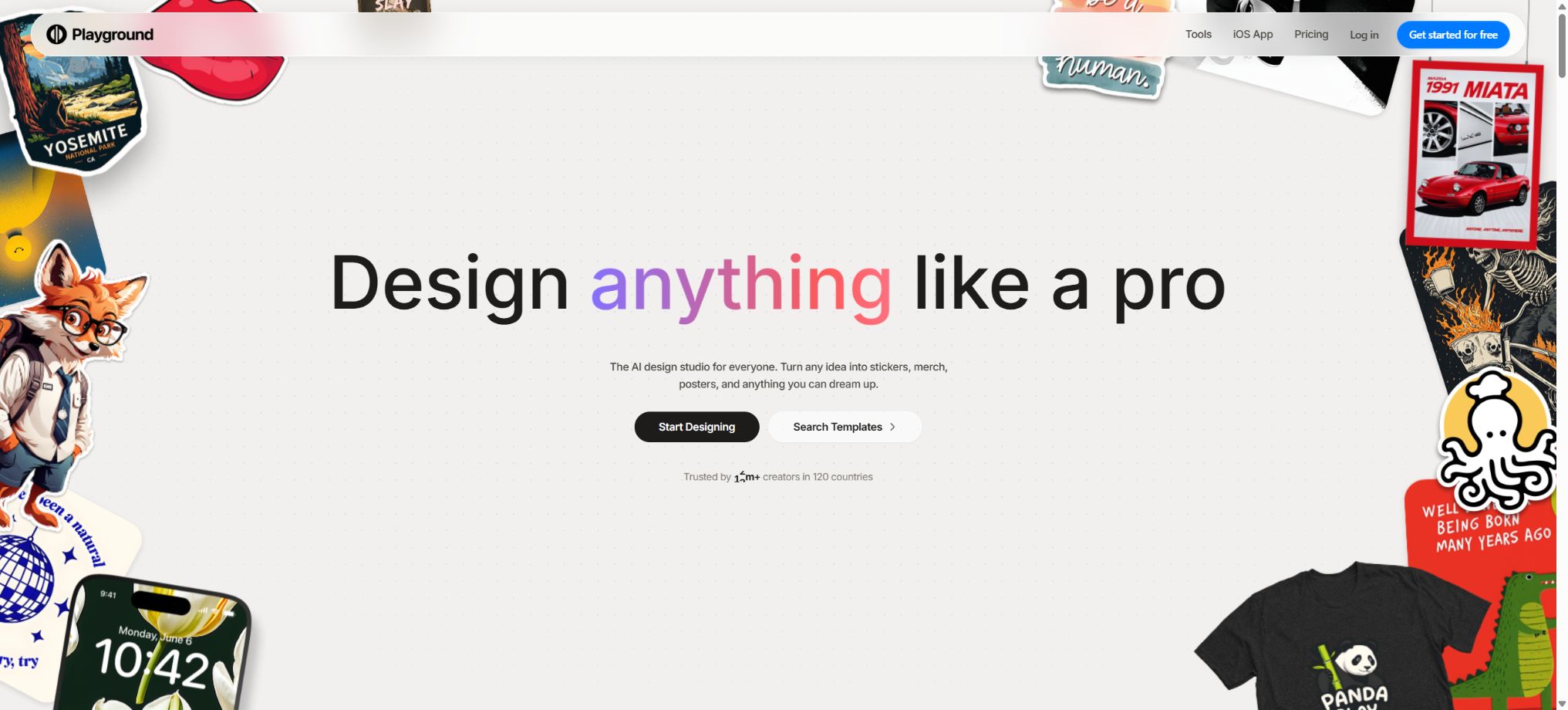
Playground AI is an AI-based graphic design platform designed for ordinary users and content creators. The current version focuses on template categories and design editing; users can choose from options such as social media images, posters, logos, T-shirts, stickers, greeting cards, phone cases, and album covers, and then use textual descriptions to create or modify designs.
It was originally known for its free canvas-based image generation tools, Board and Canvas, but those older products were discontinued in January 2025. The current Playground functions more like an \"AI design assistant,\" focusing on combining images, text, and layouts to create visual outputs that can be downloaded directly, rather than serving as a lab with advanced parameters for users of Stable Diffusion.
Template-driven AI design
The user first enters the desired design category, then selects a template or enters a description. The platform generates the design based on the dimensions, composition, and purpose of that category, thereby reducing the need to determine proportions, hierarchy, and layout from a blank canvas.
It is suitable for quickly creating social media posts, promotional images for events, invitations, product designs, and brand materials.
Templates can improve efficiency, but they may also result in similar layouts for different works. When used for brand presentations, it is still necessary to adjust the fonts, colors, spacing, the area reserved for the logo, and the hierarchy of text and images; furthermore, it is important to check that the output dimensions meet the requirements of the platform where the content will be displayed or of any printing standards.
Text to image
The current version of the product still supports the creation of images from text, but the option to do so is usually found within specific template categories, rather than on the general canvas of the old Board version. According to the official documentation, most categories come with guidance boxes that allow users to create designs based on those categories.
For a few categories such as Art, Seamless Patterns, Memes, Phone Case Covers, and Spotify Album Covers, the process may differ, or there may not be a single interface for generating images via text.
The prompt should specify the subject, scene, composition, colors, materials, and purpose. Errors may occur in the text, hands, logos, and product details appearing in the generated image; commercial products require closer inspection and manual correction.
Image editing and natural language modification
The core unit of measurement in Playground is image edit. Users can upload or select a design, and then use natural language to request changes to the background, objects, style, colors, or composition.
Different models exhibit varying capabilities in command understanding, text presentation, local preservation, and generation speed; these can be switched among via the model selector.
What is referred to as a single edit usually corresponds to one instance of model processing, and it does not equate to a complete design. A project may go through multiple rounds of revisions; therefore, the subscription cost should be calculated based on the actual number of iterations, rather than just the final number of files downloaded.
Playground v3
Playground v3 is a platform-specific design and image editing tool; both the free and paid versions offer an editing quota based on three-hour intervals. It is suitable for frequent experimentation with different templates, styles, and compositions, and it represents the option with the most generous quota among the current packages.
The official documentation separates its usage from that of third-party advanced models. Even if a particular subscription plan shows a high volume of v3 usage or an almost unlimited amount on the interface, the platform makes it clear that all AI models are subject to limitations related to computing resources and fair use; they cannot be used for unlimited, automated calls without any restrictions.
GPT-4o, Seedream and Nano Banana
The platform also offers models such as OpenAI 4o, Seedream, and Nano Banana for more complex image generation and editing. They share or display their monthly editing quotas separately; these quotas are usually lower than those of Playground v3, due to the higher computational costs.
The Nano Banana Pro has its own separate quota.
The list of models and their names will be updated. When making a choice, it is necessary to consider factors such as consistency in character representation, text generation quality, retention of reference images, adherence to instructions, and speed; the most expensive model available is not necessarily the best fit for all design tasks.
Images featuring real products, people, or brands still require manual verification.
Add text and formatting
On the web version, it is possible to add text to the design, as well as change the font, alignment, and color. Once a background has been created, editable text can be used for formatting, thereby avoiding the need to rely entirely on the model to form titles from image pixels.
The official help center states that the text insertion feature is currently available only on the web version; it is not supported in the mobile app. Users who need to complete all formatting on their phones should first check the latest features of the app, or use the mobile website or the desktop version instead.
Background removal and enlargement
The Pro plan offers background removal and image enlargement functions, which are not available to free users. Background removal allows for the creation of transparent files at the export stage, making it suitable for product images, stickers, profile pictures, and various layout combinations.
Zooming in increases the pixel size, resulting in larger files for use on large screens or for printing.
Zooming in does not restore true details on its own; artifacts may still appear around edges, text, and faces. In the official example, a 1024×1024 image enlarged by 4 times becomes 4096×4096, and at 300 DPI it can be printed at a size of about 13.65 inches on each side.
For actual printing, it is also necessary to take into account bleed, color mode, viewing distance, and the requirements of the printing factory.
Design, preservation, privacy, and deletion
Official statements indicate that the designs created currently are private by default and are not made public automatically upon creation. However, the content policy also specifies that the platform may make both public and private designs available for compliance reviews; therefore, the fact that they are private by default does not mean that end-to-end encryption is in place or that the platform’s staff have no access to them at all.
The design that has been deleted cannot be restored at present. Important finished products, original images, and various versions should be downloaded or saved in the project asset repository promptly; do not rely on the platform account as the only source of backup.
The older versions of Board and Canvas are no longer available.
The Legacy Board/Canvas image generation product was discontinued in January 2025; once the transition period came to an end, images created using the old version could no longer be accessed through Playground. New users who sign up now see the AI Graphic Designer tool, rather than the free canvas, Stable Diffusion model options, and older community workflows that were available in previous tutorials.
Therefore, when introducing Playground AI, it should no longer be described as having the capabilities of generating large numbers of images on a daily basis, allowing for local drawing in Canvas, or using historical model parameters – these were features of the older version. If old users fail to download their works by the specified deadline, the official party states that it is no longer possible to retrieve them.
Free plan
The current free plans include 10 image edits every 3 hours using Playground v3; OpenAI 4o, Seedream, and Nano Banana together allow for 3 edits per month.
A maximum of 10 designs can be downloaded per day. Queues may form during peak times, and background removal and enlargement require a Pro account.
The quota changes depending on the product cost, and the model selector shows the current remaining amount. The three-hour limit, the monthly limit, and the daily download limit correspond to different time periods; just because there is still a balance for one of these limits does not mean that the other models or downloads can still be used.
Pro plan quota
| Package or version | Prices, quotas, and core benefits |
|---|---|
| Plus | The ProPlus plan is intended for professional users who need to perform frequent edits; the official documentation specifies that Playground v3 offers 1,000 edits per month, while OpenAI4o, Seedream, and NanoBanana provide 1,000 edits per month as well, and NanoBananaPro offers 250 edits per month. |
| Pro | The Pro plan for background removal and image enlargement offers these functions, but free users cannot use them at the moment. Under the Pro plan, the monthly subscription option allows 75 edits per 3 hours in Playground v3; both pricing options include 150 edits per month using OpenAI4o, Seedream, and NanoBanana, with NanoBananaPro providing 10 edits per month. |
The monthly Pro plan offers 75 edits per 3 hours for Playground v3, while the annual plan provides 120 edits per 3 hours.
Both Pro billing plans include 150 edits per month for OpenAI 4o, Seedream, and Nano Banana, as well as 10 edits per month for Nano Banana Pro.
The annual subscription limit is reset on a monthly basis depending on the date of subscription or upgrade, and an annual discount of around 20% compared to the monthly fee is applied. The official documentation provides information regarding these limits and discounts, but the actual price is displayed on the interactive payment page; therefore, the purchase price should be based on the current dollar amount, taxes, and fees as shown on the App Store page.
Pro Plus plan
Pro Plus is intended for professional users who need to perform frequent edits; the official documentation specifies that Playground v3 offers unlimited editing rights, while OpenAI 4o, Seedream, and Nano Banana allow 1,000 edits per month, and Nano Banana Pro allows 250 edits per month. The platform also makes it clear that no AI model provides truly unlimited usage, so automated, large-scale, or abnormal use may still be subject to restrictions.
Day Pass and additional points
The Day Pass is a one-time 24-hour pass that includes 10 GPT-4o credits, as well as 75 edits per 3 hours on Playground v3 during the validity period. It is suitable for completing projects on a short term, but the 24-hour period starts from the moment of purchase, and any unused credits cannot be carried over.
When the 40 credits, Seedream credits, or Nano Banana credits are used up, it is possible to purchase 100 additional editing sessions; the official price for this is 8 dollars. Such additional packages can generally only be bought after the original credits have been exhausted, and the purchase must be done via the web or a mobile website – mobile apps do not support this purchase option at the moment.
The help documentation states that there is no fixed expiration date for the points within a reasonable time frame, but the account terms should still prevail.
Unsubscribing and channel differences
Web subscriptions can be canceled within the account; the benefits remain valid until the end of the current period, with no refund based on the remaining time. After that, the account becomes Free while retaining its previous settings.
Subscriptions purchased through iOS must be managed in Apple’s subscription settings.
Web and iOS may involve different receipts, account email addresses, and prices. If the Pro version is not displayed after a purchase, check first whether the email address on the Stripe or Apple receipt matches the one associated with the account.
Work rights and commercial use
Subject to compliance with the terms of service, the authorities state that users have the right to use the Assets created through the service, and the relevant rights are transferred to them for personal or commercial use. This contractual arrangement does not guarantee that each AI-generated work meets the requirements for copyright protection in all jurisdictions, nor does it eliminate any third-party rights related to trademarks, portraits, or other materials.
When uploading reference images, imitating brand packaging, or creating images of celebrities or protected characters, users still need to have the necessary permissions. Before delivering the results to customers, it is necessary to conduct similarity checks, verify the licensing status of the used materials, and make any necessary manual design adjustments.
Content Policy
The platform prohibits adult pornography, the sexualization of minors, hate speech, harassment, the promotion of severe violence, self-harm, fraud and misappropriation, political manipulation, illegal content, and spam. Deepfakes, nude photos of celebrities, fraudulent images, as well as content that closely copies others’ work are also prohibited.
The content policy applies to both publicly and privately created content; the platform can monitor such content and take actions such as setting it to private status, deleting it, or suspending the account associated with it. The default setting of private status does not exempt content from being reviewed.
API and batch access
Playground does not offer a self-service image generation API available to all ordinary developers. Currently, the company provides API access only to a select number of partners, giving priority to those projects that are expected to generate over 1 million images per month; in such cases, an application must be submitted and the applicant must wait for a response.
Therefore, a personal Pro subscription cannot be regarded as an API package, nor should browser automation be used to bypass the limits set on the interface. If developers need stable production APIs, they should first obtain written permission for cooperation or opt for services that provide public APIs.
Supported platforms and languages
- The web version offers the most complete set of functions.
- iOS mobile app;
- Mobile web pages can be used in certain purchasing and design processes.
The website interface and customer support are currently available only in English. Users can use browser translation tools, but the prompts, template text, and layout design may still require manual adjustment.
Mobile apps do not have exactly the same functions as the web version; for example, text formatting and the purchase of additional points are primarily handled on the web.
Open-source status
Playground AI is a commercial cloud-based design platform; it does not make available the weights of the Playground v3 models, its template system, editor, or backend code. As such, it is not an open-source tool, nor does it offer a complete version for private deployment. Third-party models are provided by their respective services, and their presence in the model selector does not mean that they are part of Playground’s open-source offerings.
Playground AI usage guide
Complete a basic task.
- Clarify the purpose of the image, its dimensions, style, and requirements regarding commercial licensing.
- Upload the original images for which you have permission to use, or provide clear instructions to Playground AI;
- Choose template-driven AI design to first generate low-cost candidates;
- Use text-to-image tools to adjust the composition, main subject, and details;
- Zoom in to examine faces, hands, text, edges, logos, and artifacts;
- Export after confirming the color, resolution, and licensing, while retaining the original image;
Create reusable professional workflows
- Create a list of brand colors, fonts, layout elements, and elements that are prohibited.
- Separate tests were conducted for AI design driven by templates, text-to-image generation, as well as image editing and natural language modification.
- Use the same set of representative samples to compare quality, speed, and cost;
- Complex edges, text, and images of key products should be handed over for manual refinement.
- Standardize naming, dimensions, and review status;
- Batch processing and release are carried out after random inspections;
Which users is it suitable for?
- Operators who can quickly create images for social media, posters, and visual materials for events;
- Individual creators who need logo concepts, stickers, T-shirt designs, and product graphics;
- Ordinary users who are not familiar with professional design software and wish to start by using templates;
- Teams that need to repeatedly modify the content of images using natural language;
- Users of projects that require numerous design iterations in the short term and for whom a Day Pass is an option;
- After generating the background on the web interface, marketing professionals can add editable text.
Product advantages
- The template categories correspond directly to common design purposes;
- It forms a complete process that includes creation, image editing, text formatting, and export.
- You can choose between Playground v3 and various third-party models;
- The free version allows for continuous use, and it is not just a one-time trial;
- By default, the design is private, and users have Assets that they create in accordance with the relevant terms.
- Pro offers background removal and zooming, making it suitable for transparent materials and print preparation.
Restrictions and Precautions
- The older versions of Board/Canvas are no longer in use, and the models, community canvases, and links to historical images mentioned in the old tutorials are no longer valid.
- The current products have a greater degree of template-based design.
- The limits of different models are independent of one another; so-called high limits or “infinity” are still subject to the rules of fair use.
- A single design often requires multiple rounds of editing, and the actual time spent can be higher than the number of finished products.
- The website and customer service are available only in English, and the mobile version lacks some Web functions.
- Deleted designs cannot be restored, so it is necessary to download backups in a timely manner;
- Default privacy does not mean that it is exempt from platform review.
- The content policy permits the censorship of privately generated content;
- Organizational policies should be assessed before uploading confidential customer materials;
- AI-generated text, brand elements, and product details may contain errors, and commercial designs still require manual formatting, copyright verification, and quality checks.
Frequently Asked Questions
Is Playground AI still the same as the previous image generation tool?
No. The old Board/Canvas version was discontinued in January 2025; the current product is an AI Graphic Designer that relies on templates, and it still allows for the creation of designs using text in most categories.
Is Playground AI free?
There is a free plan available; it includes 10 edits per 3 hours using Playground v3, 3 edits per month for some advanced models, and 10 downloads per day. Background removal and zooming require the Pro version.
What is the limit for Pro?
For Playground v3 on the monthly Pro plan, there are 75 sessions every 3 hours, while with an annual subscription the number of sessions is 120; for 4o, Seedream and Nano Banana, there are 150 sessions per month, and Nano Banana Pro offers 10 sessions per month.
The real-time price is subject to the settlement page.
Can I purchase extra points?
Once the quota for advanced models is used up, 100 edits can be purchased via the Web; the current official price is $8. Purchase is not available through the mobile app for now.
Can the design created be used for commercial purposes?
The official terms permit users to use the created Assets for personal or commercial purposes, but they still need to handle issues related to third-party copyrights, trademarks, portraits, and licensing of materials.
Does Playground AI have a public API?
There are no self-service APIs available for ordinary users; applications can only be submitted by a limited number of partners expected to generate extremely large volumes of data.
Is Playground AI open source?
It is not open source; it is a commercial cloud-based AI platform for graphic design and image editing.
Tools similar to Playground AI



 Guigong Network Security Registration No. 45132202000164