






SeaArt AI
An AI-based visual creation platform that integrates images, videos, models, and a community ecosystem.
Tags:AI image illustration generationWhat is SeaArt AI?
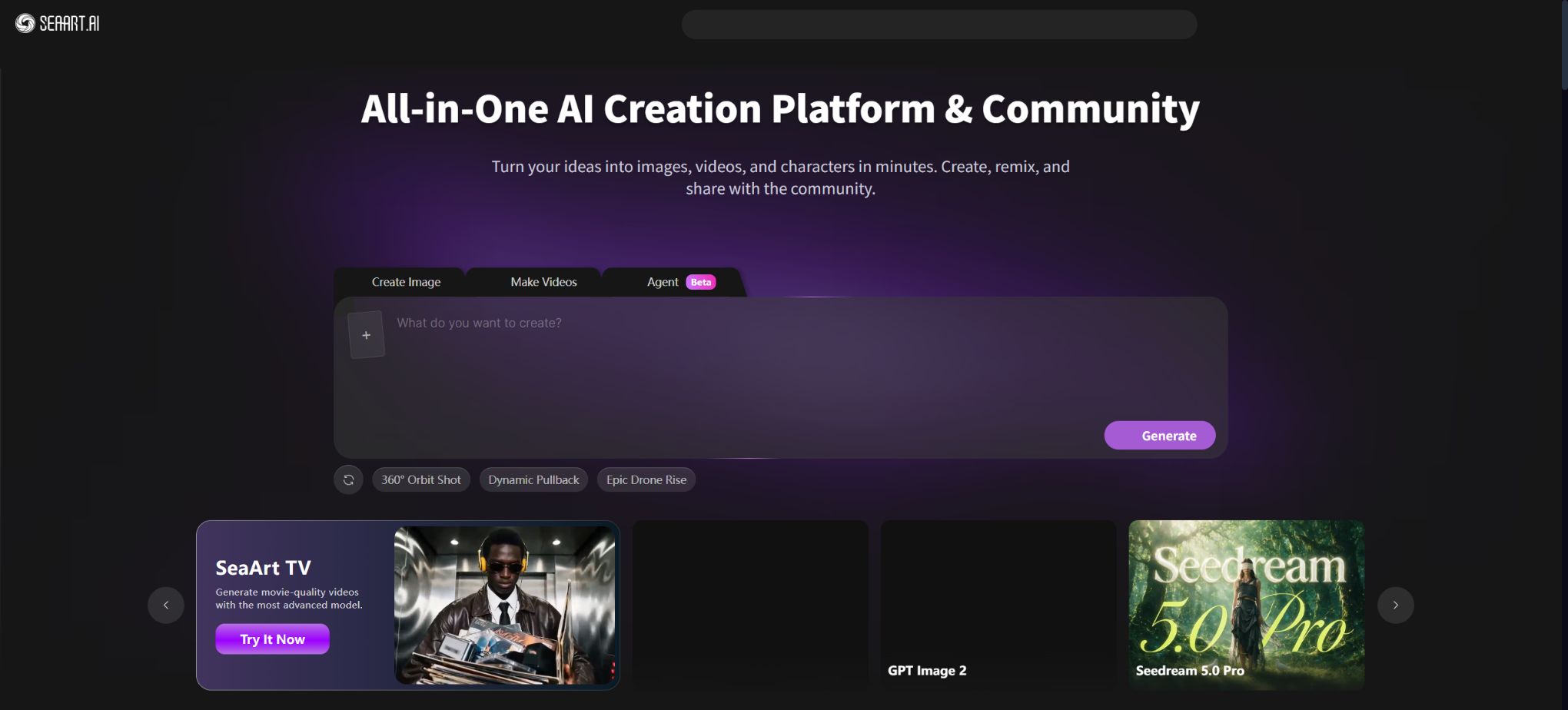
SeaArt AI is a one-stop platform for generative content creation and community interaction; Chinese users often refer to it as 海艺AI. It focuses on AI-powered image generation, while also offering services such as video and audio creation, AI character chats, a model library, LoRA and style training tools, online ComfyUI workflows, quick editing tools, and a creator community.
Users can access a large number of pre-trained models and workflows without needing to install a graphics card environment locally.
SeaArt is suitable for progressing from generating images using simple prompts to working with models, parameters, and nodes. It offers one-click generation options for beginners, while also allowing users familiar with the Stable Diffusion ecosystem to choose models, sampling settings, image size, reference images, and various detail controls.
The platform’s content and models come from both official sources and the community; before using them, it is necessary to check the licensing details of the models as well as the content ratings.
Core functions
1. AI image generation
Users can enter text to generate images, or they can upload reference images to create images from those. The platform offers a large variety of models in realistic, anime, illustration, photography, gaming, and design styles. Generating a standard image typically requires 6 units of energy or points; the actual cost depends on the model used, the resolution, the number of images, and any advanced settings applied.
The generation page usually allows for adjusting the image size, quantity, weights of the prompt terms, and negative prompts; it also enables the direct use of models and parameters from community creations. Popular models may have their prices updated or changed, and for official projects it is important to save the model’s name, version, and seed values to facilitate reproduction.
2. Swift AI quick tools
SeaArt offers quick AI tools for specific tasks, such as high-definition zooming, restoration, image expansion, background processing, style transformation, and area editing. These tools are more suitable for improving existing works than for creating content from scratch; however, zooming and restoration can alter faces, textures, text, and product details, so the results cannot be considered lossless enhancements.
3. AI video generation
The platform integrates various video models that enable the creation of videos from text or images, and it allows for the production of short films based on actions, camera angles, and style. The duration, clarity, capabilities, and resource consumption of these different video models vary significantly; typically, they require more points than basic image generation.
It is recommended to first test character consistency over short periods of time at a low cost, before increasing the specifications.
4. AI audio
SeaArt’s audio tools can generate voices with various tones and personalities from text, and they also allow for the creation of custom voices. They are suitable for use in story narration, character voiceovers, and creative audio projects.
Clear authorization must be obtained before cloning a voice that is not one’s own; it shall not be used for impersonation, fraud, or the creation of sensitive content without consent.
5. AI characters and chatting
Users can chat with community characters, and they can also create AI characters with avatars, settings, tones of voice, and backstories. Chatting with these characters consumes stamina or points, and it may result in inaccurate or inappropriate content.
It should be used with caution in scenarios involving minors, mental health, and real identities.
6. Online ComfyUI workflow
SeaArt moves the ComfyUI node workflows to the cloud, allowing users to connect model, prompt, control, zoom, and post-processing nodes in order to refine composition, color, and style. It is suitable for reusing complex workflows and community-based processes, eliminating the need to install models and nodes locally.
The fact that a workflow can be run online does not mean that all its nodes or models are open source, nor does it imply that it is possible to download the platform’s backend. Before importing third-party workflows, it is necessary to check the licensing of custom nodes and models as well as the input data; sensitive information should not be submitted to untrusted workflows.
7. Model and LoRA training
The platform allows users to upload training materials in order to train their own image models or styles, and to run these models online. The training process consumes computing resources depending on its complexity and duration.
A high-quality training set should maintain consistency in content, have clear images, and accurate labels; at the same time, it is necessary to remove duplicate images, those without authorization, and images containing sensitive personal information.
Training real people, artists’ styles, brands, or copyrighted characters may involve issues related to portraits, trademarks, and copyrights. Before making such models public or selling them, it is necessary to ensure that the training data and the underlying model permit the intended use.
8. Community models, works, and one-click creation of similar items
The SeaArt community allows users to browse artworks, models, LoRAs, applications, and workflows, as well as reuse publicly available parameters. Users can also publish their own artworks and models, set up paid licensing options, or participate in community programs.
Community demonstrations help in learning the parameters, but it is necessary to read carefully the explanations provided by the model’s creator, as well as the licensing terms and payment conditions for the base model.
9. Monetizing creative work
The platform offers incentives for creators as well as subscription plans; authors can publish exclusive models, applications, or content and receive support in return. The initial price for the official creator subscription plan was 9.9 dollars, while the platform’s cut, application requirements, and the types of content that can be subscribed to vary depending on the stage of the project.
It operates on a different principle from regular SVIP: SVIP purchases grant certain privileges, while subscriptions are used by creators to support specific authors.
How are physical strength and points calculated?
SeaArt has two main types of tokens: stamina and points. The system uses stamina first; only when there is not enough stamina are points utilized.
- Physical strength:It is refreshed daily and is valid only for that day; it cannot be accumulated. The higher the SVIP tier, the more daily stamina points one receives.
- Activity points:It can be obtained through tasks, community activities, or rewards. Points earned before April 1, 2026, are valid indefinitely; those earned thereafter have a validity period of 90 days to 2 years, as specified in the details of each activity.
- Buy points:Points purchased before April 1, 2026 are valid indefinitely; points purchased after that date are valid for 2 years from the date of purchase and can be accumulated.
The current FAQ on the official website states that \"free users have 0 stamina per day, but can create around 21 images\", which indicates that basic free generation is possible through specific free models or platform quotas; therefore, the old method of calculating a fixed amount of stamina per day should no longer be used. Some models, videos, training materials, and paid content still require points.
The generate button will display the actual consumption.
Free version and SVIP package
SeaArt offers free access to four SVIP tiers: Beginner, Standard, Professional, and Master. The website indicates the daily amount of stamina available as well as the number of standard images that can be generated per day.
| Package or version | Prices, quotas, and core benefits |
|---|---|
| Standard | 700 units of stamina per day, which corresponds to about 116 standard images; a maximum of 5 tasks can be submitted, with 3 of them being processed at the same time. |
| Professional | 2100 units of stamina per day, approximately 350 standard images; a maximum of 10 tasks can be submitted, with 5 of them being processed at the same time. |
These “approximately X copies” are estimated at 6 points per copy based on most models; this is not a fixed commitment for all models. Videos, high-resolution images, training processes, paid models, and complex workflows may require more resources. The rules regarding failures, queuing, and retries should be as specified on the task page.
How much does SeaArt AI cost?
The shopping mall offers monthly and annual payment options; the annual plan usually comes with a standard discount of around 10%. The exact amount in dollars varies depending on the region, taxes, exchange rates, account activity, and the payment method used.
The prices indicated on the official website are exclusive of taxes and represent estimates only; the actual amount to be paid may vary due to exchange rate differences.
During a recent official limited-time promotion, annual payment discounts were offered: for the Master plan, the cost was 9.99 dollars per month, amounting to 119.94 dollars for the whole year; the Professional plan was listed at 7.19 dollars per month.
Standard is listed at $5.59 per month. This promotion has ended; the number of coupons available is 0, so it cannot be used as a basis for the current regular price.
The real-time price shall be based on the settlement page of the shopping mall.
Some accounts are eligible for a 3-day trial period. Charges will be applied automatically after the trial ends; officials recommend canceling the subscription at least one day in advance, as regional differences and network delays can cause the deduction to occur a few hours earlier than expected.
If the cancellation is not carried out in time and the deduction is successful, the platform will not provide a refund.
Subscriptions can be canceled through the subscription management section in the shop; once canceled, the benefits remain valid until the end of the current period.
The price does not include tax; if an invoice is required, you must provide your account details, payment records, and the necessary information for issuing the invoice to customer service. Points packages must be purchased separately, and SVIP daily credits cannot be mixed up with permanent points.
What is infinite generation?
Certain promotions and Master benefits allow for \"unlimited free generation\" of specific models; to enable this feature, one must turn on the Unlimited option on the generation page. This unlimited generation option is available only for the models listed in the supported list and their corresponding modes – it does not apply to all images, videos, or models that require payment for training or use within the community. In such cases, slower processing times or limits on fair usage may apply.
Check the currently supported models before making a purchase.
Commercial use and copyright
The official SeaArt product page states that users can use commercially and sell the AI art they create on the platform; the platform grants them ownership rights over such creations. However, commercial use is still subject to restrictions related to the input materials, the models chosen, and third-party rights.
Community models may require separate licenses or paid authorizations; it is not possible to rely solely on the general instructions provided by the platform.
Users must confirm their rights over reference images, real-person portraits, logos, fonts, characters, and training data. There are still differences regarding whether content generated purely by AI is eligible for copyright protection in different countries and regions.
“Commercial use” does not guarantee that copyright or trademarks can be registered, nor does it ensure that others cannot create similar works.
Is it open source?
The SeaArt website, cloud-based generation services, role system, marketplace, and community are not open-source products; the developers do not make the complete backend code and all model weights available for private deployment. ComfyUI itself is an open-source project, but SeaArt’s online version of ComfyUI merely integrates and hosts this workflow ecosystem, and therefore the entire platform cannot be considered open-source.
Some of the community models and workflows available on the platform may permit downloading or use under open-source licenses, and it is necessary to check each one individually; third-party GitHub repositories do not represent SeaArt’s official code.
Supported platforms, accounts, and devices
SeaArt provides its services primarily through a web interface, and it also offers access and applications for mobile devices. One account allows logging in to up to 3 devices at the same time.
The tasks assigned to regular users and members are different; logging in from multiple devices does not increase the account’s total quota, nor is it allowed to use shared accounts to bypass the restrictions associated with a particular plan.
SeaArt AI Usage Guide
Complete a basic task.
- Clarify the purpose of the image, its dimensions, style, and requirements regarding commercial licensing.
- Upload the original images for which you have permission to use, or enter clear instructions to SeaArt AI;
- Select AI image generation to create low-cost candidates first;
- Use Swift AI’s quick tools to adjust the composition, subject, and details;
- Zoom in to examine faces, hands, text, edges, logos, and artifacts;
- Export after confirming the color, resolution, and licensing, while retaining the original image;
Create reusable professional workflows
- Create a list of brand colors, fonts, layout elements, and elements that are prohibited.
- Test AI image generation, Swift AI shortcut tools, and AI video generation separately;
- Use the same set of representative samples to compare quality, speed, and cost;
- Complex edges, text, and images of key products should be handed over for manual refinement.
- Standardize naming, dimensions, and review status;
- Batch processing and release are carried out after random inspections;
Which users are it suitable for
- Beginners who want to try out various image and video models online;
- Creators who need anime, realistic artwork, conceptual designs, and social media content;
- Users who do not want to set up a local graphics card environment but need advanced capabilities for ComfyUI workflows;
- Designed for designers who wish to train custom LoRA or style models;
- Creators who produce character conversations, story voiceovers, and virtual character content;
- Model creators who wish to publish their models and works and participate in subscription or incentive programs;
- Studios that require a high level of task concurrency and a large volume of output per day.
Usage restrictions and security
- SeaArt contains community-generated content as well as a large number of third-party models, and it may include adult, violent, or other sensitive material.
- Users should set their content preferences and ensure that they comply with the laws of their country as well as the platform’s rules.
- Do not create unauthorized explicit adult content, impersonation, fraud, or infringing material;
- The model’s output may contain errors related to hands, text, physical relationships, and consistency of characters;
- High resolution, complex workflows, and videos increase wait times and consumption;
- Commercial projects should first undergo sample testing before being produced in bulk, and budget should be set aside for manual editing and review.
- Privacy should be assessed before uploading training sets, customer products, and confidential materials.
- Community posts may reveal prompts, parameters, or works; sensitive items should be set to private, and the platform’s data settings should be checked.
Frequently Asked Questions
Is SeaArt AI free?
Some models and basic generation options are available for free. The current FAQ indicates that free users have 0 units of energy per day, but they can still generate around 21 basic images;
Advanced models, videos, training, and other higher-volume services require points or SVIP.
Does physical strength accumulate?
No. Physical strength is refreshed every day and is valid only for that day.
Points can be accumulated, but those earned or purchased after April 1, 2026, have validity periods ranging from 90 days to 2 years.
Can SeaArt be used to train LoRA?
It is possible to train image models and styles online and use them directly on the platform. Training requires computational resources, and the training data as well as the base models must permit such usage.
Can the images generated by SeaArt be used for commercial purposes?
The platform permits commercial use of user-generated content, but it is necessary to comply with the licenses of the models used, as well as to ensure that the images, characters, brands, and training materials involved have legitimate rights.
Does SeaArt support ComfyUI?
It supports online ComfyUI workflows, allowing the use of nodes to refine the generation process. The fact that ComfyUI is open source does not mean that the SeaArt platform itself is open source.
How can I cancel my SeaArt subscription?
Cancel it through the subscription management section of the store. For a 3-day trial, it is recommended to cancel at least one day in advance; once canceled, the benefits valid for the current period remain intact, and no further charges will be made in the next period.
Is SeaArt open source?
The platform is not open source. Individual community models, workflows, or ComfyUI projects may be open source; it is necessary to check the licenses for each one separately.
Tools similar to SeaArt AI



 Guigong Network Security Registration No. 45132202000164